1. ആമുഖം
This manual provides detailed instructions for the installation, operation, and maintenance of your Ctronics 5MP 30X Optical Zoom Outdoor WiFi PTZ Camera (Model: CTIPC-550C). Please read this manual thoroughly before using the product to ensure proper functionality and safety.
The camera features a 5MP resolution for high-definition imaging, 30X optical zoom, and Pan-Tilt-Zoom (PTZ) capabilities for comprehensive area coverage. It supports both 2.4GHz and 5GHz WiFi networks and offers advanced features such as automatic cruise, human detection, and automatic tracking. The robust metallic construction and IP66 weather resistance ensure reliable performance in various outdoor conditions.
2. പാക്കേജ് ഉള്ളടക്കം
പാക്കേജിൽ എല്ലാ ഇനങ്ങളും ഉണ്ടെന്ന് ദയവായി പരിശോധിക്കുക:
- Ctronics 5MP 30X Optical Zoom Outdoor WiFi PTZ Camera
- പവർ അഡാപ്റ്റർ
- മൗണ്ടിംഗ് സ്ക്രൂകളും വാൾ പ്ലഗുകളും
- നെറ്റ്വർക്ക് കേബിളിനുള്ള വാട്ടർപ്രൂഫ് കിറ്റ്
- ദ്രുത ആരംഭ ഗൈഡ്
3. സജ്ജീകരണവും ഇൻസ്റ്റാളേഷനും
നിങ്ങളുടെ ക്യാമറ സജ്ജീകരിക്കാൻ ഈ ഘട്ടങ്ങൾ പാലിക്കുക:
- മൗണ്ടിംഗ് സ്ഥലം തിരഞ്ഞെടുക്കുക: Select a location that provides optimal viewing angles and is within range of your WiFi network. Ensure the surface is sturdy enough to support the camera.
- ക്യാമറ ഘടിപ്പിക്കുക: Use the provided mounting template (if included) to mark drill holes. Secure the camera bracket to the wall or ceiling using the screws and wall plugs. Attach the camera to the bracket.
- പവർ ബന്ധിപ്പിക്കുക: പവർ അഡാപ്റ്റർ ക്യാമറയുമായി ബന്ധിപ്പിച്ച് ഒരു പവർ ഔട്ട്ലെറ്റിൽ പ്ലഗ് ചെയ്യുക. ക്യാമറ ഓണാകുകയും സ്വയം പരിശോധന ആരംഭിക്കുകയും ചെയ്യും.
- നെറ്റ്വർക്ക് കണക്ഷൻ:
- വയർലെസ് കണക്ഷൻ: Download the Ctronics Pro app (or specified app) on your smartphone. Follow the in-app instructions to connect the camera to your 2.4GHz or 5GHz WiFi network.
- വയർഡ് കണക്ഷൻ (ഓപ്ഷണൽ): For a stable connection, connect an Ethernet cable from your router to the camera's network port. Use the waterproof kit to protect the connection if installed outdoors.
- പ്രാരംഭ കോൺഫിഗറേഷൻ: Complete the initial setup through the mobile app, including setting a strong password for your camera.
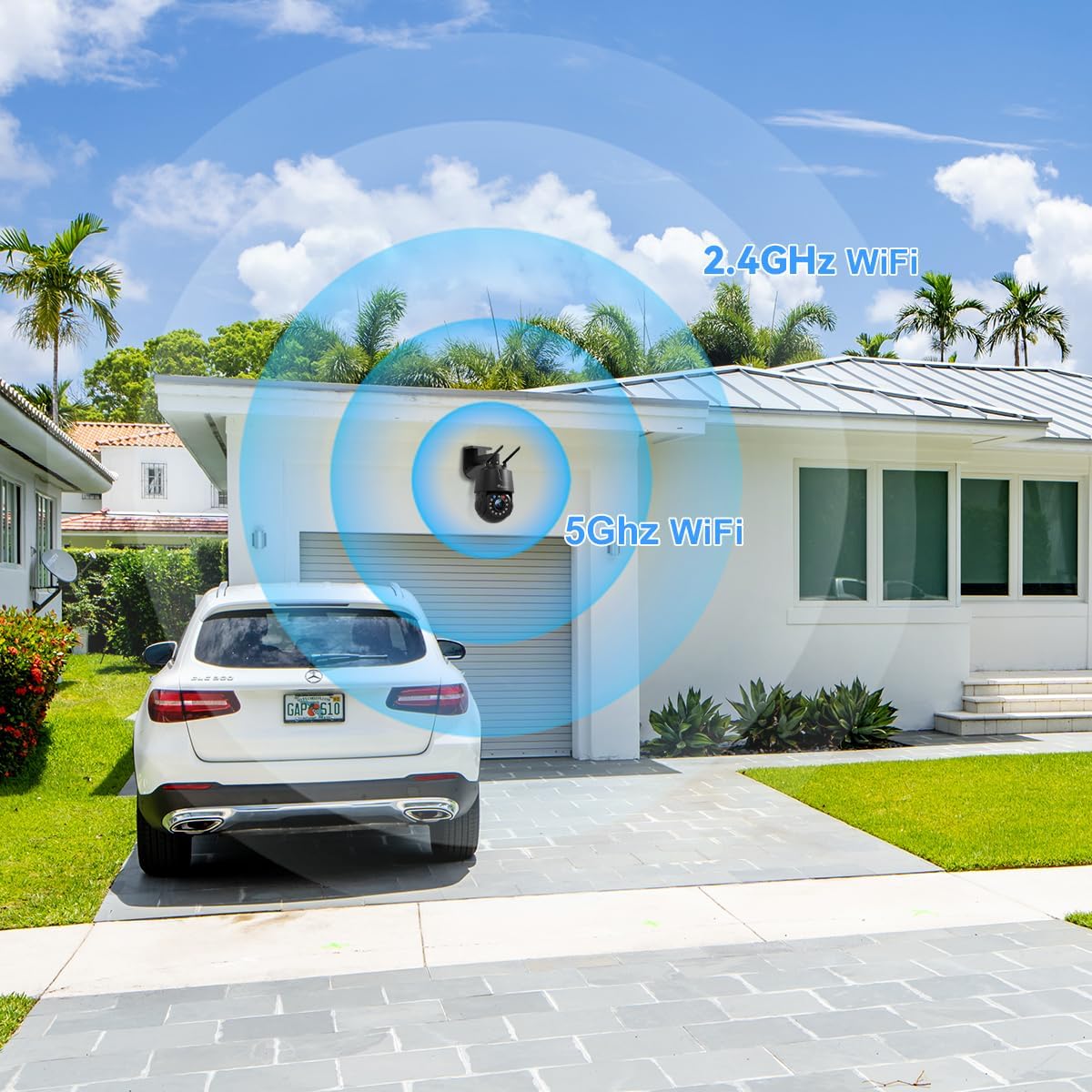
Figure 3.1: The camera supports both 2.4GHz and 5GHz WiFi for flexible network integration.
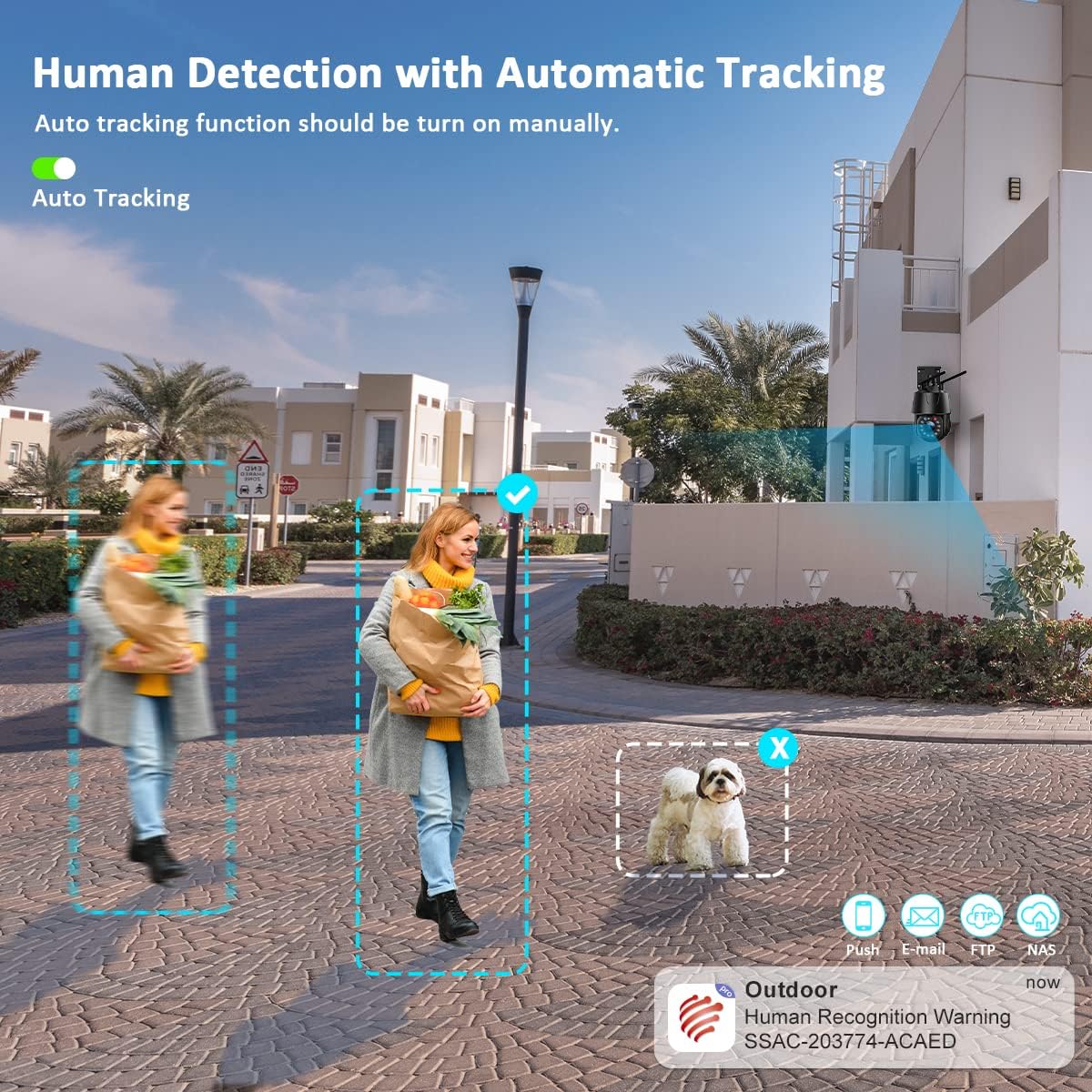
Figure 3.2: The camera system is compatible with various operating systems and devices, including iOS, Android, Windows, and Mac OS, through dedicated applications like Ctronics Pro and HIP2P Client.
4. പ്രവർത്തന നിർദ്ദേശങ്ങൾ
Your Ctronics camera offers a range of features for effective surveillance:
4.1. തത്സമയം View കൂടാതെ PTZ നിയന്ത്രണവും
Access the live video feed through the mobile app or desktop software. Use the on-screen controls to pan (355°), tilt (90°), and zoom (30X optical) the camera to monitor different areas. The 5MP resolution (2560 x 1920P) ensures clear and detailed images.
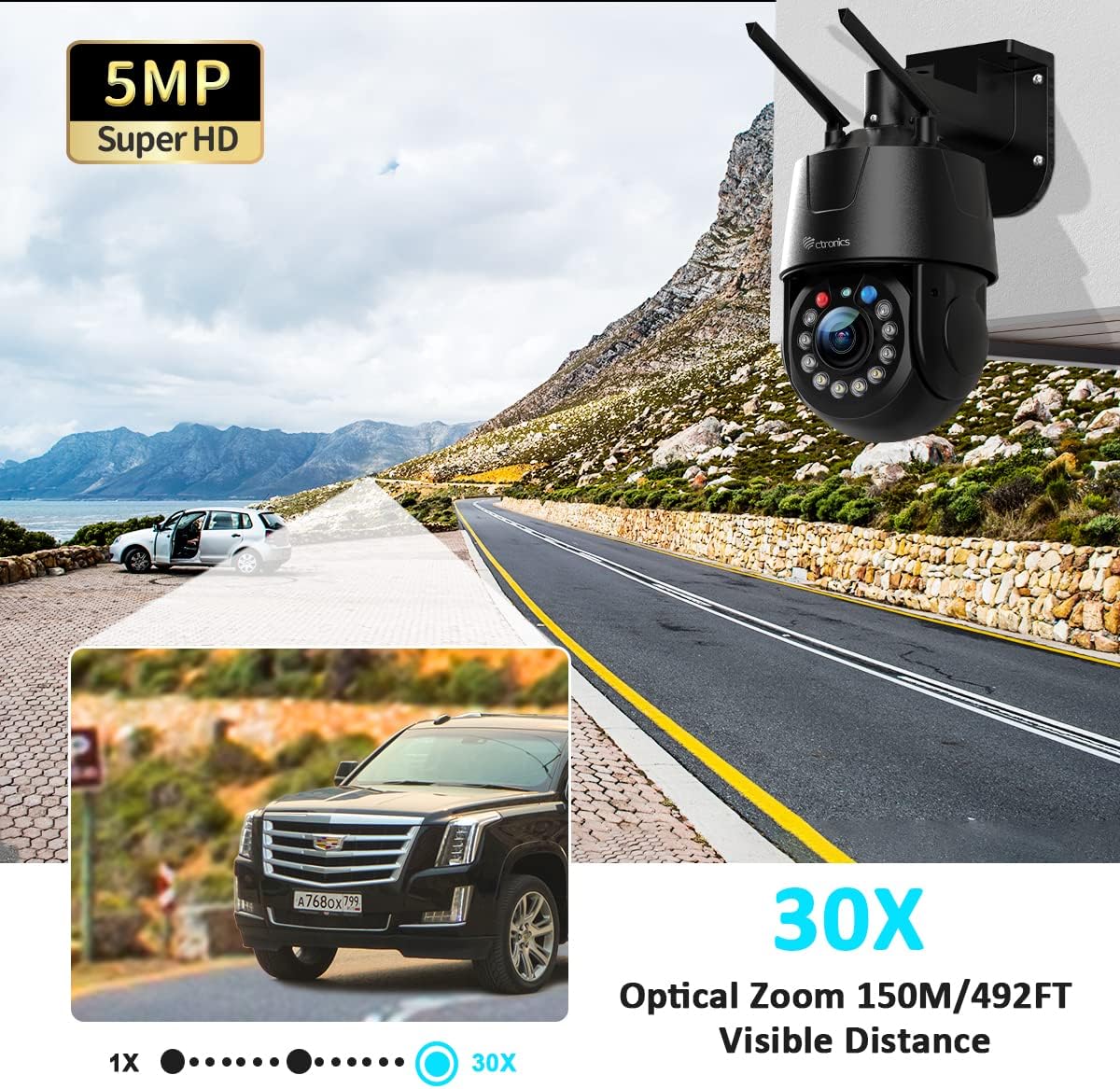
Figure 4.1: The 5MP Super HD resolution combined with 30X optical zoom allows for clear magnification of distant objects up to 150 meters (492 feet).
4.2. Automatic Cruise and Zoom
The camera supports automatic cruise functions with preset points. You can configure two types of cruise modes:
- Zoom Cruise: Follows up to 16 preset points, automatically zooming in on each point.
- Normal Cruise: Follows up to 30 preset points without automatic zoom.
If human movement is detected during zoom cruise, the camera will automatically zoom and track the movement.
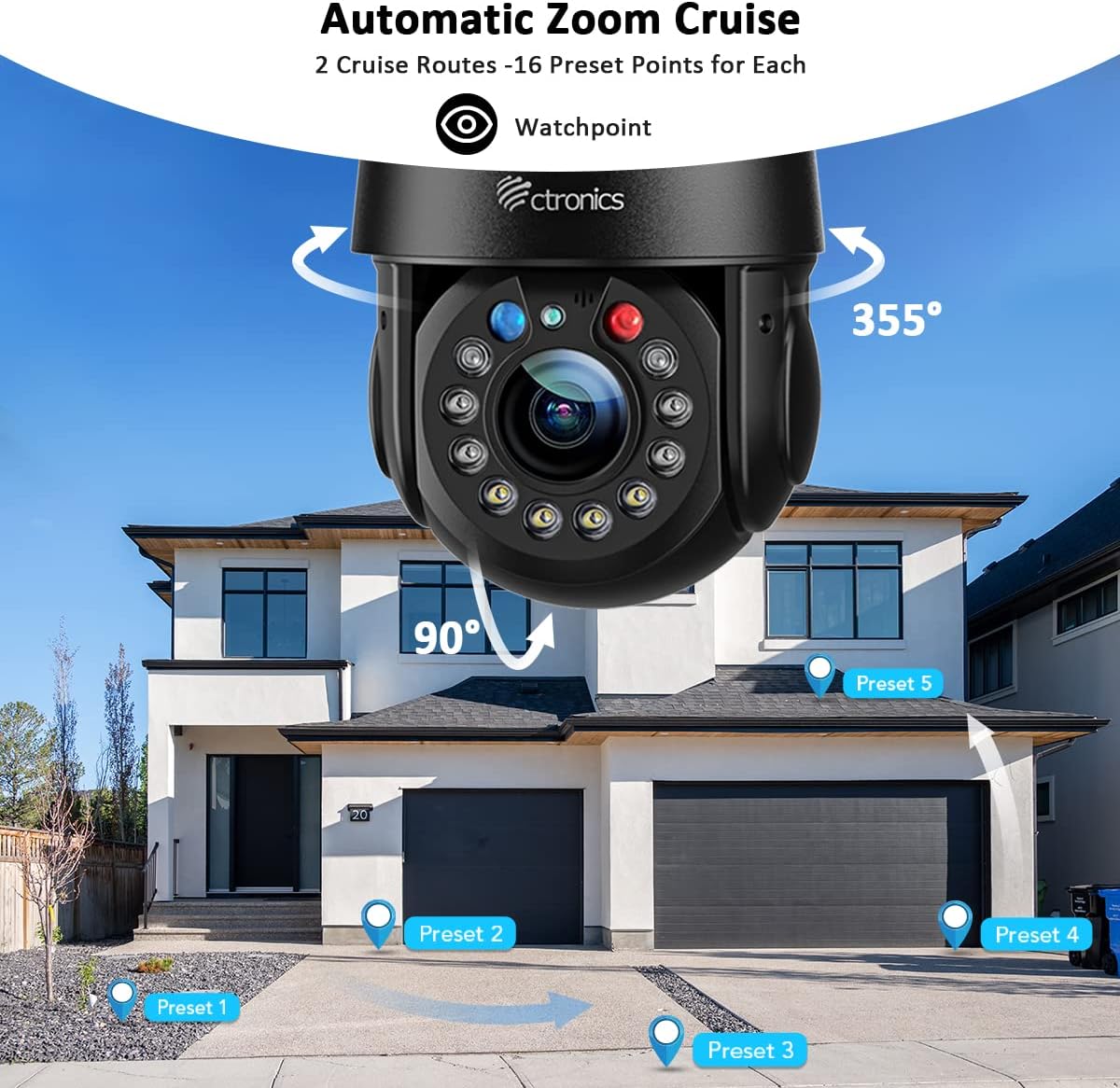
Figure 4.2: Configure automatic zoom cruise routes with multiple preset points for comprehensive area monitoring.
4.3. Intelligent Optical Zoom and Auto Tracking
The camera's intelligent optical zoom automatically adjusts magnification based on the distance of detected objects. When auto-tracking is enabled, the camera will follow detected human movement, keeping the subject in view.
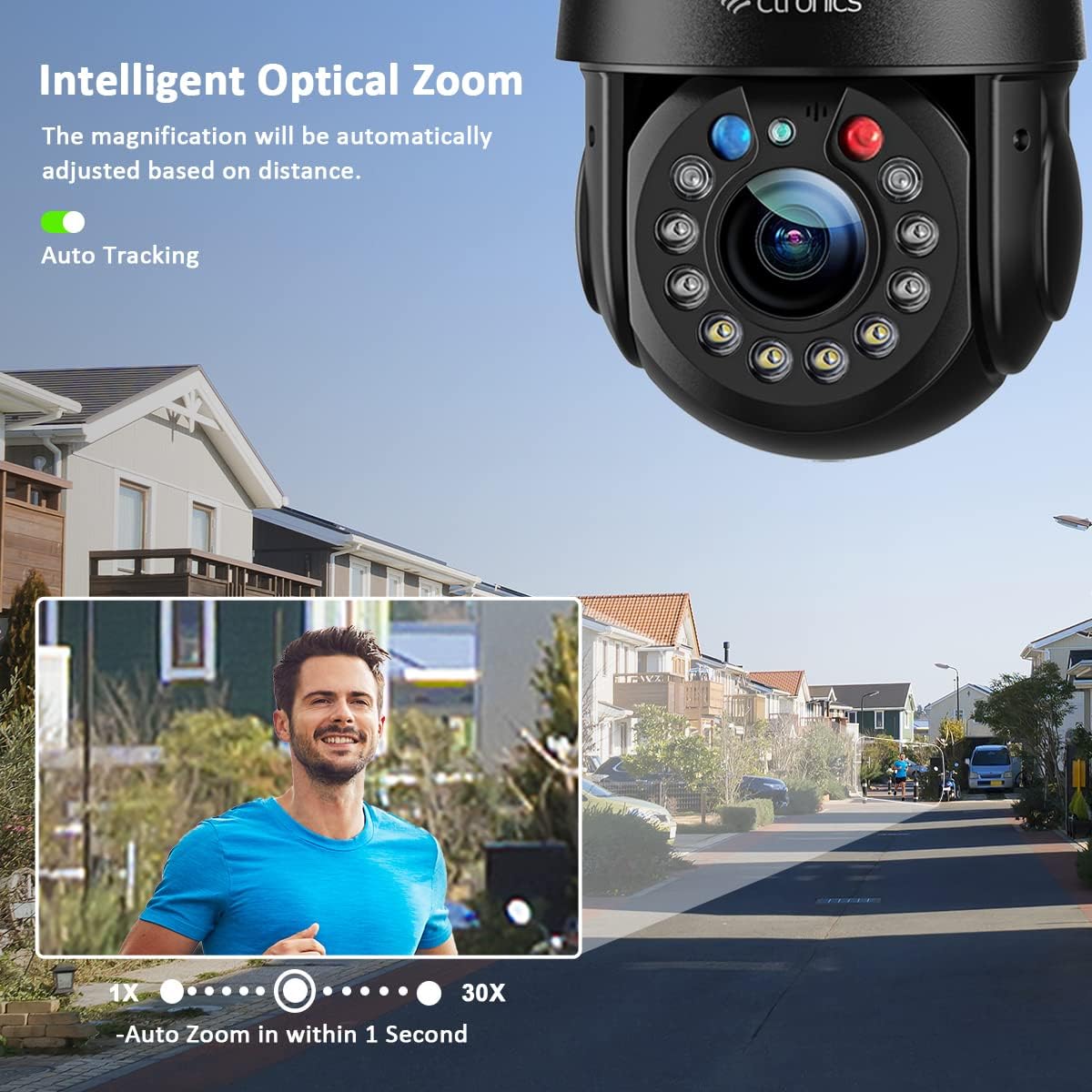
Figure 4.3: Intelligent optical zoom automatically adjusts to maintain clarity, while auto-tracking keeps moving subjects in focus.
4.4. രാത്രി കാഴ്ച മോഡുകൾ
ക്യാമറ മൂന്ന് രാത്രി കാഴ്ച മോഡുകൾ വാഗ്ദാനം ചെയ്യുന്നു:
- ഇൻഫ്രാറെഡ് നൈറ്റ് വിഷൻ: Provides clear black and white images up to 150 meters (492 feet) using 2 laser IR LEDs and 4 IR LEDs.
- കളർ നൈറ്റ് വിഷൻ: Utilizes 4 white LEDs to provide full-color images up to 50 meters (164 feet).
- സ്മാർട്ട് നൈറ്റ് വിഷൻ: Automatically switches between IR and color night vision based on detected motion.
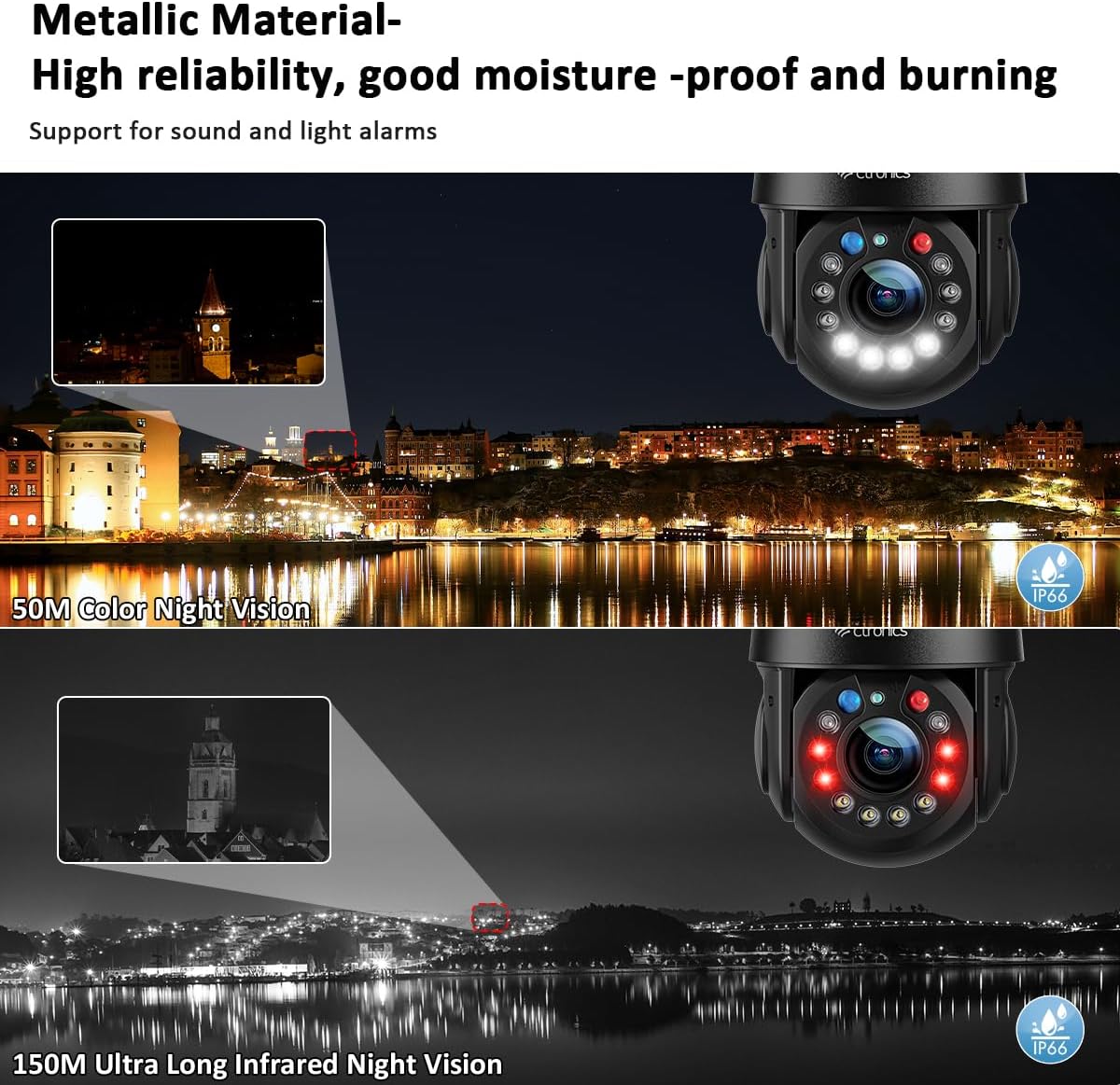
Figure 4.4: Experience clear surveillance with 150M infrared night vision or 50M color night vision.
4.5. Human Detection and Alarms
The camera's human detection feature distinguishes human movement from other motions, reducing false alarms by up to 95%. When a human is detected, the camera can automatically track the movement, trigger red and blue alarm lights, sound a customizable alarm, and send alerts to your smartphone app.
Figure 4.5: Human detection accurately identifies people, triggering alerts and auto-tracking while ignoring non-human movements.
4.6. ടു-വേ ഓഡിയോ
With built-in high-quality speakers and microphones, the camera supports two-way audio communication. This allows you to speak to visitors or deter intruders directly through the camera from your mobile device.
4.7. വീഡിയോ പ്ലേബാക്കും സംഭരണവും
റെക്കോർഡ് ചെയ്ത footage can be stored on a microSD card (not included) or via cloud storage (subscription may be required). Access and review recorded events through the mobile app or desktop software.
Video 4.1: This video demonstrates the key features of the Ctronics 5MP 30X Optical Zoom Outdoor WiFi PTZ Camera, including its metallic body, various night vision modes (laser, infrared, white light), 360° field of view, 30X optical zoom, customizable preset and cruise tracking, automatic tracking and resizing, 5MP resolution comparison, 150M infrared night vision, 50M color night vision, manual detection and automatic tracking, acoustic and visual alarms, two-way audio, and IP66 weather resistance against rain and snow.
5. പരിപാലനം
പതിവ് അറ്റകുറ്റപ്പണികൾ നിങ്ങളുടെ ക്യാമറയുടെ മികച്ച പ്രകടനവും ദീർഘായുസ്സും ഉറപ്പാക്കുന്നു:
- വൃത്തിയാക്കൽ: ക്യാമറ ലെൻസും ബോഡിയും മൃദുവായ, d തുണി ഉപയോഗിച്ച് സൌമ്യമായി തുടയ്ക്കുക.amp തുണി. കഠിനമായ രാസവസ്തുക്കളോ ഉരച്ചിലുകളുള്ള ക്ലീനറുകളോ ഉപയോഗിക്കരുത്.
- ഫേംവെയർ അപ്ഡേറ്റുകൾ: Periodically check for and install firmware updates through the mobile app. Updates often include performance improvements and security enhancements.
- കേബിൾ പരിശോധന: Regularly inspect power and network cables for any signs of wear or damage. Ensure waterproof connections are secure.
- നെറ്റ്വർക്ക് സുരക്ഷ: Change your camera's password regularly and ensure your WiFi network is secured with a strong password.
6. പ്രശ്നപരിഹാരം
നിങ്ങൾക്ക് പ്രശ്നങ്ങൾ നേരിടുകയാണെങ്കിൽ, ഇനിപ്പറയുന്ന പൊതുവായ ട്രബിൾഷൂട്ടിംഗ് ഘട്ടങ്ങൾ പരിശോധിക്കുക:
- ക്യാമറ വൈഫൈയിലേക്ക് കണക്റ്റ് ചെയ്യുന്നില്ല:
- Ensure the camera is within range of your router.
- Verify that you are connecting to the correct 2.4GHz or 5GHz network and have entered the correct password.
- നിങ്ങളുടെ റൂട്ടറും ക്യാമറയും പുനരാരംഭിക്കുക.
- വീഡിയോ ഫീഡ് ഇല്ല:
- ക്യാമറ ഓണാക്കിയിട്ടുണ്ടോ എന്നും പവർ അഡാപ്റ്റർ സുരക്ഷിതമായി ബന്ധിപ്പിച്ചിട്ടുണ്ടോ എന്നും പരിശോധിക്കുക.
- നെറ്റ്വർക്ക് കണക്റ്റിവിറ്റി പരിശോധിക്കുക.
- Ensure the mobile app or desktop software is up to date.
- മോശം ചിത്രത്തിന്റെ ഗുണനിലവാരം:
- ക്യാമറ ലെൻസ് വൃത്തിയാക്കുക.
- നിങ്ങളുടെ നെറ്റ്വർക്കിന്റെ വേഗത പരിശോധിക്കുക; കണക്ഷൻ മന്ദഗതിയിലാണെങ്കിൽ അത് സ്ട്രീമിംഗ് ഗുണനിലവാരത്തെ ബാധിച്ചേക്കാം.
- Adjust camera settings for resolution and bitrate in the app.
- തെറ്റായ അലാറങ്ങൾ:
- Adjust the sensitivity of human detection.
- Define specific detection zones to exclude areas with frequent non-human movement.
If the issue persists, please contact Ctronics customer support.
7 സ്പെസിഫിക്കേഷനുകൾ
| ഫീച്ചർ | വിവരണം |
|---|---|
| ഉൽപ്പന്ന മോഡൽ | CTIPC-550C |
| റെസലൂഷൻ | 5എംപി (2560 x 1920പി) |
| ഒപ്റ്റിക്കൽ സൂം | 30X |
| പാൻ/ടിൽറ്റ് ശ്രേണി | പാൻ: 355°, ചരിവ്: 90° |
| കണക്റ്റിവിറ്റി | 2.4GHz/5GHz WiFi, Wired Ethernet |
| നൈറ്റ് വിഷൻ | 150M IR Night Vision, 50M Color Night Vision |
| പ്രത്യേക സവിശേഷതകൾ | Human Detection, Auto Tracking, Automatic Cruise, Two-Way Audio, Red & Blue Alarm Lights |
| കാലാവസ്ഥ പ്രതിരോധം | IP66 |
| മെറ്റീരിയൽ | മെറ്റാലിക് |
8. വാറൻ്റി വിവരങ്ങൾ
Ctronics products are covered by a limited warranty from the date of purchase. Please refer to the warranty card included in your package or visit the official Ctronics webവിശദമായ വാറന്റി നിബന്ധനകൾക്കും വ്യവസ്ഥകൾക്കും സൈറ്റ് സന്ദർശിക്കുക. വാറന്റി ക്ലെയിമുകൾക്കുള്ള വാങ്ങലിന്റെ തെളിവായി നിങ്ങളുടെ വാങ്ങൽ രസീത് സൂക്ഷിക്കുക.
9. ഉപഭോക്തൃ പിന്തുണ
For technical assistance, product inquiries, or warranty support, please contact Ctronics customer service through the following channels:
- Webസൈറ്റ്: Visit the official Ctronics webപതിവുചോദ്യങ്ങൾ, പിന്തുണാ ലേഖനങ്ങൾ, കോൺടാക്റ്റ് ഫോമുകൾ എന്നിവയ്ക്കുള്ള സൈറ്റ്.
- ഇമെയിൽ: Refer to your quick start guide or the Ctronics webഉചിതമായ പിന്തുണാ ഇമെയിൽ വിലാസത്തിനായി സൈറ്റ് സന്ദർശിക്കുക.
- ഇൻ-ആപ്പ് പിന്തുണ: Many issues can be resolved directly through the support features available in the Ctronics Pro mobile application.


