1. ആമുഖം
This manual provides instructions for the AULCMEET AN-MR20GA Magic Remote Control, designed as a replacement for LG Smart TV models. This remote offers intuitive pointing, wheel control, and voice command capabilities for an enhanced television viewഅനുഭവം.
1.1 അനുയോജ്യത
The AN-MR20GA remote control is compatible with various LG Smart TV series. Please verify your TV model against the lists below:
- 2020 മോഡലുകൾ: ZX, GX, CX, BX, NANO99, NANO95, NANO91, NANO86, NANO85, NANO80, UN81, UN73
- 2019 മോഡലുകൾ: W9, E9, C9, B9, SM94, SM90, SM86, UM76, UM73
- 2018 മോഡലുകൾ: W8, E8, C8, SK95, SK86, SK80, UK75, UK65
- 2017 മോഡലുകൾ: W7, G7, E7, C7, B7, SJ95, SJ85, UJ75, UJ65, LJ55
- Specific Models: 65NANO86VNA, 55NANO90VNA, 49NANO80VNA, 49NANO80UNA, 55NANO81ANA, 65NANO80VNA, 65NANO90VNA, 65NANO79VND, 75NANO79VNE, 55NANO80VNA, 55UN8060PVB, 49UN7340PVC, 55UN7340PVC, 55NANO79VND, OLED48CXPUB
2. സജ്ജീകരണം
2.1 ബാറ്ററി ഇൻസ്റ്റാളേഷൻ
The remote control requires two (2) AA batteries for operation. Follow these steps to install them:
- റിമോട്ട് കൺട്രോളിൻ്റെ പിൻഭാഗത്ത് ബാറ്ററി കമ്പാർട്ട്മെൻ്റ് കവർ കണ്ടെത്തുക.
- Press the 'PUSH' button or slide the cover down to open the compartment.
- കമ്പാർട്ടുമെന്റിനുള്ളിലെ അടയാളപ്പെടുത്തലുകളുമായി പോസിറ്റീവ് (+), നെഗറ്റീവ് (-) ടെർമിനലുകൾ ശരിയായി വിന്യസിക്കുന്നുണ്ടെന്ന് ഉറപ്പാക്കിക്കൊണ്ട് രണ്ട് AA ബാറ്ററികൾ ഇടുക.
- സുരക്ഷിതമായി ക്ലിക്ക് ചെയ്യുന്നതുവരെ ബാറ്ററി കമ്പാർട്ട്മെന്റ് കവർ തിരികെ സ്ഥലത്തേക്ക് സ്ലൈഡുചെയ്ത് അടയ്ക്കുക.
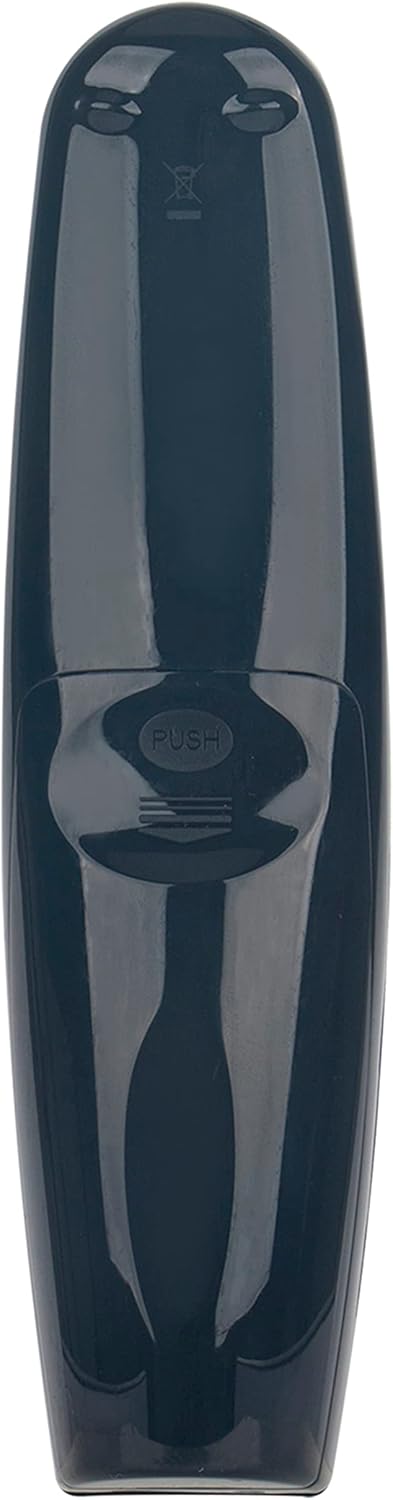
Figure 1: Back of the remote control, indicating the battery compartment.
2.2 റിമോട്ട് കൺട്രോൾ ജോടിയാക്കുന്നു
To use the Magic Remote, it must be paired with your LG Smart TV. Follow these steps:
- നിങ്ങളുടെ എൽജി സ്മാർട്ട് ടിവി ഓണാക്കുക.
- മാജിക് റിമോട്ട് നിങ്ങളുടെ ടിവിയുടെ നേരെ ചൂണ്ടുക.
- അമർത്തുക ചക്രം (ശരി) button. The remote will automatically register to your TV.
- A message confirming successful pairing will appear on your TV screen. If pairing fails, try pressing the സ്മാർട്ട് ഹോം ബട്ടൺ ഒപ്പം തിരികെ button simultaneously for 5 seconds to unpair, then repeat step 3.
3. റിമോട്ട് കൺട്രോൾ പ്രവർത്തിപ്പിക്കുക
The AN-MR20GA Magic Remote offers various functions for navigating your LG Smart TV.
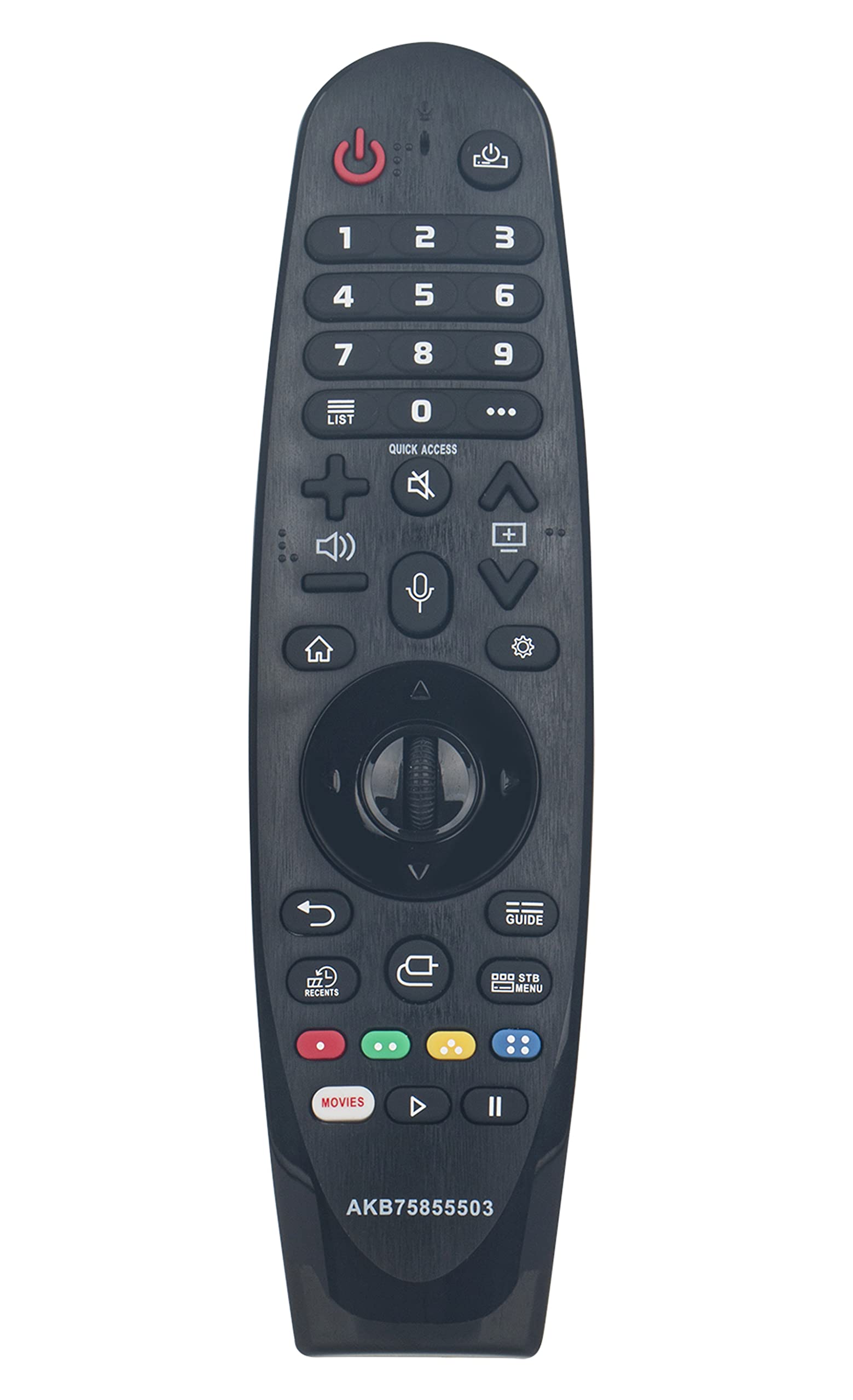
ചിത്രം 2: മുൻഭാഗം view of the AULCMEET AN-MR20GA Magic Remote Control.
3.1 അടിസ്ഥാന പ്രവർത്തനങ്ങൾ
- Power Button (Red Circle): ടിവി ഓണാക്കുകയോ ഓഫാക്കുകയോ ചെയ്യുന്നു.
- നമ്പർ ബട്ടണുകൾ (0-9): Enter channel numbers or other numerical inputs.
- വോളിയം കൂട്ടുക/താഴ്ത്തുക: ടിവി വോളിയം ക്രമീകരിക്കുന്നു.
- ചാനൽ മുകളിലേക്കും താഴേക്കും: ടിവി ചാനലുകൾ മാറ്റുന്നു.
- നിശബ്ദ ബട്ടൺ: ടിവി ശബ്ദം മ്യൂട്ട് ചെയ്യുകയോ അൺമ്യൂട്ട് ചെയ്യുകയോ ചെയ്യുന്നു.
- ബാക്ക് ബട്ടൺ: മുമ്പത്തെ സ്ക്രീനിലേക്കോ മെനുവിലേക്കോ മടങ്ങുന്നു.
- Home/Smart Button: Accesses the Smart Home dashboard or main menu.
- ക്രമീകരണ ബട്ടൺ (ഗിയർ ഐക്കൺ): ടിവിയുടെ ക്രമീകരണ മെനു തുറക്കുന്നു.
3.2 മാജിക് റിമോട്ട് സവിശേഷതകൾ
- സൂചിപ്പിക്കൽ: Move the remote to control an on-screen cursor, similar to a mouse.
- വീൽ (ശരി) ബട്ടൺ: Press to select items, or rotate to scroll through lists and web പേജുകൾ.
- Voice Control (Microphone Icon): Press and hold the voice button, then speak into the remote to use voice commands for search, channel changes, or app launching.
- ദ്രുത പ്രവേശനം: Long-press a number button (1-9) to assign an app or TV channel for quick access. A short press will then launch the assigned item.

Figure 3: User interacting with an LG Smart TV using the Magic Remote.
4. പരിപാലനം
4.1 വൃത്തിയാക്കൽ
റിമോട്ട് കൺട്രോൾ വൃത്തിയാക്കാൻ മൃദുവായതും ഉണങ്ങിയതുമായ തുണി ഉപയോഗിക്കുക. ലിക്വിഡ് ക്ലീനറുകൾ, സ്പ്രേകൾ, അല്ലെങ്കിൽ അബ്രസീവ് വസ്തുക്കൾ എന്നിവ ഉപയോഗിക്കരുത്, കാരണം ഇവ റിമോട്ടിന്റെ ഉപരിതലത്തിനോ ആന്തരിക ഘടകങ്ങളോ കേടുവരുത്തും.
4.2 ബാറ്ററി മാറ്റിസ്ഥാപിക്കൽ
Replace batteries when the remote's response becomes sluggish or it stops functioning. Always replace both AA batteries at the same time with new ones. Do not mix old and new batteries or different types of batteries.
5. പ്രശ്നപരിഹാരം
- റിമോട്ട് പ്രതികരിക്കുന്നില്ല:
- ബാറ്ററികൾ ശരിയായി ഇൻസ്റ്റാൾ ചെയ്തിട്ടുണ്ടോ എന്നും ആവശ്യത്തിന് ചാർജ് ഉണ്ടോ എന്നും പരിശോധിക്കുക. ആവശ്യമെങ്കിൽ മാറ്റിസ്ഥാപിക്കുക.
- റിമോട്ടിനും ടിവിക്കും ഇടയിൽ തടസ്സങ്ങളൊന്നുമില്ലെന്ന് ഉറപ്പാക്കുക.
- Try re-pairing the remote control (refer to Section 2.2).
- Pointing function not working:
- Ensure the remote is properly paired.
- Shake the remote gently to reactivate the cursor.
- If the cursor is not visible, try pressing the ചക്രം (ശരി) ബട്ടൺ.
- ശബ്ദ നിയന്ത്രണം പ്രവർത്തിക്കുന്നില്ല:
- Ensure the remote is properly paired and connected to the internet (for TV features requiring internet).
- Speak clearly into the microphone located on the remote.
- Check your TV's settings for voice recognition and ensure it is enabled.
6 സ്പെസിഫിക്കേഷനുകൾ
| മോഡൽ | AN-MR20GA (AKB75855503) |
| ബ്രാൻഡ് | ഓൾക്മീറ്റ് |
| ഉൽപ്പന്ന അളവുകൾ | 6.9 x 2 x 0.7 ഇഞ്ച് |
| ഇനത്തിൻ്റെ ഭാരം | 2.8 ഔൺസ് |
| പവർ ഉറവിടം | 2 x AA ബാറ്ററികൾ (ഉൾപ്പെടുത്തിയിട്ടില്ല) |
| കണക്റ്റിവിറ്റി ടെക്നോളജി | ബ്ലൂടൂത്ത് |
| പ്രത്യേക ഫീച്ചർ | Voice Search, Pointing, Wheel Control |
| അനുയോജ്യമായ ഉപകരണങ്ങൾ | LG Smart Televisions |
7. വാറൻ്റിയും പിന്തുണയും
For specific warranty information and customer support, please refer to the documentation included with your purchase or contact the manufacturer directly. General product support and troubleshooting tips may also be available on the AULCMEET official webസൈറ്റ്.


