1. ആമുഖം
Thank you for choosing the Aresrora Mini Karaoke Machine C20 Plus. This portable Bluetooth speaker with a wireless microphone is designed for an enjoyable singing experience. Its compact size and retro design make it suitable for various settings. This manual provides essential information for proper setup, operation, and maintenance of your device.

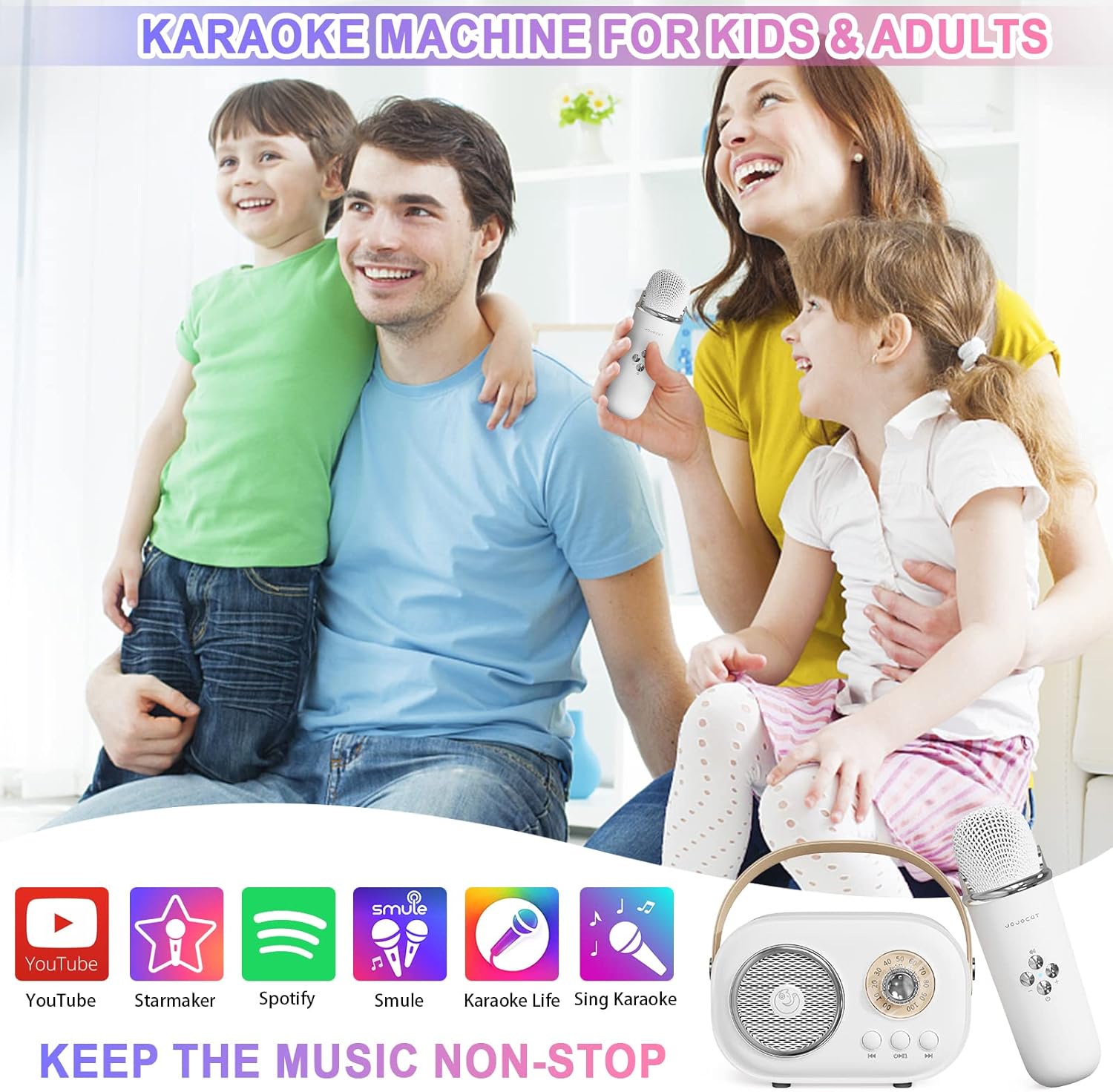
Figure 1: The Aresrora Mini Karaoke Machine C20 Plus in use by individuals and groups.
2. ബോക്സിൽ എന്താണുള്ളത്?
പാക്കേജിൽ എല്ലാ ഇനങ്ങളും ഉണ്ടെന്ന് ഉറപ്പാക്കുക:
- 1 x സ്പീക്കർ
- 1 x മൈക്രോഫോൺ
- 1 x ചാർജിംഗ് കേബിൾ (USB ടൈപ്പ്-സി)
- 1 x ഉപയോക്തൃ മാനുവൽ

Figure 2: Included components of the Aresrora Mini Karaoke Machine C20 Plus.
3. ഉൽപ്പന്നം കഴിഞ്ഞുview
The Aresrora Mini Karaoke Machine C20 Plus features a compact design with intuitive controls for both the speaker and the wireless microphone.
3.1 സ്പീക്കർ സവിശേഷതകൾ
- അളവുകൾ: ഏകദേശം 5.5 x 3 x 4 ഇഞ്ച്
- ഭാരം: ഏകദേശം 14 ഔൺസ്
- നിയന്ത്രണങ്ങൾ: Power On/Off, Play/Pause, Previous Track, Next Track, Volume Knob.
- കണക്റ്റിവിറ്റി: USB Type-C charging port, TF (Micro SD) card slot.
ചിത്രം 3: മുൻഭാഗം view of the speaker and microphone.

Figure 4: Speaker with Type-C charging port and TF card slot.
3.2 Microphone Features
- നിയന്ത്രണങ്ങൾ: Power On/Off, Volume Up/Down, Voice Changer (EFF Key).
- Voice Modes: Six distinct voice changing modes.

Figure 5: Wireless microphone controls.
4. സജ്ജീകരണ നിർദ്ദേശങ്ങൾ
4.1 ഉപകരണം ചാർജ് ചെയ്യുന്നു
Before first use, fully charge both the speaker and the microphone. Use the provided USB Type-C charging cable. The charging indicator light will show charging status.
4.2 പവർ ഓൺ/ഓഫ്
- സ്പീക്കർ: Long press the power button on the speaker until you hear an audible prompt.
- മൈക്രോഫോൺ: Long press the power button on the microphone until you hear an audible prompt.
4.3 ബ്ലൂടൂത്ത് ജോടിയാക്കൽ
- സ്പീക്കറും മൈക്രോഫോണും ഓണാക്കിയിട്ടുണ്ടെന്ന് ഉറപ്പാക്കുക.
- നിങ്ങളുടെ മൊബൈൽ ഉപകരണത്തിൽ (സ്മാർട്ട്ഫോൺ, ടാബ്ലെറ്റ് മുതലായവ), ബ്ലൂടൂത്ത് പ്രവർത്തനക്ഷമമാക്കുക.
- ഇതിനായി തിരയുക available devices and select "C20 Plus" to pair.
- Once paired, you will hear a confirmation sound from the speaker. The microphone will automatically connect to the speaker.

Figure 6: Bluetooth connectivity with various devices.
5. പ്രവർത്തന നിർദ്ദേശങ്ങൾ
5.1 സംഗീതം പ്ലേ ചെയ്യുന്നു
- ബ്ലൂടൂത്ത്: After successful pairing, play music from your connected device. The speaker will output the audio.
- TF കാർഡ്: Insert a TF (Micro SD) card with MP3 music files into the designated slot on the speaker. The speaker will automatically begin playing music from the card.
5.2 സ്പീക്കർ നിയന്ത്രണങ്ങൾ
- വോളിയം നോബ്: Rotate the knob to adjust the overall music volume.
- പ്ലേ/താൽക്കാലികമായി നിർത്തുക ബട്ടൺ: സംഗീതം പ്ലേ ചെയ്യാനോ താൽക്കാലികമായി നിർത്താനോ ഒരിക്കൽ അമർത്തുക.
- മുമ്പത്തെ/അടുത്ത ട്രാക്ക് ബട്ടണുകൾ: Press to skip to the previous or next song.
5.3 മൈക്രോഫോൺ ഉപയോഗം
- ആലാപനം: Speak or sing directly into the microphone. Your voice will be ampസ്പീക്കറിലൂടെ പറഞ്ഞു.
- മൈക്രോഫോൺ വോളിയം: Use the '+' and '-' buttons on the microphone to adjust your vocal volume independently.
- Voice Changer (EFF Key): Press the 'EFF' button (top button) on the microphone to cycle through the six different voice changing modes.

Figure 7: Operating the karaoke machine with a smartphone.
Video 1: Demonstration of the Aresrora Mini Karaoke Machine C20 Plus, showcasing its features and use.
6. പരിപാലനം
To ensure the longevity and optimal performance of your karaoke machine, follow these maintenance guidelines:
- വൃത്തിയാക്കൽ: മൃദുവായതും ഉണങ്ങിയതുമായ തുണി ഉപയോഗിച്ച് ഉപകരണം തുടയ്ക്കുക. കഠിനമായ രാസവസ്തുക്കളോ ഉരച്ചിലുകളുള്ള ക്ലീനറുകളോ ഉപയോഗിക്കുന്നത് ഒഴിവാക്കുക.
- സംഭരണം: നേരിട്ടുള്ള സൂര്യപ്രകാശത്തിൽ നിന്നും കടുത്ത താപനിലയിൽ നിന്നും മാറി തണുത്തതും വരണ്ടതുമായ സ്ഥലത്ത് ഉപകരണം സൂക്ഷിക്കുക.
- ബാറ്ററി കെയർ: For optimal battery life, avoid fully discharging the device frequently. Charge it regularly, even if not in use for extended periods.
7. പ്രശ്നപരിഹാരം
If you encounter any issues with your Aresrora Mini Karaoke Machine C20 Plus, please refer to the following common solutions:
| പ്രശ്നം | സാധ്യമായ പരിഹാരം |
|---|---|
| ഉപകരണം പവർ ഓണാക്കുന്നില്ല | Ensure the device is fully charged. Connect to the charger and try again. |
| ബ്ലൂടൂത്ത് വഴി ജോടിയാക്കാൻ കഴിയില്ല | Make sure Bluetooth is enabled on your device and the karaoke machine is in pairing mode. Try restarting both devices. Ensure no other devices are currently connected. |
| സ്പീക്കറിൽ നിന്ന് ശബ്ദമില്ല | Check the volume levels on both the speaker and your connected device. Ensure the device is properly paired. |
| മൈക്രോഫോൺ പ്രവർത്തിക്കുന്നില്ല | Ensure the microphone is powered on and properly connected to the speaker. Check microphone volume levels. |
| Voice changer not functioning | Press the 'EFF' button on the microphone to cycle through modes. Ensure the microphone is powered on and connected. |
8 സ്പെസിഫിക്കേഷനുകൾ
| ഫീച്ചർ | വിശദാംശങ്ങൾ |
|---|---|
| ഇനത്തിൻ്റെ ഭാരം | 14 ഔൺസ് |
| ഉൽപ്പന്ന അളവുകൾ | 5.5 x 3 x 4 ഇഞ്ച് |
| ഇനം മോഡൽ നമ്പർ | സി 20 പ്ലസ് |
| ബാറ്ററികൾ | 1 ലിഥിയം പോളിമർ ബാറ്ററി ആവശ്യമാണ് (ഉൾപ്പെടുത്തിയിരിക്കുന്നു) |
| അനുയോജ്യമായ ഉപകരണങ്ങൾ | Smartphones, TVs, iPads, tablets, PCs |
| കണക്റ്റർ തരം | യുഎസ്ബി ടൈപ്പ് സി |
| സ്പീക്കർ എണ്ണം | 1 |
| ഹാർഡ്വെയർ പ്ലാറ്റ്ഫോം | കരോക്കെ മെഷീൻ |
| പവർ ഉറവിടം | ബാറ്ററി പവർ |
| വാല്യംtage | 3.7 വോൾട്ട് |
| പ്രത്യേക ഫീച്ചർ | വോളിയം നിയന്ത്രണം |
| നിറം | വെള്ള |
| ശുപാർശ ചെയ്യുന്ന ഉപയോഗങ്ങൾ | കരോക്കെ, ആലാപനം |
9. വാറൻ്റിയും പിന്തുണയും
For any problems or inquiries regarding your Aresrora Mini Karaoke Machine C20 Plus, please contact the seller directly. They will provide a reasonable solution until you are satisfied.


