ആമുഖം
This manual provides comprehensive instructions for the operation, maintenance, and troubleshooting of your SUNOL F07 Smart Glasses. Please read this manual carefully before using the product to ensure proper function and longevity.

ചിത്രം: മുൻഭാഗം view of the SUNOL F07 Smart Glasses, showcasinഅവരുടെ മിനുസമാർന്ന ഡിസൈൻ.
The SUNOL F07 Smart Glasses combine stylish eyewear with advanced audio technology. Featuring an open-ear listening design, TWS 5.3 Bluetooth connectivity, and intuitive touch controls, these glasses allow you to enjoy audio while remaining aware of your surroundings. They are also equipped with UV protection lenses and a waterproof design, making them suitable for various outdoor activities. The design ensures comfortable and stable wear, adapting to various face shapes.

Image: A diagram illustrating the ergonomic design of the smart glasses, allowing them to adapt comfortably to various face shapes with a 30-degree elastic space.
സജ്ജമാക്കുക
1 ഉപകരണം ചാർജ് ചെയ്യുന്നു
Before initial use, fully charge your SUNOL F07 Smart Glasses. Use the provided charging cable. The charging port is typically located on one of the temples of the glasses.

Image: The SUNOL F07 Smart Glasses connected to a charging cable, illustrating the charging process.
2. ബ്ലൂടൂത്ത് ജോടിയാക്കൽ
- പവർ ഓൺ: Press and hold the touch button area on the temple for 3 seconds to switch on the glasses. You will hear an audible prompt indicating they are powered on and ready for pairing.
- ബ്ലൂടൂത്ത് സജീവമാക്കുക: On your mobile phone, tablet, or other device, navigate to the Bluetooth settings and ensure Bluetooth is enabled.
- ഉപകരണം തിരഞ്ഞെടുക്കുക: Look for "TWS-F" in the list of available Bluetooth devices and select it to connect.
- സ്ഥിരീകരണം: Once successfully paired, you will hear a confirmation sound from the glasses.
The glasses are equipped with TWS 5.3 Bluetooth technology for a fast and reliable connection.
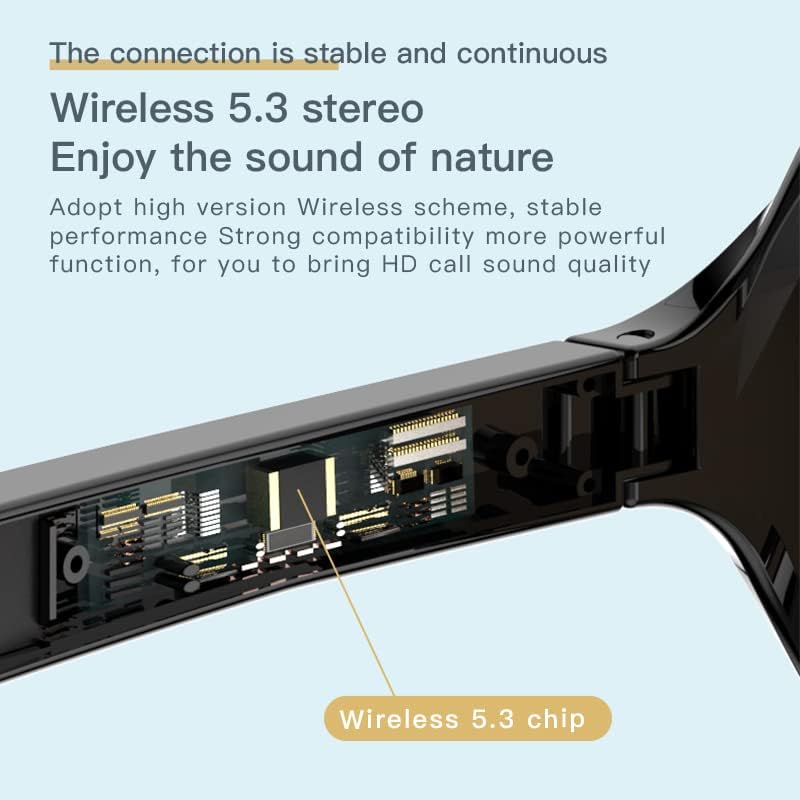
ചിത്രം: വിശദമായ ഒരു ചിത്രം view of the smart glasses' temple, highlighting the integrated Wireless 5.3 chip for stable connectivity.
പ്രവർത്തന നിർദ്ദേശങ്ങൾ
ടച്ച് നിയന്ത്രണങ്ങൾ
The SUNOL F07 Smart Glasses feature touch-sensitive controls on the temples for easy management of audio and calls. Refer to the table below for common operations:

Image: A hand interacting with the touch-sensitive area on the glasses' temple, demonstrating the intuitive controls.
| ആക്ഷൻ | ഫംഗ്ഷൻ |
|---|---|
| 3 സെക്കൻഡ് അമർത്തിപ്പിടിക്കുക | Power On / Enter Pairing Mode |
| 5 സെക്കൻഡ് അമർത്തിപ്പിടിക്കുക | പവർ ഓഫ് |
| ഒറ്റ ടാപ്പ് | സംഗീതം പ്ലേ ചെയ്യുക/താൽക്കാലികമായി നിർത്തുക, കോൾ സ്വീകരിക്കുക/അവസാനിപ്പിക്കുക |
| Double tap (Left Temple) | മുമ്പത്തെ ട്രാക്ക് |
| Double tap (Right Temple) | അടുത്ത ട്രാക്ക് |
| ട്രിപ്പിൾ ടാപ്പ് | വോയ്സ് അസിസ്റ്റന്റ് സജീവമാക്കുക (ഉദാ. സിരി, ഗൂഗിൾ അസിസ്റ്റന്റ്) |

Image: The smart glasses demonstrating voice assistant integration for tasks like navigation and making calls.
ഓഡിയോ സവിശേഷതകൾ
The F07 Smart Glasses utilize an open-ear listening design, allowing you to hear audio from your device while maintaining awareness of your surroundings. This feature enhances safety during outdoor activities such as running or cycling.
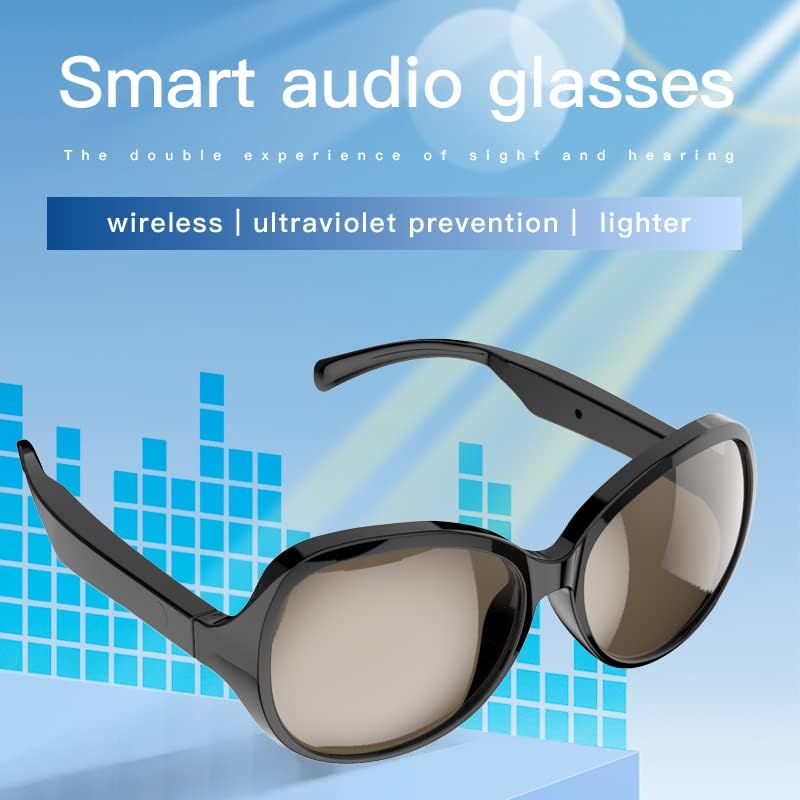
Image: The smart audio glasses highlighting their key features: wireless connectivity, UV prevention, and lightweight design.
The integrated speakers provide high-fidelity sound transmission for calls, GPS navigation, and music playback.
Video: An official product video demonstrating the features and usage of the SUNOL F07 Smart Glasses, including audio capabilities and design.
UV Protection Lenses
The lenses are designed with UV protection, effectively filtering light and protecting your eyes from fatigue, especially during extended outdoor exposure.

Image: The lenses of the smart glasses, illustrating their ability to block harmful light and provide high-definition UV protection for clearer vision.
മെയിൻ്റനൻസ്
വൃത്തിയാക്കൽ
To clean your smart glasses, use the provided lens cloth or a soft, lint-free cloth. For lenses, a specialized lens cleaning solution can be used. Avoid harsh chemicals or abrasive materials that could damage the lenses or frame.
ജല പ്രതിരോധം
The SUNOL F07 Smart Glasses feature an IPX4 waterproof design, making them resistant to splashes and sweat. They are suitable for use in various environments, including light rain. However, they are not designed for submersion in water.

Image: The smart glasses with water droplets, demonstrating their IPX4 waterproof capability, suitable for exercise and light rain.
സംഭരണം
When not in use, store the glasses in the included storage case to protect them from scratches and damage. Keep them away from extreme temperatures and direct sunlight.
ട്രബിൾഷൂട്ടിംഗ്
- പവർ ഓൺ ചെയ്യാൻ കഴിയില്ല: Ensure the glasses are fully charged. Connect them to the charger and wait a few minutes before attempting to power on again.
- ഉപകരണവുമായി ജോടിയാക്കാൻ കഴിയില്ല:
- Ensure Bluetooth is enabled on your device and the glasses are in pairing mode ("TWS-F").
- Move the glasses closer to your device.
- Turn off and on the Bluetooth on your device, then try pairing again.
- If previously paired, try "forgetting" the device on your phone and re-pairing.
- ശബ്ദമോ കുറഞ്ഞ ശബ്ദമോ ഇല്ല:
- Check the volume level on both the glasses (if adjustable via touch controls) and your connected device.
- Ensure the glasses are properly connected via Bluetooth.
- The open-ear design means sound is not isolated; in noisy environments, sound may seem lower.
- ഇടവിട്ടുള്ള കണക്ഷൻ:
- Ensure there are no obstructions between the glasses and your device.
- Move closer to your device to maintain a stable connection.
- ശക്തമായ വൈദ്യുതകാന്തിക ഇടപെടൽ ഉള്ള ചുറ്റുപാടുകൾ ഒഴിവാക്കുക.
പ്രശ്നങ്ങൾ നിലനിൽക്കുകയാണെങ്കിൽ, കൂടുതൽ സഹായത്തിന് ഉപഭോക്തൃ പിന്തുണയുമായി ബന്ധപ്പെടുക.
സ്പെസിഫിക്കേഷനുകൾ
| ഫീച്ചർ | വിശദാംശങ്ങൾ |
|---|---|
| മോഡൽ നമ്പർ | F07 |
| ബ്ലൂടൂത്ത് പതിപ്പ് | TWS 5.3 |
| അളവുകൾ | 5.12 x 2.76 x 2.05 ഇഞ്ച് |
| ഭാരം | 3.99 ഔൺസ് |
| ബാറ്ററി തരം | 1 ലിഥിയം പോളിമർ ബാറ്ററി (ഉൾപ്പെടുത്തിയിരിക്കുന്നു) |
| ജല പ്രതിരോധം | IPX4 (സ്പ്ലാഷ്, വിയർപ്പ് പ്രതിരോധം) |
| ലെൻസ് സംരക്ഷണം | യുവി സംരക്ഷണം |
| നിർമ്മാതാവ് | സ്വിസ്സ് |
വാറൻ്റിയും പിന്തുണയും
The SUNOL F07 Smart Glasses come with a standard return policy of 30 days for refund or replacement, as per the seller's terms. For specific warranty details and technical support, please refer to the documentation provided with your purchase or contact the manufacturer, SWISSES, directly.
For general inquiries or assistance, you may also visit the product page on Amazon or contact Amazon customer service.


