Ctronics 4K 8MP WiFi PTZ ഔട്ട്ഡോർ സെക്യൂരിറ്റി ക്യാമറ യൂസർ മാനുവൽ
Model: CTIPC-690C-4KS
1. ആമുഖം
Thank you for choosing the Ctronics 4K 8MP WiFi PTZ Outdoor Security Camera. This manual provides detailed instructions for the installation, operation, and maintenance of your new security camera. Please read this manual thoroughly before use to ensure proper functionality and to maximize the benefits of your device.
2. പാക്കേജ് ഉള്ളടക്കം
Please verify that all items listed below are included in your package. If any items are missing or damaged, please contact Ctronics customer support.
- Ctronics 4K 8MP WiFi PTZ Outdoor Security Camera
- പവർ അഡാപ്റ്റർ
- ചാർജിംഗ് കേബിൾ
- ഇൻസ്ട്രക്ഷൻ മാനുവൽ
- മൗണ്ടിംഗ് സ്ക്രൂകൾ
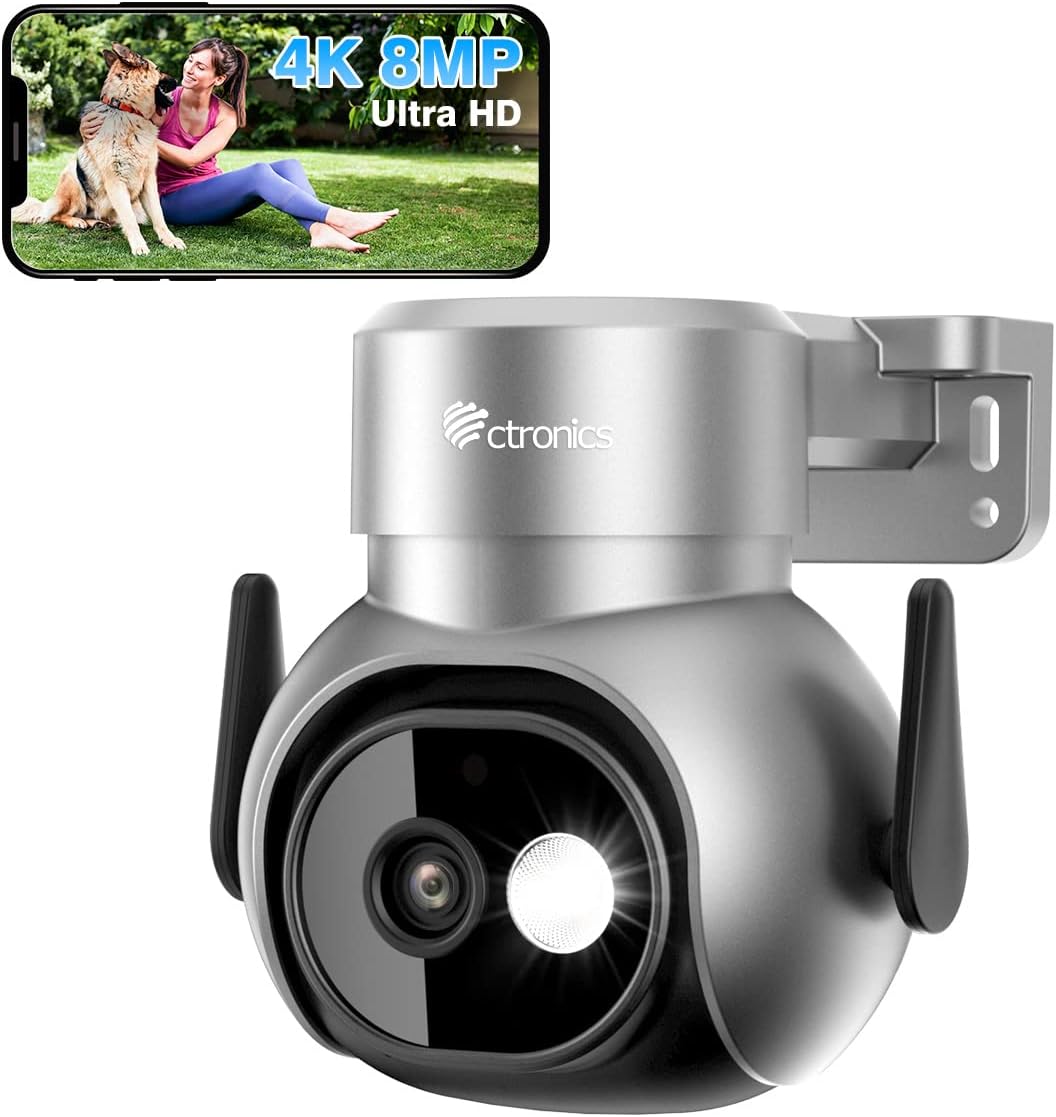
Image: The Ctronics 4K 8MP WiFi PTZ Outdoor Security Camera, showcasing its sleek design and the accompanying mobile app interface.
3. ഉൽപ്പന്ന സവിശേഷതകൾ
- Ultra-clear 4K (Sony Sensor) + 4x Digital Zoom: Capture remarkably sharp 4K Ultra HD (3840×2160) videos thanks to the high-end Sony IMX415 sensor. Digitally zoom 4x to clearly see faces, license plates, or small details without blur.

Image: Visual comparison demonstrating the superior clarity of 4K 8MP resolution over 2K 4MP.
- AI Detection – People, Vehicles & Pets: Advanced AI detects people, vehicles, and animals in real-time, ignoring shadows, leaves, or rain. Receive instant alerts on your phone and watch the camera automatically track suspicious movements.
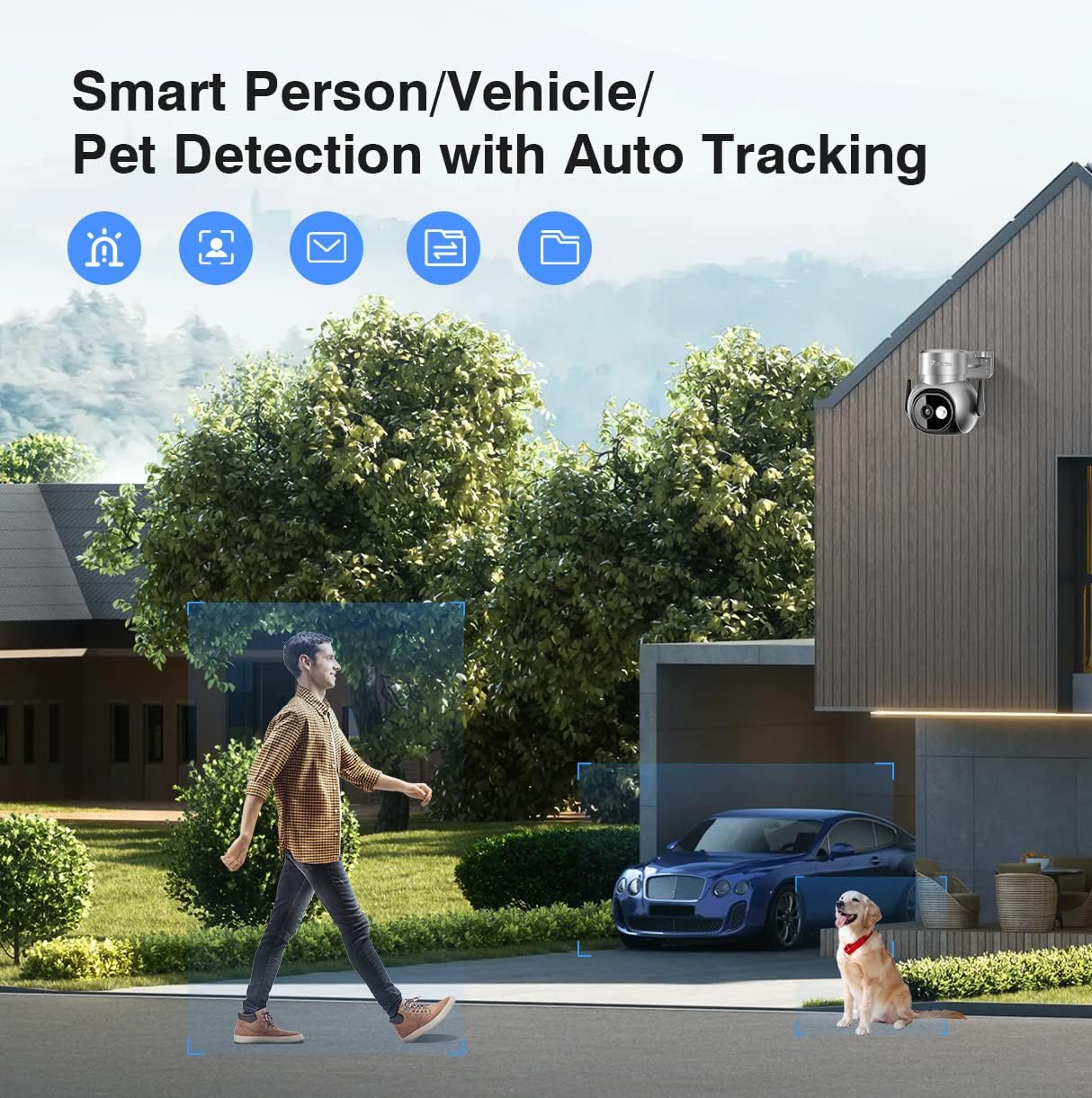
Image: The camera's AI detection capabilities, highlighting its ability to identify and track people, vehicles, and pets.
- Color Night Vision (30m) + Spotlight & Deterrent Alarm: Enjoy clear color vision up to 30 meters even in total darkness. In case of intrusion, the camera triggers lighting and an alarm (siren, dog barking, or custom sound) to deter intruders.

Image: The camera's powerful spotlight and color night vision feature, providing clear visibility in low-light conditions.
- Remote Access Anytime + Flexible Storage Options: Monitor your home live on iPhone, Android, Mac, or PC from anywhere. Store recordings on microSD (up to 256GB, not included), secure Cloud, FTP server, or NAS/NVR.

Image: The Ctronics camera system accessible across multiple devices, including smartphones, tablets, and computers.
- Dual-band Wi-Fi + IP66 Weather Protection: Compatible with 2.4GHz (longer range) and 5GHz (higher speed) for smooth streaming. IP66 waterproof casing resists rain, snow, and heat.
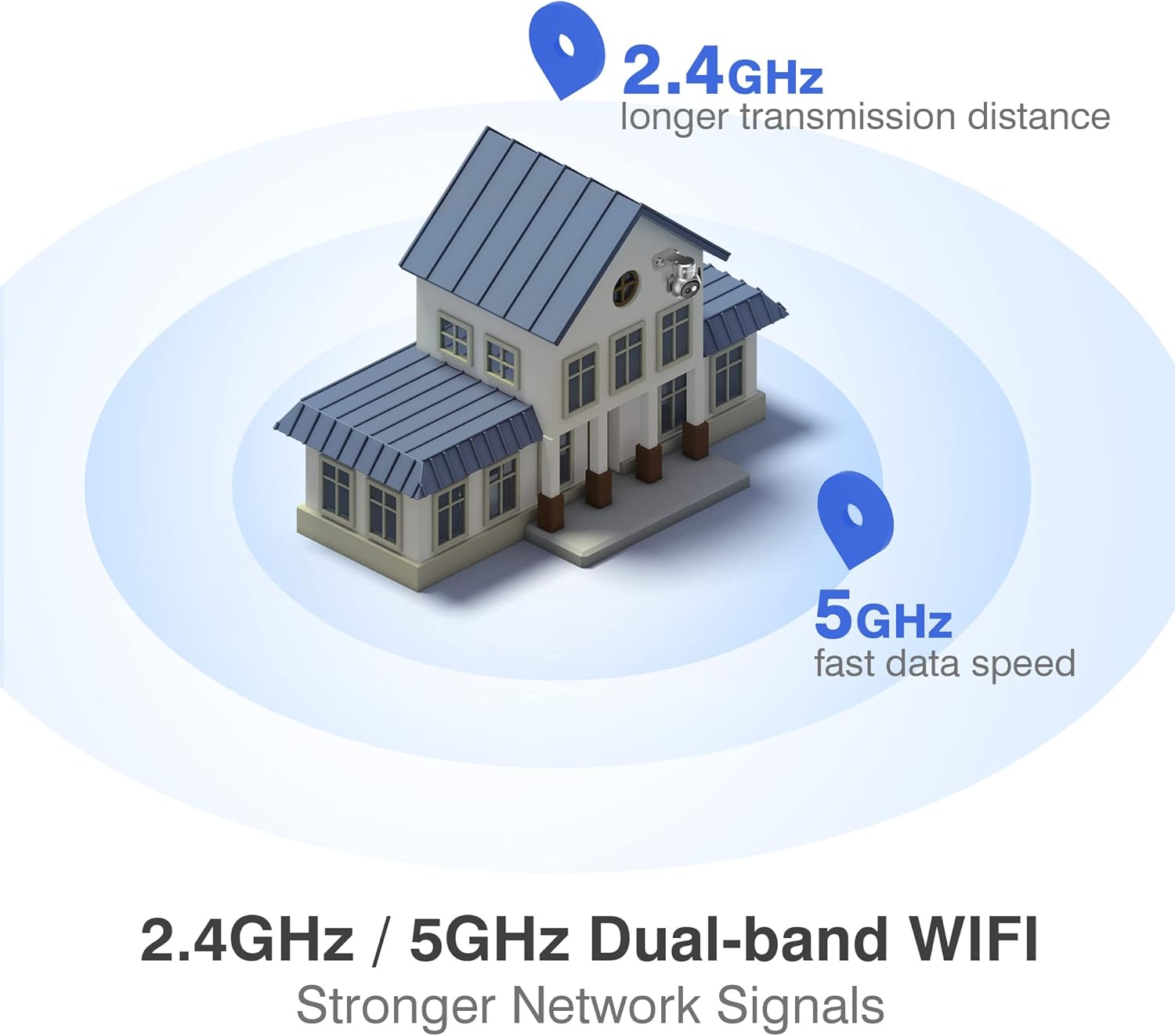
Image: Illustration of the camera's dual-band Wi-Fi capability, supporting both 2.4GHz for extended range and 5GHz for faster data transfer.
- 355° പാൻ & 90° ചരിവ്: Cover every corner with extensive pan and tilt capabilities, allowing for comprehensive surveillance of your property.

Image: The camera's pan and tilt functionality, demonstrating its wide coverage area and digital zoom feature.
- SONY Sensor: Equipped with a high-quality SONY sensor for better clarity, higher color reproduction, and clearer night vision.

ചിത്രം: ഒരു ആന്തരികം view of the camera, emphasizing the integrated SONY sensor for enhanced image quality.
4. സജ്ജീകരണ ഗൈഡ്
4.1. ഫിസിക്കൽ ഇൻസ്റ്റലേഷൻ
- ഒരു ലൊക്കേഷൻ തിരഞ്ഞെടുക്കുക: Select an outdoor location that provides optimal viewing angles and is within range of your Wi-Fi network. Ensure the camera is protected from direct heavy rain if possible, despite its IP66 rating.
- ക്യാമറ ഘടിപ്പിക്കുക: Use the provided mounting screws to securely attach the camera to a wall or ceiling. The camera supports screw-in installation.
- പവർ ബന്ധിപ്പിക്കുക: പവർ അഡാപ്റ്റർ ക്യാമറയുമായി ബന്ധിപ്പിച്ച് ഒരു പവർ ഔട്ട്ലെറ്റിൽ പ്ലഗ് ചെയ്യുക.
4.2. App Installation and Network Connection
- ആപ്പ് ഡൗൺലോഡ് ചെയ്യുക: ഇതിനായി തിരയുക the "Ctronics Pro" app on your smartphone's app store (iOS or Android) or download the "HiP2P Client" for Mac or PC.
- ഒരു അക്കൗണ്ട് സൃഷ്ടിക്കുക: ആപ്പ് തുറന്ന് സ്ക്രീനിലെ നിർദ്ദേശങ്ങൾ പാലിച്ച് പുതിയൊരു ഉപയോക്തൃ അക്കൗണ്ട് സൃഷ്ടിക്കുക.
- ഉപകരണം ചേർക്കുക: Tap the "Add Device" or "+" icon in the app. Select your camera model or scan the QR code on the camera (if available).
- വൈഫൈയിലേക്ക് കണക്റ്റുചെയ്യുക: Follow the app's prompts to connect the camera to your Wi-Fi network. The camera supports both 2.4GHz and 5GHz bands. Ensure your phone is connected to the same Wi-Fi network during the setup process.
- സജ്ജീകരണം പൂർത്തിയാക്കുക: Once connected, name your camera and adjust initial settings as desired.
5. പ്രവർത്തന നിർദ്ദേശങ്ങൾ
5.1. തത്സമയം View കൂടാതെ PTZ നിയന്ത്രണവും
- Open the Ctronics app and select your camera to view ലൈവ് ഫീഡ്.
- Use the on-screen controls to pan (355° horizontal rotation) and tilt (90° vertical rotation) the camera lens to adjust the viewing ആംഗിൾ.
- Pinch to zoom on the live feed to utilize the 4x digital zoom feature.
5.2. ടു-വേ ഓഡിയോ
- The camera supports two-way audio communication.
- To speak through the camera, press and hold the microphone icon in the app. Release to listen. Please note that simultaneous two-way communication (speaking and listening at the same time) is not supported; it operates in a push-to-talk/release-to-listen manner.
5.3. മോഷൻ ഡിറ്റക്ഷനും അലേർട്ടുകളും
- Navigate to the camera settings in the app to configure motion detection zones and sensitivity.
- Enable AI detection for people, vehicles, and pets to reduce false alarms.
- Set up push notifications to receive instant alerts on your phone when motion is detected.
- Configure the deterrent alarm (siren, custom sound, or dog barking) to activate upon detection.
5.4. Night Vision and Spotlight
- കുറഞ്ഞ വെളിച്ചത്തിൽ ക്യാമറ യാന്ത്രികമായി നൈറ്റ് വിഷൻ മോഡിലേക്ക് മാറുന്നു.
- Color night vision provides clear, full-color images even in complete darkness up to 30 meters.
- The integrated spotlight can be manually activated or set to trigger upon motion detection to illuminate the area and deter intruders.
5.5. റെക്കോർഡിംഗും സംഭരണവും
- മൈക്രോ എസ്ഡി കാർഡ്: Insert a microSD card (up to 256GB, not included) into the camera's designated slot for local storage of recordings.
- ക്ലൗഡ് സംഭരണം: Subscribe to Ctronics Cloud service through the app for secure, off-site storage.
- FTP/NAS/NVR: The camera supports integration with FTP servers, Network Attached Storage (NAS), and Network Video Recorders (NVR) for advanced storage solutions. Refer to the app's advanced settings for configuration.
- റെക്കോർഡ് ചെയ്ത foo ആക്സസ് ചെയ്യുകtage via the app's playback feature.
6. പരിപാലനം
- വൃത്തിയാക്കൽ: ക്യാമറ ലെൻസും ഹൗസിംഗും ഒരു സോഫ്റ്റ്, ഡി-ക്യാമറ ഉപയോഗിച്ച് പതിവായി വൃത്തിയാക്കുക.amp വ്യക്തമായ ചിത്ര നിലവാരം ഉറപ്പാക്കാൻ തുണി ഉപയോഗിക്കുക. കഠിനമായ രാസവസ്തുക്കളോ ഉരച്ചിലുകളോ ഉള്ള വസ്തുക്കൾ ഉപയോഗിക്കരുത്.
- ഫേംവെയർ അപ്ഡേറ്റുകൾ: Check the app periodically for firmware updates. Keeping your camera's firmware up-to-date ensures optimal performance and security.
- വൈദ്യുതി വിതരണം: Ensure the power adapter and cable are free from damage. Avoid exposing the power connection to excessive moisture.
- നെറ്റ്വർക്ക് കണക്ഷൻ: Periodically check your Wi-Fi signal strength at the camera's location to ensure stable connectivity.
7. പ്രശ്നപരിഹാരം
- Q: The camera is offline or cannot connect to Wi-Fi.
- ക്യാമറ ഓണാക്കിയിട്ടുണ്ടെന്നും പവർ അഡാപ്റ്റർ സുരക്ഷിതമായി ബന്ധിപ്പിച്ചിട്ടുണ്ടെന്നും ഉറപ്പാക്കുക.
- Verify your Wi-Fi network is active and within range.
- Check if you entered the correct Wi-Fi password during setup.
- നിങ്ങളുടെ റൂട്ടറും ക്യാമറയും പുനരാരംഭിക്കാൻ ശ്രമിക്കുക.
- Ensure your router supports both 2.4GHz and 5GHz bands, and try connecting to the other band if issues persist.
- If using a 5GHz network, ensure your phone is also connected to 5GHz during setup.
- ചോദ്യം: ചിത്രത്തിന്റെ ഗുണനിലവാരം മോശമാണ് അല്ലെങ്കിൽ മങ്ങിയതാണ്.
- മൃദുവായ തുണി ഉപയോഗിച്ച് ക്യാമറ ലെൻസ് വൃത്തിയാക്കുക.
- ലെൻസിന് മുന്നിൽ തടസ്സങ്ങളൊന്നുമില്ലെന്ന് ഉറപ്പാക്കുക.
- Check your internet connection speed. A slow connection can affect live stream quality.
- Verify the camera's resolution settings in the app are set to 4K (if applicable).
- Q: Motion detection alerts are not received or are too frequent.
- Check the app's notification settings and ensure they are enabled for the camera.
- Adjust the motion detection sensitivity and detection zones in the app to reduce false alarms from trees, shadows, or passing vehicles (if AI detection is not enabled).
- Ensure AI detection for people, vehicles, and pets is enabled for more accurate alerts.
- Q: Two-way audio is not working correctly.
- Ensure your phone's microphone is enabled for the Ctronics app.
- Remember that the two-way audio functions as push-to-talk/release-to-listen. You cannot speak and listen simultaneously.
- നിങ്ങളുടെ ഫോണിലും ആപ്പിലും വോളിയം ക്രമീകരണങ്ങൾ പരിശോധിക്കുക.
8 സ്പെസിഫിക്കേഷനുകൾ
| ഫീച്ചർ | വിശദാംശങ്ങൾ |
|---|---|
| മോഡലിൻ്റെ പേര് | CTIPC-690C-4KS |
| ബ്രാൻഡ് | സിട്രോണിക്സ് |
| വീഡിയോ റെക്കോർഡിംഗ് റെസല്യൂഷൻ | 4K (3840x2160) |
| ഫലപ്രദമായ വീഡിയോ റെസല്യൂഷൻ | 3840 |
| വയർലെസ് കമ്മ്യൂണിക്കേഷൻ ടെക്നോളജി | വൈഫൈ (2.4GHz & 5GHz ഡ്യുവൽ-ബാൻഡ്) |
| ഫോം ഫാക്ടർ | താഴികക്കുടം |
| Viewing ആംഗിൾ | 355 degrees (Pan), 90 degrees (Tilt) |
| ഇൻസ്റ്റലേഷൻ തരം | Screw-in (Wall Mount) |
| നൈറ്റ് വിഷൻ റേഞ്ച് | 30 മീറ്റർ |
| ഫ്രെയിം റേറ്റ് | സെക്കൻഡിൽ 15 ഫ്രെയിമുകൾ |
| മെറ്റീരിയൽ | അക്രിലോണിട്രൈൽ ബ്യൂട്ടാഡീൻ സ്റ്റൈറൈൻ (എബിഎസ്) |
| വാല്യംtage | 12 വോൾട്ട് |
| ശക്തി | 12 വാട്ട്സ് |
| ഇനത്തിന്റെ അളവുകൾ (L x W x H) | 12.1 x 16 x 21.4 സെൻ്റീമീറ്റർ |
| ജല പ്രതിരോധ നില | വാട്ടർപ്രൂഫ് (IP66) |
| പ്രത്യേക സവിശേഷതകൾ | HD Resolution, PTZ Technology, Night Vision, AI Detection (People, Vehicle, Pet), Spotlight, Two-way Audio |
| ശുപാർശ ചെയ്യുന്ന ഉപയോഗങ്ങൾ | Outdoor Security, 360-degree Coverage, Surveillance |
| അനുയോജ്യമായ ഉപകരണങ്ങൾ | Smartphone (iOS, Android), PC (Windows), Mac (Mac OS) |
| പവർ ഉറവിടം | കോർഡഡ് ഇലക്ട്രിക് |
9. ഉപഭോക്തൃ പിന്തുണ
Ctronics is committed to providing high-quality products and excellent customer service. If you encounter any issues or have questions regarding your camera, please do not hesitate to contact our support team.
- ഓൺലൈൻ പിന്തുണ: Visit the official Ctronics webപതിവുചോദ്യങ്ങൾ, ട്രബിൾഷൂട്ടിംഗ് ഗൈഡുകൾ, ബന്ധപ്പെടാനുള്ള വിവരങ്ങൾ എന്നിവയ്ക്കുള്ള സൈറ്റ്.
- ഇമെയിൽ പിന്തുണ: Reach out to our support team via email for assistance. (Specific email address not provided in data, so keep general)
- Our support team, including representatives like Eric Xiao and Candy, are known for their helpful and professional assistance.
For the most up-to-date contact information, please refer to the Ctronics official website or the packaging of your product.


