1. ഉൽപ്പന്നം കഴിഞ്ഞുview
The Sudio F2 is a portable Bluetooth speaker designed for high-quality audio playback in various environments. It features Bluetooth 5.3 connectivity, an AUX input, IPX7 waterproof rating, and a unique broadcast function allowing connection of up to 100 speakers.

ഫ്രണ്ട് view of the Sudio F2 Portable Bluetooth Speaker.
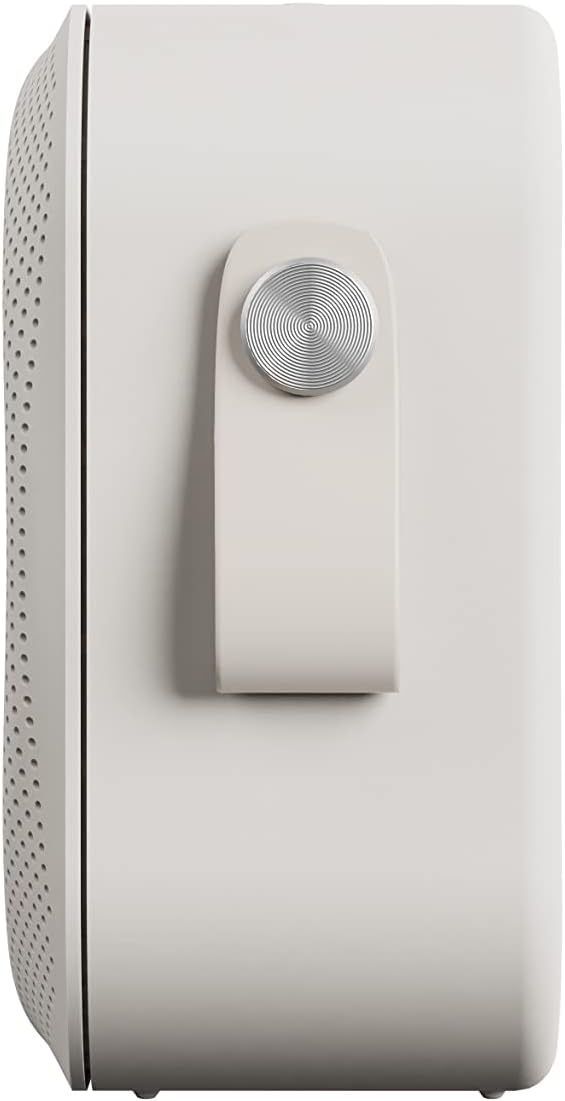
വശം view of the Sudio F2 speaker, highlighting the integrated silicone strap for portability.
2. പാക്കേജ് ഉള്ളടക്കം
പാക്കേജിൽ എല്ലാ ഇനങ്ങളും ഉണ്ടെന്ന് ഉറപ്പാക്കുക:
- സുഡിയോ F2 പോർട്ടബിൾ ബ്ലൂടൂത്ത് സ്പീക്കർ
- Type-C USB-cable for charging
- നിർദ്ദേശ മാനുവൽ (ഈ പ്രമാണം)
3. സജ്ജീകരണവും ചാർജിംഗും
3.1 പ്രാരംഭ ചാർജ്
Before first use, fully charge your Sudio F2 speaker. Connect the provided Type-C USB cable to the charging port on the speaker and to a compatible USB power adapter (not included). A full charge takes approximately 4 hours and provides up to 15 hours of playtime.
3.2 പവർ ഓൺ/ഓഫ്
- പവർ ഓൺ ചെയ്യാൻ: ഇൻഡിക്കേറ്റർ ലൈറ്റ് പ്രകാശിക്കുന്നത് വരെ പവർ ബട്ടൺ അമർത്തിപ്പിടിക്കുക.
- പവർ ഓഫ് ചെയ്യാൻ: ഇൻഡിക്കേറ്റർ ലൈറ്റ് ഓഫ് ആകുന്നതുവരെ പവർ ബട്ടൺ അമർത്തിപ്പിടിക്കുക.

വശം view of the Sudio F2 speaker, showing the power button location.
4. പ്രവർത്തന നിർദ്ദേശങ്ങൾ
4.1 ബ്ലൂടൂത്ത് ജോടിയാക്കൽ
- Ensure the Sudio F2 speaker is powered on and in pairing mode (indicator light will flash).
- നിങ്ങളുടെ ഉപകരണത്തിൽ (സ്മാർട്ട്ഫോൺ, ടാബ്ലെറ്റ് മുതലായവ), ബ്ലൂടൂത്ത് പ്രവർത്തനക്ഷമമാക്കി ലഭ്യമായ ഉപകരണങ്ങൾക്കായി തിരയുക.
- Select "Sudio F2" from the list.
- Once connected, the indicator light will become solid, and you will hear an audible confirmation.
The speaker uses Bluetooth 5.3 technology and has a connection range of up to 10 meters.
4.2 AUX ഇൻപുട്ട്
To connect a device via AUX, insert a 3.5mm audio cable (not included) into the AUX input port on the Sudio F2 speaker and the other end into your audio source. The speaker will automatically switch to AUX mode.

The Sudio F2 speaker featuring its AUX input port for wired connections.
4.3 Broadcast Function (Multi-Speaker Pairing)
The Sudio F2 allows you to link up to 100 speakers simultaneously for a larger sound experience. This feature is activated using the broadcast function button.
- Connect your primary Sudio F2 speaker to your device via Bluetooth.
- Power on all other Sudio F2 speakers you wish to connect.
- On the primary speaker, press the broadcast function button (refer to the speaker diagram for location).
- The primary speaker will begin searching for other F2 speakers.
- Once connected, all linked speakers will play audio synchronously.

Multiple Sudio F2 speakers demonstrating the broadcast function for synchronized audio playback.

The Sudio F2 speaker connected to a turntable via AUX, illustrating its compatibility with various audio sources.
4.4 നിയന്ത്രണങ്ങൾ
The Sudio F2 features touch controls for playback and volume adjustments. Specific functions include:
- പ്ലേ/താൽക്കാലികമായി നിർത്തുക: Single tap the main control button.
- വോളിയം കൂട്ടുക/താഴ്ത്തുക: Swipe or tap dedicated volume areas (refer to product diagram for exact locations).
- അടുത്തത് / മുമ്പത്തെ ട്രാക്ക്: Double tap or triple tap the main control button (functionality may vary, refer to quick start guide for details).
5. ജല പ്രതിരോധം (IPX7)
The Sudio F2 speaker has an IPX7 waterproof rating, meaning it can be submerged in water up to 1 meter for 30 minutes. This makes it suitable for use in showers, by pools, or in rainy conditions. Ensure all ports are securely closed before exposing the speaker to water.

The Sudio F2 speaker, highlighting its IPX7 waterproof capability, suitable for wet environments.

A Sudio F2 speaker in a shower setting, demonstrating its waterproof design.
6. പരിപാലനം
6.1 വൃത്തിയാക്കൽ
To clean your Sudio F2 speaker, use a soft, damp cloth. Avoid using harsh chemicals or abrasive materials, as these can damage the speaker's finish or waterproof seals. Ensure the speaker is dry before charging.
6.2 സംഭരണം
നേരിട്ടുള്ള സൂര്യപ്രകാശത്തിൽ നിന്നും കടുത്ത താപനിലയിൽ നിന്നും അകന്ന് തണുത്തതും വരണ്ടതുമായ സ്ഥലത്ത് സ്പീക്കർ സൂക്ഷിക്കുക. കൂടുതൽ നേരം സൂക്ഷിക്കുകയാണെങ്കിൽ, ബാറ്ററിയുടെ ആരോഗ്യം നിലനിർത്താൻ ഇടയ്ക്കിടെ ചാർജ് ചെയ്യുക.
7. പ്രശ്നപരിഹാരം
7.1 വൈദ്യുതിയില്ല
- Ensure the speaker is fully charged. Connect it to a power source using the provided Type-C USB cable.
- ചാർജിംഗ് കേബിളും അഡാപ്റ്ററും ശരിയായി പ്രവർത്തിക്കുന്നുണ്ടെന്ന് ഉറപ്പാക്കുക.
7.2 ബ്ലൂടൂത്ത് വഴി ജോടിയാക്കാൻ കഴിയില്ല
- സ്പീക്കർ പെയറിംഗ് മോഡിലാണെന്ന് ഉറപ്പാക്കുക (ഇൻഡിക്കേറ്റർ ലൈറ്റ് മിന്നുന്നു).
- Ensure your device's Bluetooth is enabled and within 10 meters of the speaker.
- Try forgetting the "Sudio F2" device from your device's Bluetooth settings and re-pairing.
- സ്പീക്കറും നിങ്ങളുടെ ഉപകരണവും പുനരാരംഭിക്കുക.
7.3 ശബ്ദമില്ല
- സ്പീക്കറിലും കണക്റ്റുചെയ്ത ഉപകരണത്തിലും വോളിയം ലെവലുകൾ പരിശോധിക്കുക.
- Ensure the speaker is correctly paired via Bluetooth or connected via AUX.
- If using AUX, verify the cable is fully inserted and functional.
7.4 Broadcast Function Not Working
- Ensure all speakers are Sudio F2 models.
- Verify that the primary speaker is successfully connected to your device via Bluetooth.
- Make sure all speakers are powered on and within close proximity to each other.
8 സ്പെസിഫിക്കേഷനുകൾ
| ഫീച്ചർ | സ്പെസിഫിക്കേഷൻ |
|---|---|
| മോഡലിൻ്റെ പേര് | സുഡിയോ F2 |
| മോഡൽ നമ്പർ | SD-1802 |
| കണക്റ്റിവിറ്റി ടെക്നോളജി | ബ്ലൂടൂത്ത് 5.3 |
| വയർലെസ് ശ്രേണി | 10 മീറ്റർ |
| ഓഡിയോ ഇൻപുട്ട് | AUX 3.5 മി.മീ |
| ജല പ്രതിരോധ നില | IPX7 (വാട്ടർപ്രൂഫ്) |
| കളിസമയം | 15 മണിക്കൂർ വരെ |
| ചാർജിംഗ് സമയം | 4 മണിക്കൂർ |
| ബാറ്ററി ശേഷി | 2200 mAh |
| സ്പീക്കർ പരമാവധി ഔട്ട്പുട്ട് പവർ | 20 വാട്ട്സ് |
| ഫ്രീക്വൻസി പ്രതികരണം | 35Hz -18KHz |
| ഇനത്തിൻ്റെ ഭാരം | 410 ഗ്രാം (14.5 ഔൺസ്) |
| ഉൽപ്പന്ന അളവുകൾ | 2.16"D x 4.16"W x 4.17"H |
| നിയന്ത്രണ രീതി | സ്പർശിക്കുക |
| ഉൾപ്പെടുത്തിയ ഘടകങ്ങൾ | Type-C USB-cable for charging |
9. വാറൻ്റിയും പിന്തുണയും
9.1 വാറൻ്റി വിവരങ്ങൾ
The Sudio F2 Portable Bluetooth Speaker comes with a limited warranty. Please refer to the official Sudio website or your purchase documentation for specific terms and conditions regarding warranty coverage.
9.2 ഉപഭോക്തൃ പിന്തുണ
For further assistance, technical support, or warranty claims, please contact Sudio customer service. You can find contact information and additional resources on the official Sudio webസൈറ്റ്: Visit the Sudio Store on Amazon
10. ഉൽപ്പന്ന വീഡിയോ
Official Sudio F2 product video, showcasing the speaker's design and features in various settings.


