1. ആമുഖം
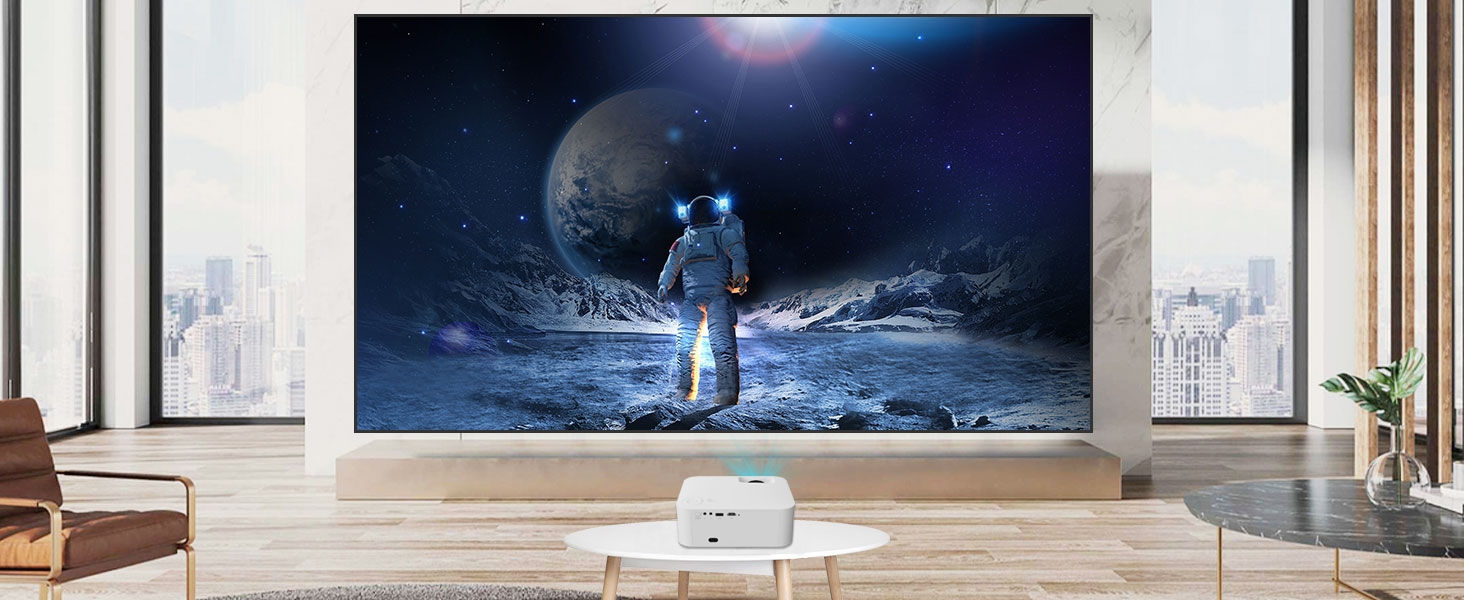
This manual provides comprehensive instructions for the setup, operation, maintenance, and troubleshooting of your WANBO X1 Max Projector. The X1 Max is a compact, high-performance projector designed for home cinema use, featuring native 1080P Full HD resolution with 4K support, Android 9 operating system, WiFi, Bluetooth, and 4D Keystone Correction. It delivers a wide projection range from 40 to 200 inches, offering an immersive viewഅനുഭവം.

ചിത്രം 1.1: മുൻഭാഗം view of the WANBO X1 Max Projector, showcasing അതിന്റെ ലെൻസും ഒതുക്കമുള്ള രൂപകൽപ്പനയും.
2. ബോക്സിൽ എന്താണുള്ളത്?
Upon unboxing your WANBO X1 Max Projector, please verify that all the following components are included:
- Projector (1 unit)
- റിമോട്ട് കൺട്രോൾ (1 യൂണിറ്റ്)
- Power Cord (1 unit)
- ഉപയോക്തൃ മാനുവൽ (ഈ പ്രമാണം)
- വാറന്റി കാർഡ് (1 യൂണിറ്റ്)
3. സജ്ജീകരണ ഗൈഡ്
3.1 പ്ലേസ്മെൻ്റ്
Position the projector on a stable, flat surface or mount it using a compatible tripod. Ensure there is adequate ventilation around the device. For optimal viewing, project onto a smooth, light-colored wall or a dedicated projector screen. The projection distance can range from 40 to 200 inches.

Image 3.1: The projector positioned on a cabinet in a living room setting.
3.2 പവർ കണക്ഷൻ
- Connect the provided power cord to the projector's power input port.
- Plug the other end of the power cord into a suitable electrical outlet (AC 220 Volts).
- ഉപകരണം ഓണാക്കാൻ പ്രൊജക്ടറിലോ റിമോട്ട് കൺട്രോളിലോ പവർ ബട്ടൺ അമർത്തുക.
3.3 Initial Focus and Keystone Correction
After powering on, adjust the focus manually using the focus ring on the projector lens until the image is clear. The WANBO X1 Max features 4D Keystone Correction to adjust the image shape if the projector is not perfectly perpendicular to the screen.

Image 3.2: Visual representation of the innovative Four Directional Keystone Correction, allowing for horizontal and vertical adjustments up to ±40 degrees.
Navigate to the settings menu using the remote control to access and adjust the 4D Keystone Correction for a perfectly rectangular image.
4. പ്രവർത്തന നിർദ്ദേശങ്ങൾ
4.1 നാവിഗേഷനും ആൻഡ്രോയിഡ് ഒഎസും
The WANBO X1 Max runs on Android 9.0, providing access to a wide range of applications. Use the remote control to navigate through the interface, select apps, and adjust settings.

Image 4.1: The Android 9.0 interface displaying various streaming applications like YouTube, Netflix, and Prime Video.
4.2 കണക്റ്റിവിറ്റി
- Wi-Fi കണക്ഷൻ:
To connect to a wireless network, go to Settings > Network & Internet > Wi-Fi. Select your network and enter the password. The projector supports 2.4G Wi-Fi for fast and fluent screen mirroring.

Image 4.2: Demonstrates wireless screen mirroring from a smartphone to the WANBO X1 Max Projector via 2.4G Wi-Fi.
- ബ്ലൂടൂത്ത് കണക്ഷൻ:
For connecting external audio devices like Bluetooth speakers or headphones, go to Settings > Connected Devices > Bluetooth. Enable Bluetooth, search for devices, and pair with your desired audio output. The projector features Bluetooth 5.0.

Image 4.3: The projector wirelessly connected to external Bluetooth speakers, enhancing the audio experience.
- HDMI കണക്ഷൻ:
Connect external devices such as laptops, gaming consoles, or media players using an HDMI cable. The projector supports HDMI ARC for true 5.1 channel audio output to compatible sound systems.

Image 4.4: Depiction of HDMI ARC and Bluetooth 5.0 capabilities for connecting various audio and video sources.
- യുഎസ്ബി പ്ലേബാക്ക്:
Insert a USB drive into the designated USB port to play media files directly. The projector supports NTFS format and MP4 files up to 1080p. For MKV files, consider installing a compatible media player like VLC from the Google Play Store.
5 പ്രധാന സവിശേഷതകൾ
- Native 1080P Full HD & 4K Support:
Experience crisp and clear visuals with native 1920x1080 resolution, supporting 4K content for enhanced detail.

Image 5.1: Highlights the projector's 400 ANSI lumens brightness, 2000:1 contrast ratio, and native 1080P resolution.
- ഉയർന്ന തെളിച്ചവും ദൃശ്യതീവ്രതയും:
With 400 ANSI lumens and a 2000:1 image contrast ratio, the X1 Max projects bright and vivid images. HDR10 decoding improves contrast and renders rich details for a multi-layered visual experience.

Image 5.2: Demonstrates the impact of HDR10 technology on image quality, providing enhanced brightness, native 1080P, and a 2000:1 contrast ratio.
- നീണ്ട എൽamp ജീവിതം:
The LED light source is designed for durability, offering over 20,000 hours of lamp life, equivalent to approximately 2500 days if used 8 hours per day.

Image 5.3: Visual representation emphasizing the projector's extended lamp 20,000 മണിക്കൂറിലധികം ആയുസ്സ്.
- Full Glass Lens:
Equipped with a multi-layer coated glass lens, ensuring clear and durable projection that is resistant to temperature changes and wear.
ചിത്രം 5.4: പൊട്ടിത്തെറിച്ച ഒരു view illustrating the multi-layer coated full glass lens for clear and durable image projection.
- കാര്യക്ഷമമായ തണുപ്പിക്കൽ സംവിധാനം:
Features a double-fan, low-noise design for excellent heat dissipation, maintaining optimal performance and quiet operation (36 dB/m).

Image 5.5: Internal diagram showing the double-fan cooling system designed for low noise and efficient heat dissipation.
6. പരിപാലനം
പതിവ് അറ്റകുറ്റപ്പണികൾ നിങ്ങളുടെ പ്രൊജക്ടറിന്റെ ദീർഘായുസ്സും മികച്ച പ്രകടനവും ഉറപ്പാക്കുന്നു.
- ലെൻസ് വൃത്തിയാക്കൽ: Use a soft, lint-free cloth specifically designed for optical lenses. Avoid abrasive materials or harsh chemicals. Gently wipe the lens to remove dust or smudges.
- പുറം വൃത്തിയാക്കൽ: മൃദുവായതും ഉണങ്ങിയതുമായ തുണി ഉപയോഗിച്ച് പ്രൊജക്ടറിന്റെ പുറംഭാഗം തുടയ്ക്കുക. ലിക്വിഡ് ക്ലീനറുകൾ ഉപകരണത്തിൽ നേരിട്ട് ഉപയോഗിക്കരുത്.
- വെൻ്റിലേഷൻ: Ensure that the projector's ventilation ports are clear of obstructions to prevent overheating. Do not place the projector on soft surfaces that might block airflow.
- സംഭരണം: ദീർഘനേരം ഉപയോഗിക്കാത്തപ്പോൾ, പ്രൊജക്ടർ തണുത്തതും വരണ്ടതുമായ സ്ഥലത്ത് സൂക്ഷിക്കുക, നേരിട്ടുള്ള സൂര്യപ്രകാശത്തിൽ നിന്നും കടുത്ത താപനിലയിൽ നിന്നും അകറ്റി നിർത്തുക.
7. പ്രശ്നപരിഹാരം
This section addresses common issues you might encounter with your WANBO X1 Max Projector.
| പ്രശ്നം | സാധ്യമായ കാരണം | പരിഹാരം |
|---|---|---|
| ചിത്രമൊന്നും പ്രദർശിപ്പിച്ചിട്ടില്ല | Power not connected; Input source incorrect; Lens cap on. | Check power connection; Select correct input source (HDMI, USB, etc.); Remove lens cap. |
| ചിത്രം മങ്ങിയതാണ് | Focus not adjusted; Projector too far/close; Keystone not corrected. | Adjust focus ring; Reposition projector; Use 4D Keystone Correction. |
| ശബ്ദമില്ല | Volume too low; Muted; External audio device not connected/paired. | Increase volume; Unmute; Check Bluetooth connection or HDMI ARC setup. |
| Bluetooth device won't auto-reconnect | Common software behavior; Device specific issue. | Manually unpair and re-pair the Bluetooth device in settings. |
| പ്രൊജക്ടർ അമിത ചൂടാക്കൽ | Blocked ventilation; Prolonged use in hot environment. | Ensure vents are clear; Operate in a well-ventilated area; Allow cool-down periods. |
8 സ്പെസിഫിക്കേഷനുകൾ
Detailed technical specifications for the WANBO X1 Max Projector:
| ഫീച്ചർ | വിശദാംശങ്ങൾ |
|---|---|
| ബ്രാൻഡ് | WANBO |
| മോഡൽ | എക്സ് 1 പരമാവധി |
| ഡിസ്പ്ലേ ടെക്നോളജി | എൽഇഡി |
| ഡിസ്പ്ലേ തരം | എൽസിഡി |
| നേറ്റീവ് റെസല്യൂഷൻ | 1920 x 1080 പിക്സലുകൾ (ഫുൾ എച്ച്ഡി) |
| പിന്തുണയുള്ള റെസല്യൂഷൻ | 4K വരെ |
| തെളിച്ചം | 400 ആൻസി ലുമെൻസ് |
| ഇമേജ് ദൃശ്യതീവ്രത അനുപാതം | 2000:1 |
| വീക്ഷണാനുപാതം | 16:9 |
| പ്രൊജക്ഷൻ വലിപ്പം | 40 മുതൽ 200 ഇഞ്ച് വരെ |
| ഓപ്പറേറ്റിംഗ് സിസ്റ്റം | ആൻഡ്രോയിഡ് 9.0 |
| കണക്റ്റിവിറ്റി ടെക്നോളജി | HDMI, Wi-Fi (2.4G), Bluetooth 5.0 |
| ഹാർഡ്വെയർ ഇന്റർഫേസ് | ബ്ലൂടൂത്ത്, HDMI |
| കീസ്റ്റോൺ തിരുത്തൽ | 4D Keystone Correction (±40° Horizontal, ±40° Vertical) |
| Lamp ജീവിതം | 20,000+ മണിക്കൂർ |
| വൈദ്യുതി ഉപഭോഗം | 3 വാട്ട്സ് |
| വാല്യംtage | 220 വോൾട്ട് (എസി) |
| ഉൽപ്പന്ന അളവുകൾ | 22 x 18.5 x 8 സെ.മീ |
| ഇനത്തിൻ്റെ ഭാരം | 1.92 കി.ഗ്രാം |
| മൗണ്ടിംഗ് തരം | ട്രൈപോഡ് മൗണ്ട് |
| മാതൃരാജ്യം | ചൈന |
9. വാറൻ്റിയും പിന്തുണയും
The WANBO X1 Max Projector comes with a 1 വർഷത്തെ വാറൻ്റി. For any issues or professional support throughout the life of the product, please refer to the contact information provided on your Warranty Card or reach out to WANBO India customer service.
നിർമ്മാതാവ്: WANBO, Shenzhen Wanbo Co. Ltd, 4th Floor, #1 Building, Chuangjian Phase II Industrial Zone, Shenzhen, China
ഇറക്കുമതിക്കാരൻ: Wanbo India, 731, 3rd Floor, 4th Phase, Yelahanka New Town, Bangalore 560064
കൂടുതൽ സഹായത്തിന്, ദയവായി സന്ദർശിക്കുക WANBO Store on Amazon.


