ആമുഖം
This manual provides detailed instructions for the installation, operation, and maintenance of your SMONET Smart Lock Y1-BBFHS-S. This keyless entry system offers multiple unlocking methods, including fingerprint recognition, Bluetooth APP control, passcode, and IC cards, enhancing the security and convenience of your home or property. Please read this manual thoroughly before installation and use to ensure proper functionality and safety.

Image: The SMONET Smart Lock Y1-BBFHS-S installed on a modern white front door, showcasing അതിന്റെ മിനുസമാർന്ന രൂപകൽപ്പനയും സംയോജിത ഹാൻഡിലും.
പ്രധാന സവിശേഷതകൾ
The SMONET Smart Lock Y1-BBFHS-S is equipped with advanced features for enhanced security and user convenience:
- ഒന്നിലധികം അൺലോക്ക് രീതികൾ: Fingerprint Recognition, Bluetooth APP Control, Anti-peep Passcode, IC Cards, Physical Key.
- സ്മാർട്ട് ഫംഗ്ഷനുകൾ: Auto Lock, One-Touch Lock, Passage Mode (keeps unlocked), Emergent Charge (USB-C), Low Battery Alert (below 20%), Wrong Entry Alert.
- കണക്റ്റിവിറ്റി: Bluetooth connectivity for APP control. Compatible with Alexa/Google Home (requires an extra gateway, sold separately).
- ഉപയോക്തൃ മാനേജ്മെന്റ്: Generate Permanent, Custom, or One-Time Codes. Supports up to 300 Guest Passcodes and 1000 IC Cards.
- ഈട്: Operates effectively in temperatures from -4°F to 158°F (-20℃ to 70℃) with IP65 Waterproof Level. Features shock resistance, anti-peep OLED keypad, heavy-duty alloy construction, and long battery life (approx. 20,000 lock/unlock cycles).

Image: An illustration detailing the various methods available to lock and unlock the SMONET Smart Lock, including auto-lock, Bluetooth, key-free, IC card, fingerprint, Type-C backup, touchscreen keypad, and Alexa compatibility.

Image: A visual representation of the SMONET Smart Lock's capacity, indicating support for up to 250 fingerprints, 150 passcodes, 3 physical keys, and 2 fobs, suitable for family, friends, pet sitters, and repairmen.
ഇൻസ്റ്റലേഷൻ ഗൈഡ്
The SMONET Smart Lock is designed for easy installation, typically requiring only a Phillips screwdriver. It is compatible with standard wooden doors and can be installed on both left and right-handed doors. Please note that installation methods may vary slightly for left and right-sided doors.
ഇൻസ്റ്റാളേഷന് മുമ്പ്:
- Ensure your door meets the required dimensions for installation.
- Gather all components from the package and verify against the parts list.
- Keep the deadbolt in the unlocked position before beginning the installation process.
ഇൻസ്റ്റലേഷൻ ഘട്ടങ്ങൾ:
Refer to the detailed video instructions for a step-by-step guide. A Phillips screwdriver is the primary tool required.
- Prepare the door: Remove any existing lock hardware.
- ലാച്ചും സ്ട്രൈക്ക് പ്ലേറ്റും ഇൻസ്റ്റാൾ ചെയ്യുക.
- ബാഹ്യ അസംബ്ലി ഇൻസ്റ്റാൾ ചെയ്യുക.
- ഇന്റീരിയർ മൗണ്ടിംഗ് പ്ലേറ്റ് ഇൻസ്റ്റാൾ ചെയ്യുക.
- Connect the cables and install the interior assembly.
- Install the handle set.
- ലോക്കിന്റെ പ്രവർത്തനം പരിശോധിക്കുക.
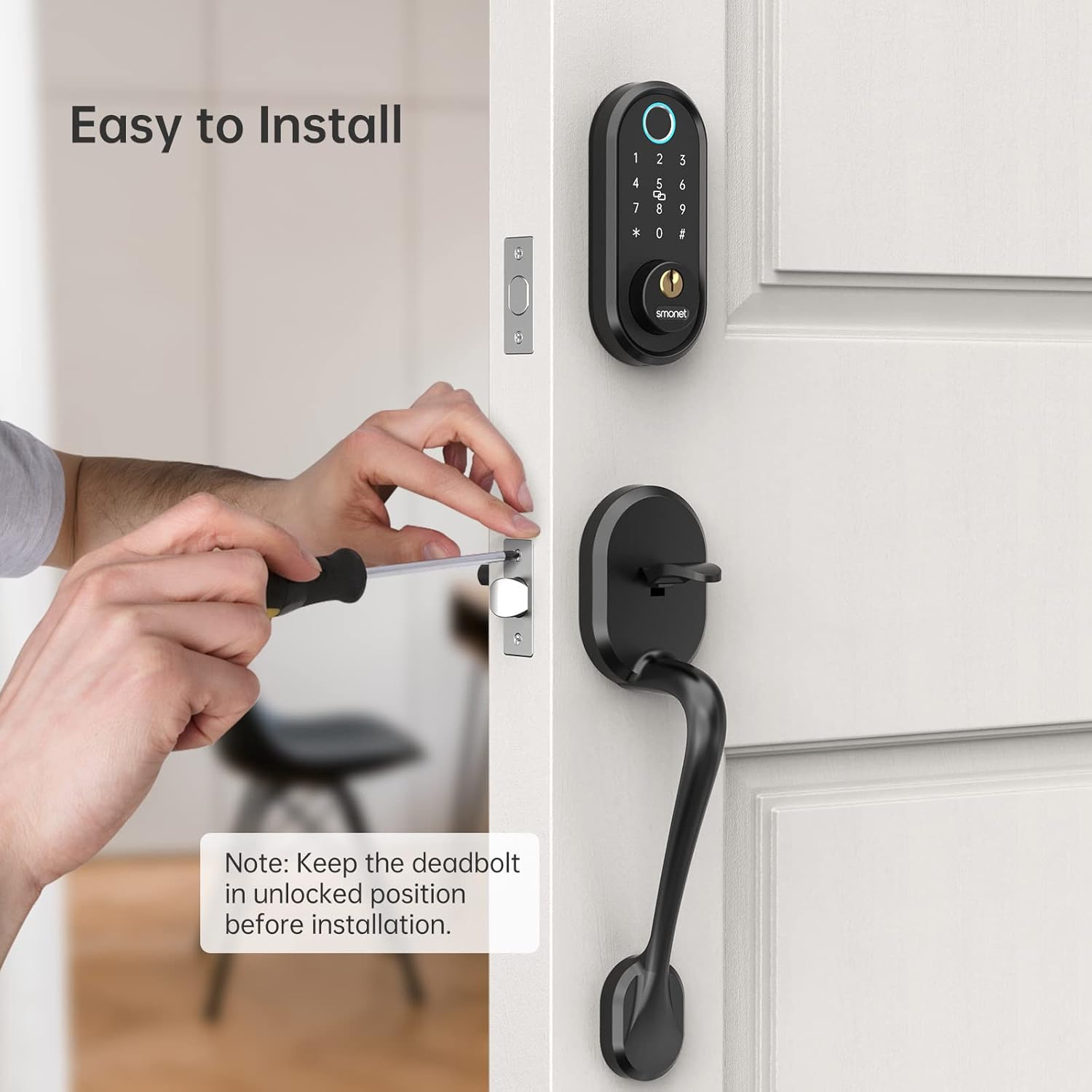
ചിത്രം: ഒരു ക്ലോസ്-അപ്പ് view of a person using a Phillips screwdriver to install the SMONET Smart Lock, with a note to keep the deadbolt in the unlocked position before installation.
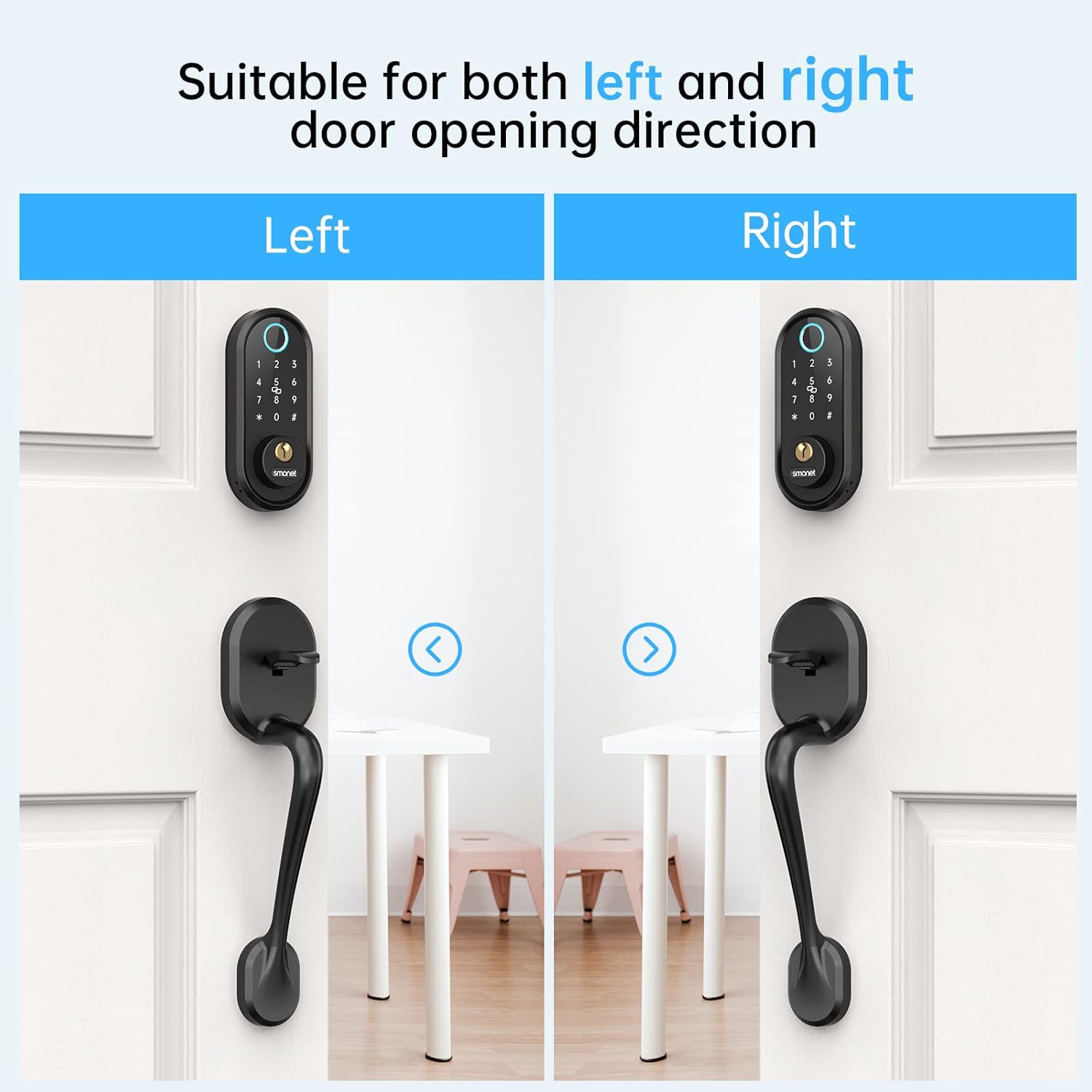
Image: A visual guide illustrating how the SMONET Smart Lock is suitable for both left and right door opening directions, showing distinct installations for each.
പ്രവർത്തന നിർദ്ദേശങ്ങൾ
The SMONET Smart Lock offers various methods for locking and unlocking, along with smart features managed via its dedicated mobile application.
അൺലോക്ക് രീതികൾ:
- ഫിംഗർപ്രിന്റ്: നിങ്ങളുടെ രജിസ്റ്റർ ചെയ്ത വിരൽ സെൻസറിൽ വയ്ക്കുക.
- പാസ്കോഡ്: Enter your registered passcode on the digital keypad. The anti-peep function allows you to enter random digits before or after your actual code to prevent others from guessing it.
- ഐസി കാർഡ്: നിയുക്ത പ്രദേശത്ത് നിങ്ങളുടെ രജിസ്റ്റർ ചെയ്ത ഐസി കാർഡ് ടാപ്പ് ചെയ്യുക.
- ബ്ലൂടൂത്ത് ആപ്പ്: Use the SMONET app on your smartphone to unlock the door when within Bluetooth range.
- ഭൗതിക കീ: നൽകിയിരിക്കുന്ന ഫിസിക്കൽ കീ ഒരു പരമ്പരാഗത ബാക്കപ്പായി ഉപയോഗിക്കുക.
ലോക്കിംഗ് രീതികൾ:
- യാന്ത്രിക ലോക്ക്: The lock will automatically engage after a set period (0-15 minutes), configurable via the app.
- വൺ-ടച്ച് ലോക്ക്: Press the '#' button on the keypad to instantly lock the door.
- ബ്ലൂടൂത്ത് ആപ്പ്: Lock the door remotely via the SMONET app.
ആപ്പ് സവിശേഷതകൾ:
- ഉപയോക്തൃ മാനേജ്മെന്റ്: Add, delete, and manage fingerprints, passcodes, and IC cards.
- താൽക്കാലിക ആക്സസ്: Generate permanent, custom, or one-time codes for visitors.
- ആക്സസ് ലോഗുകൾ: View real-time access records to monitor who enters and exits.
- പാസേജ് മോഡ്: ഒരു നിശ്ചിത കാലയളവിലേക്ക് ലോക്ക് അൺലോക്ക് ചെയ്ത നിലയിൽ തുടരാൻ സജ്ജമാക്കുക.
- റിമോട്ട് കൺട്രോൾ (ഗേറ്റ്വേയോടൊപ്പം): With an optional gateway (sold separately), you can remotely lock/unlock and check access logs from anywhere.
- Smart Home Integration (with Gateway): Connect to Amazon Alexa or Google Home for voice control.

Image: A smartphone displaying the 'Operation Records' screen of the SMONET app, showing a chronological list of lock and unlock events with timestamps and methods used (e.g., 'Unlock with APP', 'Locked', 'Unlock with fingerprint').

Image: A woman wearing headphones, speaking into her smartphone, with an Amazon Echo device and a 'Gateway' box visible. A speech bubble indicates 'Alexa, Unlock the front door!', demonstrating compatibility with Alexa (requires an extra gateway).
മെയിൻ്റനൻസ്
Proper maintenance ensures the longevity and optimal performance of your SMONET Smart Lock.
- വൃത്തിയാക്കൽ: ലോക്കിന്റെ പുറംഭാഗം മൃദുവായ, ഡി ക്ലീനർ ഉപയോഗിച്ച് തുടയ്ക്കുക.amp തുണി. ഫിനിഷിനോ ഇലക്ട്രോണിക് ഘടകങ്ങളോ കേടുവരുത്തുന്ന അബ്രാസീവ് ക്ലീനറുകളോ ലായകങ്ങളോ ഒഴിവാക്കുക.
- ബാറ്ററി മാറ്റിസ്ഥാപിക്കൽ: The lock will provide a low battery alert when power drops below 20%. Replace batteries promptly to avoid lockout. Use high-quality alkaline batteries.
- അടിയന്തര പവർ: In case of complete battery depletion, use a USB-C cable to provide emergency power for temporary access.
- പരിസ്ഥിതി സംരക്ഷണം: The lock is IP65 waterproof, but avoid direct, prolonged exposure to heavy rain or extreme moisture to prevent potential damage.
- ഫേംവെയർ അപ്ഡേറ്റുകൾ: Periodically check the SMONET app for any available firmware updates to ensure your lock has the latest features and security enhancements.
ട്രബിൾഷൂട്ടിംഗ്
If you encounter issues with your SMONET Smart Lock, refer to the following common solutions:
- ലോക്ക് പ്രതികരിക്കുന്നില്ല:
- ബാറ്ററി ലെവൽ പരിശോധിക്കുക, കുറവാണെങ്കിൽ മാറ്റി വയ്ക്കുക.
- ലോക്ക് ശരിയായി ഇൻസ്റ്റാൾ ചെയ്തിട്ടുണ്ടെന്നും എല്ലാ കേബിളുകളും ബന്ധിപ്പിച്ചിട്ടുണ്ടെന്നും ഉറപ്പാക്കുക.
- Try using the physical key for manual override.
- വിരലടയാളം തിരിച്ചറിയാൻ കഴിയാത്തത്:
- നിങ്ങളുടെ വിരൽ വൃത്തിയുള്ളതും വരണ്ടതുമാണെന്ന് ഉറപ്പാക്കുക.
- Try different angles or re-register your fingerprint in the app.
- മൃദുവായ തുണി ഉപയോഗിച്ച് ഫിംഗർപ്രിന്റ് സെൻസർ വൃത്തിയാക്കുക.
- പാസ്കോഡ് പ്രവർത്തിക്കുന്നില്ല:
- Verify the passcode is correct and entered within the time limit.
- Check if the lock is in Passage Mode.
- Ensure the anti-peep function is not causing issues (try entering only the correct code).
- ആപ്പ് കണക്റ്റിവിറ്റി പ്രശ്നങ്ങൾ:
- Ensure Bluetooth is enabled on your smartphone and you are within range.
- ആപ്പ് അല്ലെങ്കിൽ നിങ്ങളുടെ ഫോൺ പുനരാരംഭിക്കുക.
- ആപ്പ് അപ്ഡേറ്റുകൾക്കായി പരിശോധിക്കുക.
- Handle/Deadbolt Malfunction:
- Ensure all screws are tightened correctly during installation.
- Verify that the latch and deadbolt align properly with the strike plate on the door frame.
- If the handle feels loose or slips, re-check the internal assembly and connections.
If these steps do not resolve the issue, please contact SMONET customer support for further assistance.
സ്പെസിഫിക്കേഷനുകൾ
| ബ്രാൻഡ് | സ്മോനെറ്റ് |
| മോഡൽ നമ്പർ | Y1-BBFHS-S |
| പ്രത്യേക ഫീച്ചർ | Auto-Lock, Fingerprint, Fob Unlock, One-Touch Lock, Passcode Unlock |
| ലോക്ക് തരം | ബയോമെട്രിക്, ഡെഡ്ബോൾട്ട്, കീപാഡ് |
| മെറ്റീരിയൽ | ലോഹം |
| ശൈലി | ആധുനികം |
| ഫിനിഷ് തരം | ചായം പൂശി |
| കൺട്രോളർ തരം | Amazon Alexa, Google Assistant (requires gateway) |
| നിയന്ത്രണ രീതി | Remote (via app), Keypad, Fingerprint, IC Card, Physical Key |
| കണക്റ്റിവിറ്റി പ്രോട്ടോക്കോൾ | ബ്ലൂടൂത്ത് |
| ഇനത്തിൻ്റെ ഭാരം | 4.69 പൗണ്ട് |
| പാക്കേജ് അളവുകൾ | 17.04 x 7.68 x 3.82 ഇഞ്ച് |
| ബാറ്ററികൾ ആവശ്യമുണ്ടോ? | അതെ |
| പ്രവർത്തന താപനില | -4°F to 158°F (-20℃ to 70℃) |
| വാട്ടർപ്രൂഫ് ലെവൽ | IP65 |
വാറൻ്റി വിവരങ്ങൾ
SMONET provides at least a 1 വർഷത്തെ ഗുണനിലവാര ഉറപ്പ് for the SMONET Smart Lock Y1-BBFHS-S. This warranty covers manufacturing defects and ensures the product meets its specified performance standards under normal use. Please retain your proof of purchase for warranty claims.
ഉപഭോക്തൃ പിന്തുണ
For any questions regarding installation, app usage, troubleshooting, or further information about the optional gateway, please do not hesitate to contact SMONET professional technical support. Our team is available to assist you at any time.
ബന്ധപ്പെടാനുള്ള വിവരങ്ങൾ: Please refer to the contact details provided on the SMONET official website or your product packaging for the most up-to-date support channels.


