1 പ്രധാനപ്പെട്ട സുരക്ഷാ വിവരങ്ങൾ
Please read all instructions carefully before installation and use. Failure to follow these instructions may result in electric shock, fire, or serious injury.
- ഇലക്ട്രിക്കൽ ഇൻസ്റ്റാളേഷൻ: പ്രാദേശിക ഇലക്ട്രിക്കൽ കോഡുകളും ചട്ടങ്ങളും അനുസരിച്ച് യോഗ്യതയുള്ള ഒരു ഇലക്ട്രീഷ്യൻ ഇൻസ്റ്റാളേഷൻ നടത്തണം.
- വൈദ്യുതി വിച്ഛേദിക്കൽ: Always turn off power at the circuit breaker before installing or servicing the switch. Verify power is off using a voltagഇ ടെസ്റ്റർ.
- വാല്യംtagഇയും ലോഡും: This switch is designed for 240V AC circuits and supports a maximum load of 500 Watts. Do not exceed these ratings.
- ഇൻഡോർ ഉപയോഗത്തിന് മാത്രം: This product is intended for indoor use in dry locations. Do not install in wet or damp പരിസരങ്ങൾ.
- മങ്ങിക്കാത്തത്: This is a 1-way, non-dimmable switch. Do not attempt to use it with dimmable lights or as part of a 2-way (multi-location) switching system. It is not compatible with smart home systems like Alexa or Google Home.
- കപ്പാസിറ്റർ: If a capacitor is included, install it as per the wiring diagram to ensure proper operation and prevent flickering with certain LED loads.

Figure 1: Important operational limitations and warnings. This switch is not a dimmer, not for 2-way control, and not a Wi-Fi smart switch. Avoid touching the internal circuit board.
2. ഉൽപ്പന്നം കഴിഞ്ഞുview
The CNBINGO 1-Gang No Neutral Touch Light Switch features a modern design with a tempered glass panel and an intuitive touch control system. It is designed for single-pole, 1-way lighting control without the need for a neutral wire, simplifying installation.
പ്രധാന സവിശേഷതകൾ:
- ത്രീ-വേ നിയന്ത്രണം: Controls a single light circuit from one location.
- No Neutral Wire Required: Simplifies installation in older homes or locations without neutral wiring at the switch box.
- Tempered Glass Panel: Durable, fire-resistant, scratch-resistant, and electric shock-resistant. Safe to touch even with wet hands.
- Fast Touch Response: 40ms high-speed touch-sensitive operation.
- LED ബാക്ക്ലൈറ്റ്: A blue LED indicates the switch status (strong for ON, weak for OFF), visible in the dark without disturbing sleep.
- സ്റ്റാൻഡേർഡ് അളവുകൾ: Designed to fit standard wall boxes.
3. സജ്ജീകരണവും ഇൻസ്റ്റാളേഷനും
Follow these steps carefully for safe and correct installation. If you are unsure, consult a qualified electrician.
ആവശ്യമായ ഉപകരണങ്ങൾ (ഉൾപ്പെടുത്തിയിട്ടില്ല):
- സ്ക്രൂഡ്രൈവർ
- വാല്യംtagഇ ടെസ്റ്റർ
- വയർ സ്ട്രിപ്പറുകൾ
ഇൻസ്റ്റലേഷൻ ഘട്ടങ്ങൾ:
- പവർ ഓഫ് ചെയ്യുക: Locate the circuit breaker controlling the light switch you intend to replace or install. Turn off the power completely. Use a voltage tester to confirm that no power is present at the switch location.
- പഴയ സ്വിച്ച് നീക്കം ചെയ്യുക (ബാധകമെങ്കിൽ): Carefully remove the existing wall plate and switch. Disconnect the wires, noting which wire was connected to which terminal.
- വയറിംഗ് തയ്യാറാക്കുക: This switch requires only a Live wire (L) and a Load wire (L1) for a 1-way connection. No neutral wire is needed. Ensure wires are stripped to the appropriate length for secure connection.
- വയറുകൾ ബന്ധിപ്പിക്കുക: Refer to the wiring diagram below. Connect the Live wire to the 'L' terminal and the Load wire (to the light fixture) to the 'L1' terminal on the back of the switch. Securely tighten all screw terminals.

Figure 2: Wiring diagram showing connections for Live Wire (red) to 'L' and Load Wire (blue) to 'L1'.
- Install Capacitor (if included and necessary): If your light fixture experiences flickering or instability, install the included capacitor across the Live and Neutral terminals at the light fixture itself, not at the switch.
- സ്വിച്ച് മൌണ്ട് ചെയ്യുക: Gently push the switch module into the wall box. Ensure the wall box has a minimum depth of 30mm and a diameter of 60mm for proper fit. Secure the switch to the wall box using the provided screws.

Figure 3: Product dimensions (86x86x36mm) and required wall box depth (minimum 30mm) and diameter (60mm).
- Attach Glass Panel: Carefully align and snap the tempered glass panel onto the switch module. Important: Do not touch the switch button before the glass panel is fully installed, as this may prevent proper function.
- പവർ പുന ore സ്ഥാപിക്കുക: Once the installation is complete and the glass panel is securely in place, turn the power back on at the circuit breaker.
4. പ്രവർത്തന നിർദ്ദേശങ്ങൾ
The CNBINGO touch light switch offers simple and intuitive operation.
അടിസ്ഥാന പ്രവർത്തനം:
- ഓൺ/ഓഫ് ചെയ്യുന്നു: Gently touch the circular icon on the glass panel to toggle the connected light on or off. The touch system has a fast response time of 40 milliseconds.
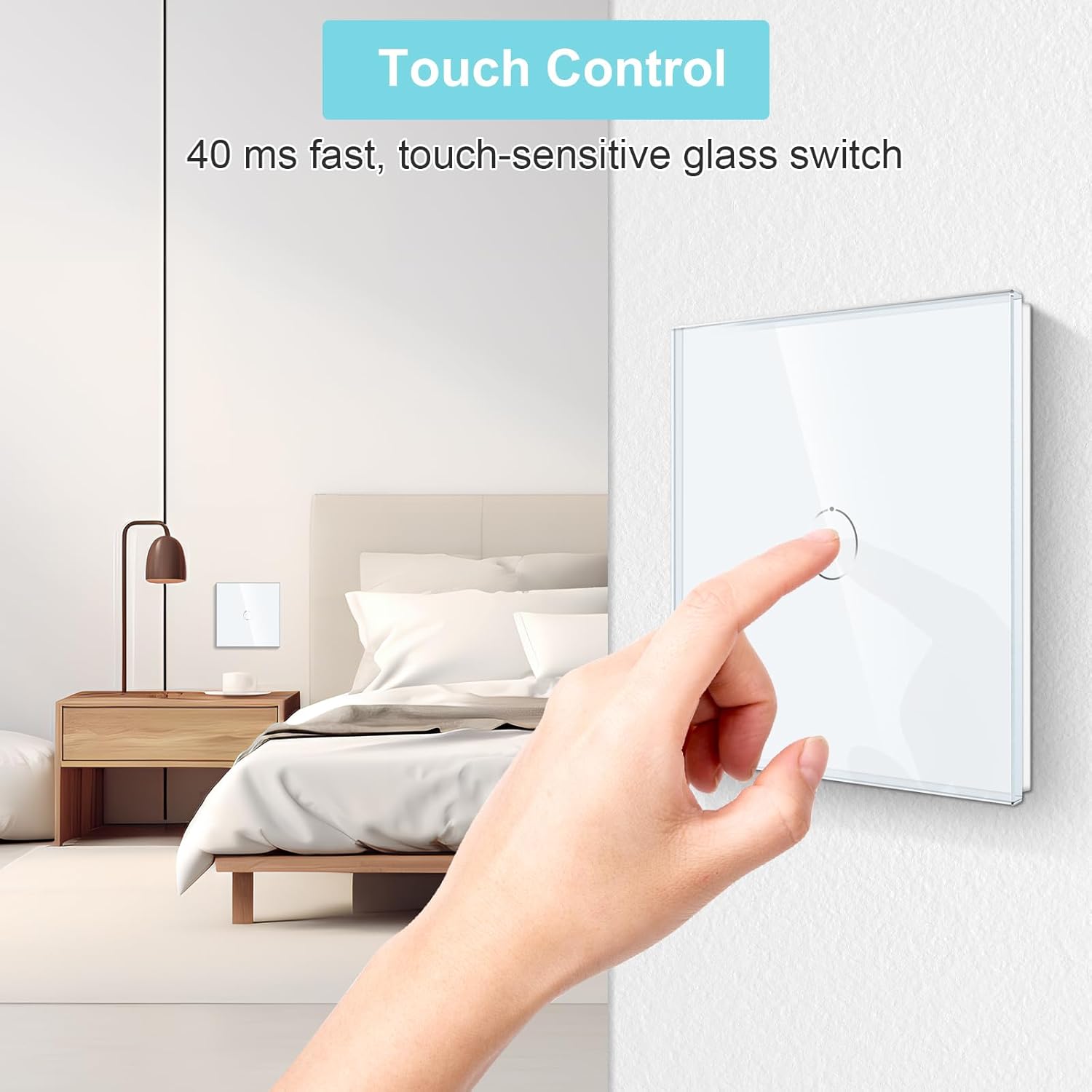
Figure 4: A hand demonstrating the touch control on the glass panel switch.
LED സ്റ്റാറ്റസ് ഇൻഡിക്കേറ്റർ:
- Each button on the switch is equipped with a blue LED backlight.
- വെളിച്ചം ഉള്ളപ്പോൾ ON, the LED will glow with a strong blue light.
- വെളിച്ചം ഉള്ളപ്പോൾ ഓഫ്, the LED will glow with a weak blue light.
- This backlight allows you to easily locate the switch in the dark without being overly bright or disruptive to sleep.
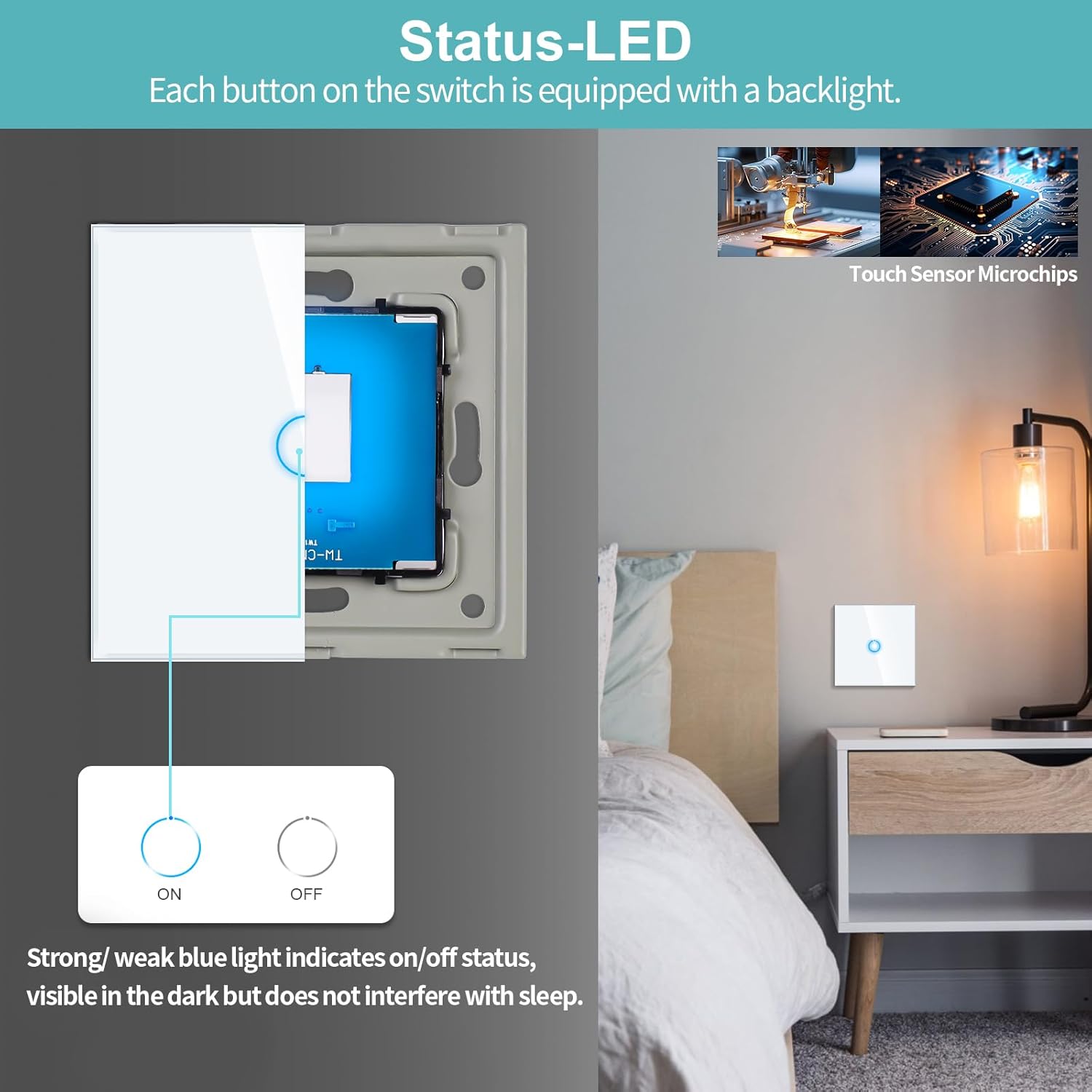
Figure 5: Illustration of the LED backlight indicating the ON/OFF status of the switch.
5. പരിപാലനം
The CNBINGO touch light switch is designed for minimal maintenance.
- വൃത്തിയാക്കൽ: To clean the glass panel, gently wipe it with a soft, damp തുണി. അബ്രാസീവ് ക്ലീനറുകൾ, ലായകങ്ങൾ, അല്ലെങ്കിൽ കഠിനമായ രാസവസ്തുക്കൾ എന്നിവ ഉപയോഗിക്കുന്നത് ഒഴിവാക്കുക, കാരണം ഇവ ഫിനിഷിന് കേടുവരുത്തും.
- പരിശോധന: Periodically check the switch for any signs of damage or loose connections. If any issues are found, turn off the power at the circuit breaker and consult a qualified electrician.
- ഉപയോക്തൃ സേവനയോഗ്യമായ ഭാഗങ്ങൾ ഇല്ല: The internal components of the switch are not user-serviceable. Do not attempt to open or repair the switch yourself.
6. പ്രശ്നപരിഹാരം
If you encounter any issues with your CNBINGO touch light switch, refer to the following common problems and solutions:
| പ്രശ്നം | സാധ്യമായ കാരണം | പരിഹാരം |
|---|---|---|
| സ്വിച്ച് സ്പർശനത്തോട് പ്രതികരിക്കുന്നില്ല. |
|
|
| Light flickers or does not turn off completely. |
|
|
| LED backlight is not working. |
|
|
| Switch gets warm during operation. |
|
|
7 സ്പെസിഫിക്കേഷനുകൾ
| ഫീച്ചർ | സ്പെസിഫിക്കേഷൻ |
|---|---|
| മോഡൽ നമ്പർ | S1-101-D |
| അളവുകൾ (L x W x H) | 8.6 x 8.6 x 3.6 സെ.മീ |
| ഭാരം | 400 ഗ്രാം |
| നിറം | വെള്ള |
| മെറ്റീരിയൽ | ടെമ്പർഡ് ഗ്ലാസ് |
| ഇൻപുട്ട് വോളിയംtage | 240 വോൾട്ട് എസി |
| പരമാവധി പവർ ലോഡ് | 500 വാട്ട്സ് |
| നിലവിലെ റേറ്റിംഗ് | 3.33 എ |
| സ്വിച്ച് തരം | 1-Way Touch Switch |
| മൗണ്ടിംഗ് തരം | Wall Mount (Recessed) |
| Required Wall Box Depth | കുറഞ്ഞത് 30 മി.മീ |
| Required Wall Box Diameter | 60 മി.മീ |
| സർട്ടിഫിക്കേഷൻ | CE |
| ഉൾപ്പെടുത്തിയ ഘടകങ്ങൾ | Touch switch, 4 screws, user manual |
8. വാറൻ്റിയും പിന്തുണയും
CNBINGO products are manufactured with quality and reliability in mind. For specific warranty details, please refer to the documentation included with your purchase or contact CNBINGO customer service.
ഉപഭോക്തൃ പിന്തുണ:
For any product inquiries or technical assistance, please contact CNBINGO customer service. Our dedicated team aims to respond to all inquiries within 24 hours.
തിരികെ നൽകൽ നയം: This product is eligible for a refund or replacement within 30 days of purchase, subject to the retailer's return policy.