1. ആമുഖം
This manual provides detailed instructions for the installation, operation, maintenance, and troubleshooting of your MACHINIST B660 Gaming Motherboard. This motherboard is designed to support 12th and 13th Generation Intel Core/Pentium/Celeron series processors, offering robust performance for personal computing needs.
2. സജ്ജീകരണവും ഇൻസ്റ്റാളേഷനും
Careful installation is crucial for optimal performance and longevity of your motherboard. Please follow these steps:
2.1. മദർബോർഡ് ഓവർview
The MACHINIST B660 motherboard features an ITX form factor (170mm*170mm) with a 10-phase power supply and 8-layer PCB design. It includes various ports and slots for component integration.

Figure 2.1: The MACHINIST B660 Gaming Motherboard alongside its packaging, highlighting its compact design and 'Security Efficient' and 'Diamond Quality' features.

Figure 2.2: Detailed diagram of the B660 Motherboard, showing the layout of components and ports including JBAT, DP, VGA, HDMI, USB 2.0, USB 3.2, 2.5GbE LAN, SFAN, WiFi 6 antenna ports, Audio jacks, PCIe 5.0 X16, 8PIN DC, BUZZER, 4PIN CFAN, DDR4 slots, 24PIN DC, SATA 3.0, and NVMe M.2 slot.
2.2. പ്രോസസ്സർ ഇൻസ്റ്റലേഷൻ (LGA 1700 സോക്കറ്റ്)
This motherboard is equipped with an Intel LGA 1700 socket, compatible with 12th and 13th Generation Intel Core/Pentium/Celeron series processors. Ensure proper alignment and gentle placement of the CPU into the socket.

ചിത്രം 2.3: ക്ലോസപ്പ് view of the Intel LGA 1700 socket on the motherboard, indicating compatibility with 12th/13th Gen Intel Core/Pentium/Celeron series processors.
2.3. മെമ്മറി ഇൻസ്റ്റലേഷൻ (DDR4)
The motherboard features two DDR4 memory slots, supporting dual-channel, non-ECC unbuffered memory. The maximum capacity is 64GB (32G*2), with effective frequencies ranging from 2133MHz to 3600MHz.
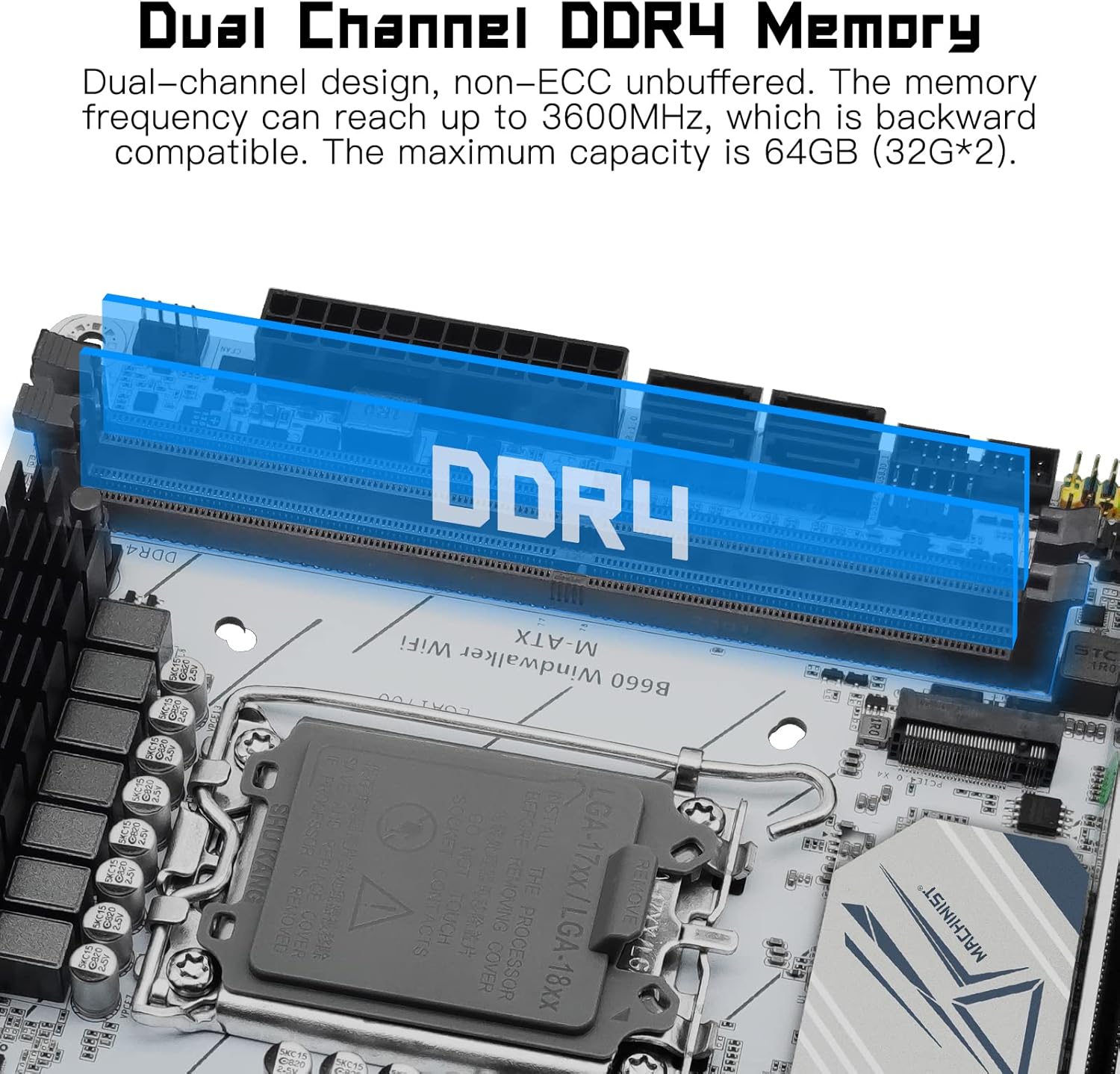
Figure 2.4: Illustration of the dual-channel DDR4 memory slots, highlighting support for up to 64GB (32G*2) with frequencies up to 3600MHz.
2.4. Storage and Expansion Slots
The motherboard includes one NVMe M.2 slot (PCIe 4.0 X4 bandwidth) and a PCIe X16 5.0 slot for graphics cards. The NVMe M.2 slot offers read/write speeds of 7000-7400MB/s, while the PCIe 5.0 X16 slot provides a maximum transmission speed of 64GB/s.

Figure 2.5: Visual representation of the NVMe M.2 (PCIe 4.0 X4) and PCIe 5.0 X16 slots, indicating high-speed data transfer capabilities.

Figure 2.6: A bar chart comparing the transmission speeds of NVMe 4.0 (64Gbps), NVMe 3.0 (32Gbps), SATA 3.0 (6Gbps), and USB 3.1 (5Gbps), illustrating the superior performance of PCIe 4.0 NVMe M.2.
2.5. Power Supply and Connectivity
The motherboard features a 10-phase digital power supply for stable and efficient power delivery. It includes Realtek 2.5GbE LAN for high-speed wired networking and USB 3.1 Gen2 ports for fast data transfer. Multiple integrated display interfaces (HDMI, VGA, DP) are available.
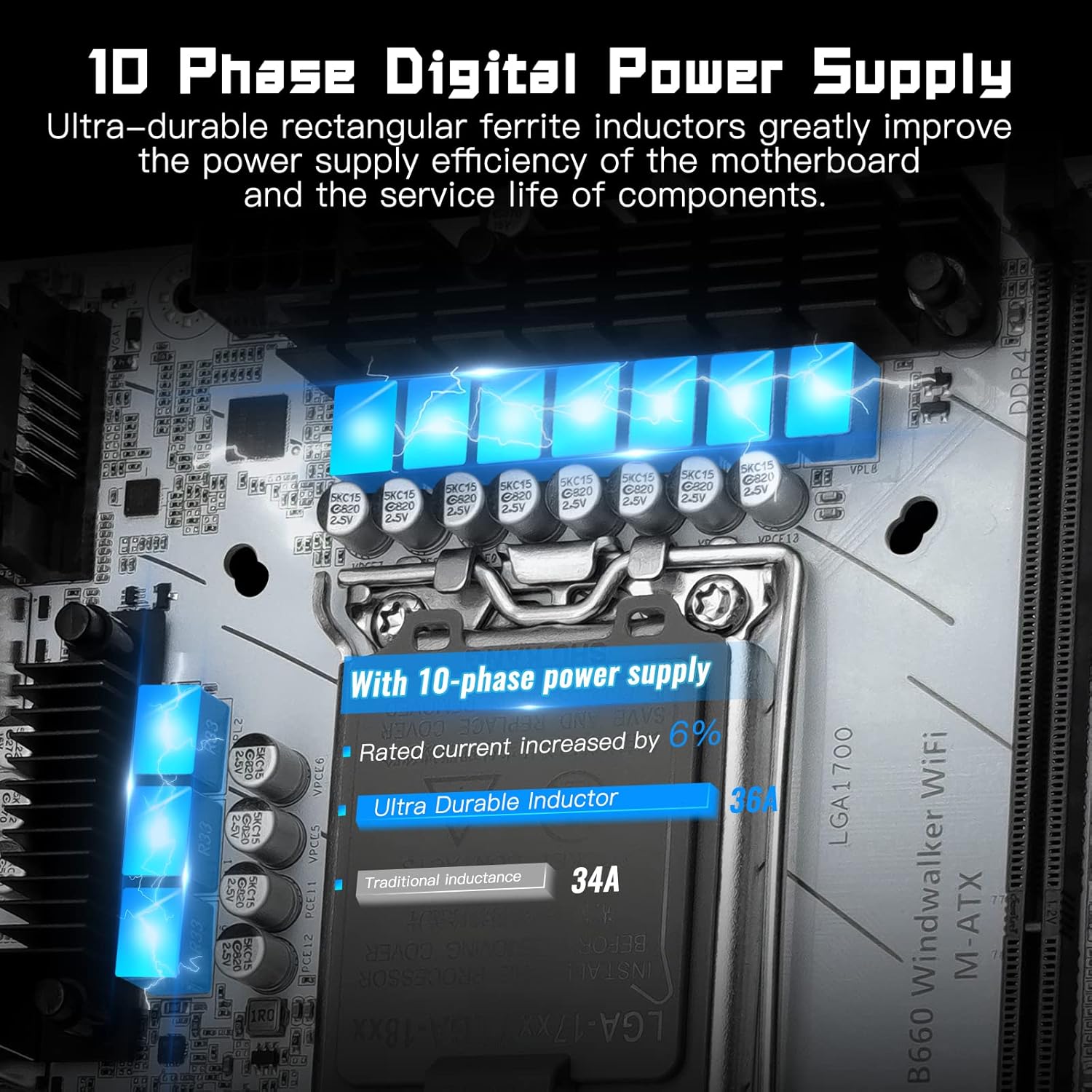
Figure 2.7: Visual representation of the 10-phase digital power supply, indicating enhanced power supply efficiency and component longevity.
Important Note on WiFi: While the motherboard supports WiFi 6, the WiFi plug-in module is not included and must be purchased separately. The motherboard provides the necessary antenna ports for a compatible WiFi module.
Video 2.1: This video demonstrates the installation process for a WiFi module on the B660 motherboard. It shows how to attach the WiFi card and connect the antenna cables to the motherboard's designated ports.
2.6. Entering BIOS
To enter the BIOS settings, continuously press the "Del" key immediately after pressing the power button to start your computer. Do not wait until the startup LOGO screen appears, as it may be too late to access BIOS at that point.
3. മദർബോർഡ് പ്രവർത്തിപ്പിക്കൽ
Once all components are installed and connected, power on your system. The motherboard will initiate the boot process. Ensure your operating system is properly installed on a compatible storage device (e.g., NVMe M.2 SSD or SATA SSD/HDD).
3.1. ഡ്രൈവർ ഇൻസ്റ്റാളേഷൻ
For optimal performance and functionality, install the latest drivers for your motherboard's chipset, LAN, audio, and any other integrated components. Drivers are typically available on the manufacturer's webസൈറ്റ്.
3.2. Display Output
Connect your monitor to one of the available display ports (HDMI, VGA, or DP) on the motherboard's I/O panel. If using a dedicated graphics card, connect your monitor to the graphics card's output ports.
4. പരിപാലനം
പതിവ് അറ്റകുറ്റപ്പണികൾ നിങ്ങളുടെ മദർബോർഡിന്റെ ദീർഘായുസ്സും സ്ഥിരതയുള്ള പ്രവർത്തനവും ഉറപ്പാക്കാൻ സഹായിക്കുന്നു.
- പൊടി നീക്കം: മദർബോർഡിലെയും ഘടകങ്ങളിലെയും പൊടി ഇടയ്ക്കിടെ കംപ്രസ് ചെയ്ത വായു ഉപയോഗിച്ച് വൃത്തിയാക്കുക. വൃത്തിയാക്കുന്നതിന് മുമ്പ് സിസ്റ്റം ഓഫ് ചെയ്തിട്ടുണ്ടെന്നും പ്ലഗ് ഇൻ ചെയ്തിട്ടുണ്ടെന്നും ഉറപ്പാക്കുക.
- ബയോസ് അപ്ഡേറ്റുകൾ: നിർമ്മാതാവ് പരിശോധിക്കുക website for BIOS updates. Updating BIOS can improve compatibility, stability, and performance. Follow the provided instructions carefully.
- കേബിൾ മാനേജുമെന്റ്: Ensure all cables are properly routed and secured to prevent obstruction of airflow and accidental disconnections.
5. പ്രശ്നപരിഹാരം
നിങ്ങളുടെ മദർബോർഡിൽ പ്രശ്നങ്ങൾ നേരിടുകയാണെങ്കിൽ, ഇനിപ്പറയുന്ന പൊതുവായ ട്രബിൾഷൂട്ടിംഗ് ഘട്ടങ്ങൾ പരിഗണിക്കുക:
- ഡിസ്പ്ലേ ഔട്ട്പുട്ട് ഇല്ല:
- എല്ലാ പവർ കേബിളുകളും (24-പിൻ ATX, 8-പിൻ CPU) സുരക്ഷിതമായി ബന്ധിപ്പിച്ചിട്ടുണ്ടെന്ന് ഉറപ്പാക്കുക.
- Verify that the monitor cable is correctly connected to the motherboard or graphics card.
- റാം മൊഡ്യൂളുകൾ റീസെറ്റ് ചെയ്യുക. ഒരു റാം സ്റ്റിക്ക് മാത്രം ഉപയോഗിച്ച് ബൂട്ട് ചെയ്യാൻ ശ്രമിക്കുക.
- If using a dedicated graphics card, ensure it is properly seated in the PCIe slot and has adequate power.
- സിസ്റ്റം ബൂട്ട് ചെയ്യുന്നില്ല:
- Check all internal connections, including CPU, RAM, storage, and power supply cables.
- Clear CMOS (Complementary Metal-Oxide-Semiconductor) by removing the CMOS battery for a few minutes or using the designated jumper (refer to motherboard diagram).
- നിങ്ങളുടെ പവർ സപ്ലൈ യൂണിറ്റിൽ (പിഎസ്യു) ആവശ്യത്തിന് വെള്ളം ഉണ്ടെന്ന് ഉറപ്പാക്കുക.tagഎല്ലാ ഘടകങ്ങൾക്കും e.
- WiFi Not Working:
- Confirm that you have installed a compatible WiFi module (e.g., Intel AX210) in the designated slot.
- Ensure the WiFi antenna cables are correctly connected to the module.
- Install the appropriate drivers for your WiFi module.
- BIOS Language Issue (Chinese):
- If the BIOS interface appears in Chinese, navigate through the settings to find the language option. It is usually found under a 'System' or 'Boot' menu. Look for characters that resemble 'English' or 'Language' to change the setting.
6 സ്പെസിഫിക്കേഷനുകൾ
Below are the key specifications for the MACHINIST B660 Gaming Motherboard:
| ഫീച്ചർ | സ്പെസിഫിക്കേഷൻ |
|---|---|
| ഉൽപ്പന്ന അളവുകൾ | 6.69 x 6.69 x 1.5 ഇഞ്ച് |
| ഇനത്തിൻ്റെ ഭാരം | 1.5 പൗണ്ട് |
| നിർമ്മാതാവ് | മെഷീനിസ്റ്റ് |
| ഇനത്തിൻ്റെ മോഡൽ നമ്പർ | B660-Windwalker-WIFI |
| ബാറ്ററികൾ | 1 CR2032 ബാറ്ററികൾ ആവശ്യമാണ്. (ഉൾപ്പെടുത്തിയത്) |
| സിപിയു സോക്കറ്റ് | LGA 1700 |
| അനുയോജ്യമായ ഉപകരണങ്ങൾ | പേഴ്സണൽ കമ്പ്യൂട്ടർ |
| റാം മെമ്മറി ടെക്നോളജി | DDR4 |
| അനുയോജ്യമായ പ്രോസസ്സറുകൾ | Intel Core/Pentium/Celeron (12th/13th Gen) |
| ചിപ്സെറ്റ് തരം | ഇൻ്റൽ B660 |
| മെമ്മറി ക്ലോക്ക് സ്പീഡ് | 3600 MHz വരെ |
| പ്ലാറ്റ്ഫോം | വിൻഡോസ് |
| മോഡലിൻ്റെ പേര് | Windwalker |
7. വാറൻ്റിയും പിന്തുണയും
For warranty information, technical support, or further assistance, please refer to the official MACHINIST website or contact their customer service. A detailed user manual in PDF format may also be available for download from the product's Amazon page or the manufacturer's support section.


