1. ആമുഖം
This manual provides detailed instructions for the operation, maintenance, and troubleshooting of your NEWYES Portable Mini Printer. Please read this manual thoroughly before using the product to ensure proper and safe operation.
The NEWYES Portable Mini Printer is an ultra-compact A4 portable printer that can print instantly from your smartphone. It uses thermal paper for printing, so no ink is required. You can print anytime, anywhere.
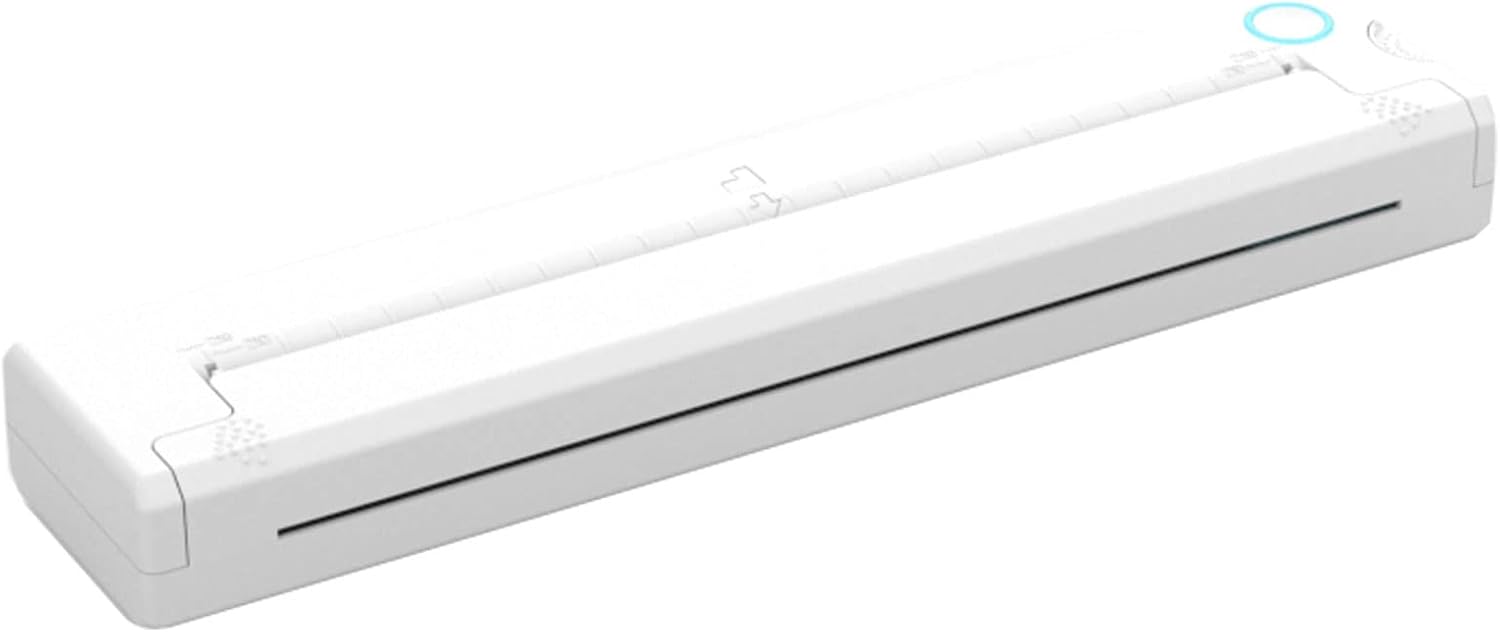
Image: The NEWYES Portable Mini Printer, a compact white device designed for on-the-go printing.
2. ഉൽപ്പന്ന സവിശേഷതകൾ
The NEWYES Portable Mini Printer offers several key features for convenient and efficient printing:
- ഒതുക്കമുള്ളതും ഭാരം കുറഞ്ഞതും: Designed for easy portability, fitting into bags and backpacks.
- മഷിയില്ലാത്ത താപ പ്രിന്റിംഗ്: Eliminates the need for ink cartridges, reducing running costs and mess.
- വയർലെസ് കണക്റ്റിവിറ്റി: Connects via Bluetooth to smartphones and other devices, no Wi-Fi or power outlet required during operation.
- ബഹുമുഖ അച്ചടി: Capable of printing documents, photos, and various file formats (Word, Excel, PDF, JPG, PNG, Web പേജുകൾ).
- ഉയർന്ന മിഴിവ്: Prints at 203 DPI for clear and sharp output.
- നീണ്ട കാത്തിരിപ്പ് സമയം: Up to 30 days continuous standby.
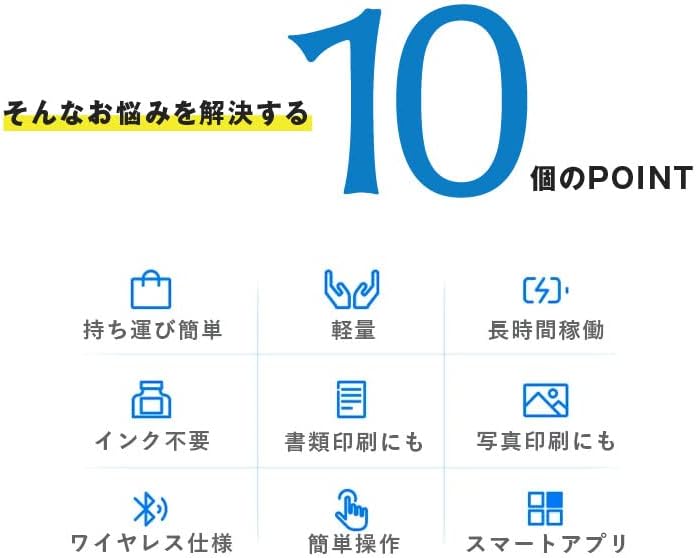
Image: An infographic highlighting 10 key features, including portability, lightweight design, long operation, inkless printing, document and photo printing, wireless capability, easy operation, and smart app support.
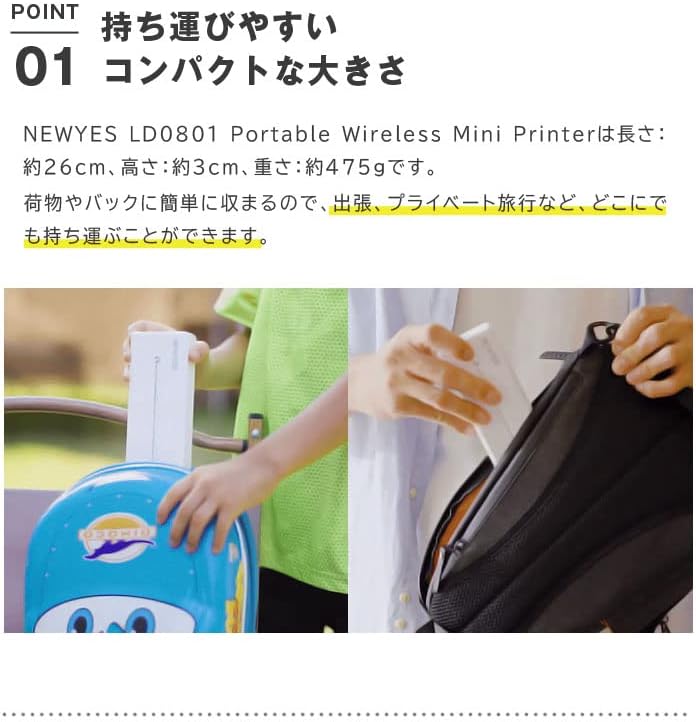
Image: Demonstrates the printer's compact size, showing it being easily placed into a backpack and carried by a child, emphasizing its portability for business trips or personal travel.
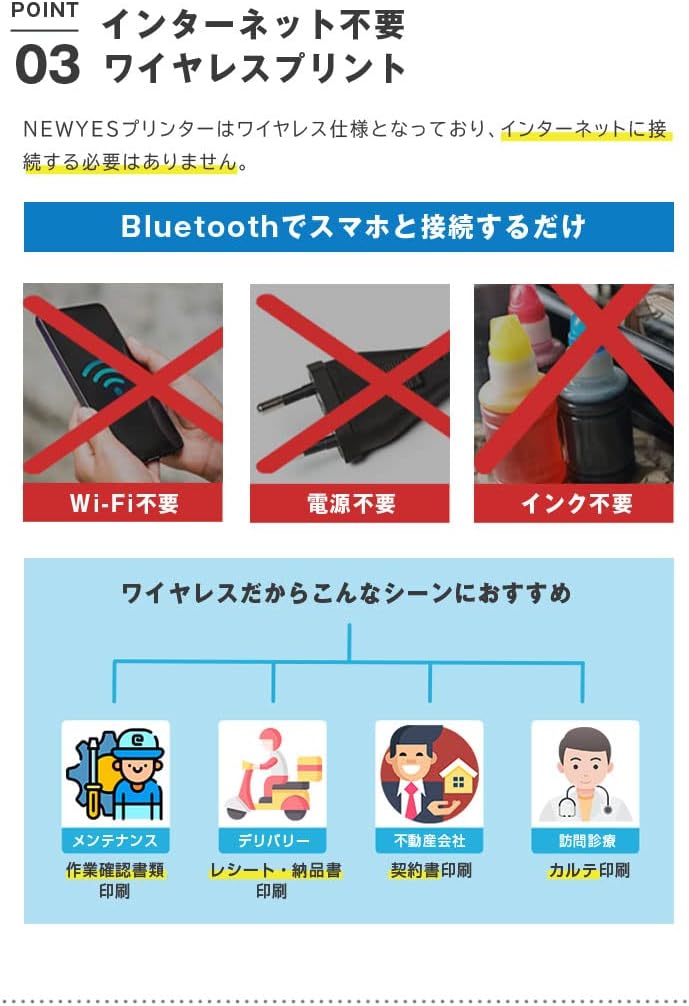
Image: Illustrates that the printer does not require Wi-Fi, external power, or ink. It connects directly via Bluetooth to a smartphone, making it suitable for various scenarios like maintenance reports, delivery receipts, real estate contracts, and medical records.

Image: Shows the thermal printing mechanism and contrasts it with messy ink, highlighting that the printer uses thermal paper, eliminating the need for toner cartridges or carbon ribbons, thus reducing running costs and preventing stains.
3. സജ്ജീകരണ ഗൈഡ്
Follow these steps to set up your NEWYES Portable Mini Printer:
- പ്രിന്റർ ചാർജ് ചെയ്യുക: Connect the printer to a power source using the provided USB Type-C cable. Ensure it is fully charged before first use. A full charge takes approximately 75 minutes.
- തെർമൽ പേപ്പർ ലോഡ് ചെയ്യുക: Open the paper compartment and carefully insert the thermal paper roll. Ensure the paper is aligned correctly and the end extends slightly from the output slot.
- പവർ ഓൺ: ഇൻഡിക്കേറ്റർ ലൈറ്റ് ഓണാകുന്നതുവരെ പവർ ബട്ടൺ അമർത്തിപ്പിടിക്കുക.
- ആപ്പ് ഡൗൺലോഡ് ചെയ്യുക: Download the dedicated NEWYES app on your smartphone (available for Android and iOS).
- ബ്ലൂടൂത്ത് വഴി ജോടിയാക്കുക:
- നിങ്ങളുടെ സ്മാർട്ട്ഫോണിൽ ബ്ലൂടൂത്ത് പ്രവർത്തനക്ഷമമാക്കുക.
- Open the NEWYES app and follow the on-screen instructions to search for and connect to your printer. The printer will appear as "NEWYES Printer" or similar.
- നിങ്ങളുടെ സ്മാർട്ട്ഫോണിൽ ജോടിയാക്കൽ അഭ്യർത്ഥന സ്ഥിരീകരിക്കുക.
4. പ്രവർത്തന നിർദ്ദേശങ്ങൾ
Printing with your NEWYES Portable Mini Printer is straightforward:
- Prepare Document/Photo: Open the document or photo you wish to print on your smartphone.
- പ്രിന്റ് ഓപ്ഷൻ തിരഞ്ഞെടുക്കുക: Within the app or your phone's sharing menu, select the print option.
- പ്രിന്റർ തിരഞ്ഞെടുക്കുക: Select the connected NEWYES Portable Mini Printer from the list of available printers.
- ക്രമീകരണങ്ങൾ ക്രമീകരിക്കുക (ഓപ്ഷണൽ): Adjust print settings such as print quality, paper size (if applicable), or number of copies within the app.
- പ്രിന്റ് ആരംഭിക്കുക: Tap the "Print" button. The printer will automatically feed the paper and begin printing.

Image: A visual guide demonstrating the simple printing process: 1. Press the power button. 2. Set paper into the printer (automatic feed). 3. Connect via Bluetooth. 4. Select the document to print. 5. Print. 6. Completion.

Image: Shows the printer's compatibility with various devices like Android phones, iPhones, and iPads, and support for multiple file formats including Word, Excel, PDF, JPG, PNG, and web pages, suitable for both work and daily entertainment.
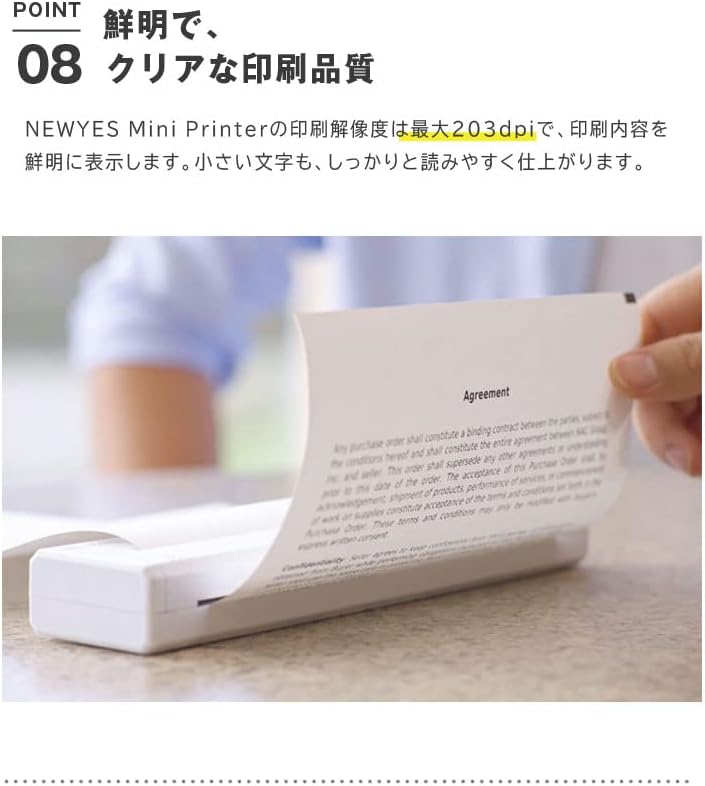
Image: A close-up of a printed document, demonstrating the clear and sharp print quality at 203 DPI, ensuring even small text is legible.
5. പരിപാലനം
നിങ്ങളുടെ പ്രിന്ററിന്റെ ദീർഘായുസ്സും ഒപ്റ്റിമൽ പ്രകടനവും ഉറപ്പാക്കാൻ, ഈ പരിപാലന മാർഗ്ഗനിർദ്ദേശങ്ങൾ പാലിക്കുക:
- വൃത്തിയാക്കൽ: Regularly wipe the exterior of the printer with a soft, dry cloth. For the print head, use a cotton swab lightly dampened with isopropyl alcohol, ensuring the printer is off and cool. Allow it to dry completely before use.
- പേപ്പർ സംഭരണം: Store thermal paper in a cool, dry place away from direct sunlight and heat to prevent degradation.
- ബാറ്ററി കെയർ: To preserve battery life, avoid fully discharging the battery frequently. If storing for an extended period, charge the printer to about 50% and recharge every few months.
- ഫേംവെയർ അപ്ഡേറ്റുകൾ: Check the NEWYES app periodically for any available firmware updates to ensure your printer has the latest features and bug fixes.
6. പ്രശ്നപരിഹാരം
നിങ്ങളുടെ പ്രിന്ററിൽ പ്രശ്നങ്ങൾ നേരിടുകയാണെങ്കിൽ, ഇനിപ്പറയുന്ന പൊതുവായ പ്രശ്നങ്ങളും പരിഹാരങ്ങളും പരിശോധിക്കുക:
| പ്രശ്നം | സാധ്യമായ കാരണം | പരിഹാരം |
|---|---|---|
| പ്രിന്റർ ഓണാക്കുന്നില്ല. | ബാറ്ററി കുറവോ പവർ പ്രശ്നമോ. | Charge the printer using the USB Type-C cable. Ensure the cable and power adapter are working. |
| ബ്ലൂടൂത്ത് വഴി ബന്ധിപ്പിക്കാൻ കഴിയില്ല. | Bluetooth is off, printer is out of range, or already connected to another device. | Ensure Bluetooth is enabled on your phone. Move closer to the printer. Disconnect from other devices. Restart both printer and phone. |
| മോശം പ്രിന്റ് നിലവാരം / മങ്ങിയ പ്രിന്റുകൾ. | Print head is dirty, thermal paper is old/damaged, or low battery. | Clean the print head. Replace the thermal paper with a new roll. Charge the printer. |
| പേപ്പർ ജാം. | Paper not loaded correctly or foreign object in paper path. | Turn off the printer. Carefully remove any jammed paper. Reload paper correctly. |
| Printer not responding to print command. | App issue, printer not selected, or connection lost. | Restart the app. Ensure the printer is selected in the app. Re-establish Bluetooth connection. |
7 സ്പെസിഫിക്കേഷനുകൾ
| ഫീച്ചർ | വിശദാംശങ്ങൾ |
|---|---|
| ബ്രാൻഡ് | NEWYES |
| മോഡൽ നമ്പർ | taku0498j-3j-5 |
| നിർമ്മാതാവ് | BRIGHT DIY |
| ഉൽപ്പന്ന അളവുകൾ (L x W x H) | 26.5 x 3.05 x 5.8 സെ.മീ (ഏകദേശം 10.4 x 1.2 x 2.3 ഇഞ്ച്) |
| ഭാരം | 475g (approx. 1.05 lbs) |
| പ്രിൻ്റ് വീതി | 210mm (A4 size) |
| പ്രിൻ്റിംഗ് ടെക്നോളജി | Thermal Print (Inkless) |
| പ്രിൻ്റ് റെസല്യൂഷൻ | 203 ഡിപിഐ |
| ഇൻപുട്ട് വോളിയംtage | DC 5V/2A |
| ബാറ്ററി ശേഷി | 1200mAh |
| മുഴുവൻ ചാർജിംഗ് സമയം | ഏകദേശം 75 മിനിറ്റ് |
| തുടർച്ചയായ സ്റ്റാൻഡ്ബൈ സമയം | 30 ദിവസം |
| ഓട്ടോ പവർ ഓഫ് | 30 minutes (idle) |
| ചാർജിംഗ് പോർട്ട് | യുഎസ്ബി ടൈപ്പ്-സി |
| കണക്റ്റിവിറ്റി | ബ്ലൂടൂത്ത്, യുഎസ്ബി |
| അനുയോജ്യമായ ഉപകരണങ്ങൾ | സ്മാർട്ട്ഫോണുകൾ (ആൻഡ്രോയിഡ്, iOS) |
8. വാറൻ്റിയും പിന്തുണയും
For warranty information and customer support, please refer to the documentation included with your product packaging or visit the official NEWYES webവാറന്റി ക്ലെയിമുകൾക്കുള്ള വാങ്ങലിന്റെ തെളിവായി നിങ്ങളുടെ വാങ്ങൽ രസീത് സൂക്ഷിക്കുക.
If you require further assistance or have questions not covered in this manual, please contact NEWYES customer support through their official channels.


