1. ആമുഖം
Thank you for choosing the GNMN V7 Bluetooth Headphones. These wireless earbuds are designed to provide a high-fidelity audio experience with comfort and durability, suitable for various activities including sports and daily use. This manual provides detailed instructions on how to set up, operate, and maintain your earbuds to ensure optimal performance.

Image 1.1: GNMN V7 Bluetooth Headphones and Charging Case.
2. പാക്കേജ് ഉള്ളടക്കം
പാക്കേജിൽ ഇനിപ്പറയുന്ന ഇനങ്ങൾ ഉണ്ടോ എന്ന് പരിശോധിക്കുക:
- വയർലെസ് ഇയർബഡുകൾ (ഇടതും വലതും)
- ചാർജിംഗ് കേസ്
- യുഎസ്ബി-സി കേബിൾ
- Eartips (S, M, L sizes)
- ഉപയോക്തൃ മാനുവൽ
3. ഉൽപ്പന്നം കഴിഞ്ഞുview
3.1 ഇയർബഡ് ഘടകങ്ങൾ
Each earbud features an ergonomic design with a secure earhook for stability during physical activity. The touch control area allows for easy management of music and calls.

Image 3.1: Earbud design highlighting secure earhooks and three eartip sizes (S, M, L) for a customized fit.
3.2 ചാർജിംഗ് കേസ്
The charging case protects your earbuds and provides additional battery life. It features a digital LED display to show the remaining battery percentagകേസിന്റെ e ഉം ഓരോ ഇയർബഡിന്റെയും ചാർജിംഗ് നിലയും.

Image 3.2: The charging case displaying battery levels for the case and individual earbuds.
4. സജ്ജീകരണം
4.1 ഇയർബഡുകളും കേസും ചാർജ് ചെയ്യുന്നു
ആദ്യ ഉപയോഗത്തിന് മുമ്പ്, ഇയർബഡുകളും ചാർജിംഗ് കേസും പൂർണ്ണമായും ചാർജ് ചെയ്യുക.
- ഇയർബഡുകൾ ചാർജിംഗ് കേസിൽ വയ്ക്കുക. അവ ശരിയായി സ്ഥാപിച്ചിട്ടുണ്ടെന്ന് ഉറപ്പാക്കുക; ഇയർബഡുകളിലെ LED ഇൻഡിക്കേറ്ററുകൾ പ്രകാശിക്കും.
- Connect the USB-C cable to the charging port on the case and the other end to a USB power adapter (not included) or a computer's USB port.
- ചാർജിംഗ് കെയ്സിലെ ഡിജിറ്റൽ ഡിസ്പ്ലേ ബാറ്ററി ശതമാനം കാണിക്കും.tage. When fully charged, the display will indicate 100%.
A single charge provides up to 8 hours of playback, and the charging case extends total playback time to approximately 48 hours.
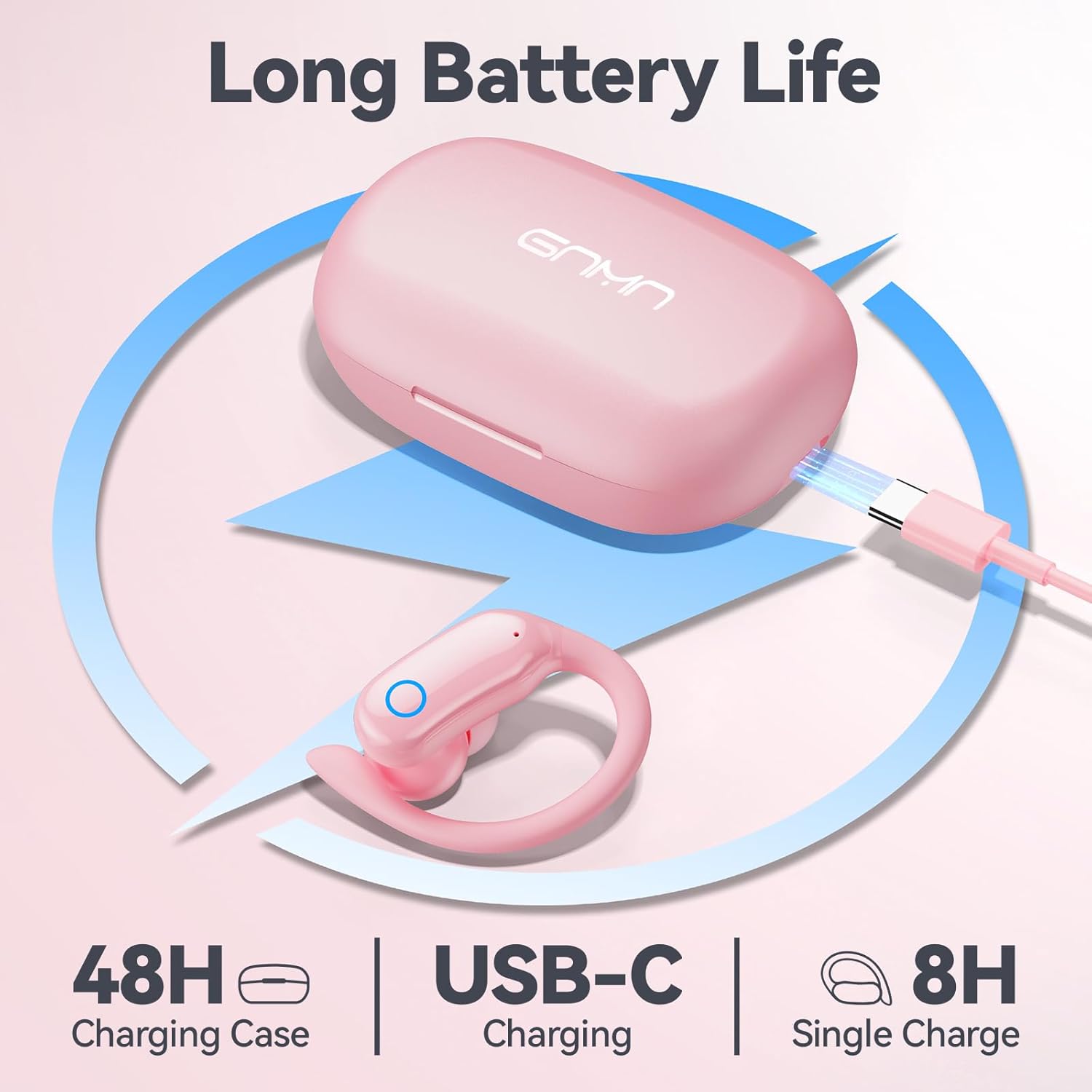
Image 4.1: Charging the GNMN V7 earbuds and case using the provided USB-C cable.
4.2 നിങ്ങളുടെ ഉപകരണവുമായി ജോടിയാക്കൽ
The earbuds feature one-step auto-pairing for convenience.
- നിങ്ങളുടെ ഉപകരണത്തിന്റെ ബ്ലൂടൂത്ത് പ്രവർത്തനക്ഷമമാക്കിയിട്ടുണ്ടെന്ന് ഉറപ്പാക്കുക.
- ചാർജിംഗ് കേസ് തുറന്ന് രണ്ട് ഇയർബഡുകളും പുറത്തെടുക്കുക. അവ യാന്ത്രികമായി ജോടിയാക്കൽ മോഡിലേക്ക് പ്രവേശിക്കും.
- On your device, search for Bluetooth devices and select "V7" from the list.
- Once connected, you will hear a confirmation prompt, and the earbuds will be ready for use.
The earbuds will automatically reconnect to the last paired device when taken out of the case, provided Bluetooth is enabled on the device.

Image 4.2: Illustrates the one-step auto-pairing process with a smartphone showing "V7" in the Bluetooth device list.
4.3 ഇയർബഡുകൾ ധരിക്കൽ
മികച്ച ശബ്ദ നിലവാരത്തിനും സുഖസൗകര്യത്തിനും, ശരിയായ ഇയർടിപ്പ് വലുപ്പം തിരഞ്ഞെടുത്ത് സുരക്ഷിതമായ ഫിറ്റ് ഉറപ്പാക്കുക.
- Select the eartips (S, M, L) that best fit your ear canals. A snug fit improves bass response and noise isolation.
- Place the earbud into your ear, then gently rotate it to position the earhook over your ear for a stable and comfortable fit.
5. പ്രവർത്തന നിർദ്ദേശങ്ങൾ
5.1 ടച്ച് നിയന്ത്രണങ്ങൾ
The GNMN V7 earbuds feature sensitive touch controls on each earbud. The specific functions are as follows:
| ആക്ഷൻ | ഇടത് ഇയർബഡ് | വലത് ഇയർബഡ് |
|---|---|---|
| പ്ലേ/താൽക്കാലികമായി നിർത്തുക | ഒറ്റ ടാപ്പ് | ഒറ്റ ടാപ്പ് |
| അടുത്ത ട്രാക്ക് | രണ്ടുതവണ ടാപ്പ് ചെയ്യുക | രണ്ടുതവണ ടാപ്പ് ചെയ്യുക |
| മുമ്പത്തെ ട്രാക്ക് | ട്രിപ്പിൾ ടാപ്പ് | ട്രിപ്പിൾ ടാപ്പ് |
| വോളിയം കൂട്ടുക | അമർത്തിപ്പിടിക്കുക | N/A |
| വോളിയം ഡൗൺ | N/A | അമർത്തിപ്പിടിക്കുക |
| ഉത്തരം / കോൾ അവസാനിപ്പിക്കുക | ഒറ്റ ടാപ്പ് | ഒറ്റ ടാപ്പ് |
| കോൾ നിരസിക്കുക | അമർത്തിപ്പിടിക്കുക | അമർത്തിപ്പിടിക്കുക |
| വോയ്സ് അസിസ്റ്റൻ്റ് സജീവമാക്കുക | ക്വാഡ്രപ്പിൾ ടാപ്പ് | ക്വാഡ്രപ്പിൾ ടാപ്പ് |

Image 5.1: The touch-sensitive area on the earbud for controlling functions.
5.2 ശബ്ദ നിലവാരം
The earbuds are equipped with 11mm speaker driver units and an in-ear structure to deliver hi-fi sound with strong bass, clear mids, and bright treble. The large chamber acoustic design helps balance air pressure for optimal audio performance.

ചിത്രം 5.2: എക്സ്പ്ലോഡഡ് view ഇയർബഡിന്റെ ആന്തരിക ഘടകങ്ങൾ, കാണിക്കുകasing the 11mm dynamic driver and biological fiber composite diaphragm.
6. പരിപാലനം
6.1 വൃത്തിയാക്കൽ
പതിവായി വൃത്തിയാക്കുന്നത് ശബ്ദ നിലവാരവും ശുചിത്വവും നിലനിർത്താൻ സഹായിക്കുന്നു.
- ഇയർബഡുകളും ചാർജിംഗ് കെയ്സും തുടയ്ക്കാൻ മൃദുവായതും ഉണങ്ങിയതും ലിന്റ് രഹിതവുമായ ഒരു തുണി ഉപയോഗിക്കുക.
- For eartips, remove them from the earbuds and clean with a mild soap solution, then rinse thoroughly and dry completely before reattaching.
- അബ്രാസീവ് ക്ലീനറുകൾ, ആൽക്കഹോൾ, കെമിക്കൽ സ്പ്രേകൾ എന്നിവ ഉപയോഗിക്കരുത്.
6.2 സംഭരണം
ഉപയോഗത്തിലില്ലാത്തപ്പോൾ, പൊടിയിൽ നിന്നും കേടുപാടുകളിൽ നിന്നും സംരക്ഷിക്കാൻ ഇയർബഡുകൾ അവയുടെ ചാർജിംഗ് കേസിൽ സൂക്ഷിക്കുക.
6.3 ജല പ്രതിരോധം (IPX7)
The earbuds are IPX7 waterproof, meaning they can withstand immersion in water up to 1 meter for 30 minutes. This protects them from sweat and rain. കുറിപ്പ്: ചാർജിംഗ് കേസ് വാട്ടർപ്രൂഫ് അല്ല. Avoid exposing the charging case to liquids.
7. പ്രശ്നപരിഹാരം
എന്തെങ്കിലും പ്രശ്നങ്ങൾ നേരിടുകയാണെങ്കിൽ, താഴെപ്പറയുന്ന പൊതുവായ പ്രശ്നങ്ങളും പരിഹാരങ്ങളും പരിശോധിക്കുക:
| പ്രശ്നം | സാധ്യമായ പരിഹാരം |
|---|---|
| ഇയർബഡുകൾ ജോടിയാക്കുന്നില്ല | Ensure earbuds are charged. Turn off and on your device's Bluetooth. Forget "V7" from your device's Bluetooth list and re-pair. |
| ഒരു ഇയർബഡ് മാത്രമേ പ്രവർത്തിക്കൂ | Place both earbuds back into the charging case, close the lid, then open and take them out again. Ensure both are charged. |
| ശബ്ദമില്ല | Check device volume and earbud volume. Ensure earbuds are connected to the correct device. |
| ചാർജിംഗ് കേസ് ചാർജുചെയ്യുന്നില്ല | Ensure the USB-C cable is properly connected to both the case and the power source. Try a different cable or power adapter. |
| ടച്ച് നിയന്ത്രണങ്ങൾ പ്രതികരിക്കുന്നില്ല | Ensure your fingers are clean and dry. Restart the earbuds by placing them in the case and taking them out. |
8 സ്പെസിഫിക്കേഷനുകൾ
| ഫീച്ചർ | വിശദാംശങ്ങൾ |
|---|---|
| മോഡലിൻ്റെ പേര് | V7 |
| കണക്റ്റിവിറ്റി ടെക്നോളജി | ബ്ലൂടൂത്ത് |
| വയർലെസ് കമ്മ്യൂണിക്കേഷൻ ടെക്നോളജി | യഥാർത്ഥ വയർലെസ് |
| ബ്ലൂടൂത്ത് പതിപ്പ് | 5.3 |
| ഓഡിയോ ഡ്രൈവർ തരം | ഡൈനാമിക് ഡ്രൈവർ (11mm) |
| ബാറ്ററി ലൈഫ് (ഇയർബഡുകൾ) | 8 മണിക്കൂർ വരെ (ഒറ്റ ചാർജ്) |
| ആകെ പ്ലേബാക്ക് സമയം (കേസോടുകൂടി) | 48 മണിക്കൂർ വരെ |
| ചാർജിംഗ് പോർട്ട് | USB-C |
| ജല പ്രതിരോധ നില | IPX7 (ഇയർബഡുകൾ മാത്രം) |
| നിയന്ത്രണ തരം | ടച്ച് നിയന്ത്രണം |
| ചെവി പ്ലേസ്മെൻ്റ് | Over Ear (with earhooks) |
| അനുയോജ്യമായ ഉപകരണങ്ങൾ | Smartphones, TV, Computers, Laptops, Smart Watches |
| ഉൽപ്പന്ന അളവുകൾ | 1.38 x 1.42 x 2.32 ഇഞ്ച് |
| ഇനത്തിൻ്റെ ഭാരം | 5.1 ഔൺസ് |
9 സുരക്ഷാ വിവരങ്ങൾ
- ഉൽപ്പന്നം വേർപെടുത്തുകയോ പരിഷ്കരിക്കുകയോ ചെയ്യരുത്.
- Keep away from extreme temperatures, humidity, and corrosive materials.
- കേൾവിക്ക് കേടുപാടുകൾ സംഭവിക്കുന്നത് തടയാൻ, ഉയർന്ന അളവിലുള്ള അളവിൽ ദീർഘനേരം എക്സ്പോഷർ ചെയ്യുന്നത് ഒഴിവാക്കുക.
- പ്രാദേശിക നിയന്ത്രണങ്ങൾ അനുസരിച്ച് ഉൽപ്പന്നവും ബാറ്ററികളും ഉത്തരവാദിത്തത്തോടെ വിനിയോഗിക്കുക.
10. വാറൻ്റിയും പിന്തുണയും
GNMN products are designed and manufactured to the highest quality standards. For warranty information or technical support, please refer to the contact details provided on the product packaging or the official GNMN webസൈറ്റ്. വാറന്റി ക്ലെയിമുകൾക്കായി നിങ്ങളുടെ വാങ്ങലിന്റെ തെളിവ് സൂക്ഷിക്കുക.


