1. ആമുഖം
Thank you for choosing the Lenovo XT92 TWS Wireless Bluetooth 5.1 Gaming Earbuds. These earbuds are designed to provide a high-quality audio experience, especially for gaming, with features like low latency, clear sound, and comfortable wear. This manual will guide you through the setup, operation, and maintenance of your new earbuds.
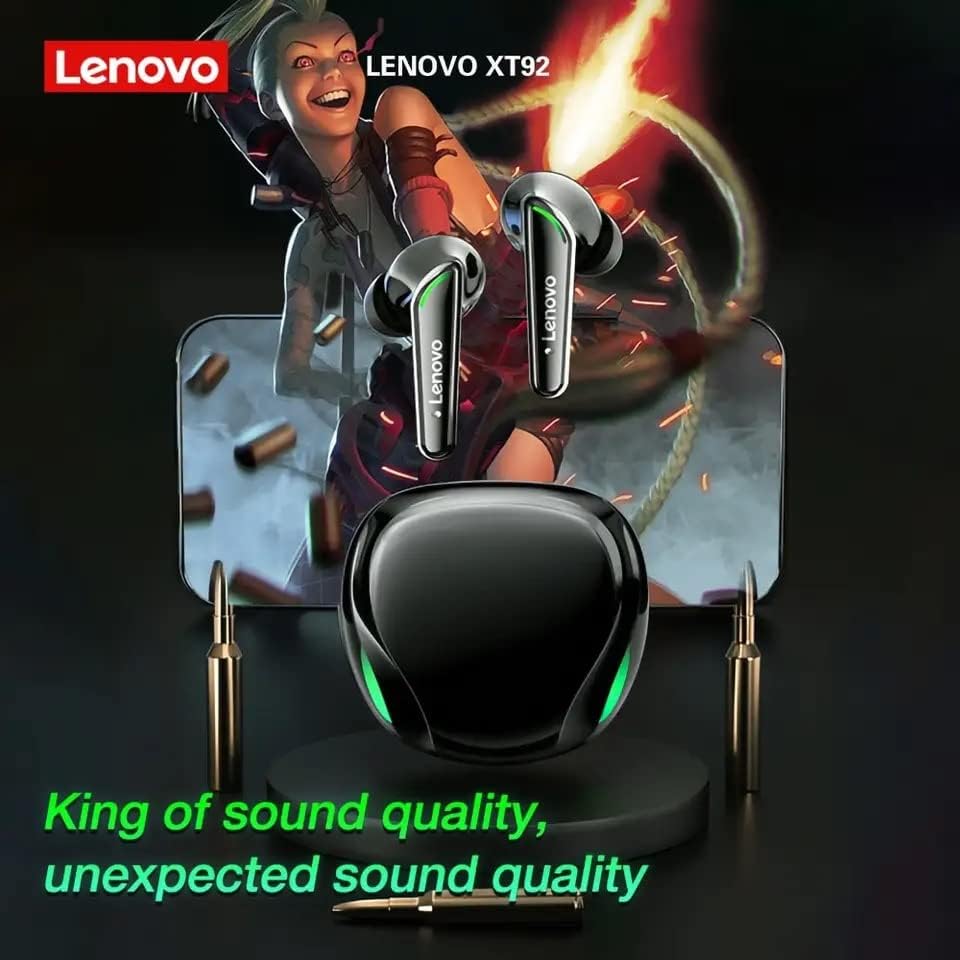
The Lenovo XT92 TWS earbuds and charging case are shown, set against a backdrop featuring a gaming character and a smartphone. This visual highlights the earbuds' suitability for gaming and their promise of superior sound quality.
2. പാക്കേജ് ഉള്ളടക്കം
പാക്കേജിൽ ഇനിപ്പറയുന്ന ഇനങ്ങൾ ഉണ്ടോ എന്ന് പരിശോധിക്കുക:
- ലെനോവോ XT92 TWS ഇയർബഡുകൾ (ഇടതും വലതും)
- ചാർജിംഗ് കേസ്
- യുഎസ്ബി ടൈപ്പ്-സി ചാർജിംഗ് കേബിൾ
- ഉപയോക്തൃ മാനുവൽ
3 സ്പെസിഫിക്കേഷനുകൾ
| മോഡൽ | XT92 |
| ബ്ലൂടൂത്ത് പതിപ്പ് | 5.1 |
| ട്രാൻസ്മിഷൻ ദൂരം | Up to 10 meters (in open environment) |
| സ്പീക്കർ ഇംപെഡൻസ് | 32Ω ± 15% |
| സിഗ്നൽ-ടു-നോയിസ് അനുപാതം | ≥102dB |
| ചാർജിംഗ് പോർട്ട് | ടൈപ്പ്-സി |
| നിയന്ത്രണ രീതി | സ്പർശിക്കുക |
| ഫോം ഫാക്ടർ | ചെവിയിൽ |
| മറ്റ് സവിശേഷതകൾ | Noise Cancellation, Lightweight, Built-in Microphone |
| അളവുകൾ (പാക്കേജ്) | 7 x 7 x 4 സെ.മീ |
| ഭാരം (ഉൽപ്പന്നം) | 100 ഗ്രാം |
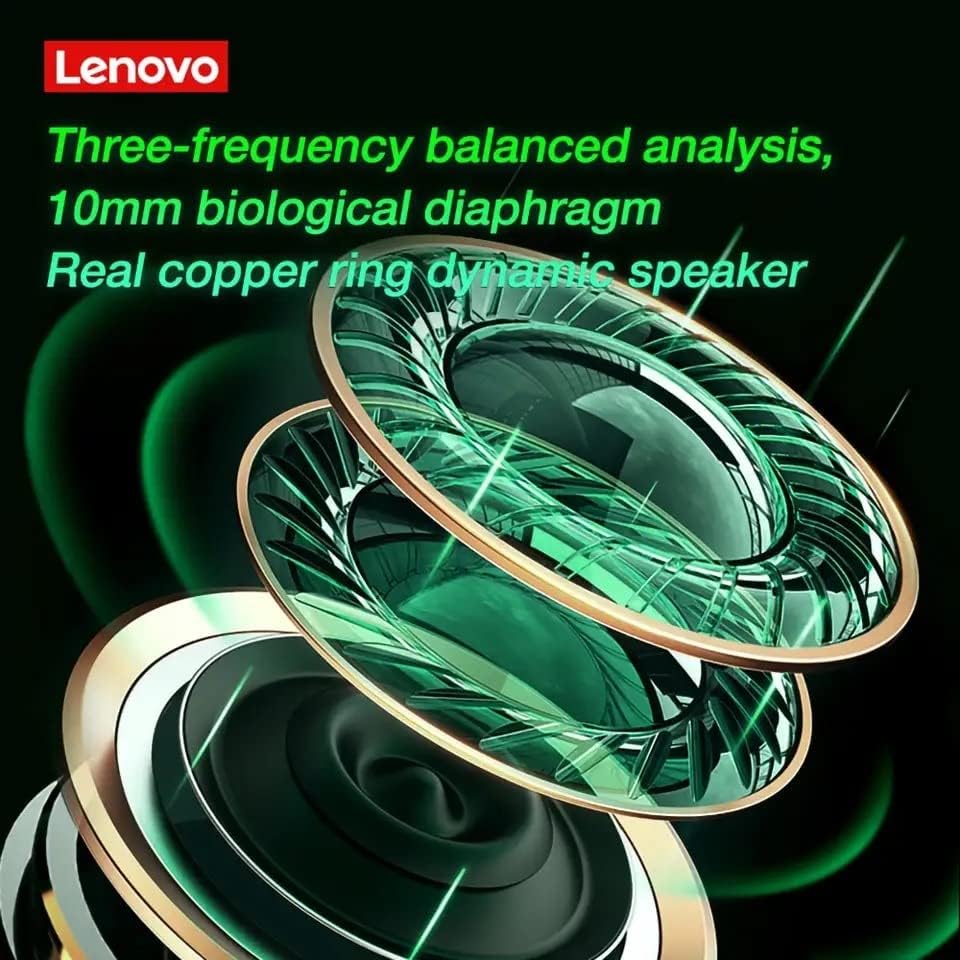
A detailed close-up of the internal speaker components of the Lenovo XT92 TWS earbuds, showing the 10mm biological diaphragm and a real copper ring dynamic speaker. This illustrates the advanced audio technology for balanced sound reproduction.
4. സജ്ജീകരണം
4.1 ഇയർബഡുകളും കേസും ചാർജ് ചെയ്യുന്നു
Before first use, fully charge the earbuds and the charging case. Connect the provided USB Type-C cable to the charging port on the case and a power source. The indicator lights on the case will show the charging status. Once fully charged, the lights will indicate completion or turn off.
- Place the earbuds into the charging case correctly.
- Connect the Type-C cable to the charging case and a USB power adapter (not included).
- കേസിൽ ഇൻഡിക്കേറ്റർ പ്രകാശിക്കുന്നു, ഇയർബഡുകൾ ചാർജിംഗ് നില കാണിക്കും.
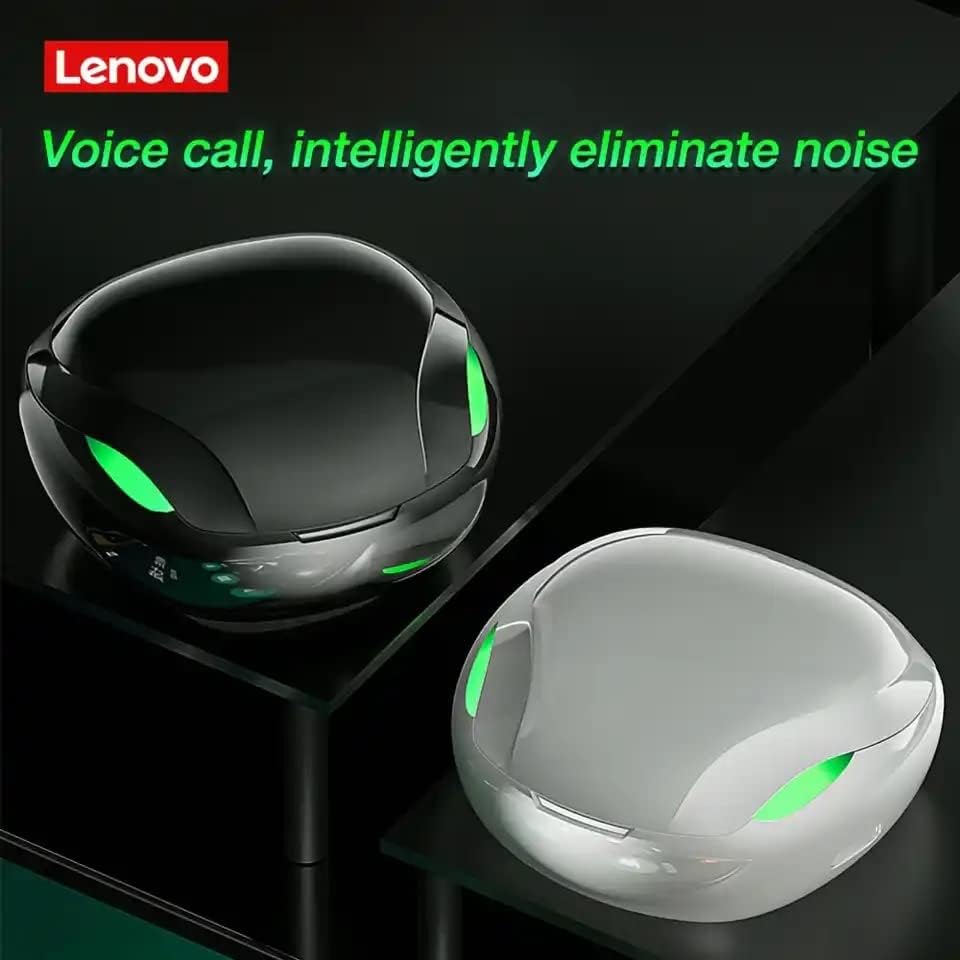
This image displays the Lenovo XT92 TWS earbuds charging cases in both black and white color options. The design features glowing green accents, indicating active status or charging. The text on the image emphasizes intelligent noise elimination for clear voice calls.
4.2 ബ്ലൂടൂത്ത് ജോടിയാക്കൽ
- ഇയർബഡുകൾ ചാർജ്ജ് ചെയ്തിട്ടുണ്ടെന്ന് ഉറപ്പാക്കുക.
- ചാർജിംഗ് കേസ് തുറക്കുക. ഇയർബഡുകൾ സ്വയമേവ ഓണാകുകയും ജോടിയാക്കൽ മോഡിലേക്ക് പ്രവേശിക്കുകയും ചെയ്യും. ഇയർബഡുകളിലെ ഇൻഡിക്കേറ്റർ ലൈറ്റുകൾ മിന്നിമറയും, അവ ജോടിയാക്കാൻ തയ്യാറാണെന്ന് സൂചിപ്പിക്കുന്നു.
- നിങ്ങളുടെ ഉപകരണത്തിൽ (സ്മാർട്ട്ഫോൺ, ടാബ്ലെറ്റ്, പിസി), ബ്ലൂടൂത്ത് പ്രവർത്തനക്ഷമമാക്കുക.
- ഇതിനായി തിരയുക ലഭ്യമായ ബ്ലൂടൂത്ത് ഉപകരണങ്ങൾ തിരഞ്ഞെടുത്ത് ലിസ്റ്റിൽ നിന്ന് "Lenovo XT92" തിരഞ്ഞെടുക്കുക.
- Once connected, the earbud indicator lights will stop flashing, and you will hear a confirmation sound.
- ഉപകരണത്തിൽ ബ്ലൂടൂത്ത് പ്രവർത്തനക്ഷമമാക്കിയിട്ടുണ്ടെങ്കിൽ, കേസിൽ നിന്ന് പുറത്തെടുക്കുമ്പോൾ ഇയർബഡുകൾ അവസാനം ജോടിയാക്കിയ ഉപകരണവുമായി യാന്ത്രികമായി വീണ്ടും കണക്റ്റുചെയ്യും.
5. പ്രവർത്തന നിർദ്ദേശങ്ങൾ
5.1 ടച്ച് നിയന്ത്രണങ്ങൾ
The Lenovo XT92 earbuds feature intuitive touch controls on each earbud. Specific functions may vary slightly depending on your device and operating system.
- പ്ലേ/താൽക്കാലികമായി നിർത്തുക: ഇയർബഡുകളിൽ ഏതെങ്കിലുമൊന്നിൽ ഒറ്റ ടാപ്പ് ചെയ്യുക.
- അടുത്ത ട്രാക്ക്: വലതുവശത്തെ ഇയർബഡിൽ രണ്ടുതവണ ടാപ്പ് ചെയ്യുക.
- മുമ്പത്തെ ട്രാക്ക്: ഇടതുവശത്തെ ഇയർബഡിൽ രണ്ടുതവണ ടാപ്പ് ചെയ്യുക.
- ഉത്തരം/അവസാന കോൾ: ഇൻകമിംഗ് കോൾ വരുമ്പോൾ ഏത് ഇയർബഡിലും ഒറ്റ ടാപ്പ് ചെയ്യുക.
- കോൾ നിരസിക്കുക: ഇൻകമിംഗ് കോൾ വരുമ്പോൾ ഇയർബഡുകളിൽ ഏതെങ്കിലുമൊന്ന് 2 സെക്കൻഡ് അമർത്തിപ്പിടിക്കുക.
- വോയ്സ് അസിസ്റ്റന്റിനെ സജീവമാക്കുക: ഇയർബഡുകളിൽ ഏതെങ്കിലുമൊന്നിൽ മൂന്ന് തവണ ടാപ്പ് ചെയ്യുക.
- ഗെയിമിംഗ് മോഡ്: After connecting to a mobile phone, the earbuds automatically enter low-latency mode for synchronized audio and video.
5.2 ഗെയിമിംഗ് മോഡ്
The XT92 earbuds are optimized for gaming, offering a low-latency experience of approximately 60ms. This ensures that audio and video remain synchronized, providing a competitive edge in games.

The image illustrates a first-person gaming scene, emphasizing the ability of the Lenovo XT92 TWS earbuds to provide precise sound localization. Visual cues highlight sounds like 'cars behind the house,' 'steps ahead,' and 'gunshots on the front right,' demonstrating an immersive gaming audio experience.
6. പരിപാലനം
6.1 വൃത്തിയാക്കൽ
- ഇയർബഡുകളും ചാർജിംഗ് കെയ്സും മൃദുവായതും ഉണങ്ങിയതും ലിന്റ് രഹിതവുമായ തുണി ഉപയോഗിച്ച് പതിവായി വൃത്തിയാക്കുക.
- അബ്രാസീവ് ക്ലീനറുകൾ, ആൽക്കഹോൾ, കെമിക്കൽ ലായകങ്ങൾ എന്നിവ ഉപയോഗിക്കരുത്.
- ശരിയായ ചാർജിംഗ് ഉറപ്പാക്കാൻ, ഇയർബഡുകളിലെയും കേസിലെയും ചാർജിംഗ് കോൺടാക്റ്റുകൾ വൃത്തിയുള്ളതും അവശിഷ്ടങ്ങളില്ലാത്തതുമാണെന്ന് ഉറപ്പാക്കുക.
6.2 സംഭരണം
- ഇയർബഡുകൾ ഉപയോഗിക്കാത്തപ്പോൾ അവയുടെ ചാർജ്ജിംഗ് കെയ്സിൽ സൂക്ഷിക്കുക, അവയെ സംരക്ഷിക്കുകയും ചാർജ്ജ് ചെയ്തിരിക്കുകയും ചെയ്യുക.
- ഉപകരണം തീവ്രമായ താപനിലയിലോ (ചൂടോ തണുപ്പോ) അല്ലെങ്കിൽ ഉയർന്ന ഈർപ്പമുള്ള അന്തരീക്ഷത്തിലോ സൂക്ഷിക്കുന്നത് ഒഴിവാക്കുക.
7. പ്രശ്നപരിഹാരം
If you encounter any issues with your Lenovo XT92 earbuds, please refer to the following common solutions:
| പ്രശ്നം | സാധ്യമായ പരിഹാരം |
| ഇയർബഡുകൾ പവർ ഓൺ ആകുന്നില്ല. | Ensure the earbuds and charging case are fully charged. Place earbuds in the case and close it, then open again. |
| ഉപകരണവുമായി ജോടിയാക്കാൻ കഴിയില്ല. | Make sure Bluetooth is enabled on your device. Ensure earbuds are in pairing mode (flashing lights). Try turning Bluetooth off and on again on your device. Forget the device and re-pair. |
| ഒരു ഇയർബഡ് മാത്രമാണ് പ്രവർത്തിക്കുന്നത്. | രണ്ട് ഇയർബഡുകളും ചാർജിംഗ് കെയ്സിലേക്ക് തിരികെ വയ്ക്കുക, ലിഡ് അടയ്ക്കുക, കുറച്ച് സെക്കൻഡ് കാത്തിരിക്കുക, തുടർന്ന് ലിഡ് തുറന്ന് വീണ്ടും ശ്രമിക്കുക. രണ്ട് ഇയർബഡുകളും ചാർജ് ചെയ്തിട്ടുണ്ടെന്ന് ഉറപ്പാക്കുക. |
| Audio delay in games. | The earbuds automatically enter low-latency mode when connected to a mobile phone. Ensure your device's software is up to date. |
| Headphone light is always on. | When the earphone is charging, the green light of the earphone is on. It will go out automatically when it is fully charged. If it remains on after charging, contact support. |
| മോശം ശബ്ദ നിലവാരം. | Ensure earbuds are properly seated in your ears. Check for debris in the earbud nozzles. Ensure your device's volume is not too low. |

This image focuses on the low-latency feature of the Lenovo XT92 TWS earbuds, indicating approximately 60ms delay, which is crucial for gaming. It also includes a Q&A section addressing common user queries regarding game synchronization, headphone light status, and device compatibility.
8. വാറൻ്റിയും പിന്തുണയും
Lenovo products are designed for reliability and performance. For warranty information, technical support, or service inquiries, please refer to the warranty card included with your product or visit the official Lenovo support website. Please have your product model (XT92) and purchase details ready when contacting support.


