ആമുഖം
Thank you for choosing the Roberts Radio Digital Play11. This portable radio offers high-quality audio with DAB, DAB+, and FM reception. Designed for ease of use, it features a headphone jack for personal listening and flexible power options. This manual provides essential information for setting up, operating, and maintaining your device.
സുരക്ഷാ വിവരങ്ങൾ
ഈ ഉൽപ്പന്നം ഉപയോഗിക്കുന്നതിന് മുമ്പ് എല്ലാ സുരക്ഷാ നിർദ്ദേശങ്ങളും വായിച്ച് മനസ്സിലാക്കുക. ഭാവിയിലെ റഫറൻസിനായി ഈ നിർദ്ദേശങ്ങൾ സൂക്ഷിക്കുക.
- മഴ, ഈർപ്പം, അല്ലെങ്കിൽ തീവ്രമായ താപനില എന്നിവയിൽ റേഡിയോ തുറന്നുകാട്ടരുത്.
- താപ സ്രോതസ്സുകൾക്ക് സമീപമോ നേരിട്ടുള്ള സൂര്യപ്രകാശത്തിലോ യൂണിറ്റ് സ്ഥാപിക്കുന്നത് ഒഴിവാക്കുക.
- Use only the specified power supply (USB-C cable) or 4 x AA batteries.
- യൂണിറ്റ് ഡിസ്അസംബ്ലിംഗ് ചെയ്യാനോ പരിഷ്ക്കരിക്കാനോ ശ്രമിക്കരുത്. എല്ലാ സേവനങ്ങളും യോഗ്യതയുള്ള ഉദ്യോഗസ്ഥർക്ക് റഫർ ചെയ്യുക.
- ശരിയായ വായുസഞ്ചാരം ഉറപ്പാക്കുക; വായുസഞ്ചാര ദ്വാരങ്ങൾ മൂടരുത്.
- പ്രാദേശിക നിയന്ത്രണങ്ങൾ അനുസരിച്ച് ബാറ്ററികൾ ഉത്തരവാദിത്തത്തോടെ സംസ്കരിക്കുക.
ബോക്സിൽ എന്താണുള്ളത്
അൺപാക്ക് ചെയ്യുമ്പോൾ, ഇനിപ്പറയുന്ന എല്ലാ ഇനങ്ങളും ഉണ്ടെന്ന് ഉറപ്പാക്കുക:
- Roberts Radio Digital Play11
- ദ്രുത ആരംഭ ഗൈഡ്
- USB-C പവർ കേബിൾ
- സുരക്ഷയും വാറന്റി ലഘുലേഖയും
ഉൽപ്പന്നം കഴിഞ്ഞുview
Familiarize yourself with the main components and controls of your Play11 radio.

ചിത്രം: മുൻഭാഗം view of the Roberts Play11 radio with labels indicating the On/Off button, Volume knob, Antenna, LCD Display, Select knob, Favourites button, Info/Menu button, Mode button, and Next/Previous buttons.
- ഓൺ/ഓഫ് ബട്ടൺ: യൂണിറ്റ് ഓണാക്കുകയോ ഓഫാക്കുകയോ ചെയ്യുന്നു.
- വോളിയം നോബ്: ഓഡിയോ ഔട്ട്പുട്ട് ലെവൽ ക്രമീകരിക്കുന്നു.
- ആൻ്റിന: ഒപ്റ്റിമൽ റേഡിയോ സ്വീകരണത്തിനായി നീട്ടുക.
- LCD ഡിസ്പ്ലേ: സ്റ്റേഷൻ വിവരങ്ങൾ, സമയം, മെനു ഓപ്ഷനുകൾ എന്നിവ കാണിക്കുന്നു.
- നോബ് തിരഞ്ഞെടുക്കുക: മെനുകളിലൂടെ നാവിഗേറ്റ് ചെയ്ത് തിരഞ്ഞെടുപ്പുകൾ സ്ഥിരീകരിക്കുന്നു.
- Favourites (2 sec) Button: Press and hold to save a favourite station; short press to recall.
- Info | Menu Button: Displays station information; press and hold to access the main menu.
- മോഡ് ബട്ടൺ: Switches between DAB, DAB+, and FM modes.
- Next | Previous Buttons: സ്റ്റേഷനുകളിലൂടെയോ മെനു ഓപ്ഷനുകളിലൂടെയോ നാവിഗേറ്റ് ചെയ്യുന്നു.
- ഹെഡ്ഫോൺ ജാക്ക്: For private listening (3.5mm AUX Out Port).
- യുഎസ്ബി-സി പോർട്ട്: വൈദ്യുതി വിതരണത്തിനായി.

ചിത്രം: ക്ലോസ്-അപ്പ് view of the Roberts Play11 radio, highlighting the 3.5mm headphone jack on the side for personal listening.
സജ്ജമാക്കുക
1. വൈദ്യുതി വിതരണം
The Play11 can be powered by either batteries or the included USB-C power cable.

ചിത്രം: പിൻഭാഗം view of the Roberts Play11 radio, illustrating the battery compartment for 4x AA batteries (not included) and the USB-C power input port.
- ബാറ്ററി പ്രവർത്തനം: Open the battery compartment on the rear of the radio. Insert 4 x AA (LR6) batteries, ensuring correct polarity. Close the compartment securely. Batteries are not included.
- പ്രധാന പ്രവർത്തനം: Connect the supplied USB-C power cable to the USB-C port on the radio and plug the other end into a suitable USB power adapter (not supplied).
2. ആന്റിന
Extend the telescopic antenna fully for optimal reception in both DAB/DAB+ and FM modes.
3. പ്രാരംഭ പവർ ഓൺ
അമർത്തുക ഓൺ/ഓഫ് button to power on the radio. If this is the first time using the radio, it will automatically perform a full scan for DAB/DAB+ stations.
പ്രവർത്തന നിർദ്ദേശങ്ങൾ
Switching Modes (DAB/DAB+/FM)
അമർത്തുക മോഡ് button repeatedly to cycle between DAB, DAB+, and FM radio modes.
DAB/DAB+ റേഡിയോ
- സ്റ്റേഷനുകൾക്കായി സ്കാൻ ചെയ്യുന്നു: After initial power-on, the radio will automatically scan. To perform a manual scan, press and hold the വിവരം | മെനു button, navigate to "Full Scan" using the തിരഞ്ഞെടുക്കുക knob, and press തിരഞ്ഞെടുക്കുക സ്ഥിരീകരിക്കാൻ.
- സ്റ്റേഷനുകൾ തിരഞ്ഞെടുക്കുന്നു: തിരിക്കുക തിരഞ്ഞെടുക്കുക knob to browse available stations. Press the തിരഞ്ഞെടുക്കുക knob to tune into the desired station.
- Saving Presets (Favourites): ആവശ്യമുള്ള സ്റ്റേഷനിലേക്ക് ട്യൂൺ ചെയ്യുക. അമർത്തിപ്പിടിക്കുക Favourites (2 sec) button until "Preset Store" appears. Rotate the തിരഞ്ഞെടുക്കുക knob to choose a preset number (1-10) and press തിരഞ്ഞെടുക്കുക സംരക്ഷിക്കാൻ.
- പ്രീസെറ്റുകൾ തിരിച്ചുവിളിക്കുന്നു: ഷോർട്ട് അമർത്തുക Favourites (2 sec) ബട്ടൺ. തിരിക്കുക തിരഞ്ഞെടുക്കുക knob to choose the desired preset and press തിരഞ്ഞെടുക്കുക to tune in.
എഫ്എം റേഡിയോ
- സ്റ്റേഷനുകൾക്കായി സ്കാൻ ചെയ്യുന്നു: FM മോഡിൽ, അമർത്തിപ്പിടിക്കുക Next | Previous ലഭ്യമായ അടുത്ത സ്റ്റേഷനായി യാന്ത്രികമായി സ്കാൻ ചെയ്യുന്നതിനുള്ള ബട്ടണുകൾ.
- സ്വമേധയാലുള്ള ട്യൂണിംഗ്: തിരിക്കുക തിരഞ്ഞെടുക്കുക knob to manually tune to a specific frequency.
- Saving Presets (Favourites): ആവശ്യമുള്ള സ്റ്റേഷനിലേക്ക് ട്യൂൺ ചെയ്യുക. അമർത്തിപ്പിടിക്കുക Favourites (2 sec) button until "Preset Store" appears. Rotate the തിരഞ്ഞെടുക്കുക knob to choose a preset number (1-10) and press തിരഞ്ഞെടുക്കുക സംരക്ഷിക്കാൻ.
- പ്രീസെറ്റുകൾ തിരിച്ചുവിളിക്കുന്നു: ഷോർട്ട് അമർത്തുക Favourites (2 sec) ബട്ടൺ. തിരിക്കുക തിരഞ്ഞെടുക്കുക knob to choose the desired preset and press തിരഞ്ഞെടുക്കുക to tune in.
ഹെഡ്ഫോണുകൾ ഉപയോഗിക്കുന്നത്
Connect standard 3.5mm headphones to the headphone jack on the side of the radio for private listening. The internal speaker will automatically mute when headphones are connected.
മെയിൻ്റനൻസ്
- വൃത്തിയാക്കൽ: മൃദുവായതും ഉണങ്ങിയതുമായ തുണി ഉപയോഗിച്ച് റേഡിയോ തുടയ്ക്കുക. അബ്രാസീവ് ക്ലീനറുകളോ ലായകങ്ങളോ ഉപയോഗിക്കരുത്.
- ബാറ്ററി മാറ്റിസ്ഥാപിക്കൽ: When using batteries, replace all four AA batteries simultaneously when the low battery indicator appears on the display. Ensure correct polarity.
- സംഭരണം: If storing the radio for an extended period, remove the batteries to prevent leakage.
ട്രബിൾഷൂട്ടിംഗ്
| പ്രശ്നം | സാധ്യമായ കാരണം | പരിഹാരം |
|---|---|---|
| ശക്തിയില്ല | Batteries are flat or incorrectly inserted; USB-C cable not connected properly. | Replace batteries, ensuring correct polarity. Check USB-C cable connection and power adapter. |
| മോശം DAB/FM റിസപ്ഷൻ | Antenna not fully extended; weak signal area; interference. | Fully extend the telescopic antenna. Try repositioning the radio. Perform a full scan for DAB stations. |
| ശബ്ദമില്ല | Volume too low; headphones connected; unit muted. | Increase volume. Disconnect headphones. Check if the unit is muted (though this model doesn't have a dedicated mute button, ensure volume is not at zero). |
| ബട്ടണുകൾ പ്രതികരിക്കുന്നില്ല | താൽക്കാലിക സോഫ്റ്റ്വെയർ തകരാർ. | Turn the radio off and on again. If problem persists, remove power source (batteries/USB-C) for a few minutes, then reconnect. |
സ്പെസിഫിക്കേഷനുകൾ
| മോഡൽ | PLAY11BK |
| ട്യൂണർ തരം | ഡിഎബി, ഡിഎബി+, എഫ്എം |
| പ്രീസെറ്റുകൾ | 10 DAB, 10 FM |
| പവർ ഉറവിടം | 4 x AA batteries (not included) or USB-C (4.5 Volts) |
| ഹാർഡ്വെയർ ഇന്റർഫേസ് | യുഎസ്ബി ടൈപ്പ് സി |
| ഹെഡ്ഫോൺ ജാക്ക് | 3.5 മി.മീ |
| ഡിസ്പ്ലേ തരം | എൽസിഡി |
| അളവുകൾ (LxWxH) | 17.4 x 6 x 11 സെ.മീ |
| ഭാരം | 357 ഗ്രാം |
| മെറ്റീരിയൽ | പ്ലാസ്റ്റിക്, പോളികാർബണേറ്റ് (പിസി) |
വാറൻ്റിയും പിന്തുണയും
Your Roberts Radio Digital Play11 comes with a 2-year warranty. Please refer to the included Safety and Warranty leaflet for detailed terms and conditions. For technical support or service inquiries, please visit the official Roberts Radio webസൈറ്റ് അല്ലെങ്കിൽ അവരുടെ ഉപഭോക്തൃ സേവന വിഭാഗവുമായി ബന്ധപ്പെടുക.
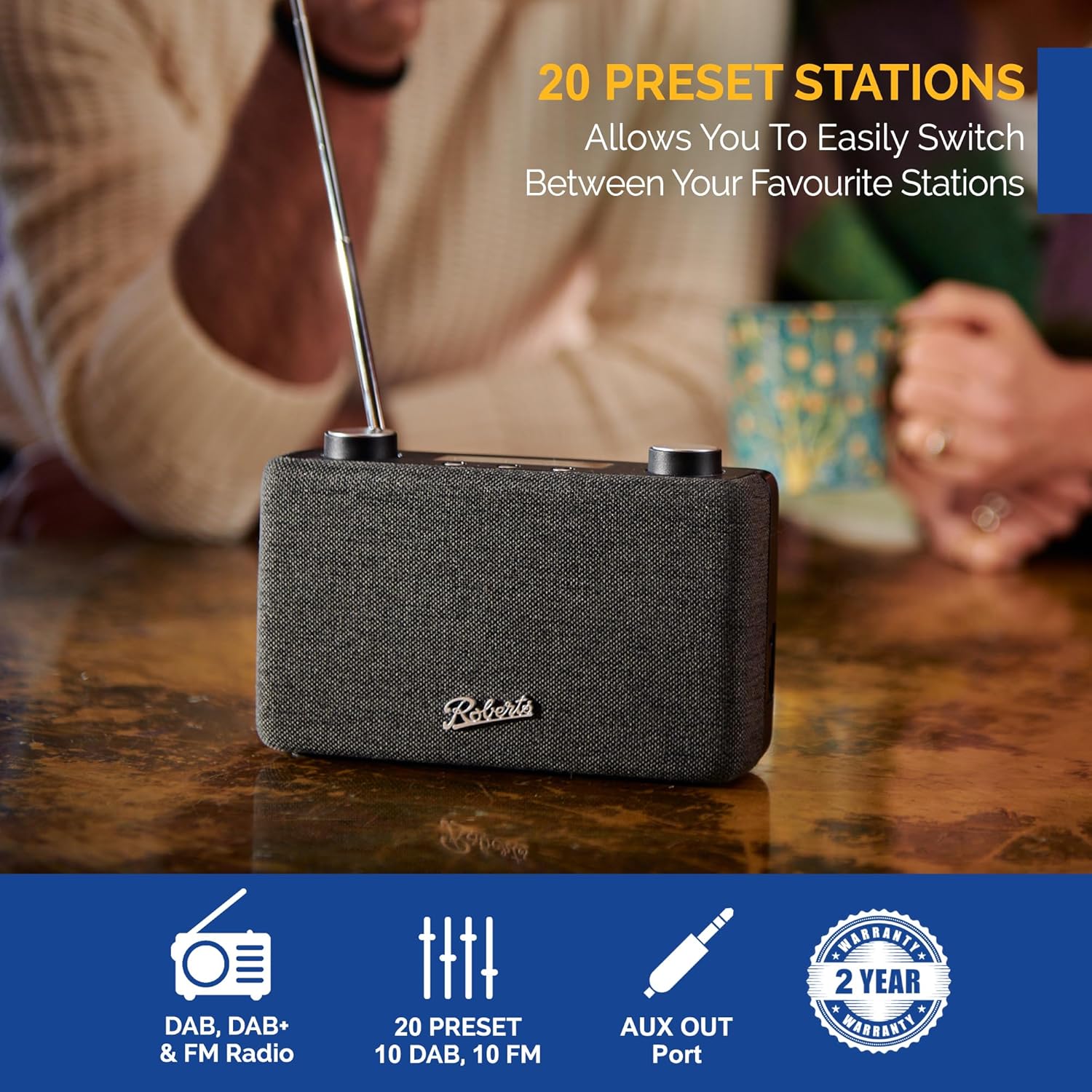
Image: The Roberts Play11 radio displayed alongside icons indicating DAB/DAB+ & FM Radio, 20 Presets, AUX Out Port, and a 2-Year Warranty badge.


