1. ആമുഖം
This user manual provides comprehensive instructions for the MOUNTUP Dual Monitor Stand (Model MU1014). This free-standing monitor desk mount is designed to support two screens, ranging from 13 to 27 inches, with a maximum weight capacity of 17.6 lbs per arm. It features a tempered glass base and a storage tray, compatible with VESA patterns 75x75mm and 100x100mm. Please read this manual thoroughly before installation and use to ensure proper setup and safe operation.

Figure 1.1: MOUNTUP Dual Monitor Stand, showcasing its design and dual monitor capability.
2. ഉൽപ്പന്ന സവിശേഷതകളും അനുയോജ്യതയും
The MOUNTUP Dual Monitor Stand offers enhanced viewing ergonomics and efficient workspace organization. Key features include:
- എർഗണോമിക് Viewing: Offers +80°/-90° tilt, 360° rotation, +90° swivel for arms, and adjustable height up to 16.4 inches for optimal positioning.
- Great Alignment: Upgraded integrated arm design ensures balance and stability, allowing monitors to shift along a 29-inch arm for perfect alignment.
- വിശാലമായ അനുയോജ്യത: Supports most 13-27 inch flat or curved monitors weighing between 4.4 lbs and 17.6 lbs, with VESA patterns of 75x75mm or 100x100mm.
- Heavy-duty & Elegant Base: Features a tempered glass base for stability and a thoughtfully designed storage shelf for organization.
- Clean Cable Management: Integrated clips help keep cables neat and organized.
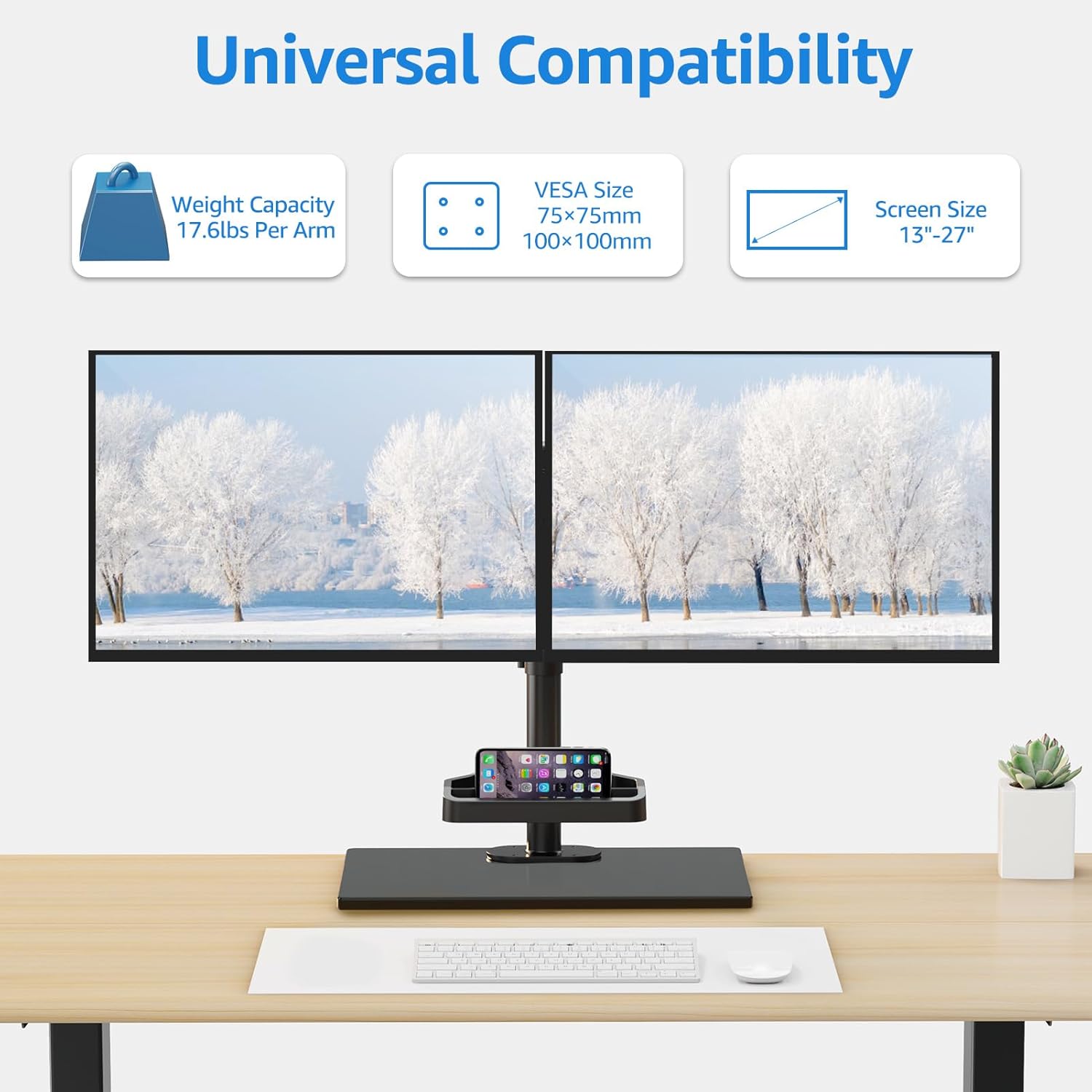
Figure 2.1: Universal compatibility details, showing weight capacity, VESA sizes, and screen size range.

Figure 2.2: Detailed dimension measurements of the monitor stand, including arm span and base dimensions.
3. സജ്ജീകരണവും ഇൻസ്റ്റാളേഷനും
The MOUNTUP Dual Monitor Stand offers two installation options: free-standing and grommet mounting. Installation is quick and easy, typically completed within 15 minutes.
3.1 പ്രീ-ഇൻസ്റ്റലേഷൻ ചെക്ക്ലിസ്റ്റ്
- Verify your monitor's VESA mounting pattern (75x75mm or 100x100mm).
- Ensure your desktop thickness is suitable for grommet mounting (0.39" - 3.15" thick with a bolt-through hole 0.39" - 2.36").
- Gather all components and tools as per the included instruction manual.
3.2 ഇൻസ്റ്റലേഷൻ ഓപ്ഷനുകൾ

Figure 3.1: Illustration of the two installation options: Free Standing (Option A) and Grommet Mounting (Option B).
3.3 Attaching Monitors
Use the quick-release VESA mount to effortlessly attach your monitors to the arms. Ensure all screws are securely tightened to prevent movement.
Video 3.1: This video demonstrates various features including the free sliding along the arm, +90° swivel for the arms, tilt adjustment (+80°/-90°), and cable management. It provides a visual guide to adjusting and organizing your setup.
4. പ്രവർത്തന നിർദ്ദേശങ്ങൾ
Once installed, the MOUNTUP Dual Monitor Stand allows for flexible adjustments to achieve your ideal viewഅനുഭവം.
4.1 മോണിറ്റർ സ്ഥാനം ക്രമീകരിക്കൽ
- ഉയരം ക്രമീകരിക്കൽ: Loosen the collar on the main pole to slide the monitor arms up or down to your desired height. Re-tighten the collar securely.
- ടിൽറ്റ് അഡ്ജസ്റ്റ്മെന്റ്: The monitor mount offers +80°/-90° tilt. Gently push or pull the top or bottom of your monitor to adjust the vertical viewing ആംഗിൾ.
- സ്വിവൽ അഡ്ജസ്റ്റ്മെന്റ്: The arms can swivel +90° horizontally. Rotate the monitor arms to change the horizontal viewing ആംഗിൾ.
- റൊട്ടേഷൻ: Monitors can be rotated 360° from landscape to portrait orientation.
- Sliding Along Arm: Monitors can be shifted left and right along the 29-inch arm to achieve perfect alignment between two displays.

Figure 4.1: Visual representation of the ergonomic viewing angle adjustments, including tilt and rotation.

Figure 4.2: Demonstrates the free sliding capability of the mounting plates along the arm for precise monitor positioning.

Figure 4.3: Illustrates the vertical height adjustment mechanism of the monitor stand.
5. പരിപാലനം
To ensure the longevity and optimal performance of your MOUNTUP Dual Monitor Stand, follow these simple maintenance guidelines:
- വൃത്തിയാക്കൽ: Wipe down the stand and base with a soft, damp തുണി. ഫിനിഷിന് കേടുവരുത്തുന്ന ഉരച്ചിലുകളുള്ള ക്ലീനറുകളോ ലായകങ്ങളോ ഒഴിവാക്കുക.
- ദൃഢത പരിശോധന: എല്ലാ സ്ക്രൂകളും കണക്ഷനുകളും ഇറുകിയതും സുരക്ഷിതവുമാണെന്ന് ഉറപ്പാക്കാൻ ഇടയ്ക്കിടെ പരിശോധിക്കുക. ആവശ്യമെങ്കിൽ വീണ്ടും മുറുക്കുക.
- കേബിൾ മാനേജുമെന്റ്: Utilize the integrated cable management clips to keep your cables neat and organized, preventing tangles and potential damage.

ചിത്രം 5.1: ക്ലോസപ്പ് view of the clean cable management system, showing how cables are routed and secured.
6. പ്രശ്നപരിഹാരം
If you encounter any issues with your MOUNTUP Dual Monitor Stand, refer to the following common troubleshooting tips:
- മോണിറ്ററുകൾ ലെവലല്ല: Ensure both monitors are securely attached to their VESA plates. Adjust the sliding mechanism on the arm to fine-tune horizontal alignment.
- സ്റ്റാൻഡ് അസ്ഥിരമായി തോന്നുന്നു: Verify that the base is placed on a flat, stable surface. If using grommet mounting, ensure the bolt is tightened securely to the desk. Check all connection points for tightness.
- മോണിറ്റർ സ്ഥാനം ക്രമീകരിക്കുന്നതിലെ ബുദ്ധിമുട്ട്: Ensure no cables are snagged or preventing movement. Check that adjustment screws (if any) are loosened before attempting to reposition, and tightened afterward.
- വിട്ടുപോയ ഭാഗങ്ങൾ: Refer to the parts list in the original instruction manual. Contact MOUNTUP customer support if any components are missing.
7 സ്പെസിഫിക്കേഷനുകൾ
| ഫീച്ചർ | വിശദാംശങ്ങൾ |
|---|---|
| ബ്രാൻഡ് | മൗണ്ട്അപ്പ് |
| മോഡൽ നമ്പർ | MU1014 |
| മെറ്റീരിയൽ | മെറ്റൽ, ടെമ്പർഡ് ഗ്ലാസ് |
| നിറം | കറുപ്പ് |
| സ്ക്രീൻ വലിപ്പം അനുയോജ്യത | 13-27 ഇഞ്ച് |
| Weight Capacity (per arm) | 4.4 പൗണ്ട് - 17.6 പൗണ്ട് |
| VESA അനുയോജ്യത | 75x75mm, 100x100mm |
| ഉയരം ക്രമീകരിക്കൽ | 16.4 ഇഞ്ച് വരെ |
| ടിൽറ്റ് ആംഗിൾ | +80°/-90° |
| സ്വിവൽ ആംഗിൾ | +90° |
| ഭ്രമണം | 360° |
| Arm Span | 29 ഇഞ്ച് |
| ഇനത്തിൻ്റെ ഭാരം | 12.51 പൗണ്ട് |
| അസംബ്ലി ആവശ്യമാണ് | അതെ |
8. വാറൻ്റിയും പിന്തുണയും
MOUNTUP provides a warranty for this product. For specific warranty details and claims, please refer to the documentation included with your purchase or visit the official MOUNTUP website. For additional support, you may also refer to the official User Manual PDF available online.
ഔദ്യോഗിക ഉപയോക്തൃ മാനുവൽ (PDF): ഇവിടെ ഡൗൺലോഡ് ചെയ്യുക
MOUNTUP Store: Visit MOUNTUP Store on Amazon


