ആമുഖം
This manual provides detailed instructions for the installation, operation, and maintenance of your Rollerhouses Tuya Zigbee Rechargeable Roller Blinds Motor. This motor is designed to automate existing roller blinds with a 1" (25mm) outer diameter tube, offering convenient control via remote, smartphone application, and voice commands through compatible smart home assistants like Amazon Alexa and Google Home.
സുരക്ഷാ വിവരങ്ങൾ
- ഇൻസ്റ്റാളേഷൻ അല്ലെങ്കിൽ അറ്റകുറ്റപ്പണിക്ക് മുമ്പ് വൈദ്യുതി വിതരണം വിച്ഛേദിച്ചിട്ടുണ്ടെന്ന് ഉറപ്പാക്കുക.
- Do not expose the motor to water or extreme temperatures.
- Keep the remote control and motor out of reach of children.
- Only use the specified charging cable and power adapter (5V/2A MICRO-USB).
- Verify that the roller blind tube is compatible with the motor's 1" (25mm) OD requirement.
പാക്കേജ് ഉള്ളടക്കം
നിങ്ങളുടെ പാക്കേജിൽ എല്ലാ ഘടകങ്ങളും ഉണ്ടെന്ന് ഉറപ്പാക്കുക:
- Zigbee Rechargeable Motor
- റിമോട്ട് കൺട്രോൾ
- USB Power Cable (Micro-USB)
- Mounting Hardware for 1" (25mm) OD Shade Tube
- നിർദ്ദേശ മാനുവൽ (ഈ പ്രമാണം)
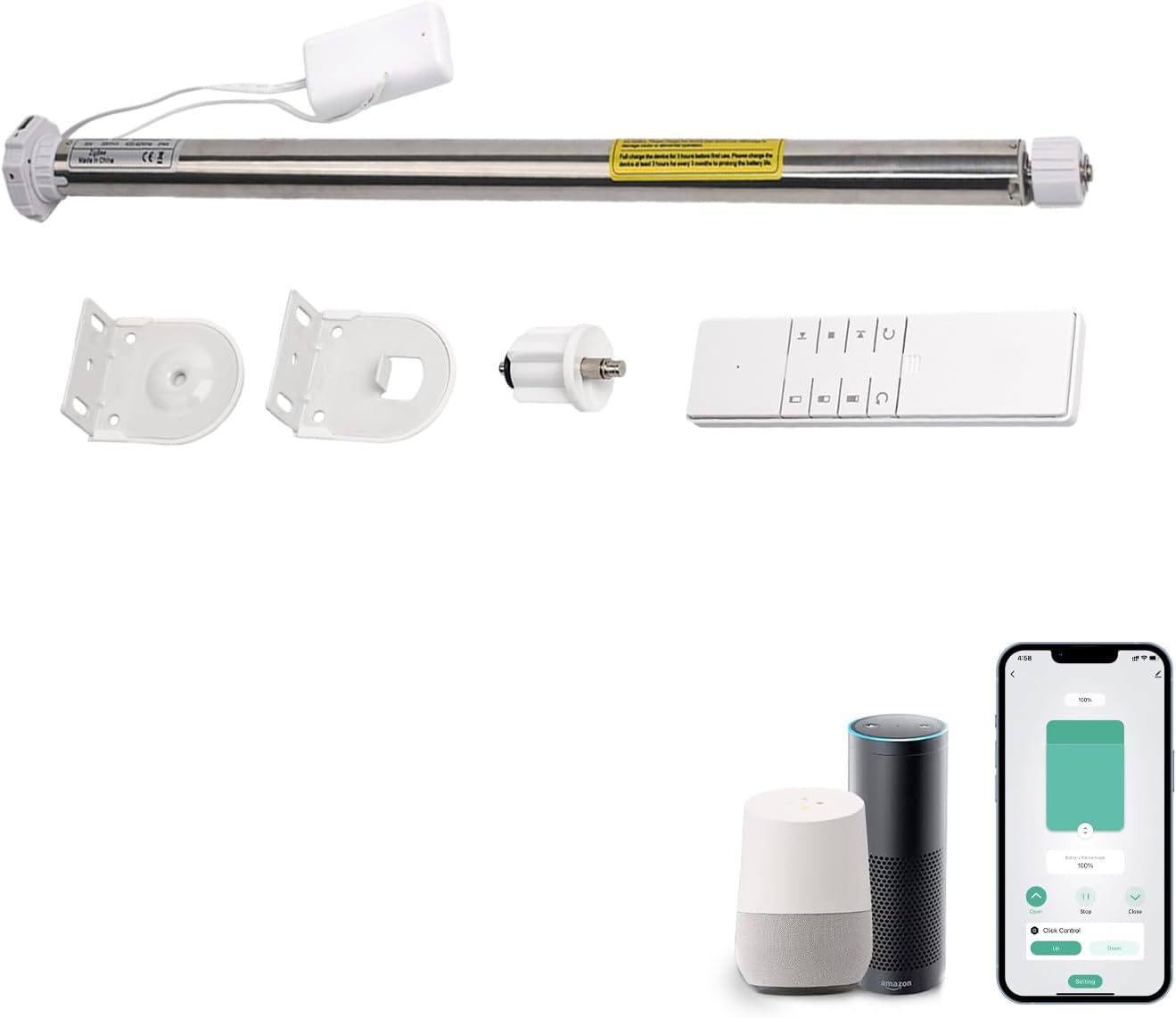
ചിത്രം: കഴിഞ്ഞുview of the included components: the motor, remote control, and mounting hardware.

Image: Detailed diagram illustrating the motor, remote, and mounting hardware, including approximate dimensions for the motor.
സജ്ജമാക്കുക
1. Charging the Motor
Before initial use, fully charge the motor. Connect the provided Micro-USB cable to the motor's charging port and plug it into a 5V/2A power source. A full charge typically takes approximately 6 hours and provides 3-6 months of operation depending on usage.
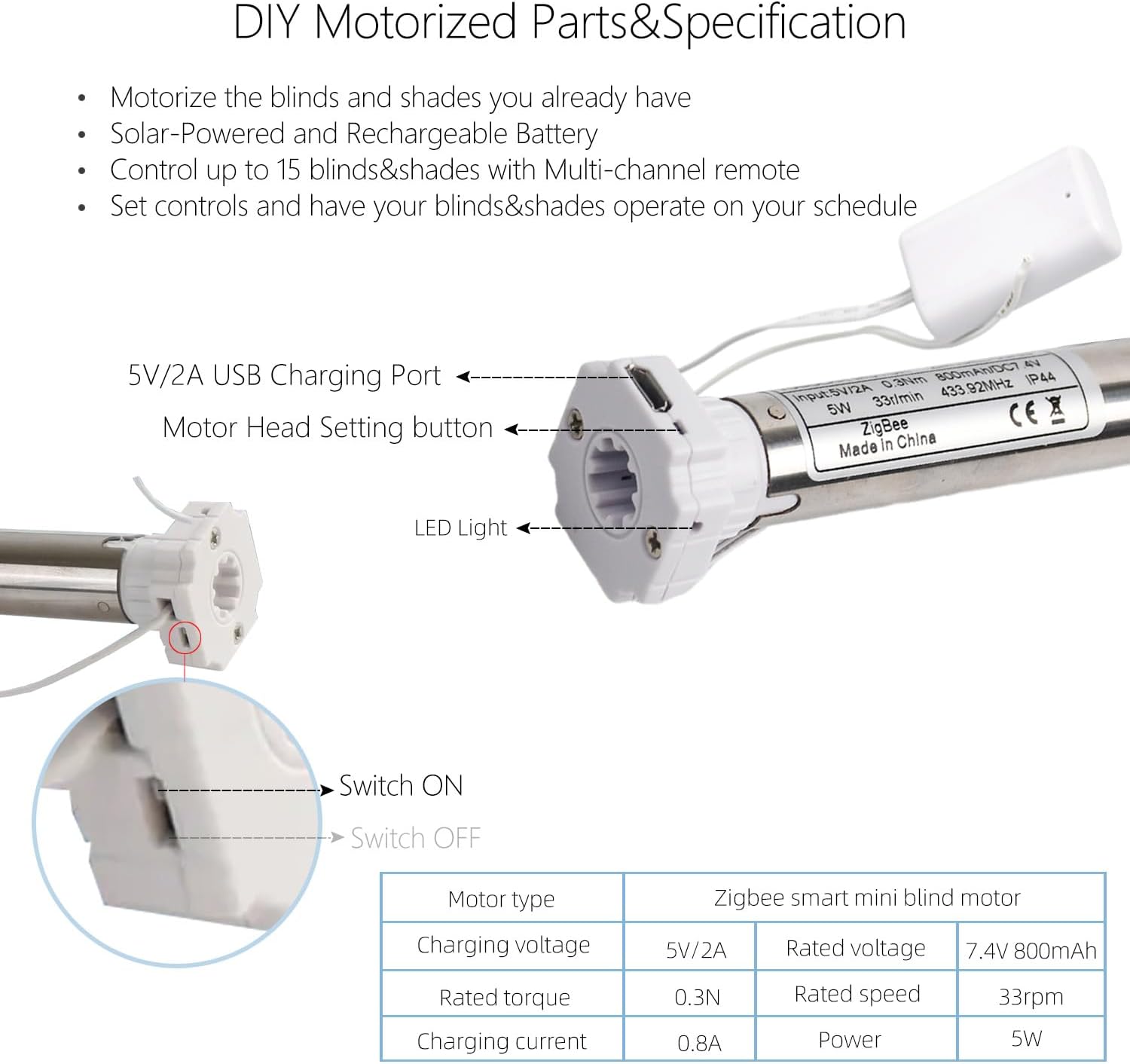
ചിത്രം: ക്ലോസ്-അപ്പ് view of the motor highlighting the USB charging port, motor head setting button, and LED indicator.

Image: Visual representation of the motor charging process, showing the USB cable connection and expected battery duration.
2. മോട്ടോർ ഇൻസ്റ്റലേഷൻ
- Unclip Existing Blind: If you have an existing chain-driven blind, unclip it and remove the chain drive mechanism.
- Measure Tube: Ensure your roller blind tube has a 1" (25mm) outer diameter (OD).
- Insert Motor: Carefully insert the Zigbee motor into the 1" (25mm) OD tube of your roller blind. Ensure it fits snugly.
- മൗണ്ടിംഗ്: Attach the provided mounting hardware to your window frame or wall. Secure the motorized roller blind into the mounted brackets.

Image: Step-by-step visual of the motor being inserted into the roller blind tube for installation.

Image: A visual guide outlining the simple steps for converting to motorized window coverings, from preparation to control setup.
3. Connecting to Tuya Zigbee Hub (Required)
A Tuya Zigbee 3.0 Hub Gateway is required for smart app and voice control functionality. Follow the instructions provided with your Tuya Zigbee Hub to add new devices. The motor will appear as a new device ready for pairing.
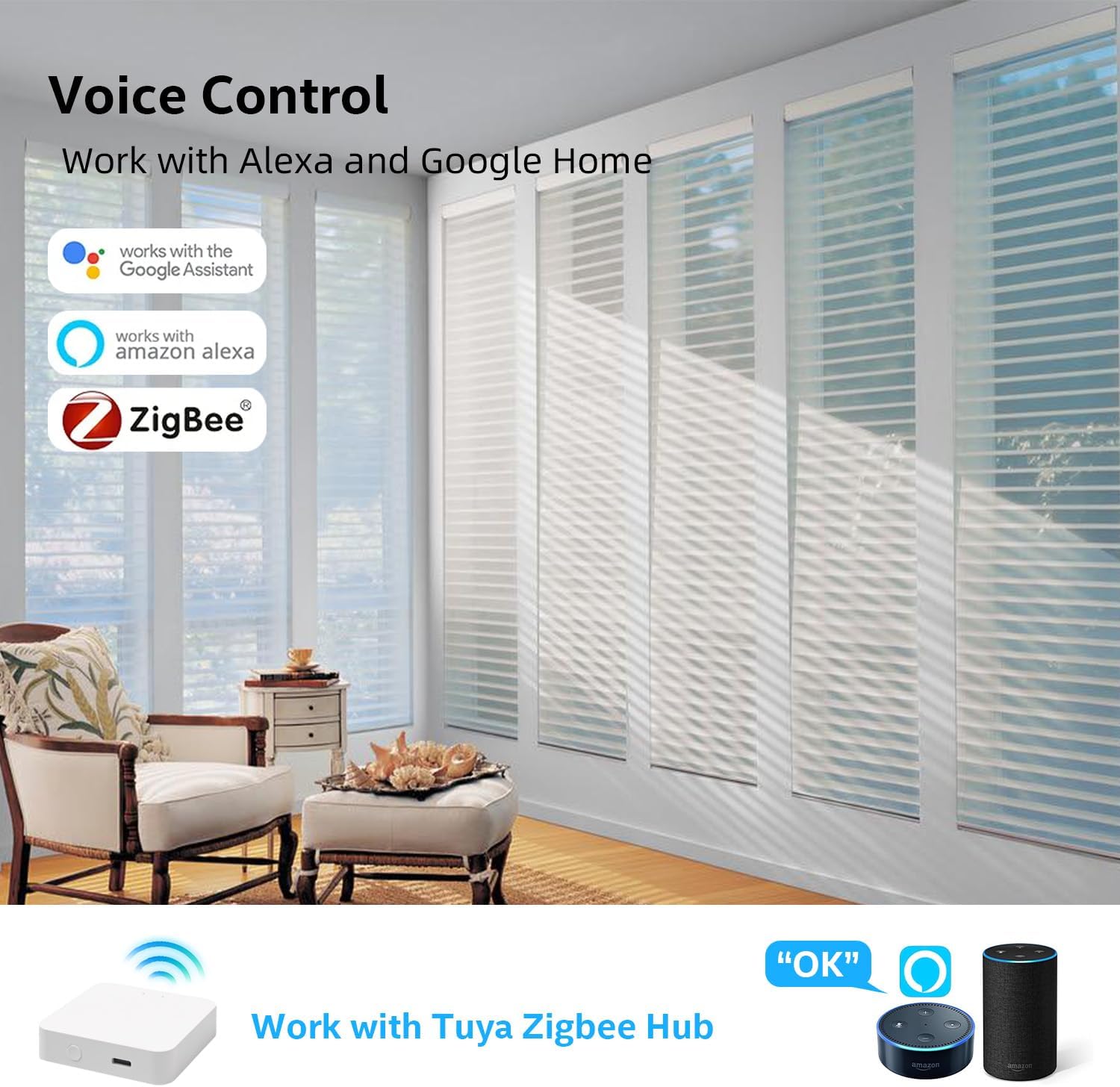
Image: Illustrates the connectivity of the Zigbee motor with Alexa and Google Home, emphasizing the necessity of a Tuya Zigbee Hub.

Image: Depicts a user interacting with an Alexa device to control the blinds using voice commands.
മോട്ടോർ പ്രവർത്തിപ്പിക്കൽ
1. വിദൂര നിയന്ത്രണ പ്രവർത്തനം
The included remote control allows direct operation of the blinds. Use the Up, Down, and Stop buttons to control the movement. The remote can control up to 15 blinds/shades with its multi-channel functionality.

Image: Shows a user interacting with both a smartphone app and the physical remote control to manage window treatments.
Image: A user demonstrating voice control of the blinds through an Alexa device.
2. Tuya Smart App Control
Once connected to the Tuya Zigbee Hub, download the Tuya Smart app on your smartphone. Through the app, you can:
- Open and close blinds remotely.
- Set favorite positions.
- Create groups for simultaneous control of multiple blinds.
- Schedule automations (e.g., sunrise/sunset, specific times).
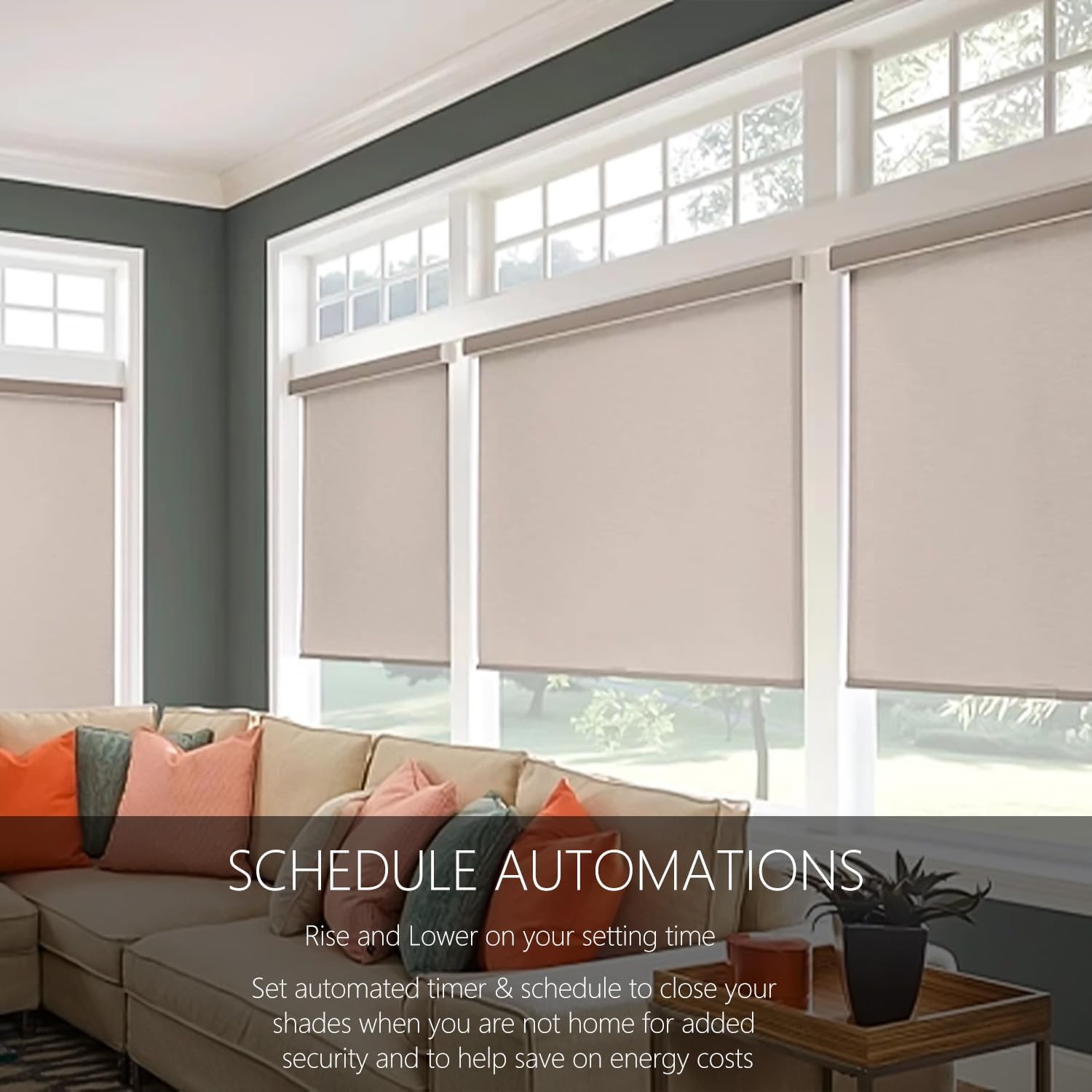
Image: Depicts blinds operating automatically according to a set schedule, highlighting benefits like energy efficiency and enhanced security.
Image: Illustrates the connectivity of the Zigbee motor with Alexa and Google Home, emphasizing the necessity of a Tuya Zigbee Hub.
3. Voice Control (Alexa, Google Home, Siri)
Integrate your blinds motor with Amazon Alexa, Google Home, or Siri for hands-free voice control. Once linked through the Tuya app and your smart assistant's application, you can use commands such as:
- "Alexa, open the blinds."
- "Hey Google, close the living room shades."
- "Siri, set the bedroom blinds to 50%."
മെയിൻ്റനൻസ്
- ചാർജിംഗ്: Recharge the motor when the battery is low. The LED indicator on the motor will signal low battery.
- വൃത്തിയാക്കൽ: Wipe the motor and remote with a dry, soft cloth. Do not use abrasive cleaners or immerse in water.
- പരിശോധന: Periodically check the mounting hardware and motor for any signs of wear or damage.
ട്രബിൾഷൂട്ടിംഗ്
| പ്രശ്നം | സാധ്യമായ കാരണം | പരിഹാരം |
|---|---|---|
| Motor not responding to remote/app. | Low battery; Not paired; Out of range; Hub offline. | Charge motor; Re-pair remote/motor; Check Zigbee hub connection; Move closer to hub. |
| Blinds not moving smoothly. | Obstruction; Tube not aligned; Motor not properly seated. | Check for obstructions; Re-align tube; Re-seat motor in tube. |
| ശബ്ദ നിയന്ത്രണം പ്രവർത്തിക്കുന്നില്ല. | Not linked to smart assistant; Incorrect commands; Internet connection issue. | Ensure Tuya app is linked to Alexa/Google Home; Use correct commands; Check Wi-Fi and internet connection. |
| Motor LED not lighting up. | No power; Faulty unit. | Ensure charging cable is properly connected; Contact support if issue persists. |
സ്പെസിഫിക്കേഷനുകൾ
| ഫീച്ചർ | വിശദാംശങ്ങൾ |
|---|---|
| മോഡൽ നമ്പർ | RH16EL-0.3/33-25mm |
| Compatible Tube OD | 1" (25 മിമി) |
| മെറ്റീരിയൽ | Aluminum, Metal+plastic |
| ഉൽപ്പന്ന അളവുകൾ | 15"ലിറ്റർ x 1"വാട്ട് |
| ഇനത്തിൻ്റെ ഭാരം | 4.4 പൗണ്ട് |
| ബാറ്ററി തരം | ലിഥിയം അയോൺ (ഉൾപ്പെടുന്നു) |
| ചാർജിംഗ് പോർട്ട് | 5V/2A MICRO-USB |
| നിയന്ത്രണ തരം | Manual, App, Voice |
| പ്രത്യേക ഫീച്ചർ | Zigbee-enabled, Rechargeable |
| ഓപ്പറേഷൻ മോഡ് | ഓട്ടോമാറ്റിക് |
| നിർമ്മാതാവ് | റോളർഹൗസ് |
| യു.പി.സി | 630282562615 |
വാറൻ്റിയും പിന്തുണയും
For warranty information and technical support, please refer to the contact details provided with your purchase or visit the official Rollerhouse webസൈറ്റ്. വാറന്റി ക്ലെയിമുകൾക്കായി നിങ്ങളുടെ വാങ്ങലിന്റെ തെളിവ് സൂക്ഷിക്കുക.