1. ആമുഖം
The SSK SD301 is a high-speed, portable external Solid State Drive (SSD) designed for efficient data transfer and storage expansion across various devices. Featuring both USB-C and USB-A 3.2 Gen 2 interfaces, it offers broad compatibility and fast performance.
പ്രധാന സവിശേഷതകൾ:
- Dual-Interface Design: Equipped with USB-C and USB-A 3.2 ports for versatile connectivity with smartphones, tablets, computers, and other compatible devices.
- Ultra-Fast Transfer Speeds: Achieves read speeds up to 550MB/s and write speeds up to 500MB/s, significantly faster than traditional USB 3.0 flash drives.
- പ്ലഗ് ആൻഡ് പ്ലേ പ്രവർത്തനം: No software installation required for immediate use.
- നീണ്ടുനിൽക്കുന്ന നിർമ്മാണം: Features a high-grade zinc alloy shell for excellent shock resistance and efficient heat dissipation, protecting your data. Includes a double-head protective cover for both interfaces.
- വിശാലമായ അനുയോജ്യത: Supports Windows, Linux, Mac OS, and Android operating systems. Compatible with iPhone 15, iPad, laptops, MacBooks, smart TVs, car audio systems, and more. (Note: Incompatible with Lightning port devices).

Image 1.1: The SSK SD301 Dual-Interface External SSD, showcasing its compact design, dual USB-C and USB-A connectors, and an included protective cover/keychain.
2. പാക്കേജ് ഉള്ളടക്കം
നിങ്ങളുടെ പാക്കേജിൽ എല്ലാ ഇനങ്ങളും ഉണ്ടെന്ന് ദയവായി പരിശോധിക്കുക:
- SSK SD301 External SSD (1TB Capacity)
- Protective Cover/Keychain
3. സജ്ജീകരണം
The SSK SD301 SSD is designed for plug-and-play operation, requiring no driver installation for most modern operating systems.
പ്രാരംഭ കണക്ഷൻ:
- നിങ്ങളുടെ ഉപകരണത്തിലെ ഉചിതമായ പോർട്ട് തിരിച്ചറിയുക (USB-C അല്ലെങ്കിൽ USB-A).
- Carefully insert the corresponding connector of the SSK SD301 SSD into your device's port. Ensure a secure connection.
- Your device should automatically detect the SSD. It may appear as a removable drive or external storage.
File സിസ്റ്റം വിവരങ്ങൾ:
The drive comes pre-formatted with the exFAT file system. This format is widely compatible with Windows, macOS, Linux, and Android devices.
- If your device (e.g., some older Smart TVs) does not recognize the exFAT format, you may need to reformat the drive to a compatible file system such as NTFS (for Windows-centric use) or HFS+ (for macOS-centric use).
- ജാഗ്രത: Reformatting the drive will erase all data. Back up any important files before proceeding with reformatting.
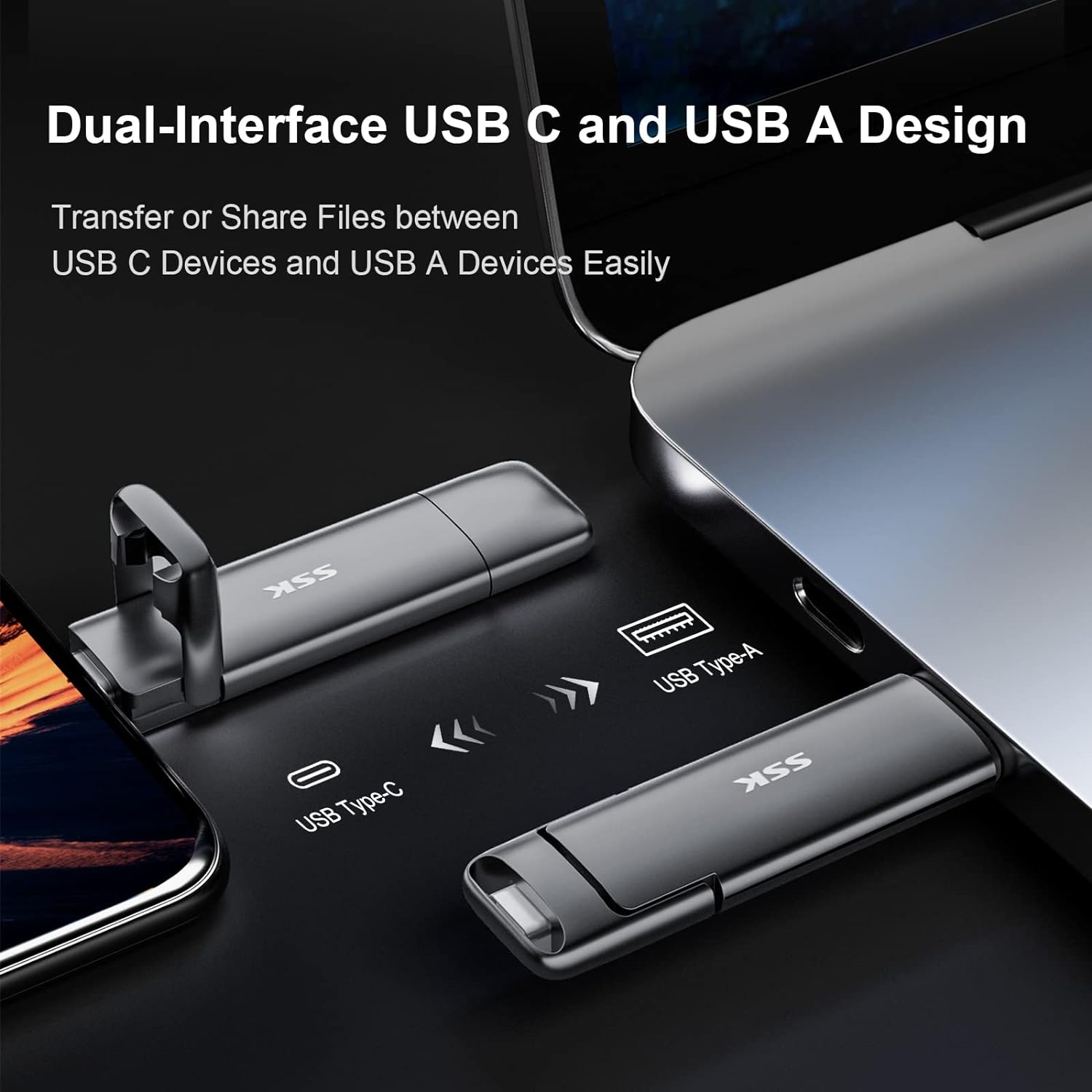
Image 3.1: The SSK SD301 SSD demonstrating its dual USB-C and USB-A interfaces, allowing connection to various devices like smartphones and laptops.
4. പ്രവർത്തന നിർദ്ദേശങ്ങൾ
ഡാറ്റ കൈമാറ്റം:
Once connected, the SSK SD301 SSD functions like any other external storage device. You can drag and drop files, പകർത്തി ഒട്ടിക്കുക, അല്ലെങ്കിൽ നിങ്ങളുടെ ഉപകരണത്തിന്റെ file management system to transfer data.
- For Computers (Windows/macOS/Linux): തുറക്കുക File Explorer (Windows) or Finder (macOS), locate the SSK drive, and transfer fileസാധാരണ പോലെ എസ്.
- For Smartphones/Tablets (Android/iPhone 15 with USB-C): Access the drive through your device's file manager application. You can move photos, videos, and documents to or from the SSD.
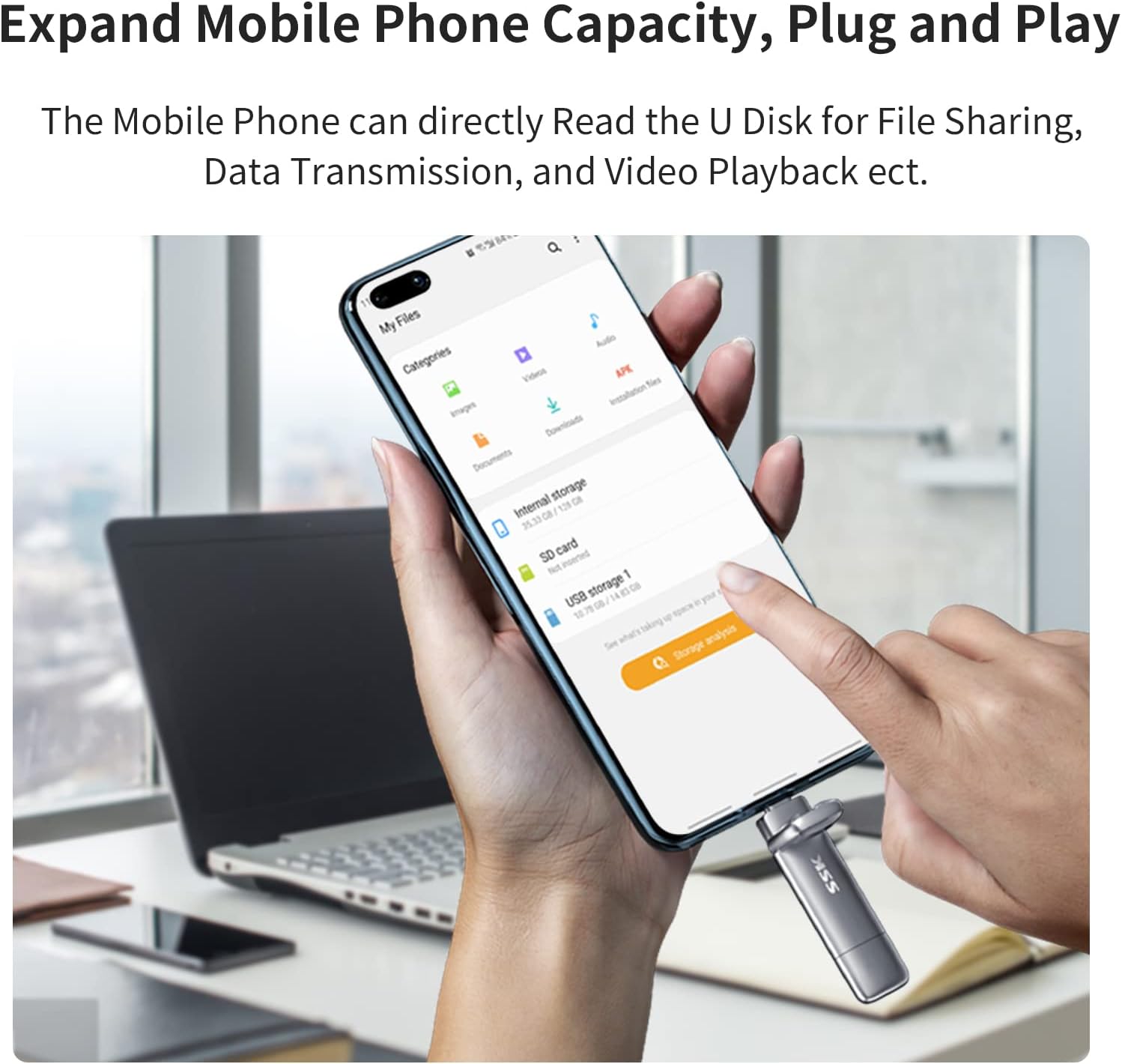
Image 4.1: A smartphone connected to the SSK SD301 SSD, illustrating how the device's storage capacity can be expanded and managed directly from the phone's file സിസ്റ്റം.
പ്രകടനം:
The drive utilizes USB 3.2 Gen 2 technology for high-speed data transfer. Actual speeds may vary based on the host device, interface, file size, and usage conditions.

Image 4.2: A visual comparison demonstrating the superior read and write speeds of the SSK USB 3.2 SSD compared to a standard USB 3.0 flash drive, highlighting efficiency in data transfer.
5. പരിപാലനം
To ensure the longevity and optimal performance of your SSK SD301 SSD, follow these maintenance guidelines:
- ശാരീരിക സംരക്ഷണം: The zinc alloy casing provides durability. Use the included protective cover to shield the connectors from dust and physical damage when not in use.
- ചൂട് മാനേജ്മെൻ്റ്: During prolonged high-speed data transfers, the drive may become warm. This is normal due to the metal casing's role in heat dissipation. Ensure adequate airflow around the drive and avoid covering it during heavy use.
- സുരക്ഷിതമായ നീക്കം: Always safely eject or unmount the drive from your operating system before physically disconnecting it to prevent data corruption.
- വൃത്തിയാക്കൽ: ഡ്രൈവിന്റെ പുറംഭാഗം വൃത്തിയാക്കാൻ മൃദുവായതും ഉണങ്ങിയതുമായ തുണി ഉപയോഗിക്കുക. ലിക്വിഡ് ക്ലീനറുകളോ ഉരച്ചിലുകളുള്ള വസ്തുക്കളോ ഒഴിവാക്കുക.
- പരിസ്ഥിതി വ്യവസ്ഥകൾ: നേരിട്ടുള്ള സൂര്യപ്രകാശം, തീവ്രമായ താപനില, ശക്തമായ കാന്തികക്ഷേത്രങ്ങൾ എന്നിവയിൽ നിന്ന് മാറി തണുത്തതും വരണ്ടതുമായ സ്ഥലത്ത് ഡ്രൈവ് സൂക്ഷിക്കുക.
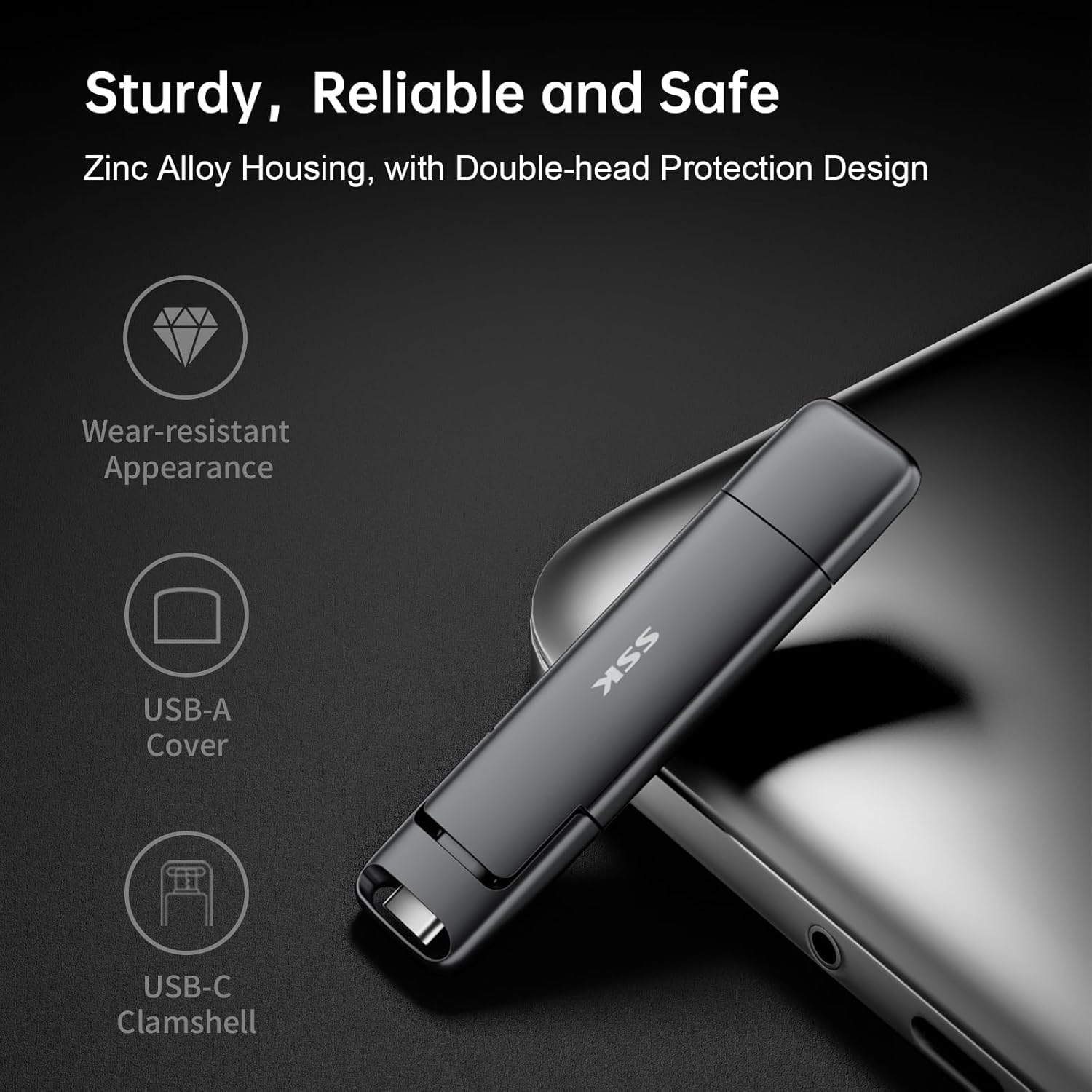
Image 5.1: The SSK SD301 SSD, emphasizing its robust zinc alloy housing and the protective design of its USB-A and USB-C covers, contributing to its reliability and safety.
6. പ്രശ്നപരിഹാരം
If you encounter issues with your SSK SD301 SSD, refer to the following common problems and solutions:
Problem: Drive is not recognized by my device.
- പരിഹാരം 1: Ensure the drive is fully and securely inserted into the USB port.
- പരിഹാരം 2: Try connecting the drive to a different USB port on your device or a different device altogether to rule out a port issue.
- പരിഹാരം 3: Verify that your device's operating system is up to date.
- പരിഹാരം 4: നിങ്ങളുടെ ഉപകരണം പരിശോധിക്കുക file system compatibility. If connecting to an older Smart TV or specific embedded systems, the default exFAT format might not be supported. Consider reformatting the drive to NTFS (for Windows) or another compatible format if necessary. (Warning: Reformatting erases all data.)
Problem: Drive feels warm during use.
- പരിഹാരം: It is normal for the drive to become warm during operation, especially during large file transfers, due to its metal casing designed for heat dissipation. If the temperature is excessively hot or causes performance issues, ensure the drive has adequate ventilation and is not covered.
Problem: Data transfer speeds are slower than expected.
- പരിഹാരം 1: Ensure your device's USB port supports USB 3.2 Gen 2 (or at least USB 3.0/3.1). Connecting to an older USB 2.0 port will result in significantly slower speeds.
- പരിഹാരം 2: തരവും എണ്ണവും files being transferred can affect speed. Transferring many small files സാധാരണയായി കുറച്ച് വലിയവ കൈമാറുന്നതിനേക്കാൾ വേഗത കുറവാണ് files.
- പരിഹാരം 3: Other processes running on your computer or device can impact transfer speeds. Close unnecessary applications.
7 സ്പെസിഫിക്കേഷനുകൾ
| ബ്രാൻഡ് | എസ്.എസ്.കെ |
| മോഡൽ നമ്പർ | SD301 |
| പരമ്പര | SD301/1TB |
| ഡിജിറ്റൽ സ്റ്റോറേജ് കപ്പാസിറ്റി | 1 ടി.ബി |
| ഹാർഡ് ഡ്രൈവ് ഇൻ്റർഫേസ് | സോളിഡ് സ്റ്റേറ്റ് |
| കണക്റ്റിവിറ്റി ടെക്നോളജി | USB (USB 3.2 Gen 2 Type-C, USB 3.2 Gen 2 Type-A) |
| വായന വേഗത | 550 MB/s വരെ |
| റൈറ്റ് സ്പീഡ് | 500 MB/s വരെ |
| അനുയോജ്യമായ ഉപകരണങ്ങൾ | Desktop, Laptop, Smartphone, Tablet, Smart TV, Car Audio |
| ഓപ്പറേറ്റിംഗ് സിസ്റ്റങ്ങൾ | Windows, Linux, Mac OS, Android |
| File System (Default) | exFAT |
| മെറ്റീരിയൽ | സിങ്ക് അലോയ് |
| നിറം | ചാരനിറം |
| ഇനത്തിൻ്റെ ഭാരം | 1.76 ഔൺസ് (50 ഗ്രാം) |
| ഉൽപ്പന്ന അളവുകൾ | 3.07 x 0.81 x 0.34 ഇഞ്ച് (7.8 x 2.06 x 0.86 സെ.മീ) |
8. വാറൻ്റിയും പിന്തുണയും
For warranty information and technical support, please refer to the documentation included with your purchase or visit the official SSK webസൈറ്റ്. ഉപഭോക്തൃ സേവനത്തിനായുള്ള കോൺടാക്റ്റ് വിശദാംശങ്ങൾ സാധാരണയായി നിർമ്മാതാവിന്റെ സൈറ്റിൽ ലഭ്യമാണ്. webസൈറ്റ്.