1. ആമുഖം
This manual provides detailed instructions for the proper use, setup, operation, and maintenance of your SSK SD301 2TB Dual-Interface USB 3.2 Gen 2 External Solid State Drive. Please read this manual thoroughly before using the device to ensure optimal performance and data integrity. Keep this manual for future reference.
2. ഉൽപ്പന്നം കഴിഞ്ഞുview
The SSK SD301 is a high-speed, portable external solid state drive designed for efficient data storage and transfer. It features both USB Type-C and USB Type-A 3.2 Gen 2 interfaces, offering broad compatibility with a variety of devices. Its robust zinc alloy casing provides durability and effective heat dissipation.

Image 2.1: The SSK SD301 External SSD, showcasing its dual USB-C and USB-A connectors, along with a protective cap and an included leather pouch for portability.
3 പ്രധാന സവിശേഷതകൾ
- Dual Drive USB Type-C + USB-A: Equipped with both USB-C and USB-A 3.2 Gen 2 ports for versatile connectivity.
- Ultra-Fast Transfer Speed: Achieves read speeds up to 550MB/s and write speeds up to 500MB/s, significantly faster than traditional USB 3.0 flash drives.
- പ്ലഗ് ആൻഡ് പ്ലേ പ്രവർത്തനം: No software installation required for immediate use.
- Safe & Reliable Design: Constructed with a high-grade zinc alloy shell for shock resistance and efficient heat dissipation, featuring a double-head protective cover.
- സാർവത്രിക അനുയോജ്യത: Supports Windows, Mac OS, Linux, Android, iPhone 15, iPad, PS4, smart TVs, car audio systems, and more.

Image 3.1: Visual representation of the SSK SD301 SSD emphasizing its ultra-high-speed data transfer capabilities, up to 550MB/s.
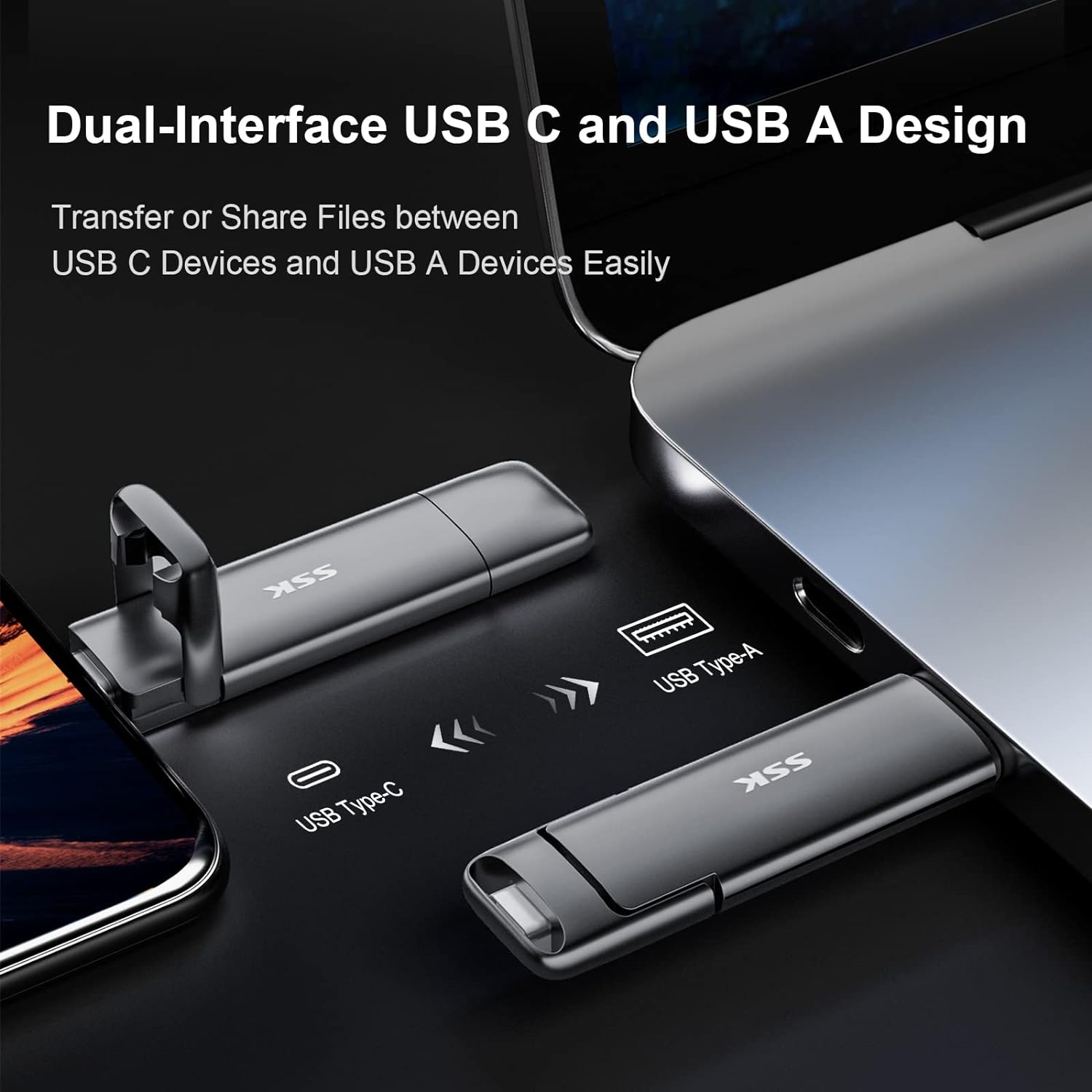
Image 3.2: The SSK SD301 SSD demonstrating its dual-interface design, featuring both USB Type-C and USB Type-A connectors for broad device compatibility.
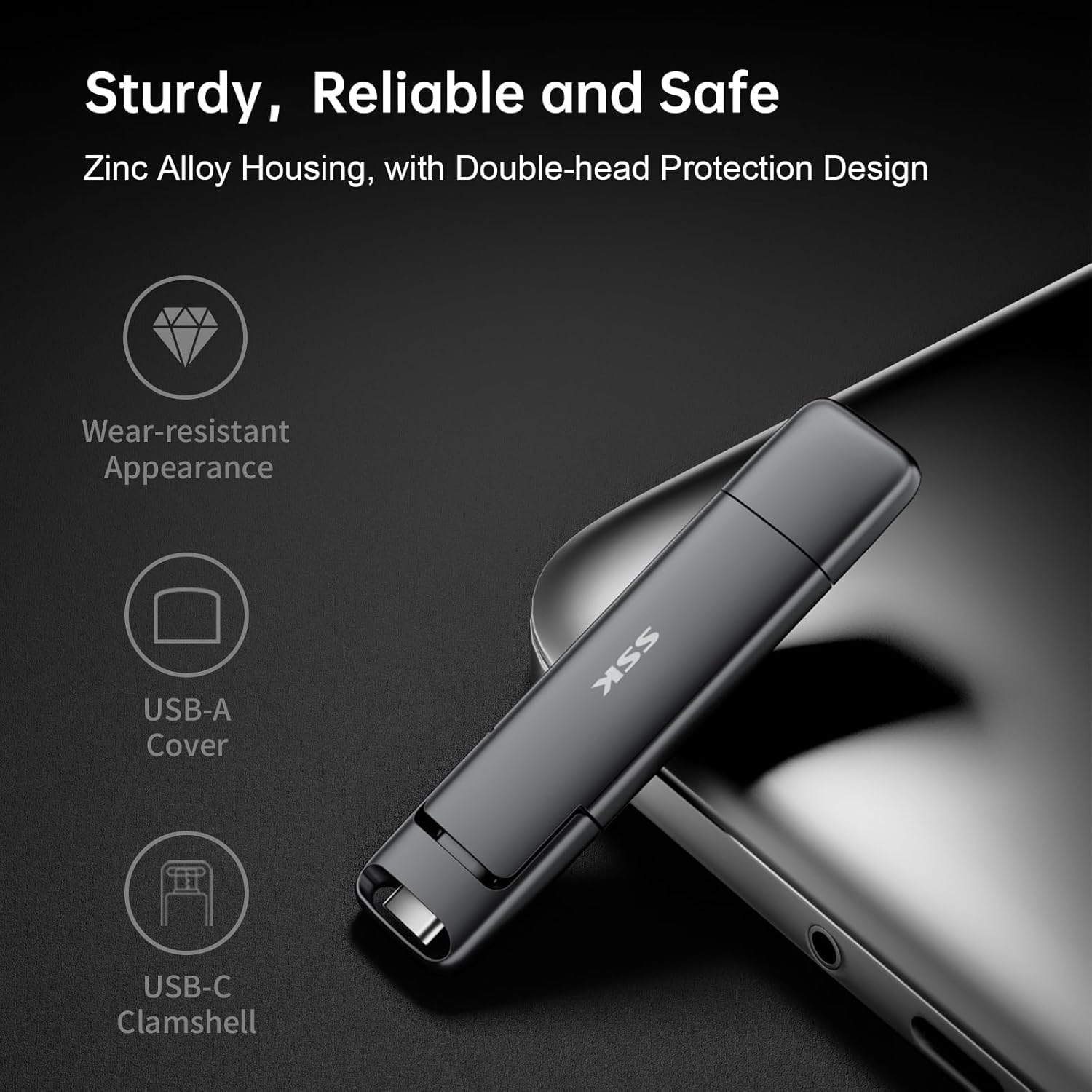
Image 3.3: Close-up of the SSK SD301 SSD, illustrating its sturdy zinc alloy housing, wear-resistant appearance, and the protective covers for both USB-A and USB-C interfaces.
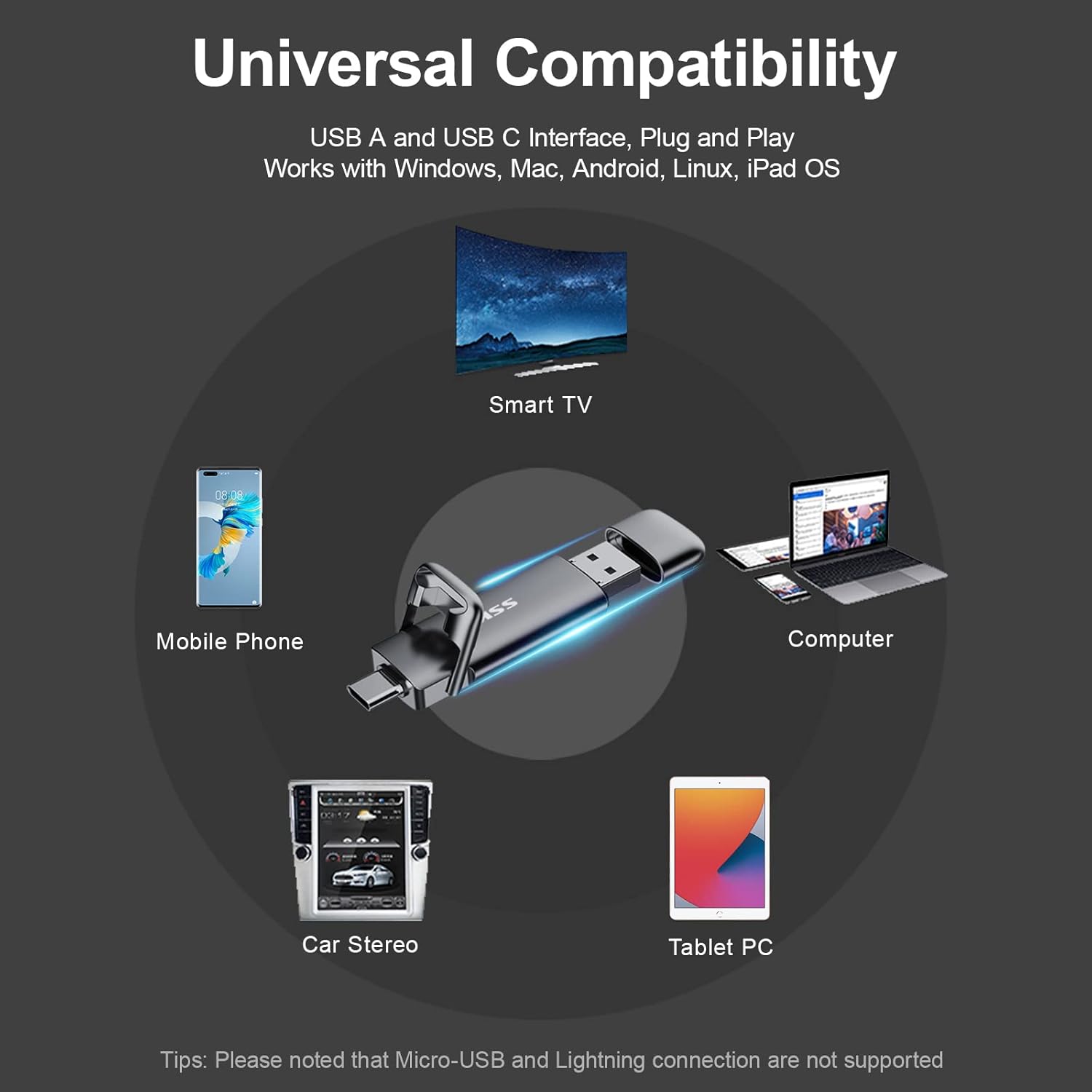
Image 3.4: Diagram showing the universal compatibility of the SSK SD301 SSD with devices such as mobile phones, smart TVs, computers, car stereos, and tablet PCs. Note: Micro-USB and Lightning connections are not supported.
4. സജ്ജീകരണ നിർദ്ദേശങ്ങൾ
- ശരിയായ പോർട്ട് തിരിച്ചറിയുക: Determine whether your device (computer, smartphone, tablet, etc.) has a USB Type-C port or a USB Type-A port.
- SSD ബന്ധിപ്പിക്കുക:
- For USB Type-C devices: Gently insert the USB-C connector of the SSD into your device's USB-C port.
- For USB Type-A devices: Remove the protective cap from the USB-A connector and insert it into your device's USB-A port.
- ഉപകരണ തിരിച്ചറിയൽ: Your operating system (Windows, macOS, Linux, Android) should automatically detect the SSD. It may appear as a removable drive or external storage.
- Initial Format (if necessary): The drive comes pre-formatted with exFAT for broad compatibility. If your device requires a different file system (e.g., NTFS for specific Windows uses or HFS+ for older macOS systems), you may need to reformat the drive. Refer to your operating system's documentation for instructions on how to format external drives. മുന്നറിയിപ്പ്: ഫോർമാറ്റ് ചെയ്യുന്നത് ഡ്രൈവിലെ എല്ലാ ഡാറ്റയും മായ്ക്കും.
5. പ്രവർത്തന നിർദ്ദേശങ്ങൾ
- കൈമാറുന്നു Files:
- From Device to SSD: കണ്ടെത്തുക files you wish to transfer on your device. Drag and drop them into the SSK SSD's folder, or copy and paste them.
- From SSD to Device: Open the SSK SSD's folder. Drag and drop the desired files to a location on your device, or copy and paste them.
- Using with Mobile Phones/Tablets: Connect the SSD to your compatible Android or iPhone 15 device via the USB-C port. The device's file manager app should allow you to access and manage files on the SSD directly. This can be used for file sharing, data transmission, and video playback.
- സുരക്ഷിതമായ നീക്കം: To prevent data corruption, always safely eject the SSD from your operating system before physically disconnecting it. For Windows, use the "Safely Remove Hardware" icon in the taskbar. For macOS, drag the drive icon to the Trash or use the Eject option. For Android, use the
അനുബന്ധ രേഖകൾ - SD301

SSK SD301 പോർട്ടബിൾ സോളിഡ് സ്റ്റേറ്റ് ഫ്ലാഷ് ഡ്രൈവ് ഉപയോക്തൃ മാനുവൽ
കമ്പ്യൂട്ടറുകൾ, ടാബ്ലെറ്റുകൾ, സ്മാർട്ട്ഫോണുകൾ എന്നിവയിലുടനീളം വിശാലമായ അനുയോജ്യതയ്ക്കായി ഡ്യുവൽ USB-A, USB-C ഇന്റർഫേസുകൾ ഉൾക്കൊള്ളുന്ന ഹൈ-സ്പീഡ് എക്സ്റ്റേണൽ SSD ആയ SSK SD301 പോർട്ടബിൾ സോളിഡ് സ്റ്റേറ്റ് ഫ്ലാഷ് ഡ്രൈവ് കണ്ടെത്തൂ. ഈ ഉപയോക്തൃ മാനുവൽ അതിന്റെ സവിശേഷതകൾ, കണക്ഷൻ, ഉപയോഗം, സംഭരണ ശേഷി എന്നിവയെക്കുറിച്ചുള്ള അവശ്യ വിവരങ്ങൾ നൽകുന്നു, ഒപ്റ്റിമൽ പ്രകടനവും ഡാറ്റ സുരക്ഷയും ഉറപ്പാക്കുന്നു.
SSK Portable SSD: Usage Tips, Performance, and Compatibility Guide
Get the most out of your SSK Portable SSD with this comprehensive FAQ and usage guide. Learn about capacity differences, speed factors, heat management, safe disconnection, iPhone 15 compatibility, encryption, and Thunderbolt performance.
SSK SD450 Portable Solid State Drive User Manual
Comprehensive user manual for the SSK SD450 Portable Solid State Drive. This guide provides detailed instructions for connecting, using, and safely disconnecting the external SSD with Windows, macOS, iPhone, iPad, and Android devices. Learn about file management and optimal performance for your SSK SD450.
SSK SD301 പോർട്ടബിൾ സോളിഡ് സ്റ്റേറ്റ് ഫ്ലാഷ് ഡ്രൈവ് ഉപയോക്തൃ മാനുവൽ
SSK SD301 പോർട്ടബിൾ സോളിഡ് സ്റ്റേറ്റ് ഫ്ലാഷ് ഡ്രൈവിനായുള്ള ഉപയോക്തൃ മാനുവൽ, അതിന്റെ പാക്കേജ് ഉള്ളടക്കങ്ങൾ, ഉൽപ്പന്ന സവിശേഷതകൾ, ഉപയോഗിക്കുന്നതിന് മുമ്പുള്ള കുറിപ്പുകൾ, സംഭരണ ശേഷി വിശദീകരണം, USB ഇന്റർഫേസ് അനുയോജ്യത, കണക്ഷൻ, ഉപയോഗ നിർദ്ദേശങ്ങൾ, ഗുണനിലവാര ഉറപ്പ് വിവരങ്ങൾ എന്നിവ വിശദീകരിക്കുന്നു.
SSK Portable Solid State Drive SD500 User Manual
User manual for the SSK Portable Solid State Drive SD500, providing instructions on connection, usage, disconnection, and file management with various devices including Windows, Mac, iPhone, iPad, and Android.
SSK SD300 പോർട്ടബിൾ സോളിഡ് സ്റ്റേറ്റ് ഫ്ലാഷ് ഡ്രൈവ് ഉപയോക്തൃ മാനുവൽ
SSK SD300 പോർട്ടബിൾ സോളിഡ് സ്റ്റേറ്റ് ഫ്ലാഷ് ഡ്രൈവിനായുള്ള ഉപയോക്തൃ മാനുവൽ, ഉൽപ്പന്ന സവിശേഷതകൾ, കണക്ഷൻ നിർദ്ദേശങ്ങൾ, അനുയോജ്യത, ട്രബിൾഷൂട്ടിംഗ് എന്നിവ വിശദമാക്കുന്നു.