ആമുഖം
Thank you for choosing the Baseus Bowie WM03 Wireless Earbuds. These earbuds are designed to provide an immersive audio experience with ultra-low latency, extended battery life, and stable Bluetooth 5.3 connectivity. This manual will guide you through the setup, operation, and maintenance of your new earbuds.
പാക്കേജ് ഉള്ളടക്കം

Image: Retail packaging of the Baseus Bowie WM03 Wireless Earbuds, showing the white box with product image.
- Baseus Bowie WM03 Wireless Earbuds (Left and Right)
- ചാർജിംഗ് കേസ്
- യുഎസ്ബി ചാർജിംഗ് കേബിൾ (ടൈപ്പ്-സി)
- ഉപയോക്തൃ മാനുവൽ (ഈ പ്രമാണം)
- ഇയർടിപ്പുകൾ (വിവിധ വലുപ്പങ്ങൾ)
ഉൽപ്പന്നം കഴിഞ്ഞുview

Image: The Baseus Bowie WM03 Wireless Earbuds placed inside their open charging case, showcasinഅവയുടെ ഒതുക്കമുള്ള ഡിസൈൻ.
The Baseus Bowie WM03 earbuds feature a mini, feather-light design, with each earbud weighing approximately 4.3 grams, ensuring comfortable wear for extended periods.

Image: A visual representation highlighting the lightweight nature of the Baseus Bowie WM03 earbuds, stating "Only 4.3g".
പ്രധാന സവിശേഷതകളിൽ ഇവ ഉൾപ്പെടുന്നു:
- Immersive Spatial Audio: Provides a 3D sound stage for an enhanced listening experience.
- Ultra-Low Latency (0.038s): Ensures minimal delay between audio and video, ideal for gaming.
- വിപുലീകരിച്ച ബാറ്ററി ലൈഫ്: ചാർജിംഗ് കേസ് ഉപയോഗിച്ച് മൊത്തം 38 മണിക്കൂർ വരെ പ്ലേബാക്ക്.
- അൾട്രാ ഫാസ്റ്റ് ചാർജിംഗ്: കുറഞ്ഞ പ്രവർത്തനരഹിതമായ സമയത്തേക്ക് വേഗത്തിലുള്ള ചാർജിംഗ് കഴിവുകൾ.
- ബ്ലൂടൂത്ത് 5.3: For strong and stable wireless connectivity.

Image: A graphic summarizing the key features of the Baseus Bowie WM03 earbuds, including Immersive Spatial Audio, Ultra-Fast Charging, 38Hrs Longer Battery Life, Sound Positioning, 0.038s Ultra-Low Latency, and Bluetooth 5.3.
സജ്ജമാക്കുക
1. ഇയർബഡുകളും കേസും ചാർജ് ചെയ്യുന്നു
Before first use, fully charge the earbuds and the charging case. Connect the USB charging cable to the charging port on the case and a power source. The indicator light on the case will show charging status.
- Place earbuds into the charging case to charge them.
- 10 മിനിറ്റ് ചാർജ് ചെയ്താൽ 2 മണിക്കൂർ വരെ പ്ലേബാക്ക് ലഭിക്കും.
- The case provides multiple charges for a total battery life of up to 38 hours.

Image: A graphic illustrating the battery life and charging capabilities of the Baseus Bowie WM03, showing 38 hours total battery life, 8 hours playback on one charge, and 10 minutes charge for 2 hours playback.
2. നിങ്ങളുടെ ഉപകരണവുമായി ജോടിയാക്കുന്നു
The Baseus Bowie WM03 earbuds utilize Bluetooth 5.3 for a stable and efficient connection.
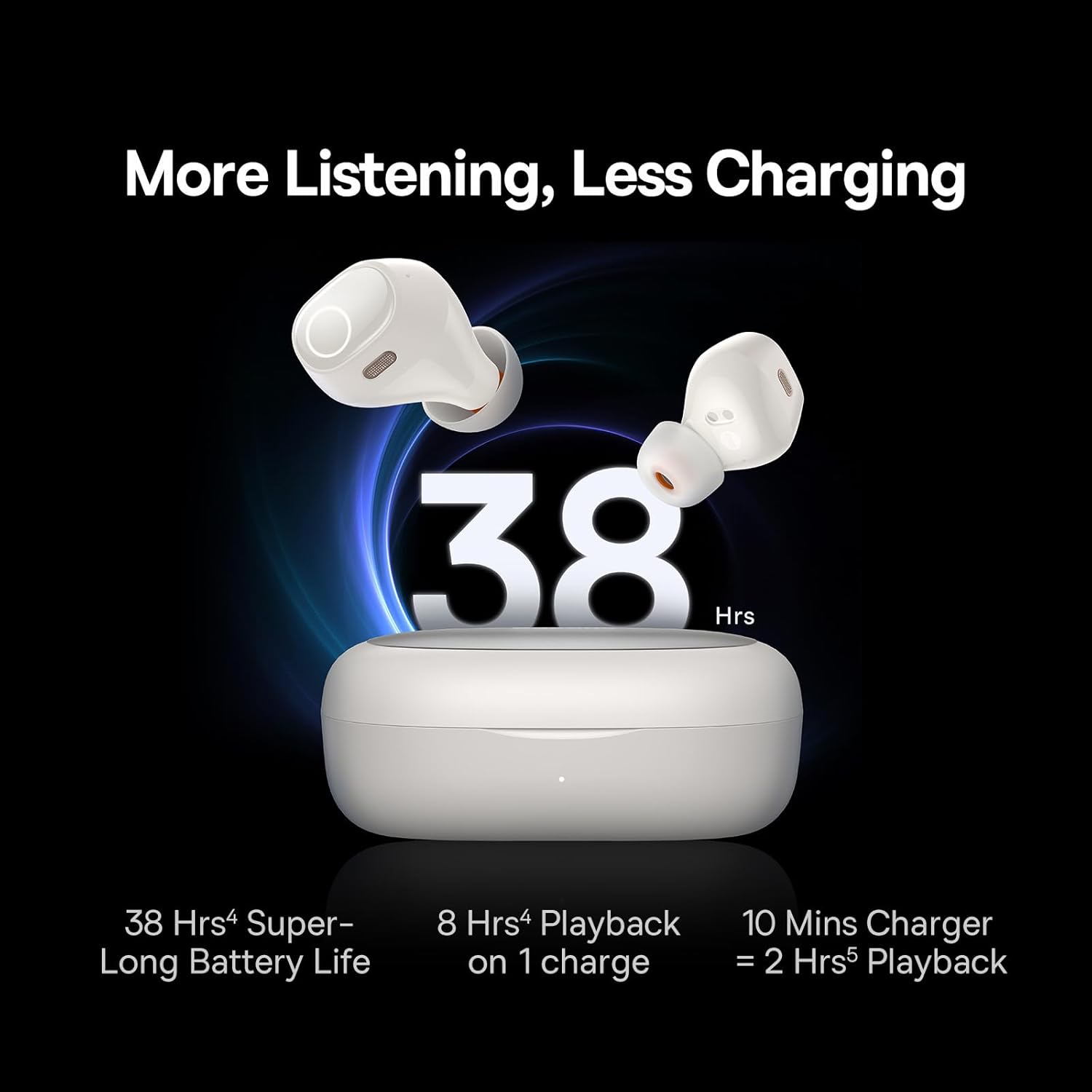
Image: A diagram showing the internal components of an earbud with a prominent "Bluetooth 5.3" logo, indicating strong and stable connection technology.
- ചാർജിംഗ് കേസ് തുറക്കുക. ഇയർബഡുകൾ സ്വയമേവ ജോടിയാക്കൽ മോഡിലേക്ക് പ്രവേശിക്കും.
- നിങ്ങളുടെ ഉപകരണത്തിൽ (സ്മാർട്ട്ഫോൺ, ടാബ്ലെറ്റ്, ലാപ്ടോപ്പ്), ബ്ലൂടൂത്ത് പ്രവർത്തനക്ഷമമാക്കുക.
- ഇതിനായി തിരയുക ലഭ്യമായ ബ്ലൂടൂത്ത് ഉപകരണങ്ങളുടെ പട്ടികയിൽ "Baseus Bowie WM03".
- Select "Baseus Bowie WM03" to connect. Once connected, you will hear a confirmation tone.
- തുടർന്നുള്ള ഉപയോഗങ്ങൾക്കായി, കേസിൽ നിന്ന് പുറത്തെടുക്കുമ്പോൾ ഇയർബഡുകൾ അവസാനം ജോടിയാക്കിയ ഉപകരണത്തിലേക്ക് യാന്ത്രികമായി കണക്റ്റ് ചെയ്യും.
പ്രവർത്തന നിർദ്ദേശങ്ങൾ
ടച്ച് നിയന്ത്രണങ്ങൾ
The Baseus Bowie WM03 earbuds feature intuitive touch controls on each earbud. The specific functions may vary slightly based on the mode (Music/Gaming).
| ആക്ഷൻ | ഫംഗ്ഷൻ |
|---|---|
| സിംഗിൾ ടാപ്പ് (ഇടത്/വാതിൽ) | സംഗീതം പ്ലേ ചെയ്യുക/താൽക്കാലികമായി നിർത്തുക, കോൾ സ്വീകരിക്കുക/അവസാനിപ്പിക്കുക |
| ഡബിൾ ടാപ്പ് (ഇടത്) | മുമ്പത്തെ ട്രാക്ക് |
| ഡബിൾ ടാപ്പ് (R) | അടുത്ത ട്രാക്ക് |
| ട്രിപ്പിൾ ടാപ്പ് (ഇടത്/വാതിൽ) | വോയ്സ് അസിസ്റ്റൻ്റ് സജീവമാക്കുക |
| ലോംഗ് പ്രസ്സ് (L/R, 2s) | കോൾ നിരസിക്കുക |
| ലോംഗ് പ്രസ്സ് (L/R, 3s) | Switch between Music Mode / Gaming Mode |
ഇമ്മേഴ്സീവ് സ്പേഷ്യൽ ഓഡിയോ
The Baseus Bowie WM03 earbuds feature Baseus immersive spatial audio, creating a 3D sound stage that enhances your listening experience, whether for music or gaming.

Image: A comparison graphic showing two scenarios: "Gaming Mode" with a person playing on a phone, and "Music Mode" with a person listening to music, illustrating the 3D sound stagഇ സവിശേഷത.
Ultra-Low Latency (Gaming Mode)
For an optimized gaming experience, the earbuds offer an ultra-low latency of 0.038 seconds. This significantly reduces audio delay, ensuring synchronized sound effects and dialogue during gameplay.
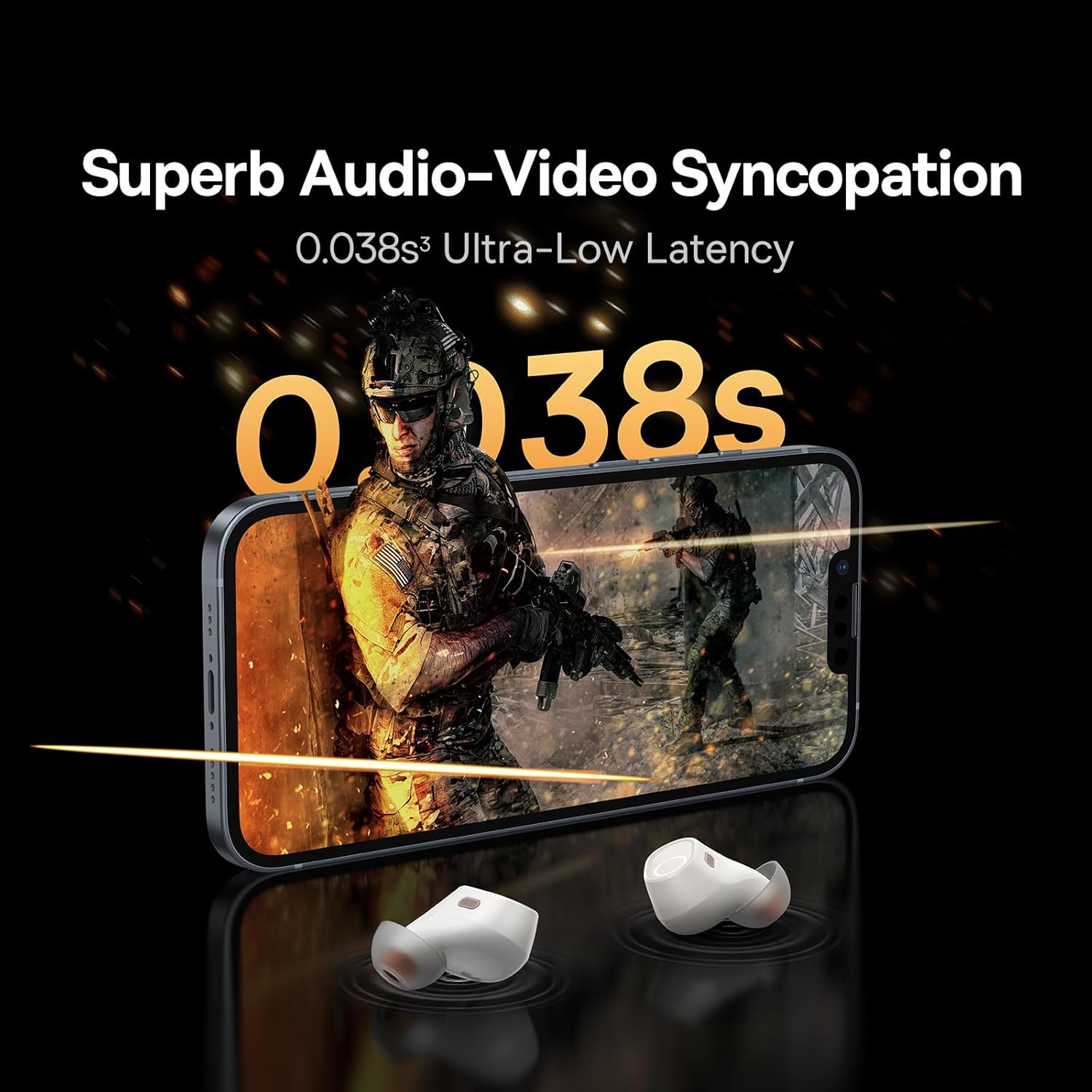
Image: A graphic emphasizing the 0.038s ultra-low latency feature, with a gamer playing on a smartphone, highlighting the superb audio-video syncopation.
To switch to Gaming Mode, perform the designated touch control action (refer to the touch control table above).
മെയിൻ്റനൻസ്
- വൃത്തിയാക്കൽ: ഇയർബഡുകളും ചാർജിംഗ് കെയ്സും വൃത്തിയാക്കാൻ മൃദുവായതും ഉണങ്ങിയതും ലിന്റ് രഹിതവുമായ തുണി ഉപയോഗിക്കുക. അബ്രാസീവ് ക്ലീനറുകളോ ലായകങ്ങളോ ഉപയോഗിക്കരുത്.
- ഇയർടിപ്പുകൾ: Regularly remove and clean the eartips with a damp തുണി. വീണ്ടും ഘടിപ്പിക്കുന്നതിന് മുമ്പ് അവ പൂർണ്ണമായും ഉണങ്ങിയെന്ന് ഉറപ്പാക്കുക.
- സംഭരണം: ഉപയോഗത്തിലില്ലാത്തപ്പോൾ, ഇയർബഡുകൾ സംരക്ഷിക്കുന്നതിനും ചാർജ്ജ് ചെയ്ത നിലയിൽ നിലനിർത്തുന്നതിനും അവ ചാർജിംഗ് കേസിൽ സൂക്ഷിക്കുക.
- വെള്ളം ഒഴിവാക്കുക: The earbuds are not water-resistant. Avoid exposure to liquids, moisture, or extreme temperatures.
ട്രബിൾഷൂട്ടിംഗ്
| പ്രശ്നം | സാധ്യമായ പരിഹാരം |
|---|---|
| ഇയർബഡുകൾ ജോടിയാക്കുന്നില്ല | Ensure earbuds are charged. Turn off and on Bluetooth on your device. Place earbuds back in case, close, then reopen to re-enter pairing mode. |
| ഒരു ഇയർബഡ് മാത്രമേ പ്രവർത്തിക്കൂ | Ensure both earbuds are charged. Place both earbuds back in the case, close the lid for 5 seconds, then open again. Re-pair if necessary. |
| കുറഞ്ഞ ശബ്ദം അല്ലെങ്കിൽ മോശം ശബ്ദ നിലവാരം | Adjust volume on your device. Clean eartips and earbud mesh. Ensure earbuds are properly seated in your ears. |
| ഇയർബഡുകൾ ചാർജ് ചെയ്യുന്നില്ല | ചാർജിംഗ് കേബിളും പവർ സ്രോതസ്സും പരിശോധിക്കുക. ഇയർബഡുകളിലെയും കെയ്സിലെയും ചാർജിംഗ് കോൺടാക്റ്റുകൾ വൃത്തിയുള്ളതും വരണ്ടതുമാണെന്ന് ഉറപ്പാക്കുക. |
| കണക്ഷൻ അസ്ഥിരമാണ് | Ensure no obstacles between earbuds and device. Move closer to your device. Avoid strong electromagnetic interference. |
സ്പെസിഫിക്കേഷനുകൾ
| ഫീച്ചർ | വിശദാംശങ്ങൾ |
|---|---|
| മോഡലിൻ്റെ പേര് | വ്മ്ക്സനുമ്ക്സ |
| മോഡൽ നമ്പർ | എൻജിടിഡബ്ല്യു 330302 |
| ബ്രാൻഡ് | ബേസിയസ് |
| കണക്റ്റിവിറ്റി ടെക്നോളജി | വയർലെസ്സ് (ബ്ലൂടൂത്ത് 5.3) |
| ബാറ്ററി ലൈഫ് (കേസിനൊപ്പം ആകെ) | 38 മണിക്കൂർ വരെ |
| അൾട്രാ ലോ ലേറ്റൻസി | 0.038 സെ |
| ഫ്രീക്വൻസി റേഞ്ച് | 20Hz - 20,000Hz |
| ഇയർബഡ് ഭാരം | Approx. 4.3g (each) |
| ഉൽപ്പന്ന അളവുകൾ | 6.8 x 4.7 x 2.8 സെ.മീ (കേസ്) |
| മെറ്റീരിയൽ | പ്ലാസ്റ്റിക് |
| നിറം | ക്രീം വൈറ്റ് |
| ജല പ്രതിരോധം | വാട്ടർ റെസിസ്റ്റൻ്റ് അല്ല |
വാറൻ്റിയും പിന്തുണയും
Baseus products come with a standard manufacturer's warranty. For detailed warranty information, please refer to the warranty card included in your package or visit the official Baseus webസാങ്കേതിക പിന്തുണയ്ക്കോ, ട്രബിൾഷൂട്ടിംഗ് സഹായത്തിനോ, അല്ലെങ്കിൽ മാറ്റിസ്ഥാപിക്കാനുള്ള ഭാഗങ്ങളെ കുറിച്ച് അന്വേഷിക്കുന്നതിനോ, ദയവായി ബേസിയസിന്റെ ഔദ്യോഗിക ചാനലുകൾ വഴി ഉപഭോക്തൃ സേവനവുമായി ബന്ധപ്പെടുക.
കൂടുതൽ വിവരങ്ങളും പിന്തുണയും നിങ്ങൾക്ക് ഇവിടെ കണ്ടെത്താനാകും ആമസോണിലെ ബേസിയസ് സ്റ്റോർ.


