1. ആമുഖം
This manual provides instructions for the proper installation, operation, and maintenance of your INFILAND Tablet Case. This case is designed to protect your Samsung Galaxy Tab S9 Ultra (SM-X910B/SM-X916B) or Samsung Galaxy Tab S8 Ultra (SM-X900/X906) 14.6-inch tablet and enhance its functionality with features such as multi-angle viewing and S Pen storage.
Please read this manual thoroughly to ensure optimal use and longevity of your product.
2 അനുയോജ്യത
This INFILAND case is specifically designed for the following 14.6-inch Samsung Galaxy Tab Ultra models:
- Samsung Galaxy Tab S9 Ultra (Model Numbers: SM-X910B, SM-X916B) - 2023 Release
- Samsung Galaxy Tab S8 Ultra (Model Numbers: SM-X900, SM-X906) - 2022 Release
Ensure your tablet model matches one of the listed compatible devices before installation.

Image: Visual guide indicating compatibility with 14.6-inch Samsung Galaxy Tab S9 Ultra and S8 Ultra models, and incompatibility with smaller models.
3. സജ്ജീകരണവും ഇൻസ്റ്റാളേഷനും
Follow these steps to correctly install your tablet into the INFILAND case:
- നിങ്ങളുടെ ടാബ്ലെറ്റ് തയ്യാറാക്കുക: Ensure your Samsung Galaxy Tab S9 Ultra or S8 Ultra is clean and free of dust or debris.
- ടാബ്ലെറ്റ് വിന്യസിക്കുക: Gently align your tablet with the case's internal frame. The camera cutouts and port openings on the case should match those on your tablet.
- ടാബ്ലെറ്റ് ഇടുക: Carefully press the tablet into the case, starting from one side and working your way around. Ensure all edges of the tablet are securely seated within the case's protective frame.
- എസ് പെൻ സുരക്ഷിതമാക്കുക: Place your S Pen into the designated charging slot on the back of the case. The case features a precise cutout to allow for secure storage and wireless charging of the S Pen.

Image: The INFILAND case with a tablet installed, demonstrating its protective design and integrated S Pen storage.
4. പ്രവർത്തന നിർദ്ദേശങ്ങൾ
4.1 Multi-Angle Stand Function
The INFILAND case supports multiple viewing angles, allowing you to adjust your tablet for comfortable reading, typing, or media consumption. Simply fold the front cover into a triangular stand to achieve your desired angle.

Image: Illustration of the case's multi-angle stand capability, providing ergonomic viewസ്ഥാനങ്ങൾ.
4.2 ഓട്ടോമാറ്റിക് വേക്ക്/സ്ലീപ്പ് ഫംഗ്ഷൻ
The case features a built-in smart sensor that automatically wakes your tablet when the front cover is opened and puts it to sleep when the cover is closed. This function helps conserve battery life.
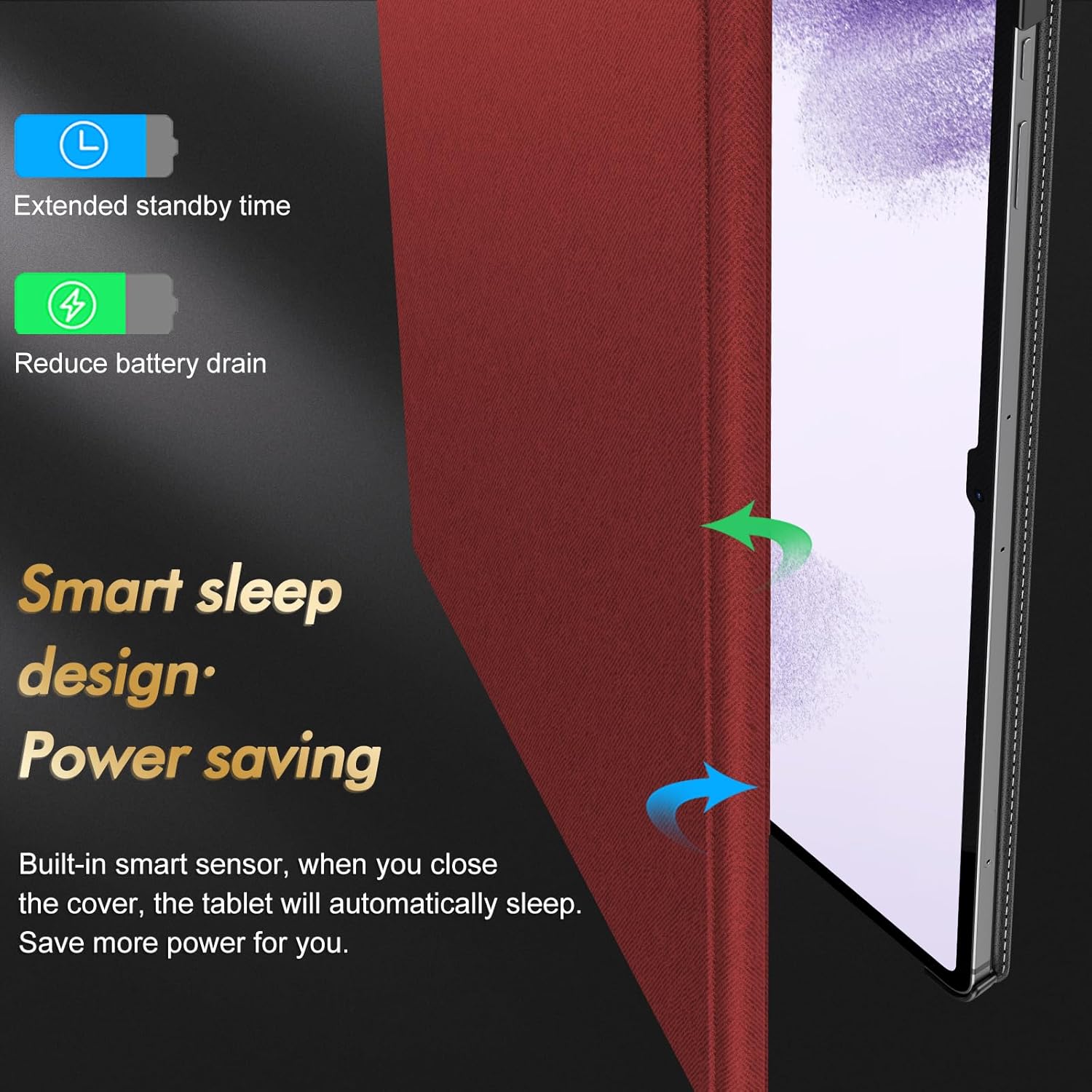
Image: Diagram illustrating the smart sleep design, which activates the tablet's wake/sleep function to save power.
4.3 Magnetic Closure Buckle
The case is equipped with a magnetic closure buckle that securely fastens the front cover when closed. This prevents accidental opening and provides comprehensive protection for your tablet and S Pen.

Image: The magnetic closure buckle in action, ensuring the case remains securely shut.

Image: Close-up demonstrating the magnetic closure's role in securing the S Pen within its designated slot.
5. പരിപാലനം
To maintain the appearance and functionality of your INFILAND tablet case, follow these guidelines:
- വൃത്തിയാക്കൽ: കേസിന്റെ പുറംഭാഗം മൃദുവായ, ഡി-ടൈപ്പ് ഉപയോഗിച്ച് തുടയ്ക്കുക.amp cloth. Avoid using harsh chemicals or abrasive cleaners, as these may damage the PU leather material.
- സംഭരണം: ഉപയോഗത്തിലില്ലാത്തപ്പോൾ നേരിട്ടുള്ള സൂര്യപ്രകാശത്തിൽ നിന്നും കടുത്ത താപനിലയിൽ നിന്നും അകന്ന് തണുത്തതും വരണ്ടതുമായ സ്ഥലത്ത് കേസ് സൂക്ഷിക്കുക.
- സംരക്ഷണം: While the case offers three layers of protection against collision, scratches, and splashes, it is not waterproof. Avoid submerging the case in water.

Image: Detail of the PU leather material, which provides a comfortable feel and durability.

Image: The case's high-grade PU leather exterior, designed for both aesthetics and durability.
6. പ്രശ്നപരിഹാരം
If you encounter any issues with your INFILAND tablet case, refer to the following common problems and solutions:
- Tablet Does Not Wake/Sleep Automatically:
- Ensure the tablet is correctly seated in the case and the front cover is fully closing.
- Check your tablet's settings to ensure the "Smart Cover" or "Magnetic Cover" function is enabled (if applicable).
- S Pen Not Charging/Falling Out:
- Verify the S Pen is placed correctly in the designated charging slot on the back of the case.
- Ensure the magnetic closure buckle is securely fastened to prevent the S Pen from dislodging.
- Case Does Not Close Securely:
- Check for any obstructions between the front cover and the tablet.
- Ensure the tablet is fully inserted and aligned within the case.
7 സ്പെസിഫിക്കേഷനുകൾ
| ഫീച്ചർ | വിശദാംശങ്ങൾ |
|---|---|
| ബ്രാൻഡ് | ഇൻഫിലാൻഡ് |
| അനുയോജ്യമായ ഉപകരണങ്ങൾ | Samsung Galaxy Tab S9 Ultra (SM-X910B/SM-X916B), Samsung Galaxy Tab S8 Ultra (SM-X900/SM-X906) |
| നിറം | ചുവപ്പ് |
| യു.പി.സി | 757158434231 |
| മെറ്റീരിയൽ | High-Grade PU Leather |
| പ്രത്യേക സവിശേഷതകൾ | Multi-Angle Stand, Auto Wake/Sleep, S Pen Charging Slot, Magnetic Closure Buckle, Three Layers of Protection |
8. വാറൻ്റിയും പിന്തുണയും
INFILAND offers a professional lifetime service for this product. If you require a replacement or have any questions, please follow these steps:
- Navigate to the product page where you purchased the item.
- Locate and click on "Infiland LLC" (usually found under the "Buy Now" button).
- Select "Ask a product question" to contact customer support directly.
This process facilitates a free replacement without the need for a tedious return procedure.


