ഉൽപ്പന്നം കഴിഞ്ഞുview
The ENEGON AA AAA Battery Charger is an advanced, intelligent 8-bay charging solution designed for Ni-MH and Ni-CD rechargeable batteries. It features independent charging slots, allowing you to charge 1 to 8 batteries simultaneously or individually. With a fast charging current of up to 1000mA, it can fully charge batteries in less than 5 hours. The integrated intelligent LCD display provides real-time charging status for each battery, ensuring you are always informed.
This charger incorporates smart auto cut-off technology, which automatically stops charging when batteries reach full capacity, preventing overcharging and extending battery life. Additionally, it includes multiple safety protections such as over-voltage, over-current, short-circuit, high-temperature, and over-charge protection, ensuring safe and reliable operation.

Image: The ENEGON 8-Bay AA AAA Battery Charger, shown with its detachable power cord.
പ്രധാന സവിശേഷതകൾ
- Independent 8-Bay Charging: Charge 1 to 8 AA or AAA Ni-MH/Ni-CD batteries independently or simultaneously.
- ഫാസ്റ്റ് ചാർജിംഗ്: Delivers up to 1000mA charging current, fully charging batteries in under 5 hours.
- ഇൻ്റലിജൻ്റ് എൽസിഡി ഡിസ്പ്ലേ: Provides real-time charging status for each individual battery.
- Smart Auto Cut-off: Automatically stops charging when batteries are full, preventing overcharge.
- സമഗ്രമായ സുരക്ഷാ പരിരക്ഷകൾ: ഓവർ-വോളിയത്തിനെതിരായ സംരക്ഷണം ഉൾപ്പെടുന്നുtage, over-current, short-circuit, high-temperature, and over-charge.
- യൂണിവേഴ്സൽ വോളിയംtagഇ ഇൻപുട്ട്: Compatible with AC100-240V 50/60Hz power sources.
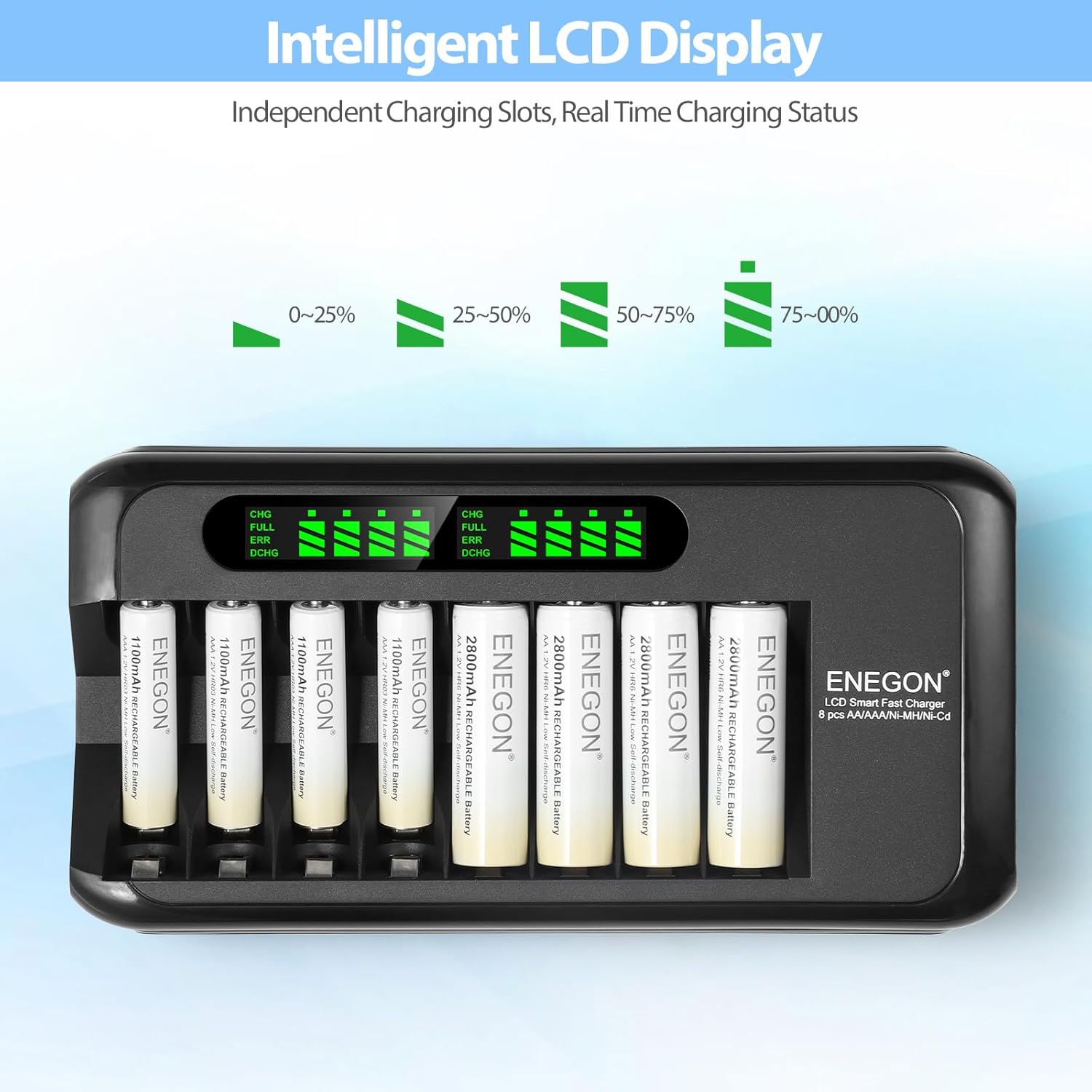
Image: The intelligent LCD display showing real-time charging status for each battery.
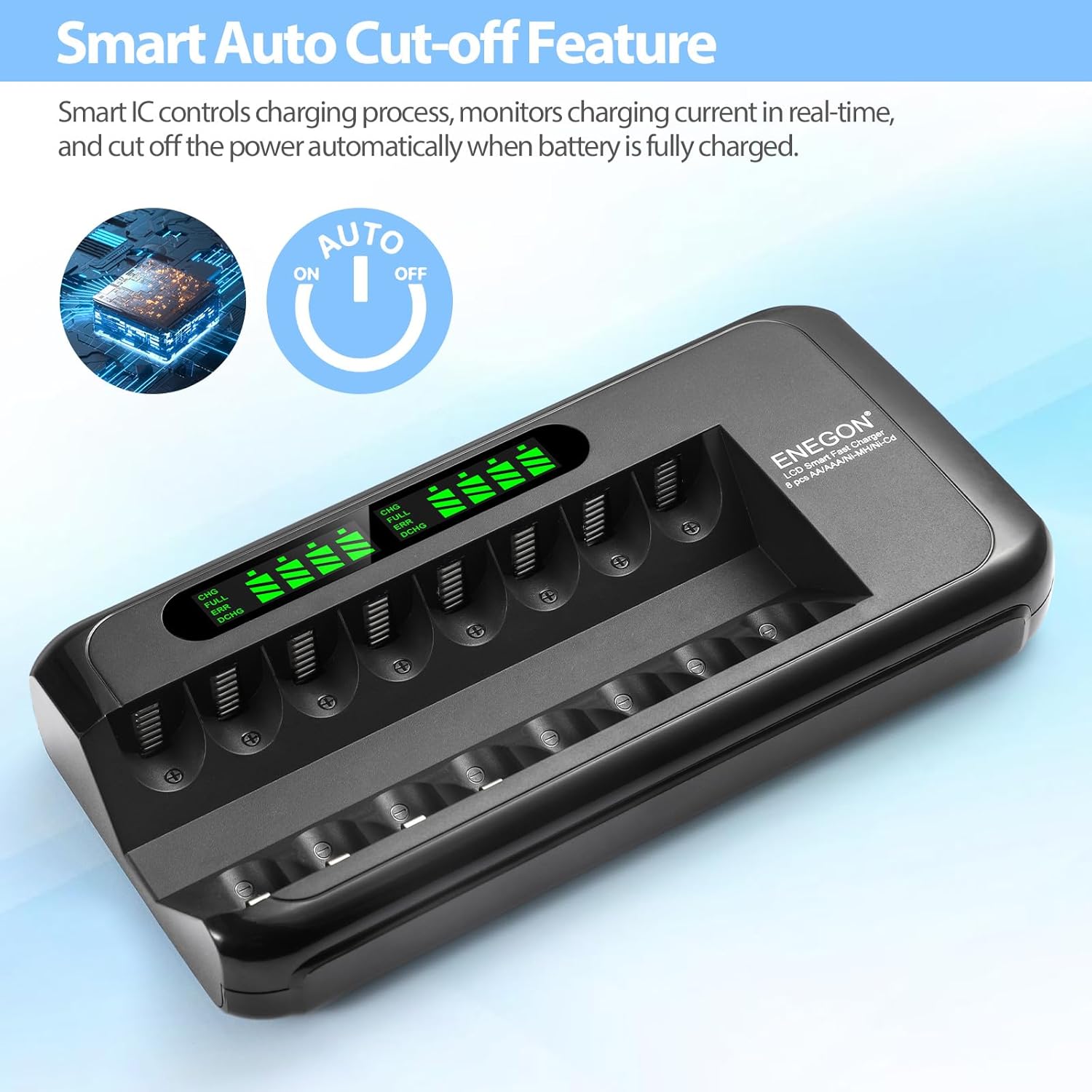
Image: Illustration of the smart auto cut-off feature, preventing overcharging.
സജ്ജീകരണ ഗൈഡ്
- ചാർജർ അൺപാക്ക് ചെയ്യുക: Carefully remove the ENEGON battery charger and AC power adapter from its packaging.
- പവർ അഡാപ്റ്റർ ബന്ധിപ്പിക്കുക: Insert the small end of the AC power adapter cable into the power input port on the side of the charger.
- പവർ ഔട്ട്ലെറ്റിൽ പ്ലഗ് ഇൻ ചെയ്യുക: Plug the other end of the AC power adapter into a standard AC100-240V 50/60Hz wall outlet. The LCD display on the charger will illuminate briefly, indicating it is ready for use.
Image: The charger and its power adapter, ready for connection to a power source.
പ്രവർത്തന നിർദ്ദേശങ്ങൾ
- ബാറ്ററികൾ ചേർക്കുക: Place 1 to 8 AA or AAA Ni-MH/Ni-CD rechargeable batteries into the charging slots. Ensure the positive (+) and negative (-) terminals of the batteries align correctly with the markings in the charger slots. Incorrect insertion can damage the battery or charger.
- ചാർജിംഗ് നില നിരീക്ഷിക്കുക: The intelligent LCD display will show the charging status for each inserted battery.
- CHG: Indicates the battery is currently charging. The battery icon will show segments filling up.
- പൂർണ്ണം: Indicates the battery is fully charged. The battery icon will be completely filled.
- പിശക്: Indicates an error, such as a non-rechargeable battery, short-circuit, or damaged battery. Remove the battery immediately.
- DCHG: (If applicable, not explicitly mentioned for this model but common for smart chargers) Indicates discharge mode.
- Automatic Cut-off: The charger will automatically stop charging each battery once it reaches full capacity, indicated by "FULL" on the LCD.
- ബാറ്ററികൾ നീക്കം ചെയ്യുക: Once charging is complete, carefully remove the batteries from the charger. Unplug the charger from the power outlet when not in use.
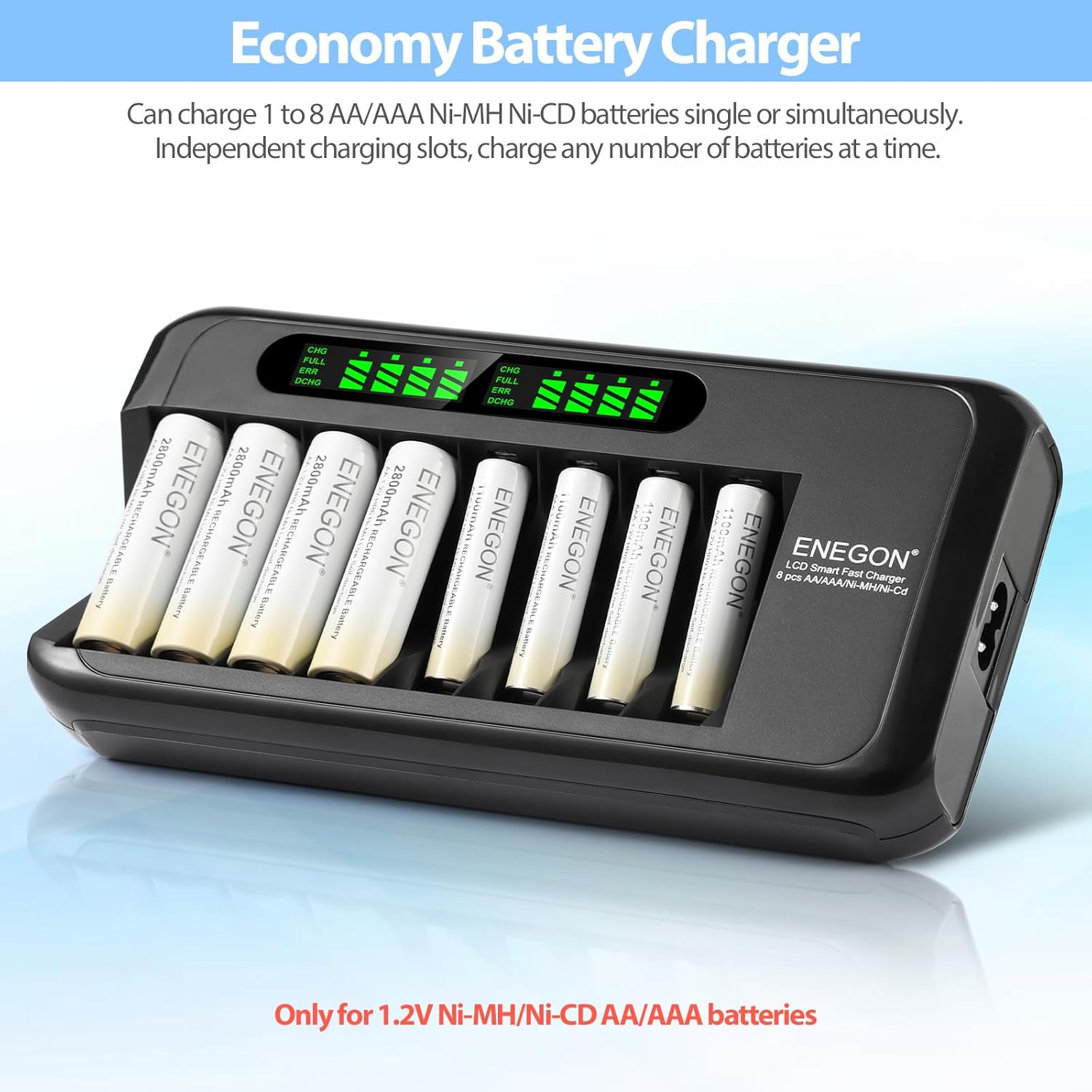
Image: The charger with multiple AA batteries inserted, demonstrating independent charging and LCD status display.
സുരക്ഷാ മുൻകരുതലുകൾ
To ensure safe operation and prolong the life of your charger and batteries, please observe the following precautions:
- Only charge Ni-MH and Ni-CD rechargeable batteries. Do not attempt to charge alkaline, carbon-zinc, or other non-rechargeable battery types, as this may lead to leakage, rupture, or explosion.
- ബാറ്ററികൾ ഇടുമ്പോൾ ശരിയായ പോളാരിറ്റി (+/-) ഉറപ്പാക്കുക.
- ചാർജർ ഡിസ്അസംബ്ലിംഗ് ചെയ്യുകയോ പരിഷ്കരിക്കുകയോ ചെയ്യരുത്.
- Avoid exposing the charger to water, high humidity, or extreme temperatures.
- ചാർജർ കേടായതായി തോന്നുകയാണെങ്കിൽ അത് പ്രവർത്തിപ്പിക്കരുത്.
- കുട്ടികളിൽ നിന്നും വളർത്തുമൃഗങ്ങളിൽ നിന്നും ചാർജർ സൂക്ഷിക്കുക.
- Unplug the charger from the power outlet when not in use or during cleaning.
- The charger is equipped with multiple safety features including over-voltage, over-current, short-circuit, high-temperature, and over-charge protection. If an error is detected, the charger will automatically cut off power to the affected slot.

Image: Visual representation of the multiple safety protections integrated into the charger, including over-voltage, over-current, short-circuit, high-temperature, and over-charge protection.
മെയിൻ്റനൻസ്
- വൃത്തിയാക്കൽ: Disconnect the charger from the power outlet before cleaning. Use a soft, dry cloth to wipe the surface of the charger. Do not use liquid cleaners or abrasive materials.
- സംഭരണം: നേരിട്ടുള്ള സൂര്യപ്രകാശത്തിൽ നിന്നും തീവ്രമായ താപനിലയിൽ നിന്നും മാറി തണുത്തതും വരണ്ടതുമായ സ്ഥലത്ത് ചാർജർ സൂക്ഷിക്കുക.
- ബാറ്ററി ടെർമിനലുകൾ: Periodically check the battery terminals in the charging slots for any dust or debris and clean them gently if necessary to ensure good contact.
ട്രബിൾഷൂട്ടിംഗ്
| പ്രശ്നം | സാധ്യമായ കാരണം | പരിഹാരം |
|---|---|---|
| ചാർജർ ഓണാകുന്നില്ല. | No power from outlet; power adapter not connected properly; damaged power adapter. | Check wall outlet with another device. Ensure power adapter is securely connected to both charger and outlet. Try a different compatible power adapter if available. |
| Battery not charging (LCD shows "ERR"). | Incorrect battery type (non-rechargeable); battery inserted incorrectly (polarity); short-circuited or damaged battery. | Ensure only Ni-MH/Ni-CD batteries are used. Verify correct polarity. Remove and reinsert the battery. If "ERR" persists, the battery may be faulty and should be replaced. |
| ചാർജ് ചെയ്യാൻ വളരെയധികം സമയമെടുക്കുന്നു. | High capacity batteries; charger operating in a very cold environment. | Charging time varies with battery capacity. Ensure charger is used within recommended temperature range (typically room temperature). |
| LCD display is dim or flickering. | Unstable power supply; charger malfunction. | Try plugging the charger into a different power outlet. If the issue persists, contact customer support. |
സാങ്കേതിക സവിശേഷതകൾ
| ഫീച്ചർ | വിശദാംശങ്ങൾ |
|---|---|
| ബ്രാൻഡ് | ENEGON |
| മോഡൽ | 8-Bay Ni-MH Ni-CD Battery Charger |
| അനുയോജ്യമായ ബാറ്ററി തരങ്ങൾ | AA, AAA Ni-MH, Ni-CD Rechargeable Batteries |
| ഇൻപുട്ട് വോളിയംtage | എസി 100-240V, 50/60Hz |
| ചാർജിംഗ് കറൻ്റ് | Up to 1000mA per slot |
| ഏകദേശം. ചാര്ജ് ചെയ്യുന്ന സമയം | Less than 5 hours (for full charge, depending on battery capacity) |
| ഉൽപ്പന്ന അളവുകൾ | 14 x 19.3 x 3.7 സെ.മീ |
| ഇനത്തിൻ്റെ ഭാരം | 288 ഗ്രാം |
| സുരക്ഷാ പരിരക്ഷകൾ | ഓവർ-വോളിയംtage, Over-current, Short-circuit, High-temperature, Over-charge, Non-rechargeable battery detection |
വാറൻ്റിയും ഉപഭോക്തൃ പിന്തുണയും
ENEGON provides comprehensive support for its products:
- വാറൻ്റി: ഈ ഉൽപ്പന്നം വാങ്ങിയ തീയതി മുതൽ 12 മാസത്തെ വാറന്റി കവർ ചെയ്യുന്നു.
- റീഫണ്ട് നയം: A 3-month refund period is offered for eligible returns.
- ഉപഭോക്തൃ പിന്തുണ: For any inquiries, technical assistance, or warranty claims, please contact ENEGON customer support. Our team is available 24 hours to ensure your satisfaction.
വാറന്റി സേവനത്തിനായി നിങ്ങളുടെ വാങ്ങിയതിന്റെ തെളിവ് സൂക്ഷിക്കുക.


