1. ആമുഖം
വാങ്ങിയതിന് നന്ദി.asing the Bewinner T10 HD 1080P Video Projector. This manual provides essential information for setting up, operating, and maintaining your projector to ensure optimal performance and longevity. Please read this manual thoroughly before using the product and keep it for future reference.
The Bewinner T10 projector delivers a high-definition 1080P resolution, providing delicate and vivid images with true color restoration. Equipped with a high-efficiency LED chipset, it supports a native resolution of 1920 x 1080, enhancing image purity for an immersive viewing experience. Its integrated Bluetooth 4.0 allows for fast transmission and compatibility with various external devices such as controllers, wireless headphones, and speakers. Designed with a large-diameter, low-speed, and low-noise fan, it ensures your movie-watching or gaming experience remains undisturbed.
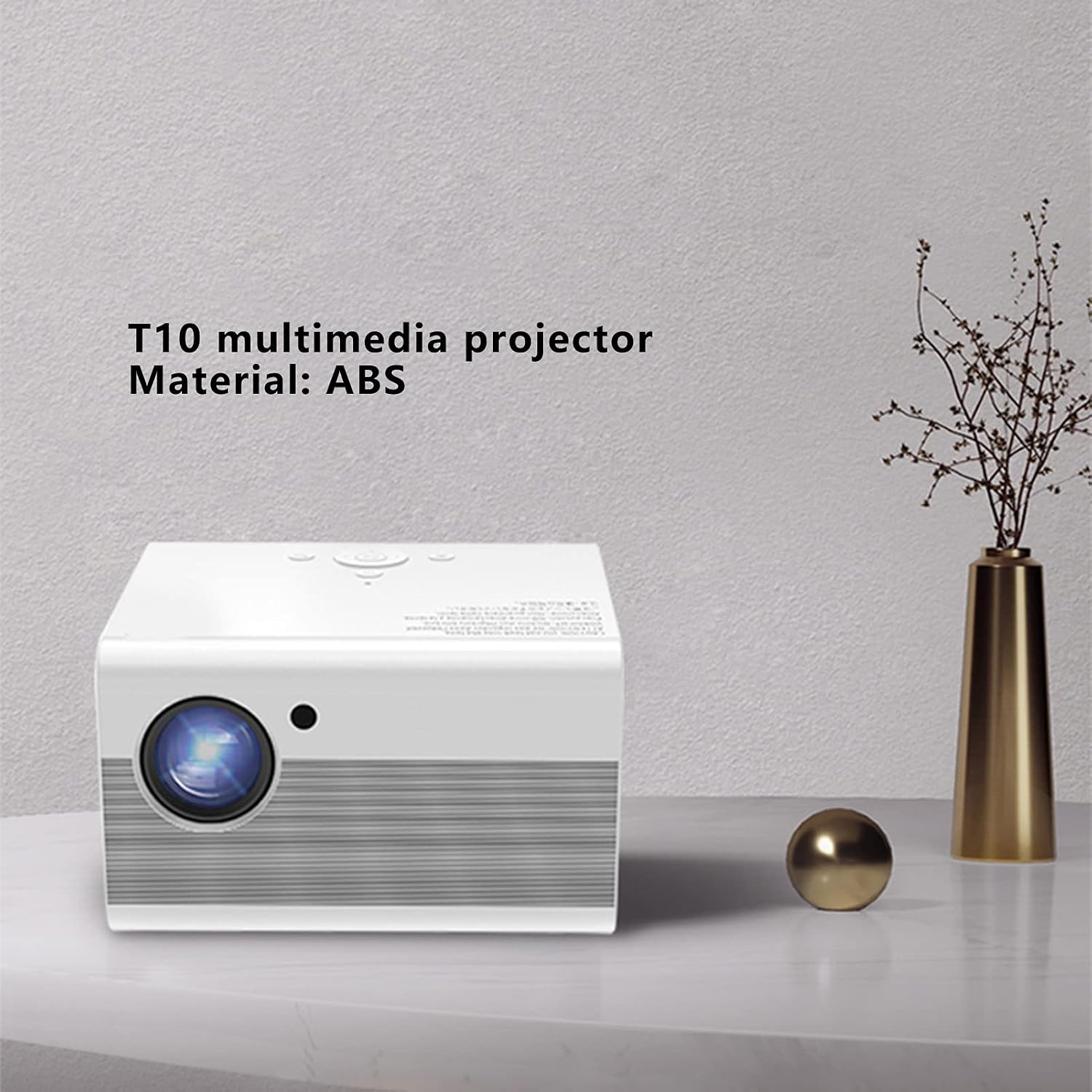
Image 1.1: The Bewinner T10 multimedia projector, showcasing its compact design and ABS material construction.
2 സുരക്ഷാ വിവരങ്ങൾ
തീ, വൈദ്യുതാഘാതം അല്ലെങ്കിൽ പരിക്ക് എന്നിവ ഒഴിവാക്കാൻ, ദയവായി ഇനിപ്പറയുന്ന സുരക്ഷാ മുൻകരുതലുകൾ പാലിക്കുക:
- വെന്റിലേഷൻ ദ്വാരങ്ങൾ അടയ്ക്കരുത്. ശരിയായ വായുസഞ്ചാരത്തിനായി പ്രൊജക്ടറിന് ചുറ്റും മതിയായ ഇടം ഉറപ്പാക്കുക.
- പ്രൊജക്ടറിൽ മഴയോ ഈർപ്പമോ ഏൽക്കരുത്. ജലസ്രോതസ്സുകളിൽ നിന്ന് മാറ്റി വയ്ക്കുക.
- അസ്ഥിരമായ പ്രതലങ്ങളിൽ പ്രൊജക്ടർ സ്ഥാപിക്കുന്നത് ഒഴിവാക്കുക.
- പ്രൊജക്ടർ തുറക്കരുത് casing. എല്ലാ സേവനങ്ങളും യോഗ്യതയുള്ള ഉദ്യോഗസ്ഥർക്ക് റഫർ ചെയ്യുക.
- പ്രൊജക്ടറിനൊപ്പം നൽകിയിരിക്കുന്ന പവർ അഡാപ്റ്റർ മാത്രം ഉപയോഗിക്കുക.
- l ചെയ്യുമ്പോൾ പ്രൊജക്ടർ ലെൻസിലേക്ക് നേരിട്ട് നോക്കരുത്amp കണ്ണിന് കേടുപാടുകൾ സംഭവിച്ചേക്കാം എന്നതിനാൽ ഓണാണ്.
- പ്രൊജക്ടർ നേരിട്ടുള്ള സൂര്യപ്രകാശത്തിൽ നിന്നും താപ സ്രോതസ്സുകളിൽ നിന്നും അകറ്റി നിർത്തുക.
3. പാക്കേജ് ഉള്ളടക്കം
താഴെ പറയുന്ന എല്ലാ ഇനങ്ങളും നിങ്ങളുടെ പാക്കേജിൽ ഉൾപ്പെടുത്തിയിട്ടുണ്ടോ എന്ന് ദയവായി പരിശോധിക്കുക:
- 1 x Bewinner T10 Projector
- 1 x ഉപയോക്തൃ മാനുവൽ (ഈ പ്രമാണം)
- 1 x AV Video Cable
- 1 x HD Multimedia Interface (HDMI) Cable
- 1 x പവർ കേബിൾ
- 1 x റിമോട്ട് കൺട്രോൾ
- 1 x ക്ലീനിംഗ് തുണി

Image 3.1: Contents of the Bewinner T10 projector package, including the projector and all accompanying accessories.
4. ഉൽപ്പന്നം കഴിഞ്ഞുview
പ്രൊജക്ടറിന്റെ ഘടകങ്ങളും പോർട്ടുകളും പരിചയപ്പെടുക.
ഫ്രണ്ട് View

ചിത്രം 4.1: മുൻഭാഗം view of the Bewinner T10 projector, highlighting the projection lens and infrared receiver.
- പ്രൊജക്ഷൻ ലെൻസ്: ചിത്രം സ്ക്രീനിലേക്ക് എമിറ്റ് ചെയ്യുന്നു.
- ഐആർ റിസീവർ: റിമോട്ട് കൺട്രോളിൽ നിന്ന് സിഗ്നലുകൾ സ്വീകരിക്കുന്നു.
വശവും പിൻഭാഗവും View

ചിത്രം 4.2: വശം view of the Bewinner T10 projector, illustrating the ventilation grilles and various input/output ports.
- വെന്റിലേഷൻ ഗ്രില്ലുകൾ: Essential for heat dissipation. Do not block.
- ഇൻപുട്ട് പോർട്ടുകൾ: (USB x 2, HD Multimedia Interface, AV Video) for connecting various devices.
- ഔട്ട്പുട്ട് പോർട്ട്: (3.5mm Headphone Jack) for external audio devices.
- പവർ ഇൻപുട്ട്: വൈദ്യുതി കേബിൾ ബന്ധിപ്പിക്കുന്നു.
5. സജ്ജീകരണം
5.1 പ്ലേസ്മെൻ്റ്
Place the projector on a stable, flat surface or mount it according to your preference. Ensure the projection path is clear of obstructions. The optimal projection distance is between 1.35m and 5m, yielding a screen size of approximately 45 to 220 inches.
5.2 പവർ കണക്ഷൻ
- പ്രൊജക്ടറിന്റെ പവർ ഇൻപുട്ട് പോർട്ടിലേക്ക് പവർ കേബിൾ ബന്ധിപ്പിക്കുക.
- Plug the other end of the power cable into a suitable electrical outlet (AC 100-240V).
5.3 ഇൻപുട്ട് ഉപകരണങ്ങൾ ബന്ധിപ്പിക്കൽ
പ്രൊജക്ടർ ഒന്നിലധികം ഇൻപുട്ട് ഉറവിടങ്ങളെ പിന്തുണയ്ക്കുന്നു:
- HD Multimedia Interface (HDMI): Connect your laptop, game console, Blu-ray player, or other HDMI-enabled devices using the provided HDMI cable.
- USB: Insert a USB drive into one of the two USB ports to play media fileനേരിട്ട്.
- AV Video: Use the AV cable to connect older devices like DVD players or VCRs.
5.4 ഫോക്കസും കീസ്റ്റോൺ ക്രമീകരണവും
- ഫോക്കസ്: Rotate the focus ring on the projector lens until the image appears clear and sharp.
- കീസ്റ്റോൺ തിരുത്തൽ: If the projected image appears trapezoidal, use the vertical keystone correction feature (±15°) to adjust the image to a rectangular shape. This is typically done via a dial or menu option on the projector or remote.
5.5 ബ്ലൂടൂത്ത് കണക്ഷൻ
The projector features integrated Bluetooth 4.0 for connecting external audio devices or controllers.
- Ensure your Bluetooth device (e.g., wireless headphones, speaker) is in pairing mode.
- Navigate to the Bluetooth settings menu on the projector (usually found in the main settings).
- ജോടിയാക്കാൻ ലഭ്യമായ ഉപകരണങ്ങളുടെ പട്ടികയിൽ നിന്ന് നിങ്ങളുടെ ഉപകരണം തിരഞ്ഞെടുക്കുക.
6. പ്രവർത്തന നിർദ്ദേശങ്ങൾ
6.1 പവർ ഓൺ/ഓഫ്
- പവർ ഓൺ: പ്രൊജക്ടറിലോ റിമോട്ട് കൺട്രോളിലോ ഉള്ള പവർ ബട്ടൺ അമർത്തുക.
- പവർ ഓഫ്: Press the power button again. The projector will go through a shutdown sequence. Do not unplug the power cable until the fan has stopped and the projector has fully cooled down.
6.2 ഉറവിട തിരഞ്ഞെടുപ്പ്
After powering on, use the 'Source' button on the remote control or the projector's control panel to select the desired input source (HDMI, USB, AV).
6.3 മെനു നാവിഗേഷൻ
Use the remote control's arrow keys and 'OK' button to navigate through the projector's on-screen menu. Adjust settings such as picture mode, sound, and system preferences as needed.
6.4 ഓഡിയോ putട്ട്പുട്ട്
The projector has a built-in speaker. For enhanced audio, connect external speakers or headphones to the 3.5mm audio output jack or pair them via Bluetooth.
7. പരിപാലനം
7.1 ലെൻസ് വൃത്തിയാക്കൽ
പ്രൊജക്ടർ ലെൻസ് മൃദുവായി തുടയ്ക്കാൻ ഒപ്റ്റിക്കൽ ലെൻസുകൾക്കായി പ്രത്യേകം രൂപകൽപ്പന ചെയ്ത മൃദുവായ, ലിന്റ് രഹിത തുണി ഉപയോഗിക്കുക. ലെൻസിൽ പോറൽ വീഴ്ത്താൻ സാധ്യതയുള്ള അബ്രസീവ് ക്ലീനറുകളോ അമിതമായ ബലമോ ഉപയോഗിക്കുന്നത് ഒഴിവാക്കുക.
7.2 Cleaning Ventilation
Regularly check and clean the ventilation grilles to prevent dust buildup, which can impede airflow and cause overheating. Use a soft brush or a can of compressed air to remove dust from the grilles.
7.3 സംഭരണം
When not in use for extended periods, store the projector in a cool, dry, and dust-free environment. Use the original packaging or a protective case to prevent damage.
8. പ്രശ്നപരിഹാരം
| പ്രശ്നം | സാധ്യമായ കാരണം | പരിഹാരം |
|---|---|---|
| ചിത്രമൊന്നും പ്രദർശിപ്പിച്ചിട്ടില്ല | Power cable loose; incorrect input source selected; input device not connected. | Check power connection; select correct input source; ensure input device is properly connected and powered on. |
| ചിത്രം മങ്ങിയതാണ് | ഫോക്കസ് ക്രമീകരിച്ചിട്ടില്ല; പ്രൊജക്ടർ സ്ക്രീനിൽ നിന്ന് വളരെ അടുത്താണ്/അകലെയാണ്. | Adjust the focus ring on the lens; reposition the projector within the recommended distance. |
| ചിത്രം ട്രപസോയിഡൽ ആണ് | പ്രൊജക്ടർ സ്ക്രീനിന് ലംബമല്ല. | Adjust the keystone correction (vertical ±15°). |
| ശബ്ദമില്ല | Volume too low; external audio device not connected/paired; mute function active. | Increase volume; check external audio connections/Bluetooth pairing; disable mute. |
| റിമോട്ട് കൺട്രോൾ പ്രവർത്തിക്കുന്നില്ല | Batteries depleted; obstruction between remote and IR receiver. | Replace remote control batteries (2 x AAA); ensure clear line of sight to the projector's IR receiver. |
9 സ്പെസിഫിക്കേഷനുകൾ
| ഫീച്ചർ | സ്പെസിഫിക്കേഷൻ |
|---|---|
| മോഡൽ നമ്പർ | Bewinnergz20rdpt3f-12 |
| മെറ്റീരിയൽ | എബിഎസ് |
| ഡിസ്പ്ലേ ടെക്നോളജി | എൽസിഡി |
| ലൈറ്റ് സോഴ്സ് ടെക്നോളജി | എൽഇഡി |
| ലൈറ്റ് സോഴ്സ് ലൈഫ് | > 30000 മണിക്കൂർ |
| സ്റ്റാൻഡേർഡ് റെസല്യൂഷൻ | 1920 x 1080 |
| ത്രോ അനുപാതം | 1.37 |
| പ്രൊജക്ഷൻ രീതി | Front Projection, Lifting |
| കീസ്റ്റോൺ തിരുത്തൽ | Vertical ± 15° |
| പ്രൊജക്ഷൻ ദൂരം | 1.35 - 5 മീറ്റർ |
| പ്രൊജക്ഷൻ വലിപ്പം | Approx. 45 - 220 inches |
| ഇൻപുട്ട് പോർട്ടുകൾ | USB x 2, HD Multimedia Interface, AV Video |
| Put ട്ട്പുട്ട് പോർട്ട് | 3.5 എംഎം ഹെഡ്ഫോൺ ജാക്ക് |
| സ്റ്റാൻഡ്ബൈ പവർ ഉപഭോഗം | < 5 W |
| LED ലൈറ്റ് പവർ | 75 W |
| റിമോട്ട് കൺട്രോൾ ബാറ്ററി | 2 x AAA ബാറ്ററികൾ (ഉൾപ്പെടുത്തിയിട്ടില്ല) |
| വാല്യംtage | 100-240 വി |
| അളവുകൾ | 25 x 22 x 19 സെ.മീ |
| നിയന്ത്രണ രീതി | റിമോട്ട് കൺട്രോൾ |
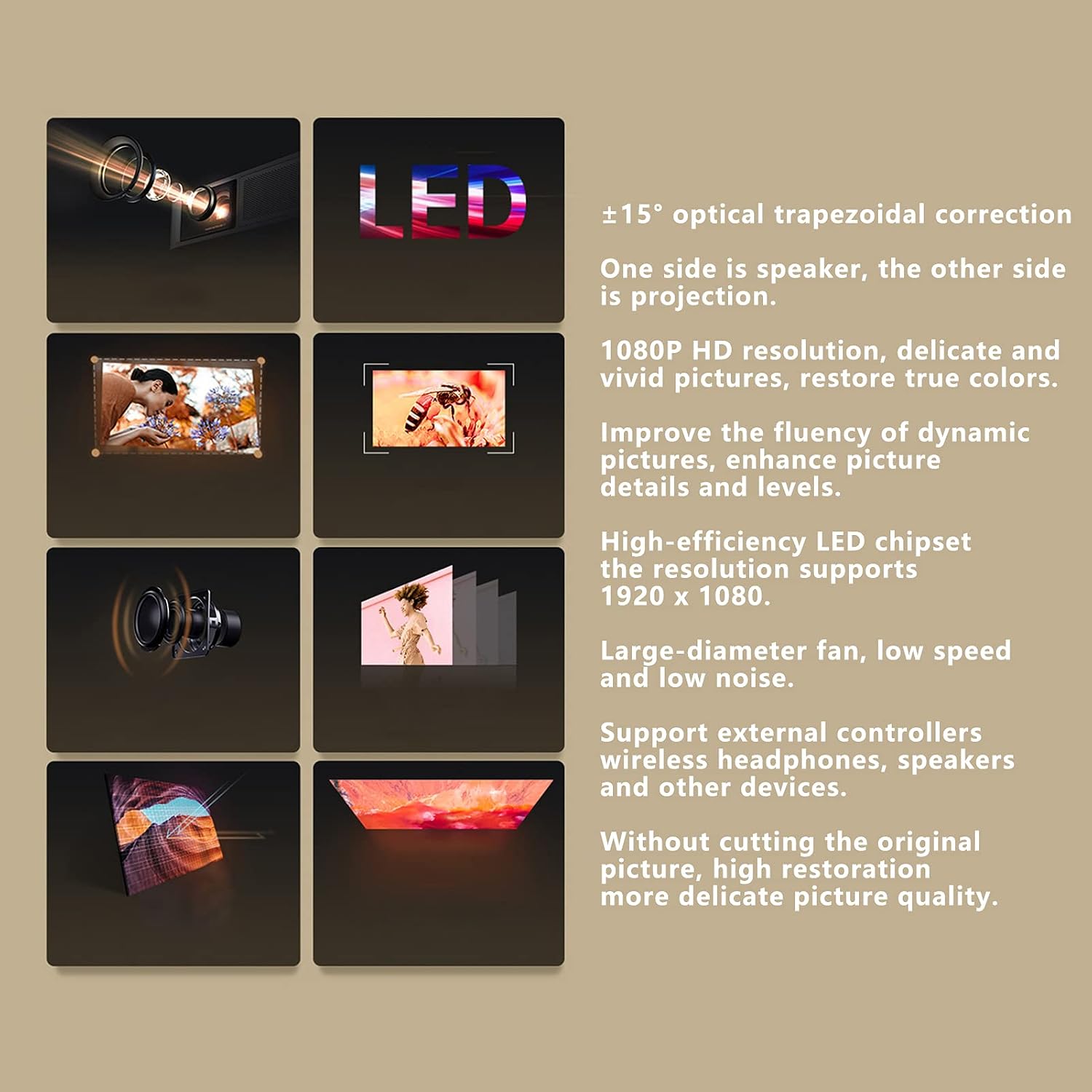
Image 9.1: Visual representation of the Bewinner T10 projector's core features and specifications.
10. വാറൻ്റിയും പിന്തുണയും
Bewinner products are designed and manufactured to the highest quality standards. For warranty information and technical support, please refer to the documentation provided with your purchase or contact your retailer. Keep your proof of purchase for warranty claims.


