ആമുഖം
This manual provides comprehensive instructions for the installation, operation, and maintenance of your Cuifati B75 S Mining Mainboard. This ATX DDR3 LGA1155 Desktop Motherboard is designed to support various Intel Core processors and offers robust performance for desktop computing and mining applications. It features dual-channel DDR3 memory slots, multiple output interfaces including VGA, DVI, and HD Multimedia Interface, and Gigabit Ethernet support.

ചിത്രം 1: ഓവർview of the Cuifati B75 S Mining Mainboard.
സജ്ജീകരണവും ഇൻസ്റ്റാളേഷനും
Follow these steps to properly install your B75 S Mining Mainboard into your computer system.
1. മദർബോർഡ് തയ്യാറാക്കൽ
Ensure you are working in a static-free environment. Place the motherboard on an anti-static mat or in its original anti-static bag before installation.
2. സിപിയു ഇൻസ്റ്റാൾ ചെയ്യുന്നു
- മദർബോർഡിൽ LGA1155 CPU സോക്കറ്റ് കണ്ടെത്തുക.
- ലോഡ് ലിവർ പതുക്കെ ഉയർത്തി സിപിയു സോക്കറ്റ് കവർ തുറക്കുക.
- Align the CPU with the socket, ensuring the golden triangle on the CPU matches the triangle on the socket. Do not force the CPU into place.
- Lower the CPU into the socket, close the cover, and secure it with the load lever.

Figure 2: Diagram illustrating the various components and interfaces on the B75 S Mainboard, including the LGA1155 CPU socket.
3. RAM (DDR3 മെമ്മറി) ഇൻസ്റ്റാൾ ചെയ്യുന്നു
The motherboard features dual-channel DDR3 memory slots for enhanced performance.
- DDR3 മെമ്മറി സ്ലോട്ടുകളുടെ രണ്ടറ്റത്തും ക്ലിപ്പുകൾ തുറക്കുക.
- Align the notch on the DDR3 memory module with the key in the memory slot.
- ക്ലിപ്പുകൾ ശരിയായ സ്ഥാനത്ത് വരുന്നത് വരെ മെമ്മറി മൊഡ്യൂളിന്റെ രണ്ട് അറ്റങ്ങളിലും ദൃഢമായി അമർത്തുക.

Figure 3: The DDR3 dual channel memory slots, designed to significantly improve motherboard performance.
4. വൈദ്യുതി വിതരണം ബന്ധിപ്പിക്കുന്നു
- നിങ്ങളുടെ പവർ സപ്ലൈ യൂണിറ്റിൽ (പിഎസ്യു) നിന്ന് 24-പിൻ എടിഎക്സ് പവർ കണക്റ്റർ മദർബോർഡിലെ അനുബന്ധ പോർട്ടിലേക്ക് ബന്ധിപ്പിക്കുക.
- Connect the 4-pin CPU power connector (ATX_12V) to its designated port near the CPU socket.
5. Installing Storage Devices (SATA)
Connect your SATA hard drives or SSDs to the SATA ports on the motherboard. This motherboard supports SATA 2.0 and SATA 3.0.

Figure 4: Illustrates the process of connecting a SATA cable for storage devices.
6. ഫ്രണ്ട് പാനൽ കണക്ടറുകൾ ബന്ധിപ്പിക്കുന്നു
Connect the power switch, reset switch, HDD LED, and power LED connectors from your PC case to the corresponding pins on the motherboard's front panel header. Refer to the motherboard diagram for exact pin locations.
7. പെരിഫറലുകൾ ബന്ധിപ്പിക്കുന്നു
Connect your monitor to the appropriate video output (VGA, DVI, or HD Multimedia Interface) on the motherboard's rear I/O panel. Connect USB devices, keyboard, and mouse to the available ports.
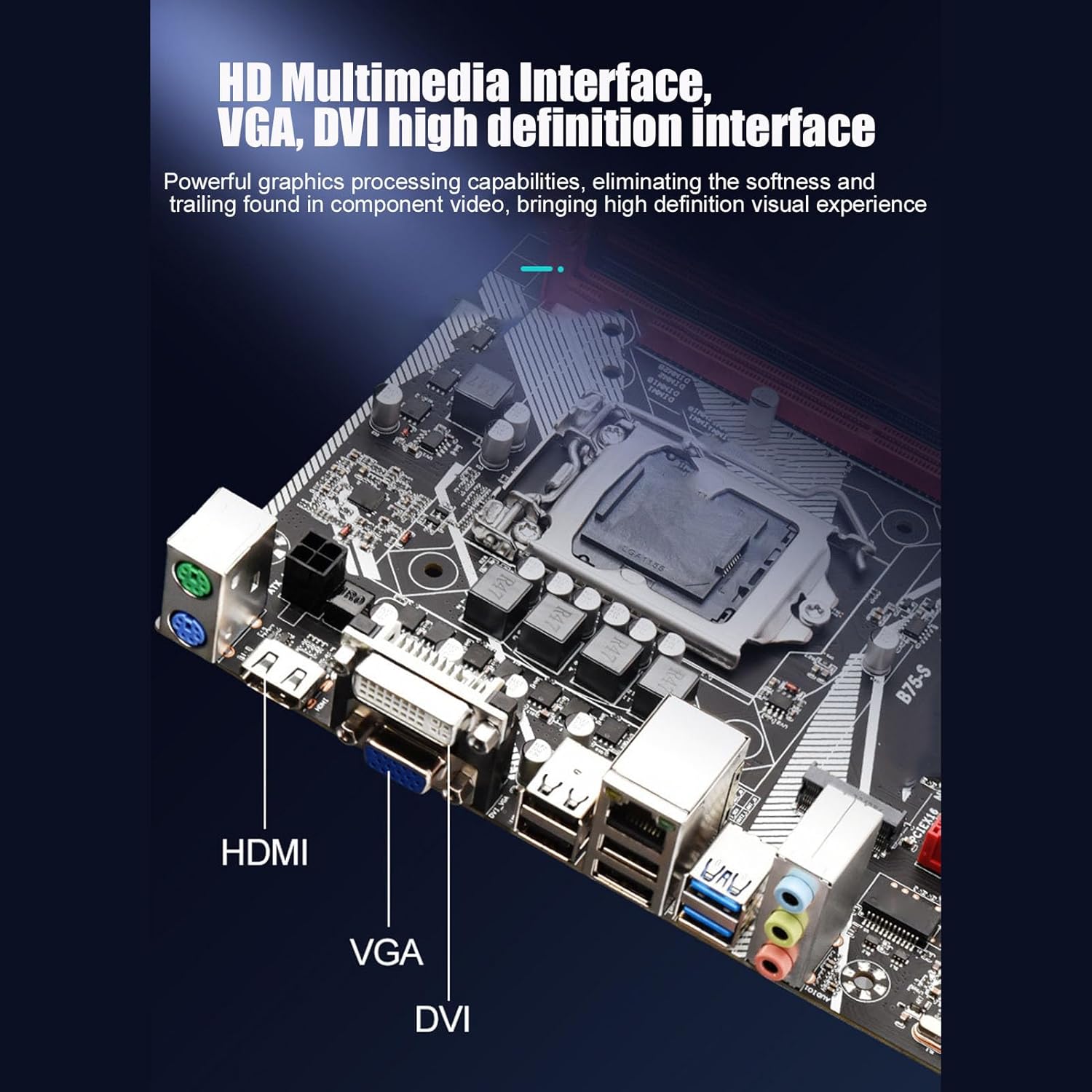
Figure 5: The rear I/O panel featuring HD Multimedia Interface, VGA, and DVI ports for high-definition visual output.

ചിത്രം 6: വിശദമായി view of the rear I/O ports, including USB 2.0, USB 3.0, Gigabit Ethernet, and audio jacks.
പ്രവർത്തന നിർദ്ദേശങ്ങൾ
എല്ലാ ഘടകങ്ങളും ഇൻസ്റ്റാൾ ചെയ്ത് ബന്ധിപ്പിച്ചുകഴിഞ്ഞാൽ, നിങ്ങളുടെ സിസ്റ്റം ഓൺ ചെയ്യാൻ കഴിയും.
1. ആദ്യ ബൂട്ട്
- After connecting all necessary cables, turn on the power supply.
- നിങ്ങളുടെ പിസി കേസിലെ പവർ ബട്ടൺ അമർത്തുക.
- The system should boot up and display the BIOS/UEFI screen or begin the operating system installation process.
2. ബയോസ്/യുഇഎഫ്ഐ കോൺഫിഗറേഷൻ
During the initial boot, press the designated key (usually DEL or F2) to enter the BIOS/UEFI setup. Here you can configure boot order, system time, and other advanced settings. Ensure your storage devices are recognized and set the correct boot priority for your operating system installation media.
3. ഓപ്പറേറ്റിംഗ് സിസ്റ്റം ഇൻസ്റ്റലേഷൻ
Insert your Windows 10 (or other compatible OS) installation media (USB drive or DVD) and follow the on-screen prompts to install the operating system. After installation, install the necessary drivers for the motherboard components, including chipset, audio, LAN, and graphics drivers.
4. Utilizing Features
- Front USB 3.0 Interface: Connect compatible devices to the front USB 3.0 ports for faster data transfer speeds (up to 10x faster than USB 2.0).
- ഗിഗാബൈറ്റ് ഇഥർനെറ്റ്: For high-performance network connectivity, connect your Ethernet cable to the Gigabit LAN port. This is ideal for online gaming and high-speed data transfer.
- HD Multimedia Interface: Use the HD Multimedia Interface port for high-definition audio and video output to compatible displays.
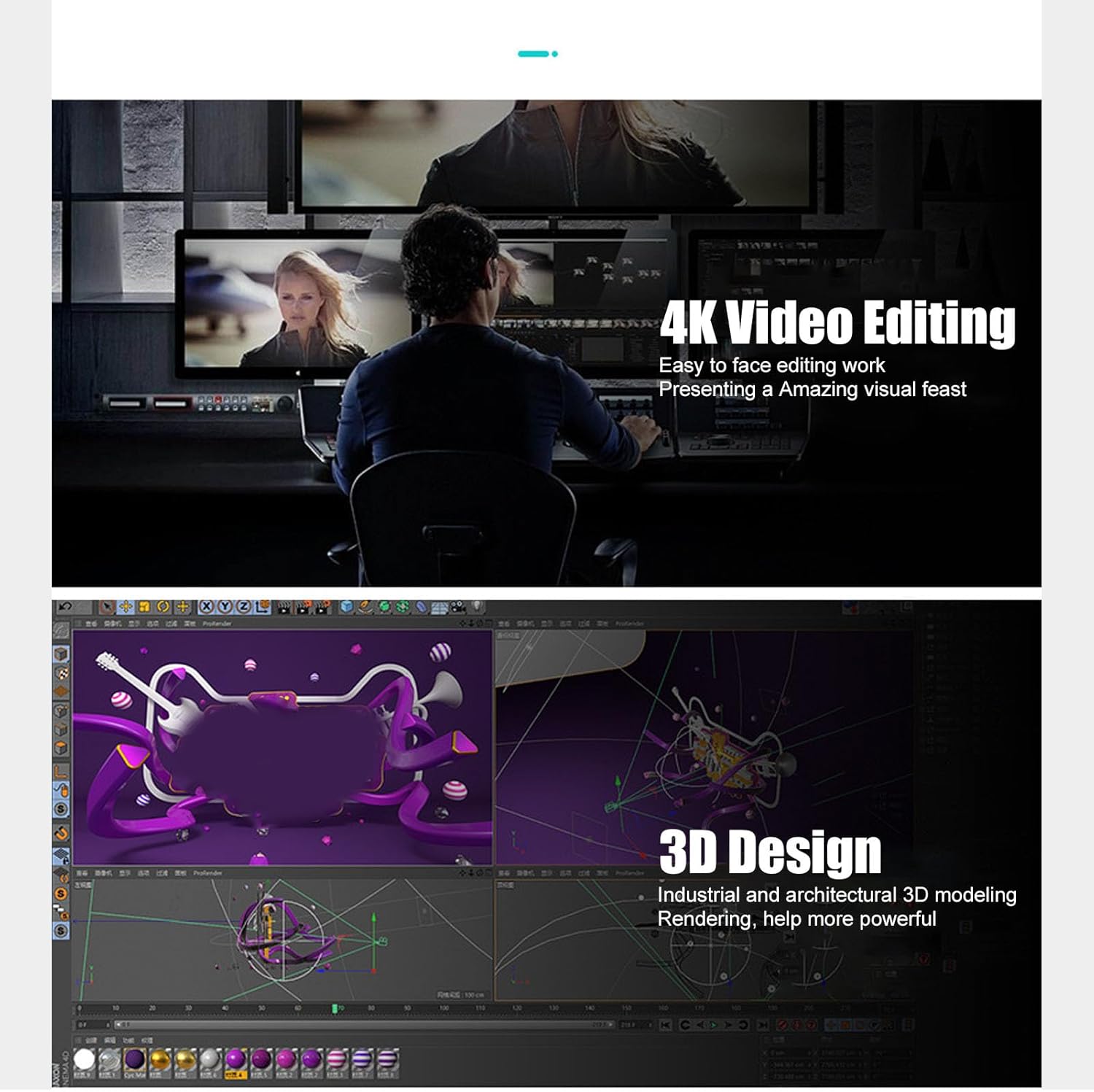
Figure 7: The motherboard's capabilities support demanding tasks such as 4K video editing and 3D design, providing a powerful visual experience.
മെയിൻ്റനൻസ്
ശരിയായ അറ്റകുറ്റപ്പണികൾ നിങ്ങളുടെ മദർബോർഡിന്റെ ദീർഘായുസ്സും മികച്ച പ്രകടനവും ഉറപ്പാക്കുന്നു.
- പൊടി നീക്കം: Regularly clean dust from inside your PC case, especially around the motherboard, CPU cooler, and fan vents. Use compressed air for best results. Ensure the system is powered off and unplugged before cleaning.
- താപനില നിരീക്ഷണം: Monitor CPU and chipset temperatures using system monitoring software to prevent overheating. Ensure adequate airflow within the PC case.
- ഡ്രൈവർ അപ്ഡേറ്റുകൾ: Keep your motherboard drivers (chipset, audio, LAN, etc.) updated to the latest versions from the manufacturer's website for improved stability and performance.
- Solid Capacitors: The motherboard utilizes all solid-state capacitors, which contribute to its stability and extended lifespan. While these are highly durable, proper cooling and power supply are still essential.
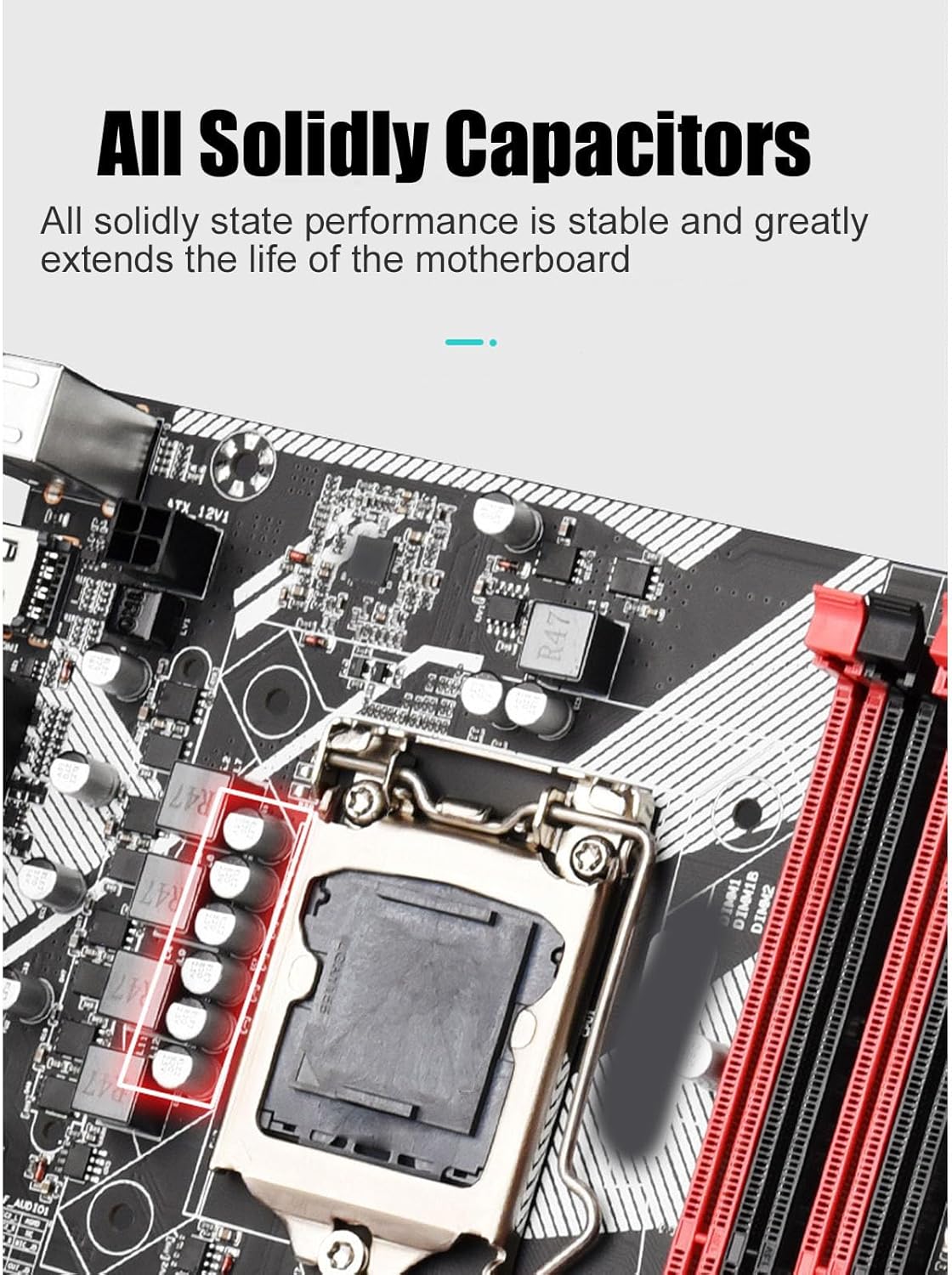
Figure 8: The all solid-state capacitors on the motherboard ensure stable performance and extended durability.
ട്രബിൾഷൂട്ടിംഗ്
നിങ്ങൾ നേരിട്ടേക്കാവുന്ന പൊതുവായ പ്രശ്നങ്ങളെ ഈ വിഭാഗം അഭിസംബോധന ചെയ്യുന്നു.
- പവർ ഇല്ല/ബൂട്ട് ഇല്ല:
- Check if the power supply unit (PSU) is properly connected to the motherboard (24-pin ATX and 4-pin CPU power).
- Ensure the front panel power switch connector is correctly attached to the motherboard.
- Verify the PSU is switched on and receiving power from the wall outlet.
- ഡിസ്പ്ലേ ഇല്ല:
- Ensure the monitor is properly connected to the motherboard's video output (VGA, DVI, or HD Multimedia Interface) and is powered on.
- RAM മൊഡ്യൂളുകൾ വീണ്ടും ഇൻസ്റ്റാൾ ചെയ്യുക. തെറ്റായി സ്ഥാപിച്ചിരിക്കുന്ന RAM ആണ് ഡിസ്പ്ലേ ഇല്ലാത്തതിന്റെ ഒരു സാധാരണ കാരണം.
- If using a dedicated graphics card, ensure it is properly seated in the PCIe slot and has adequate power.
- സിസ്റ്റം അസ്ഥിരത/ക്രാഷുകൾ:
- Check for overheating. Ensure CPU cooler is properly installed and fans are working.
- തകരാറുള്ള RAM പരിശോധിക്കാൻ മെമ്മറി ഡയഗ്നോസ്റ്റിക് ഉപകരണങ്ങൾ പ്രവർത്തിപ്പിക്കുക.
- Update motherboard chipset drivers and BIOS/UEFI firmware.
- തിരിച്ചറിയാത്ത USB ഉപകരണങ്ങൾ:
- യുഎസ്ബി ഡ്രൈവറുകൾ ഇൻസ്റ്റാൾ ചെയ്തിട്ടുണ്ടെന്ന് ഉറപ്പാക്കുക.
- ഉപകരണം മറ്റൊരു USB പോർട്ടിലേക്ക് ബന്ധിപ്പിക്കാൻ ശ്രമിക്കുക.
- USB പോർട്ടുകൾ പ്രവർത്തനക്ഷമമാക്കിയിട്ടുണ്ടെന്ന് ഉറപ്പാക്കാൻ BIOS/UEFI ക്രമീകരണങ്ങൾ പരിശോധിക്കുക.
സ്പെസിഫിക്കേഷനുകൾ
| ഫീച്ചർ | വിശദാംശങ്ങൾ |
|---|---|
| ബ്രാൻഡ് | ക്യൂഫാറ്റി |
| മോഡലിൻ്റെ പേര് | Cuifati9ue1rxghng |
| സിപിയു സോക്കറ്റ് | LGA 1155 |
| അനുയോജ്യമായ പ്രോസസ്സറുകൾ | ഇന്റൽ കോർ i3-3xxx, ഇന്റൽ കോർ i5-3xxx, ഇന്റൽ കോർ i7-3xxx, ഇന്റൽ കോർ i3-4xxx, ഇന്റൽ കോർ i5-4xxx, ഇന്റൽ കോർ i7-4xxx |
| റാം മെമ്മറി ടെക്നോളജി | DDR3 |
| മെമ്മറി ക്ലോക്ക് സ്പീഡ് | 2400 MHz |
| മെമ്മറി സംഭരണ ശേഷി (പരമാവധി) | 64 ജിബി |
| ചിപ്സെറ്റ് തരം | ഇന്റൽ ബി 75 എക്സ്പ്രസ് |
| അനുയോജ്യമായ ഉപകരണങ്ങൾ | പേഴ്സണൽ കമ്പ്യൂട്ടർ |
| പ്ലാറ്റ്ഫോം | വിൻഡോസ് 10 |
| ഔട്ട്പുട്ട് ഇൻ്റർഫേസുകൾ | HD Multimedia Interface, VGA, DVI |
| ഇഥർനെറ്റ് | ഗിഗാബിറ്റ് ഇഥർനെറ്റ് |
| USB ഇന്റർഫേസുകൾ | Front USB 3.0, USB 2.0 |
| കപ്പാസിറ്ററുകൾ | All Solid State Capacitors |
| പാക്കേജ് അളവുകൾ | 11.57 x 9.53 x 2.4 ഇഞ്ച് |
| ഇനത്തിൻ്റെ ഭാരം | 1.67 പൗണ്ട് |
| നിർമ്മാതാവ് | ക്യൂഫാറ്റി |
| ആദ്യ തീയതി ലഭ്യമാണ് | ജൂലൈ 18, 2023 |

Figure 9: Key performance features of the Cuifati B75 S Mainboard.
വാറൻ്റിയും പിന്തുണയും
For warranty information and technical support, please refer to the official Cuifati webനിങ്ങളുടെ സൈറ്റിൽ ബന്ധപ്പെടുക അല്ലെങ്കിൽ നിങ്ങളുടെ റീട്ടെയിലറെ ബന്ധപ്പെടുക. വാറന്റി ക്ലെയിമുകൾക്കുള്ള വാങ്ങലിന്റെ തെളിവായി നിങ്ങളുടെ വാങ്ങൽ രസീത് സൂക്ഷിക്കുക.
- തിരികെ നൽകൽ നയം: The product typically comes with a 30-day return/replacement policy from the date of purchase.
- സംരക്ഷണ പദ്ധതികൾ: Additional protection plans (e.g., 3-Year or 4-Year Protection Plans) may be available for extended coverage. Please check with your retailer for details.