ആമുഖം
Welcome to the user manual for your new Candy Smart Pro Washing Machine. This appliance is designed to provide efficient and convenient laundry care with advanced features such as intelligent KG detection, delayed start, and remote control via the Simply-Fi app. Please read this manual carefully before using the appliance to ensure safe and optimal operation.

ചിത്രം 1: ഫ്രണ്ട് view of the Candy Smart Pro Washing Machine, showcasing its sleek white design and central control panel.
സുരക്ഷാ വിവരങ്ങൾ
ഉപകരണത്തിന് പരിക്കേൽക്കുകയോ കേടുപാടുകൾ സംഭവിക്കുകയോ ചെയ്യാതിരിക്കാൻ ഇനിപ്പറയുന്ന സുരക്ഷാ മുൻകരുതലുകൾ എല്ലായ്പ്പോഴും പാലിക്കുക:
- ഉപകരണം ശരിയായി നിലത്തുണ്ടെന്ന് ഉറപ്പാക്കുക.
- കുട്ടികളെ വാഷിംഗ് മെഷീൻ ഉപയോഗിച്ച് കളിക്കാനോ പ്രവർത്തിപ്പിക്കാനോ അനുവദിക്കരുത്.
- വൃത്തിയാക്കുന്നതിനോ അറ്റകുറ്റപ്പണികൾ നടത്തുന്നതിനോ മുമ്പ് ഉപകരണം അൺപ്ലഗ് ചെയ്യുക.
- കത്തുന്ന വസ്തുക്കളാൽ മലിനമായ വസ്തുക്കൾ കഴുകരുത്.
- വാഷിംഗ് മെഷീനിന് ചുറ്റുമുള്ള ഭാഗം തടസ്സങ്ങളില്ലാതെ സൂക്ഷിക്കുക.
ബോക്സിൽ എന്താണുള്ളത്
Upon unpacking your Candy Smart Pro Washing Machine, please ensure all the following components are present:
- ഉപയോക്തൃ മാനുവൽ
- ഹോസ് കളയുക
- വാഷിംഗ് മെഷീൻ യൂണിറ്റ്
സജ്ജീകരണവും ഇൻസ്റ്റാളേഷനും
നിങ്ങളുടെ വാഷിംഗ് മെഷീനിന്റെ പ്രകടനത്തിനും ദീർഘായുസ്സിനും ശരിയായ ഇൻസ്റ്റാളേഷൻ നിർണായകമാണ്. യോഗ്യതയുള്ള ഒരു ടെക്നീഷ്യനെക്കൊണ്ട് ഉപകരണം ഇൻസ്റ്റാൾ ചെയ്യാൻ ശുപാർശ ചെയ്യുന്നു.
1. അൺപാക്ക് ചെയ്യലും സ്ഥാനനിർണ്ണയവും
- എല്ലാ പാക്കേജിംഗ് വസ്തുക്കളും ശ്രദ്ധാപൂർവ്വം നീക്കം ചെയ്യുക.
- Remove the transport bolts from the rear of the machine. These bolts secure the drum during transit and must be removed before operation. Refer to the diagram below for bolt locations.
- വാഷിംഗ് മെഷീൻ ഉറച്ചതും നിരപ്പായതുമായ ഒരു പ്രതലത്തിൽ വയ്ക്കുക. യൂണിറ്റിന് ചുറ്റും വായുസഞ്ചാരത്തിനും പ്രവേശനത്തിനും മതിയായ ഇടമുണ്ടെന്ന് ഉറപ്പാക്കുക.

ചിത്രം 2: Dimensions of the washing machine: 85cm height, 60cm width, 53cm depth. Ensure sufficient space for installation.
2. വാട്ടർ ആൻഡ് ഡ്രെയിൻ കണക്ഷനുകൾ
- Connect the water inlet hose to a cold water tap. Ensure a tight seal to prevent leaks.
- Insert the drain hose into a suitable drain pipe or sink, ensuring it is securely positioned to prevent dislodgement during operation.
3. വൈദ്യുതി ബന്ധം
- പവർ കോഡ് ഒരു ഗ്രൗണ്ടഡ് ഇലക്ട്രിക്കൽ ഔട്ട്ലെറ്റിലേക്ക് പ്ലഗ് ചെയ്യുക. എക്സ്റ്റൻഷൻ കോഡുകളോ അഡാപ്റ്ററുകളോ ഉപയോഗിക്കരുത്.
പ്രവർത്തന നിർദ്ദേശങ്ങൾ
Your Candy Smart Pro washing machine offers a variety of programs and smart features for optimal laundry care.
നിയന്ത്രണ പാനൽ ഓവർview

ചിത്രം 3: The control panel features a program selector dial, a digital display, and touch buttons for various functions.
- പ്രോഗ്രാം സെലക്ടർ ഡയൽ: ആവശ്യമുള്ള വാഷ് പ്രോഗ്രാം തിരഞ്ഞെടുക്കാൻ ഉപയോഗിക്കുന്നു.
- ഡിജിറ്റൽ ഡിസ്പ്ലേ: പ്രോഗ്രാമിന്റെ ദൈർഘ്യം, പിശക് കോഡുകൾ, തിരഞ്ഞെടുത്ത ഓപ്ഷനുകൾ എന്നിവ കാണിക്കുന്നു.
- ഫംഗ്ഷൻ ബട്ടണുകൾ: Allow selection of temperature, spin speed, delayed start, and other special functions.
ലോൺട്രി ലോഡുചെയ്യുന്നു

ചിത്രം 4: Open the door and load laundry into the drum, ensuring not to overload the machine.
Open the washing machine door and load your laundry into the drum. Do not overload the machine; leave enough space for clothes to tumble freely. The intelligent KG detector will automatically adjust water and electricity consumption based on the load weight.
ഒരു വാഷ് പ്രോഗ്രാം തിരഞ്ഞെടുക്കുന്നു
- Turn the program selector dial to choose the appropriate wash program for your laundry type (e.g., Cotton, Synthetics, Delicates).
- Adjust the temperature and spin speed using the corresponding buttons on the control panel if desired.
- ഉപയോഗിക്കുന്നതിന് വൈകിയുള്ള ആരംഭം function, press the relevant button and set the desired delay time (up to 24 hours).
- സൈക്കിൾ ആരംഭിക്കാൻ ആരംഭിക്കുക/താൽക്കാലികമായി നിർത്തുക ബട്ടൺ അമർത്തുക.
Simply-Fi App Connectivity
The Candy Smart Pro washing machine can be controlled remotely via the Simply-Fi app (Wi-Fi + BLE connection). This allows you to manage cycles, receive washing advice, and monitor the appliance from your smartphone.
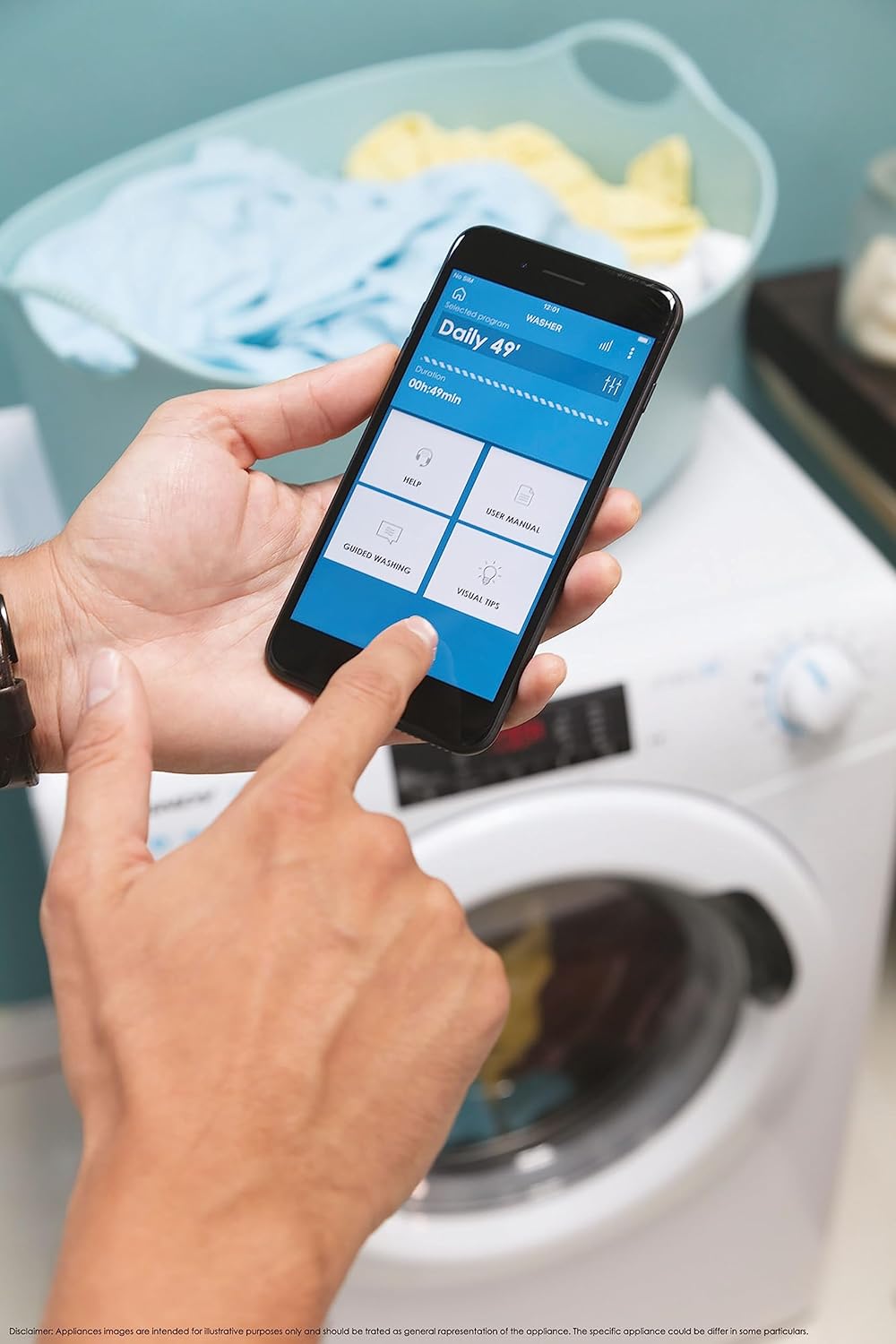
ചിത്രം 5: Control your washing machine remotely using the Simply-Fi app on your smartphone.
- Download the Simply-Fi app from your smartphone's app store.
- Follow the in-app instructions to connect your washing machine to your home Wi-Fi network.
- Once connected, you can access additional programs, monitor cycle status, and receive maintenance reminders.
മെയിൻ്റനൻസ്
Regular maintenance ensures the efficiency and extends the lifespan of your washing machine.
ഡിറ്റർജന്റ് ഡിസ്പെൻസർ വൃത്തിയാക്കുന്നു
- ഡിറ്റർജൻ്റ് ഡിസ്പെൻസർ ഡ്രോയർ പുറത്തെടുക്കുക.
- Remove any residue and rinse thoroughly under running water.
- ഡ്രോയർ വീണ്ടും വയ്ക്കുക.
ഫിൽട്ടർ വൃത്തിയാക്കുന്നു
- മെഷീനിന്റെ മുൻവശത്ത് താഴെയായി ഫിൽട്ടർ കവർ കണ്ടെത്തുക.
- ശേഷിക്കുന്ന വെള്ളം ശേഖരിക്കാൻ ഒരു ആഴം കുറഞ്ഞ പാത്രം അടിയിൽ വയ്ക്കുക.
- Unscrew the filter slowly to drain water, then remove and clean it of lint and debris.
- ഫിൽട്ടർ സുരക്ഷിതമായി തിരികെ സ്ക്രൂ ചെയ്യുക.
ഡ്രം ക്ലീനിംഗ്
- Run a hot wash cycle with no laundry and a washing machine cleaner or a cup of white vinegar to remove odors and residue.
Smart Check-Up Function
Utilize the Smart Check-Up function via the Simply-Fi app to monitor the health of your washing machine. It provides notifications for errors or malfunctions, helping you maintain the appliance effectively.
ട്രബിൾഷൂട്ടിംഗ്
ഉപഭോക്തൃ സേവനവുമായി ബന്ധപ്പെടുന്നതിന് മുമ്പ്, ഇനിപ്പറയുന്ന പൊതുവായ പ്രശ്നങ്ങളും അവയുടെ പരിഹാരങ്ങളും പരിശോധിക്കുക:
| പ്രശ്നം | സാധ്യമായ കാരണം | പരിഹാരം |
|---|---|---|
| മെഷീൻ ആരംഭിക്കുന്നില്ല | Power cord unplugged, door not closed properly, delayed start active. | Check power connection, ensure door is latched, cancel delayed start. |
| അമിതമായ വൈബ്രേഷൻ/ശബ്ദം | ട്രാൻസ്പോർട്ട് ബോൾട്ടുകൾ നീക്കം ചെയ്തിട്ടില്ല, മെഷീൻ നിരപ്പാക്കിയിട്ടില്ല, ലോഡ് അസമമാണ്. | Remove transport bolts, adjust leveling feet, redistribute laundry inside drum. |
| വെള്ളം ചോർച്ച | Hoses loose, drain filter clogged, excessive detergent. | Check hose connections, clean drain filter, use appropriate amount of detergent. |
| ആപ്പ് കണക്റ്റിവിറ്റി പ്രശ്നങ്ങൾ | Wi-Fi signal weak, app not updated, incorrect pairing. | Ensure strong Wi-Fi signal, update app, re-pair device following app instructions. |
സ്പെസിഫിക്കേഷനുകൾ
| ഫീച്ചർ | വിശദാംശങ്ങൾ |
|---|---|
| ബ്രാൻഡ് | മിഠായി |
| മോഡൽ | CSO 1295TW4/1-S |
| ശേഷി | 9 കിലോഗ്രാം |
| അളവുകൾ (HxWxD) | 85 x 60 x 53 സെ.മീ |
| ഭാരം | 65 കിലോഗ്രാം |
| എനർജി എഫിഷ്യൻസി ക്ലാസ് | B |
| പരമാവധി സ്പിൻ വേഗത | 1200 ആർപിഎം |
| കണക്റ്റിവിറ്റി | Wi-Fi + BLE (Simply-Fi App) |
| നിയന്ത്രണ തരം | Touch, Dial |
വാറൻ്റിയും പിന്തുണയും
Your Candy Smart Pro Washing Machine is covered by a manufacturer's warranty. For specific details regarding the warranty period and terms, please refer to the documentation provided with your purchase or visit the official Candy webസൈറ്റ്.
For technical assistance, spare parts, or to schedule a service appointment, please contact Candy customer support. Have your model number (CSO 1295TW4/1-S) and serial number ready when contacting support.
തിരികെ നൽകൽ നയം: നിങ്ങളുടെ മനസ്സ് മാറിയതിനാൽ രസീത് ലഭിച്ച് 30 ദിവസത്തിനുള്ളിൽ ഒരു ഉൽപ്പന്നം തിരികെ നൽകാൻ നിങ്ങൾ ആഗ്രഹിക്കുന്നുവെങ്കിൽ, ദയവായി റീട്ടെയിലറുടെ റിട്ടേൺ നയം പരിശോധിക്കുക. website. If you have received a defective or damaged product, please refer to the retailer's help page on defective or damaged products.


