ആമുഖം
This manual provides detailed instructions for the Taiahiro 201 Gaming Keyboard. This 87-key mechanical keyboard is designed for an enhanced typing and gaming experience, featuring non-conflicting keys for simultaneous presses without lag. Its compact and ergonomic design ensures comfortable use across various devices.
പാക്കേജ് ഉള്ളടക്കം
- Taiahiro 201 Mechanical Keyboard
- USB-C മുതൽ USB-A കേബിൾ വരെ
- ഉപയോക്തൃ മാനുവൽ
ഉൽപ്പന്നം കഴിഞ്ഞുview
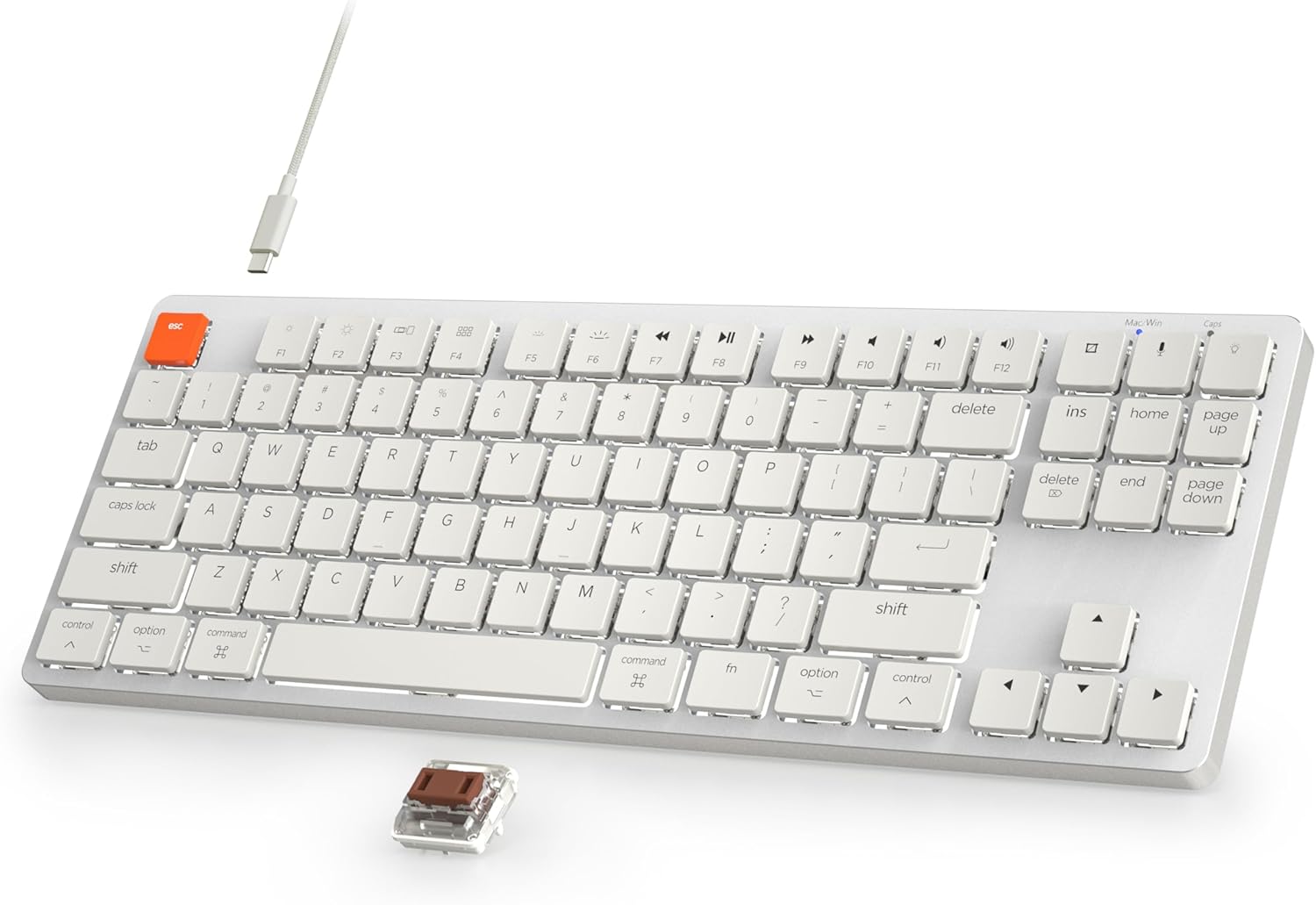
Figure 1: Taiahiro 201 Mechanical Keyboard. This image shows the full keyboard with its white keys and silver frame, connected via a white USB-C cable.
The Taiahiro 201 keyboard features an 87-key layout, providing a compact form factor without sacrificing essential functionality. It includes dedicated function keys and multimedia controls.
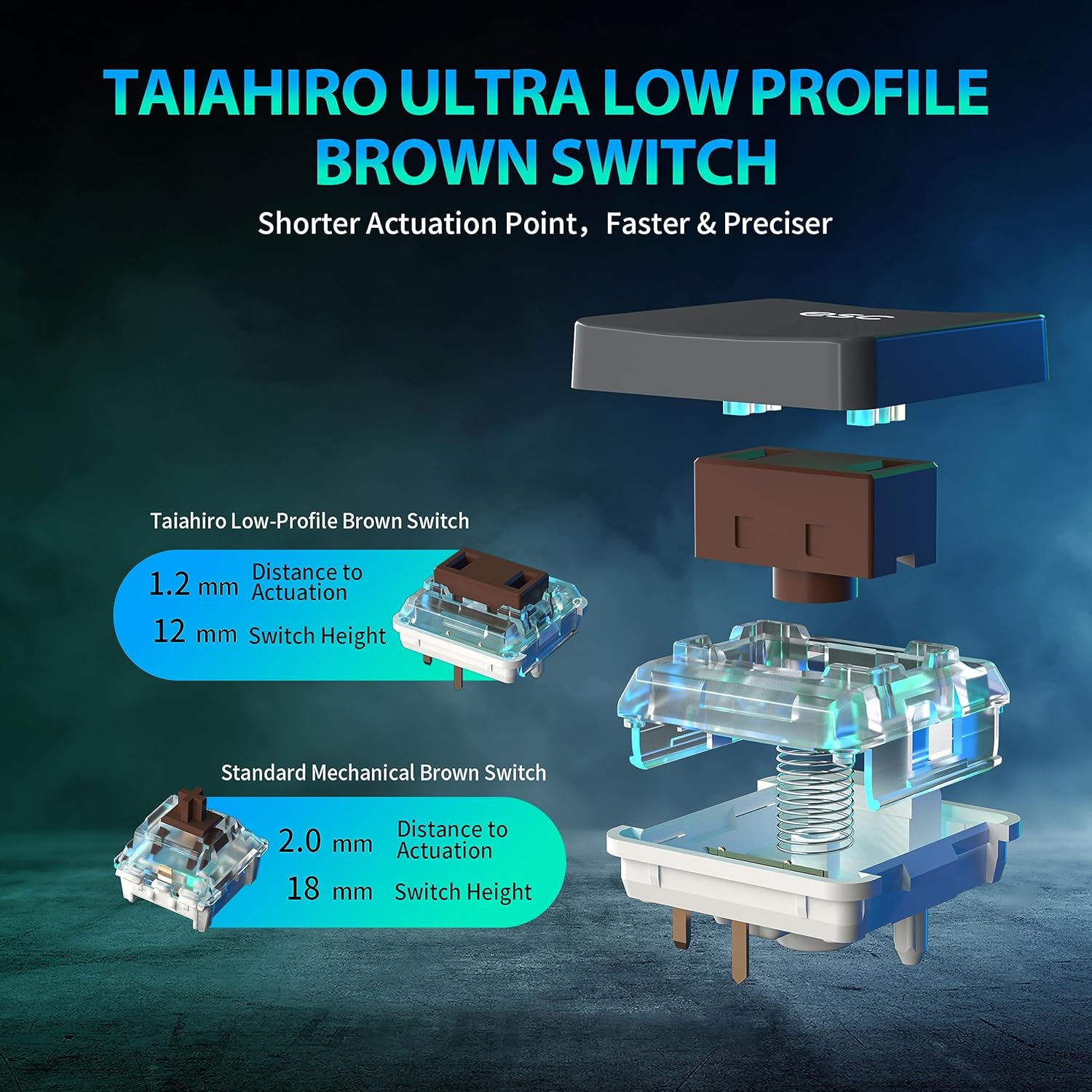
Figure 2: Taiahiro Low-Profile Brown Switch. This diagram illustrates the internal components and dimensions of the low-profile brown switch compared to a standard mechanical brown switch, highlighting its shorter actuation point and overall height.
The keyboard utilizes Taiahiro Low-Profile Brown Switches, designed for a shorter actuation point, resulting in faster and more precise keystrokes. The switch height is 12mm with a 1.2mm actuation distance.
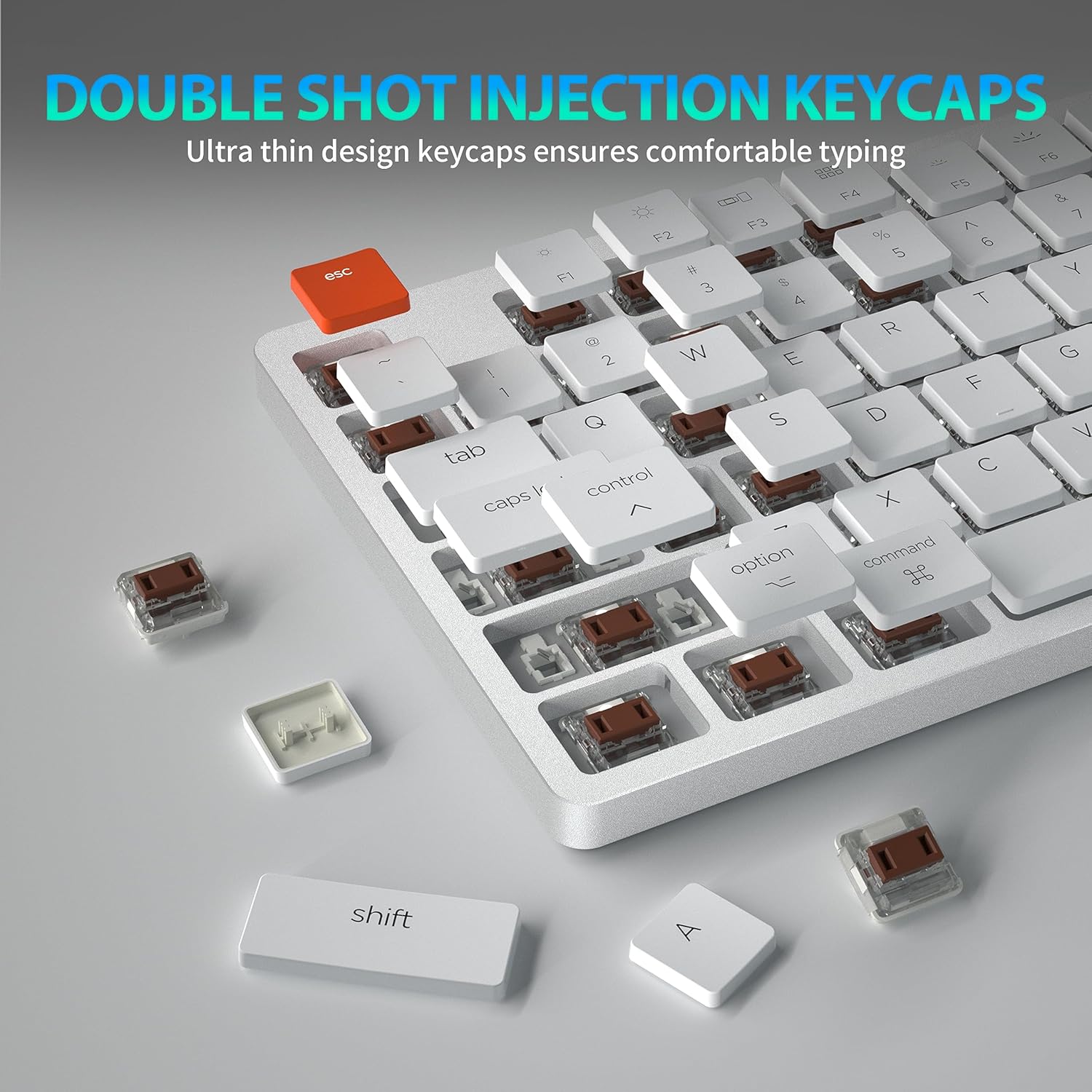
Figure 3: Double Shot Injection Keycaps. A close-up view of the keyboard showing several keycaps removed, revealing the double-shot injection molding process which ensures durability and clear legends.
Keycaps are manufactured using double shot injection, ensuring durability and preventing legends from fading over time. The ultra-thin design contributes to a comfortable typing experience.
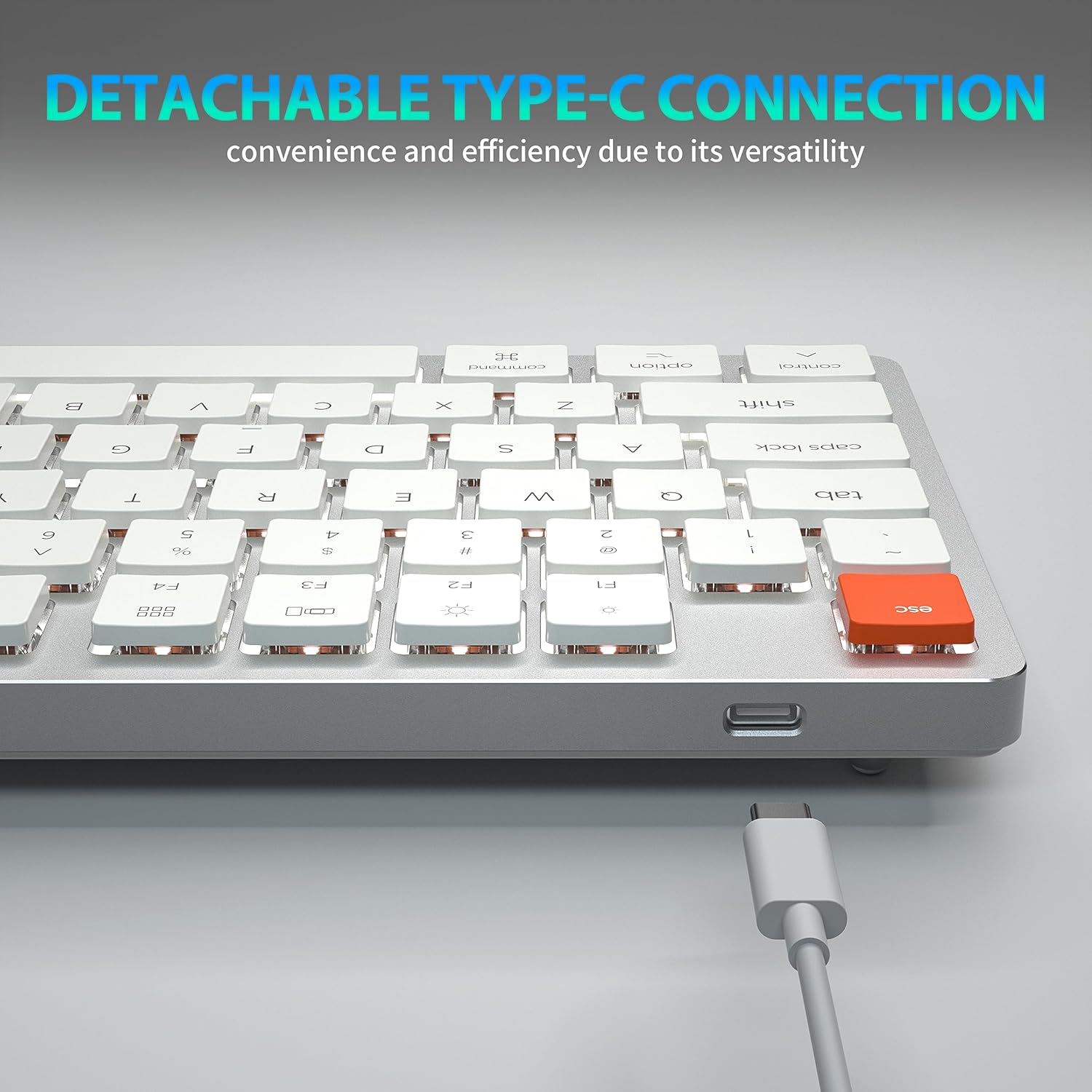
Figure 4: Detachable Type-C Connection. This image highlights the USB-C port on the keyboard and the detachable cable, emphasizing its versatility and ease of transport.
The keyboard features a detachable USB Type-C connection, offering convenience and efficiency due to its versatile and widely compatible interface.
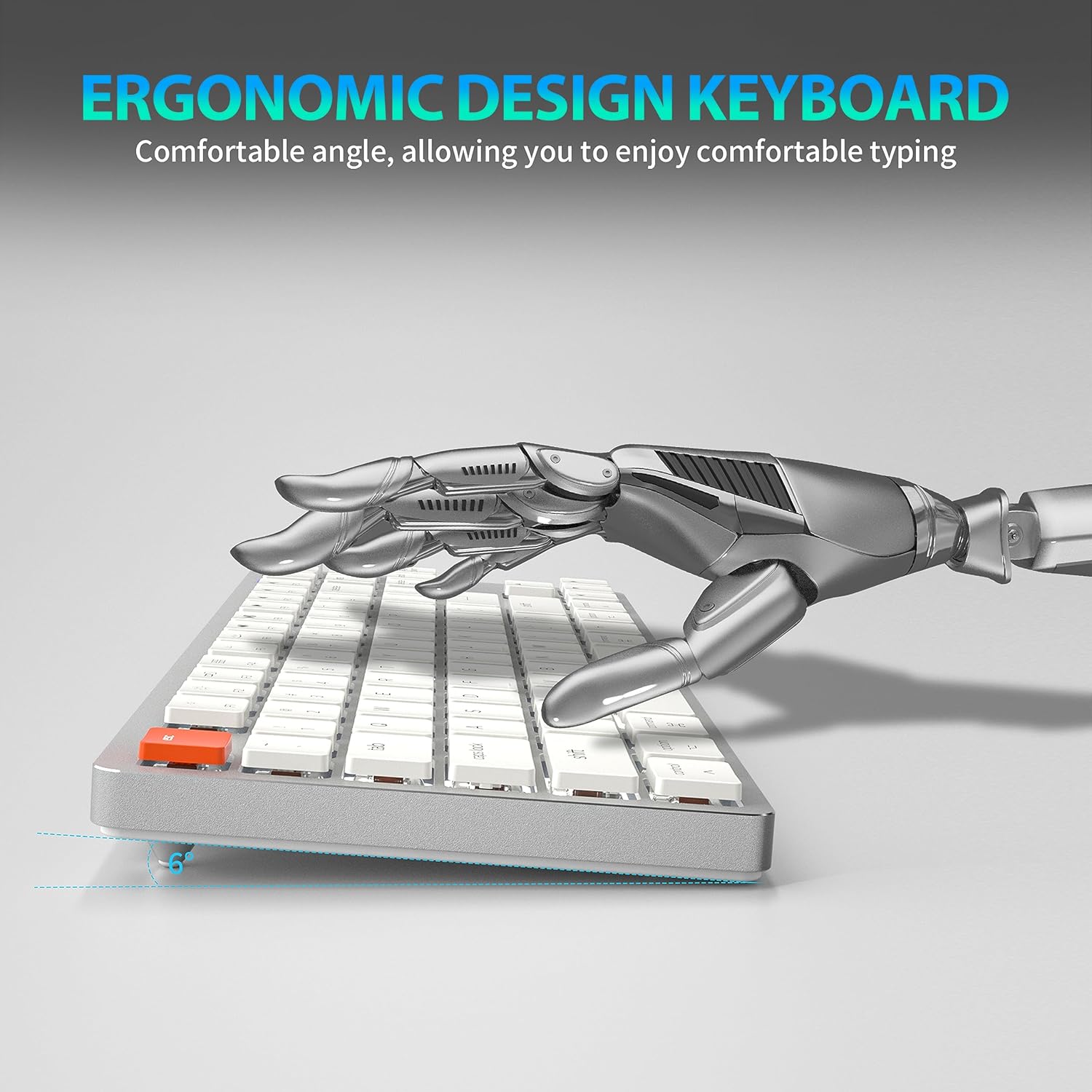
Figure 5: Ergonomic Design. A side view of the keyboard illustrating its comfortable typing angle, designed to reduce strain during extended use.
The ergonomic design provides a comfortable angle for typing, reducing wrist strain during prolonged use.
സജ്ജമാക്കുക
വയർഡ് കണക്ഷൻ (USB-C)
- Connect the USB-C end of the provided cable to the keyboard's USB-C port.
- Connect the USB-A end of the cable to an available USB port on your computer or device.
- കീബോർഡ് യാന്ത്രികമായി തിരിച്ചറിയപ്പെടുകയും ഉപയോഗത്തിന് തയ്യാറാകുകയും ചെയ്യും.
Wireless Connection (Bluetooth 5.1)
The keyboard supports stable Bluetooth 5.1 connectivity, allowing effortless switching between up to 3 devices.
- കീബോർഡ് ചാർജ് ചെയ്തിട്ടുണ്ടോ അല്ലെങ്കിൽ USB-C വഴി ബന്ധിപ്പിച്ചിട്ടുണ്ടോ എന്ന് ഉറപ്പാക്കുക.
- Turn on the keyboard's power switch (usually located on the back or side).
- ജോടിയാക്കൽ മോഡിൽ പ്രവേശിക്കാൻ, അമർത്തിപ്പിടിക്കുക Fn + Q, Fn + W, അല്ലെങ്കിൽ Fn + E for 3-5 seconds. The indicator light for the selected channel (Q, W, or E) will flash rapidly, indicating it's ready for pairing.
- നിങ്ങളുടെ ഉപകരണത്തിൽ (പിസി, ലാപ്ടോപ്പ്, ടാബ്ലെറ്റ്, ഫോൺ), ബ്ലൂടൂത്ത് പ്രവർത്തനക്ഷമമാക്കി പുതിയ ഉപകരണങ്ങൾക്കായി തിരയുക.
- Select "Taiahiro 201 Keyboard" (or similar name) from the list of available devices.
- Once connected, the indicator light will stop flashing and remain solid for a few seconds, then turn off.
- ജോടിയാക്കിയ ഉപകരണങ്ങൾക്കിടയിൽ മാറാൻ, അമർത്തുക Fn + Q, Fn + W, അല്ലെങ്കിൽ Fn + E.
പ്രവർത്തന നിർദ്ദേശങ്ങൾ
ബാക്ക്ലൈറ്റ് നിയന്ത്രണം
The Taiahiro 201 keyboard features adjustable backlighting. Use the following key combinations to control the backlight:
- എഫ്എൻ + \ |: Cycle through backlight modes.
- Fn + ↑: ബാക്ക്ലൈറ്റ് തെളിച്ചം വർദ്ധിപ്പിക്കുക.
- Fn + ↓: ബാക്ക്ലൈറ്റ് തെളിച്ചം കുറയ്ക്കുക.
- Fn + ←: Decrease backlight speed (for dynamic modes).
- Fn + →: Increase backlight speed (for dynamic modes).
Multimedia Keys and Function Keys
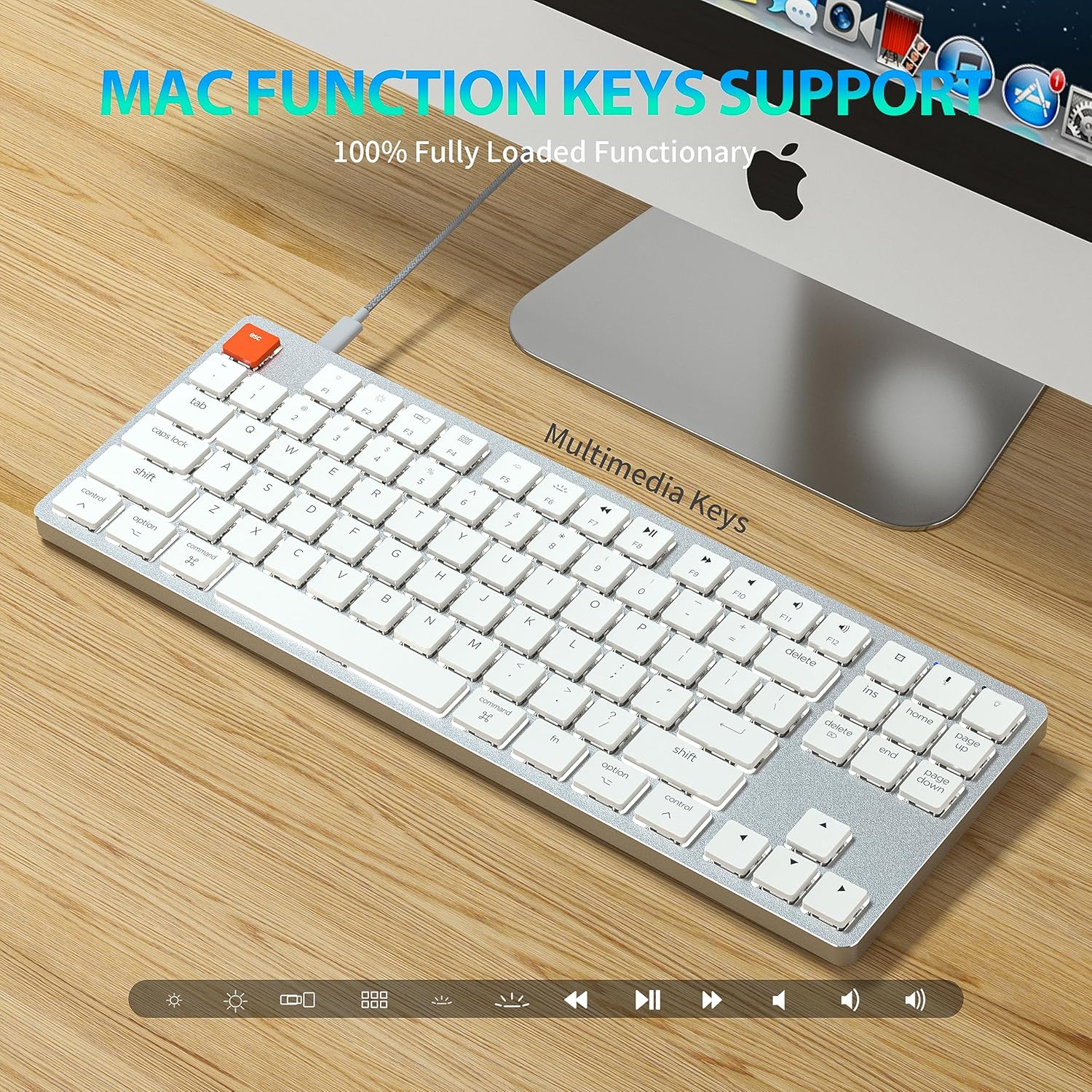
Figure 6: Mac Function Keys Support. This image shows the keyboard in a Mac setup, highlighting the multimedia and function keys (F1-F12) and their compatibility with macOS.
The keyboard supports full functionality for both Windows and Mac operating systems. Use the Fn key in combination with the F-keys for multimedia and system functions:
- Fn + F1: Decrease screen brightness
- Fn + F2: Increase screen brightness
- Fn + F3: Mission Control (Mac) / Task View (വിൻഡോസ്)
- Fn + F4: Launchpad (Mac) / Search (Windows)
- Fn + F5: Backlight mode cycle
- Fn + F6: Backlight color cycle
- Fn + F7: മുമ്പത്തെ ട്രാക്ക്
- Fn + F8: പ്ലേ/താൽക്കാലികമായി നിർത്തുക
- Fn + F9: അടുത്ത ട്രാക്ക്
- Fn + F10: നിശബ്ദമാക്കുക
- Fn + F11: വോളിയം താഴേക്ക്
- Fn + F12: വോളിയം കൂട്ടുക
- fn + A: Switch to Mac layout (Command/Option keys)
- എഫ്എൻ + എസ്: Switch to Windows layout (Ctrl/Alt keys)
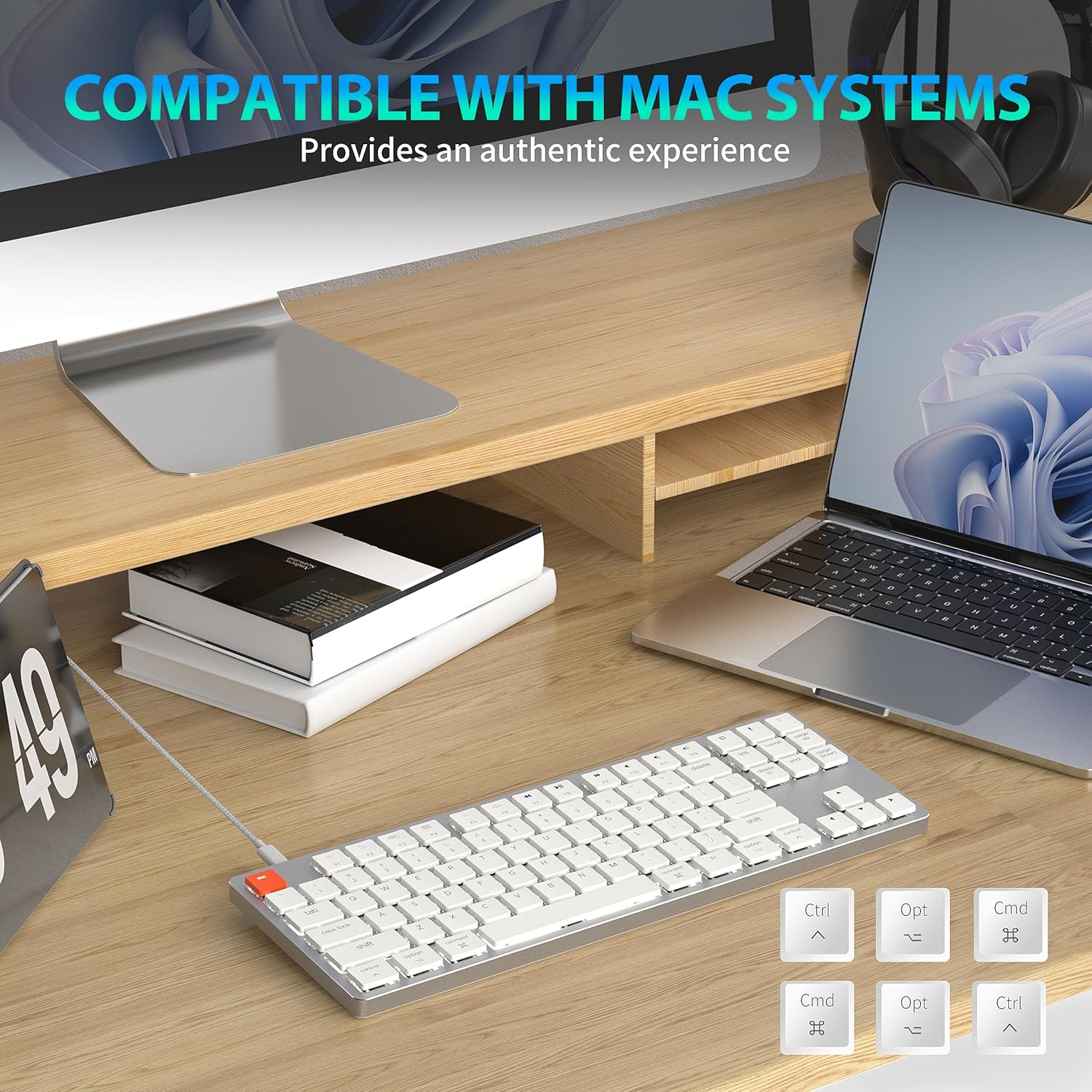
Figure 7: Compatibility with Mac Systems. This image shows the keyboard connected to a Mac setup, with an inset displaying alternative keycaps for Command, Option, and Control, indicating full compatibility and an authentic experience for Mac users.
The keyboard is fully compatible with Mac systems, providing an authentic experience with dedicated Mac function keys and layout options.
മെയിൻ്റനൻസ്
- വൃത്തിയാക്കൽ: Use a soft, dry cloth to wipe the keyboard surface. For deeper cleaning, gently remove keycaps and use compressed air to clear debris.
- സംഭരണം: നേരിട്ടുള്ള സൂര്യപ്രകാശവും കടുത്ത താപനിലയും ഏൽക്കാത്ത തണുത്തതും വരണ്ടതുമായ സ്ഥലത്ത് കീബോർഡ് സൂക്ഷിക്കുക.
- ദ്രാവക എക്സ്പോഷർ: Avoid exposing the keyboard to liquids. In case of spills, immediately disconnect the keyboard and allow it to dry completely before re-connecting.
ട്രബിൾഷൂട്ടിംഗ്
കീബോർഡ് പ്രതികരിക്കുന്നില്ല
- വയർഡ് മോഡ്: USB-C കേബിൾ കീബോർഡിലേക്കും കമ്പ്യൂട്ടറിലേക്കും സുരക്ഷിതമായി ബന്ധിപ്പിച്ചിട്ടുണ്ടെന്ന് ഉറപ്പാക്കുക. മറ്റൊരു USB പോർട്ട് അല്ലെങ്കിൽ കേബിൾ പരീക്ഷിക്കുക.
- വയർലെസ് മോഡ്:
- Check if the keyboard is powered on.
- കീബോർഡ് ചാർജ് ചെയ്തിട്ടുണ്ടെന്ന് ഉറപ്പാക്കുക.
- നിങ്ങളുടെ ഉപകരണത്തിൽ ബ്ലൂടൂത്ത് പ്രവർത്തനക്ഷമമാക്കിയിട്ടുണ്ടെന്ന് ഉറപ്പാക്കുക.
- Re-pair the keyboard with your device (see Wireless Connection section).
- Ensure you are on the correct Bluetooth channel (Fn+Q/W/E).
Backlight Not Working/Dim
- ഉപയോഗിച്ച് തെളിച്ചം വർദ്ധിപ്പിക്കുക Fn + ↑.
- ബാക്ക്ലൈറ്റ് മോഡുകളിലൂടെ സൈക്കിൾ ചെയ്യുക ഉപയോഗിച്ച് എഫ്എൻ + \ |.
- Ensure the keyboard is not in a low-power state. Charge the keyboard if using wireless mode.
Bluetooth Disconnection Issues
- Ensure the keyboard is within the effective range of your device.
- മറ്റ് വയർലെസ് ഉപകരണങ്ങളിൽ നിന്നുള്ള ഇടപെടൽ കുറയ്ക്കുക.
- Re-pair the keyboard.
- Update Bluetooth drivers on your device if applicable.
സ്പെസിഫിക്കേഷനുകൾ
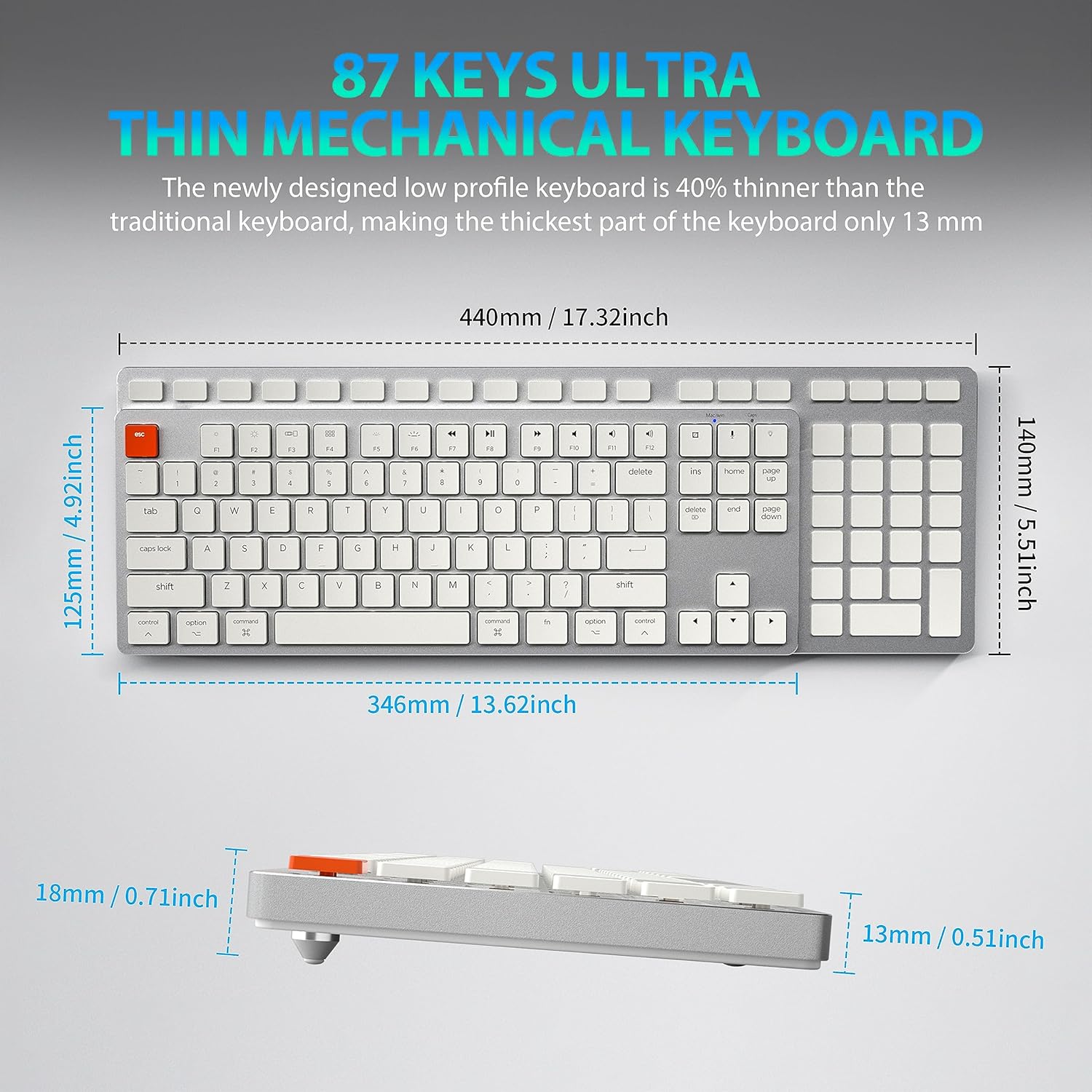
Figure 8: Keyboard Dimensions. This diagram provides precise measurements of the keyboard's length, width, and thickness, illustrating its ultra-thin profile.
| ബ്രാൻഡ് | തായാഹിരോ |
| മോഡലിൻ്റെ പേര് | 201 |
| കണക്റ്റിവിറ്റി ടെക്നോളജി | ബ്ലൂടൂത്ത്, യുഎസ്ബി-സി (വയേർഡ്) |
| കീബോർഡ് വിവരണം | മെക്കാനിക്കൽ |
| കീകളുടെ എണ്ണം | 87 |
| പ്രത്യേക ഫീച്ചർ | Ergonomic, N-Key Rollover, Backlit |
| അനുയോജ്യമായ ഉപകരണങ്ങൾ | PC, Laptop, Pad, Phone (Mac/Windows compatible) |
| ഇനത്തിൻ്റെ ഭാരം | 2.18 പൗണ്ട് |
| പാക്കേജ് അളവുകൾ | 16.93 x 6.69 x 1.54 ഇഞ്ച് |
| നിർമ്മാതാവ് | തൈഹിരോ ടെക് |
വാറൻ്റിയും പിന്തുണയും
For warranty information and technical support, please refer to the contact details provided with your product packaging or visit the official Taiahiro webസൈറ്റ്. വാറൻ്റി ക്ലെയിമുകൾക്കായി നിങ്ങളുടെ വാങ്ങൽ രസീത് സൂക്ഷിക്കുക.


