ആമുഖം
The EvoFox Elite X Wireless Gamepad is designed to provide a superior gaming experience on PC with its advanced features, including dual vibration motors, programmable macro buttons, and low-latency wireless connectivity. This manual provides detailed instructions for setting up, operating, maintaining, and troubleshooting your gamepad to ensure optimal performance.
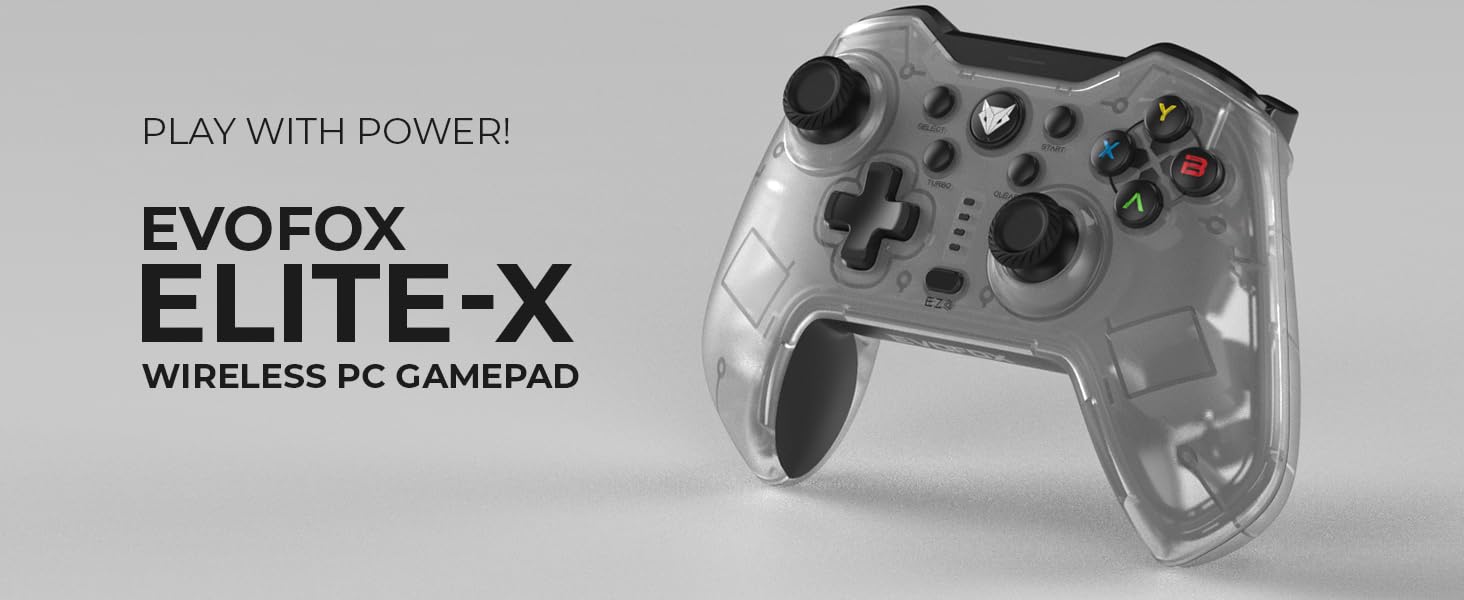
Image: The EvoFox Elite X Wireless PC Gamepad, showcasing its sleek design and branding.
പാക്കേജ് ഉള്ളടക്കം
പാക്കേജിൽ എല്ലാ ഇനങ്ങളും ഉണ്ടെന്ന് ദയവായി പരിശോധിക്കുക:
- EvoFox Elite X Wireless Gamepad
- ചാർജിംഗ് കേബിൾ
- യുഎസ്ബി ഡോംഗിൾ
- ഉപയോക്തൃ മാനുവൽ (ഈ പ്രമാണം)
സജ്ജീകരണ ഗൈഡ്
1. യുഎസ്ബി ഡോംഗിൾ ബന്ധിപ്പിക്കുന്നു
The EvoFox Elite X Gamepad utilizes a 2.4GHz wireless USB dongle for connectivity. This ensures a stable and low-latency connection to your PC.
- Locate the USB dongle included in your package.
- നിങ്ങളുടെ പിസിയിൽ ലഭ്യമായ USB പോർട്ടിലേക്ക് USB ഡോംഗിൾ ചേർക്കുക.
- നിങ്ങളുടെ പിസി ആവശ്യമായ ഡ്രൈവറുകൾ സ്വയമേവ കണ്ടെത്തി ഇൻസ്റ്റാൾ ചെയ്യണം. ഇതിന് കുറച്ച് നിമിഷങ്ങൾ എടുത്തേക്കാം.
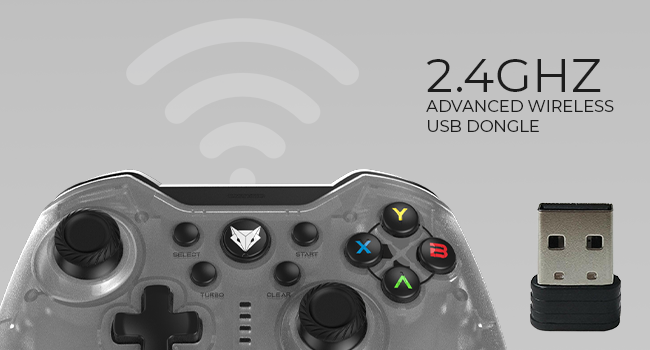
Image: The 2.4GHz advanced wireless USB dongle, essential for connecting the gamepad to your PC.
2. പ്രാരംഭ പവർ ഓണും ജോടിയാക്കലും
Once the USB dongle is connected, power on your gamepad. The gamepad should automatically pair with the dongle. If pairing does not occur automatically, refer to the troubleshooting section.
3. ഗെയിംപാഡ് ചാർജ് ചെയ്യുന്നു
Before first use, it is recommended to fully charge the gamepad. The gamepad features a Type-C charging port.
- Connect the provided charging cable to the Type-C port on the gamepad.
- Connect the other end of the charging cable to a USB power source (e.g., PC USB port, USB wall adapter).
- The charging indicator lights on the gamepad will show the charging status. Refer to the gamepad's LED indicators for specific charging behavior.
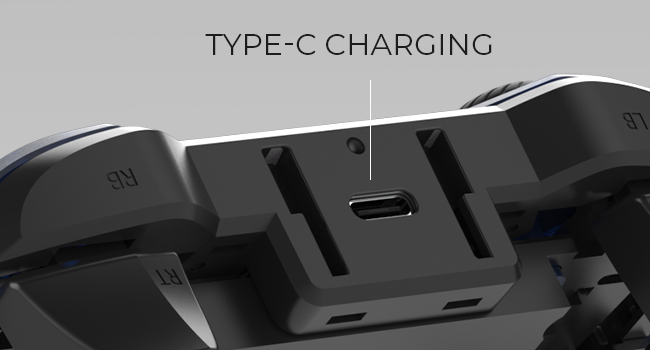
ചിത്രം: ക്ലോസ്-അപ്പ് view of the Type-C charging port located on the top of the gamepad.
A full charge provides up to 8 hours of gaming time.
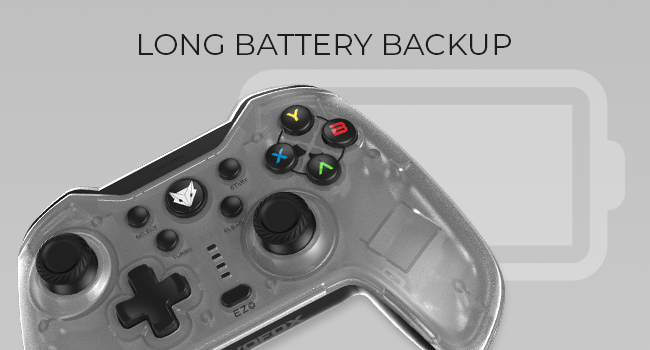
Image: Illustration indicating the long battery backup capability of the gamepad.
പ്രവർത്തന നിർദ്ദേശങ്ങൾ
Gamepad Layout and Controls

ചിത്രം: മുൻഭാഗം view of the EvoFox Elite X Gamepad, showing all buttons, joysticks, and the D-pad.
- അനലോഗ് ജോയ്സ്റ്റിക്കുകൾ: Two high-precision analog joysticks for 360-degree movement and camera control.
- ഡി-പാഡ്: Directional pad for precise directional input.
- ആക്ഷൻ ബട്ടണുകൾ (A, B, X, Y): Standard gaming action buttons.
- ഷോൾഡർ ബട്ടണുകൾ (LB, RB) & ട്രിഗറുകൾ (LT, RT): Located on the top of the gamepad for various in-game actions. The triggers are analog for pressure-sensitive input.
- Select/Back Button: സാധാരണയായി മെനു നാവിഗേഷൻ അല്ലെങ്കിൽ നിർദ്ദിഷ്ട ഗെയിം ഫംഗ്ഷനുകൾക്കായി ഉപയോഗിക്കുന്നു.
- ആരംഭ ബട്ടൺ: Typically used for pausing games or accessing in-game menus.
- Home/EvoFox Button: Central button, often used to access system menus or return to the home screen.
- ടർബോ ബട്ടൺ: Activates turbo mode for rapid button presses.
- ബട്ടൺ മായ്ക്കുക: Used in conjunction with other buttons for specific functions, such as clearing macro settings.
- EZ Click Macro Buttons (M1, M2): Two programmable back buttons for custom macros.
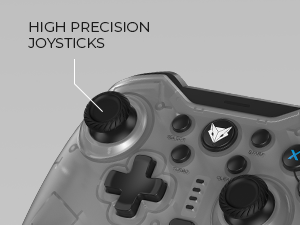
Image: Close-up of the high-precision joysticks on the gamepad.
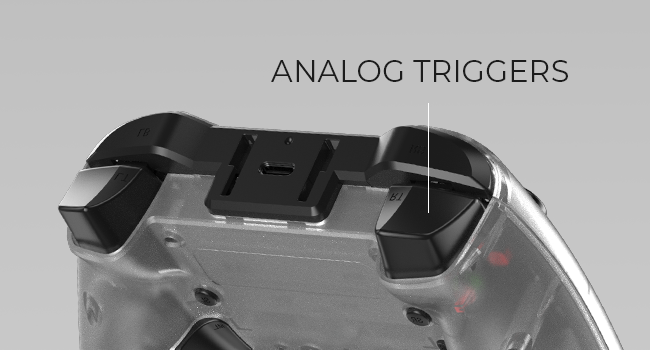
ചിത്രം: View of the analog triggers on the top rear of the gamepad.
Macro Functions (EZ On-the-Fly Macro)
The gamepad features two programmable EZ Click Macro Buttons (M1 and M2) on the back, allowing you to program complex sequences of commands for quick execution.

ചിത്രം: പിൻഭാഗം view of the gamepad highlighting the two EZ Click programmable buttons.
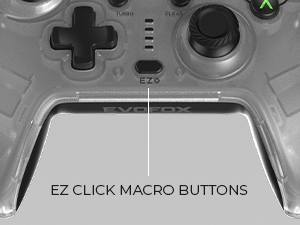
Image: Close-up showing the location of the EZ Click Macro Buttons.
To Program a Macro:
- അമർത്തിപ്പിടിക്കുക EZ ബട്ടൺ.
- പിടിക്കുമ്പോൾ EZ, press the Macro Button (M1 or M2) you wish to program. The indicator light will flash, indicating recording mode.
- Perform the sequence of button presses you want to record.
- Press the Macro Button (M1 or M2) again to save the macro. The indicator light will stop flashing.
ഒരു മാക്രോ ഉപയോഗിക്കാൻ: Simply press the programmed Macro Button (M1 or M2) during gameplay to execute the recorded sequence.
ഒരു മാക്രോ മായ്ക്കാൻ: അമർത്തിപ്പിടിക്കുക EZ ബട്ടൺ, തുടർന്ന് അമർത്തുക ക്ലിയർ button, and then the Macro Button (M1 or M2) you wish to clear.
ടർബോ ക്രമീകരണങ്ങൾ
The Turbo function allows a button to repeat its input multiple times per second, providing a rapid-fire effect.
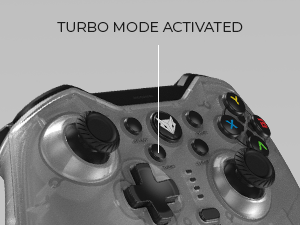
Image: Close-up showing the Turbo button and its indicator.
ടർബോ സജീവമാക്കാൻ:
- അമർത്തിപ്പിടിക്കുക ടർബോ ബട്ടൺ.
- പിടിക്കുമ്പോൾ ടർബോ, press the action button (e.g., A, B, X, Y, LB, RB, LT, RT) you wish to apply turbo to.
- Release both buttons. The selected button will now have turbo activated.
ടർബോ നിർജ്ജീവമാക്കാൻ: Repeat the same steps. Press and hold ടർബോ, then press the button with turbo activated. Release both buttons.
വൈബ്രേഷൻ ഫീഡ്ബാക്ക്
The gamepad features dual vibration motors for immersive haptic feedback. You can adjust the vibration intensity.

Image: Diagram illustrating the adjustable vibration levels on the gamepad's back.
To Adjust Vibration:
Specific instructions for adjusting vibration levels are typically found in the full product manual or through a combination of buttons. Please refer to the included quick start guide or the manufacturer's website for precise button combinations to cycle through High, Medium, Low, and No Vibration settings.
മെയിൻ്റനൻസ്
വൃത്തിയാക്കൽ
- Always disconnect the gamepad from any power source before cleaning.
- Use a soft, dry cloth to wipe down the surface of the gamepad.
- കഠിനമായ അഴുക്കിന്, ചെറുതായി dampവെള്ളം അല്ലെങ്കിൽ നേരിയതും ഉരച്ചിലുകൾ ഇല്ലാത്തതുമായ ഒരു ക്ലീനർ ഉപയോഗിച്ച് തുണി തുടയ്ക്കുക. അമിതമായ ഈർപ്പം ഒഴിവാക്കുക.
- Do not use harsh chemicals, solvents, or abrasive materials, as these can damage the gamepad's finish and internal components.
സംഭരണം
- നേരിട്ടുള്ള സൂര്യപ്രകാശവും കടുത്ത താപനിലയും ഏൽക്കാത്ത തണുത്തതും വരണ്ടതുമായ സ്ഥലത്ത് ഗെയിംപാഡ് സൂക്ഷിക്കുക.
- Avoid placing heavy objects on the gamepad to prevent damage.
- If storing for an extended period, ensure the gamepad is fully charged before storage and recharge it every few months to maintain battery health.
ട്രബിൾഷൂട്ടിംഗ്
| പ്രശ്നം | സാധ്യമായ കാരണം | പരിഹാരം |
|---|---|---|
| Gamepad not connecting to PC. | USB dongle not properly inserted or drivers not installed. Gamepad battery low. | Ensure USB dongle is fully inserted into a working USB port. Try a different USB port. Allow PC to install drivers. Charge the gamepad fully. |
| Buttons or joysticks unresponsive. | Connection issue. Software conflict. | Reconnect the gamepad by unplugging and re-inserting the USB dongle. Restart your PC. Test the gamepad in a different game or application. |
| വൈബ്രേഷൻ പ്രവർത്തിക്കുന്നില്ല. | Vibration setting is off. Game does not support vibration. | Check gamepad settings to ensure vibration is enabled (refer to "Adjustable Vibration Levels" section). Verify that the game you are playing supports vibration feedback. |
| Macro not recording/playing correctly. | തെറ്റായ പ്രോഗ്രാമിംഗ് ഘട്ടങ്ങൾ. | Review the "Macro Functions" section and ensure you are following the programming steps precisely. Try clearing and re-recording the macro. |
| ചെറിയ ബാറ്ററി ലൈഫ്. | Battery not fully charged. Aging battery. | Ensure the gamepad is fully charged before use. If the issue persists after a full charge, the battery may be nearing the end of its lifespan. |
സ്പെസിഫിക്കേഷനുകൾ
| ഫീച്ചർ | വിശദാംശങ്ങൾ |
|---|---|
| മോഡൽ നമ്പർ | 577 |
| കണക്റ്റിവിറ്റി | 2.4GHz Wireless (USB Dongle) |
| അനുയോജ്യത | PC (Windows X-Input) |
| വൈബ്രേഷൻ | Dual Vibration Motors, Adjustable Levels |
| മാക്രോ ബട്ടണുകൾ | 2 Programmable EZ Click Back Buttons |
| ടർബോ പ്രവർത്തനം | അതെ |
| ബാറ്ററി തരം | ലിഥിയം അയോൺ (ഉൾപ്പെടുന്നു) |
| ബാറ്ററി ലൈഫ് | 8 മണിക്കൂർ വരെ |
| ചാർജിംഗ് പോർട്ട് | ടൈപ്പ്-സി |
| ഉൽപ്പന്ന അളവുകൾ | 15.5 x 11 x 7 സെ.മീ |
| ഇനത്തിൻ്റെ ഭാരം | 220 ഗ്രാം |
| റിലീസ് തീയതി | 27 ജൂലൈ 2023 |
വാറൻ്റിയും പിന്തുണയും
വാറൻ്റി വിവരങ്ങൾ
The EvoFox Elite X Wireless Gamepad comes with a 1 വർഷത്തെ മാനുഫാക്ചറിംഗ് വാറൻ്റി. സാധാരണ ഉപയോഗത്തിലുള്ള മെറ്റീരിയലുകളിലെയും ജോലികളിലെയും വൈകല്യങ്ങൾ ഈ വാറന്റി ഉൾക്കൊള്ളുന്നു.
വാറൻ്റി ക്ലെയിമുകൾക്കായി നിങ്ങളുടെ വാങ്ങിയതിൻ്റെ തെളിവ് സൂക്ഷിക്കുക.
ഉപഭോക്തൃ പിന്തുണ
For any assistance, technical support, or warranty claims, please contact EvoFox customer support:
- ബന്ധപ്പെടാനുള്ള രീതി: Please Call or Email our customer support. (Specific contact details like phone number or email address are not provided in the input, so a generic instruction is given).
- നിർമ്മാതാവ്: Allied Electronics & Magnetics Private Limited
- വിലാസം: C-64/4, Okhla Phase - 2, New Delhi - 110020
For further information or updates, you may visit the official EvoFox store on Amazon: EvoFox Store


