1. ആമുഖം
The usogood TC30 Trail Camera is designed for capturing high-quality images and videos of wildlife and for outdoor surveillance. Featuring 48-megapixel photos and 4K HD video recording at 30 frames per second, this camera provides clear and detailed footage both day and night. Its robust, waterproof design ensures reliable performance in various outdoor environments.

Figure 1: usogood TC30 Trail Camera
2. പാക്കേജ് ഉള്ളടക്കം
സജ്ജീകരിക്കുന്നതിന് മുമ്പ്, എല്ലാ ഇനങ്ങളും പാക്കേജിൽ ഉണ്ടെന്ന് ദയവായി പരിശോധിക്കുക:
- 1x യൂസോഗുഡ് TC30 ട്രെയിൽ ക്യാമറ
- 8x AA Batteries (1.5V)
- 1x 32GB SD കാർഡ്
- 1x Mounting Strap
- 1x USB കേബിൾ
- 1x ഉപയോക്തൃ മാനുവൽ

Figure 2: Package contents including camera, batteries, SD card, strap, and cable.
3. സജ്ജീകരണ ഗൈഡ്
3.1 ബാറ്ററി ഇൻസ്റ്റാളേഷൻ
The camera requires 8 AA batteries for operation. Ensure correct polarity when inserting the batteries.
- ക്യാമറ തുറക്കുക casing.
- ബാറ്ററി കമ്പാർട്ട്മെന്റ് കണ്ടെത്തുക.
- സൂചിപ്പിച്ചിരിക്കുന്നതുപോലെ പോസിറ്റീവ് (+), നെഗറ്റീവ് (-) ടെർമിനലുകളുമായി പൊരുത്തപ്പെടുന്ന 8 AA ബാറ്ററികൾ ഇടുക.

Figure 3: Proper battery installation.
3.2 SD കാർഡ് ചേർക്കൽ
A 32GB SD card is included for storing photos and videos.
- ക്യാമറ തുറന്നിരിക്കുമ്പോൾ, SD കാർഡ് സ്ലോട്ട് കണ്ടെത്തുക.
- SD കാർഡ് സ്ലോട്ടിൽ ക്ലിക്ക് ചെയ്യുന്നത് വരെ ഇടുക. കാർഡ് ശരിയായ ഓറിയന്റേഷനിൽ ചേർത്തിട്ടുണ്ടെന്ന് ഉറപ്പാക്കുക.

ചിത്രം 4: SD കാർഡ് ചേർക്കൽ.
3.3 പവറിംഗ് ഓണും മോഡ് തിരഞ്ഞെടുപ്പും
The camera has an ON/TEST/OFF switch to select the operating mode.
- Slide the switch to the 'TEST' position to access the menu and configure settings. The screen will activate.
- After configuring settings, slide the switch to the 'ON' position for automatic operation. The screen will turn off, and the camera will enter surveillance mode.
- Slide the switch to 'OFF' to power down the camera.

Figure 5: ON/TEST/OFF switch.
3.4 ക്യാമറ മൗണ്ടിംഗ്
The camera is designed for outdoor use and can be mounted using the provided strap.
- Securely attach the camera to a tree or pole using the mounting strap.
- ആവശ്യമുള്ള നിരീക്ഷണ മേഖല ഉൾക്കൊള്ളുന്നതിനായി ക്യാമറ ആംഗിൾ ക്രമീകരിക്കുക.
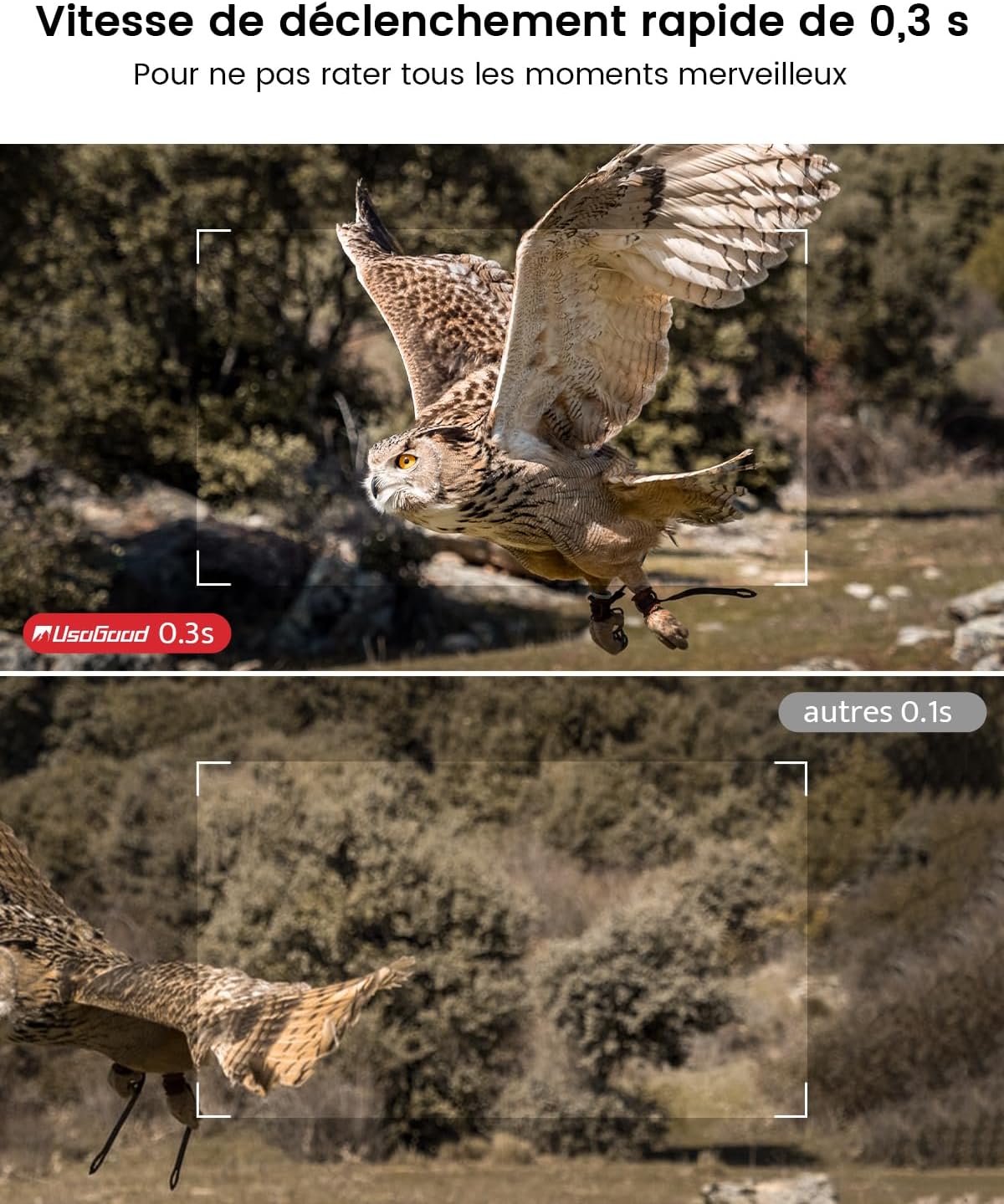
Figure 6: Camera mounted on a tree, demonstrating its IP66 waterproof rating.
4. ക്യാമറ പ്രവർത്തിപ്പിക്കുക
4.1 രാത്രി കാഴ്ച ശേഷികൾ
The camera features 36 850nm infrared LEDs for clear night vision without startling animals. The 4K version uses red PIR indicator lights.

ചിത്രം 7: ഉദാample of night vision capture.
4.2 Video and Image Quality
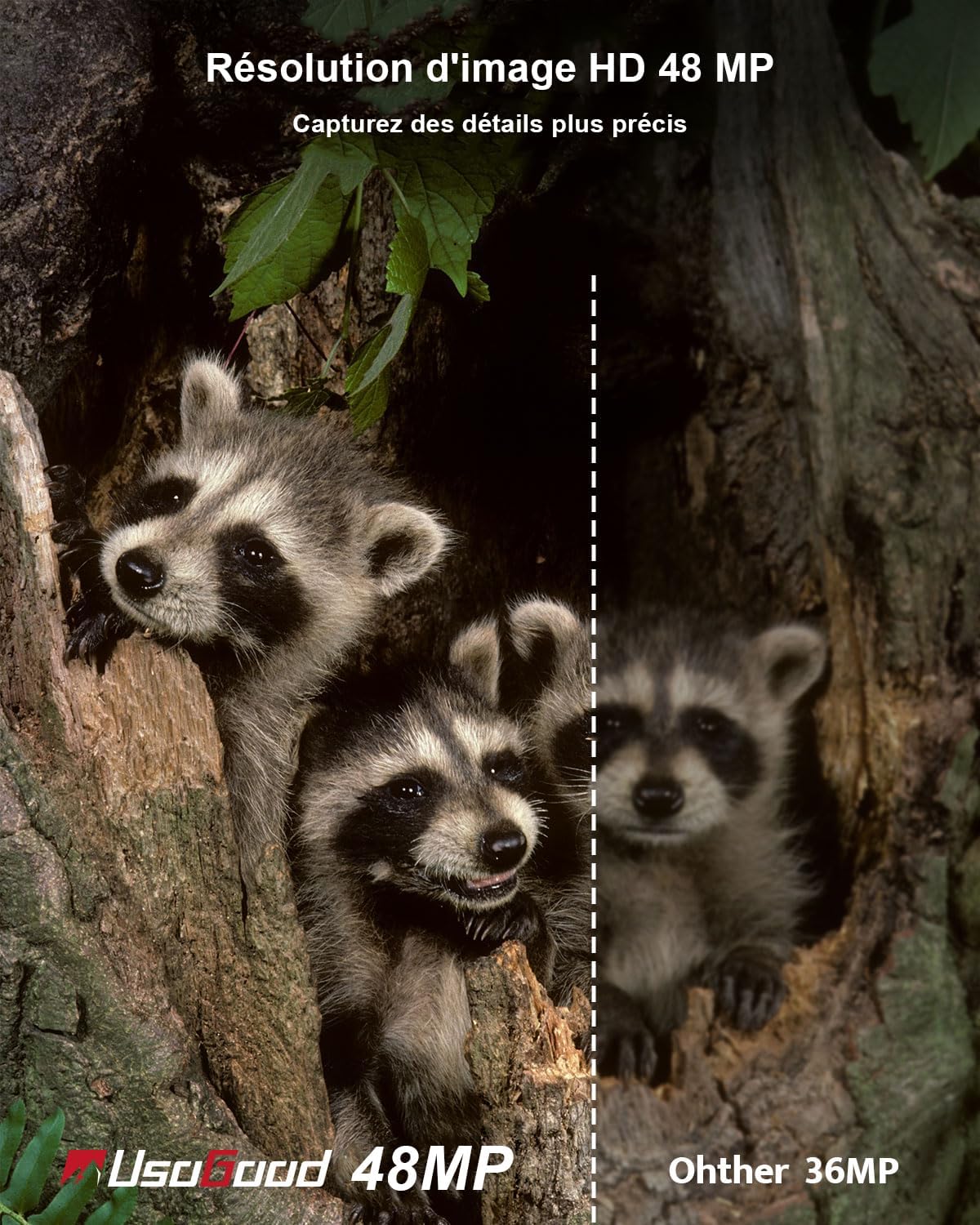
The TC30 captures 4K HD video at 30fps and 48-megapixel still images, ensuring high-quality recordings.
ചിത്രം 8: ഉദാample of 4K video quality.

Figure 9: Comparison of 48MP image resolution.
4.3 മോഷൻ ഡിറ്റക്ഷനും ട്രിഗർ വേഗതയും
Equipped with a 120° wide-angle PIR sensor, the camera detects motion and triggers recording within 0.3 seconds.

Figure 10: 120° wide-angle PIR detection.
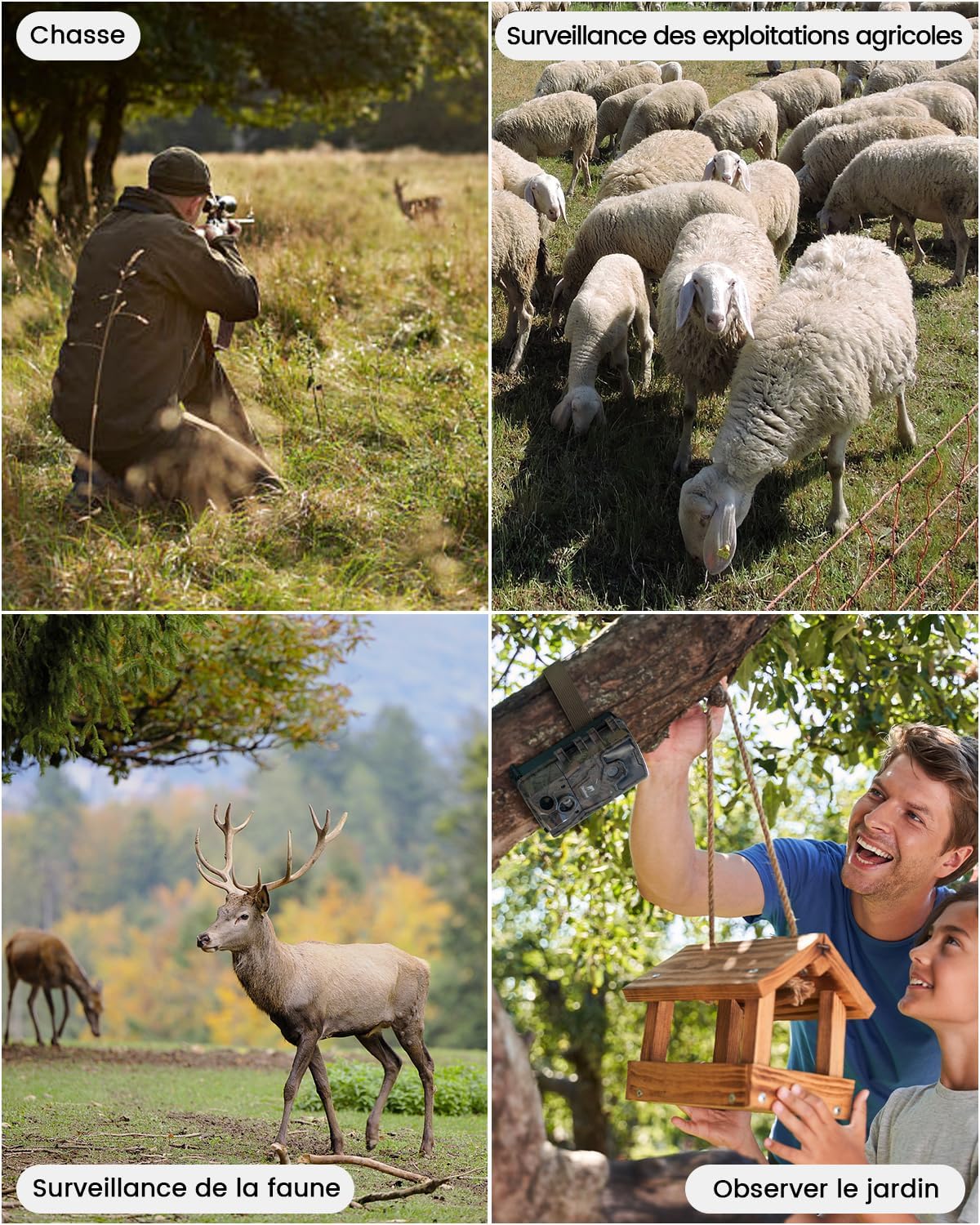
Figure 11: Fast 0.3-second trigger speed.
4.4 Time Lapse Function
The camera supports time-lapse recording, allowing observation of gradual changes over time.

Figure 12: Time-lapse recording of plant growth.
5. മീഡിയ മാനേജ്മെന്റ്
5.1 Viewഇംഗും ഇല്ലാതാക്കലും Files
ലേക്ക് view or delete recorded videos and pictures:
- Slide the camera switch to the 'TEST' position.
- Press the 'MODE' button twice to enter the viewഇന്റർഫേസ്.
- Use the 'UP' and 'DOWN' buttons to navigate through videos and pictures.
- Press the 'OK' button to play a selected video or view ഒരു ചിത്രം.
- To delete, press 'MENU', select 'Delete', then choose 'Delete Current' or 'Delete All', and confirm.
6. അപേക്ഷകൾ
The usogood TC30 Trail Camera is suitable for various outdoor applications:
- വന്യജീവി നിരീക്ഷണം: Capture images and videos of animals in their natural habitat.
- വേട്ടയാടൽ: Monitor game trails and animal activity.
- സ്വത്ത് നിരീക്ഷണം: Enhance security for homes, farms, or backyards.
- Garden Monitoring: Observe garden visitors or plant growth.

Figure 13: Diverse applications of the TC30 camera.

ചിത്രം 14: എസ്ample images captured by the camera.
7. പ്രശ്നപരിഹാരം
If you encounter issues with your usogood TC30 Trail Camera, consider the following:
- ക്യാമറ ഓണാക്കുന്നില്ല: ബാറ്ററി ഇൻസ്റ്റാളേഷൻ പരിശോധിച്ച് ബാറ്ററികൾ പൂർണ്ണമായും ചാർജ്ജ് ചെയ്തിട്ടുണ്ടെന്ന് ഉറപ്പാക്കുക.
- റെക്കോർഡിംഗുകളൊന്നുമില്ല: Verify the SD card is correctly inserted and has sufficient space. Check motion detection settings.
- മോശം രാത്രി കാഴ്ച: Ensure the camera is positioned correctly and there are no obstructions blocking the IR LEDs.
- ഹ്രസ്വ ബാറ്ററി ലൈഫ്: Reduce the frequency of recordings or video length in settings. Consider using high-quality alkaline batteries.
For further assistance, please contact usogood customer support.
8 സ്പെസിഫിക്കേഷനുകൾ
| ഫീച്ചർ | സ്പെസിഫിക്കേഷൻ |
|---|---|
| മോഡലിൻ്റെ പേര് | TC30 |
| ചിത്ര മിഴിവ് | 48 മെഗാപിക്സലുകൾ |
| വീഡിയോ റെസല്യൂഷൻ | 4K (30 fps) |
| നൈറ്റ് വിഷൻ | 36 x 850nm ഇൻഫ്രാറെഡ് LED-കൾ |
| പിഐആർ ഡിറ്റക്ഷൻ ആംഗിൾ | 120 ഡിഗ്രി |
| ട്രിഗർ വേഗത | 0.3 സെക്കൻഡ് |
| വാട്ടർപ്രൂഫ് റേറ്റിംഗ് | IP66 |
| പവർ ഉറവിടം | 8 AA ബാറ്ററികൾ (ഉൾപ്പെട്ടിരിക്കുന്നു) |
| സംഭരണം | 32GB SD കാർഡ് (ഉൾപ്പെടുന്നു) |
| കണക്റ്റിവിറ്റി ടെക്നോളജി | വൈഫൈ ഇല്ല |
| മെറ്റീരിയൽ | പ്ലാസ്റ്റിക് |
| അളവുകൾ (L x W x H) | 13.3 x 9 x 5.2 സെ.മീ |
| ഭാരം | 720 ഗ്രാം |
9. വാറൻ്റിയും പിന്തുണയും
The usogood TC30 Trail Camera comes with a 2-year manufacturer's warranty.
For product support, warranty claims, or any questions, please refer to the contact information provided in your package or visit the official usogood webസൈറ്റ്.
You can also scan the QR codes below for official usogood resources:


