1. ആമുഖം
The Gemini GMU-M100 is a handheld UHF wireless microphone system designed for a variety of audio applications. This system provides wireless freedom, allowing users to move without cable restrictions, and is suitable for performances, presentations, karaoke, and more. The system operates within the 512 to 541.7 MHz frequency range (for the US market) and offers a stable signal transmission.
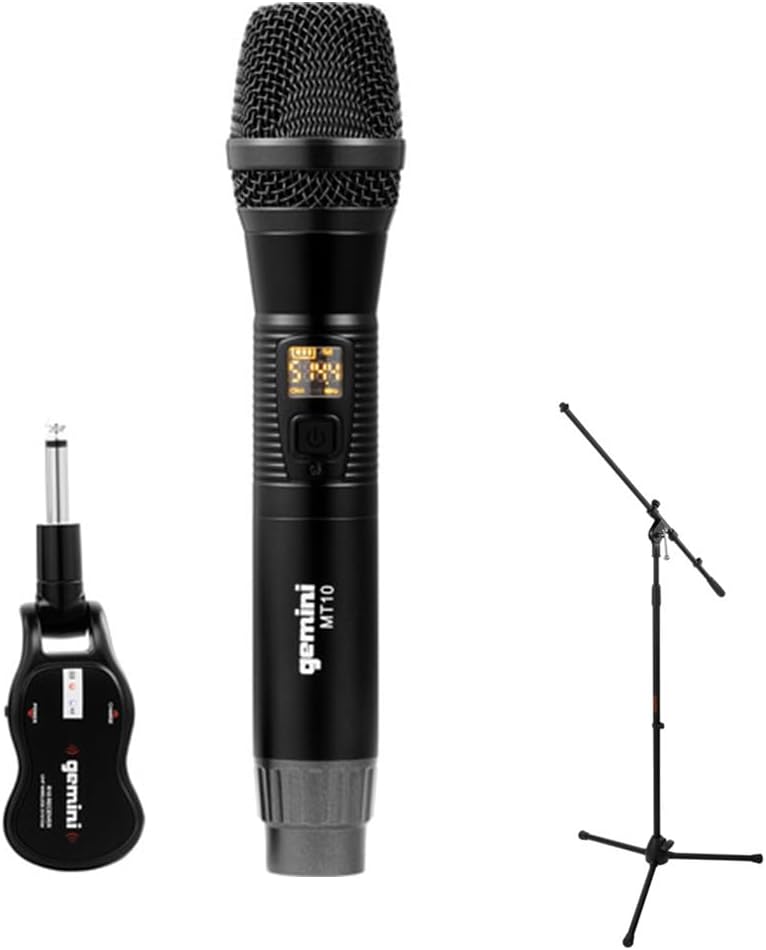
Image 1.1: The Gemini GMU-M100 Handheld UHF Wireless Microphone System, including the handheld microphone, plug-in receiver, and an optional microphone stand.
2. പാക്കേജ് ഉള്ളടക്കം
Please inspect the package contents to ensure all items are present and in good condition:
- GMU-M100 Handheld Wireless Microphone
- GMU-M100 Plug-in Wireless Receiver
- Rechargeable Lithium Batteries (pre-installed or included for both units)
- മൈക്രോ-യുഎസ്ബി ചാർജിംഗ് കേബിൾ
- ഉപയോക്തൃ മാനുവൽ (ഈ പ്രമാണം)
Note: Additional accessories such as a microphone stand may be included if purchased as part of a bundle.
3. ഉൽപ്പന്നം കഴിഞ്ഞുview
3.1 Handheld Microphone (MT10)
The handheld microphone features a dynamic capsule with a cardioid pickup pattern, designed to focus on the sound source while minimizing background noise. It includes an LED screen for displaying battery life and frequency information, and a SET button for frequency adjustment.
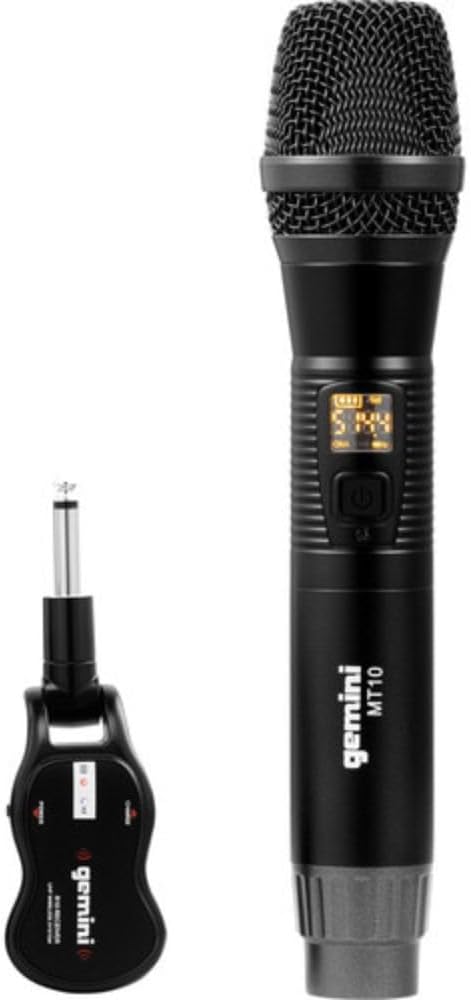
Image 3.1: The GMU-M100 handheld microphone and its compact plug-in receiver.
3.2 Plug-in Receiver (R10)
The compact receiver connects directly to your audio equipment via a standard 1/4" TS plug. It receives the wireless signal from the microphone and outputs it to your PA system, amplifier, or mixer.

ചിത്രം 3.2: ആംഗിൾഡ് view highlighting the design of the microphone and receiver.
4. സജ്ജീകരണം
4.1 യൂണിറ്റുകൾ ചാർജ് ചെയ്യുന്നു
Both the microphone and receiver are powered by rechargeable lithium batteries. Before first use, ensure both units are fully charged.
- Locate the Micro-USB charging port on the bottom of the microphone and on the side of the receiver.
- Connect the included Micro-USB cable to the charging port of each unit and plug the other end into a USB power source (e.g., computer USB port, USB wall adapter).
- The LED indicator on each unit will show charging status (refer to the unit's specific LED behavior for full charge indication).

Image 4.1: Close-up of the microphone's Micro-USB charging port (DC-5V).

Image 4.2: The Micro-USB charging cable provided for both units.
4.2 Battery Installation (Microphone)
The microphone uses a user-replaceable 18650 1200mAh battery. If the battery needs replacement or initial installation:
- Unscrew the bottom cap of the microphone.
- Insert the 18650 battery, ensuring correct polarity (+/-).
- Screw the bottom cap back on securely.

Image 4.3: The microphone with its battery compartment open, revealing the 18650 battery.
4.3 റിസീവറിനെ ബന്ധിപ്പിക്കുന്നു
The receiver connects directly to your audio input device.
- Plug the 1/4" TS connector of the receiver into an available 1/4" input jack on your PA speaker, amplifier, mixer, or other audio equipment.
- Ensure the audio equipment is powered off before connecting the receiver.
4.4 പവർ ഓണാക്കലും ജോടിയാക്കലും
The microphone and receiver are designed for automatic pairing.
- Power on your audio equipment.
- Press and hold the power button on the handheld microphone until the LED screen illuminates.
- Press and hold the power button on the plug-in receiver.
- The units will automatically pair. A successful connection is typically indicated by a stable signal icon on the microphone's LED screen.
5. പ്രവർത്തന നിർദ്ദേശങ്ങൾ
5.1 വോളിയം നിയന്ത്രണം
The output volume can be controlled directly from the handheld microphone using the designated volume buttons (if present) or through the connected audio equipment's input gain/volume controls.
5.2 ഫ്രീക്വൻസി ക്രമീകരണം
If you experience interference, you can change the operating frequency of the microphone system:
- With the microphone powered on, press the സെറ്റ് ബട്ടൺ.
- The microphone will cycle through available UHF frequencies. The receiver will automatically sync to the new frequency.
- Select a clear frequency to ensure optimal performance.
5.3 വയർലെസ് ശ്രേണി
The GMU-M100 system offers a wireless range of over 164 feet (50 meters) in optimal conditions. Obstacles, other wireless devices, and environmental factors can affect this range.
6. പരിപാലനം
6.1 ബാറ്ററി കെയർ
- ദീർഘനേരം സൂക്ഷിക്കുന്നതിന് മുമ്പ് ബാറ്ററികൾ പൂർണ്ണമായും ചാർജ് ചെയ്യുക.
- ബാറ്ററികൾ തീവ്രമായ താപനിലയിൽ തുറന്നുകാട്ടുന്നത് ഒഴിവാക്കുക.
- If the microphone will not be used for a long period, remove the 18650 battery.
6.2 വൃത്തിയാക്കൽ
- Wipe the microphone and receiver with a soft, dry cloth.
- കഠിനമായ രാസവസ്തുക്കളോ ഉരച്ചിലുകൾ ഉപയോഗിക്കരുത്.
- Avoid moisture contact with electronic components.
7. പ്രശ്നപരിഹാരം
| പ്രശ്നം | സാധ്യമായ കാരണം | പരിഹാരം |
|---|---|---|
| ശബ്ദ ഔട്ട്പുട്ട് ഇല്ല | Microphone or receiver not powered on; low battery; incorrect connection; receiver not paired. | Ensure both units are charged and powered on. Check all cable connections. Verify pairing (power cycle both units). Adjust volume on microphone and audio equipment. |
| ഇടപെടൽ അല്ലെങ്കിൽ സ്റ്റാറ്റിക് | Operating on a crowded frequency; proximity to other wireless devices; environmental interference. | അമർത്തുക സെറ്റ് button on the microphone to change to a different frequency. Move away from other wireless devices or sources of electromagnetic interference. |
| ചെറിയ വയർലെസ് ശ്രേണി | Obstacles between microphone and receiver; low battery; environmental factors. | Ensure a clear line of sight between microphone and receiver. Fully charge batteries. Reduce distance between units. |
| Microphone LED screen off | Microphone is off; battery is depleted. | Press the power button to turn on. Charge the microphone battery. |
8 സ്പെസിഫിക്കേഷനുകൾ
| ഫീച്ചർ | സ്പെസിഫിക്കേഷൻ |
|---|---|
| മോഡൽ | GMU-M100 |
| മൈക്രോഫോൺ ഫോം ഫാക്ടർ | ഹാൻഡ്ഹെൽഡ് മൈക്രോഫോൺ സിസ്റ്റം |
| ഫ്രീക്വൻസി റേഞ്ച് (യുഎസ്) | 512 - 541.7 മെഗാഹെട്സ് |
| വയർലെസ് ശ്രേണി | Over 164 feet (50 meters) |
| പവർ ഉറവിടം | Rechargeable Lithium Battery (USB Powered) |
| മൈക്രോഫോൺ ബാറ്ററി | 18650 1200mAh (user-replaceable) |
| റിസീവർ കണക്റ്റർ | 1/4" TS Plug |
| മെറ്റീരിയൽ | ലോഹം |
| പോളാർ പാറ്റേൺ | ഏകദിശയിലുള്ള (കാർഡിയോയിഡ്) |
| ചാനലുകളുടെ എണ്ണം | 16 |
| ഇനത്തിൻ്റെ ഭാരം | 15.7 ഔൺസ് (ഏകദേശം 445 ഗ്രാം) |
| പാക്കേജ് അളവുകൾ | 13 x 5.6 x 2.6 ഇഞ്ച് (ഏകദേശം 33 x 14.2 x 6.6 സെ.മീ) |
9. വാറൻ്റിയും പിന്തുണയും
For warranty information, technical support, or service inquiries, please refer to the official Gemini webസൈറ്റിൽ ബന്ധപ്പെടുകയോ അവരുടെ ഉപഭോക്തൃ പിന്തുണയുമായി നേരിട്ട് ബന്ധപ്പെടുകയോ ചെയ്യുക. ഏതെങ്കിലും വാറന്റി ക്ലെയിമുകൾക്കായി നിങ്ങളുടെ വാങ്ങലിന്റെ തെളിവ് സൂക്ഷിക്കുക.
ജെമിനി ഉപഭോക്തൃ പിന്തുണ: ദയവായി സന്ദർശിക്കുക www.geminisound.com/support for the latest support information and contact details.


