ആമുഖം
Thank you for choosing the Mycket Digital DAB/DAB+ Radio. This versatile device combines a retro FM radio, a powerful Bluetooth speaker, and a rechargeable music player with AUX and U disk support. Designed for both home and portable use, it offers superior sound quality and a wide range of features, including 80 preset stations, an LED display, and a sleep timer. This manual provides essential information for setting up, operating, and maintaining your radio to ensure optimal performance and longevity.

ചിത്രം 1: മുൻഭാഗം view of the Mycket Digital DAB/DAB+ Radio, showcasing its wood finish, display screen, and control buttons.
സജ്ജമാക്കുക
അൺപാക്കിംഗും പ്രാരംഭ പരിശോധനയും
Carefully remove all components from the packaging. Verify that all items listed in the "Included Components" section are present and undamaged. Retain the packaging for future storage or transport.
ഉപകരണം പവർ ചെയ്യുന്നു
The Mycket radio can be powered via two methods:
- പ്രധാന ശക്തി: Connect the provided USB Type-C cable to the radio's charging port and plug the other end into a compatible USB power adapter (not included) or a USB port.
- ബാറ്ററി പവർ: The radio features a built-in 2000 mAh Lithium-ion rechargeable battery. A full charge provides up to 10 hours of listening time. Ensure the battery is fully charged before initial portable use.
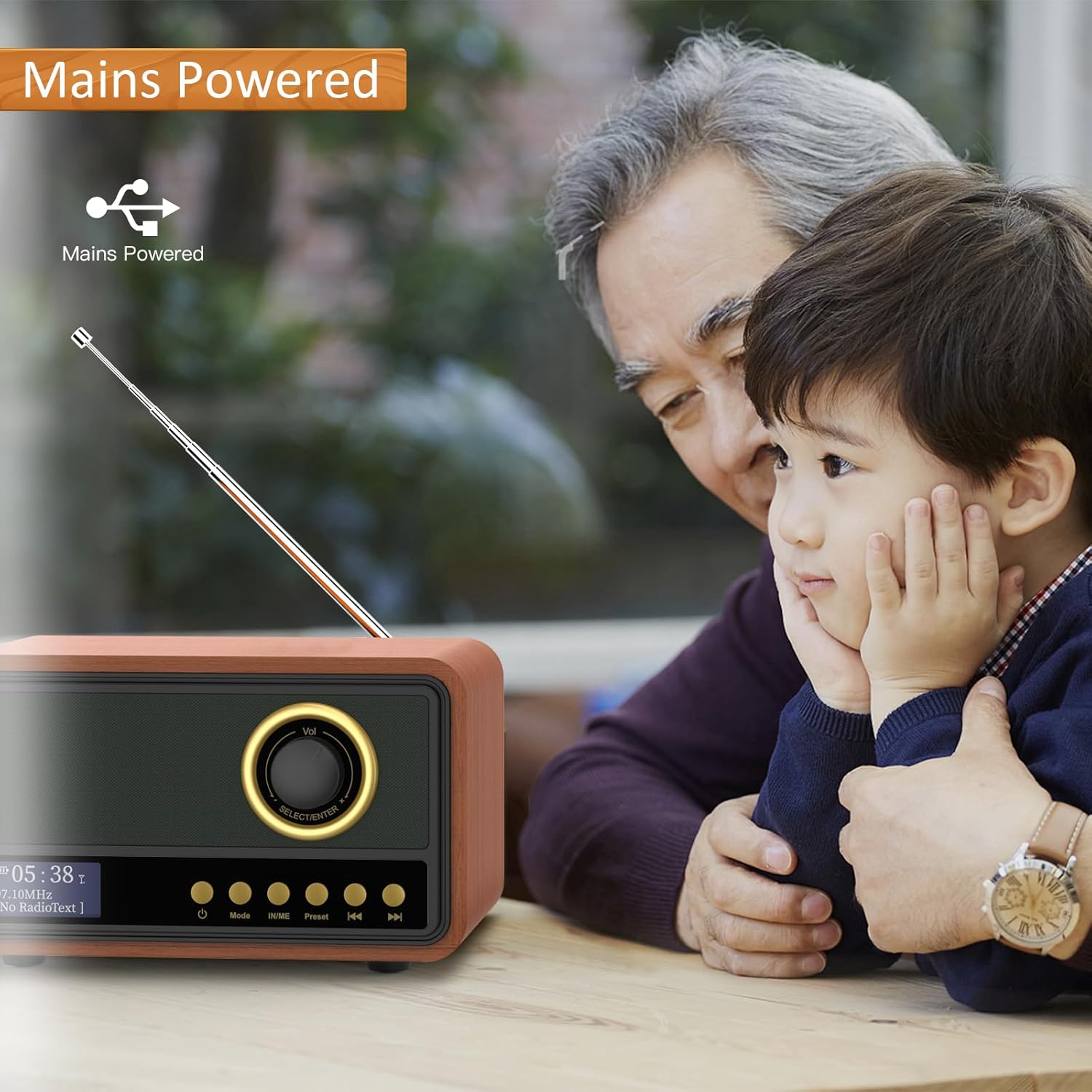
Figure 2: The radio can be powered via mains, suitable for extended listening at home.
ആന്റിന പൊസിഷനിംഗ്
For optimal radio signal reception (DAB/DAB+ and FM), extend the integrated telescopic antenna fully. Adjust its position to achieve the clearest sound. The radio is equipped with an ultra-long, highly sensitive antenna for improved reception.
പ്രവർത്തന നിർദ്ദേശങ്ങൾ
ഓൺ/ഓഫ് ചെയ്യുന്നു
അമർത്തിപ്പിടിക്കുക ശക്തി റേഡിയോ ഓൺ അല്ലെങ്കിൽ ഓഫ് ചെയ്യുന്നതിനുള്ള ബട്ടൺ (സാധാരണയായി ഒരു പവർ ചിഹ്നം കൊണ്ട് അടയാളപ്പെടുത്തിയിരിക്കുന്നു).
മോഡ് തിരഞ്ഞെടുക്കൽ
അമർത്തുക മോഡ് button to cycle through available modes: DAB/DAB+ Radio, FM Radio, Bluetooth, AUX Input, and U Disk Playback.
റേഡിയോ പ്രവർത്തനം (DAB/DAB+ ഉം FM ഉം)
- യാന്ത്രിക സ്കാൻ: DAB അല്ലെങ്കിൽ FM മോഡിൽ, അമർത്തുക സ്കാൻ ചെയ്യുക or ഓട്ടോ സ്കാൻ button (refer to specific button labels on your device) to automatically search for and store available stations. The radio can store up to 80 preset stations (40 DAB, 40 FM).
- സ്വമേധയാലുള്ള ട്യൂണിംഗ്: ഉപയോഗിക്കുക ട്യൂൺ ചെയ്യുക or തിരഞ്ഞെടുക്കുക/നൽകുക knob/buttons to manually adjust the frequency.
- പ്രീസെറ്റ് സ്റ്റേഷനുകൾ: ഉപയോഗിക്കുക പ്രീസെറ്റ് button or navigation buttons to recall saved stations.
- LED ഡിസ്പ്ലേ: The integrated LED screen displays station information, time, and other relevant data, making station selection and navigation clear and easy.

Figure 3: The portable radio with its key features highlighted, including 80 preset stations and an LED screen.
ബ്ലൂടൂത്ത് കണക്റ്റിവിറ്റി
In Bluetooth mode, the radio will enter pairing mode. Enable Bluetooth on your smartphone, tablet, or other compatible device and select "Mycket Radio" (or similar) from the list of available devices to connect. Once paired, you can stream audio wirelessly to the radio.
AUX ഇൻപുട്ട്
Connect an external audio device (e.g., MP3 player, CD player) to the radio's AUX-in port using a 3.5mm audio cable (not included). Switch the radio to AUX mode to play audio from the connected device.
യു ഡിസ്ക് പ്ലേബാക്ക്
Insert a USB flash drive (U disk) containing audio files into the radio's USB port. Switch the radio to U Disk mode to play music directly from the drive. The radio supports various audio formats.

Figure 4: Demonstrating USB Disk Playback functionality, allowing users to enjoy music from a USB stick.
സ്ലീപ്പ് ടൈമർ
The sleep timer allows you to set a duration after which the radio will automatically turn off. This feature is useful for falling asleep to music or radio without worrying about turning off the device manually. Refer to your device's specific button or menu options for setting the sleep timer.
മെയിൻ്റനൻസ്
വൃത്തിയാക്കൽ
To clean the radio, gently wipe the exterior with a soft, dry cloth. For stubborn marks, a slightly damp cloth can be used, followed by a dry cloth. Do not use abrasive cleaners, solvents, or strong chemicals, as these may damage the wood finish or electronic components.
സംഭരണം
When not in use for extended periods, store the radio in a cool, dry place away from direct sunlight and extreme temperatures. Ensure the battery is partially charged (around 50%) before long-term storage to preserve battery health.
ബാറ്ററി കെയർ
To maximize the lifespan of the built-in Lithium-ion battery:
- ബാറ്ററി ഇടയ്ക്കിടെ പൂർണ്ണമായും ഡിസ്ചാർജ് ചെയ്യുന്നത് ഒഴിവാക്കുക.
- Avoid leaving the radio connected to power for prolonged periods after it is fully charged.
- Roomഷ്മാവിൽ ബാറ്ററി ചാർജ് ചെയ്യുക.
ട്രബിൾഷൂട്ടിംഗ്
If you encounter any issues with your Mycket Digital Radio, please refer to the following common problems and solutions:
| പ്രശ്നം | സാധ്യമായ കാരണം | പരിഹാരം |
|---|---|---|
| No Power / Does not turn on | Battery depleted; Power cable not connected properly; Power adapter faulty. | Charge the battery; Ensure USB Type-C cable is securely connected; Try a different USB power adapter. |
| മോശം റേഡിയോ സ്വീകരണം | Antenna not extended or positioned correctly; Weak signal area; Interference. | Fully extend and adjust the telescopic antenna; Move the radio to a location with better signal; Avoid placing near other electronic devices. |
| ബ്ലൂടൂത്ത് ജോടിയാക്കൽ പരാജയം | Radio not in Bluetooth mode; Device Bluetooth off; Device too far; Already paired with another device. | Ensure radio is in Bluetooth mode; Turn on Bluetooth on your device; Move device closer to radio; Disconnect from other Bluetooth devices. |
| No Sound from AUX/U Disk | Incorrect mode selected; Cable not connected properly; U disk not formatted correctly or no supported files. | Switch to AUX or U Disk mode; Check cable connections; Ensure U disk is FAT32 formatted and contains compatible audio files. |
ഈ പരിഹാരങ്ങൾ പരീക്ഷിച്ചതിന് ശേഷവും പ്രശ്നം നിലനിൽക്കുകയാണെങ്കിൽ, ദയവായി ഉപഭോക്തൃ പിന്തുണയുമായി ബന്ധപ്പെടുക.
സ്പെസിഫിക്കേഷനുകൾ
| ഫീച്ചർ | വിശദാംശങ്ങൾ |
|---|---|
| ബ്രാൻഡ് | വളരെ |
| മോഡൽ നമ്പർ | fcd38451-4bd5-4d9f-878a-d20e1d3ef03b |
| നിറം | വുഡ് ഫിനിഷ് |
| കണക്റ്റിവിറ്റി ടെക്നോളജി | Bluetooth, DAB, USB, FM, DAB+, AUX |
| പ്രത്യേക സവിശേഷതകൾ | Built-in Clock, Portable, Integrated Antenna, Rechargeable |
| അനുയോജ്യമായ ഉപകരണങ്ങൾ | Tablet, Smartphone, USB devices |
| ബാറ്ററി തരം | 1 ലിഥിയം-അയൺ (ഉൾപ്പെടുത്തിയിരിക്കുന്നു) |
| ബാറ്ററി ലൈഫ് | 10 മണിക്കൂർ വരെ (ഒറ്റ ചാർജിൽ) |
| പവർ ഉറവിടം | Battery Powered, Electric Cable (USB Type-C) |
| പിന്തുണയ്ക്കുന്ന റേഡിയോ ബാൻഡുകൾ | FM, DAB, DAB+ |
| മുൻകൂട്ടി സജ്ജമാക്കിയ സ്റ്റേഷനുകൾ | 80 (40 ഡിഎബി, 40 എഫ്എം) |
| സ്പീക്കർ ഔട്ട്പുട്ട് | 5W (integrated) with Bass Reflex subwoofer |
| ഉൽപ്പന്ന അളവുകൾ | 20L x 15W x 12H സെൻ്റീമീറ്റർ |
| ഉൾപ്പെടുത്തിയ ഘടകങ്ങൾ | 1 DAB radio, 1 USB power cable, 1 user manual |
വാറൻ്റിയും പിന്തുണയും
Mycket is committed to providing high-quality products and excellent customer service. Your Mycket Digital DAB/DAB+ Radio comes with a 12 മാസ വാറൻ്റി വാങ്ങിയ തീയതി മുതൽ, നിർമ്മാണ വൈകല്യങ്ങൾ ഉൾക്കൊള്ളുന്നു.
For any inquiries, technical assistance, or warranty claims, please contact our customer support team. We offer 24/7 ഉപഭോക്തൃ പിന്തുണ നിങ്ങളുടെ സംതൃപ്തി ഉറപ്പാക്കാൻ.
വാറന്റി സാധൂകരണത്തിനായി നിങ്ങളുടെ വാങ്ങിയതിന്റെ തെളിവ് സൂക്ഷിക്കുക.

Figure 5: Warranty and Support Information.


