1. ആമുഖം
Thank you for choosing the blurams Pet Camera 2K. This indoor security camera is designed to help you monitor your pets and home with advanced features such as 2K resolution, 360° pan/tilt/zoom, two-way audio, motion detection, and versatile night vision. This manual provides essential information for setting up, operating, and maintaining your camera to ensure optimal performance and peace of mind.

Image: The blurams Pet Camera 2K alongside a smartphone displaying its live feed and control options.
2. ബോക്സിൽ എന്താണുള്ളത്?
എല്ലാ ഇനങ്ങളും ഉണ്ടെന്ന് ഉറപ്പാക്കാൻ പാക്കേജ് ഉള്ളടക്കങ്ങൾ പരിശോധിക്കുക:
- Indoor Pet Camera (blurams Dome Flare A31S)
- USB കേബിൾ
- പവർ അഡാപ്റ്റർ
- സ്ക്രൂ ആക്സസറി പായ്ക്ക്
- Plotting Sheet (for mounting)
- ഉപയോക്തൃ മാനുവൽ (ഈ പ്രമാണം)
3. സജ്ജീകരണ ഗൈഡ്
Follow these steps to set up your blurams Pet Camera:
- ബ്ലൂറാംസ് ആപ്പ് ഡൗൺലോഡ് ചെയ്യുക: ഇതിനായി തിരയുക "blurams" in your mobile device's app store (Google Play Store for Android or Apple App Store for iOS) and download the official application.
- ക്യാമറ ഓൺ: Connect the provided USB cable to the camera and the power adapter, then plug the adapter into a power outlet. The camera will power on and indicate readiness for setup (usually a blinking LED).
- ആപ്പിൽ ഉപകരണം ചേർക്കുക: Open the blurams App, create an account or log in. Select "Add Device" and choose the model "A31S" from the list.
- QR കോഡ് സ്കാൻ ചെയ്യുക: The app will display a QR code. Hold your camera's lens towards the QR code on your phone screen at a distance of about 10-20 cm (4-8 inches) until you hear a prompt indicating successful scanning.
- വൈഫൈയിലേക്ക് കണക്റ്റുചെയ്യുക: നിങ്ങളുടെ 2.4GHz വൈഫൈ നെറ്റ്വർക്കിലേക്ക് ക്യാമറ ബന്ധിപ്പിക്കാൻ ആപ്പിലെ നിർദ്ദേശങ്ങൾ പാലിക്കുക. Important: This camera works with 2.4GHz Wi-Fi only. 5GHz Wi-Fi is not supported.
- സജ്ജീകരണം പൂർത്തിയാക്കുക: Once connected, the camera will be added to your account. You can then name your camera and begin live viewing.

ചിത്രം: കഴിഞ്ഞുview of the blurams Pet Camera's core features and connectivity.
4. പ്രവർത്തന നിർദ്ദേശങ്ങൾ
4.1 തത്സമയം View കൂടാതെ PTZ നിയന്ത്രണവും
Access the live feed of your camera through the blurams App. Use the on-screen controls to pan (move horizontally) and tilt (move vertically) the camera lens for a full 360° coverage of your room. You can also digitally zoom in on specific areas.
4.2 ടു-വേ ഓഡിയോ
The camera features a built-in microphone and speaker. Tap the microphone icon in the app to speak through the camera, allowing you to interact with your pets or family members. Tap the speaker icon to listen to audio from the camera's surroundings.

Image: Demonstrating the two-way audio feature, allowing communication with pets.
4.3 Motion Detection & Tracking
The camera can detect motion and sound. When motion is detected, the camera will automatically track the movement and send an instant notification to your phone. You can customize motion detection zones and sensitivity settings within the app to reduce false alerts.

Image: The camera's motion detection and tracking capabilities, alerting to activity.
4.4 നൈറ്റ് വിഷൻ
The blurams Pet Camera offers both Color Night Vision and Infrared (IR) Night Vision. The camera automatically switches to night vision in low-light conditions. Color Night Vision provides a more detailed and colorful image in dim light, while IR Night Vision offers clear black-and-white footage in complete darkness.

Image: Comparison of Color Night Vision and IR Night Vision modes.
4.5 സംഭരണ ഓപ്ഷനുകൾ
Your camera supports two storage options for recorded footage:
- മൈക്രോ എസ്ഡി കാർഡ്: Insert a Micro SD card (up to 128GB, not included) into the camera's designated slot for local storage. The camera supports 24-hour loop recording.
- ക്ലൗഡ് സംഭരണം: blurams offers optional cloud storage plans for secure, off-site storage of your video recordings. Refer to the blurams App for subscription details.
5. സവിശേഷതകൾ കഴിഞ്ഞുview
5.1 2K Resolution
Experience crystal-clear video quality with 2K resolution, providing sharper images and more detail compared to standard 1080p cameras. This allows for better identification of objects and activities within the camera's view.

Image: Visual comparison of 2K versus 1080p resolution clarity.
5.2 360° Coverage
The pan and tilt functionality allows the camera to cover a full 360-degree horizontal field of view, ensuring no blind spots in your monitoring area. Control the camera's direction remotely via the blurams App.
5.3 സ്മാർട്ട് ഹോം ഇന്റഗ്രേഷൻ
The blurams Pet Camera is compatible with popular smart home platforms, including Amazon Alexa, Google Assistant, and IFTTT, allowing for voice control and integration into your existing smart home ecosystem.
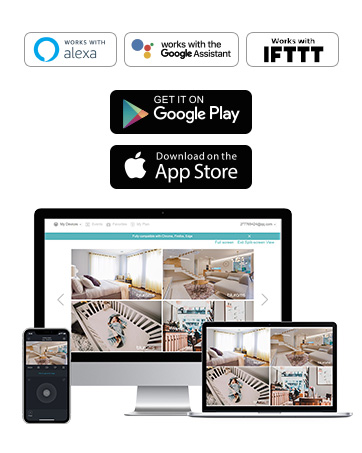
Image: Compatibility with various smart home platforms and app availability.
5.4 ഡാറ്റ സംരക്ഷണം
blurams prioritizes your privacy and data security. The camera utilizes advanced AES256 encryption technology to ensure that all data transmitted is secure and accessible only to you. Data can be saved on local servers or your own SD card.

Image: Visual representation of blurams' commitment to data protection and secure cloud storage.
6. പരിപാലനം
To ensure the longevity and optimal performance of your blurams Pet Camera, follow these maintenance guidelines:
- വൃത്തിയാക്കൽ: Gently wipe the camera lens and body with a soft, dry, lint-free cloth. Avoid using liquid cleaners or abrasive materials, as they may damage the lens or surface.
- പ്ലേസ്മെൻ്റ്: Place the camera in a stable location, away from direct sunlight, heat sources, and excessive moisture. Ensure it is out of reach of pets or small children to prevent accidental damage.
- ഫേംവെയർ അപ്ഡേറ്റുകൾ: Regularly check the blurams App for available firmware updates. Updates often include performance improvements, new features, and security enhancements.
- വൈദ്യുതി വിതരണം: Always use the original power adapter and USB cable provided with the camera to prevent damage.
7. പ്രശ്നപരിഹാരം
If you encounter issues with your blurams Pet Camera, refer to the following common problems and solutions:
| പ്രശ്നം | സാധ്യമായ കാരണം / പരിഹാരം |
|---|---|
| Camera won't power on | Ensure the power adapter is securely plugged into both the camera and a working power outlet. Try a different outlet. |
| Wi-Fi-യിലേക്ക് കണക്റ്റുചെയ്യാൻ കഴിയില്ല | Verify your Wi-Fi network is 2.4GHz. Ensure the Wi-Fi password is correct. Move the camera closer to the router. Restart your router and camera. |
| തത്സമയം view is blurry or pixelated | Check your internet connection speed. Ensure the camera lens is clean. Adjust the camera's position for better lighting. |
| മോഷൻ ഡിറ്റക്ഷൻ പ്രവർത്തിക്കുന്നില്ല അല്ലെങ്കിൽ വളരെ സെൻസിറ്റീവ് ആണ് | Adjust motion detection sensitivity and detection zones in the blurams App settings. Ensure notifications are enabled on your phone. |
| Two-way audio has static or echo | Ensure there are no obstructions near the microphone or speaker. Reduce background noise. Move your phone closer to your router for a stronger connection. |
| SD കാർഡ് റെക്കോർഡ് ചെയ്യുന്നില്ല | Ensure the SD card is inserted correctly and is not full. Format the SD card through the app (this will erase data). Check if the SD card is damaged. |
If these solutions do not resolve your issue, please contact blurams customer support for further assistance.
8 സ്പെസിഫിക്കേഷനുകൾ
Detailed technical specifications for the blurams Pet Camera 2K (Model A31S):
| ഫീച്ചർ | സ്പെസിഫിക്കേഷൻ |
|---|---|
| മോഡലിൻ്റെ പേര് | Dome Flare A31S Pet Camera |
| വീഡിയോ ക്യാപ്ചർ റെസല്യൂഷൻ | 2K |
| Viewing ആംഗിൾ | 360 ഡിഗ്രി (പാൻ/ടിൽറ്റ്) |
| കണക്റ്റിവിറ്റി ടെക്നോളജി | 2.4GHz Wi-Fi Only |
| നൈറ്റ് വിഷൻ റേഞ്ച് | 40 അടി |
| ലോ ലൈറ്റ് ടെക്നോളജി | കളർ നൈറ്റ് വിഷൻ |
| ഓഡിയോ | 2-വേ ഓഡിയോ (ബിൽറ്റ്-ഇൻ മൈക്കും സ്പീക്കറും) |
| അലേർട്ട് തരം | ചലനവും ശബ്ദ കണ്ടെത്തലും |
| സംഭരണം | Cloud Storage / Micro SD Card (up to 128GB) |
| പവർ ഉറവിടം | Wired Camera (5 Volts, 2.5 watts) |
| ഇൻഡോർ/ഔട്ട്ഡോർ ഉപയോഗം | ഇൻഡോർ മാത്രം |
| ഉൽപ്പന്ന അളവുകൾ (L x W x H) | 3.15 x 3.15 x 6.3 ഇഞ്ച് |
| ഇനത്തിൻ്റെ ഭാരം | 10.6 ഔൺസ് (300 ഗ്രാം) |
| അന്താരാഷ്ട്ര സംരക്ഷണ റേറ്റിംഗ് | No waterproof |
9. വാറൻ്റിയും പിന്തുണയും
blurams products typically come with a limited warranty. Please refer to the official blurams webനിർദ്ദിഷ്ട വാറന്റി നിബന്ധനകൾക്കും വ്യവസ്ഥകൾക്കും വേണ്ടി, നിങ്ങളുടെ വെബ്സൈറ്റ് അല്ലെങ്കിൽ നിങ്ങളുടെ വാങ്ങൽ ഡോക്യുമെന്റേഷൻ.
9.1 ഉപഭോക്തൃ പിന്തുണ
For technical assistance, warranty claims, or any other inquiries, please contact blurams customer support through the following channels:
- ഔദ്യോഗിക ഉപയോക്തൃ മാനുവൽ (PDF): ഉപയോക്തൃ മാനുവലിന്റെ ഡൗൺലോഡ് ചെയ്യാവുന്ന പതിപ്പിന്, ദയവായി സന്ദർശിക്കുക: https://manuals.plus/m/0a00ef1c592a9736a2ac3b1df8a25f7f09134054d0dda7a20af5ec048f9ec5ad
- blurams Brand Store: Explore more products and find support resources on the official blurams Amazon store: https://www.amazon.com/stores/Blurams/page/75280C67-CDE7-4447-A377-7932A5B30031
- ഇൻ-ആപ്പ് പിന്തുണ: Many common questions can be answered directly through the help section within the blurams App.


