1. ആമുഖം
The beyerdynamic MC 930 is a versatile true condenser microphone designed for a wide range of audio recording applications. Manufactured in Heilbronn, Germany, it offers high sensitivity, superb transient response, and features switchable pre-attenuation and a low-cut filter for enhanced flexibility in both studio and live sound environments.
This manual provides essential information for the proper setup, operation, and maintenance of your MC 930 microphone to ensure optimal performance and longevity.
2. സുരക്ഷാ നിർദ്ദേശങ്ങൾ
- Read all instructions carefully before using the microphone.
- Do not expose the microphone to moisture, rain, or extreme temperatures.
- മൈക്രോഫോൺ താഴെയിടുകയോ ഗുരുതരമായ ആഘാതങ്ങൾക്ക് വിധേയമാക്കുകയോ ചെയ്യുന്നത് ഒഴിവാക്കുക.
- Only use the microphone with compatible audio equipment that provides 11-52 V phantom power.
- Do not attempt to open or modify the microphone. Refer all servicing to qualified personnel.
- Keep the microphone and its accessories out of reach of children.
3. പാക്കേജ് ഉള്ളടക്കം
പാക്കേജിൽ എല്ലാ ഇനങ്ങളും ഉണ്ടെന്ന് ഉറപ്പാക്കുക:
- MC 930 Condenser Microphone
- മൈക്രോഫോൺ Clamp (MA-CL 21)
- ചുമക്കുന്ന കേസ്
- വിൻഡ്സ്ക്രീൻ
- മൈക്രോഫോൺ കേബിൾ (XLR)
- Measurement Curve Document
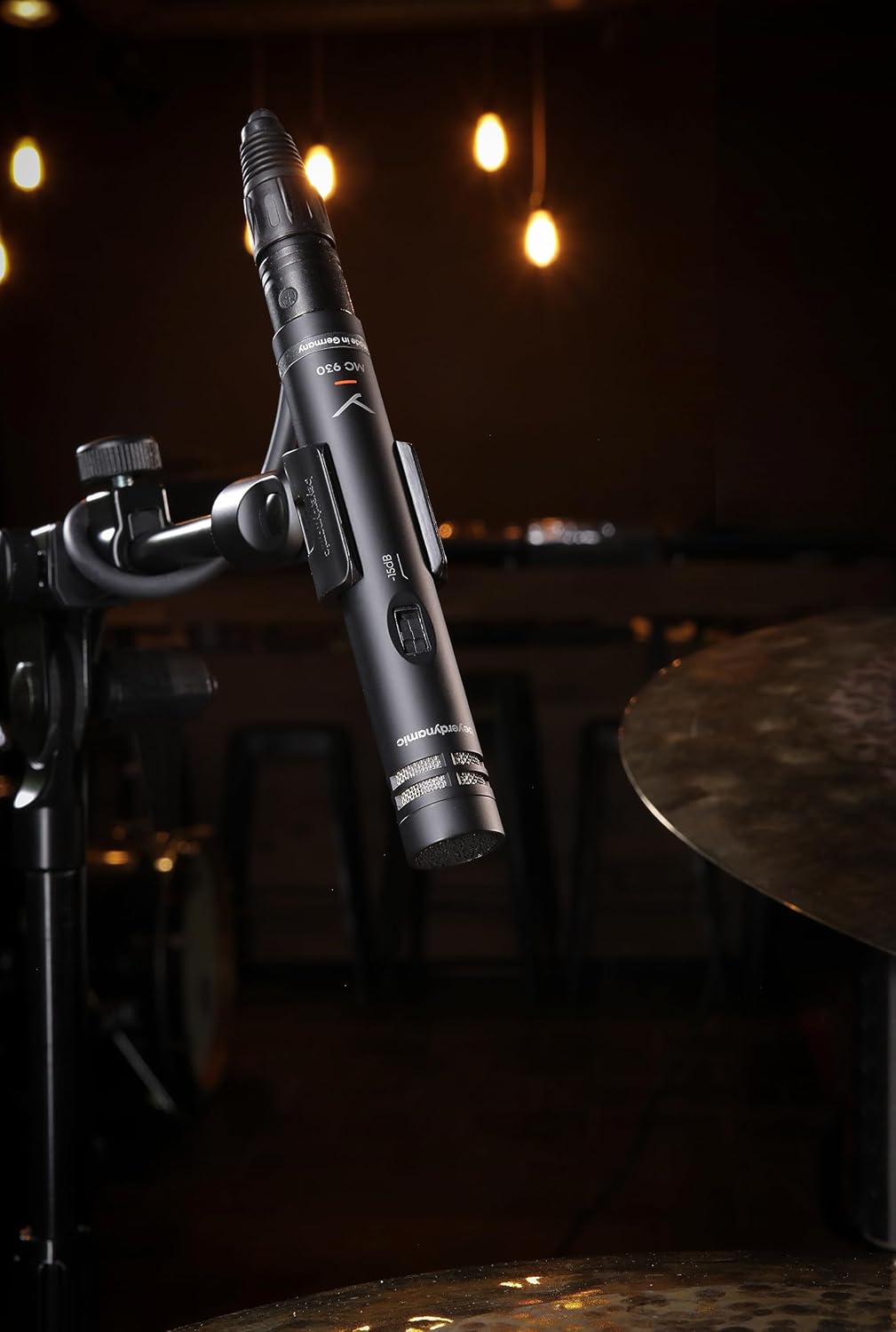
Image: The beyerdynamic MC 930 microphone mounted on a stand, ready for use.
4. സജ്ജീകരണം
4.1 മൈക്രോഫോൺ മൌണ്ട് ചെയ്യുന്നു
- Attach the supplied microphone clamp (MA-CL 21) to a standard microphone stand.
- Carefully screw the MC 930 microphone into the clamp. Ensure it is securely fastened but do not overtighten.
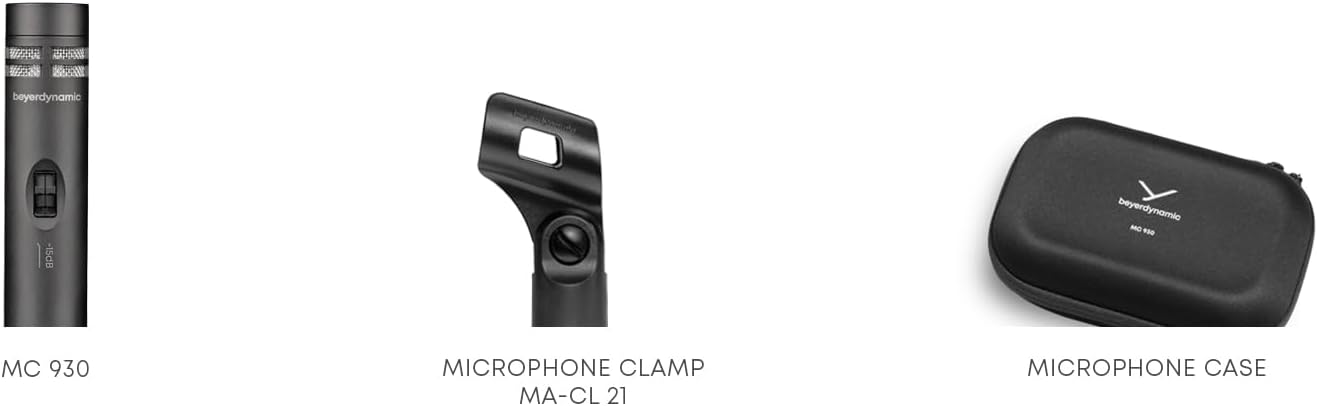
ചിത്രം: ക്ലോസ്-അപ്പ് view of the MA-CL 21 microphone clamp, used for securing the MC 930 to a stand.
4.2 ഓഡിയോ ഉപകരണങ്ങളിലേക്ക് ബന്ധിപ്പിക്കുന്നു
- Connect the supplied XLR microphone cable to the XLR output at the base of the MC 930.
- Connect the other end of the XLR cable to an input on your audio mixer, audio interface, or preampജീവൻ.
- Ensure your audio equipment provides 11-52 V ഫാൻ്റം പവർ. The MC 930 requires phantom power to operate. Activate phantom power on the connected input channel.
4.3 Pre-attenuation and Low-Cut Filter
The MC 930 features two small switches on its body:
- Pre-attenuation Switch (-15 dB): This switch reduces the microphone's output level by 15 dB. Use this setting when recording very loud sound sources (e.g., drums, loud guitar amplifiers) to prevent input clipping on your mixer or interface.
- Low-Cut Filter Switch (80 Hz): This switch activates a high-pass filter at 80 Hz. Use this to reduce unwanted low-frequency noise such as rumble from air conditioning, stage vibrations, or proximity effect when close-miking.
Adjust these switches according to your recording environment and sound source.
5. മൈക്രോഫോൺ പ്രവർത്തിപ്പിക്കൽ
5.1 പോളാർ പാറ്റേൺ
The MC 930 features a unidirectional (cardioid) polar pattern. This means it is most sensitive to sounds coming from the front and rejects sounds from the sides and rear. This characteristic is ideal for isolating a sound source and minimizing background noise or feedback in live settings.
5.2 ശുപാർശ ചെയ്യുന്ന ഉപയോഗങ്ങൾ
The MC 930 is suitable for a variety of applications, including:
- ഇൻസ്ട്രുമെന്റ് മൈക്കിംഗ്: Acoustic guitars, overheads for drums, percussion, strings, woodwinds, and brass instruments.
- Vocal Recording: Speech and singing, especially in controlled studio environments.
- വീഡിയോ റെക്കോർഡിംഗ്: Capturing clear audio for video productions.
- തത്സമയ ശബ്ദം: Reinforcement of instruments and vocals on stage.
5.3 ഒപ്റ്റിമൽ പ്ലേസ്മെന്റ്
Experiment with microphone placement to achieve the desired sound. Generally, placing the microphone closer to the sound source will increase direct sound and reduce room ambience. Utilize the cardioid pattern by pointing the front of the microphone towards the desired sound and away from unwanted noise sources.
6. പരിപാലനം
6.1 വൃത്തിയാക്കൽ
To clean the microphone, gently wipe the exterior with a soft, dry, lint-free cloth. Do not use liquid cleaners, solvents, or abrasive materials, as these can damage the finish or internal components. Avoid getting moisture into the microphone capsule or switches.
6.2 സംഭരണം
When not in use, store the MC 930 in its supplied carrying case to protect it from dust, moisture, and physical damage. Store in a cool, dry place.
7. പ്രശ്നപരിഹാരം
If you encounter issues with your MC 930 microphone, refer to the following common problems and solutions:
- സൗണ്ട് ഔട്ട്പുട്ട് ഇല്ല:
- Ensure phantom power (11-52 V) is activated on the connected input channel.
- Check all XLR cable connections for proper seating. Try a different XLR cable.
- Verify the input gain on your mixer/interface is turned up.
- Test the microphone on a different input channel or with different audio equipment.
- വികലമായ അല്ലെങ്കിൽ ക്ലിപ്പുചെയ്ത ശബ്ദം:
- Activate the -15 dB pre-attenuation switch on the microphone.
- Reduce the input gain on your mixer/interface.
- മൈക്രോഫോണും ശബ്ദ സ്രോതസ്സും തമ്മിലുള്ള ദൂരം വർദ്ധിപ്പിക്കുക.
- Excessive Low-Frequency Noise/Rumble:
- Activate the 80 Hz low-cut filter switch on the microphone.
- Ensure the microphone is isolated from vibrations (e.g., use a shock mount, if available, or place the stand on a stable surface).
- ഹം അല്ലെങ്കിൽ ബസിംഗ് ശബ്ദം:
- Check for ground loops. Ensure all audio equipment is properly grounded.
- Ensure XLR cables are balanced and in good condition. Avoid running audio cables parallel to power cables.
- Test in a different electrical outlet or location to rule out external interference.
If problems persist after trying these steps, contact beyerdynamic customer support or an authorized service center.
8 സാങ്കേതിക സവിശേഷതകൾ
| ഫീച്ചർ | സ്പെസിഫിക്കേഷൻ |
|---|---|
| മോഡലിൻ്റെ പേര് | MC 930 |
| ബ്രാൻഡ് | ബേയർഡൈനാമിക് |
| മൈക്രോഫോൺ ഫോം ഫാക്ടർ | സ്റ്റുഡിയോ കണ്ടൻസർ |
| പോളാർ പാറ്റേൺ | ഏകദിശയിലുള്ള (കാർഡിയോയിഡ്) |
| പവർ ഉറവിടം | 11–52 V phantom power |
| ഫ്രീക്വൻസി പ്രതികരണം | 20 ഹെർട്സ് - 20 കിലോ ഹെർട്സ് |
| ഓഡിയോ സെൻസിറ്റിവിറ്റി | 15 ഡെസിബെൽ |
| സിഗ്നൽ-ടു-നോയിസ് അനുപാതം | 76 ഡി.ബി |
| കണക്റ്റിവിറ്റി ടെക്നോളജി | വയർഡ് |
| കണക്റ്റർ തരം | XLR |
| ഇനത്തിൻ്റെ ഭാരം | 1.14 പൗണ്ട് (0.52 കി.ഗ്രാം) |
| ഉൽപ്പന്ന അളവുകൾ (L x W x H) | 9.3 x 6.55 x 3.45 ഇഞ്ച് (23.6 x 16.6 x 8.8 സെ.മീ) |
| മെറ്റീരിയൽ | മോടിയുള്ള വസ്തുക്കൾ |
| ഉൾപ്പെടുത്തിയ ഘടകങ്ങൾ | Microphone, Carrying case, Windscreen, Microphone cable, Measurement curve |
9. വാറൻ്റിയും പിന്തുണയും
For detailed information regarding the warranty period and terms for your beyerdynamic MC 930 microphone, please refer to the warranty card included with your product or visit the official beyerdynamic website. For technical support, service, or spare parts, please contact beyerdynamic customer service directly through their official channels.
നിർമ്മാതാവ്: ബേയർഡൈനാമിക്
കൂടുതൽ സഹായത്തിന്, സന്ദർശിക്കുക: www.beyerdynamic.com