ആമുഖം
The Beyerdynamic MC 950 is a high-quality true condenser microphone designed for professional audio applications. Featuring a supercardioid polar pattern, it excels at isolating sound sources and minimizing off-axis noise, making it ideal for studio recording, live sound, and broadcast. Its robust construction and advanced features ensure reliable performance and exceptional sound reproduction.
This manual provides detailed instructions for the proper setup, operation, and maintenance of your MC 950 microphone to ensure optimal performance and longevity.
സുരക്ഷാ വിവരങ്ങൾ
- Always handle the microphone with care to prevent damage to the capsule or electronics.
- മൈക്രോഫോണിനെ തീവ്രമായ താപനില, ഈർപ്പം, നേരിട്ടുള്ള സൂര്യപ്രകാശം എന്നിവയ്ക്ക് വിധേയമാക്കരുത്.
- Ensure proper phantom power (11-52V) is supplied by your audio interface or mixer. Incorrect voltage മൈക്രോഫോണിന് കേടുവരുത്തും.
- Avoid dropping the microphone or subjecting it to strong impacts.
- ശക്തമായ കാന്തിക മണ്ഡലങ്ങളിൽ നിന്ന് മൈക്രോഫോൺ അകറ്റി നിർത്തുക.
- മൈക്രോഫോൺ വേർപെടുത്താനോ പരിഷ്ക്കരിക്കാനോ ശ്രമിക്കരുത്. ഇത് വാറന്റി അസാധുവാക്കും.
പാക്കേജ് ഉള്ളടക്കം
താഴെ പട്ടികപ്പെടുത്തിയിരിക്കുന്ന എല്ലാ ഇനങ്ങളും നിങ്ങളുടെ പാക്കേജിൽ ഉൾപ്പെടുത്തിയിട്ടുണ്ടോയെന്ന് ദയവായി പരിശോധിക്കുക:
- Beyerdynamic MC 950 True Condenser Microphone
- മൈക്രോഫോൺ Clamp (MA-CL 21)
- Microphone Case

Image: Contents of the Beyerdynamic MC 950 package, showing the microphone, its clamp, and the protective case.
സജ്ജമാക്കുക
- Attach the Microphone Clamp: Securely attach the provided MA-CL 21 microphone clamp to a standard microphone stand.
- മൈക്രോഫോൺ മൌണ്ട് ചെയ്യുക: Carefully insert the Beyerdynamic MC 950 microphone into the clamp. Ensure it is firmly seated but do not overtighten.
- XLR കേബിൾ ബന്ധിപ്പിക്കുക: Connect a balanced XLR cable to the microphone's XLR output.
- ഓഡിയോ ഉപകരണത്തിലേക്ക് കണക്റ്റുചെയ്യുക: Connect the other end of the XLR cable to an input on your audio interface, mixer, or preamplifier that provides 11-52V phantom power.
- ഫാന്റം പവർ സജീവമാക്കുക: Turn on the phantom power on your audio device. The MC 950 requires phantom power to operate.
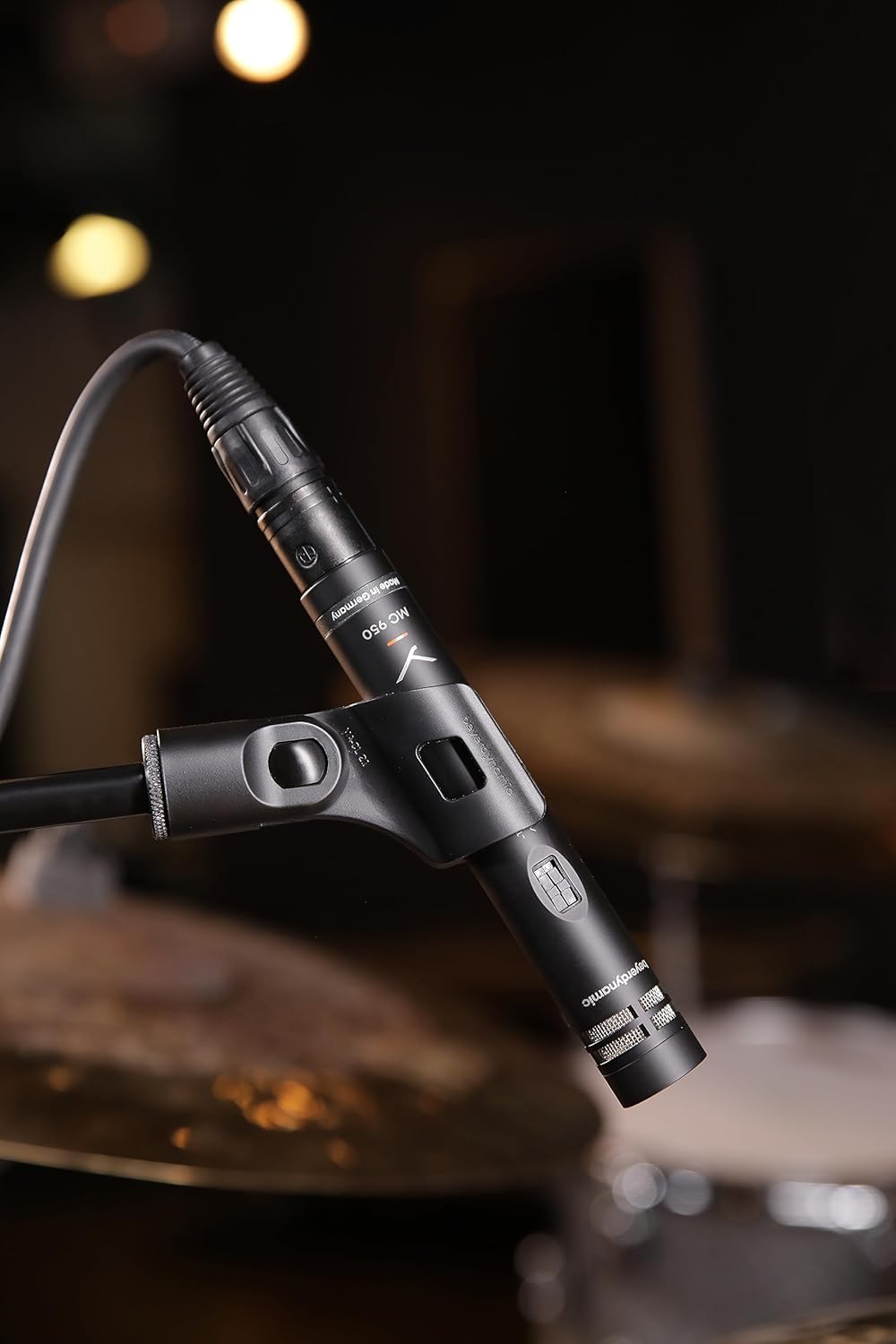
Image: The Beyerdynamic MC 950 microphone properly mounted on a stand and connected via an XLR cable, ready for use.
Operating the MC 950
The MC 950 features a supercardioid polar pattern, which provides excellent off-axis rejection, making it highly effective for isolating sound sources in noisy environments or when multiple instruments are present.
ഫീച്ചറുകൾ:
- ലോ-കട്ട് ഫിൽട്ടർ: The microphone includes a switchable -6dB-per-octave low-cut filter at 250Hz. This filter helps to attenuate unwanted low-frequency rumble, proximity effect, or stage noise. To activate, locate the switch on the microphone body and slide it to the "on" position.
- -15dB Pad: For very loud sound sources, the MC 950 is equipped with a switchable -15dB pad. This pad reduces the input signal level before it reaches the microphone's internal electronics, preventing distortion. To activate, locate the switch on the microphone body and slide it to the "on" position.

ചിത്രം: വിശദമായ ഒരു ചിത്രം view of the Beyerdynamic MC 950 microphone, highlighting the switches for the -15dB pad and the low-cut filter.
പ്ലേസ്മെൻ്റ് നുറുങ്ങുകൾ:
- For acoustic instruments like guitars, position the microphone a few inches from the soundhole or bridge for a balanced sound. Experiment with distance and angle to achieve the desired tone.
- When miking drums, the supercardioid pattern helps in isolating individual drums or cymbals, reducing bleed from other sources.
- For vocals, maintain a consistent distance from the microphone to avoid variations in level and tone.

Image: The Beyerdynamic MC 950 microphone positioned to capture the sound of an acoustic guitar, demonstrating typical usage.
മെയിൻ്റനൻസ്
- വൃത്തിയാക്കൽ: Use a soft, dry cloth to wipe the microphone body. Do not use liquid cleaners or solvents, as they may damage the finish or internal components.
- സംഭരണം: When not in use, store the microphone in its protective case to shield it from dust, moisture, and physical damage.
- കൈകാര്യം ചെയ്യൽ: Always handle the microphone by its body, not by the cable or connector.
ട്രബിൾഷൂട്ടിംഗ്
| പ്രശ്നം | സാധ്യമായ കാരണം | പരിഹാരം |
|---|---|---|
| സൗണ്ട് ഔട്ട്പുട്ട് ഇല്ല | No phantom power; Faulty XLR cable; Incorrect input selection on mixer/interface. | Ensure phantom power is activated (11-52V); Try a different XLR cable; Verify correct input is selected and gain is up. |
| വികലമായ ശബ്ദം | Input signal too hot; Pad not engaged for loud sources. | Engage the -15dB pad switch; Reduce gain on your audio device; Increase distance from sound source. |
| Excessive Bass/Rumble | Proximity effect; Low-frequency noise from stage/environment. | Engage the low-cut filter switch; Increase distance from sound source; Use a shock mount. |
| ഇടവിട്ടുള്ള ശബ്ദം | അയഞ്ഞ കേബിൾ കണക്ഷൻ; കേടുവന്ന കേബിൾ. | Check all cable connections; Try a different XLR cable. |
സ്പെസിഫിക്കേഷനുകൾ
| ഫീച്ചർ | വിശദാംശങ്ങൾ |
|---|---|
| മൈക്രോഫോൺ തരം | യഥാർത്ഥ കണ്ടൻസർ |
| പോളാർ പാറ്റേൺ | സൂപ്പർകാർഡിയോയിഡ് |
| ഫ്രീക്വൻസി പ്രതികരണം | 40Hz - 20kHz |
| ലോ-കട്ട് ഫിൽട്ടർ | Switchable -6dB/octave at 250Hz |
| പാഡ് | Switchable -15dB |
| ഫാന്റം പവർ | 11-52 വി ഡിസി |
| കണക്റ്റിവിറ്റി | XLR |
| ഇനത്തിൻ്റെ ഭാരം | 7 ഔൺസ് (0.2 കിലോഗ്രാം) |
| അളവുകൾ (L x W x H) | 9.4 x 6.45 x 3.45 ഇഞ്ച് |
| നിർമ്മാതാവ് | ബെയർഡൈനാമിക് |
വാറൻ്റിയും പിന്തുണയും
Beyerdynamic products are manufactured to the highest quality standards. For information regarding warranty coverage and terms, please refer to the warranty card included with your product or visit the official Beyerdynamic webസൈറ്റ്.
For technical support, service, or spare parts, please contact Beyerdynamic customer service or an authorized service center in your region. Contact information can typically be found on the Beyerdynamic webസൈറ്റ് അല്ലെങ്കിൽ ഉൽപ്പന്ന പാക്കേജിംഗിൽ.
ഓൺലൈൻ ഉറവിടങ്ങൾ: For additional resources, FAQs, and product registration, please visit: www.beyerdynamic.com


