1. ഉൽപ്പന്നം കഴിഞ്ഞുview
The Mibro 2 True Wireless Bluetooth Earbuds with SinglePoint technology and an IPX5 rating offer a seamless and durable audio experience. The elegant white design ensures a sleek look, while the SinglePoint feature enhances connectivity. With an IPX5 rating, these earbuds are splash-resistant, making them suitable for various activities.
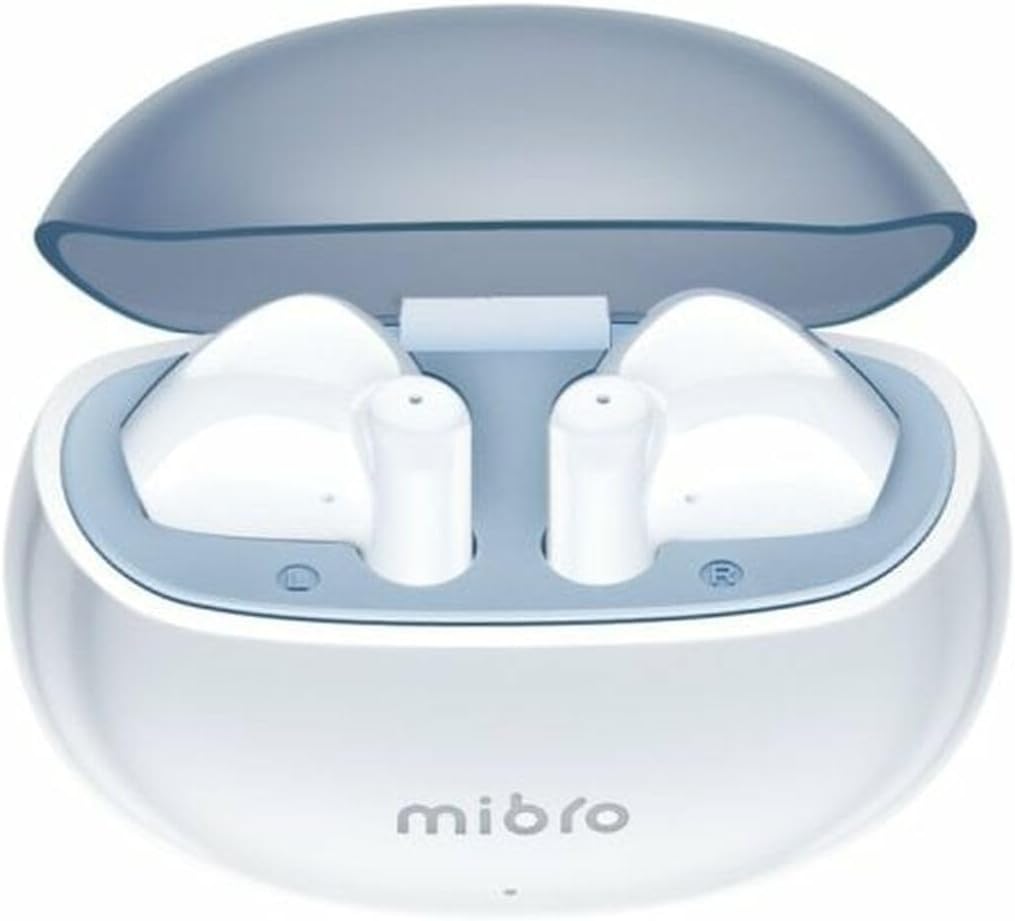
Figure 1.1: Mibro 2 Earbuds in their charging case, showcasing മിനുസമാർന്ന വെളുത്ത ഡിസൈൻ.
2 പ്രധാന സവിശേഷതകൾ
- Seamless and durable audio experience
- SinglePoint technology enhances connectivity
- Elegant white design for a modern look
- Ideal for various activities with a stylish appearance
- Ensures a sleek and reliable audio solution

Figure 2.1: The Mibro 2 Earbuds and charging case, highlighting their compact and modern design.
3. പ്രാരംഭ സജ്ജീകരണം
3.1. ഇയർബഡുകളും കേസും ചാർജ് ചെയ്യുന്നു
Before first use, fully charge the earbuds and the charging case. Place the earbuds into the charging case. Connect the charging case to a power source using a compatible USB cable (not included). The indicator light on the case will show charging status.
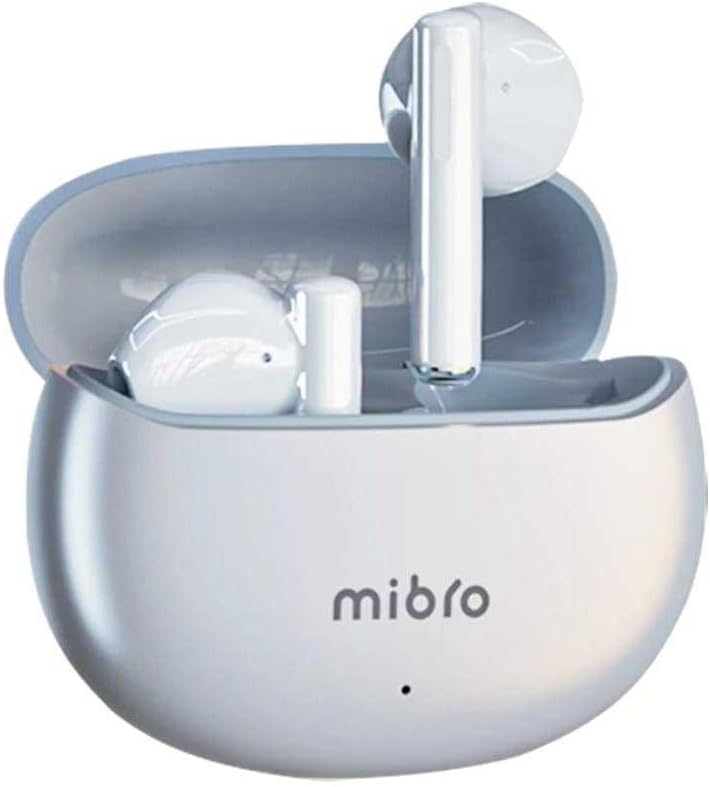
Figure 3.1: Mibro 2 Earbuds in their closed charging case, ready for charging.
3.2. ഒരു ഉപകരണവുമായി ജോടിയാക്കൽ
- ഇയർബഡുകൾ ചാർജ്ജ് ചെയ്തിട്ടുണ്ടെന്ന് ഉറപ്പാക്കുക.
- ചാർജിംഗ് കേസ് തുറക്കുക. ഇയർബഡുകൾ സ്വയമേവ ജോടിയാക്കൽ മോഡിലേക്ക് പ്രവേശിക്കും.
- നിങ്ങളുടെ മൊബൈൽ ഫോണിലോ ബ്ലൂടൂത്ത് പ്രവർത്തനക്ഷമമാക്കിയ ഉപകരണത്തിലോ, ബ്ലൂടൂത്ത് ക്രമീകരണങ്ങളിലേക്ക് പോകുക.
- ഇതിനായി തിരയുക available devices and select "Mibro 2 Earbuds" from the list.
- കണക്റ്റ് ചെയ്തുകഴിഞ്ഞാൽ, ഒരു സ്ഥിരീകരണ ശബ്ദം പ്ലേ ചെയ്യും, ഇയർബഡുകൾ ഉപയോഗത്തിന് തയ്യാറാകും.

Figure 3.2: Pairing the Mibro 2 Earbuds with a mobile device.
4. ഓപ്പറേഷൻ ഗൈഡ്
4.1. പവർ ഓൺ/ഓഫ്
- പവർ ഓൺ: ചാർജിംഗ് കെയ്സ് തുറക്കുക, ഇയർബഡുകൾ സ്വയമേവ ഓണാകും.
- പവർ ഓഫ്: ഇയർബഡുകൾ ചാർജിംഗ് കെയ്സിലേക്ക് തിരികെ വയ്ക്കുകയും ലിഡ് അടയ്ക്കുകയും ചെയ്യുക. അവ സ്വയമേവ വിച്ഛേദിക്കപ്പെടുകയും പവർ ഓഫാകുകയും ചെയ്യും.
4.2. ടച്ച് നിയന്ത്രണങ്ങൾ
The Mibro 2 Earbuds feature intuitive touch controls for various functions:
- പ്ലേ/താൽക്കാലികമായി നിർത്തുക: ഇയർബഡുകളിൽ ഏതെങ്കിലുമൊന്നിൽ ഒറ്റ ടാപ്പ് ചെയ്യുക.
- അടുത്ത ട്രാക്ക്: വലതുവശത്തെ ഇയർബഡിൽ രണ്ടുതവണ ടാപ്പ് ചെയ്യുക.
- മുമ്പത്തെ ട്രാക്ക്: ഇടതുവശത്തെ ഇയർബഡിൽ രണ്ടുതവണ ടാപ്പ് ചെയ്യുക.
- ഉത്തരം/അവസാന കോൾ: ഇൻകമിംഗ് കോൾ വരുമ്പോൾ ഏത് ഇയർബഡിലും ഒറ്റ ടാപ്പ് ചെയ്യുക.
- കോൾ നിരസിക്കുക: ഇൻകമിംഗ് കോൾ വരുമ്പോൾ ഇയർബഡുകളിൽ ഏതെങ്കിലുമൊന്ന് 2 സെക്കൻഡ് അമർത്തിപ്പിടിക്കുക.
- വോയ്സ് അസിസ്റ്റന്റിനെ സജീവമാക്കുക: ഇയർബഡുകളിൽ ഏതെങ്കിലുമൊന്നിൽ മൂന്ന് തവണ ടാപ്പ് ചെയ്യുക.

Figure 4.1: Demonstrating the touch control on the Mibro 2 Earbuds.
5. പരിചരണവും പരിപാലനവും
- വൃത്തിയാക്കൽ: ഇയർബഡുകളും ചാർജിംഗ് കെയ്സും മൃദുവായതും ഉണങ്ങിയതും ലിന്റ് രഹിതവുമായ തുണി ഉപയോഗിച്ച് പതിവായി വൃത്തിയാക്കുക. കഠിനമായ രാസവസ്തുക്കളോ ഉരച്ചിലുകളോ ഉള്ള വസ്തുക്കൾ ഉപയോഗിക്കരുത്.
- ജല പ്രതിരോധം: The earbuds are IPX5 splash-resistant. Avoid submerging them in water or exposing them to heavy rain. Dry them thoroughly if they get wet.
- സംഭരണം: ഇയർബഡുകൾ ഉപയോഗിക്കാത്തപ്പോൾ ചാർജിംഗ് കേസിൽ തന്നെ സൂക്ഷിക്കുക, അങ്ങനെ അവ സംരക്ഷിക്കപ്പെടുകയും ചാർജ്ജ് ആയി നിലനിർത്തുകയും ചെയ്യും. ഉയർന്ന താപനില ഒഴിവാക്കുക.
- ബാറ്ററി കെയർ: ബാറ്ററി ലൈഫ് വർദ്ധിപ്പിക്കാൻ, ഇയർബഡുകൾ ഇടയ്ക്കിടെ പൂർണ്ണമായും ഡിസ്ചാർജ് ചെയ്യുന്നത് ഒഴിവാക്കുക. ദീർഘനേരം ഉപയോഗിച്ചിട്ടില്ലെങ്കിൽ പോലും അവ പതിവായി ചാർജ് ചെയ്യുക.
6. പ്രശ്നപരിഹാരം
- ഇയർബഡുകൾ ജോടിയാക്കുന്നില്ല: Ensure earbuds are charged and within range of your device. Turn off and on your device's Bluetooth. Try resetting the earbuds (refer to manufacturer's specific reset instructions if available).
- ഒരു ഇയർബഡിൽ നിന്ന് ശബ്ദമില്ല: രണ്ട് ഇയർബഡുകളും ചാർജിംഗ് കെയ്സിലേക്ക് തിരികെ വയ്ക്കുക, ലിഡ് അടയ്ക്കുക, കുറച്ച് സെക്കൻഡ് കാത്തിരിക്കുക, തുടർന്ന് അത് വീണ്ടും തുറക്കുക. ഇത് പലപ്പോഴും അവയെ വീണ്ടും സമന്വയിപ്പിക്കുന്നു.
- കുറഞ്ഞ വോളിയം: Adjust the volume on both your connected device and the earbuds. Ensure eartips are properly sealed in your ear canal.
- ചാർജിംഗ് പ്രശ്നങ്ങൾ: Check the charging cable and power adapter. Ensure the charging contacts on the earbuds and inside the case are clean and free of debris.
7 സാങ്കേതിക സവിശേഷതകൾ
| ഫീച്ചർ | സ്പെസിഫിക്കേഷൻ |
|---|---|
| ബ്രാൻഡ് | മിബ്രോ |
| മോഡലിൻ്റെ പേര് | 2 ഇയർബഡുകൾ |
| ഇനം മോഡൽ നമ്പർ | sol-me2 |
| കണക്റ്റിവിറ്റി ടെക്നോളജി | വയർലെസ് ബ്ലൂടൂത്ത് |
| നിയന്ത്രണ രീതി | സ്പർശിക്കുക |
| ഫോം ഫാക്ടർ | ഇൻ-ഇയർ |
| നിറം | വെള്ള |
| മെറ്റീരിയൽ | പ്ലാസ്റ്റിക് |
| ഇനത്തിൻ്റെ ഭാരം | 100 ഗ്രാം |
| ജല പ്രതിരോധ നില | IPX5 സ്പ്ലാഷ്-റെസിസ്റ്റന്റ് |
| റീചാർജ് ചെയ്യാവുന്ന ബാറ്ററി | അതെ |
| പ്രത്യേക സവിശേഷതകൾ | ഭാരം കുറഞ്ഞ |
| അനുയോജ്യമായ ഉപകരണങ്ങൾ | മൊബൈൽ ഫോൺ |
| ഉൾപ്പെടുത്തിയ ഘടകങ്ങൾ | ഇയർടിപ്പ് |
8. വാറൻ്റിയും പിന്തുണയും
8.1. വാറൻ്റി വിവരങ്ങൾ
Specific warranty information for the Mibro 2 True Wireless Bluetooth Earbuds is not available in the provided product data. Please refer to the product packaging or the official Mibro webവിശദമായ വാറന്റി നിബന്ധനകൾക്കും വ്യവസ്ഥകൾക്കും സൈറ്റ്.
8.2. ഉപഭോക്തൃ പിന്തുണ
Customer support contact details are not available in the provided product data. For assistance, please visit the official Mibro website or contact the retailer where the product was purchased.


