1. ആമുഖം
The Arlo Essential Indoor Security Camera 2K (2nd Generation) provides advanced home monitoring with crystal-clear 2K video resolution. Designed for indoor use, it features an automated privacy shield, two-way audio, night vision, and motion alerts to keep you connected to your home, family, and pets. This manual provides comprehensive instructions for setting up, operating, and maintaining your Arlo Essential Indoor Camera.

Figure 1: Arlo Essential Indoor Security Camera 2K (2nd Generation) - Two-pack.
വീഡിയോ 1: കഴിഞ്ഞുview of Arlo Essential Indoor Camera 2K (2nd Generation) features and design.
2. ബോക്സിൽ എന്താണുള്ളത്?
Your Arlo Essential Indoor Security Camera 2K package includes the following items:
- 2x Arlo Essential Indoor Camera (2nd Generation)
- 1x പവർ അഡാപ്റ്റർ
- 2x Wall Mount and Screw Kit
- 1x ദ്രുത ആരംഭ ഗൈഡ്
3. ഉൽപ്പന്നം കഴിഞ്ഞുview
3.1 പ്രധാന സവിശേഷതകൾ
- 2K വീഡിയോ റെസല്യൂഷൻ: വ്യക്തവും വിശദവുമായ വീഡിയോ foo ക്യാപ്ചർ ചെയ്യുകtage.
- ഓട്ടോമേറ്റഡ് പ്രൈവസി ഷീൽഡ്: Physically cover the camera lens for privacy when needed, controlled via the Arlo Secure App.
- ടു-വേ ഓഡിയോ: Hear and speak to visitors or family members through the camera.
- രാത്രി കാഴ്ച: Monitor your home even in low-light conditions.
- ചലനം കണ്ടെത്തലും അലേർട്ടുകളും: ചലനം കണ്ടെത്തുമ്പോൾ നിങ്ങളുടെ സ്മാർട്ട്ഫോണിൽ തത്സമയ അറിയിപ്പുകൾ സ്വീകരിക്കുക.
- സംയോജിത സൈറൺ: Deter intruders with a remote-activated siren.
- വിശാലമായ ഫീൽഡ് View: ഒരു 130-ഡിഗ്രി viewing angle provides extensive coverage.
- എളുപ്പമുള്ള സജ്ജീകരണം: Connects directly to Wi-Fi for quick installation.
- സ്മാർട്ട് ഹോം ഇൻ്റഗ്രേഷൻ: Works with Amazon Alexa and Google Home.
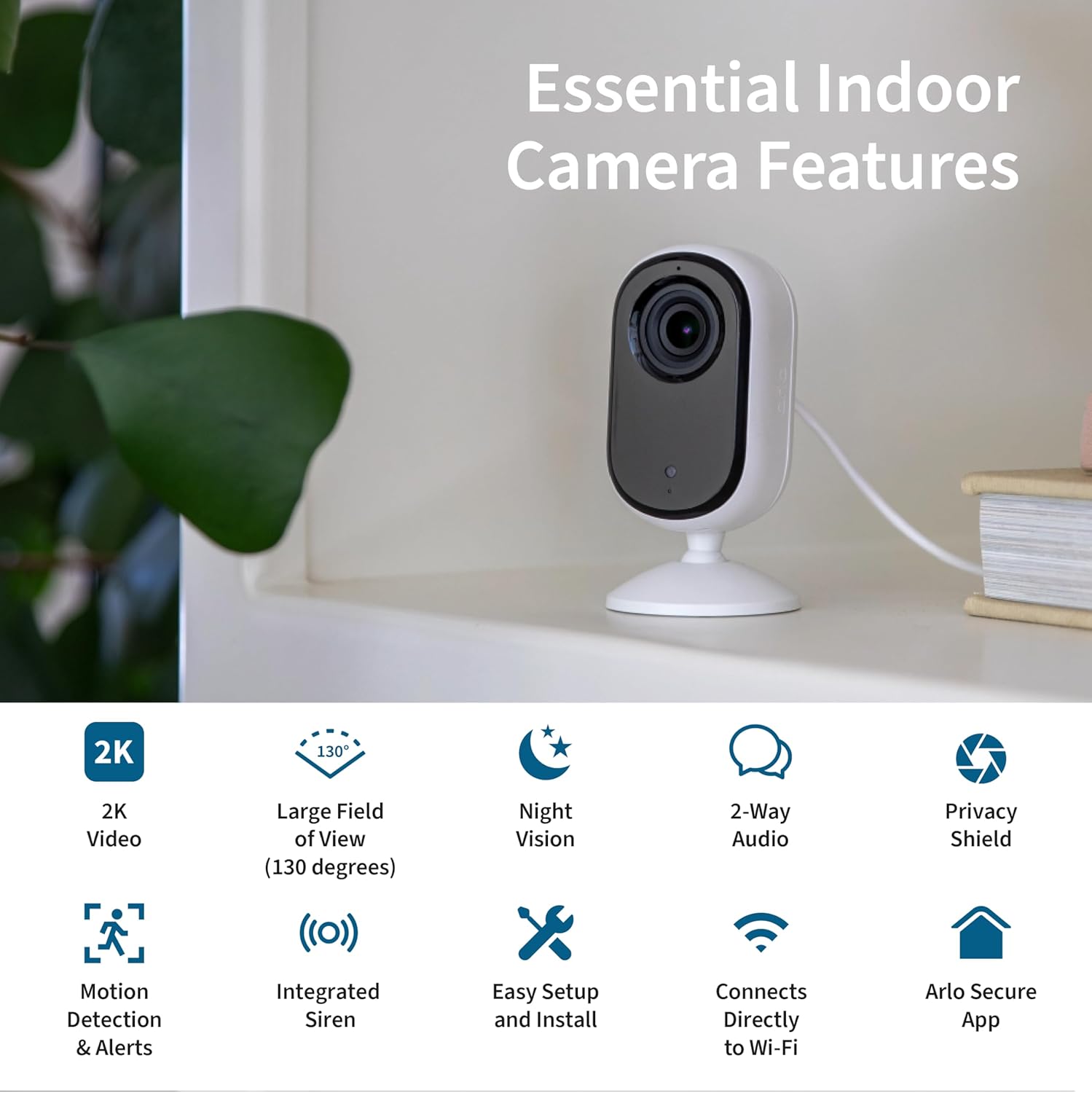
Figure 2: Essential Indoor Camera Key Features.
3.2 ഘടകങ്ങൾ
The Arlo Essential Indoor Camera consists of the camera unit with an integrated stand and a power cable for continuous operation.

Figure 3: Arlo Essential Indoor Camera 2K.
4. സജ്ജീകരണം
4.1 പ്രാരംഭ പവർ-അപ്പ്
- Connect the power cord to the included power adapter.
- Plug the power adapter into an electrical outlet at your desired camera location.
- The camera is powered on and ready when the automated privacy shield opens.
4.2 Arlo Secure App Installation and Pairing
- Download the Arlo Secure App from your device's app store (App Store for iOS, Google Play Store for Android).
- Create a new Arlo account or log in if you already have one. Ensure your app is updated to the latest version.
- നിങ്ങളുടെ സ്മാർട്ട്ഫോണിൽ ബ്ലൂടൂത്ത് പ്രവർത്തനക്ഷമമാക്കുക.
- Open the Arlo Secure App and navigate to the "Devices" section.
- ഒരു പുതിയ ഉപകരണം ചേർക്കാൻ മുകളിൽ വലത് കോണിലുള്ള "+" ഐക്കണിൽ ടാപ്പ് ചെയ്യുക.
- Select "Cameras" then "Essential Cameras 2nd Generation".
- To begin Bluetooth pairing, press and hold the pairing button on top of the camera for 3 seconds until the camera's LED flashes blue. The app will automatically detect your camera.
- Follow the on-screen prompts to name your camera and allow the app to check for firmware updates. This process may take a few minutes.
Video 2: Detailed guide on setting up your Arlo Essential Indoor 2K Camera.
4.3 പ്ലേസ്മെന്റും മൗണ്ടിംഗും
Ensure your Wi-Fi signal strength is strong at the camera's mounting spot. You can verify the signal strength within the Arlo Secure App.
- പരന്ന ഉപരിതല സ്ഥാനം: The camera can be placed on any flat surface, such as a shelf or table.
- മതിൽ മൗണ്ടിംഗ്: If mounting on a wall, use the included wall plate and screw kit.
- Securely anchor the wall plate with the "UP" arrow facing upwards, using the provided hardware.
- Align the "UP" arrow on the camera's base with the arrow on the wall plate.
- Slide your camera downward onto the wall plate until it clicks into place.
- Adjust the camera's angle for the optimal viewing ഏരിയ.

Figure 4: Automated Privacy Shield in action.
5. Operating Your Arlo Essential Indoor Camera
5.1 തത്സമയം View ഒപ്പം ടു-വേ ഓഡിയോയും
- Open the Arlo Secure App to view live video from your camera.
- Use the microphone icon in the app to enable two-way audio and speak through the camera.

Figure 5: Arlo Secure App Interface for Live Monitoring.
5.2 മോഷൻ ഡിറ്റക്ഷനും അലേർട്ടുകളും
- The camera automatically detects motion and sends alerts to your smartphone.
- Customize alert settings and activity zones within the Arlo Secure App to receive notifications for specific areas.
- Activate the integrated siren remotely from the app to deter unwanted visitors.
5.3 Privacy Shield Control
- Control the automated privacy shield via the Arlo Secure App.
- Close the shield when you desire privacy, ensuring the camera is not recording.
Video 3: Arlo's Privacy Pledge, detailing how your data is protected and controlled.
5.4 സ്മാർട്ട് ഹോം ഇന്റഗ്രേഷൻ
- Integrate your Arlo camera with Amazon Alexa and Google Home for voice control and smart routines.
- Use IFTTT automations for enhanced functionality, such as receiving low battery notifications or turning on compatible lights when motion is detected.

Figure 6: Arlo Essential Indoor Camera 2K Smart Home Compatibility.
6. പരിപാലനം
- വൃത്തിയാക്കൽ: മൃദുവായതും ഉണങ്ങിയതുമായ തുണി ഉപയോഗിച്ച് ക്യാമറ ലെൻസും ബോഡിയും സൌമ്യമായി തുടയ്ക്കുക. കഠിനമായ രാസവസ്തുക്കളോ ഉരച്ചിലുകളോ ഉള്ള വസ്തുക്കൾ ഉപയോഗിക്കുന്നത് ഒഴിവാക്കുക.
- ഫേംവെയർ അപ്ഡേറ്റുകൾ: Regularly check for and install firmware updates via the Arlo Secure App to ensure optimal performance and security.
- പവർ കണക്ഷൻ: പവർ കേബിൾ സുരക്ഷിതമായി ബന്ധിപ്പിച്ചിട്ടുണ്ടെന്നും കേടുപാടുകൾ സംഭവിച്ചിട്ടില്ലെന്നും ഉറപ്പാക്കുക.
7. പ്രശ്നപരിഹാരം
| പ്രശ്നം | സാധ്യമായ കാരണം | പരിഹാരം |
|---|---|---|
| ക്യാമറ ഓണാക്കുന്നില്ല. | Power adapter not connected, outlet not working. | Ensure power adapter is securely connected and try a different outlet. |
| Wi-Fi-ലേക്ക് കണക്റ്റ് ചെയ്യാൻ കഴിയില്ല. | Weak Wi-Fi signal, incorrect password. | Move camera closer to router, re-enter Wi-Fi password, restart router. |
| ചലന മുന്നറിയിപ്പുകൾ ലഭിച്ചില്ല. | App notifications disabled, activity zones not configured. | Check app notification settings, configure activity zones in the app. |
| Privacy shield stuck. | Minor mechanical issue. | Restart the camera by unplugging and re-plugging the power. If issue persists, contact support. |
8 സ്പെസിഫിക്കേഷനുകൾ
| ഫീച്ചർ | വിശദാംശങ്ങൾ |
|---|---|
| മോഡൽ നമ്പർ | വി.എം.സി 3060 |
| ഇൻഡോർ/ഔട്ട്ഡോർ ഉപയോഗം | ഇൻഡോർ |
| വീഡിയോ ക്യാപ്ചർ റെസല്യൂഷൻ | 1440p (2K) |
| കണക്റ്റിവിറ്റി ടെക്നോളജി | വൈ-ഫൈ, വയേർഡ് |
| പവർ ഉറവിടം | കോർഡഡ് ഇലക്ട്രിക് |
| അളവുകൾ (L x W x H) | 1.42 x 1.85 x 3.82 ഇഞ്ച് |
| ഇനത്തിൻ്റെ ഭാരം | 3.36 ഔൺസ് |
| ഒപ്റ്റിക്കൽ സൂം | 12x |
| നിറം | വെള്ള |
| യു.പി.സി | 193108145435 |
9. വാറൻ്റിയും പിന്തുണയും
For warranty information, technical support, and additional resources, please visit the official Arlo website or contact Arlo customer support. 24/7 chat support is available via the Arlo app or website. Product use and support are for the United States only.
For current information on features that require a paid subscription (Arlo Secure Plan), visit ആർലോ.കോം/ആർലോസെക്യൂർ.