ആമുഖം
Thank you for choosing the Syncwire Bluetooth 5.3 FM Transmitter Car Adapter. This device is designed to enhance your in-car audio experience by providing seamless Bluetooth connectivity, fast charging capabilities, and ambient lighting. Please read this manual carefully to ensure proper setup and operation.
ഉൽപ്പന്നം കഴിഞ്ഞുview
The Syncwire FM Transmitter features advanced Bluetooth 5.3 technology for stable connections, dual USB ports (PD 36W and USB A 12W) for fast charging, Hi-Fi deep bass sound, and a customizable ambient light switch. It supports music streaming via Bluetooth and USB drive, and offers clear hands-free calling.

ഫ്രണ്ട് view of the Syncwire Bluetooth FM Transmitter, highlighting its USB ports, LED display, and control knob.
സജ്ജീകരണ ഗൈഡ്
- പവർ കണക്ഷൻ: Insert the Syncwire FM Transmitter into your car's 12V/24V cigarette lighter socket. The LED display will light up, indicating it's powered on.
- എഫ്എം ഫ്രീക്വൻസി അഡ്ജസ്റ്റ്മെന്റ്:

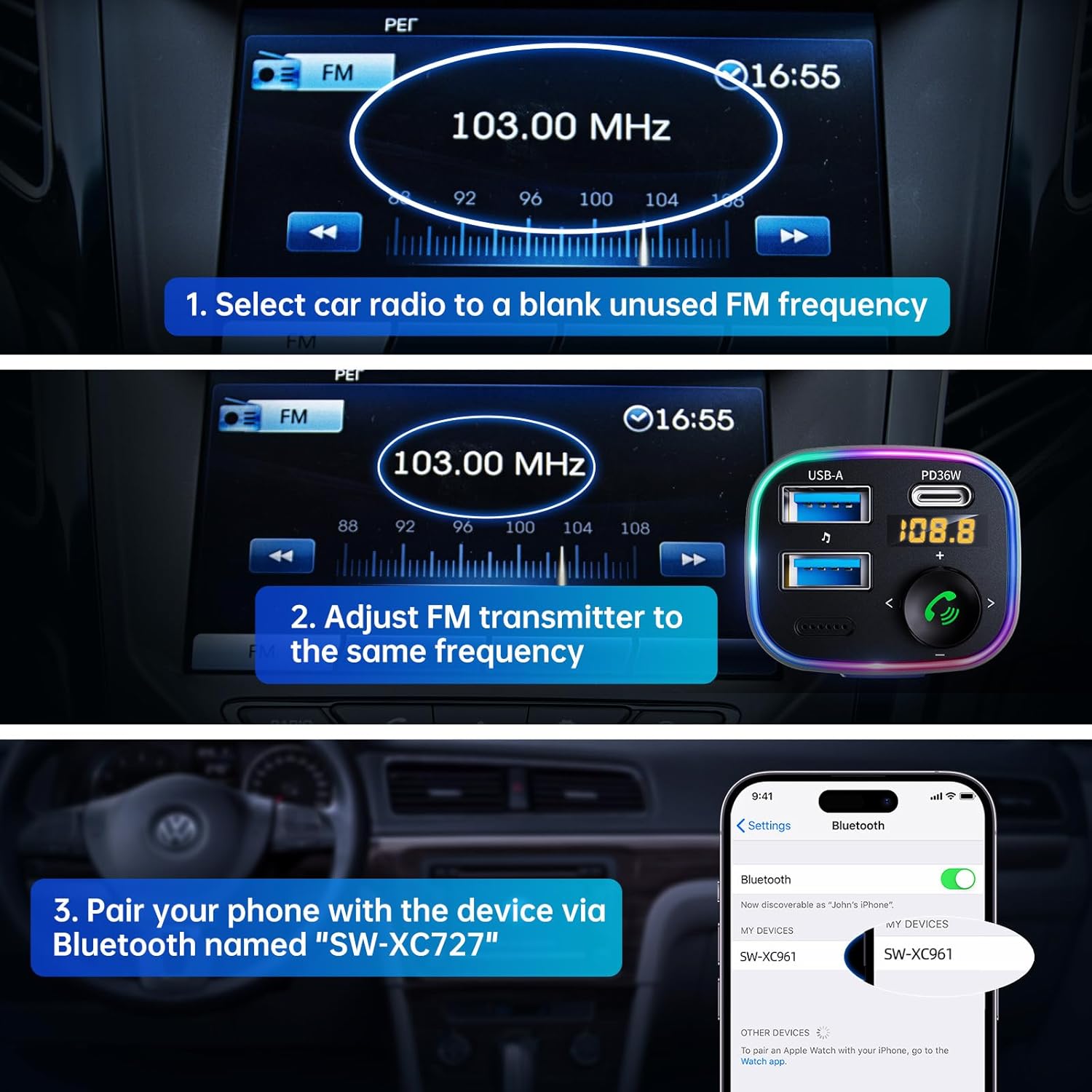
Visual guide for setting up the FM frequency and Bluetooth pairing.
- Tune your car radio to a blank, unused FM frequency (e.g., 103.00 MHz).
- Adjust the FM transmitter to the same frequency. Press and hold the multi-function button until the frequency flashes, then rotate the knob to match your car's FM frequency.
- ബ്ലൂടൂത്ത് ജോടിയാക്കൽ:
The transmitter supports both USB drive playback and Bluetooth 5.4 connection for audio streaming.
- നിങ്ങളുടെ സ്മാർട്ട്ഫോണിലോ ബ്ലൂടൂത്ത് പ്രവർത്തനക്ഷമമാക്കിയ ഉപകരണത്തിലോ, ബ്ലൂടൂത്ത് പ്രവർത്തനക്ഷമമാക്കി ലഭ്യമായ ഉപകരണങ്ങൾക്കായി തിരയുക.
- Select "SW-XC961" from the list to pair. A voice prompt will confirm successful pairing.
പ്രവർത്തന നിർദ്ദേശങ്ങൾ
സംഗീത സ്ട്രീമിംഗ്
- ബ്ലൂടൂത്ത് സ്ട്രീമിംഗ്: Once paired, music from your device will automatically stream through your car's speakers via the set FM frequency.
- യുഎസ്ബി ഡ്രൈവ് പ്ലേബാക്ക്: Insert a USB flash drive (up to 64GB) containing MP3/WMA/WAV/FLAC files into the USB-A port. The device will automatically detect and play music from the drive.
ഹാൻഡ്സ് ഫ്രീ കോളിംഗ്
- ഉത്തരം/അവസാന കോൾ: Short press the phone button (green icon) to answer an incoming call or end an ongoing call.
- കോൾ നിരസിക്കുക: Long press the phone button to reject an incoming call.
- വീണ്ടും ഡയൽ ചെയ്യുക: Double press the phone button to redial the last dialed number.
- Switch Call Source: During a call, long press the phone button to switch the call between the transmitter and your phone.
ഫാസ്റ്റ് ചാർജിംഗ്

The device offers 5X faster charging than standard car chargers, with a USB-C PD 36W port and a USB-A 12W port.
- The PD 36W USB-C port provides ultra-fast charging for compatible devices.
- The 12W USB-A port provides standard charging for other devices.
- നിങ്ങൾക്ക് ഒരേസമയം രണ്ട് ഉപകരണങ്ങൾ ചാർജ് ചെയ്യാം.
Hi-Fi Deep Bass & Ambient Light
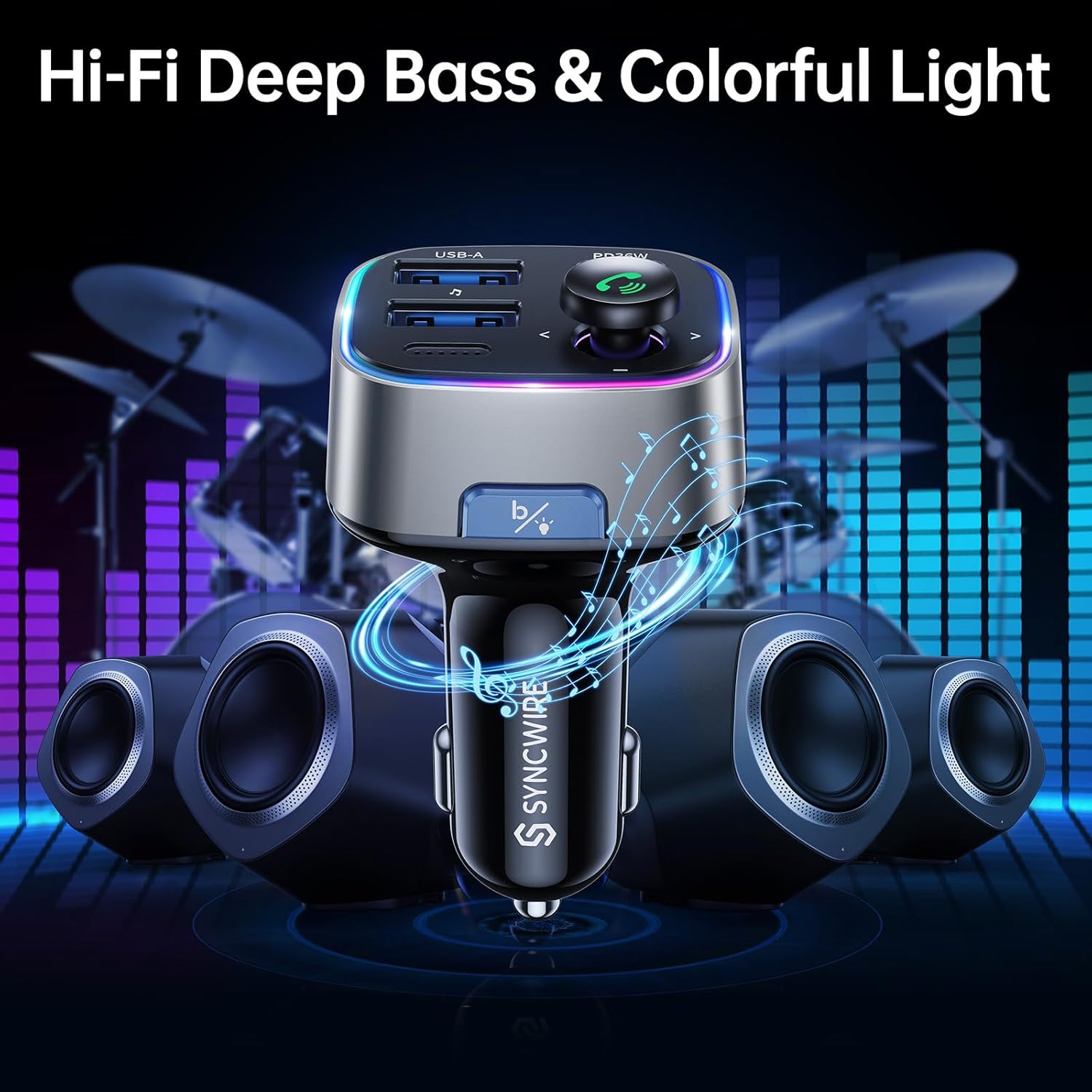
Enjoy powerful deep bass and immersive stereo sound with the Hi-Fi feature, complemented by customizable ambient lighting.
- ഡീപ് ബാസ് മോഡ്: Press the "B" button (Light/Bass Booster Button) once to activate the Hi-Fi Deep Bass mode for enhanced audio. Press again to return to standard mode.
- ആംബിയൻ്റ് ലൈറ്റ് നിയന്ത്രണം: Double press the "B" button to turn the rainbow ambient light ON or OFF.

The ambient light can be easily toggled on or off with a double tap of the 'B' button.
മെയിൻ്റനൻസ്
To ensure the longevity and optimal performance of your Syncwire FM Transmitter, please follow these maintenance guidelines:
- ഉപകരണം വരണ്ടതും ഈർപ്പത്തിൽ നിന്ന് അകറ്റി നിർത്തുന്നതും സൂക്ഷിക്കുക.
- Clean the surface with a soft, dry cloth. Do not use harsh chemicals or abrasive cleaners.
- തീവ്രമായ താപനിലയിലേക്ക് ഉപകരണം തുറന്നുകാട്ടുന്നത് ഒഴിവാക്കുക.
- ഉപകരണം ഡിസ്അസംബ്ലിംഗ് ചെയ്യരുത്. എല്ലാ അറ്റകുറ്റപ്പണികളും യോഗ്യതയുള്ള ഉദ്യോഗസ്ഥർ നടത്തണം.
ട്രബിൾഷൂട്ടിംഗ്
If you encounter any issues with your Syncwire FM Transmitter, please refer to the following common solutions:
- ശക്തിയില്ല: Ensure the transmitter is securely plugged into the cigarette lighter socket. Check your car's fuse for the cigarette lighter.
- മോശം ശബ്ദ നിലവാരം/സ്റ്റാറ്റിക്:
- Adjust the FM frequency to a completely blank channel on your car radio and the transmitter.
- Move away from strong radio signals or other electronic interference.
- Ensure the volume on both your phone and car radio is set appropriately.
- ബ്ലൂടൂത്ത് വിച്ഛേദിക്കൽ:
- Ensure your device is within the effective range (approx. 10 meters) of the transmitter.
- നിങ്ങളുടെ ഫോണിന്റെ ബ്ലൂടൂത്ത് ക്രമീകരണങ്ങളിൽ നിന്ന് ഉപകരണം മറന്ന് വീണ്ടും പെയർ ചെയ്യുക.
- നിങ്ങളുടെ ഫോണും എഫ്എം ട്രാൻസ്മിറ്ററും റീസ്റ്റാർട്ട് ചെയ്യുക.
- ചാർജിംഗ് പ്രശ്നങ്ങൾ:
- Check if the charging cable is securely connected to both the transmitter and your device.
- Ensure your device supports the fast charging protocols (PD for USB-C).
- പ്രശ്നം പരിഹരിക്കാൻ മറ്റൊരു ചാർജിംഗ് കേബിളോ ഉപകരണമോ പരീക്ഷിക്കുക.
If the problem persists, please contact Syncwire customer support for assistance.
സ്പെസിഫിക്കേഷനുകൾ
| ഫീച്ചർ | വിശദാംശങ്ങൾ |
|---|---|
| ബ്രാൻഡ് | SynCWIRE |
| മോഡൽ നമ്പർ | SW-XC961 |
| ബ്ലൂടൂത്ത് പതിപ്പ് | 5.3 |
| USB പോർട്ടുകൾ | 1 x PD 36W (USB-C), 1 x 12W (USB-A) |
| പവർ ഉറവിടം | Corded Electric (12V/24V Car Socket) |
| മെറ്റീരിയൽ | പ്രീമിയം മെറ്റീരിയൽ |
| ഇനത്തിൻ്റെ ഭാരം | 2.11 ഔൺസ് |
| പാക്കേജ് അളവുകൾ | 3.39 x 3.35 x 1.54 ഇഞ്ച് |
| പ്രത്യേക സവിശേഷതകൾ | Colorful Light Switch, Hi-Fi Deep Bass Sound, LED Display, Music Adapter Support USB Drive, Hands-Free Calling |
വാറൻ്റിയും പിന്തുണയും
Syncwire provides a 36 മാസ വാറന്റി and lifetime support for this product. If your Syncwire FM Transmitter does not fit your car or does not work as expected, please do not hesitate to contact us for a satisfying solution. We are committed to ensuring your satisfaction.
കൂടുതൽ സഹായത്തിന്, ദയവായി ഉദ്യോഗസ്ഥനെ സന്ദർശിക്കുക SYNCWIRE Store അല്ലെങ്കിൽ നിങ്ങളുടെ വാങ്ങലിനൊപ്പം നൽകിയിരിക്കുന്ന കോൺടാക്റ്റ് വിവരങ്ങൾ പരിശോധിക്കുക.