ആമുഖം
This manual provides essential information for the safe and efficient operation of your JVC LT-32VH3101 32-inch HD Smart LED TV. Please read these instructions thoroughly before using your television and retain them for future reference. Adhering to these guidelines will ensure optimal performance and longevity of your device.
സുരക്ഷാ വിവരങ്ങൾ: Always disconnect the power cord from the wall outlet before cleaning or performing any maintenance. Do not expose the TV to rain or moisture. Ensure proper ventilation and avoid blocking ventilation openings. Refer to the full safety instructions provided in the packaging for detailed warnings.
സജ്ജമാക്കുക
1. Unpacking the TV
- ടിവി അതിന്റെ പാക്കേജിംഗിൽ നിന്ന് ശ്രദ്ധാപൂർവ്വം നീക്കം ചെയ്യുക.
- Check that all accessories are present: remote control, batteries, power cord, and stand components.
- Retain the packaging materials for potential future transport or service.
2. സ്റ്റാൻഡ് അല്ലെങ്കിൽ വാൾ മൗണ്ടിംഗ് ഘടിപ്പിക്കൽ
Your JVC LT-32VH3101 TV supports both table-top stand installation and wall mounting.
- For Table-top Stand: Place the TV face down on a soft, flat surface. Align the stand feet with the corresponding slots on the bottom of the TV and secure them with the provided screws. Ensure the stand is stable before placing the TV upright.
- വാൾ മൗണ്ടിംഗിനായി: This TV is compatible with VESA wall mounts. Consult a professional for wall mounting installation to ensure safety and proper attachment. Refer to the wall mount manufacturer's instructions for specific details.
3. പവർ ബന്ധിപ്പിക്കുന്നു
Connect the power cord to the TV's power input, then plug the other end into a suitable wall outlet. Do not power on the TV until all other connections are made.
4. ബാഹ്യ ഉപകരണങ്ങൾ ബന്ധിപ്പിക്കുന്നു
Your TV features various ports for connecting external devices:
- HDMI പോർട്ടുകൾ: For high-definition devices like Blu-ray players, game consoles, or set-top boxes.
- USB പോർട്ട്: മീഡിയ പ്ലേ ചെയ്യുന്നതിന് USB സംഭരണ ഉപകരണങ്ങൾ ബന്ധിപ്പിക്കുന്നതിന് files.
- ആന്റിന/കേബിൾ ഇൻപുട്ട്: ഒരു ആന്റിന അല്ലെങ്കിൽ കേബിൾ ടിവി സിഗ്നൽ ബന്ധിപ്പിക്കുന്നതിന്.
- ഇഥർനെറ്റ് പോർട്ട്: വയർഡ് ഇന്റർനെറ്റ് കണക്ഷന് വേണ്ടി.
5. പ്രാരംഭ സജ്ജീകരണം
ആദ്യമായി പവർ-ഓൺ ചെയ്യുമ്പോൾ, ടിവി നിങ്ങളെ പ്രാരംഭ സജ്ജീകരണ പ്രക്രിയയിലൂടെ നയിക്കും:
- ഭാഷ തിരഞ്ഞെടുക്കൽ: നിങ്ങൾ തിരഞ്ഞെടുത്ത ഭാഷ തിരഞ്ഞെടുക്കുക.
- നെറ്റ്വർക്ക് കണക്ഷൻ: Connect to your home Wi-Fi network or use a wired Ethernet connection.
- ചാനൽ സ്കാൻ: Scan for available digital and analog channels.
- സമയ മേഖലയും തീയതിയും: ശരിയായ സമയവും തീയതിയും സജ്ജമാക്കുക.
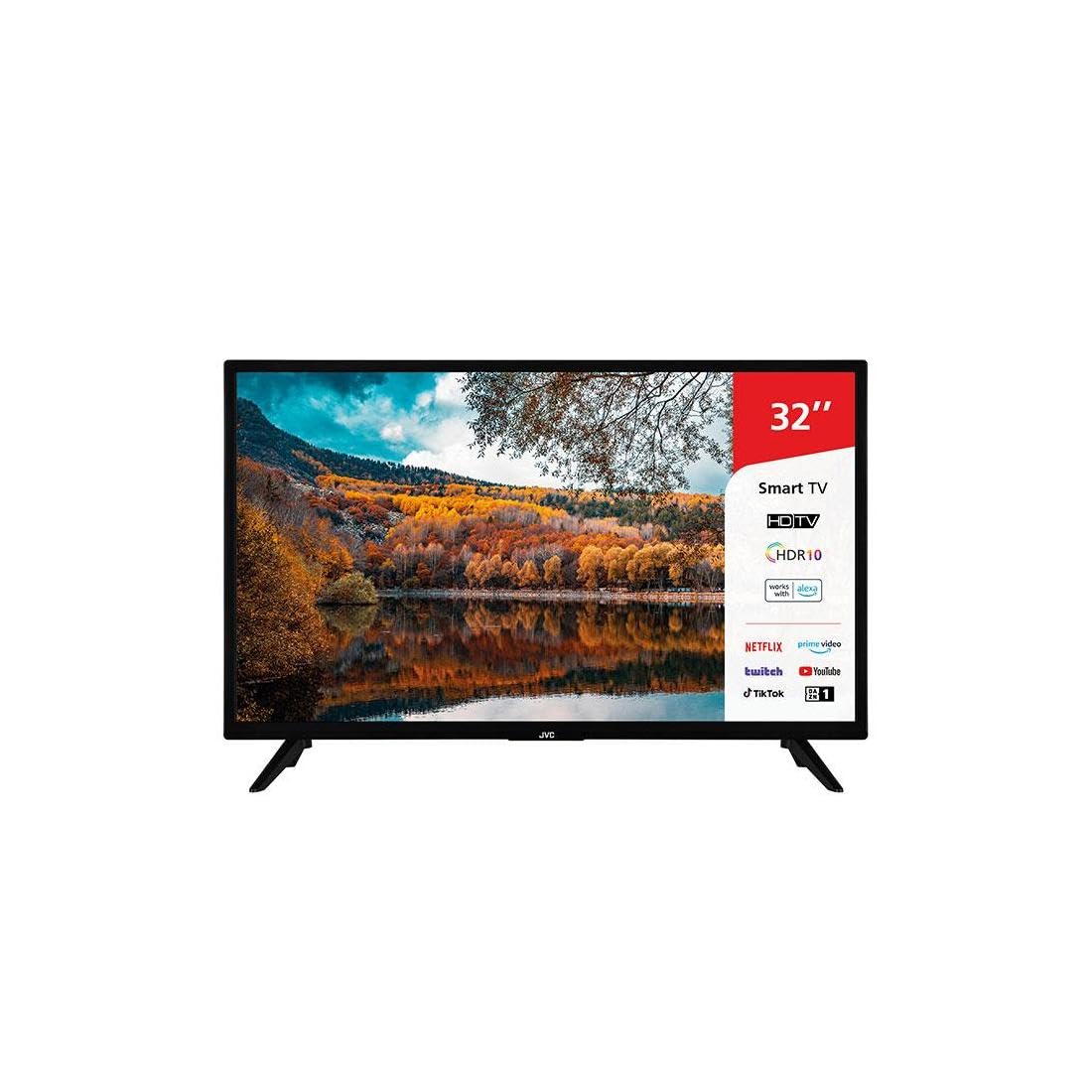
This image shows the JVC LT-32VH3101 32-inch Smart LED TV from the front, featuring a slim black bezel and two V-shaped stand feet. The screen displays a colorful autumn landscape with a lake reflecting the trees and sky. On the right side of the screen, a red and white overlay highlights key features such as '32"', 'Smart TV', 'HDTV', 'HDR10', 'works with alexa', and logos for streaming services like Netflix, Prime Video, Twitch, YouTube, TikTok, and DAZN.
ടിവി പ്രവർത്തിപ്പിക്കുന്നു
1 റിമോട്ട് കൺട്രോൾ ഓവർview
Familiarize yourself with the remote control buttons for easy navigation. Key functions include Power, Volume Up/Down, Channel Up/Down, Input Source, Menu, Navigation (Up/Down/Left/Right/OK), Back, Exit, and dedicated app buttons.
2. അടിസ്ഥാന ടിവി പ്രവർത്തനങ്ങൾ
- പവർ ഓൺ/ഓഫ്: റിമോട്ടിലോ ടിവിയിലോ പവർ ബട്ടൺ അമർത്തുക.
- വോളിയം ക്രമീകരണം: വോളിയം കൂട്ടുക/കുറയ്ക്കുക ബട്ടണുകൾ ഉപയോഗിക്കുക.
- ചാനൽ തിരഞ്ഞെടുക്കൽ: Use the Channel Up/Down buttons or numeric keypad.
- ഇൻപുട്ട് ഉറവിടം: Press the Input button to switch between connected devices (HDMI 1, HDMI 2, USB, TV, etc.).
3. സ്മാർട്ട് ടിവി സവിശേഷതകൾ
Your JVC LT-32VH3101 is a Smart TV, offering access to various online services and applications.
- ആപ്പുകൾ ആക്സസ് ചെയ്യുന്നു: Use the dedicated app buttons on your remote (e.g., Netflix, Prime Video) or navigate to the Smart TV home screen to find and launch other applications like YouTube, Twitch, TikTok, and DAZN.
- നെറ്റ്വർക്ക് കണക്റ്റിവിറ്റി: Ensure your TV is connected to the internet via Wi-Fi or Ethernet to access Smart TV features.
- Web ബ്രൗസർ: സംയോജിത ഉപയോഗിക്കുക web ഇന്റർനെറ്റ് സർഫ് ചെയ്യുന്നതിനുള്ള ബ്രൗസർ.
4. ചിത്ര, ശബ്ദ ക്രമീകരണങ്ങൾ
നിങ്ങളുടെ ഇഷ്ടത്തിനനുസരിച്ച് ചിത്ര, ശബ്ദ ക്രമീകരണങ്ങൾ ക്രമീകരിക്കുന്നതിന് ടിവിയുടെ മെനു ആക്സസ് ചെയ്യുക.
- ചിത്ര മോഡുകൾ: Select from various preset modes (e.g., Standard, Dynamic, Movie, User) or customize brightness, contrast, color, and sharpness.
- ശബ്ദ മോഡുകൾ: Choose from sound presets (e.g., Standard, Music, Movie, User) or adjust bass, treble, and balance.
മെയിൻ്റനൻസ്
1. ടിവി വൃത്തിയാക്കൽ
- സ്ക്രീൻ: മൃദുവായതും ഉണങ്ങിയതും ലിന്റ് രഹിതവുമായ ഒരു തുണി ഉപയോഗിച്ച് സ്ക്രീൻ സൌമ്യമായി തുടയ്ക്കുക. കഠിനമായ പാടുകൾക്ക്, നേരിയ തോതിൽ dampതുണിയിൽ വെള്ളം അല്ലെങ്കിൽ ഒരു പ്രത്യേക സ്ക്രീൻ ക്ലീനർ ഉപയോഗിക്കുക. ഒരിക്കലും സ്ക്രീനിൽ നേരിട്ട് ദ്രാവകം തളിക്കരുത്.
- ടിവി ബോഡി: Use a soft, dry cloth to wipe dust and dirt from the TV's frame and stand.
- പ്രധാനപ്പെട്ടത്: വൃത്തിയാക്കുന്നതിന് മുമ്പ് എല്ലായ്പ്പോഴും പവർ ഔട്ട്ലെറ്റിൽ നിന്ന് ടിവി അഴിക്കുക.
2. സോഫ്റ്റ്വെയർ അപ്ഡേറ്റുകൾ
Your TV may receive software updates to improve performance and add new features. Ensure your TV is connected to the internet. You can usually check for updates manually through the TV's settings menu (e.g., Settings > System > Software Update).
3. സംഭരണ ശുപാർശകൾ
If storing the TV for an extended period, ensure it is kept in a dry, dust-free environment, preferably in its original packaging, and away from extreme temperatures.
ട്രബിൾഷൂട്ടിംഗ്
നിങ്ങൾ നേരിട്ടേക്കാവുന്ന സാധാരണ പ്രശ്നങ്ങൾ ഈ വിഭാഗത്തിൽ ചർച്ച ചെയ്യുന്നു. പ്രശ്നം നിലനിൽക്കുകയാണെങ്കിൽ, ഉപഭോക്തൃ പിന്തുണയുമായി ബന്ധപ്പെടുക.
| പ്രശ്നം | സാധ്യമായ പരിഹാരം |
|---|---|
| ശക്തിയില്ല | Check if the power cord is securely plugged into both the TV and the wall outlet. Ensure the wall outlet is functional. Try pressing the power button on the TV itself. |
| ചിത്രമില്ല, പക്ഷേ ശബ്ദം ഉണ്ട് | Check the input source. Ensure the external device (e.g., cable box) is powered on and connected correctly. |
| ശബ്ദമില്ല, പക്ഷേ ചിത്രം ഉണ്ട് | Check the volume level and ensure the TV is not muted. Verify audio cables for external devices. Check sound settings in the TV menu. |
| റിമോട്ട് കൺട്രോൾ പ്രവർത്തിക്കുന്നില്ല | ബാറ്ററികൾ മാറ്റിസ്ഥാപിക്കുക. റിമോട്ടിനും ടിവിയുടെ ഐആർ സെൻസറിനും ഇടയിൽ തടസ്സങ്ങളൊന്നുമില്ലെന്ന് ഉറപ്പാക്കുക. |
| Wi-Fi-യിലേക്ക് കണക്റ്റുചെയ്യാൻ കഴിയില്ല | Ensure your Wi-Fi router is on and working. Re-enter the Wi-Fi password carefully. Try restarting both the TV and your router. |
| സ്മാർട്ട് ടിവി ആപ്പുകൾ ലോഡ് ചെയ്യുന്നില്ല. | നിങ്ങളുടെ ഇന്റർനെറ്റ് കണക്ഷൻ പരിശോധിക്കുക. ടിവി പുനരാരംഭിക്കാൻ ശ്രമിക്കുക. ആപ്പ് ഏറ്റവും പുതിയ പതിപ്പിലേക്ക് അപ്ഡേറ്റ് ചെയ്തിട്ടുണ്ടെന്ന് ഉറപ്പാക്കുക. |
സ്പെസിഫിക്കേഷനുകൾ
Key technical specifications for the JVC LT-32VH3101 TV:
| ഫീച്ചർ | വിശദാംശങ്ങൾ |
|---|---|
| ബ്രാൻഡ് | ജെ.വി.സി |
| മോഡലിൻ്റെ പേര് | LT-32VH3101 |
| മോഡൽ വർഷം | 2018 |
| സ്ക്രീൻ വലിപ്പം | 32 ഇഞ്ച് (80 സെ.മീ) |
| ഡിസ്പ്ലേ ടെക്നോളജി | എൽഇഡി |
| വീക്ഷണാനുപാതം | 16:9 |
| കണക്റ്റിവിറ്റി ടെക്നോളജി | ഇഥർനെറ്റ്, വൈ-ഫൈ |
| USB പോർട്ടുകൾ | 1 |
| Speaker Surround Sound Configuration | 2.0 |
| മൗണ്ടിംഗ് അനുയോജ്യത | വാൾ മൗണ്ട്, ടേബിൾ സ്റ്റാൻഡ് |
| പ്രത്യേക ഫീച്ചർ | ഫ്ലാറ്റ് സ്ക്രീൻ |
| പിന്തുണയ്ക്കുന്ന ഇന്റർനെറ്റ് സേവനങ്ങൾ | Amazon Prime Video, LG ThinQ, Web Browser, Netflix, Twitch, YouTube, TikTok, DAZN |
വാറൻ്റിയും പിന്തുണയും
വാറന്റി വിവരങ്ങൾക്ക്, ദയവായി നിങ്ങളുടെ ഉൽപ്പന്നത്തിനൊപ്പം ഉൾപ്പെടുത്തിയിരിക്കുന്ന വാറന്റി കാർഡ് പരിശോധിക്കുകയോ ഔദ്യോഗിക JVC സന്ദർശിക്കുകയോ ചെയ്യുക. website. For technical support or service inquiries, please contact JVC customer service through the channels provided on their official webസൈറ്റ്.


