1. ആമുഖം
The iFi Hip-dac2 Gold Edition is a portable Digital-to-Analog Converter (DAC) and headphone amplifier designed to significantly enhance the audio quality from your smartphone, tablet, PC, or Mac. This device supports high-resolution audio formats and offers both balanced and unbalanced headphone outputs, providing a superior listening experience on the go or at home.
പ്രധാന സവിശേഷതകൾ:
- Portable high-resolution DAC/headphone amplifier with USB input.
- Supports 24-bit/384kHz PCM, bit-perfect DSD, and MQA decoding.
- ശക്തൻ ampജീവപര്യന്തം എസ്tage delivering 400mW max output into 32 ohms.
- Balanced circuit design for reduced noise and crosstalk.
- PowerMatch (gain) and XBass (bass boost) functions.
- Dual headphone outputs: 4.4mm Balanced and 3.5mm S-Balanced.
- Integrated rechargeable battery with 6-8 hours of life.
ഉൽപ്പന്നം കഴിഞ്ഞുview

ചിത്രം 1: മുൻഭാഗം view of the iFi Hip-dac2 Gold Edition, showcasing the iFi logo.

ചിത്രം 2: പിന്നിലേക്ക് view of the iFi Hip-dac2 Gold Edition, displaying the "hip dac gold" branding and regulatory information.

ചിത്രം 3: കോണാകൃതിയിലുള്ളത് view of the iFi Hip-dac2 Gold Edition, showing the front panel with controls and the side with USB ports.
2. സജ്ജീകരണം
This section guides you through the initial setup of your Hip-dac2 Gold Edition.
2.1 ബോക്സിൽ എന്താണുള്ളത്
പാക്കേജിംഗിൽ എല്ലാ ഘടകങ്ങളും ഉണ്ടെന്ന് ഉറപ്പാക്കുക:
- iFi Hip-dac2 Gold Edition unit
- USB-C OTG കേബിൾ
- USB3.0 കേബിൾ
- USB-A മുതൽ USB-C കേബിൾ വരെ
- ദ്രുത ആരംഭ ഗൈഡ്
- ഇൻസ്ട്രക്ഷൻ കാർഡ്
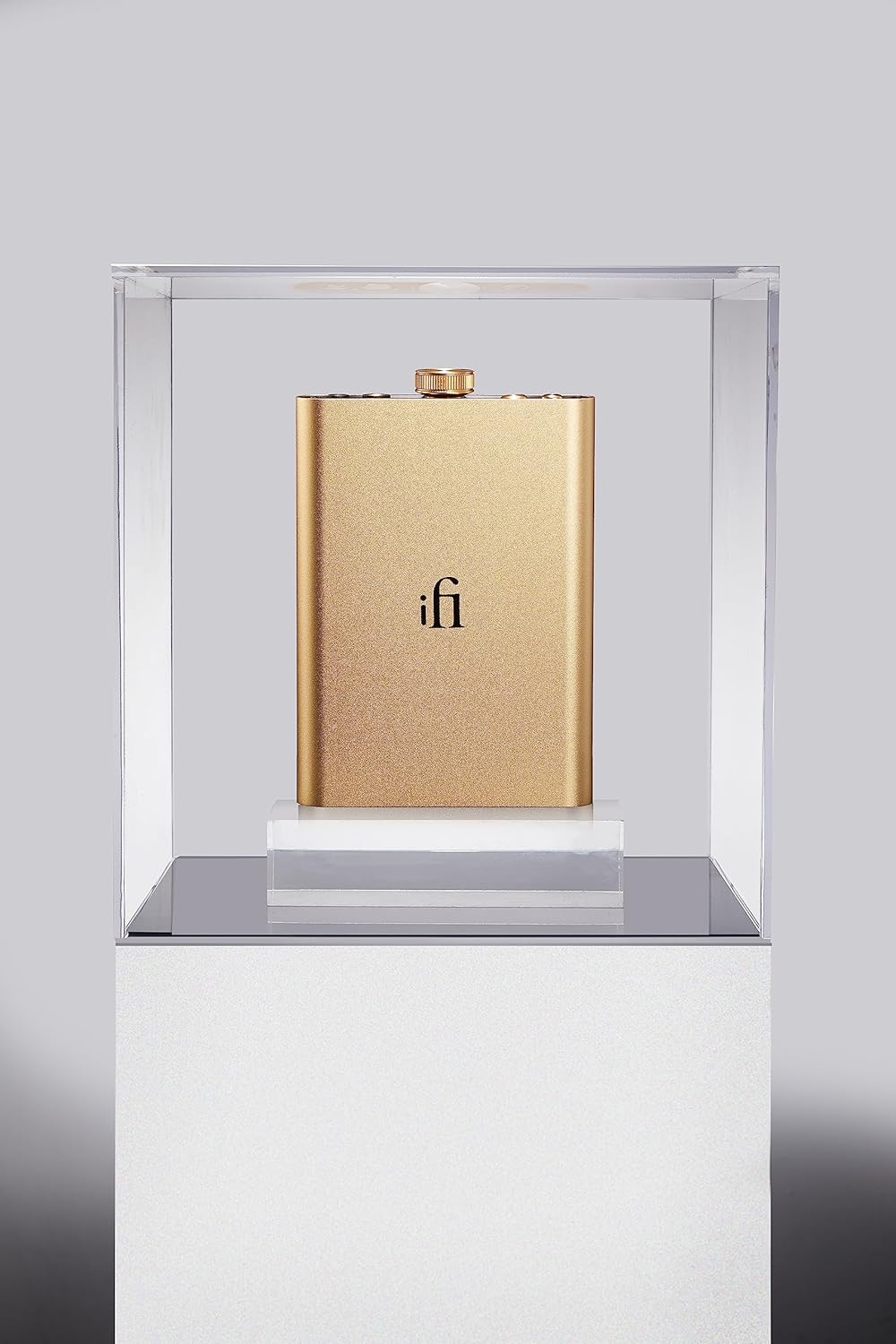
Figure 4: Diagram showing the Hip-dac2 Gold Edition unit and included cables.
2.2 ഉപകരണം ചാർജ് ചെയ്യുന്നു
Before first use, fully charge your Hip-dac2 Gold Edition. Connect the supplied USB-C to USB-A cable to the USB-C charging port (labeled "5V only") on the device and the other end to a USB power adapter (not included) or a computer's USB port. The battery LED indicator will show charging status.
- പച്ച: ഫുൾ ചാർജായി
- വെള്ള: >75%
- മഞ്ഞ: >25%
- ചുവപ്പ്: <25%
- മിന്നുന്ന ചുവപ്പ്: കുറഞ്ഞ ബാറ്ററി
2.3 ഒരു ഉറവിട ഉപകരണത്തിലേക്ക് ബന്ധിപ്പിക്കുന്നു
The Hip-dac2 Gold Edition connects to your source device (smartphone, tablet, PC, Mac) via its USB input. Use the appropriate cable from the included accessories.
- Android ഉപകരണങ്ങൾക്കായി: Use the supplied USB-C OTG cable to connect your Android phone/tablet to the USB input port (USB-A) on the Hip-dac2. Ensure your Android device supports USB OTG.
- iPhone/iPad-ന്: An Apple Lightning to USB Camera Adapter (not included) is required. Connect the adapter to your iOS device, then use the supplied USB-A to USB-C cable to connect the adapter to the USB input port (USB-A) on the Hip-dac2.
- പിസി/മാക്കിന്: Use the supplied USB3.0 cable to connect your computer to the USB input port (USB-A) on the Hip-dac2. For Windows PCs, you may need to install iFi drivers from the iFi website. Mac devices are typically plug-and-play.

Figure 5: Bottom panel of the Hip-dac2, illustrating the USB input (left) and USB-C charging port (right).
3. പ്രവർത്തന നിർദ്ദേശങ്ങൾ
Familiarize yourself with the controls and functions of your Hip-dac2 Gold Edition.
3.1 Controls and Ports Overview

Figure 6: Detailed diagram of the Hip-dac2's front panel controls and bottom panel ports.
- PowerMatch Button: Toggles between different gain settings to match the sensitivity of your headphones. Press to activate/deactivate.
- XBass ബട്ടൺ: Enhances low frequencies without muddying the mid-range. Press to activate/deactivate.
- പവർ/വോളിയം നോബ്: Rotates to adjust volume. Press and hold to power the device on/off.
- 4.4mm ബാലൻസ്ഡ് ഹെഡ്ഫോൺ ഔട്ട്പുട്ട്: For headphones with a 4.4mm Pentaconn balanced connector.
- 3.5mm S-Balanced Headphone Output: For headphones with a standard 3.5mm unbalanced connector.
- USB Input (USB-A): Connects to your source device for audio data.
- USB-C ചാർജിംഗ് പോർട്ട്: Dedicated port for charging the internal battery (5V only).
3.2 പവർ ഓണും ഓഫും
To power on the Hip-dac2, press and hold the Power/Volume knob until the LED indicator illuminates. To power off, press and hold the knob again until the LED turns off.
3.3 വോളിയം ക്രമീകരിക്കൽ
Rotate the Power/Volume knob clockwise to increase volume and counter-clockwise to decrease volume. Start with a low volume and gradually increase to a comfortable listening level.
3.4 Using PowerMatch and XBass
The PowerMatch and XBass functions can be toggled on or off by pressing their respective buttons. Experiment with these features to find the optimal sound for your headphones and music.
- PowerMatch: Use this feature to adjust the gain. For sensitive In-Ear Monitors (IEMs) or efficient headphones, you might prefer PowerMatch off. For less sensitive or high-impedance headphones, activating PowerMatch will provide more power.
- എക്സ്ബാസ്: This analog bass correction circuit enhances low frequencies without coloring the mid-range. It is ideal for headphones that lack bass response or for genres that benefit from a more pronounced low end.
4. പരിപാലനം
Proper care will ensure the longevity and optimal performance of your Hip-dac2 Gold Edition.
- മൃദുവായതും ഉണങ്ങിയതുമായ തുണി ഉപയോഗിച്ച് തുടച്ച് ഉപകരണം വൃത്തിയായി സൂക്ഷിക്കുക. കഠിനമായ രാസവസ്തുക്കളോ ഉരച്ചിലുകളോ ഉള്ള വസ്തുക്കൾ ഉപയോഗിക്കുന്നത് ഒഴിവാക്കുക.
- തീവ്രമായ താപനില, നേരിട്ടുള്ള സൂര്യപ്രകാശം, ഉയർന്ന ഈർപ്പം എന്നിവയിൽ നിന്ന് ഉപകരണത്തെ സംരക്ഷിക്കുക.
- ഉപകരണം ഉപേക്ഷിക്കുകയോ ശക്തമായ ആഘാതങ്ങൾക്ക് വിധേയമാക്കുകയോ ചെയ്യരുത്.
- When not in use, store the Hip-dac2 in a protective case to prevent scratches and damage.
5. പ്രശ്നപരിഹാരം
If you encounter issues with your Hip-dac2 Gold Edition, refer to the following common solutions:
| പ്രശ്നം | സാധ്യമായ കാരണം / പരിഹാരം |
|---|---|
| ഹെഡ്ഫോണുകളിൽ നിന്ന് ശബ്ദമില്ല. |
|
| ഉപകരണം ചാർജ് ചെയ്യുന്നില്ല. |
|
| Intermittent audio or static. |
|
6 സ്പെസിഫിക്കേഷനുകൾ
Detailed technical specifications for the iFi Hip-dac2 Gold Edition:
| ഫീച്ചർ | വിശദാംശങ്ങൾ |
|---|---|
| ഡിജിറ്റൽ ഇൻപുട്ട് | USB 3.0 Type 'A' (USB2.0 compatible) |
| പിന്തുണയ്ക്കുന്ന ഫോർമാറ്റുകൾ | DSD256 / 11.3MHz, PCM 384kHz, MQA Decoder |
| ഡിഎസി | ബർ ബ്രൗണിൻ്റെ ബിറ്റ്-പെർഫെക്റ്റ് DSD & DXD DAC |
| ഹെഡ്ഫോൺ ഔട്ട്പുട്ടുകൾ | Balanced 4.4mm, Unbalanced 3.5mm |
| Power Output (Balanced) | 400mW @ 32Ω; 6.3V @ 600Ω |
| Power Output (Unbalanced) | 280mW @ 32Ω; 3.2V @ 600Ω |
| ബാറ്ററി | Lithium-polymer 2200mAh, approx. 8 hours |
| പവർ സിസ്റ്റം | USB-C, BC V1.2 വഴി ചാർജ് ചെയ്യുന്നത് 1000mA ചാർജിംഗ് കറന്റും 6.3 വോൾട്ടും വരെ |
| പവർ (പരമാവധി) | <2W നിഷ്ക്രിയം, 4W പരമാവധി |
| അളവുകൾ (L x W x H) | 102 x 70 x 14 മിമി (4"L x 2.8"W x 0.6"H) |
| മൊത്തം ഭാരം | 135 g (0.30 lbs) / 8.1 ounces |
| നിർമ്മാതാവ് | Abbingdon Music Research |
| മോഡൽ നമ്പർ | HIP-DAC-2_GOLD |

Figure 7: Official specifications sheet for the Hip-dac2 Gold Edition.
7. വാറൻ്റിയും പിന്തുണയും
The iFi Hip-dac2 Gold Edition comes with a limited warranty. Please refer to the included warranty card or visit the official iFi website for detailed warranty terms and conditions. Typically, the limited warranty period is 12 months.
For technical support, product registration, or further inquiries, please visit the iFi Audio USA store or their official support channels online.
Official iFi Audio USA Store: iFi Audio USA Store


