ആമുഖം
The KODAK Mini Shot 3 ERA is a versatile 2-in-1 device combining an instant camera and a photo printer. It utilizes 4PASS technology for high-quality, durable prints. This manual provides essential information for setting up, operating, and maintaining your device.

Image: KODAK Mini Shot 3 ERA camera with an initial 8-sheet cartridge and a printed photo of a family on a picnic.
വീഡിയോ: ഒരു ആമുഖ ഓവർview of the KODAK Mini Shot 3 ERA Instant Camera, showcasing its features and ease of use in various social settings.
സജ്ജമാക്കുക
പാക്കേജ് ഉള്ളടക്കം
നിങ്ങളുടെ പാക്കേജിൽ എല്ലാ ഇനങ്ങളും ഉണ്ടെന്ന് ഉറപ്പാക്കുക:
- കൊഡാക്ക് മിനി ഷോട്ട് 3 ERA ക്യാമറ
- ദ്രുത ആരംഭ മാനുവൽ
- സ്ട്രാപ്പ്
- Initial Cartridge (8 Sheets)

Image: The KODAK Mini Shot 3 ERA camera, strap, quick start manual, and an initial 8-sheet cartridge, illustrating the contents of the starter pack.
ഉപകരണം ചാർജ് ചെയ്യുന്നു
The KODAK Mini Shot 3 ERA charges via a USB-C port. A charging cable is not included and must be supplied by the user.
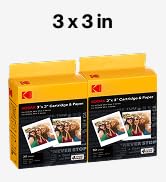
Image: Close-up of the KODAK Mini Shot 3 ERA camera highlighting the USB-C charging port, indicating its use to reduce electrical waste.
Loading the Paper Cartridge
To load the paper cartridge:
- Open the paper compartment door located at the bottom of the camera.
- Insert the paper cartridge into the compartment.
- Push the cartridge in until you hear a "click" sound, indicating it is securely in place.
- കമ്പാർട്ട്മെന്റിന്റെ വാതിൽ അടയ്ക്കുക.

Image: A three-step visual guide demonstrating how to insert the paper cartridge into the KODAK Mini Shot 3 ERA camera, showing the process of opening the compartment, inserting the cartridge, and securing it with a click.
Installing the KODAK Photo Printer App
For enhanced features and printing from your mobile device, download the official KODAK Photo Printer app:
- For Apple devices, download from the App Store.
- For Android devices, download from Google Play: KODAK Photo Printer App on Google Play

Image: Screenshot of the KODAK Photo Printer app interface on a smartphone, showing options for editing and printing photos, alongside QR codes for downloading the app from the App Store and Google Play.
പ്രവർത്തന നിർദ്ദേശങ്ങൾ
ഫോട്ടോകൾ എടുക്കുന്നു
To take a photo, aim the camera and press the shutter button located on the top of the device. The camera features auto-focus and face detection to help capture clear images.

Image: Visual demonstration of the camera's auto-focus and face detection capabilities, showing how the camera identifies and focuses on subjects for optimal clarity.
Video: Demonstrates how to use the KODAK Mini Shot 3 ERA camera for taking photos and printing them instantly, including examples of capturing moments and printing directly from the device.
പ്രീviewing and Printing Photos
After taking a photo, it will display on the camera's small digital screen. You can choose to print the photo immediately or discard it if you are not satisfied with the shot. This prevents wasting photo paper on unwanted images. The camera also allows you to print multiple copies of the same photo.
Video: A step-by-step guide on how to print an image using the KODAK Mini Shot 3 ERA camera, showing the process from selecting a photo to the final print output.
Printing from Mobile Devices (Bluetooth)
Connect your KODAK Mini Shot 3 ERA to your smartphone or tablet via Bluetooth. Using the KODAK Photo Printer app, you can select images from your device's gallery, apply various filters and borders, and print them directly to the camera. This feature is compatible with Apple iPhone, iPad, and Android devices.

Image: The KODAK Photo Printer app interface on a smartphone, demonstrating how users can select photos, apply frames, and send them to the camera for printing via Bluetooth.

Image: A collage of different photo frames and styles available through the KODAK Photo Printer app, showcasing customization options for printed images.

Image: Comparison of a 3x3 inch photo printed with a border versus a borderless print, demonstrating the different output styles available.
Print Quality and Technology
The KODAK Mini Shot 3 ERA utilizes 4PASS technology, which layers yellow, magenta, and cyan colors, followed by a protective laminate. This process ensures prints with 34-bit / 16.7 million colors, refined saturation, enhanced color display, and resistance to fingerprints and water.

Image: A visual representation of the 4PASS printing technology, showing the sequential layering of yellow, magenta, cyan, and a protective laminate to create a full-color image.

Image: A side-by-side comparison of print quality, contrasting a grainy image labeled "Others" with a clear, vibrant image labeled "KODAK," demonstrating the superior image quality achieved with 4PASS technology.
മെയിൻ്റനൻസ്
ജനറൽ കെയർ
To ensure the longevity and optimal performance of your KODAK Mini Shot 3 ERA, keep it clean and free from dust. Store it in a dry place away from direct sunlight and extreme temperatures. Avoid dropping the device or exposing it to moisture.
Replacing Paper Cartridges
When the paper cartridge is empty, replace it with a new KODAK 4PASS compatible cartridge. Follow the loading instructions in the "Setup" section. Ensure you use genuine KODAK cartridges for best results.
ട്രബിൾഷൂട്ടിംഗ്
If you encounter any issues with your KODAK Mini Shot 3 ERA, please refer to the following common solutions:
- ഉപകരണം ഓണാക്കുന്നില്ല: Ensure the battery is charged. Connect the camera to a power source using a USB-C cable.
- Printing issues: Check if the paper cartridge is correctly inserted and contains paper. Ensure the device is not low on battery.
- മോശം പ്രിന്റ് നിലവാരം: Verify that you are using genuine KODAK 4PASS cartridges. Ensure the lens is clean and free from smudges.
- ബ്ലൂടൂത്ത് കണക്റ്റിവിറ്റി പ്രശ്നങ്ങൾ: Make sure Bluetooth is enabled on both your camera and mobile device. Restart both devices and try pairing again.
For further assistance, please contact KODAK customer support.
സ്പെസിഫിക്കേഷനുകൾ
| ഫീച്ചർ | വിശദാംശങ്ങൾ |
|---|---|
| മോഡലിൻ്റെ പേര് | Kodak Mini Shot 3 ERA |
| ഇനം മോഡൽ നമ്പർ | MS300Y |
| ബ്രാൻഡ് | കൊഡാക്ക് |
| പ്രത്യേക ഫീച്ചർ | Instant Camera and Photo Printer Combo, Kodak App |
| ഫിലിം ഫോർമാറ്റ് തരം | തൽക്ഷണം |
| ഫിലിം കളർ | നിറമുള്ളത് |
| അനുയോജ്യമായ ഉപകരണങ്ങൾ | സ്മാർട്ട്ഫോൺ |
| ഷട്ടർ തരം | റോളിംഗ് ഷട്ടർ |
| ഇനത്തിൻ്റെ ഭാരം | 1.17 പൗണ്ട് |
| ബാറ്ററികൾ | 1 AA ബാറ്ററികൾ ആവശ്യമാണ് (ഉൾപ്പെടുന്നു) |
| യു.പി.സി | 192143004042 |
വാറൻ്റിയും പിന്തുണയും
For information regarding product warranty, returns, or technical support, please refer to the official KODAK website or contact KODAK customer service directly. Keep your purchase receipt for warranty claims.


