ആമുഖം
Welcome to the Fresh 'n Rebel Twins Rise Wireless Earbuds user manual. This guide provides essential information to help you set up, operate, and maintain your earbuds, ensuring an optimal audio experience. Please read these instructions carefully before using your device.
ബോക്സിൽ എന്താണുള്ളത്
Upon unboxing your Fresh 'n Rebel Twins Rise, you should find the following components:
- Fresh 'n Rebel Twins Rise Earbuds
- ചാർജിംഗ് കേസ്
- USB മുതൽ USB-C ചാർജിംഗ് കേബിൾ
- Soft Silicone Ear Tips (3 sizes: Small, Medium, Large)
- ദ്രുത ആരംഭ ഗൈഡ്

സജ്ജമാക്കുക
1. ഇയർബഡുകളും കേസും ചാർജ് ചെയ്യുന്നു
Before first use, fully charge the Twins Rise earbuds and their charging case. Place the earbuds into the charging case. Connect the provided USB-C cable to the charging case and a power source. The LED indicators on the case will show the charging status. The case also supports wireless charging.

2. ഒരു ഉപകരണവുമായി ജോടിയാക്കൽ
- ഇയർബഡുകൾ ചാർജ് ചെയ്തിട്ടുണ്ടെന്നും ചാർജിംഗ് കെയ്സിൽ വച്ചിട്ടുണ്ടെന്നും ഉറപ്പാക്കുക.
- Open the charging case lid. The earbuds will automatically enter pairing mode, indicated by flashing LEDs.
- നിങ്ങളുടെ ഉപകരണത്തിൽ (സ്മാർട്ട്ഫോൺ, ടാബ്ലെറ്റ്, ലാപ്ടോപ്പ്), ബ്ലൂടൂത്ത് പ്രവർത്തനക്ഷമമാക്കി ലഭ്യമായ ഉപകരണങ്ങൾക്കായി തിരയുക.
- Select "Fresh 'n Rebel Twins Rise" from the list to connect.
- Once connected, the earbud LEDs will stop flashing.
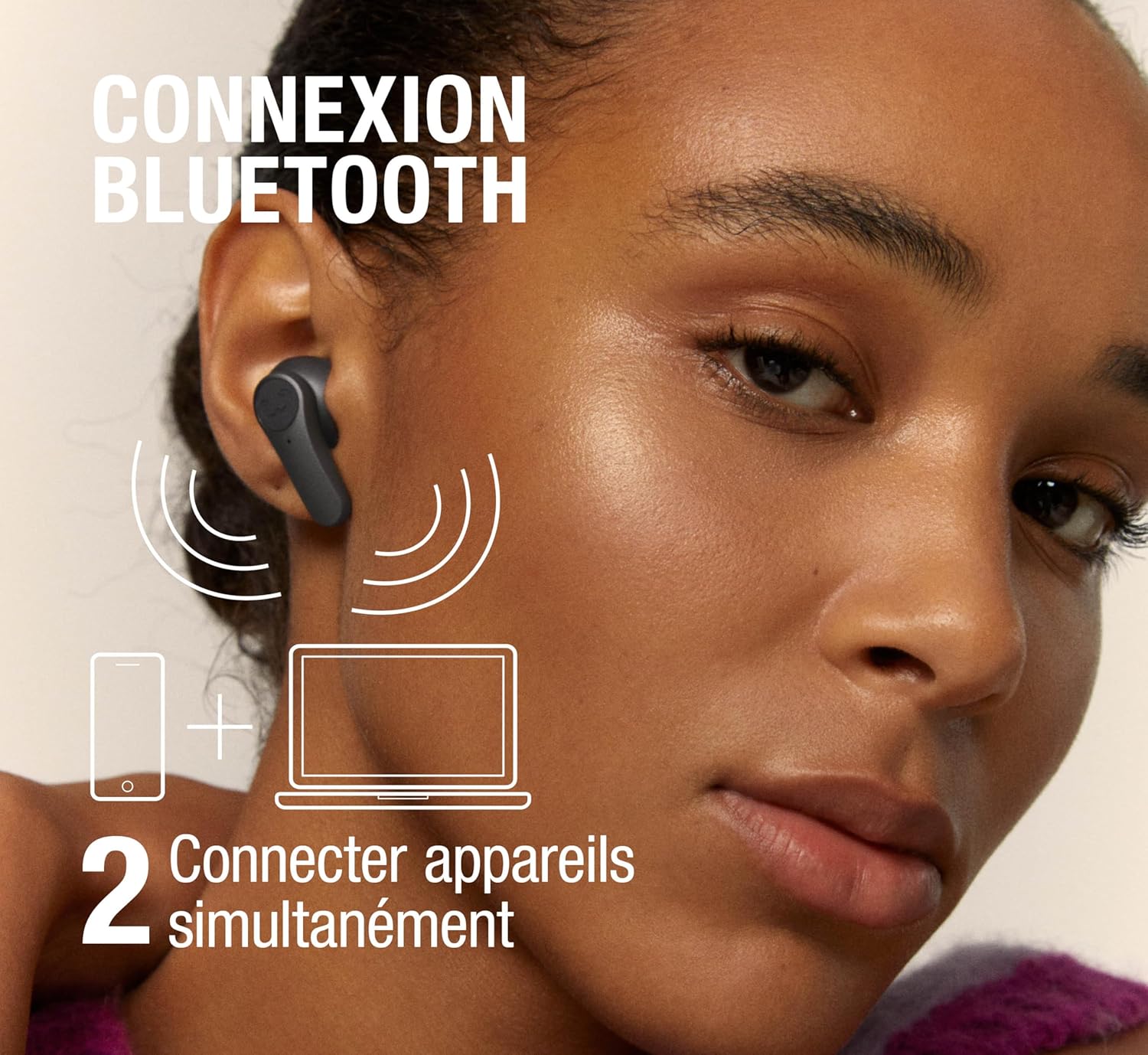
The Twins Rise support മൾട്ടിപോയിന്റ് കണക്ഷൻ, allowing them to be connected to two devices simultaneously. This enables seamless switching between audio sources without re-pairing.
3. ഇയർബഡുകൾ ഘടിപ്പിക്കൽ
Select the ear tips that provide the most comfortable and secure fit. A good seal is crucial for optimal sound quality and effective noise cancellation. Gently insert the earbuds into your ears and twist slightly to secure them.
പ്രവർത്തന നിർദ്ദേശങ്ങൾ
1. അടിസ്ഥാന നിയന്ത്രണങ്ങൾ
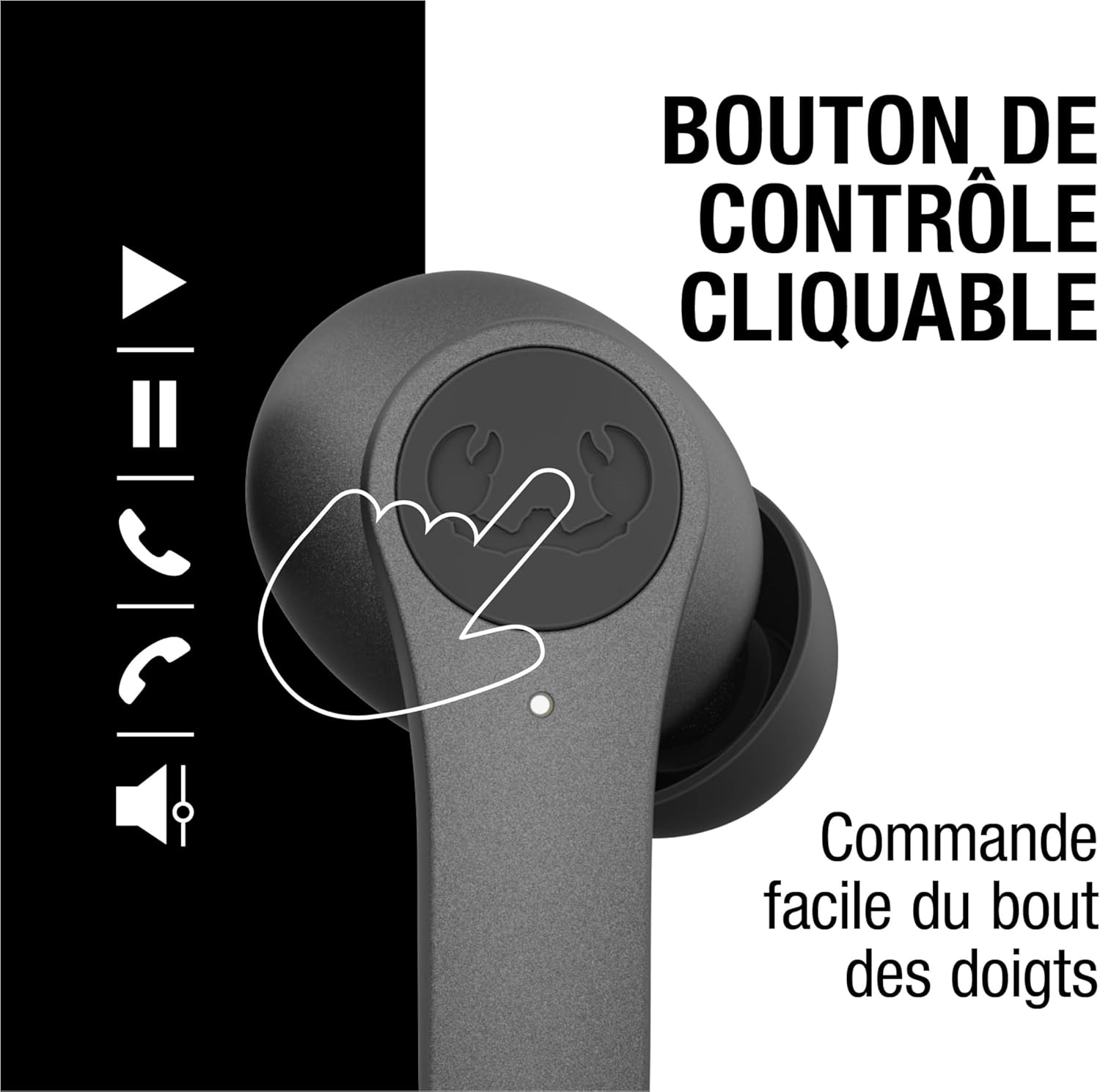
The Twins Rise earbuds feature clickable control buttons for easy management of audio and calls:
- പ്ലേ/താൽക്കാലികമായി നിർത്തുക: Single click on either earbud.
- അടുത്ത ട്രാക്ക്: വലതുവശത്തുള്ള ഇയർബഡിൽ ഇരട്ട ക്ലിക്കുചെയ്യുക.
- മുമ്പത്തെ ട്രാക്ക്: ഇടതുവശത്തുള്ള ഇയർബഡിൽ ഇരട്ട ക്ലിക്കുചെയ്യുക.
- വോളിയം കൂട്ടുക: Triple click on the right earbud.
- വോളിയം താഴേക്ക്: Triple click on the left earbud.
- ഉത്തരം/അവസാന കോൾ: Single click on either earbud.
- കോൾ നിരസിക്കുക: ഇയർബഡുകളിൽ ഏതെങ്കിലുമൊന്ന് അമർത്തിപ്പിടിക്കുക.

2. ആക്ടീവ് നോയ്സ് ക്യാൻസലേഷൻ (ANC), ആംബിയന്റ് സൗണ്ട് മോഡ്
The Twins Rise earbuds offer two distinct listening modes:
- ഹൈബ്രിഡ് ആക്റ്റീവ് നോയിസ് ക്യാൻസലേഷൻ (ANC): Reduces up to 35 dB of unwanted ambient noise, providing an immersive audio experience.
- ആംബിയന്റ് സൗണ്ട് മോഡ്: Allows you to hear your surroundings without removing the earbuds, useful for awareness in busy environments.
To switch between ANC, Ambient Sound Mode, and normal mode, press and hold the control button on the left earbud for 2 seconds.

3. കോളുകൾ ചെയ്യലും സ്വീകരിക്കലും
The integrated microphone with wind noise reduction ensures clear calls, even in windy conditions.


4. ചെവിക്കുള്ളിലെ കണ്ടെത്തൽ
The earbuds feature in-ear detection. Audio playback will automatically pause when you remove an earbud and resume when you put it back in.
5. വോയ്സ് അസിസ്റ്റൻ്റ്
Activate your device's voice assistant (e.g., Siri, Google Assistant) with a simple touch. Refer to the quick start guide for specific touch commands.
മെയിൻ്റനൻസ്
വൃത്തിയാക്കൽ
Regularly clean your earbuds and charging case to ensure optimal performance and hygiene. Use a soft, dry, lint-free cloth. Do not use abrasive cleaners or solvents. Remove ear tips and clean them separately with mild soap and water if necessary, ensuring they are completely dry before reattaching.
ജല പ്രതിരോധം
The Twins Rise earbuds are IPX4 splash-resistant, meaning they can withstand sweat and light rain. They are not designed for submersion in water. Avoid exposing them to excessive moisture or liquids.
സംഭരണം
ഉപയോഗത്തിലില്ലാത്തപ്പോൾ, ഇയർബഡുകൾ ചാർജിംഗ് കേസിൽ സൂക്ഷിക്കുക, അതുവഴി അവയെ സംരക്ഷിക്കുകയും ചാർജ്ജ് ആയി നിലനിർത്തുകയും ചെയ്യുക. ഉയർന്ന താപനിലയിൽ നിന്ന് മാറി തണുത്തതും വരണ്ടതുമായ സ്ഥലത്ത് സൂക്ഷിക്കുക.
ട്രബിൾഷൂട്ടിംഗ്
If you encounter issues with your Twins Rise earbuds, try the following solutions:
- ശബ്ദമില്ല: Ensure earbuds are charged, connected to your device, and volume is turned up.
- ജോടിയാക്കൽ പ്രശ്നങ്ങൾ: Make sure Bluetooth is enabled on your device. Try unpairing and re-pairing the earbuds. Ensure no other devices are trying to connect simultaneously.
- ഒരു ഇയർബഡ് പ്രവർത്തിക്കുന്നില്ല: Place both earbuds back in the case, close the lid, wait a few seconds, then open it again. Check for debris blocking the charging contacts.
- മോശം ശബ്ദ നിലവാരം: Ensure ear tips provide a good seal. Clean the earbuds. Move closer to your connected device to avoid interference.
- ബാറ്ററി വേഗത്തിൽ തീർന്നു: Ensure earbuds are fully seated in the charging case. Reduce volume or turn off ANC if not needed.
If problems persist, consult the Fresh 'n Rebel support webസൈറ്റ് അല്ലെങ്കിൽ ഉപഭോക്തൃ സേവനവുമായി ബന്ധപ്പെടുക.
സ്പെസിഫിക്കേഷനുകൾ
| മോഡലിൻ്റെ പേര് | ഇരട്ടകളുടെ ഉയർച്ച |
| ബ്ലൂടൂത്ത് പതിപ്പ് | 5.3 |
| നോയ്സ് റദ്ദാക്കൽ | Hybrid Active Noise Cancellation (up to 35 dB) |
| ആംബിയൻ്റ് സൗണ്ട് മോഡ് | അതെ |
| ജല പ്രതിരോധം | IPX4 (സ്പ്ലാഷ്-റെസിസ്റ്റൻ്റ്) |
| ബാറ്ററി ലൈഫ് (ഇയർബഡുകൾ) | 8 മണിക്കൂർ വരെ |
| ബാറ്ററി ലൈഫ് (കേസിനൊപ്പം ആകെ) | 30 മണിക്കൂർ വരെ |
| ദ്രുത ചാർജ്ജ് | 4 മണിക്കൂർ പ്ലേബാക്കിന് 15 മിനിറ്റ് |
| ചാർജിംഗ് | യുഎസ്ബി-സി, വയർലെസ് ചാർജിംഗ് |
| മൈക്രോഫോൺ | Integrated with Wind Noise Reduction |
| കണക്റ്റിവിറ്റി | മൾട്ടിപോയിന്റ് കണക്ഷൻ |
| നിയന്ത്രണ തരം | Clickable Buttons, Volume Control |
| വോയ്സ് അസിസ്റ്റൻ്റ് പിന്തുണ | അതെ |

വാറൻ്റി വിവരങ്ങൾ
The Fresh 'n Rebel Twins Rise earbuds come with a 2 വർഷത്തെ നിർമ്മാതാവിന്റെ വാറന്റി വാങ്ങിയ തീയതി മുതൽ. സാധാരണ ഉപയോഗത്തിലുള്ള മെറ്റീരിയലുകളിലെയും നിർമ്മാണത്തിലെയും വൈകല്യങ്ങൾ ഈ വാറന്റി ഉൾക്കൊള്ളുന്നു. ദുരുപയോഗം, അപകടങ്ങൾ, അനധികൃത പരിഷ്കാരങ്ങൾ, അല്ലെങ്കിൽ സാധാരണ തേയ്മാനം എന്നിവ മൂലമുണ്ടാകുന്ന നാശനഷ്ടങ്ങൾക്ക് ഇത് പരിരക്ഷ നൽകുന്നില്ല. വാറന്റി ക്ലെയിമുകൾക്കായി നിങ്ങളുടെ വാങ്ങലിന്റെ തെളിവ് സൂക്ഷിക്കുക.
പിന്തുണ
For further assistance, frequently asked questions, or to register your product, please visit the official Fresh 'n Rebel webസൈറ്റ് സന്ദർശിക്കുക അല്ലെങ്കിൽ അവരുടെ ഉപഭോക്തൃ പിന്തുണയുമായി ബന്ധപ്പെടുക. Fresh 'n Rebel Brand Store കൂടുതൽ ഉൽപ്പന്ന വിവരങ്ങൾക്ക്.


