1. ഉൽപ്പന്നം കഴിഞ്ഞുview
The BAOFENG UV-10R is a portable multi-band two-way radio designed for reliable long-range communication. It features a USB-C charging port, NOAA weather alert, and supports 999 channels for versatile use.
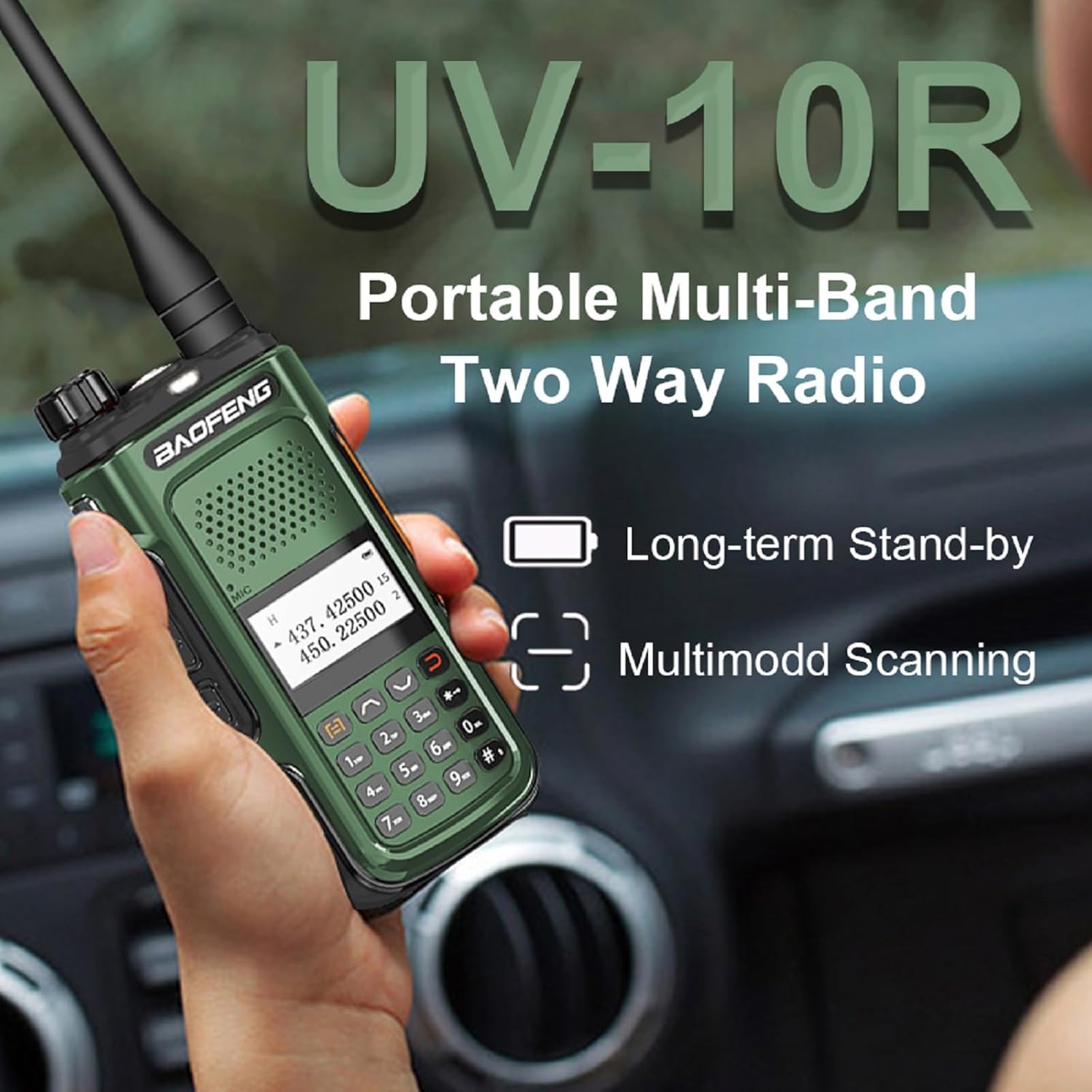
Image: BAOFENG UV-10R Two Way Radio, showcasing its long-term stand-by and multimode scanning capabilities.
പാക്കേജ് ഉള്ളടക്കം
പാക്കേജിൽ എല്ലാ ഇനങ്ങളും ഉണ്ടെന്ന് ഉറപ്പാക്കുക:
- Portable Radio (UV-10R)
- 18.89-inch Tactical Antenna
- പ്രോഗ്രാമിംഗ് കേബിൾ
- ടൈപ്പ്-സി യുഎസ്ബി കേബിൾ
- ബാറ്ററി
- ഉയർന്ന നേട്ടം ആന്റിന
- ചാർജർ ബേസ്
- ബെൽറ്റ് ക്ലിപ്പ്
- ഹാൻഡ് സ്ട്രാപ്പ്
- ഉപയോക്തൃ മാനുവൽ
2. സജ്ജീകരണം
2.1 ആന്റിന ഘടിപ്പിക്കുന്നു
Carefully screw the antenna clockwise into the connector on the top of the radio until it is finger-tight. Do not overtighten.
2.2 ബാറ്ററി ഇൻസ്റ്റാൾ ചെയ്യുന്നു
Align the battery pack with the grooves on the back of the radio. Slide the battery upwards until it clicks into place. To remove, press the release latch and slide the battery downwards.
2.3 റേഡിയോ ചാർജ് ചെയ്യുന്നു
The UV-10R supports two charging methods:
- USB-C ഡയറക്ട് ചാർജിംഗ്: Connect the provided Type-C USB cable to the USB-C port on the side of the radio and to a compatible USB power source (e.g., power bank, PC, car charger, laptop, or wall adapter).
- ചാർജർ ബേസ്: Place the radio into the charger base. Ensure the charging contacts on the radio align with those on the base. The indicator light on the charger will show the charging status.

Image: BAOFENG UV-10R radio demonstrating USB-C direct charging capability.
3. പ്രവർത്തന നിർദ്ദേശങ്ങൾ
3.1 റേഡിയോ ഘടകങ്ങൾ

Image: Labeled diagram of the BAOFENG UV-10R radio's external components.
- പവർ/വോളിയം നോബ്: പവർ ഓൺ ചെയ്യാനും വോളിയം കൂട്ടാനും ഘടികാരദിശയിൽ തിരിക്കുക; വോളിയം കുറയ്ക്കാനും പവർ ഓഫ് ചെയ്യാനും എതിർ ഘടികാരദിശയിൽ തിരിക്കുക.
- ആൻ്റിന: സിഗ്നലുകൾ കൈമാറുന്നതിനും സ്വീകരിക്കുന്നതിനും.
- ഇൻഡിക്കേറ്റർ ലൈറ്റ്: Illuminates for various statuses (e.g., red for transmit, green for receive).
- ഫ്ലാഷ്ലൈറ്റ്: LED ഫ്ലാഷ്ലൈറ്റ് സജീവമാക്കുന്നു.
- PTT (പുഷ്-ടു-ടോക്ക്) ബട്ടൺ: അയയ്ക്കാൻ അമർത്തിപ്പിടിക്കുക; സ്വീകരിക്കാൻ വിടുക.
- മൈക്ക്: വോയ്സ് ഇൻപുട്ടിനുള്ള മൈക്രോഫോൺ.
- 2-pin K Jack: For connecting external audio accessories like headsets or microphones.
- LED സ്ക്രീൻ: Displays channel, frequency, and other radio information.
- മെനു ബട്ടൺ: റേഡിയോയുടെ മെനു ക്രമീകരണങ്ങൾ ആക്സസ് ചെയ്യുന്നു.
- പുറത്തുകടക്കുക ബട്ടൺ: മെനുവിൽ നിന്ന് പുറത്തുകടക്കുന്നു അല്ലെങ്കിൽ നിലവിലുള്ള പ്രവർത്തനം റദ്ദാക്കുന്നു.
- കീപാഡ്: For entering frequencies, channel numbers, and navigating menus.
3.2 പവർ ഓൺ/ഓഫ്, വോളിയം ക്രമീകരണം
To power on the radio, rotate the Power/Volume knob clockwise. Continue rotating to adjust the volume level. To power off, rotate the knob counter-clockwise until it clicks.
3.3 ചാനൽ തിരഞ്ഞെടുപ്പും ഫ്രീക്വൻസി ശ്രേണിയും
The UV-10R supports 999 channels. Use the keypad to enter desired channel numbers or navigate through channels using the up/down arrow buttons. The radio operates on dual bands with a frequency range of 144-148MHz and 420-450MHz.
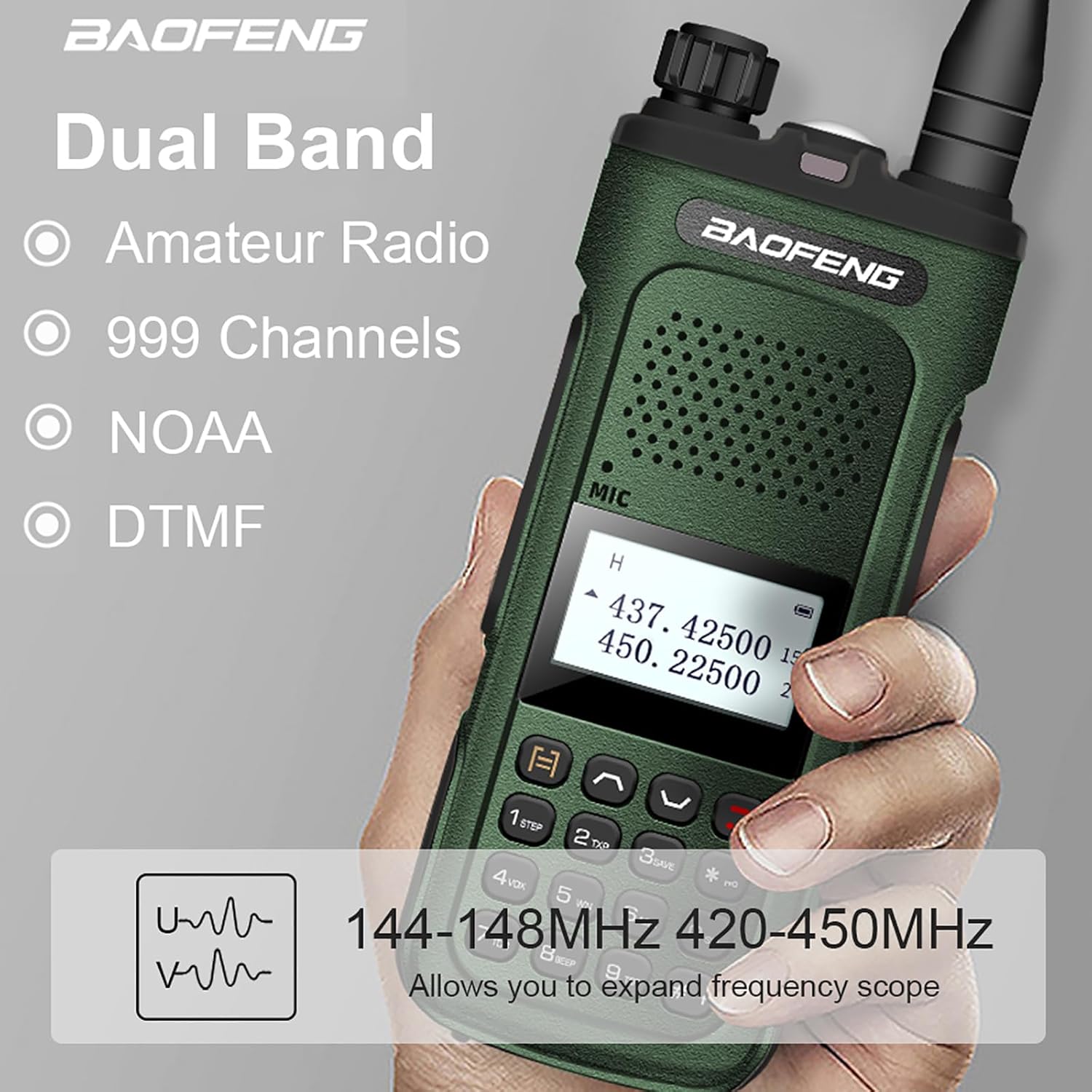
Image: BAOFENG UV-10R highlighting dual band operation, 999 channels, NOAA weather alert, and DTMF.
3.4 കൈമാറ്റം ചെയ്യലും സ്വീകരിക്കലും
To transmit, press and hold the PTT button on the side of the radio and speak clearly into the microphone. Release the PTT button to switch to receive mode.
3.5 പ്രത്യേക പ്രവർത്തനങ്ങൾ
- NOAA കാലാവസ്ഥാ മുന്നറിയിപ്പ്: Activates alerts for severe weather conditions. Refer to the full user manual for specific activation steps.
- Multimode Scanning: Allows the radio to scan through channels or frequencies to detect active transmissions.
- VOX (വോയ്സ് ഓപ്പറേറ്റഡ് എക്സ്ചേഞ്ച്): Enables hands-free transmission when voice is detected, eliminating the need to press the PTT button.
- DTMF (ഡ്യുവൽ-ടോൺ മൾട്ടി-ഫ്രീക്വൻസി): Used for signaling and control functions.
- LED Strong Flashlight: The built-in flashlight can be activated for illumination.

Image: The BAOFENG UV-10R's LED flashlight providing illumination in a low-light environment.
4. പരിപാലനം
4.1 വൃത്തിയാക്കൽ
റേഡിയോയുടെ പുറംഭാഗം മൃദുവായ, ഡി ക്ലീനർ ഉപയോഗിച്ച് തുടയ്ക്കുക.amp cloth. Do not use harsh chemicals or abrasive cleaners. Ensure the USB-C port and accessory jacks are free of dust and debris.
4.2 ബാറ്ററി കെയർ
To prolong battery life, avoid fully discharging the battery frequently. Store the radio and battery in a cool, dry place when not in use for extended periods. Do not expose the battery to extreme temperatures.
4.3 സംഭരണം
നേരിട്ടുള്ള സൂര്യപ്രകാശത്തിൽ നിന്നും കടുത്ത താപനിലയിൽ നിന്നും മാറി വരണ്ടതും പൊടിയില്ലാത്തതുമായ അന്തരീക്ഷത്തിൽ റേഡിയോ സൂക്ഷിക്കുക. ഒരു മാസത്തിൽ കൂടുതൽ സൂക്ഷിക്കുകയാണെങ്കിൽ ബാറ്ററി നീക്കം ചെയ്യുക.
5. പ്രശ്നപരിഹാരം
5.1 വൈദ്യുതിയില്ല
- ബാറ്ററി ശരിയായി ഇൻസ്റ്റാൾ ചെയ്യുകയും ചാർജ്ജ് ചെയ്യുകയും ചെയ്തിട്ടുണ്ടോയെന്ന് പരിശോധിക്കുക.
- Ensure the Power/Volume knob is rotated clockwise past the 'off' position.
5.2 ട്രാൻസ്മിറ്റ് ചെയ്യാനോ സ്വീകരിക്കാനോ കഴിയില്ല
- ആന്റിന സുരക്ഷിതമായി ഘടിപ്പിച്ചിട്ടുണ്ടെന്ന് ഉറപ്പാക്കുക.
- നിങ്ങൾ ശരിയായ ചാനലിലോ ഫ്രീക്വൻസിയിലോ ആണെന്ന് ഉറപ്പാക്കുക.
- Check if the battery level is sufficient for transmission.
- Confirm that the PTT button is being pressed correctly.
5.3 മോശം ഓഡിയോ നിലവാരം
- വോളിയം ലെവൽ ക്രമീകരിക്കുക.
- Check for obstructions between radios if communicating with another device.
- Ensure the microphone and speaker are not blocked or dirty.
6 സ്പെസിഫിക്കേഷനുകൾ
| ഫീച്ചർ | സ്പെസിഫിക്കേഷൻ |
|---|---|
| മോഡൽ നമ്പർ | BF-UV10 / UV-10R |
| ഫ്രീക്വൻസി റേഞ്ച് | 144-148MHz, 420-450MHz |
| ചാനലുകളുടെ എണ്ണം | 999 |
| ഇൻപുട്ട് വോളിയംtage | DC 7.4V |
| ആൻ്റിന ഇംപെഡൻസ് | 50 Ω |
| പരമാവധി സംസാര ശ്രേണി | 3.1 മൈൽ |
| ഇനത്തിൻ്റെ ഭാരം | 25.04 Ounces (approx. 1.56 pounds) |
| ഉൽപ്പന്ന അളവുകൾ | 1.1"D x 1.96"W x 4.72"H |
| ബാറ്ററി തരം | 1 ലിഥിയം അയൺ ബാറ്ററി (ആവശ്യമാണ്) |
| പ്രത്യേക സവിശേഷതകൾ | Long Range, Portable, USB-C Charger, NOAA Weather Alert, Multimode Scanning, VOX, DTMF, LED Flashlight |
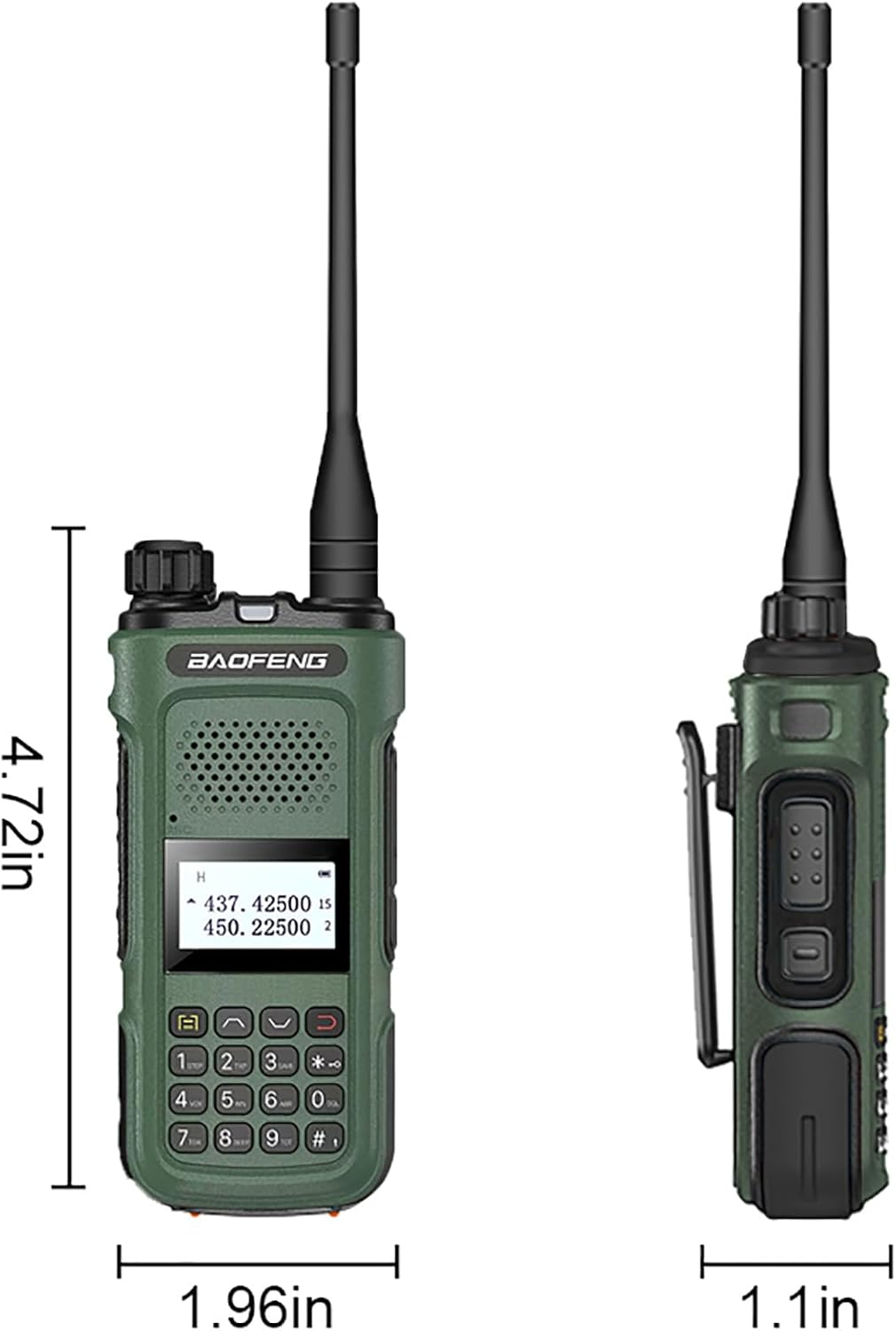
Image: Dimensions of the BAOFENG UV-10R Two Way Radio.
7. വാറൻ്റിയും പിന്തുണയും
7.1 വാറൻ്റി വിവരങ്ങൾ
A 1-year warranty is provided exclusively through "Shiqun Electronics Co., Ltd." Please retain your proof of purchase for warranty claims.
7.2 ഉപഭോക്തൃ പിന്തുണ
For further assistance, technical support, or service inquiries, please contact the manufacturer or your authorized dealer. Refer to the contact information provided in your purchase documentation.


