ഉൽപ്പന്നം കഴിഞ്ഞുview
The Artillery Sidewinder X3 Plus is a high-performance 3D printer designed for both hobbyists and professionals, offering a large build volume and advanced features for efficient and precise 3D printing.

ചിത്രം 1: ഫ്രണ്ട് view of the Artillery Sidewinder X3 Plus 3D Printer, showcasing its robust frame and integrated control panel.
പ്രധാന സവിശേഷതകൾ
- Large Build Size: 300mm × 300mm × 400mm (11.8in × 11.8in × 15.7in) for greater creative freedom.
- Ultra-Quiet High-Speed Printing: Achieves speeds up to 300 mm/s with 0.1 mm precision.
- Upgraded 300°C High-Temperature Nozzle: Supports various filaments including PLA, TPU, PETG, ABS, and Nylon, with automatic nozzle cleaning.
- 49-Point Auto Bed Leveling: Ensures quick and accurate leveling of the build platform.
- Dual-Gear Direct Extruder: Provides powerful extrusion and smoother filament feeding for improved print quality.
- Resume Printing Function: Detects filament runout/breakage or power loss and resumes printing after recovery.
- Dual Z-axes & Dual Motors: Ensures stability and higher printing accuracy through coordinated movement.

ചിത്രം 2: Illustration demonstrating the large print volume of the Sidewinder X3 Plus, capable of accommodating substantial models.
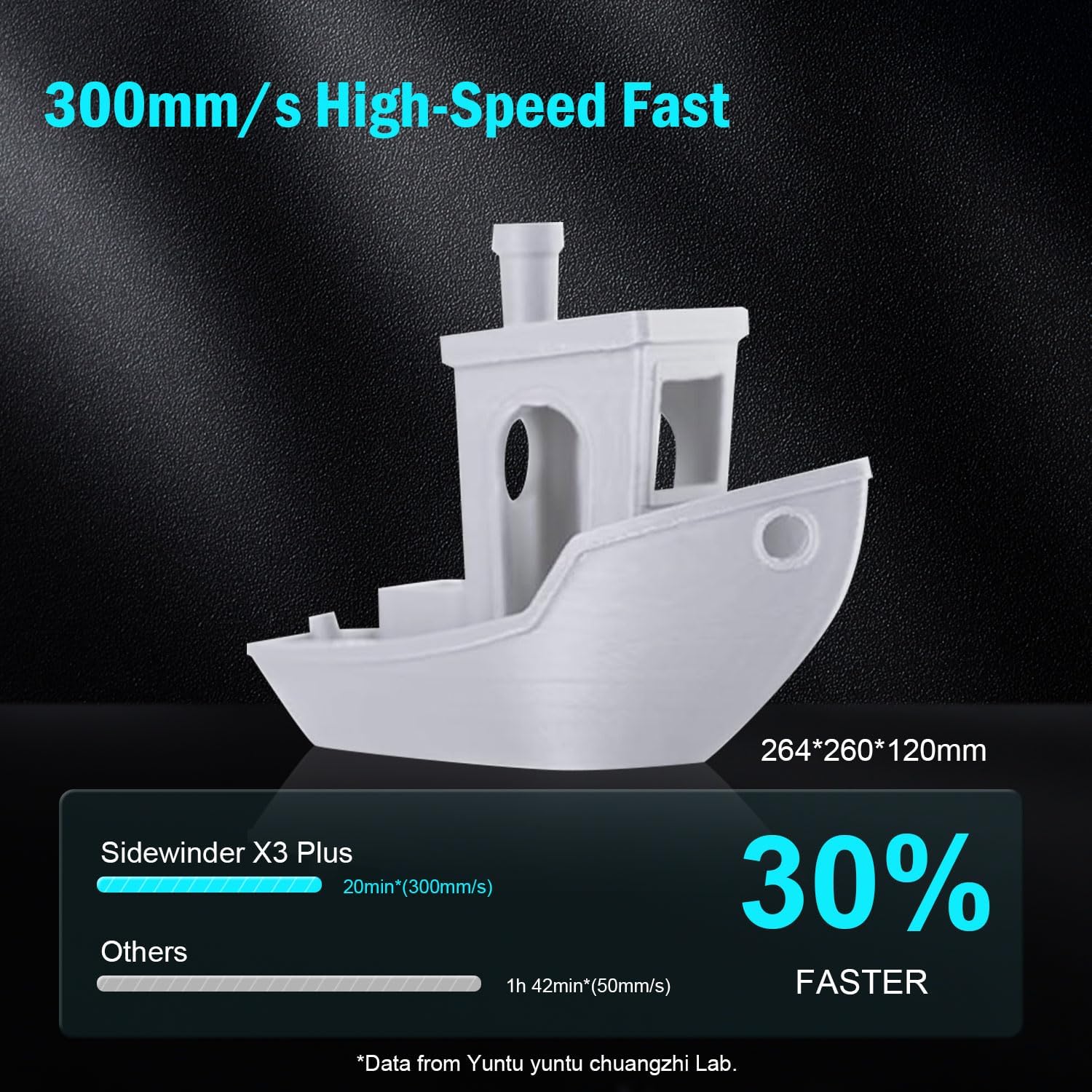
ചിത്രം 3: Visual representation of the Sidewinder X3 Plus's high-speed printing capability, showing a printed boat model.

ചിത്രം 4: ക്ലോസ് അപ്പ് view of the all-metal hotend and automatic cleaning nozzle, highlighting its high-temperature capabilities.

ചിത്രം 5: Diagram illustrating the 49-point smart auto-leveling system on the print bed, simplifying the leveling process.
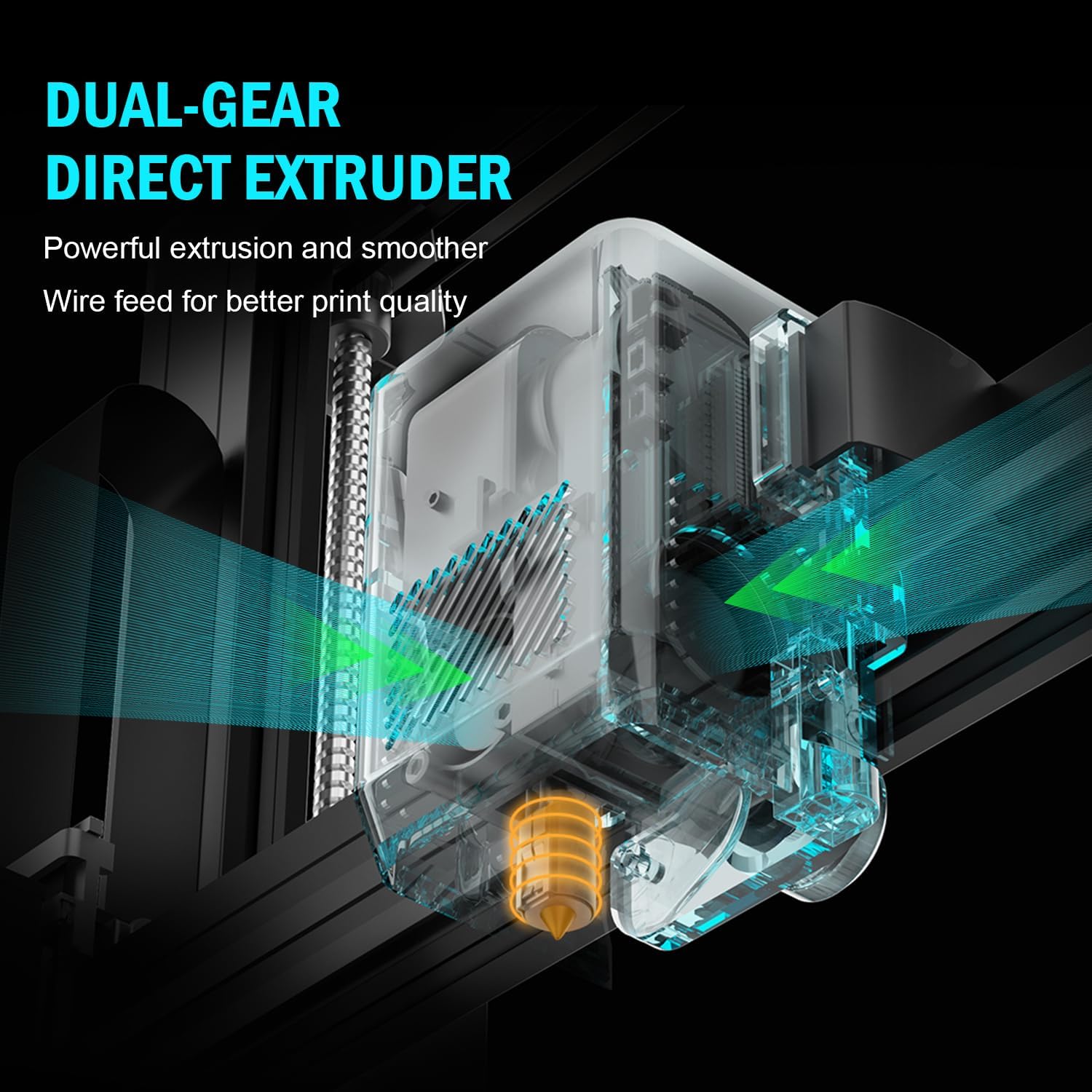
ചിത്രം 6: ആന്തരികം view of the dual-gear direct extruder, showing the gears that ensure consistent filament flow.

ചിത്രം 7: Depiction of the dual Z-axes and dual motors system, highlighting their role in enhancing print stability and precision.
സജ്ജീകരണ ഗൈഡ്
The Artillery Sidewinder X3 Plus is designed for quick assembly. Follow these general steps for initial setup:
- അൺപാക്ക് ചെയ്യുന്നു: Carefully remove all components from the packaging. Verify all parts listed in the packing list are present.
- അടിസ്ഥാന അസംബ്ലി: Place the printer base on a stable, level surface.
- Gantry Installation: Attach the gantry (Z-axis frame) to the base. Ensure all screws are securely fastened.
- വയറിംഗ് കണക്ഷനുകൾ: Connect all necessary cables, including power, motor, and sensor cables, according to the labels.
- ഫിലമെൻ്റ് ഹോൾഡർ: Mount the filament holder.
- പ്രാരംഭ പവർ ഓൺ: പവർ കോർഡ് ബന്ധിപ്പിച്ച് പ്രിന്റർ ഓണാക്കുക.
- സ്വയമേവ ലെവലിംഗ്: Perform the 49-point auto bed leveling procedure as prompted by the printer's interface. This is crucial for successful first prints.

ചിത്രം 8: Visual guide showing the four main steps for assembling the Artillery Sidewinder X3 Plus, indicating a straightforward setup process.
പ്രവർത്തന നിർദ്ദേശങ്ങൾ
ഫിലമെന്റ് ലോഡുചെയ്യുന്നു
- Ensure the hotend is preheated to the appropriate temperature for your filament type (e.g., 200°C for PLA).
- Insert the filament into the extruder's input hole.
- Push the filament until it is gripped by the extruder gears and begins to feed through the hotend.
- Confirm filament is extruding smoothly from the nozzle.
ഒരു പ്രിന്റ് ആരംഭിക്കുന്നു
- Prepare your 3D model using slicing software (e.g., Cura, PrusaSlicer) and save it as a G-code file to a USB drive or SD card.
- Insert the USB drive/SD card into the printer's designated slot.
- Navigate the printer's touchscreen interface to select the desired G-code file.
- Confirm print settings and initiate the print. The printer will automatically preheat and begin printing.

ചിത്രം 9: Image showing the 4.3-inch touchscreen interface of the Sidewinder X3 Plus, demonstrating user interaction for print control.
Removing a Print
- Allow the print bed to cool down completely after the print finishes.
- Gently flex the PEI magnetic print platform to detach the printed object. Avoid using excessive force or sharp tools to prevent damage to the print surface.
മെയിൻ്റനൻസ്
Regular maintenance ensures optimal performance and longevity of your Artillery Sidewinder X3 Plus.
- പ്രിന്റ് ബെഡ് വൃത്തിയാക്കുക: After each print, clean the print surface with isopropyl alcohol to remove any residue and ensure good adhesion for future prints.
- നോസൽ വൃത്തിയാക്കൽ: The printer features an automatic cleaning nozzle. However, inspect the nozzle periodically for clogs or wear. If necessary, perform a cold pull or replace the nozzle.
- Lubricate Z-axis Lead Screws: Apply a small amount of lithium grease or similar lubricant to the Z-axis lead screws every few weeks, depending on usage, to ensure smooth vertical movement.
- Check Belts and Pulleys: Periodically inspect the X and Y axis belts for proper tension and wear. Ensure pulleys are clean and move freely.
- ഫേംവെയർ അപ്ഡേറ്റുകൾ: Check the official Artillery website for any available firmware updates to ensure your printer has the latest features and bug fixes.
പൊതുവായ പ്രശ്നങ്ങൾ പരിഹരിക്കുന്നു
| പ്രശ്നം | സാധ്യമായ കാരണം | പരിഹാരം |
|---|---|---|
| ഫിലമെന്റ് പുറത്തെടുക്കുന്നില്ല | Clogged nozzle, tangled filament, incorrect temperature. | Clean the nozzle, check filament path, verify hotend temperature. |
| കിടക്കയോട് മോശമായ ഒട്ടിപ്പിടിക്കൽ | Unleveled bed, dirty print surface, incorrect bed temperature. | Perform auto-leveling, clean print bed with isopropyl alcohol, adjust bed temperature. |
| ലെയർ ഷിഫ്റ്റിംഗ് | അയഞ്ഞ ബെൽറ്റുകൾ, മോട്ടോർ പ്രശ്നങ്ങൾ, പ്രിന്റ് വേഗത വളരെ കൂടുതലാണ്. | Check and tighten X/Y axis belts, inspect motor connections, reduce print speed. |
| Printer is excessively loud | Loose components, fan noise, worn bearings. | Inspect for loose screws, check fan operation, lubricate moving parts. |
| "Thermal runaway detected" error | Faulty thermistor, loose wiring to hotend/bed, heater cartridge issue. | Immediately power off the printer. Check all wiring connections to the hotend and heated bed. Contact support if issue persists. |
| "Error: home Y failed" or similar homing errors | Obstructed endstop switch, loose motor cable, faulty sensor. | Check for obstructions, ensure all motor and endstop cables are securely connected. Restart printer. |
സാങ്കേതിക സവിശേഷതകൾ
| ഫീച്ചർ | വിശദാംശങ്ങൾ |
|---|---|
| ഉൽപ്പന്ന അളവുകൾ | 20 x 19.4 x 25.6 ഇഞ്ച് (508 x 493 x 650 മിമി) |
| ഇനത്തിൻ്റെ ഭാരം | 36.6 പൗണ്ട് (16.6 കി.ഗ്രാം) |
| ബിൽഡ് വോളിയം | 300 x 300 x 400 മിമി (11.8 x 11.8 x 15.7 ഇഞ്ച്) |
| പ്രിൻ്റിംഗ് സ്പീഡ് | 300 mm/s വരെ |
| നോസൽ താപനില | പരമാവധി 300°C |
| ബെഡ് ലെവലിംഗ് | 49-പോയിൻ്റ് ഓട്ടോ ബെഡ് ലെവലിംഗ് |
| എക്സ്ട്രൂഡർ തരം | Dual-Gear Direct Extruder |
| പിന്തുണയ്ക്കുന്ന ഫിലമെന്റുകൾ | PLA, TPU, PETG, ABS, Nylon |
| കണക്റ്റിവിറ്റി | USB, SD കാർഡ് |
| മെറ്റീരിയൽ | ലോഹം |
| നിറം | കറുപ്പ് |
വാറൻ്റിയും പിന്തുണയും
For warranty information and technical support, please refer to the official Artillery webസൈറ്റിൽ ബന്ധപ്പെടുകയോ അവരുടെ ഉപഭോക്തൃ സേവനവുമായി നേരിട്ട് ബന്ധപ്പെടുകയോ ചെയ്യുക. വാറന്റി ക്ലെയിമുകൾക്കുള്ള വാങ്ങലിന്റെ തെളിവായി നിങ്ങളുടെ വാങ്ങൽ രസീത് സൂക്ഷിക്കുക.
നിർമ്മാതാവ്: പീരങ്കിപ്പട
ഉദ്യോഗസ്ഥൻ Webസൈറ്റ്: www.artillery3d.com (കുറിപ്പ്: ഇതൊരു പ്ലെയ്സ്ഹോൾഡറാണ് URL, ദയവായി യഥാർത്ഥ നിർമ്മാതാവിന്റെ webപിന്തുണയ്ക്കുള്ള സൈറ്റ്.)


