1. ആമുഖം
Welcome to the user manual for your Lenovo ThinkPad P17 Gen 2 Workstation. This document provides essential information for setting up, operating, maintaining, and troubleshooting your new device. The ThinkPad P17 Gen 2 is a high-performance mobile workstation designed for demanding professional tasks, featuring an Intel i7-11850H vPro processor, NVIDIA RTX A2000 graphics, a 17.3-inch 4K UHD IPS display, and Windows 11 Pro.
Please read this manual thoroughly to ensure optimal performance and longevity of your workstation.
2. ഉൽപ്പന്നം കഴിഞ്ഞുview
The Lenovo ThinkPad P17 Gen 2 is engineered for power and reliability. Familiarize yourself with its components and features.
2.1. ഫ്രണ്ട് View

Image: The Lenovo ThinkPad P17 Gen 2 Workstation open, showcasing its 17.3-inch display and full-sized keyboard. The screen displays a complex data analysis application, highlighting its capability for demanding tasks.

ചിത്രം: മുകളിൽ നിന്ന് താഴേക്ക് view of the Lenovo ThinkPad P17 Gen 2, showing the keyboard with a numeric keypad, the TrackPoint pointing device, and the large display.
2.2. Side and Rear Views (Ports and Connectors)

ചിത്രം: ഒരു വശം view of the ThinkPad P17 Gen 2, illustrating various ports such as USB, HDMI, and the SD Card Reader, essential for connectivity.

ചിത്രം: പിൻഭാഗം view of the ThinkPad P17 Gen 2, highlighting additional ports and cooling vents, designed for efficient heat dissipation during intensive use.
Key ports include:
- 2 x Thunderbolt 4 (Type-C)
- 1 x HDMI 2.1
- യുഎസ്ബി 3.2 ടൈപ്പ്-സി
- SD കാർഡ് റീഡർ
- ഇതർനെറ്റ് ലാൻ (RJ-45)
- ഹെഡ്ഫോൺ/മൈക്രോഫോൺ കോംബോ ജാക്ക്
2.3. Dockztorm Portable USB Hub

Image: The compact blue Dockztorm Portable USB Hub, designed for expanding connectivity options.
Your workstation includes a Dockztorm Portable USB Hub for additional connectivity. This hub provides super speedy data sync rates up to 5Gbps, allowing you to connect more peripherals.
3. സജ്ജീകരണം
Follow these steps to set up your Lenovo ThinkPad P17 Gen 2 Workstation.
3.1 അൺപാക്ക് ചെയ്യുന്നു
- Carefully remove the workstation and all accessories from the packaging.
- Verify that all components are present: laptop, power adapter, power cord, and the Dockztorm Portable USB Hub.
3.2. പവർ ബന്ധിപ്പിക്കുന്നു
- പവർ അഡാപ്റ്ററിലേക്ക് പവർ കോർഡ് ബന്ധിപ്പിക്കുക.
- Plug the power adapter into the workstation's power input port.
- ഗ്രൗണ്ടഡ് ഇലക്ട്രിക്കൽ ഔട്ട്ലെറ്റിലേക്ക് പവർ കോർഡ് പ്ലഗ് ചെയ്യുക.
- പ്രാരംഭ ഉപയോഗത്തിന് മുമ്പ് ബാറ്ററി പൂർണ്ണമായും ചാർജ് ചെയ്യാൻ അനുവദിക്കുക, എന്നിരുന്നാലും ചാർജ് ചെയ്യുമ്പോൾ ലാപ്ടോപ്പ് ഉപയോഗിക്കാൻ തുടങ്ങാം.
3.3. Initial Boot-Up and Windows 11 Pro Setup
- ലാപ്ടോപ്പ് ലിഡ് തുറന്ന് പവർ ബട്ടൺ അമർത്തുക.
- Follow the on-screen instructions to complete the Windows 11 Pro initial setup, including language selection, network connection, user account creation, and privacy settings.
3.4. പെരിഫറലുകൾ ബന്ധിപ്പിക്കുന്നു
- Dockztorm Hub: Connect the Dockztorm Portable USB Hub to an available USB port on your workstation to expand your connectivity options for additional USB devices.
- ബാഹ്യ പ്രദർശനം: Use the HDMI 2.1 or Thunderbolt 4 (Type-C) ports to connect an external monitor.
- നെറ്റ്വർക്ക്: For wired network access, connect an Ethernet cable to the RJ-45 port.
4. പ്രവർത്തിക്കുന്നു
This section covers basic operation and key features of your ThinkPad P17 Gen 2 Workstation.
4.1. കീബോർഡും ട്രാക്ക്പാഡും
- The workstation features a full-sized backlit keyboard with a numeric keypad for enhanced productivity.
- Utilize the Trackpad for precise cursor control. The TrackPoint pointing device in the center of the keyboard offers an alternative navigation method.
- The integrated Fingerprint Security System allows for secure and quick login.
4.2. ഡിസ്പ്ലേ ക്രമീകരണങ്ങൾ
Your workstation features a 17.3-inch 4K Ultra HD (3840x2160) IPS display. To adjust display settings:
- Right-click on the desktop and select "Display settings."
- Adjust resolution, scaling, and multiple display configurations as needed.
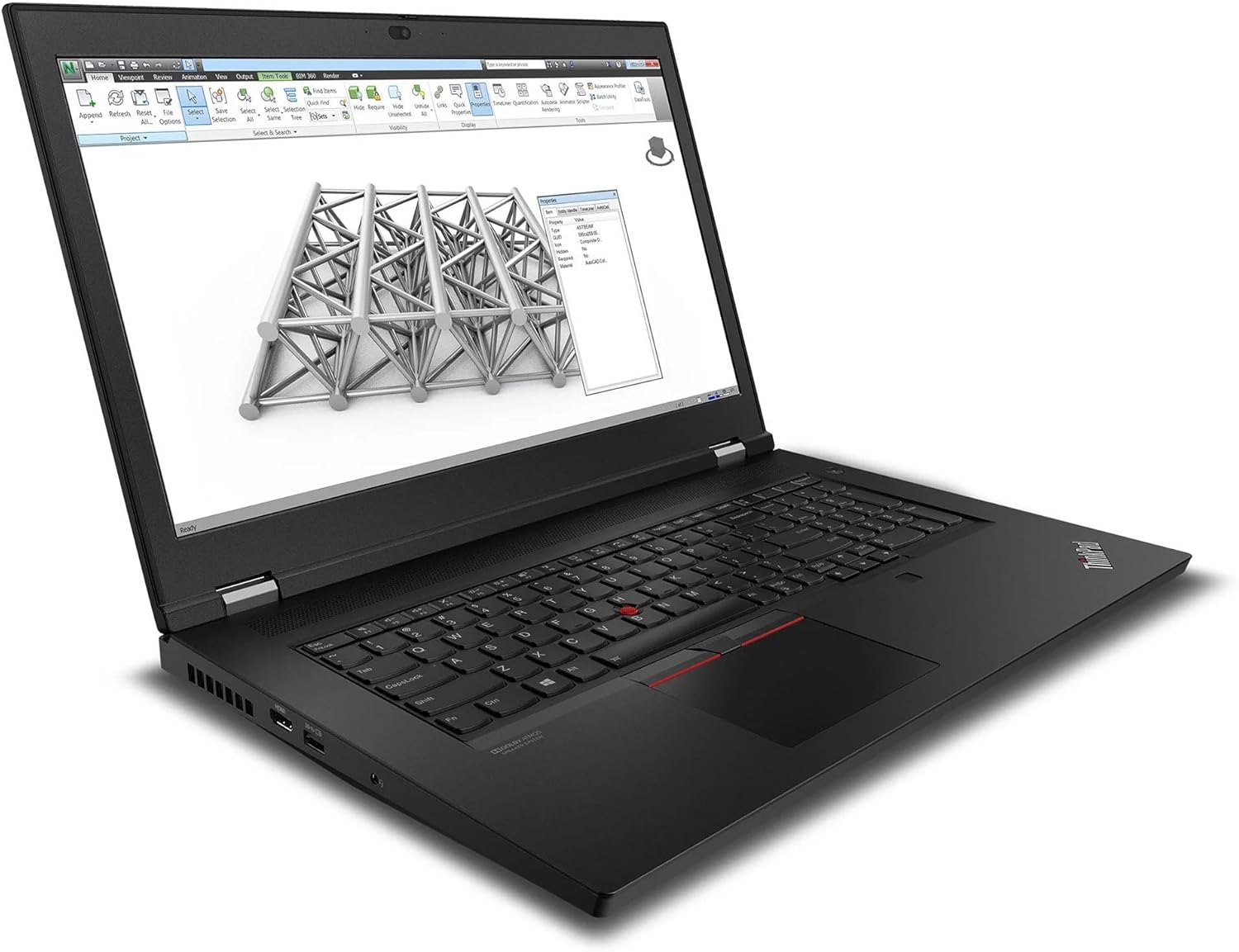
Image: The ThinkPad P17 Gen 2 displaying a detailed 3D model, demonstrating its high-resolution screen and graphics capabilities for design and engineering applications.
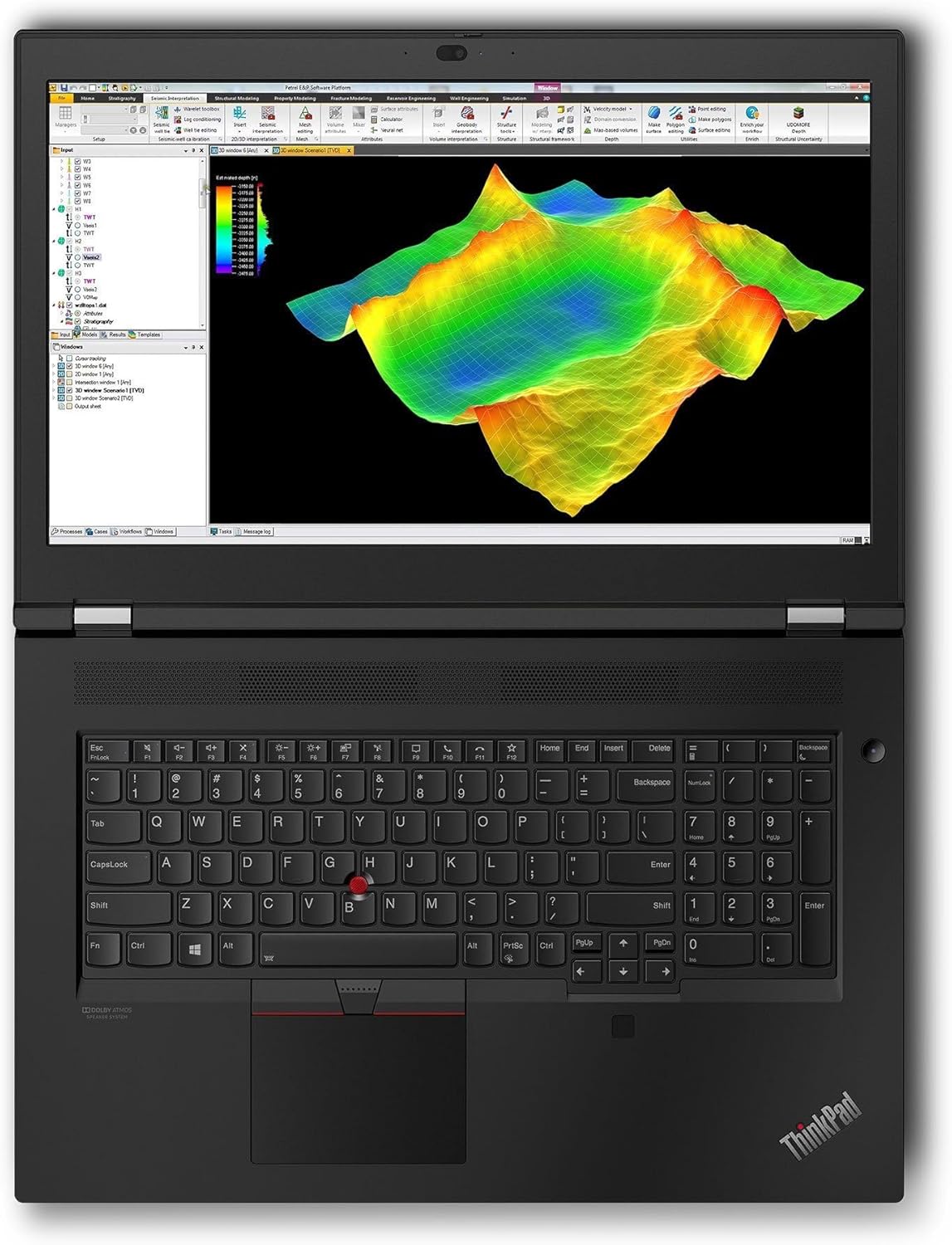
Image: The workstation screen showing complex geological data, illustrating its suitability for scientific visualization and analysis.
4.3. കണക്റ്റിവിറ്റി
- Wi-Fi 6E: Connect to high-speed wireless networks. Access Wi-Fi settings via the Windows taskbar.
- ബ്ലൂടൂത്ത് 5.3: Pair with Bluetooth devices such as headphones, mice, or keyboards. Manage Bluetooth devices in Windows Settings > Bluetooth & devices.
- തണ്ടർബോൾട്ട് 4: These versatile ports support high-speed data transfer, video output, and power delivery.
5. പരിപാലനം
Proper maintenance ensures the longevity and optimal performance of your workstation.
5.1. വൃത്തിയാക്കൽ
- സ്ക്രീൻ: നനവില്ലാത്തതും ലിനില്ലാത്തതുമായ തുണി ചെറുതായി ഉപയോഗിക്കുകampവെള്ളമോ സ്ക്രീൻ ക്ലീനിംഗ് ലായനിയോ ഉപയോഗിച്ച് നനയ്ക്കുക. സ്ക്രീനിൽ നേരിട്ട് ദ്രാവകം സ്പ്രേ ചെയ്യരുത്.
- ചേസിസും കീബോർഡും: മൃദുവായ തുണി ഉപയോഗിക്കുക. കഠിനമായ അഴുക്കിന്, അല്പം ഡി.amp ദ്രാവകം സുഷിരങ്ങളിൽ പ്രവേശിക്കുന്നില്ലെന്ന് ഉറപ്പാക്കാൻ വീര്യം കുറഞ്ഞ സോപ്പ് ഉള്ള തുണി ഉപയോഗിക്കാം.
- വെന്റുകൾ: Periodically clean the cooling vents with compressed air to prevent dust buildup, which can affect performance.
5.2. ബാറ്ററി പരിചരണം
- ബാറ്ററി ഇടയ്ക്കിടെ പൂർണ്ണമായും ഡിസ്ചാർജ് ചെയ്യുന്നത് ഒഴിവാക്കുക.
- ലാപ്ടോപ്പ് ദീർഘനേരം ഉപയോഗിച്ചിട്ടില്ലെങ്കിൽ തണുത്തതും വരണ്ടതുമായ സ്ഥലത്ത് സൂക്ഷിക്കുക.
- മികച്ച ബാറ്ററി ലൈഫിന്, ലാപ്ടോപ്പ് തീവ്രമായ താപനിലയിൽ തുറന്നുകാട്ടുന്നത് ഒഴിവാക്കുക.
5.3. സോഫ്റ്റ്വെയർ അപ്ഡേറ്റുകൾ
- Regularly update Windows 11 Pro through Windows Update to ensure security and performance.
- Check for driver updates for your NVIDIA RTX A2000 graphics card and other components from the Lenovo support website or NVIDIA's official site.
6. പ്രശ്നപരിഹാരം
നിങ്ങൾ നേരിട്ടേക്കാവുന്ന പൊതുവായ പ്രശ്നങ്ങൾക്കുള്ള പരിഹാരങ്ങൾ ഈ വിഭാഗം നൽകുന്നു.
6.1. No Power / Does Not Turn On
- പവർ അഡാപ്റ്റർ ലാപ്ടോപ്പിലേക്കും പ്രവർത്തിക്കുന്ന ഒരു ഇലക്ട്രിക്കൽ ഔട്ട്ലെറ്റിലേക്കും സുരക്ഷിതമായി ബന്ധിപ്പിച്ചിട്ടുണ്ടെന്ന് ഉറപ്പാക്കുക.
- മറ്റൊരു ഉപകരണം പ്ലഗ് ഇൻ ചെയ്ത് പവർ ഔട്ട്ലെറ്റ് പ്രവർത്തനക്ഷമമാണോ എന്ന് പരിശോധിക്കുക.
- ബാറ്ററി പൂർണ്ണമായും തീർന്നാൽ, ലാപ്ടോപ്പ് ഓൺ ആകുന്നതിന് മുമ്പ് ചാർജ് ചെയ്യാൻ കുറച്ച് മിനിറ്റ് എടുത്തേക്കാം.
6.2. ഡിസ്പ്ലേ പ്രശ്നങ്ങൾ
- സ്ക്രീനിൽ ചിത്രമൊന്നുമില്ല: ലാപ്ടോപ്പ് ഓണാക്കിയിട്ടുണ്ടെന്ന് ഉറപ്പാക്കുക. ഒരു ബാഹ്യ മോണിറ്റർ കണക്റ്റുചെയ്തിട്ടുണ്ടെങ്കിൽ, അത് വിച്ഛേദിക്കുകയോ അമർത്തുകയോ ചെയ്യുക Fn + F7 (or the appropriate function key) to cycle display outputs.
- മിന്നിമറയുന്ന അല്ലെങ്കിൽ വികലമായ ചിത്രം: Update your graphics drivers. Try adjusting the display resolution in Windows settings.
6.3. Connectivity Problems (Wi-Fi / Bluetooth)
- വൈഫൈ: Ensure Wi-Fi is enabled in Windows settings. Restart your router and modem. Run the Windows Network Troubleshooter.
- ബ്ലൂടൂത്ത്: Ensure Bluetooth is enabled. Try unpairing and re-pairing the device. Update Bluetooth drivers.
6.4. System Performance Issues
- മന്ദഗതിയിലുള്ള പ്രകടനം: Check Task Manager for processes consuming high CPU or RAM. Ensure Windows and drivers are up to date. Clear temporary files.
- അമിത ചൂടാക്കൽ: Ensure cooling vents are clear. Consider using a cooling pad for extended heavy workloads.
7 സ്പെസിഫിക്കേഷനുകൾ
Detailed technical specifications for the Lenovo ThinkPad P17 Gen 2 Workstation (B0CKD2N4PJ configuration):
| ഫീച്ചർ | സ്പെസിഫിക്കേഷൻ |
|---|---|
| പ്രോസസ്സർ | Intel i7-11850H vPro (11th Gen, 2.50GHz, up to 4.8 GHz, 8-Cores, 16-Threads) |
| ഓപ്പറേറ്റിംഗ് സിസ്റ്റം | വിൻഡോസ് 11 പ്രോ-64 |
| പ്രദർശിപ്പിക്കുക | 17.3-inch IPS 4K Ultra HD (3840x2160) 60Hz 16:9 |
| ഗ്രാഫിക്സ് | NVIDIA RTX A2000 4GB GDDR6 (Dedicated) |
| റാം | 64 ജിബി DDR4 SO-DIMM |
| സംഭരണം | 2TB PCIe NVMe SSD |
| കണക്റ്റിവിറ്റി | Wi-Fi 6E AX210, Bluetooth 5.3, Ethernet LAN (RJ-45) |
| തുറമുഖങ്ങൾ | 2x Thunderbolt 4 (Type-C), 1x HDMI 2.1, USB 3.2 Type-C, SD Card Reader, Headphone/Microphone Combo Jack |
| സുരക്ഷ | ഫിംഗർപ്രിന്റ് സുരക്ഷാ സംവിധാനം |
| ബാറ്ററി | 6-സെൽ 94 WHr ബാറ്ററി |
| വൈദ്യുതി വിതരണം | 170W |
| അളവുകൾ (WxLxH) | 16.3 x 11 x 1.3 ഇഞ്ച് |
| ഭാരം | 7.8 പൗണ്ട് |
8. വാറൻ്റിയും പിന്തുണയും
Your Lenovo ThinkPad P17 Gen 2 Workstation comes with a 1-Year Manufacturer warranty from GreatPriceTech. This warranty covers defects in materials and workmanship under normal use.
For warranty claims, technical assistance, or support inquiries, please contact GreatPriceTech directly. Refer to the documentation provided with your purchase for specific contact information.
For general information and driver downloads, you may also visit the official Lenovo support webസൈറ്റ്.


