ആമുഖം
Thank you for choosing the Twisted Minds 32 FHD 240Hz VA Gaming Monitor. This manual provides essential information for setting up, operating, maintaining, and troubleshooting your new monitor. Please read this manual thoroughly before use to ensure proper operation and to maximize your viewഅനുഭവം.
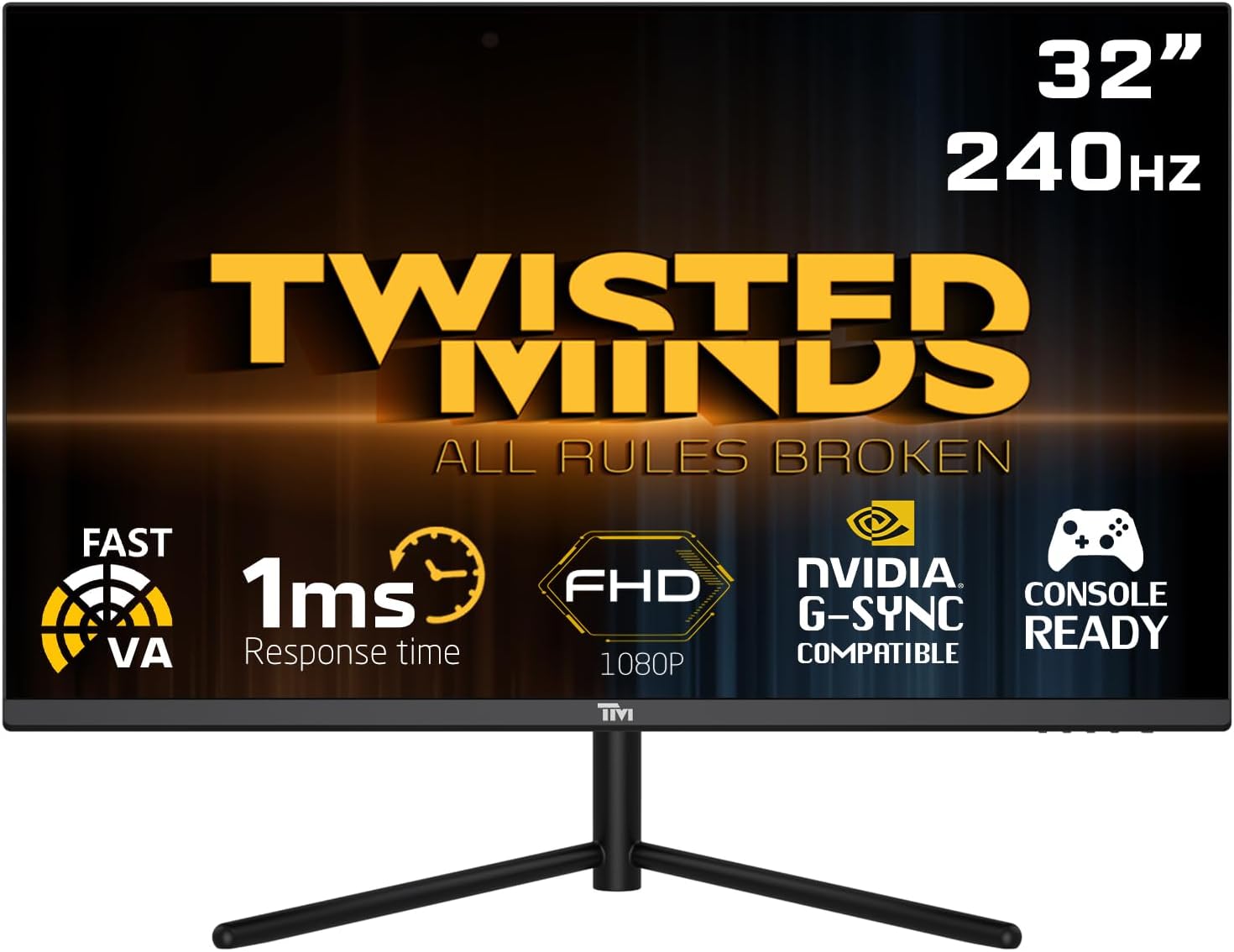
ഫ്രണ്ട് view of the Twisted Minds 32-inch Gaming Monitor, highlighting its 32-inch display, 240Hz refresh rate, 1ms MPRT response time, FHD 1080p resolution, NVIDIA G-SYNC compatibility, and console readiness.
സജ്ജീകരണ ഗൈഡ്
1. അൺബോക്സിംഗും പാക്കേജ് ഉള്ളടക്കങ്ങളും
പാക്കേജിംഗിൽ നിന്ന് എല്ലാ ഘടകങ്ങളും ശ്രദ്ധാപൂർവ്വം നീക്കം ചെയ്യുക. താഴെ പട്ടികപ്പെടുത്തിയിരിക്കുന്ന എല്ലാ ഇനങ്ങളും ഉണ്ടെന്ന് ഉറപ്പാക്കുക:
- Twisted Minds 32-inch Gaming Monitor
- മോണിറ്റർ സ്റ്റാൻഡ് (ബേസും കഴുത്തും)
- പവർ അഡാപ്റ്ററും കേബിളും
- HDMI കേബിൾ
- ഡിസ്പ്ലേ പോർട്ട് കേബിൾ
- ഉപയോക്തൃ മാനുവൽ (ഈ പ്രമാണം)
2. സ്റ്റാൻഡ് അസംബ്ലിംഗ്
- പോറലുകൾ ഉണ്ടാകാതിരിക്കാൻ മോണിറ്റർ മൃദുവായതും വൃത്തിയുള്ളതുമായ ഒരു പ്രതലത്തിൽ മുഖം താഴേക്ക് വയ്ക്കുക.
- Attach the stand neck to the back of the monitor, aligning the mounting holes. Secure with screws if provided.
- Connect the stand base to the stand neck and tighten the thumb screw or screws from the bottom of the base.
3. മോണിറ്റർ ബന്ധിപ്പിക്കുന്നു
The monitor supports multiple input options. Choose the appropriate cable for your device.

പിൻഭാഗം view of the monitor displaying its various input/output ports, including DC power, HDMI 2.1 (x2), DisplayPort 1.4 (x2), and Audio Out, along with menu buttons and a quick release base.
- പവർ കണക്ഷൻ: Connect the power adapter to the monitor's DC input port, then plug the power cable into a wall outlet.
- വീഡിയോ കണക്ഷൻ:
- For PC: Connect one end of the DisplayPort cable to your computer's graphics card and the other end to a DisplayPort 1.4 input on the monitor.
- For PC/Console: Connect one end of the HDMI cable to your computer's graphics card or game console and the other end to an HDMI 2.1 input on the monitor.
- ഓഡിയോ ഔട്ട്പുട്ട്: If desired, connect external speakers or headphones to the Audio Out port on the monitor.
4. പ്രാരംഭ പവർ ഓൺ
After all connections are made, press the power button on the monitor. The power indicator light will illuminate, and the display will turn on. If no signal is detected, ensure your source device is powered on and correctly configured.
പ്രവർത്തന നിർദ്ദേശങ്ങൾ
1. അടിസ്ഥാന പ്രവർത്തനം
- പവർ ഓൺ/ഓഫ്: മോണിറ്റർ ഓൺ അല്ലെങ്കിൽ ഓഫ് ചെയ്യുന്നതിന് അതിൽ സ്ഥിതിചെയ്യുന്ന പവർ ബട്ടൺ അമർത്തുക.
- ഇൻപുട്ട് തിരഞ്ഞെടുക്കൽ: Use the OSD (On-Screen Display) menu buttons to navigate and select the desired input source (HDMI 1, HDMI 2, DP 1, DP 2).
2. ഓൺ-സ്ക്രീൻ ഡിസ്പ്ലേ (OSD) മെനു
The OSD menu allows you to adjust various display settings. Use the menu buttons (typically located on the back or bottom of the monitor) to navigate.
- തെളിച്ചം/തീവ്രത: ഡിസ്പ്ലേയുടെ മൊത്തത്തിലുള്ള പ്രകാശവും കോൺട്രാസ്റ്റും ക്രമീകരിക്കുക.
- വർണ്ണ ക്രമീകരണങ്ങൾ: വർണ്ണ താപനില, ഗാമ, വ്യക്തിഗത RGB ലെവലുകൾ എന്നിവ പരിഷ്കരിക്കുക.
- ചിത്ര മോഡ്: Select from preset modes (e.g., Standard, Game, Movie, Text) optimized for different content.
- Response Time/Overdrive: Adjust the pixel response time for reduced ghosting in fast-paced content. This monitor features a 1ms MPRT response time for smooth visuals.
- പുതുക്കൽ നിരക്ക്: The monitor supports up to 240Hz refresh rate. Ensure your graphics card settings are configured to utilize this high refresh rate for optimal gaming performance.
- HDR (ഹൈ ഡൈനാമിക് റേഞ്ച്): Enable or disable HDR for enhanced contrast and color depth with compatible content.
- FreeSync/G-SYNC Compatibility: This monitor is compatible with adaptive sync technologies. Enable this feature in the OSD and your graphics card control panel for tear-free gaming.

Illustration demonstrating the 1ms quick response time of the monitor, showing a fast-paced gaming scene with reduced motion blur and low input lag.

ചിത്ര പ്രദർശനംasing the monitor's frameless design, ideal for multi-monitor setups, with a wide 178-degree viewing ആംഗിൾ.

A user engaged in gaming on the Twisted Minds monitor, emphasizing the immersive experience provided by the 1920x1080 resolution, 300 nits brightness, 4000:1 contrast ratio, and 240Hz refresh rate.
3. എർഗണോമിക് ക്രമീകരണങ്ങൾ
The monitor stand allows for tilt adjustment to optimize your viewing angle and reduce strain.

Diagram illustrating the ergonomic tilt adjustment range of the monitor stand (-5 to 15 degrees) for optimal viewing comfort, and highlighting VESA wall-mount compatibility (100x100mm).
- ടിൽറ്റ്: Gently tilt the monitor screen forward or backward to find your preferred viewing angle. The tilt range is typically -5° to 15°.
- വെസ മൗണ്ട്: For alternative mounting solutions, the monitor is VESA compatible (100x100mm). Remove the stand and attach a compatible VESA mount (sold separately).
മെയിൻ്റനൻസ്
Proper care and maintenance will extend the life of your monitor.
- സ്ക്രീൻ വൃത്തിയാക്കൽ: മൃദുവായ, ലിന്റ് രഹിത തുണി ഉപയോഗിച്ച് സ്ക്രീൻ സൌമ്യമായി തുടയ്ക്കുക. കഠിനമായ പാടുകൾക്ക്, dampതുണിയിൽ വെള്ളം അല്ലെങ്കിൽ അമോണിയ രഹിതവും ആൽക്കഹോൾ രഹിതവുമായ സ്ക്രീൻ ക്ലീനർ ഉപയോഗിച്ച് അൽപം തടവുക. ഒരിക്കലും സ്ക്രീനിൽ നേരിട്ട് ദ്രാവകം തളിക്കരുത്.
- സി വൃത്തിയാക്കൽasing: മോണിറ്റർ തുടയ്ക്കാൻ മൃദുവായതും ഉണങ്ങിയതുമായ തുണി ഉപയോഗിക്കുക casing. അബ്രാസീവ് ക്ലീനറുകളോ ലായകങ്ങളോ ഉപയോഗിക്കുന്നത് ഒഴിവാക്കുക.
- വെൻ്റിലേഷൻ: മോണിറ്ററിലെ വെന്റിലേഷൻ ഓപ്പണിംഗുകൾ അടഞ്ഞിട്ടില്ലെന്ന് ഉറപ്പാക്കുക. മതിയായ വായുസഞ്ചാരം ഇല്ലാതെ മോണിറ്റർ അടച്ചിട്ട സ്ഥലത്ത് സ്ഥാപിക്കരുത്.
- ഉപയോഗത്തിലില്ലാത്തപ്പോൾ പവർ ഓഫ്: വൈദ്യുതി ലാഭിക്കുന്നതിനും മോണിറ്ററിന്റെ ആയുസ്സ് വർദ്ധിപ്പിക്കുന്നതിനും, ദീർഘനേരം ഉപയോഗിക്കാത്തപ്പോൾ മോണിറ്റർ ഓഫ് ചെയ്യുക.
ട്രബിൾഷൂട്ടിംഗ്
നിങ്ങളുടെ മോണിറ്ററിൽ പ്രശ്നങ്ങൾ നേരിടുകയാണെങ്കിൽ, താഴെ പറയുന്ന പൊതുവായ പ്രശ്നങ്ങളും പരിഹാരങ്ങളും പരിശോധിക്കുക.
| പ്രശ്നം | സാധ്യമായ കാരണം | പരിഹാരം |
|---|---|---|
| സ്ക്രീനിൽ ചിത്രമൊന്നുമില്ല | മോണിറ്റർ ഓൺ ചെയ്തിട്ടില്ല; തെറ്റായ ഇൻപുട്ട് തിരഞ്ഞെടുത്തു; വീഡിയോ കേബിൾ അയഞ്ഞിരിക്കുന്നു. | Ensure power cable is connected and monitor is on. Select correct input source. Check video cable connections. |
| ചിത്രം മങ്ങിയതോ വളച്ചൊടിച്ചതോ ആണ് | തെറ്റായ റെസല്യൂഷൻ; ഗ്രാഫിക്സ് ഡ്രൈവർ പ്രശ്നം. | Set display resolution to 1920x1080. Update graphics card drivers. |
| സ്പീക്കറുകളിൽ നിന്നും/ഹെഡ്ഫോണുകളിൽ നിന്നും ശബ്ദമില്ല. | Audio cable not connected; Volume too low; Incorrect audio output selected on PC. | Ensure audio cable is connected to the monitor's audio out port. Adjust volume. Select monitor as audio output device in PC settings. |
| സ്ക്രീൻ മിന്നിമറയുന്നു | പുതുക്കൽ നിരക്ക് പൊരുത്തപ്പെടുന്നില്ല; കേബിളിന് തകരാറുണ്ട്. | Ensure refresh rate is set correctly (e.g., 240Hz). Try a different video cable. |
| ബട്ടണുകൾ പ്രതികരിക്കുന്നില്ല | OSD lock enabled. | Refer to OSD menu section for unlocking button functions (if applicable). Power cycle the monitor. |
ഈ പരിഹാരങ്ങൾ പരീക്ഷിച്ചതിന് ശേഷവും പ്രശ്നം നിലനിൽക്കുകയാണെങ്കിൽ, ദയവായി ഉപഭോക്തൃ പിന്തുണയുമായി ബന്ധപ്പെടുക.
സ്പെസിഫിക്കേഷനുകൾ
Detailed technical specifications for the Twisted Minds 32 FHD 240Hz VA Gaming Monitor.
| ഫീച്ചർ | സ്പെസിഫിക്കേഷൻ |
|---|---|
| ബ്രാൻഡ് | Twisted Minds |
| മോഡൽ നമ്പർ | TM32 FHD 240Hz VA |
| ഡിസ്പ്ലേ വലിപ്പം | 32 ഇഞ്ച് |
| സ്ക്രീൻ റെസല്യൂഷൻ | 1920 x 1080 (FHD 1080p) |
| പുതുക്കിയ നിരക്ക് | 240Hz |
| പ്രതികരണ സമയം | 1ms MPRT |
| പാനൽ തരം | VA |
| വീക്ഷണാനുപാതം | 16:9 |
| തെളിച്ചം | 300 നിറ്റ് |
| കോൺട്രാസ്റ്റ് റേഷ്യോ | 4000:1 |
| വർണ്ണ ഗാമറ്റ് | 77.29% NTSC |
| കണക്റ്റിവിറ്റി | 2 x HDMI 2.1, 2 x ഡിസ്പ്ലേ പോർട്ട് 1.4, ഓഡിയോ ഔട്ട് |
| VESA അനുയോജ്യത | 100 x 100 മി.മീ |
| ഉൽപ്പന്ന അളവുകൾ | 10 x 63 x 44 സെ.മീ |
| ഇനത്തിൻ്റെ ഭാരം | 8.8 കിലോഗ്രാം |
| നിറം | കറുപ്പ് |
വാറൻ്റിയും പിന്തുണയും
വാറൻ്റി വിവരങ്ങൾ
Twisted Minds products are manufactured to the highest quality standards. This monitor comes with a standard manufacturer's warranty. Please refer to the warranty card included in your package or visit the official Twisted Minds webനിങ്ങളുടെ പ്രദേശത്തിന് പ്രത്യേകമായുള്ള വിശദമായ വാറന്റി നിബന്ധനകൾക്കും വ്യവസ്ഥകൾക്കും സൈറ്റ് സന്ദർശിക്കുക.
ഉപഭോക്തൃ പിന്തുണ
If you require technical assistance or have questions regarding your monitor, please contact Twisted Minds customer support. Have your model number (TM32 FHD 240Hz VA) and purchase information ready when contacting support.
For the most up-to-date contact information, please visit the official Twisted Minds webനിങ്ങൾ ഉൽപ്പന്നം വാങ്ങിയ സൈറ്റ് അല്ലെങ്കിൽ റീട്ടെയിലറുടെ പിന്തുണാ പേജ്.


