The Pelsee P3 4K Dash Cam is an advanced dual-channel recording system designed to enhance your driving safety and provide reliable evidence on the road. Featuring 4K front and 1080P rear recording, built-in Wi-Fi, GPS, and smart driving assistance systems, the P3 offers comprehensive surveillance and intelligent features for a secure driving experience. This manual provides detailed instructions for setup, operation, and maintenance of your new dash cam.
Before installation, ensure all components are present as listed in the "What's in the Box" section. Insert the provided 64GB SD card into the main dash cam's TF slot. The dash cam supports up to a 256GB card for extended storage.
Figure 1: Pelsee P3 4K Dash Cam and included components.
2. Mounting the Front Dash Cam
Clean the desired area on your windshield thoroughly. Attach the main dash cam to the windshield using the provided adhesive mount. Ensure the camera has a clear view of the road ahead. The mount allows for angle adjustment to suit your vehicle's windshield.
3. Installing the Rear Camera
Connect the 1080P rear camera to the main dash cam using the provided extension cable. Route the cable neatly along the vehicle's headliner and A-pillars to the rear windshield. Use the included pry tool and cable clips to hide the cable for a clean installation. The rear camera can be mounted on the rear windshield or positioned to monitor the vehicle's interior.
Figure 2: Illustration of front 4K and rear 1080P camera placement and views.
4. പവർ കണക്ഷൻ
Plug the car charger into your vehicle's 12V power outlet (cigarette lighter socket) and connect the USB-C end to the main dash cam. The dash cam will automatically power on and begin recording when the vehicle's ignition is turned on.
5. ആപ്പ് ഇൻസ്റ്റാളേഷനും വൈഫൈ കണക്ഷനും
Download the "Pelsee Cam" app from the App Store (iOS) or Google Play Store (Android). Turn on Wi-Fi on your smartphone and connect to the dash cam's Wi-Fi network (SSID: P3-XXXXXX). The default password can be found in the user manual. Once connected, you can access live preview, download footage, and configure settings via the app.
Figure 3: The Pelsee Cam app allows for seamless Wi-Fi connectivity and control.
പ്രവർത്തന നിർദ്ദേശങ്ങൾ
1. അടിസ്ഥാന റെക്കോർഡിംഗ്
The Pelsee P3 automatically starts recording when powered on. The front camera records in 4K (3840*2160P/30fps) with a 170° wide-angle lens, and the rear camera records in 1080P with a 150° wide-angle lens. Recording indicators on the 3-inch IPS display will confirm active recording.
2. ശബ്ദ നിയന്ത്രണം
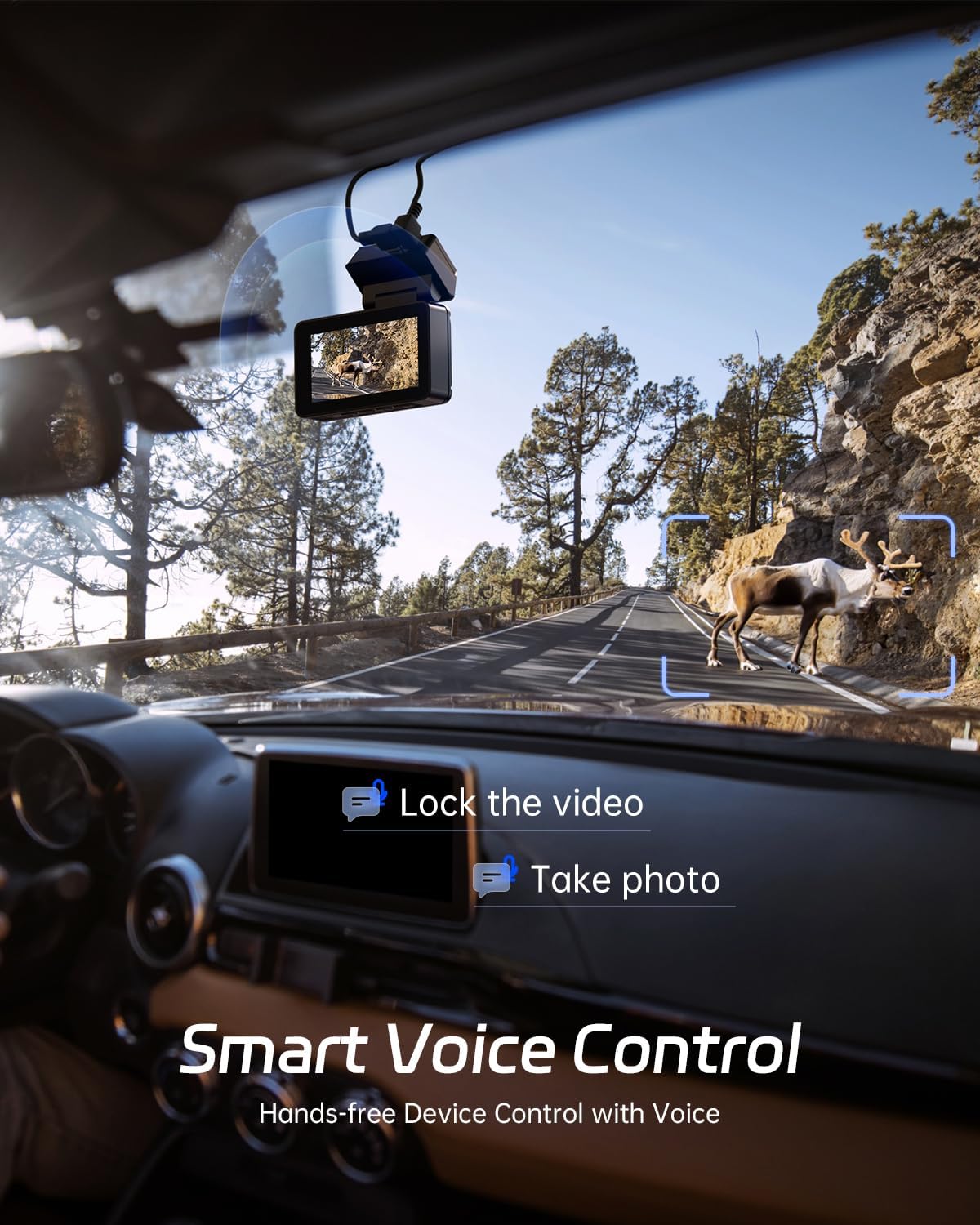
Control your dash cam hands-free using voice commands. Supported commands include: "Turn on recording audio", "Turn off recording audio", "Capture photo", and "Lock video". This feature enhances driving safety by minimizing manual interaction with the device.
Figure 4: Voice control allows for hands-free operation of the dash cam.
3. Loop Recording & G-Sensor
The dash cam features loop recording, which automatically overwrites the oldest files when the SD card is full, ensuring continuous recording. The built-in G-Sensor detects sudden impacts or collisions and automatically locks the current video segment to prevent it from being overwritten, preserving critical evidence.
4. 24-Hour Parking Mode
For continuous surveillance when your vehicle is parked, the 24-Hour Parking Mode can be activated. This feature requires an ACC hardwire kit (sold separately) to provide constant power. In this mode, the dash cam can utilize time-lapse recording to condense long periods of footage, saving storage space.
Figure 5: The 24-hour parking mode provides continuous surveillance with G-Sensor and time-lapse recording.
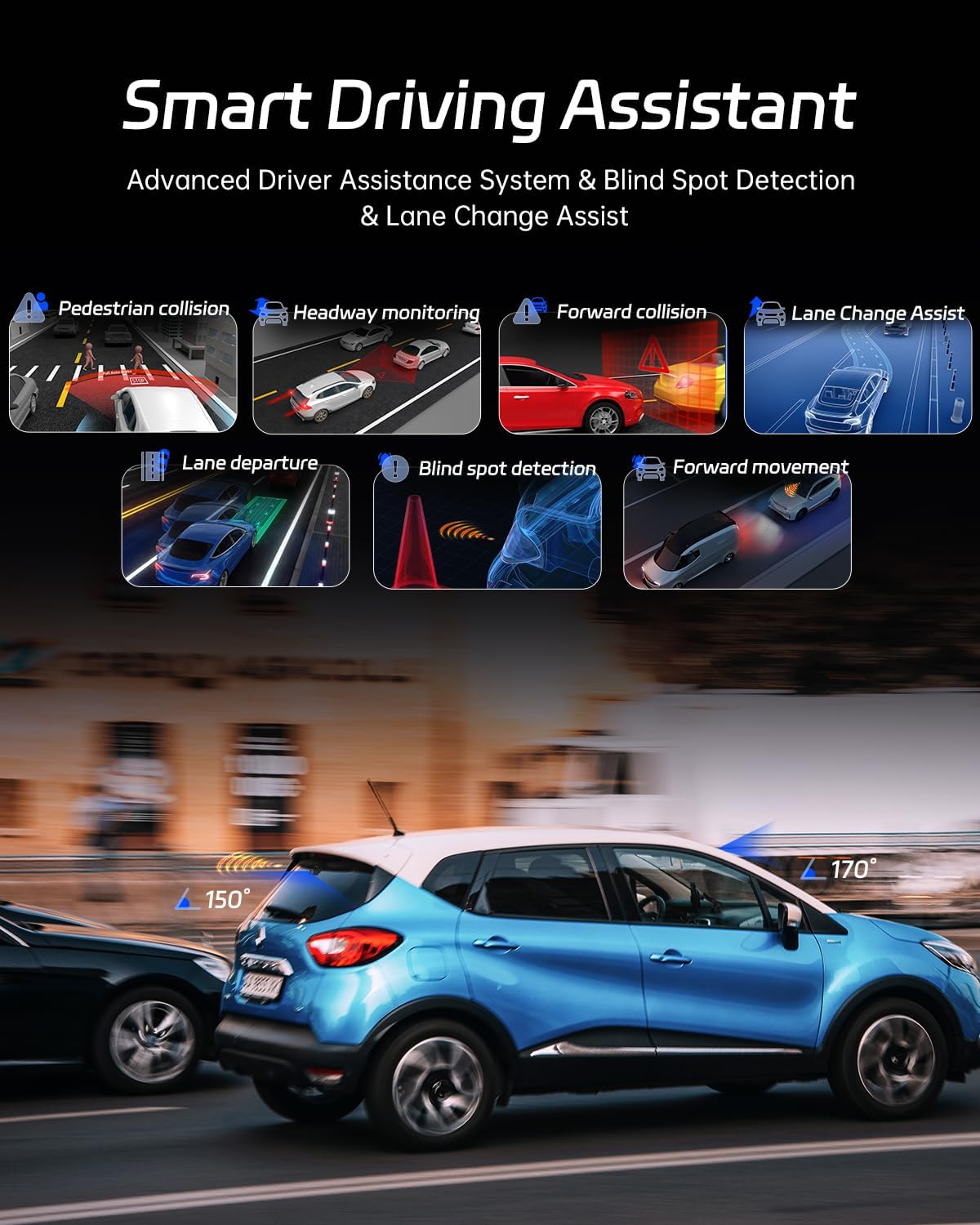
5. Smart Driving Assistant (ADAS, BSD, LCA)
The Pelsee P3 integrates advanced driving assistance systems:
ADAS (Advanced Driver-Assistance System): Detects nearby obstacles and provides alerts for safer driving.
BSD (Blind Spot Detection): Monitors dangerous blind spot areas and warns of impending collisions when changing lanes or reversing.
LCA (Lane Change Assist): Works in conjunction with BSD to provide warnings during lane changes.
Figure 6: Smart Driving Assistant features like ADAS, BSD, and LCA enhance road safety.
6. Built-in GPS Tracking
The internal GPS accurately records your driving location and route information. This data can be viewed and replayed using the "Pelsee Cam" app on your smartphone or by installing a compatible DVPlayer on your computer.
Figure 7: GPS tracking records your driving route and speed, viewable on the app or computer.
7. ഔദ്യോഗിക ഉൽപ്പന്നം അവസാനിച്ചുview
Watch this official video from Pelsee US for a comprehensive overview of the P3 Dash Cam's features and benefits.
Video 1: Pelsee P3 Dash Cam Official Overview (Source: Pelsee US)
മെയിൻ്റനൻസ്
1. SD കാർഡ് മാനേജ്മെൻ്റ്
Regularly check the status of your SD card. While loop recording prevents the card from filling up, it's recommended to periodically back up important footage to a computer or cloud storage. Format the SD card within the dash cam's settings every few weeks to maintain optimal performance and prevent data corruption.
2. വൃത്തിയാക്കൽ
Use the provided cleaning cloth or a soft, dry cloth to gently wipe the camera lenses and the 3-inch IPS display. Avoid using abrasive cleaners or solvents that could damage the surfaces.
3. കുറഞ്ഞ വോളിയംtagഇ സംരക്ഷണം
The dash cam features built-in low voltage protection. If connected directly to the car battery (via hardwire kit), it will automatically disconnect when it detects low battery levels to prevent draining your vehicle's battery.
ട്രബിൾഷൂട്ടിംഗ്
1. ഡാഷ് കാം ഓണാക്കുന്നില്ല
Ensure the car charger is securely plugged into both the vehicle's 12V outlet and the dash cam.
Check the vehicle's 12V outlet for power by testing with another device.
If using a hardwire kit, verify proper installation and connection to the vehicle's fuse box.
2. SD Card Errors or Recording Issues
SD കാർഡ് ശരിയായി ചേർത്തിട്ടുണ്ടെന്ന് ഉറപ്പാക്കുക.
Format the SD card using the dash cam's settings menu.
If issues persist, try a different high-speed (Class 10 or U3 recommended) micro SD card, as the current card might be corrupted or incompatible.
3. വൈ-ഫൈ കണക്റ്റിവിറ്റി പ്രശ്നങ്ങൾ
Ensure the dash cam's Wi-Fi is enabled in the settings.
Verify you are connecting to the correct Wi-Fi network (SSID: P3-XXXXXX).
Restart both the dash cam and your smartphone, then attempt to reconnect.
If using Apple CarPlay or Android Auto, note that Wi-Fi connectivity with the dash cam app might be interrupted while these systems are active.
4. Glitchy Screen or Display Issues
Perform a soft reset of the dash cam (refer to the manual for specific reset instructions if available, otherwise power cycle).
Ensure the firmware is up to date via the Pelsee Cam app.
പ്രശ്നം നിലനിൽക്കുകയാണെങ്കിൽ, ഉപഭോക്തൃ പിന്തുണയുമായി ബന്ധപ്പെടുക.
5. Parking Mode Not Working
Confirm that an ACC hardwire kit is installed and correctly connected to provide continuous power. Parking mode requires constant power, not just from the cigarette lighter when the car is off.
Ensure Parking Mode is enabled in the dash cam's settings.
Night Vision, G-Sensor, 24H Parking Mode, Loop Recording, Built-In GPS, WDR, ADAS, BSD, LCA, APP Control, Voice Control
വാറൻ്റിയും പിന്തുണയും
The Pelsee P3 Dash Cam comes with an 18 മാസ വാറൻ്റി. For any technical assistance, troubleshooting, or warranty claims, please contact Pelsee customer support:
പിന്തുണയുമായി ബന്ധപ്പെടുമ്പോൾ നിങ്ങളുടെ ഉൽപ്പന്ന മോഡലും വാങ്ങൽ വിശദാംശങ്ങളും തയ്യാറായി വയ്ക്കുക.
അനുബന്ധ രേഖകൾ - P3
പെൽസി പി12 പ്രോ/പി10 പ്രോ മിറർ ഡാഷ് ക്യാമറ യൂസർ മാനുവൽ പെൽസി പി12 പ്രോ, പി10 പ്രോ മിറർ ഡാഷ് ക്യാമറകൾക്കായുള്ള സമഗ്രമായ ഉപയോക്തൃ മാനുവൽ, ഒപ്റ്റിമൽ ഉപയോഗത്തിനായി ഇൻസ്റ്റാളേഷൻ, സവിശേഷതകൾ, പ്രവർത്തനം എന്നിവ വിശദമായി പ്രതിപാദിക്കുന്നു.
പെൽസി പാത്ത്സെക്യൂറർ P12 മിറർ ഡാഷ് ക്യാമറ യൂസർ മാനുവൽ പെൽസി പാത്ത്സെക്യൂറർ പി12 മിറർ ഡാഷ് ക്യാമറയ്ക്കായുള്ള സമഗ്രമായ ഉപയോക്തൃ മാനുവൽ, ഇൻസ്റ്റാളേഷൻ, സജ്ജീകരണം, സവിശേഷതകൾ, ക്രമീകരണങ്ങൾ, ട്രബിൾഷൂട്ടിംഗ് എന്നിവ ഉൾക്കൊള്ളുന്നു. മെച്ചപ്പെട്ട ഡ്രൈവിംഗ് സുരക്ഷയ്ക്കും റെക്കോർഡിംഗിനും നിങ്ങളുടെ ഡാഷ് ക്യാം എങ്ങനെ ഫലപ്രദമായി ഉപയോഗിക്കാമെന്ന് മനസിലാക്കുക.
പെൽസി പി10 മിറർ ഡാഷ് ക്യാമറ യൂസർ മാനുവൽ പെൽസി പി10 മിറർ ഡാഷ് ക്യാമറയ്ക്കുള്ള ഉപയോക്തൃ മാനുവൽ, ഇൻസ്റ്റാളേഷൻ, സവിശേഷതകൾ, ക്രമീകരണങ്ങൾ, സ്മാർട്ട് ഡ്രൈവിംഗ് സഹായ പ്രവർത്തനങ്ങൾ എന്നിവ ഉൾക്കൊള്ളുന്നു.
Pelsee P12 Pro Max Mirror Dash ക്യാമറ യൂസർ മാനുവൽ Comprehensive user manual for the Pelsee P12 Pro Max Mirror Dash Camera, covering installation, features, operation, app connectivity, troubleshooting, and specifications. Learn how to set up and use your dash cam for enhanced driving safety and recording.
Pelsee P12 Pro Max Mirror Dash ക്യാമറ യൂസർ മാനുവൽ Comprehensive user manual for the Pelsee P12 Pro Max Mirror Dash Camera, covering installation, usage, smart driving features, app connectivity, settings, specifications, and safety precautions.
പെൽസി പി12 പ്രോ/പി10 പ്രോ മിറർ ഡാഷ് ക്യാമറ യൂസർ മാനുവൽ പെൽസി പി12 പ്രോ, പി10 പ്രോ മിറർ ഡാഷ് ക്യാമറകൾക്കുള്ള ഉപയോക്തൃ മാനുവൽ, ഇൻസ്റ്റാളേഷൻ, ADAS, BSD പോലുള്ള സവിശേഷതകൾ, ക്രമീകരണങ്ങൾ, സ്പെസിഫിക്കേഷനുകൾ എന്നിവ വിശദമായി പ്രതിപാദിക്കുന്നു.