ഉൽപ്പന്നം കഴിഞ്ഞുview
The FLEXISPOT Electric Standing Desk with Drawer is designed to provide a versatile and ergonomic workspace. It features a solid one-piece desktop, integrated storage drawers, and an electric height adjustment system with memory presets. This manual provides essential information for assembly, operation, and maintenance of your desk.
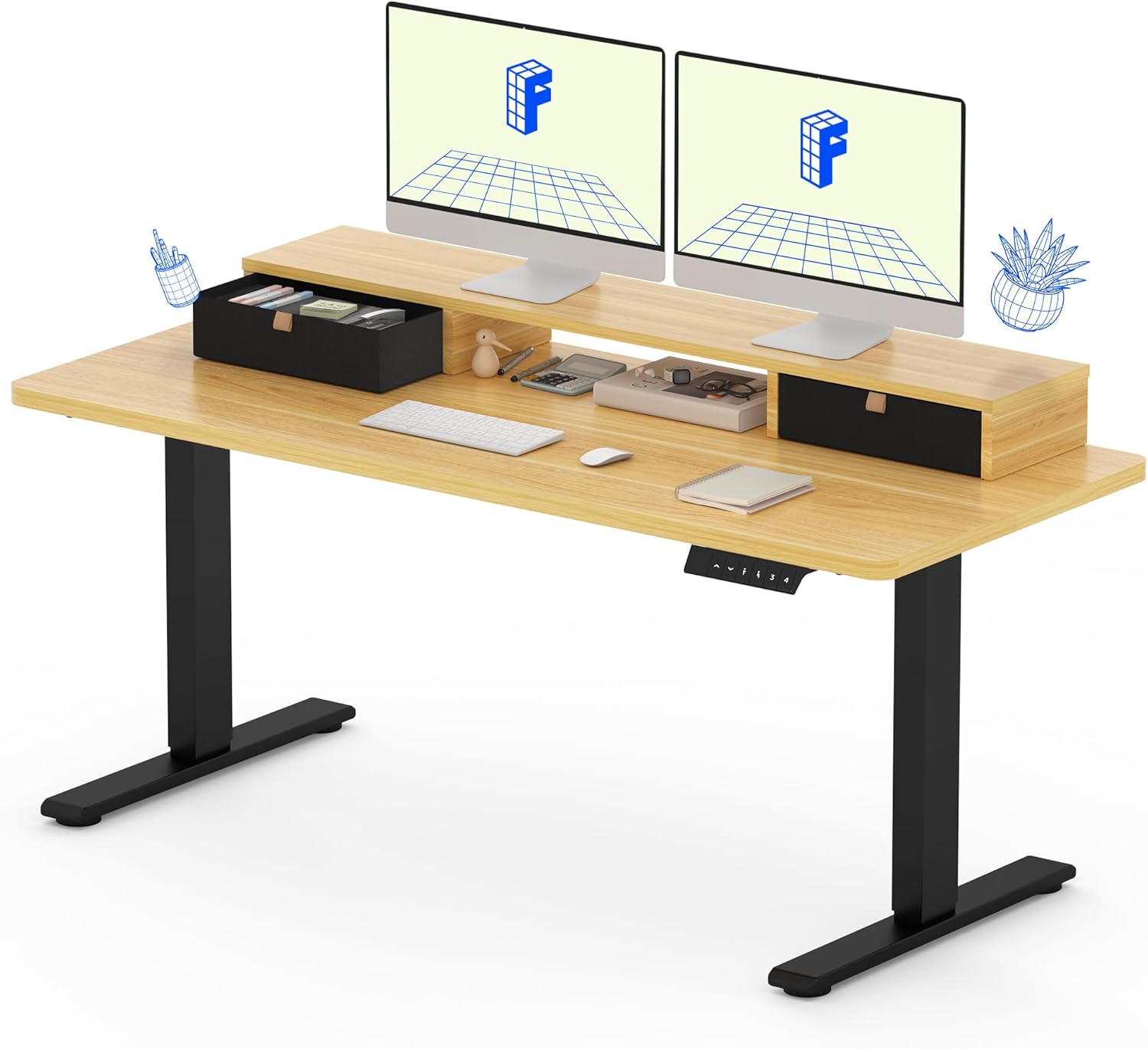
Image: The FLEXISPOT Electric Standing Desk with Drawer, featuring a maple top and black frame, with dual monitors and integrated storage.
സുരക്ഷാ വിവരങ്ങൾ
Always adhere to the following safety guidelines to ensure safe operation and prevent damage to the product or injury to yourself.
- അസംബ്ലി നിർദ്ദേശങ്ങൾ എപ്പോഴും ശ്രദ്ധാപൂർവ്വം പാലിക്കുക.
- Use appropriate tools for assembly. A drill may be required for some steps, but it is not included with the product.
- Keep the work area clear of debris and other hazards during assembly and use.
- ഡെസ്ക് പ്രവർത്തിപ്പിക്കുന്നതിന് മുമ്പ് എല്ലാ കണക്ഷനുകളും സുരക്ഷിതമാണെന്ന് ഉറപ്പാക്കുക.
- Do not overload the desk. Refer to the specifications section for maximum weight capacity.
- ഉയരം ക്രമീകരിക്കുമ്പോൾ കുട്ടികളെയും വളർത്തുമൃഗങ്ങളെയും മേശയിൽ നിന്ന് അകറ്റി നിർത്തുക.
പാക്കേജ് ഉള്ളടക്കം
The FLEXISPOT Electric Standing Desk is shipped in two separate packages. Please ensure all components are present before beginning assembly.

Image: Illustration showing the two separate packages for the desk: one for the desktop and one for the desk frame.
പ്രതീക്ഷിക്കുന്ന ഘടകങ്ങളിൽ ഇവ ഉൾപ്പെടുന്നു:
- One-piece Desktop with integrated storage shelf and drawers
- Electric Desk Frame (legs and motor assembly)
- Control Panel (keypad)
- പവർ അഡാപ്റ്ററും കേബിളും
- അസംബ്ലി ഹാർഡ്വെയർ (സ്ക്രൂകൾ, ബോൾട്ടുകൾ മുതലായവ)
- Assembly Tools (if included, otherwise user-provided)
സജ്ജീകരണവും അസംബ്ലിയും
Assembly typically takes less than an hour. It is recommended to have two people for assembly due to the size and weight of the components.
- ഘടകങ്ങൾ അൺപാക്ക് ചെയ്യുക: Carefully remove all parts from the packaging and lay them out on a clean, soft surface to prevent scratches. Verify all parts are present against the packing list.
- ഡെസ്ക് ഫ്രെയിം കൂട്ടിച്ചേർക്കുക: Follow the detailed instructions provided in the separate assembly guide for attaching the legs to the crossbar and feet.
- ഡെസ്ക്ടോപ്പ് അറ്റാച്ചുചെയ്യുക: Secure the one-piece desktop to the assembled desk frame using the provided screws. Ensure proper alignment.
- നിയന്ത്രണ പാനൽ ഇൻസ്റ്റാൾ ചെയ്യുക: Mount the electric control panel (keypad) to the underside of the desktop in the designated location.
- കേബിളുകൾ ബന്ധിപ്പിക്കുക: Connect the motor cables and control panel cable to the main control box. Plug in the power adapter.
- കേബിളുകൾ ക്രമീകരിക്കുക: Utilize cable management solutions (not included) to keep cables tidy and prevent entanglement.

Image: Detailed dimensions of the desk, including desktop length, width, and height adjustment range.
പ്രവർത്തന നിർദ്ദേശങ്ങൾ
Your FLEXISPOT Electric Standing Desk offers smooth and quiet height adjustment with memory presets.
ഉയരം ക്രമീകരിക്കൽ
- ഉയരം ക്രമീകരിക്കുന്നു: ഉപയോഗിക്കുക Up (▲) കൂടാതെ താഴേക്ക് (▼) buttons on the control panel to raise or lower the desk to your desired height. The current height will be displayed on the LCD screen.
- ഉയരം പരിധി: ഡെസ്ക് 28.1 ഇഞ്ച് മുതൽ 45.7 ഇഞ്ച് വരെ ക്രമീകരിക്കാം.
മെമ്മറി പ്രീസെറ്റുകൾ
The control panel allows you to save up to four favorite height settings for quick transitions.
- ഒരു പ്രീസെറ്റ് സംരക്ഷിക്കുന്നു:
- നിങ്ങൾക്ക് ആവശ്യമുള്ള ഉയരത്തിലേക്ക് ഡെസ്ക് ക്രമീകരിക്കുക.
- അമർത്തുക "എം" button (Memory button). The display will show "S-".
- Within 3 seconds, press one of the number buttons (1, 2, 3, അല്ലെങ്കിൽ 4) to save the current height to that preset. The display will show the corresponding number to confirm.
- ഒരു പ്രീസെറ്റ് ഓർമ്മിപ്പിക്കുന്നു: Simply press the corresponding number button (1, 2, 3, അല്ലെങ്കിൽ 4) for the desired saved height. The desk will automatically move to that position.

Image: The electric control panel of the desk, showing the digital height display and memory preset buttons.
Integrated Storage and Monitor Stand
- The desk features two integrated drawers for convenient storage of office supplies.
- The elevated shelf provides an ergonomic monitor stand, capable of holding dual monitors and supporting up to 110 lbs.

Image: The desk's integrated storage, highlighting the dual drawers and open cubicle for organization.
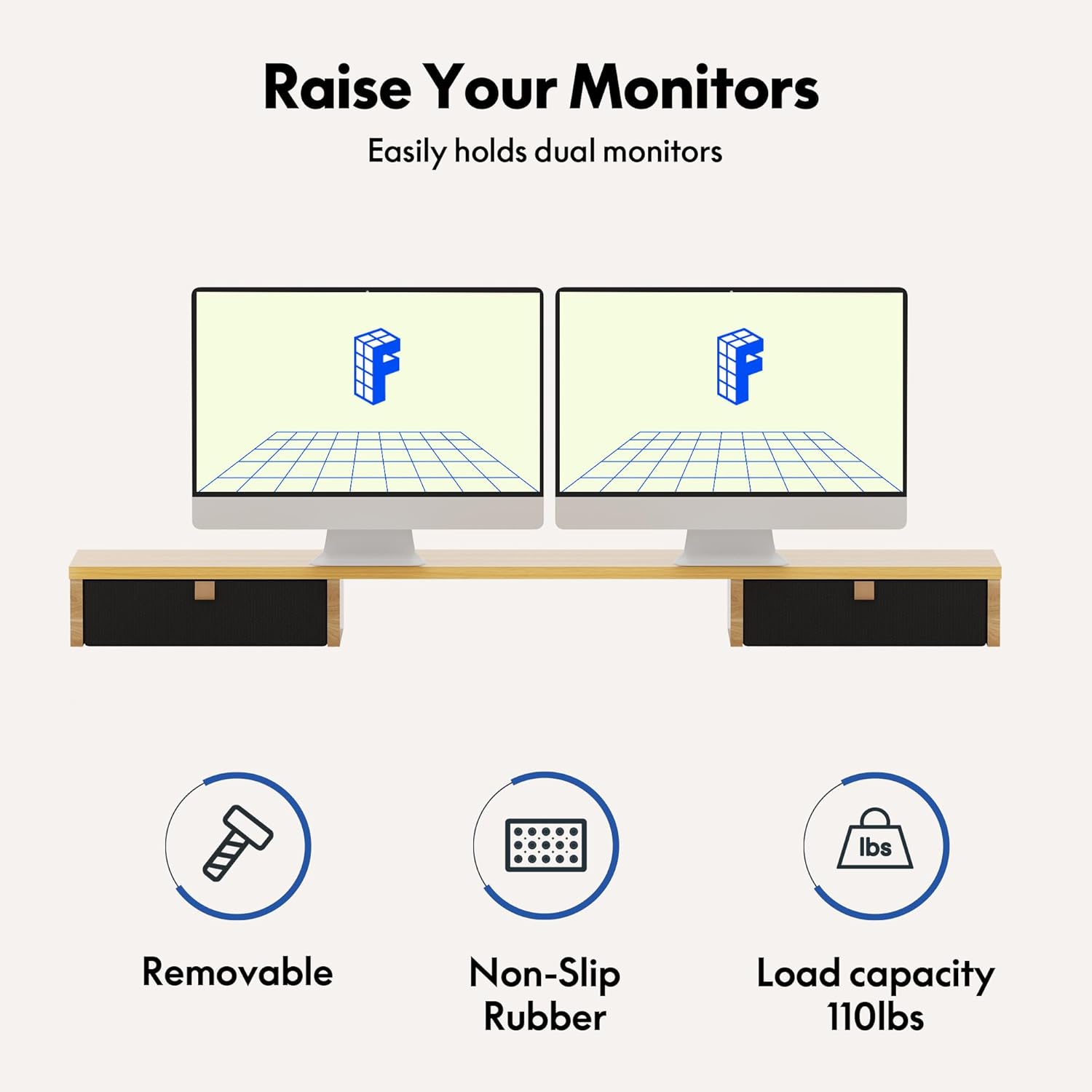
Image: The elevated monitor stand supporting two monitors, demonstrating its function to raise monitors for better ergonomics.
മെയിൻ്റനൻസ്
പതിവ് അറ്റകുറ്റപ്പണികൾ നിങ്ങളുടെ FLEXISPOT ഡെസ്കിന്റെ ദീർഘായുസ്സും മികച്ച പ്രകടനവും ഉറപ്പാക്കുന്നു.
- വൃത്തിയാക്കൽ: ഡെസ്ക്ടോപ്പും ഫ്രെയിമും ഒരു സോഫ്റ്റ്, ഡി ക്ലീനർ ഉപയോഗിച്ച് തുടയ്ക്കുക.amp തുണി. ഫിനിഷിന് കേടുവരുത്തുന്ന ഉരച്ചിലുകൾ നിറഞ്ഞ ക്ലീനറുകളോ കഠിനമായ രാസവസ്തുക്കളോ ഒഴിവാക്കുക.
- കേബിൾ മാനേജുമെന്റ്: Periodically check and reorganize cables to prevent tangles and ensure they do not interfere with the desk's movement.
- ഫാസ്റ്റനർ പരിശോധന: Every few months, check all screws and bolts to ensure they are tight. Retighten if necessary.
- മോട്ടോർ കെയർ: The electric motor is designed for durability (20,000+ cycle test). Avoid continuously adjusting the desk up and down without breaks to prevent overheating.

Image: An illustration of the desk's robust motor, indicating its design for over 20,000 adjustment cycles.
ട്രബിൾഷൂട്ടിംഗ്
If you encounter issues with your FLEXISPOT desk, refer to the following common solutions.
| പ്രശ്നം | സാധ്യമായ കാരണം | പരിഹാരം |
|---|---|---|
| ഡെസ്ക് അനങ്ങുന്നില്ല. | Power cable disconnected; motor cable loose; overload. | Check all power and motor connections. Reduce weight on desk if overloaded. |
| മേശ അസമമായി നീങ്ങുന്നു അല്ലെങ്കിൽ അസാധാരണമായ ശബ്ദം ഉണ്ടാക്കുന്നു. | അയഞ്ഞ ഫാസ്റ്റനറുകൾ; തടസ്സം; അസമമായ ഭാര വിതരണം. | Check and tighten all assembly fasteners. Remove any obstructions. Redistribute weight evenly. |
| Control panel display shows an error code. | നിർദ്ദിഷ്ട പിശക് അവസ്ഥ (ഉദാ: അമിത ചൂടാക്കൽ, സെൻസർ പ്രശ്നം). | Refer to the full user manual (if provided separately) for specific error code meanings. Often, unplugging the desk for 10-15 minutes and plugging it back in can reset the system. |
| Desk stops mid-adjustment. | Overload protection activated; thermal protection activated. | Reduce weight. Allow the motor to cool down for 20-30 minutes before attempting adjustment again. |
If the problem persists after attempting these solutions, please contact FLEXISPOT customer support.
സ്പെസിഫിക്കേഷനുകൾ
| ഫീച്ചർ | വിശദാംശങ്ങൾ |
|---|---|
| ബ്രാൻഡ് | ഫ്ലെക്സിസ്പോട്ട് |
| മോഡൽ നമ്പർ | B0CKW7N4LK |
| ഉൽപ്പന്ന അളവുകൾ (D x W x H) | 55"D x 24"W x 33.2"H (overall) |
| ഉയരം ക്രമീകരിക്കൽ ശ്രേണി | 28.1" മുതൽ 45.7" വരെ |
| ഡെസ്ക്ടോപ്പ് മെറ്റീരിയൽ | Engineered Wood (Maple Top) |
| ഫ്രെയിം മെറ്റീരിയൽ | Metal (Black Frame) |
| ഇനത്തിൻ്റെ ഭാരം | 100 പൗണ്ട് |
| പരമാവധി ഭാരം ശുപാർശ | 100 പൗണ്ട് |
| ഡ്രോയറുകളുടെ എണ്ണം | 2 |
| ഷെൽഫുകളുടെ എണ്ണം | 1 (integrated monitor stand) |
| ഉൾപ്പെടുത്തിയ ഘടകങ്ങൾ | Keyboard Tray, Monitor Arm (Note: Monitor arm is likely referring to the integrated shelf, not a separate arm) |
| സർട്ടിഫിക്കേഷനുകൾ | FCC, EPA, CARB certified desktop, UL certified frame |

Image: Logos indicating the desk's certifications, including FCC, EPA, UL Listed, and CARB.
വാറൻ്റി വിവരങ്ങൾ
The FLEXISPOT Electric Standing Desk comes with a പരിമിത വാറൻ്റി. For specific terms and conditions, please refer to the warranty documentation included with your product or visit the official FLEXISPOT webസൈറ്റ്. വിപുലീകൃത കവറേജിനുള്ള സംരക്ഷണ പദ്ധതികളും ലഭ്യമായേക്കാം.
ഉപഭോക്തൃ പിന്തുണ
For further assistance, technical support, or warranty claims, please contact FLEXISPOT customer service.
- ഓൺലൈൻ പിന്തുണ: Visit the official FLEXISPOT store on Amazon: FLEXISPOT Store
- നേരിട്ടുള്ള പിന്തുണാ ചാനലുകൾക്കായി നിങ്ങളുടെ ഉൽപ്പന്ന പാക്കേജിംഗിൽ നൽകിയിരിക്കുന്ന കോൺടാക്റ്റ് വിവരങ്ങൾ പരിശോധിക്കുക.


