1. ആമുഖം
This manual provides detailed instructions for the installation, operation, and maintenance of your LAMTTO Wireless Car Stereo. This portable touch screen device integrates Apple CarPlay, Android Auto, a 2.5K front dash camera, and a 1080P rear camera, offering advanced connectivity and recording capabilities for a safer and more convenient driving experience. Please read this manual thoroughly before using the product to ensure proper function and longevity.

Figure 1.1: LAMTTO Wireless Car Stereo and Included Components.
2. ഉൽപ്പന്ന സവിശേഷതകൾ
- വയർലെസ് കാർപ്ലേയും ആൻഡ്രോയിഡ് ഓട്ടോയും: Seamless integration with your smartphone for navigation, music, calls, and more, accessible via the 6.86-inch touch screen. Supports Siri and Google Assistant voice control.
- Dual Camera Dash Cam: Features a 2.5K front camera and a 1080P waterproof rear camera with 170° viewing angle, night vision, and loop recording. Includes a 64GB TF card for immediate use.
- Upgraded Bluetooth Stereo Output: Transmit audio wirelessly to your car's stereo speakers for high-quality sound. Also supports FM wireless transmission and AUX output.
- Android/iOS Mirror Link (AirPlay/Android Cast): Display content from your smartphone, including videos (excluding Netflix), on the 1600*600 resolution screen.
- സ്മാർട്ട് വോയ്സ് നിയന്ത്രണം: Built-in microphone for hands-free calling and voice commands to Siri/Google Assistant for music, navigation, messages, and calls.
- Live GPS Navigation: Utilizes your smartphone's navigation through CarPlay or Android Auto for real-time, updated maps without additional fees.
- Universal Compatibility & Easy Installation: Designed for 99% of cars (12-36V), trucks, caravans, vans, trailers, and campers. Features a 360-degree rotatable suction cup mount and self-adhesive bracket for flexible placement and easy removal.

Figure 2.1: Wireless CarPlay and Android Auto Connectivity.
3. ബോക്സിൽ എന്താണുള്ളത്?
പാക്കേജ് തുറക്കുമ്പോൾ, ഇനിപ്പറയുന്ന എല്ലാ ഘടകങ്ങളും ഉൾപ്പെടുത്തിയിട്ടുണ്ടെന്ന് ദയവായി പരിശോധിക്കുക:
- 1 x 6.86 Inch Carplay Screen (with 64G card included)
- 1 x 1080P Reverse Camera
- 1 x ഓക്സ് കേബിൾ
- 1 x ഇൻസ്റ്റാളേഷൻ ഉപകരണം
- 1 x ഡെസ്ക് സ്റ്റാൻഡ്
- 1 x സക്ഷൻ കപ്പ് മൗണ്ട്
- 1 x ഉപയോക്തൃ മാനുവൽ
ചിത്രം 3.1: പാക്കേജ് ഉള്ളടക്കങ്ങൾ.
4. സജ്ജീകരണവും ഇൻസ്റ്റാളേഷനും
The LAMTTO Wireless Car Stereo is designed for easy installation in most vehicles. Follow these steps for a successful setup:
- മൗണ്ടിംഗ് ലൊക്കേഷൻ തിരഞ്ഞെടുക്കുക: Select a suitable location on your dashboard or windshield that does not obstruct your view or interfere with driving controls. The 360-degree rotatable suction cup mount or the self-adhesive bracket can be used.
- മൗണ്ട് അറ്റാച്ചുചെയ്യുക: Securely attach the chosen mount to the desired surface. Ensure the surface is clean and dry for optimal adhesion.
- Attach Car Stereo: Slide the LAMTTO car stereo screen onto the mount until it clicks into place. Adjust the angle for optimal viewing.
- പവർ കണക്ഷൻ: Connect the car stereo to your vehicle's cigarette lighter socket. The unit supports 12-36V voltage.
- പിൻ ക്യാമറ ഇൻസ്റ്റാൾ ചെയ്യുക (ഓപ്ഷണൽ): If using the 1080P waterproof rear camera, route its cable to the back of your vehicle and mount the camera in a suitable position (e.g., near the license plate). Connect the camera cable to the designated input on the main unit.
- പ്രാരംഭ പവർ ഓൺ: Once connected, the unit should power on automatically or by pressing the power button.

ചിത്രം 4.1: ഉദാample of Car Stereo Installation on Dashboard.
5. പ്രവർത്തന നിർദ്ദേശങ്ങൾ
5.1 വയർലെസ് കാർപ്ലേയും ആൻഡ്രോയിഡ് ഓട്ടോയും
നിങ്ങളുടെ സ്മാർട്ട്ഫോൺ വയർലെസ് ആയി ബന്ധിപ്പിക്കാൻ:
- നിങ്ങളുടെ സ്മാർട്ട്ഫോണിൽ ബ്ലൂടൂത്തും വൈഫൈയും പ്രവർത്തനക്ഷമമാക്കിയിട്ടുണ്ടെന്ന് ഉറപ്പാക്കുക.
- On the car stereo screen, navigate to the CarPlay or Android Auto icon.
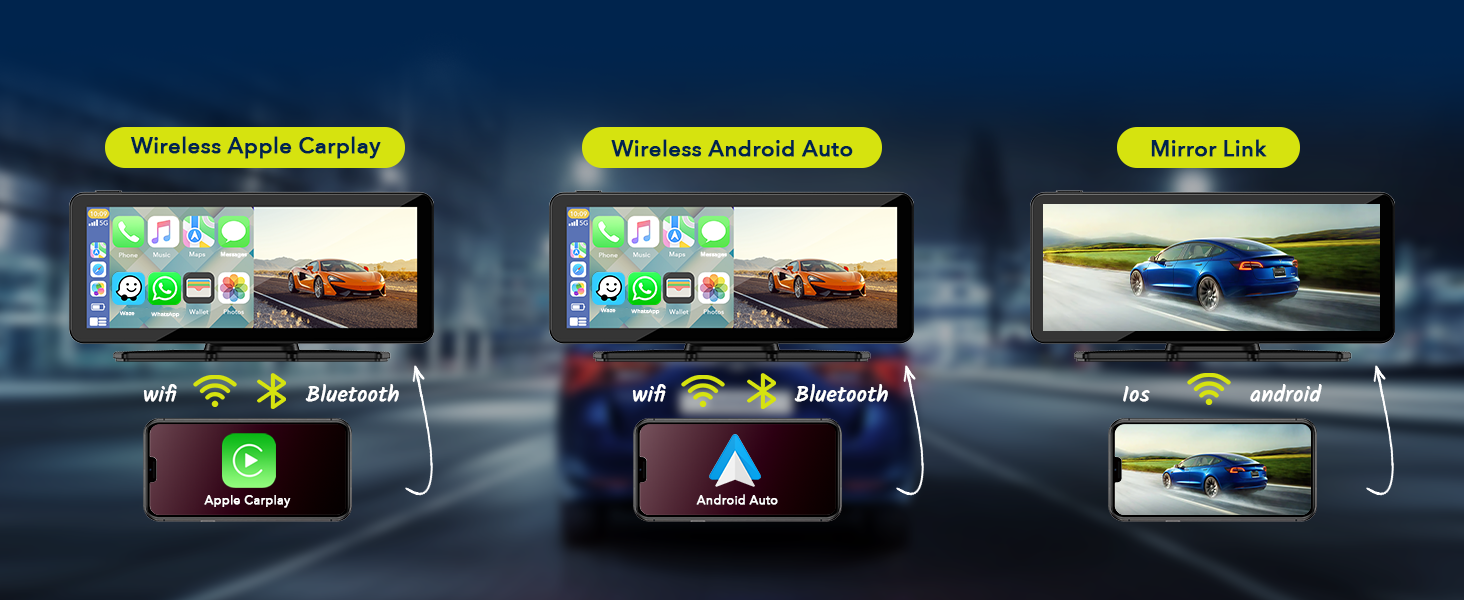
- Follow the on-screen prompts to pair your phone via Bluetooth. Once paired, the system will automatically connect via Wi-Fi for full CarPlay/Android Auto functionality.
- Your phone's compatible apps, navigation, and media will now be accessible on the car stereo screen.
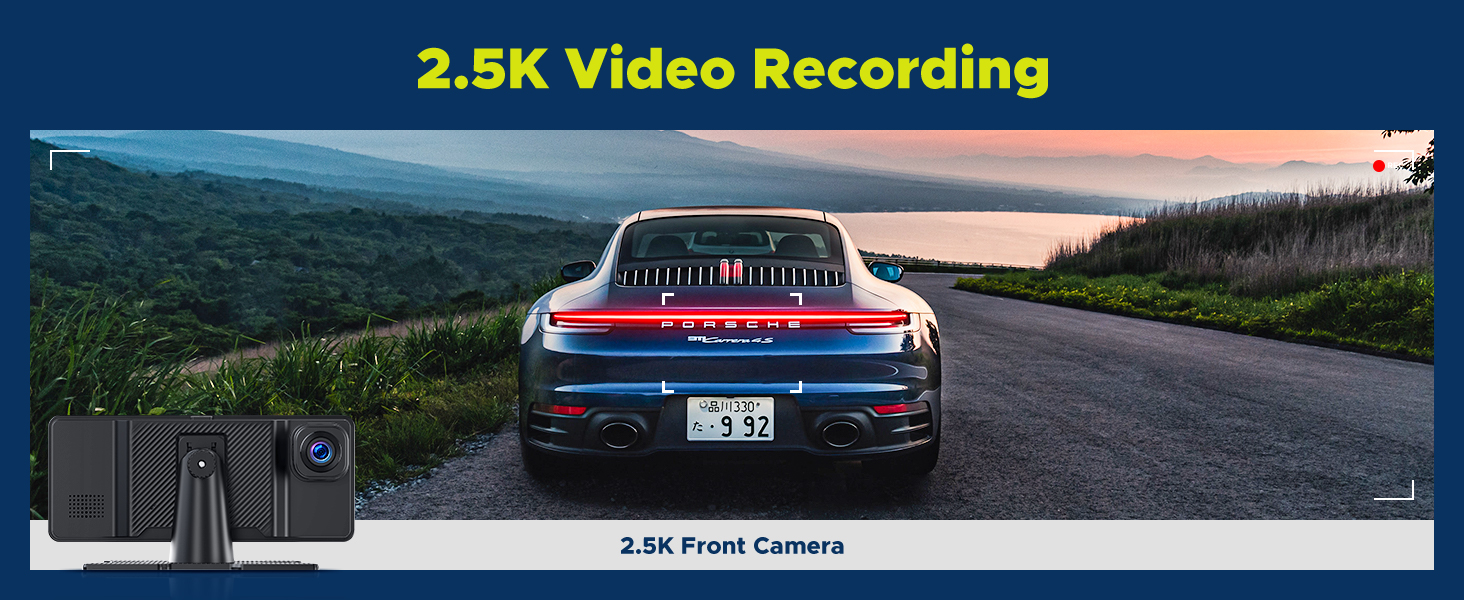
Figure 5.1: Wireless CarPlay and Android Auto Connection.
5.2 Dash Cam Operation (Front 2.5K & Rear 1080P)
The integrated dash cam automatically begins recording when the unit powers on. The included 64GB TF card stores footage.
- റെക്കോർഡിംഗ്: Both front (2.5K) and rear (1080P) cameras record simultaneously. Footage is saved in a loop recording format, overwriting the oldest fileകാർഡ് നിറയുമ്പോൾ എസ്.
- Viewഫൂtage: Access recorded videos directly on the screen through the dash cam interface.
- രാത്രി കാഴ്ച: The cameras support night vision for clear recording in low-light conditions.
- ജി-സെൻസർ: In case of sudden impact or collision, the G-sensor will automatically lock the current video file അത് തിരുത്തിയെഴുതുന്നത് തടയാൻ.
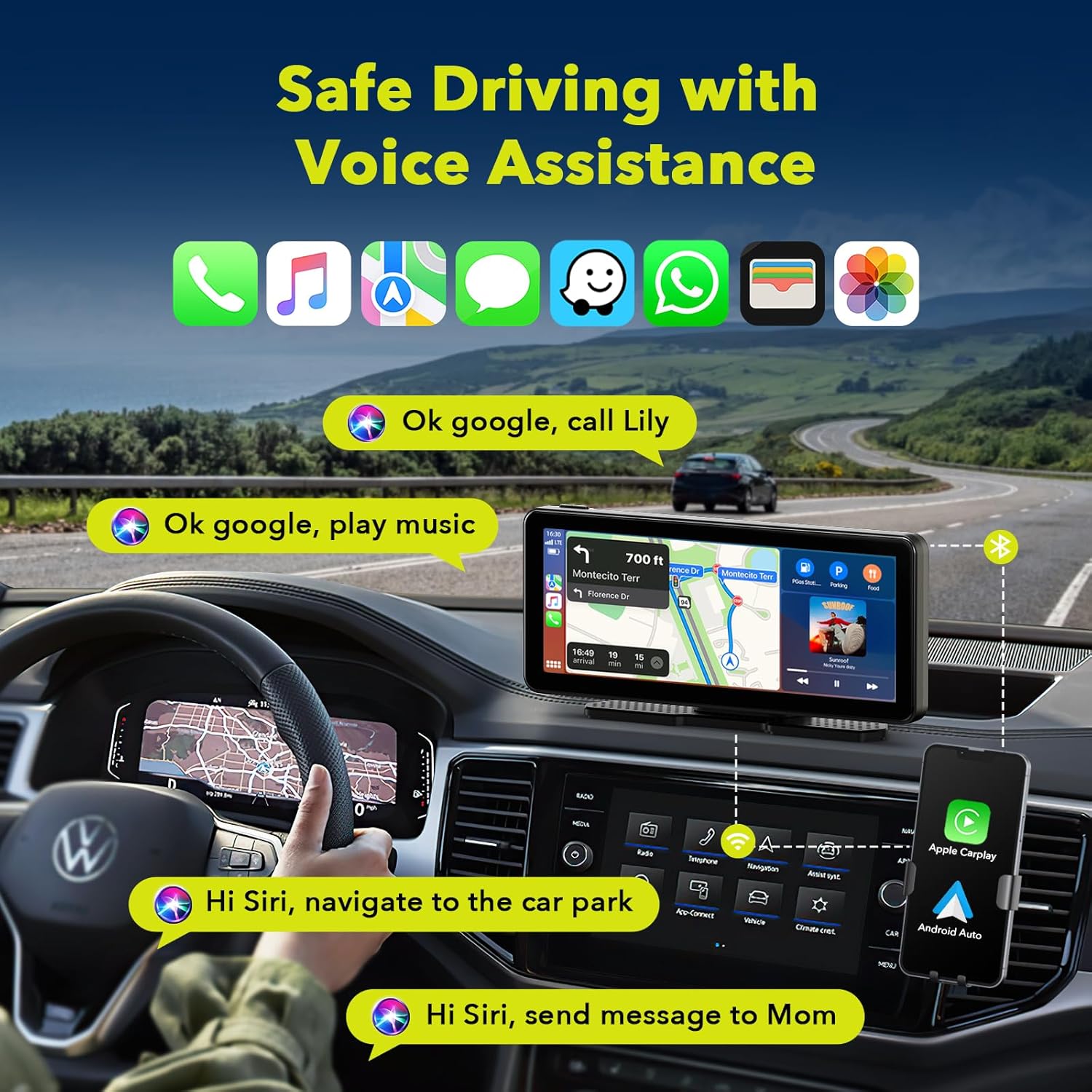
Figure 5.2: 2.5K Front Camera View.
5.3 ഓഡിയോ ഔട്ട്പുട്ട് ഓപ്ഷനുകൾ
The unit offers multiple ways to output audio to your car's sound system:
- ബ്ലൂടൂത്ത്: Connect wirelessly to your car's Bluetooth system for high-quality audio transmission.
- എഫ്എം ട്രാൻസ്മിഷൻ: Tune your car's FM radio to a specific frequency to receive audio from the car stereo.
- ഓക്സ് ഔട്ട്പുട്ട്: Use the provided AUX cable to connect the unit directly to your car's AUX input for a wired audio connection.
- ബിൽറ്റ്-ഇൻ സ്പീക്കർ: The unit has a built-in speaker for direct audio playback, useful for quick alerts or if external audio connection is not desired.

Figure 5.3: Audio Output Options.
5.4 Mirror Link (Apple AirPlay & Android Cast)
Mirror Link allows you to display your smartphone's screen directly onto the car stereo. This is useful for apps not natively supported by CarPlay/Android Auto.
- Select the "AirPlay" (for iOS) or "Android Cast" (for Android) option on the car stereo screen.
- Follow the on-screen instructions to connect your smartphone. This typically involves connecting to a specific Wi-Fi network broadcast by the car stereo.
- Once connected, your phone's screen will be mirrored. Note that certain streaming services like Netflix may not be supported due to content protection.

Figure 5.4: Apple AirPlay and Android Cast Functionality.
5.5 Voice Control (Siri & Google Assistant)
Utilize voice commands for hands-free operation:
- Ensure your smartphone is connected via CarPlay or Android Auto.
- Activate Siri or Google Assistant by saying "Hey Siri" or "Hey Google" (if enabled on your phone) or by tapping the voice assistant icon on the screen.
- Issue commands such as "Play music," "Navigate to [address]," "Send message to [contact]," or "Make phone calls."

Figure 5.5: Voice Assistant Interaction.
5.6 സ്പ്ലിറ്റ് സ്ക്രീൻ ഡിസ്പ്ലേ
The unit supports split-screen functionality, allowing you to view ഒരേസമയം ഒന്നിലധികം ആപ്ലിക്കേഷനുകൾ.
- Access the split-screen option from the main menu or by dragging an app to the side of the screen (if supported by the interface).
- Common split-screen combinations include navigation and music, or the dash cam view alongside CarPlay/Android Auto.

Figure 5.6: Split Screen Display Options.
6. പരിപാലനം
To ensure the longevity and optimal performance of your LAMTTO Wireless Car Stereo, follow these maintenance guidelines:
- വൃത്തിയാക്കൽ: Use a soft, dry, lint-free cloth to clean the screen and exterior. For stubborn smudges, slightly dampen the cloth with water. Avoid abrasive cleaners, solvents, or aerosol sprays.
- താപനില: Avoid exposing the unit to extreme temperatures (very hot or very cold) for extended periods, as this can affect performance and lifespan.
- സംഭരണം: If storing the unit for a long time, disconnect it from power and store it in a cool, dry place.
- കേബിൾ മാനേജുമെന്റ്: Ensure all cables are properly routed and not pinched or strained to prevent damage.
7. പ്രശ്നപരിഹാരം
If you encounter issues with your LAMTTO Wireless Car Stereo, refer to the following common troubleshooting steps:
| പ്രശ്നം | സാധ്യമായ കാരണം | പരിഹാരം |
|---|---|---|
| യൂണിറ്റ് പവർ ഓണാക്കുന്നില്ല. | സിഗരറ്റ് ലൈറ്ററിൽ നിന്ന് വൈദ്യുതിയില്ല; കണക്ഷൻ അയഞ്ഞിരിക്കുന്നു. | Check cigarette lighter fuse. Ensure power cable is securely plugged into both the unit and the cigarette lighter socket. |
| CarPlay/Android Auto not connecting wirelessly. | Bluetooth/Wi-Fi off on phone; incorrect pairing. | Ensure Bluetooth and Wi-Fi are active on your phone. Forget previous pairings on both devices and re-pair. Ensure phone is compatible. |
| ഓഡിയോ ഔട്ട്പുട്ട് ഇല്ല. | Incorrect audio output mode selected; volume too low. | Check if Bluetooth, FM, or AUX is correctly configured. Increase volume on both the unit and your car stereo. |
| ഡാഷ് ക്യാം റെക്കോർഡ് ചെയ്യുന്നില്ല അല്ലെങ്കിൽ ഫൂtagഇ കാണുന്നില്ല. | TF card full or corrupted; camera disconnected. | Format the TF card (backup important footage first). Ensure the camera cable is securely connected. Check camera settings. |
| ടച്ച് സ്ക്രീൻ പ്രതികരിക്കുന്നില്ല. | താൽക്കാലിക സോഫ്റ്റ്വെയർ തകരാർ. | Restart the unit by unplugging and replugging the power cable. If issue persists, contact customer support. |
If the problem persists after trying these solutions, please contact LAMTTO customer support for further assistance.
8 സ്പെസിഫിക്കേഷനുകൾ
| ഫീച്ചർ | വിശദാംശങ്ങൾ |
|---|---|
| മോഡൽ നമ്പർ | RC09 |
| സ്ക്രീൻ വലിപ്പം | 6.86 ഇഞ്ച് (ദൃശ്യമായ സ്ക്രീൻ ഡയഗണൽ: 7" / 18 സെ.മീ) |
| സ്ക്രീൻ റെസല്യൂഷൻ | 1600*600 |
| മുൻ ക്യാമറ വീഡിയോ റെസല്യൂഷൻ | 2.5K |
| പിൻ ക്യാമറ വീഡിയോ റെസല്യൂഷൻ | 1080p |
| ഫീൽഡ് View | 170 ഡിഗ്രി |
| കണക്റ്റിവിറ്റി ടെക്നോളജി | Bluetooth, Wi-Fi (for CarPlay/Android Auto) |
| നിയന്ത്രണ രീതി | സ്പർശിക്കുക, ശബ്ദം |
| പവർ ഇൻപുട്ട് | 12-36V (Cigarette Lighter) |
| മൗണ്ടിംഗ് തരം | പശ മൗണ്ട്, സക്ഷൻ മൗണ്ട് |
| ഉൾപ്പെടുത്തിയ സംഭരണം | 64 ജിബി ടിഎഫ് കാർഡ് |
| ഇനത്തിൻ്റെ ഭാരം | 1.87 പൗണ്ട് |
| പാക്കേജ് അളവുകൾ | 9.06 x 5.63 x 4.21 ഇഞ്ച് |

ചിത്രം 8.1: പിൻഭാഗം View of the Unit with Model Information.

ചിത്രം 8.2: ഉൽപ്പന്ന അളവുകൾ.
9. വാറൻ്റിയും പിന്തുണയും
LAMTTO is committed to providing quality products and excellent customer service.
- തിരികെ നൽകൽ നയം: Enjoy a 90-day return or exchange policy without reason.
- കസ്റ്റമർ സർവീസ്: Lifelong customer service is provided for products and accessories.
- ബന്ധപ്പെടുക: For any inquiries or support, please refer to the contact information provided in the product packaging or on the official LAMTTO webസൈറ്റ്.

Figure 9.1: LAMTTO Customer Service Commitment.


