1. ഉൽപ്പന്നം കഴിഞ്ഞുview
The Refoss MTS200 is a smart WiFi heating thermostat designed to control gas boiler and water underfloor heating systems. It allows for precise temperature management, programmable scheduling, and remote control via a dedicated application or smart home platforms.

Image: Refoss Smart WiFi Thermostat MTS200 and its corresponding smartphone application interface, displaying current temperature and heating settings.
2 സുരക്ഷാ വിവരങ്ങൾ
- Ensure all wiring is performed by a qualified electrician to prevent electric shock or damage to the device.
- ഇൻസ്റ്റാളേഷൻ അല്ലെങ്കിൽ അറ്റകുറ്റപ്പണിക്ക് മുമ്പ് വൈദ്യുതി വിച്ഛേദിക്കുക.
- ഈ ഉപകരണം ഇൻഡോർ ഉപയോഗത്തിനായി മാത്രം രൂപകൽപ്പന ചെയ്തിട്ടുള്ളതാണ്.
- തെർമോസ്റ്റാറ്റ് വെള്ളത്തിലോ അമിതമായ ഈർപ്പത്തിലോ തുറന്നുകാട്ടരുത്.
- കുട്ടികൾക്ക് ലഭ്യമാകാതെ സൂക്ഷിക്കുക.

Image: An open instruction manual displaying safety information and package contents in English and other languages.
3. പാക്കേജ് ഉള്ളടക്കം
പാക്കേജിൽ എല്ലാ ഇനങ്ങളും ഉണ്ടെന്ന് ഉറപ്പാക്കുക:
- Refoss MTS200 Smart WiFi Heating Thermostat
- മൗണ്ടിംഗ് സ്ക്രൂകൾ
- ഉപയോക്തൃ മാനുവൽ
4. സജ്ജീകരണവും ഇൻസ്റ്റാളേഷനും
4.1 വയറിംഗ് ആവശ്യകതകൾ
The Refoss MTS200 thermostat requires embedded wall installation. It operates on AC power and requires Live (L) and Neutral (N) wire connections. This device does not support battery power.

Image: A diagram detailing the dimensions for embedded wall mounting of the thermostat and illustrating the required Live (L) and Neutral (N) wire connections.
4.2 സിസ്റ്റം അനുയോജ്യത
This thermostat is designed for boiler and water underfloor heating systems only. It supports gas, water, and electricity boiler systems.

Image: An illustration demonstrating the thermostat's compatibility with various boiler types and water underfloor heating systems.
4.3 ആപ്പ് കണക്ഷൻ
Download the Refoss app from your smartphone's app store. Follow the in-app instructions to connect your thermostat to your home WiFi network (2.4GHz only). The thermostat is compatible with Apple HomeKit, Amazon Alexa, and Google Home.
5. പ്രവർത്തന നിർദ്ദേശങ്ങൾ
5.1 അടിസ്ഥാന താപനില നിയന്ത്രണം
Adjust the target temperature directly on the thermostat's display using the up and down arrows, or through the Refoss app.
5.2 പ്രോഗ്രാം ചെയ്യാവുന്ന ഷെഡ്യൂളിംഗ്
Utilize the Refoss app to set up intelligent 7-day, 24-hour temperature programming. This allows for customized heating schedules to optimize comfort and energy efficiency.

Image: The Refoss app displaying a weekly temperature schedule, illustrating how users can program heating times for different days.
5.3 വിദൂര നിയന്ത്രണം
Control your heating system from anywhere using the free Refoss app on your smartphone. No additional hub is required for basic remote control.

Image: A smartphone displaying the Refoss app, demonstrating remote temperature control functionality.
5.4 ശബ്ദ നിയന്ത്രണം
Integrate your thermostat with Apple HomeKit, Amazon Alexa, or Google Home for convenient voice control. Adjust the temperature with simple voice commands.

Image: A person interacting with a smart speaker to control the thermostat via voice commands, highlighting compatibility with major smart home platforms.
5.5 ഡ്യുവൽ സെൻസർ സിസ്റ്റം
The thermostat features both an internal sensor to detect ambient room temperature and an optional external sensor for precise floor temperature monitoring, ensuring accurate heating control.

Image: A diagram illustrating the internal and external temperature sensors of the thermostat for precise temperature readings.
5.6 വിൻഡോ ഡിറ്റക്ഷൻ തുറക്കുക
The thermostat can detect open windows and automatically pause heating to prevent energy waste. A notification will be sent to your smartphone.

Image: A smartphone displaying a notification indicating that an open window has been detected and heating has been turned off.
5.7 HomeKit Remote Control with Home Hub
For remote control via Apple HomeKit, set up a HomePod, HomePod Mini, or Apple TV as a Home Hub. This allows you to control your HomeKit accessories remotely using the Apple Home app. The Refoss app does not require a Home Hub for remote control.
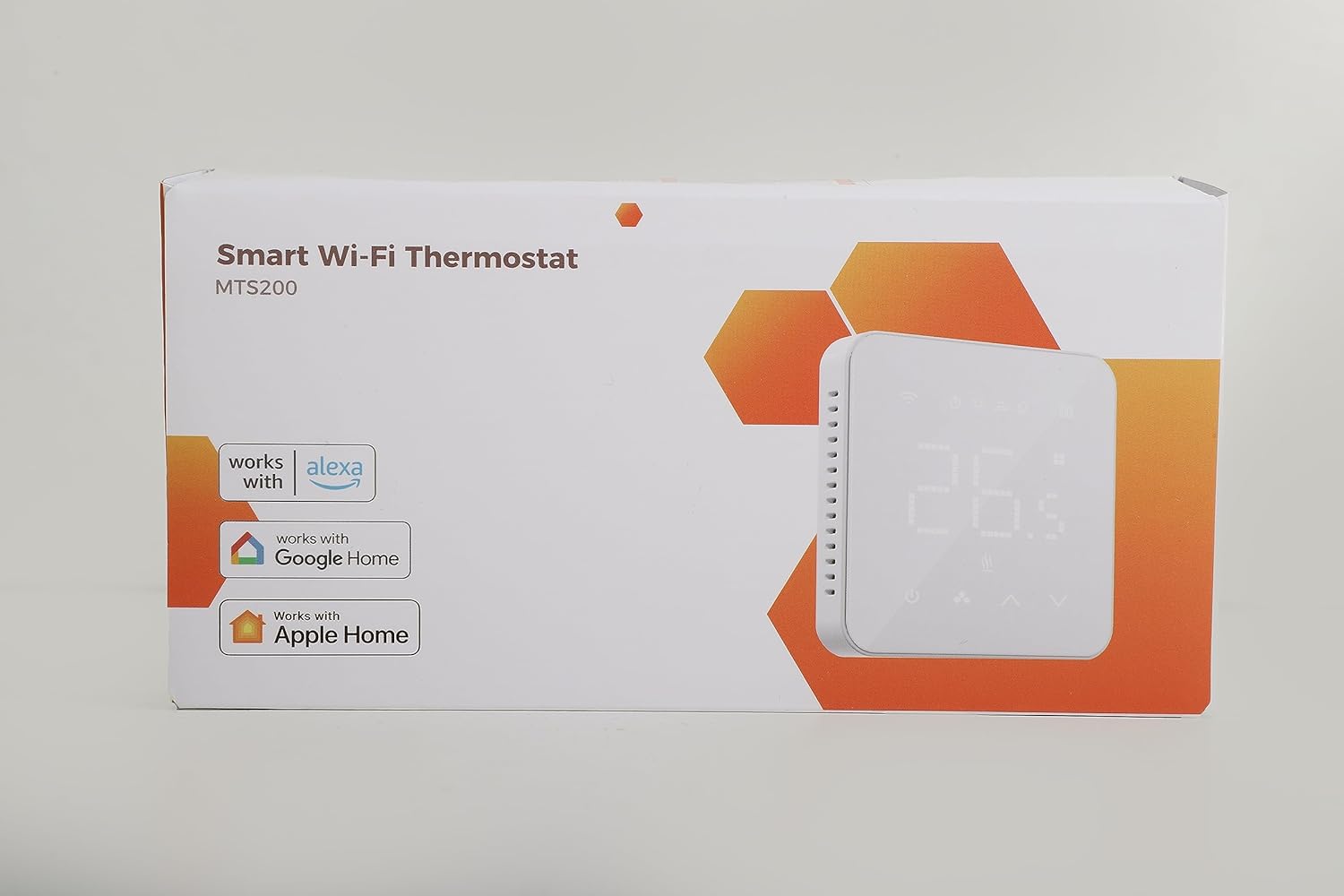
Image: Apple Home devices (HomePod, HomePod Mini, Apple TV) alongside a smartphone showing the Refoss app, demonstrating HomeKit integration. For more information on setting up a Home Hub, visit ആപ്പിൾ പിന്തുണ.
5.8 Heating Tracking
Monitor your heating system's status, track temperature trends, and view the total duration of heating. The app can also calculate associated heating expenses.

Image: A smartphone displaying a graph of heating duration and estimated costs over time.
6. പരിപാലനം
To ensure optimal performance, periodically clean the thermostat's display and casinമൃദുവായതും ഉണങ്ങിയതുമായ തുണി ഉപയോഗിച്ച് വൃത്തിയാക്കുക. അബ്രാസീവ് ക്ലീനറുകളോ ലായകങ്ങളോ ഉപയോഗിക്കുന്നത് ഒഴിവാക്കുക.
7. പ്രശ്നപരിഹാരം
- തെർമോസ്റ്റാറ്റ് ഓണാക്കുന്നില്ല: Check power connections and ensure the circuit breaker is not tripped. Verify Live (L) and Neutral (N) wires are correctly connected.
- വൈഫൈയിലേക്ക് കണക്റ്റുചെയ്യാൻ കഴിയില്ല: Ensure your WiFi network is 2.4GHz. Check WiFi signal strength at the thermostat's location. Restart your router and the thermostat.
- കൃത്യമല്ലാത്ത താപനില വായനകൾ: Ensure the thermostat is not exposed to direct sunlight, drafts, or heat sources. If using an external sensor, ensure it is properly installed.
- ചൂടാക്കൽ സജീവമാകുന്നില്ല: Verify the thermostat is set to heating mode and the target temperature is above the current room temperature. Check boiler operation.
8 സ്പെസിഫിക്കേഷനുകൾ
| ഫീച്ചർ | സ്പെസിഫിക്കേഷൻ |
|---|---|
| ബ്രാൻഡ് | റിഫോസ് |
| മോഡൽ നമ്പർ | MTS200 |
| നിറം | വെള്ള |
| ഉൽപ്പന്ന അളവുകൾ | 4.3 x 8.6 x 8.6 സെ.മീ |
| ഇനത്തിൻ്റെ ഭാരം | 212 ഗ്രാം |
| പവർ / വാട്ട്tage | 750 വാട്ട്സ് |
| വാല്യംtage | 240 വോൾട്ട് |
| മെറ്റീരിയൽ | Polycarbonate (PC), Acrylonitrile Butadiene Styrene (ABS), Glass Panel |
| കണക്റ്റിവിറ്റി ടെക്നോളജി | വൈഫൈ (2.4GHz) |
| പ്രത്യേക സവിശേഷതകൾ | Programmable, Backlight |
| കൺട്രോളർ തരം | Amazon Alexa, Google Home, Apple HomeKit |
| പ്രത്യേക ഉപയോഗങ്ങൾ | Boiler, Heated |
9. വാറൻ്റിയും പിന്തുണയും
9.1 വാറൻ്റി
ഈ ഉൽപ്പന്നം 2 വർഷത്തെ വാറന്റിയോടെയാണ് വരുന്നത്.
9.2 പിന്തുണ
For technical assistance or customer support, please contact:
- ഇമെയിൽ: support@refoss.net
- Webസൈറ്റ്: www.refoss.net/support


