1. ആമുഖം
This manual provides essential information for the safe and efficient use of your GOODTEL G10 10-inch Android 13 Tablet. Please read this manual thoroughly before operating the device and retain it for future reference. The GOODTEL G10 tablet features a 10-inch display, 14GB RAM, 128GB ROM (expandable up to 1TB), Android 13 operating system, dual-band WiFi (2.4G/5G), Bluetooth 5.0, and an 8000 mAh battery.
2. പാക്കേജ് ഉള്ളടക്കം
താഴെ ലിസ്റ്റ് ചെയ്തിരിക്കുന്ന എല്ലാ ഇനങ്ങളും നിങ്ങളുടെ ഉൽപ്പന്ന പാക്കേജിൽ ഉണ്ടെന്ന് ഉറപ്പാക്കുക:
- ഗുഡ്ടെൽ ജി10 ടാബ്ലെറ്റ്
- ബ്ലൂടൂത്ത് കീബോർഡ്
- മൗസ്
- സംരക്ഷണ കേസ്
- Charging Device (Adapter and Cable)
- OTG അഡാപ്റ്റർ
- സ്ക്രീൻ പ്രൊട്ടക്ടർ (മുമ്പ് പ്രയോഗിച്ചതോ വേറിട്ടതോ)
ഏതെങ്കിലും ഇനങ്ങൾ നഷ്ടപ്പെട്ടാലോ കേടുപാടുകൾ സംഭവിച്ചാലോ, ദയവായി ഉപഭോക്തൃ പിന്തുണയുമായി ബന്ധപ്പെടുക.
3. ഡിവൈസ് ഓവർview
Familiarize yourself with the key features and components of your GOODTEL G10 tablet.

ചിത്രം: കഴിഞ്ഞുview of the GOODTEL G10 tablet's main features, including processor, screen size, RAM, ROM, battery, connectivity, and cameras.
3.1 പ്രധാന ഘടകങ്ങൾ
- ഡിസ്പ്ലേ: 10.1-inch IPS screen with 1280x800 pixel resolution.
- ക്യാമറകൾ: 5MP front camera and 8MP rear camera with flash.
- തുറമുഖങ്ങൾ: Type-C USB port for charging and data transfer.
- കാർഡ് സ്ലോട്ട്: Supports MicroSD/TF card expansion up to 1TB.
- ബട്ടണുകൾ: Power button, Volume up/down buttons.

ചിത്രം: The 10.1-inch IPS display of the GOODTEL G10 tablet, highlighting its size and visual quality.
3.2 പ്രകടന സവിശേഷതകൾ
- ഓപ്പറേറ്റിംഗ് സിസ്റ്റം: Android 13, offering enhanced privacy and customization options.
- പ്രോസസ്സർ: 2.0GHz Octa-Core Unisoc T310 processor for smooth performance.
- മെമ്മറി: 14GB RAM (6GB physical + 8GB virtual expansion) for efficient multitasking.
- സംഭരണം: 128GB internal storage, expandable with a MicroSD/TF card up to 1TB.
- ബാറ്ററി: 8000 mAh battery for extended usage.
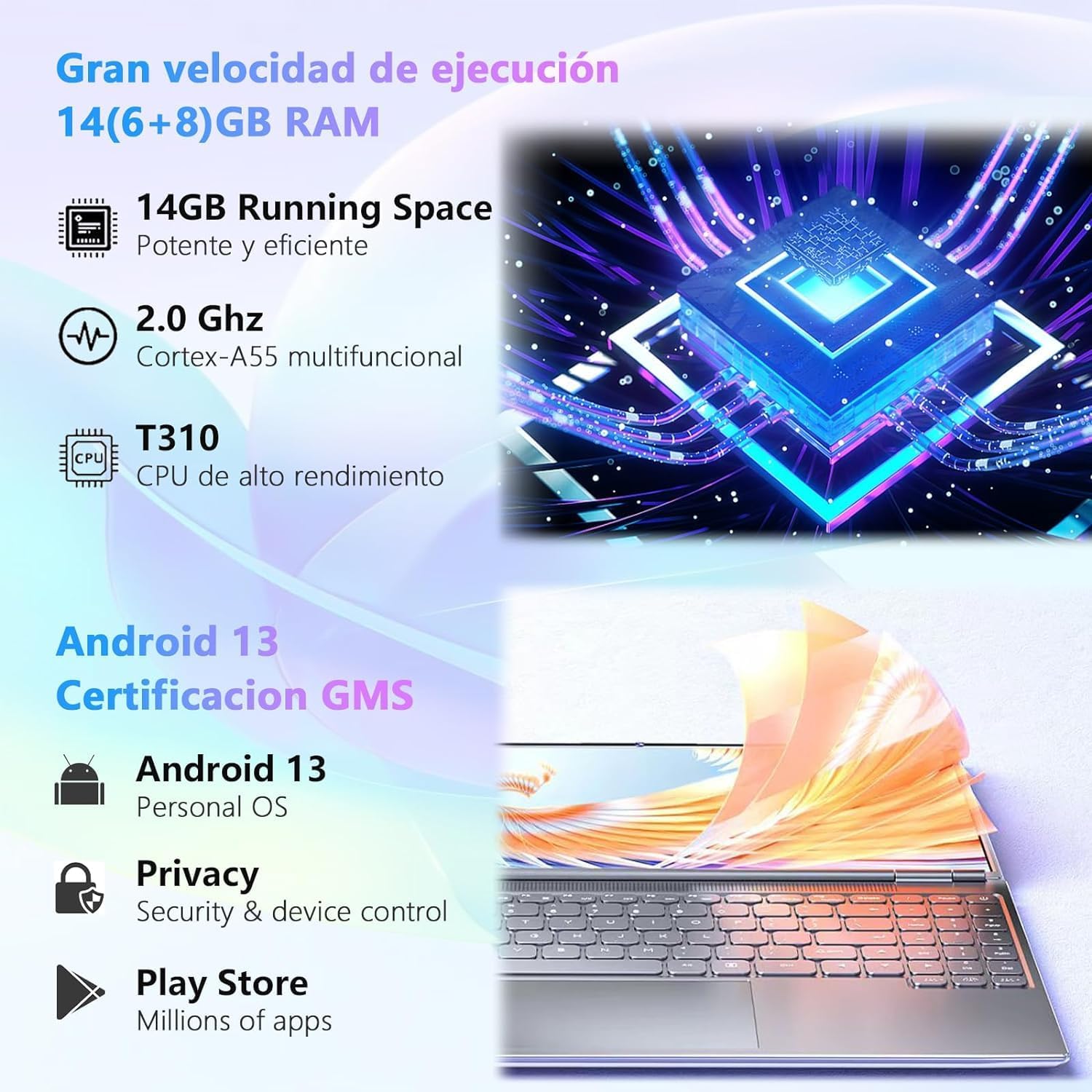
ചിത്രം: Visual representation of the tablet's powerful processor and the Android 13 operating system with GMS certification.

ചിത്രം: Illustrates the 128GB ROM and 1TB MicroSD/TF card expansion, showing the tablet's capability for gaming and media storage.

ചിത്രം: Depiction of the 8000 mAh large capacity, long-lasting battery of the GOODTEL G10 tablet.
3.3 കണക്റ്റിവിറ്റി
- വൈഫൈ: Dual-band 2.4GHz and 5GHz Wi-Fi for stable and fast internet access.
- ബ്ലൂടൂത്ത്: Bluetooth 5.0 for connecting wireless accessories like keyboards, mice, and headphones.

ചിത്രം: Illustration of the tablet's 2.4G/5G dual-band WiFi capability for faster internet access.
4. സജ്ജീകരണം
4.1 പ്രാരംഭ ചാർജിംഗ്
Before first use, fully charge your tablet using the provided charging device. Connect the Type-C cable to the tablet's charging port and the adapter to a power outlet. The battery indicator on the screen will show charging progress.
4.2 പവർ ഓൺ/ഓഫ്
- പവർ ഓണാക്കാൻ: Press and hold the Power button until the GOODTEL logo appears.
- പവർ ഓഫ് ചെയ്യാൻ: Press and hold the Power button until the power options appear on the screen, then select "Power Off".
- പുനരാരംഭിക്കാൻ: പവർ ഓപ്ഷനുകൾ ദൃശ്യമാകുന്നതുവരെ പവർ ബട്ടൺ അമർത്തിപ്പിടിക്കുക, തുടർന്ന് "പുനരാരംഭിക്കുക" തിരഞ്ഞെടുക്കുക.
4.3 പ്രാരംഭ സജ്ജീകരണ വിസാർഡ്
ആദ്യമായി പവർ-ഓൺ ചെയ്യുമ്പോൾ, ടാബ്ലെറ്റ് നിങ്ങളെ ഒരു പ്രാരംഭ സജ്ജീകരണ വിസാർഡിലൂടെ നയിക്കും. ഓൺ-സ്ക്രീൻ നിർദ്ദേശങ്ങൾ പാലിക്കുക:
- നിങ്ങളുടെ ഭാഷ തിരഞ്ഞെടുക്കുക.
- ഒരു Wi-Fi നെറ്റ്വർക്കിലേക്ക് കണക്റ്റുചെയ്യുക.
- Set up your Google account (optional, but recommended for app downloads).
- തീയതിയും സമയവും സജ്ജമാക്കുക.
- സ്ക്രീൻ ലോക്ക് കോൺഫിഗർ ചെയ്യുക (പിൻ, പാറ്റേൺ, പാസ്വേഡ്).
4.4 കണക്റ്റിംഗ് ആക്സസറികൾ
Your tablet comes with a Bluetooth keyboard and mouse. To connect them:
- Ensure the keyboard and mouse are charged and in pairing mode (refer to their individual manuals if needed).
- നിങ്ങളുടെ ടാബ്ലെറ്റിൽ, ഇതിലേക്ക് പോകുക ക്രമീകരണങ്ങൾ > ബന്ധിപ്പിച്ച ഉപകരണങ്ങൾ > ബ്ലൂടൂത്ത്.
- ബ്ലൂടൂത്ത് ഓണാക്കുക.
- ലഭ്യമായ ഉപകരണങ്ങൾക്കായി സ്കാൻ ചെയ്യുക.
- Select the keyboard and mouse from the list to pair them. Follow any on-screen prompts for confirmation.
The OTG adapter allows you to connect USB devices like flash drives to your tablet.
5. പ്രവർത്തന നിർദ്ദേശങ്ങൾ
5.1 ആൻഡ്രോയിഡ് 13 നാവിഗേറ്റ് ചെയ്യുന്നു
- ഹോം സ്ക്രീൻ: വ്യത്യസ്ത ഹോം സ്ക്രീനുകൾ ആക്സസ് ചെയ്യാൻ ഇടത്തോട്ടോ വലത്തോട്ടോ സ്വൈപ്പ് ചെയ്യുക. വിജറ്റുകൾ, വാൾപേപ്പർ, ക്രമീകരണങ്ങൾ എന്നിവ ഇഷ്ടാനുസൃതമാക്കാൻ ഒരു ഒഴിഞ്ഞ സ്ഥലം ടാപ്പ് ചെയ്ത് പിടിക്കുക.
- അറിയിപ്പുകളും ദ്രുത ക്രമീകരണങ്ങളും: സ്ക്രീനിന്റെ മുകളിൽ നിന്ന് താഴേക്ക് സ്വൈപ്പ് ചെയ്യുക view അറിയിപ്പുകൾ നേടുകയും വൈഫൈ, ബ്ലൂടൂത്ത്, തെളിച്ചം പോലുള്ള ദ്രുത ക്രമീകരണങ്ങൾ ആക്സസ് ചെയ്യുകയും ചെയ്യുക.
- ആപ്പ് ഡ്രോയർ: ഇൻസ്റ്റാൾ ചെയ്ത എല്ലാ ആപ്ലിക്കേഷനുകളും ആക്സസ് ചെയ്യാൻ സ്ക്രീനിന്റെ താഴെ നിന്ന് മുകളിലേക്ക് സ്വൈപ്പ് ചെയ്യുക.
- മൾട്ടിടാസ്കിംഗ്: താഴെ നിന്ന് മുകളിലേക്ക് സ്വൈപ്പ് ചെയ്ത് പിടിക്കുക view recent apps. Tap an app icon to access options like split-screen or app info.
5.2 ആപ്ലിക്കേഷനുകൾ ഇൻസ്റ്റാൾ ചെയ്യുന്നു
The Google Play Store is pre-installed on your tablet. To download and install apps:
- Ensure you are connected to a Wi-Fi network.
- തുറക്കുക പ്ലേ സ്റ്റോർ അപ്ലിക്കേഷൻ.
- ഇതിനായി തിരയുക ആവശ്യമുള്ള ആപ്പ്.
- ടാപ്പ് ചെയ്യുക ഇൻസ്റ്റാൾ ചെയ്യുക കൂടാതെ സ്ക്രീനിലെ നിർദ്ദേശങ്ങൾ പാലിക്കുക.
5.3 ക്യാമറകൾ ഉപയോഗിക്കുന്നത്
The tablet features a 5MP front camera and an 8MP rear camera. Open the ക്യാമറ app to take photos or record videos. Tap the screen to focus, and use the on-screen buttons to switch between front/rear cameras, modes, and settings.
5.4 സ്റ്റോറേജ് മാനേജ്മെൻ്റ്
Your tablet has 128GB of internal storage. To expand storage, insert a MicroSD/TF card (up to 1TB) into the designated slot. You can manage files using the pre-installed Files app or by connecting the tablet to a computer via the Type-C USB cable.
6. പരിപാലനം
6.1 ടാബ്ലെറ്റ് വൃത്തിയാക്കൽ
- ടാബ്ലെറ്റിന്റെ സ്ക്രീനും ബോഡിയും വൃത്തിയാക്കാൻ മൃദുവായ, ലിന്റ് രഹിത തുണി ഉപയോഗിക്കുക.
- Do not use liquid cleaners, aerosols, or abrasive materials.
- വൃത്തിയാക്കുന്നതിന് മുമ്പ് ടാബ്ലെറ്റ് ഓഫ് ചെയ്തിട്ടുണ്ടെന്നും അൺപ്ലഗ് ചെയ്തിട്ടുണ്ടെന്നും ഉറപ്പാക്കുക.
6.2 ബാറ്ററി കെയർ
- ടാബ്ലെറ്റ് കടുത്ത താപനിലയിൽ ഏൽപ്പിക്കുന്നത് ഒഴിവാക്കുക.
- ബാറ്ററി ഇടയ്ക്കിടെ പൂർണ്ണമായും ഡിസ്ചാർജ് ചെയ്യാൻ അനുവദിക്കരുത്.
- Use only the provided charging device or a certified compatible charger.
6.3 സോഫ്റ്റ്വെയർ അപ്ഡേറ്റുകൾ
മികച്ച പ്രകടനവും സുരക്ഷയും ഉറപ്പാക്കാൻ സോഫ്റ്റ്വെയർ അപ്ഡേറ്റുകൾ പതിവായി പരിശോധിച്ച് ഇൻസ്റ്റാൾ ചെയ്യുക. പോകുക ക്രമീകരണങ്ങൾ > സിസ്റ്റം > സിസ്റ്റം അപ്ഡേറ്റ് ലഭ്യമായ അപ്ഡേറ്റുകൾ പരിശോധിക്കാൻ.
7. പ്രശ്നപരിഹാരം
| പ്രശ്നം | സാധ്യമായ പരിഹാരം |
|---|---|
| ടാബ്ലെറ്റ് ഓണാക്കുന്നില്ല. | ബാറ്ററി ചാർജ്ജ് ചെയ്തിട്ടുണ്ടെന്ന് ഉറപ്പാക്കുക. ചാർജർ കണക്റ്റ് ചെയ്ത് വീണ്ടും പവർ ചെയ്യാൻ ശ്രമിക്കുന്നതിന് മുമ്പ് കുറച്ച് മിനിറ്റ് കാത്തിരിക്കുക. |
| സ്ക്രീൻ പ്രതികരിക്കുന്നില്ല. | ടാബ്ലെറ്റ് പുനരാരംഭിക്കുക. പ്രശ്നം നിലനിൽക്കുകയാണെങ്കിൽ, ഒരു ഫാക്ടറി റീസെറ്റ് നടത്തുക (ഡാറ്റ നഷ്ടപ്പെടും). |
| വൈഫൈ കണക്ഷൻ പ്രശ്നങ്ങൾ. | Check if Wi-Fi is enabled in settings. Restart your router and the tablet. Ensure you are within range of the Wi-Fi signal. |
| ബ്ലൂടൂത്ത് ഉപകരണം ജോടിയാക്കുന്നില്ല. | Ensure the Bluetooth device is in pairing mode and within range. Turn Bluetooth off and on again on the tablet. |
| ആപ്പുകൾ ക്രാഷ് ചെയ്യുകയോ പതുക്കെ പ്രവർത്തിക്കുകയോ ചെയ്യുന്നു. | Close background apps. Clear app cache (Settings > Apps > [App Name] > Storage > Clear cache). Ensure sufficient storage space is available. |
| ബാറ്ററി പെട്ടെന്ന് തീരുന്നു. | സ്ക്രീൻ തെളിച്ചം കുറയ്ക്കുക. ഉപയോഗിക്കാത്ത ആപ്പുകൾ അടയ്ക്കുക. ഉപയോഗിക്കാത്തപ്പോൾ വൈഫൈ/ബ്ലൂടൂത്ത് ഓഫാക്കുക. പവർ കൂടുതലുള്ള ആപ്പുകൾ തിരിച്ചറിയാൻ ക്രമീകരണങ്ങളിൽ ബാറ്ററി ഉപയോഗം പരിശോധിക്കുക. |
8 സ്പെസിഫിക്കേഷനുകൾ
| ഫീച്ചർ | വിശദാംശങ്ങൾ |
|---|---|
| ബ്രാൻഡ് | ഗുഡ്ടെൽ |
| മോഡൽ നമ്പർ | G10 |
| ഓപ്പറേറ്റിംഗ് സിസ്റ്റം | ആൻഡ്രോയിഡ് 13 |
| പ്രോസസ്സർ | യൂണിസോക്ക് T310 ഒക്ടാ-കോർ, 2.0 GHz |
| റാം | 14 ജിബി (6 ജിബി ഫിസിക്കൽ + 8 ജിബി വെർച്വൽ) |
| ആന്തരിക സംഭരണം (ROM) | 128 ജിബി |
| വികസിപ്പിക്കാവുന്ന സംഭരണം | MicroSD/TF card up to 1 TB |
| സ്ക്രീൻ വലിപ്പം | 10.1 ഇഞ്ച് |
| സ്ക്രീൻ റെസല്യൂഷൻ | 1280 x 800 Pixels (IPS) |
| മുൻ ക്യാമറ | 5 എം.പി |
| പിൻ ക്യാമറ | ഫ്ലാഷോടുകൂടി 8 MP |
| ബാറ്ററി ശേഷി | 8000 mAh |
| കണക്റ്റിവിറ്റി | Wi-Fi (2.4GHz & 5GHz, 802.11ac), Bluetooth 5.0 |
| തുറമുഖങ്ങൾ | ടൈപ്പ്-സി യുഎസ്ബി |
| ഉൽപ്പന്ന ഭാരം | 450 ഗ്രാം |
9. വാറൻ്റിയും പിന്തുണയും
GOODTEL products are designed for reliability and performance. For warranty information, please refer to the warranty card included in your package or visit the official GOODTEL website. If you encounter any issues or require technical assistance, please contact GOODTEL customer support through the contact information provided with your product or on the official website. Please have your model number (G10) and purchase details ready when contacting support.
Note: Spare parts availability and software update guarantees are not explicitly provided in the product specifications. Please check the official GOODTEL webഏറ്റവും പുതിയ വിവരങ്ങൾക്കായി സൈറ്റ്.


