1 പ്രധാനപ്പെട്ട സുരക്ഷാ വിവരങ്ങൾ
The ORTUR H10 Laser Engraver is a Class 1 laser product. Adherence to safety guidelines is paramount to prevent injury and ensure proper operation. This device incorporates multiple safety protection systems designed to enhance user safety.
- നേത്ര സംരക്ഷണം: Always use the provided safety goggles or ensure the transparent cover is properly closed during operation. Never look directly at the laser beam.
- വെൻ്റിലേഷൻ: Operate the engraver in a well-ventilated area to dissipate fumes and smoke produced during engraving and cutting. Consider using an air purifier or exhaust system.
- അഗ്നി സുരക്ഷ: ഒരു അഗ്നിശമന ഉപകരണം സമീപത്ത് സൂക്ഷിക്കുക. പ്രവർത്തന സമയത്ത് യന്ത്രം ശ്രദ്ധിക്കാതെ വിടരുത്, പ്രത്യേകിച്ച് കത്തുന്ന വസ്തുക്കളുമായി പ്രവർത്തിക്കുമ്പോൾ.
- മെറ്റീരിയൽ അനുയോജ്യത: Only engrave or cut materials specified as safe. Avoid materials that produce toxic fumes or are highly flammable.
- അടിയന്തരമായി നിർത്തുക: Familiarize yourself with the location of the power button and be prepared to shut down the machine immediately in case of an emergency.
- സുരക്ഷാ സംവിധാനങ്ങൾ: The H10 is equipped with motherboard program monitoring, USB connection monitoring, current and voltage monitoring, laser exposure time monitoring, displacement monitoring, and tilt monitoring. If an alarm is triggered, the machine will stop operation. Investigate and resolve the cause before resuming.
2. ഉൽപ്പന്നം കഴിഞ്ഞുview
The ORTUR H10 10W Laser Engraver is a versatile machine designed for engraving and cutting various materials. It features a compact design, high precision, and efficient operation, making it suitable for DIY projects, home decor, and small business applications.
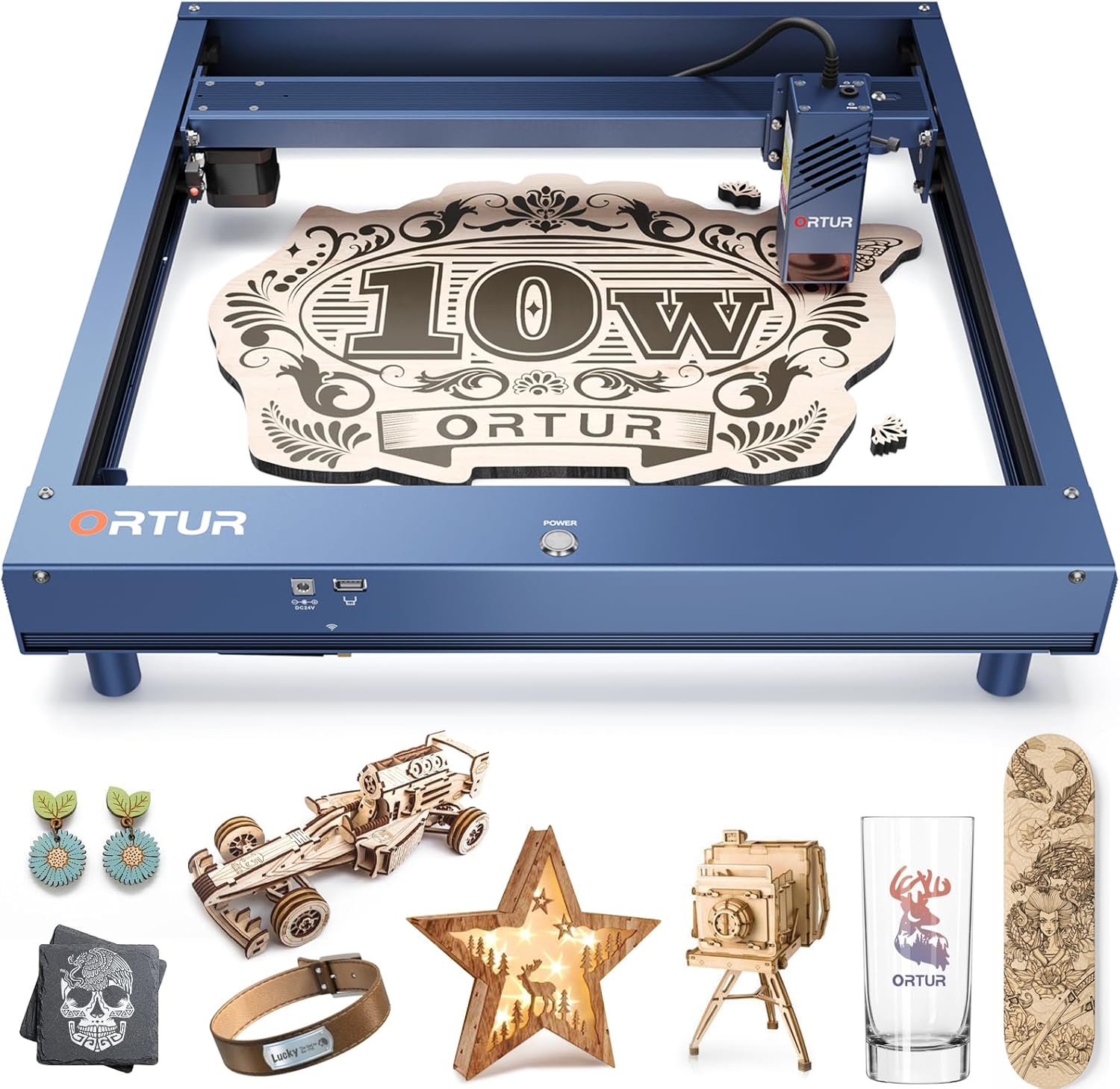
Figure 2.1: ORTUR H10 10W Laser Engraver with examples of engraved and cut items such as wooden ornaments, leather bracelets, and glass cups.
3. സജ്ജീകരണവും അസംബ്ലിയും
The ORTUR H10 is designed for quick and convenient setup. Follow these steps for initial assembly:
- അൺപാക്ക് ചെയ്യുന്നു: പാക്കേജിംഗിൽ നിന്ന് എല്ലാ ഘടകങ്ങളും ശ്രദ്ധാപൂർവ്വം നീക്കം ചെയ്ത് പാക്കിംഗ് ലിസ്റ്റുമായി താരതമ്യം ചെയ്യുക.
- ഫ്രെയിം അസംബ്ലി: The main frame is largely pre-assembled. Attach the support legs to the base of the engraver using the provided screws.
- ലേസർ മൊഡ്യൂൾ ഇൻസ്റ്റാളേഷൻ: Secure the laser module onto the gantry system. Ensure it slides smoothly along the X-axis.
- കേബിൾ കണക്ഷനുകൾ: Connect the power cable and the USB cable to the designated ports on the machine and your computer.
- പവർ ഓൺ: Once all connections are secure, power on the device.

Figure 3.1: Visual guide illustrating the three-step quick installation process, including attaching legs, securing the gantry, and mounting the laser module.
4. പ്രവർത്തന നിർദ്ദേശങ്ങൾ
The ORTUR H10 laser engraver is compatible with popular laser control software such as LightBurn and LaserGRBL, supporting PC, phone, and tablet interfaces. Ensure you have the appropriate software installed and configured before operation.
4.1 Engraving and Cutting Capabilities
The H10 offers a 300x300mm engraving area with an accuracy of up to 0.01mm. Its laser speed can reach 20000mm/min, providing efficient and precise results. The laser spot size is 0.08mm x 0.18mm, and the laser wavelength is 455±5nm.

Figure 4.1: Speed comparison highlighting the ORTUR H10's engraving speed of 20000mm/min, which is four times faster than typical engravers.
The H10 is capable of one-pass cutting through 6mm basswood or 5mm black acrylic, ensuring clean and efficient results.
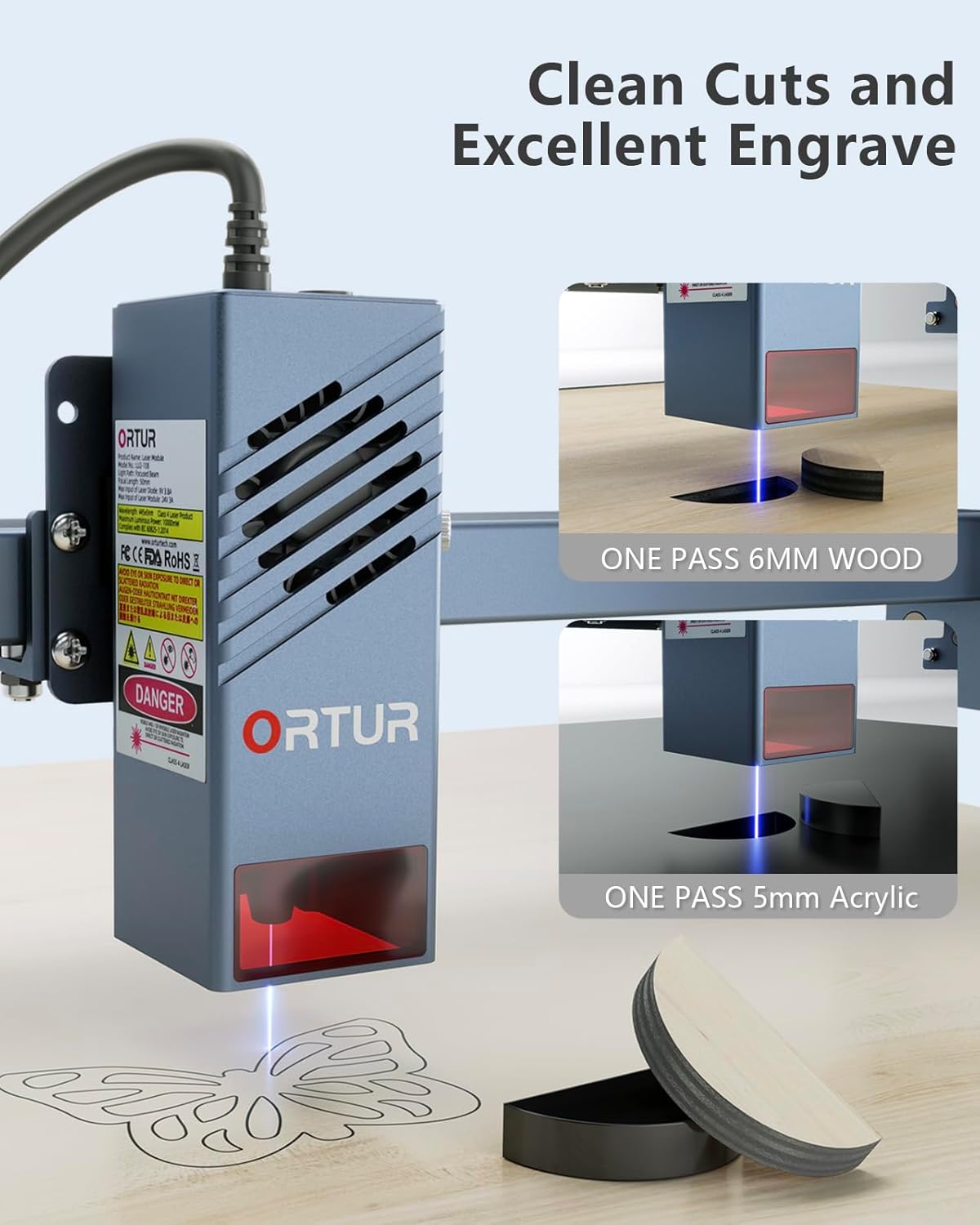
Figure 4.2: Demonstration of the laser module's ability to achieve clean cuts on 6mm wood and 5mm acrylic in a single pass, showcasing its cutting efficiency.
High accuracy is maintained even at high speeds, ensuring detailed and precise engravings.

Figure 4.3: Visual comparison illustrating the superior accuracy of the H10, producing finer and more detailed engraved patterns compared to other machines.
4.2 അനുയോജ്യമായ വസ്തുക്കൾ
The ORTUR H10 can engrave a wide range of non-transparent materials. For transparent materials like acrylic, glass, and ceramics, colored paper or a suitable coating needs to be applied to the surface before engraving.
- മരം: Paper, cork, plywood, hardwood, basswood, pine wood.
- Fabric & Leather: Leather, cloth, cardboard.
- പ്ലാസ്റ്റിക്: Plastic, acrylic (with preparation for transparent types).
- ലോഹങ്ങൾ: Coated metal, plated metal, stainless steel.
- മറ്റുള്ളവ: Glass (with preparation), ceramics (with preparation), slate stone, bamboo, fibreboard.

ചിത്രം 4.4: ഉദാamples of diverse materials that can be processed by the ORTUR H10, showcasing engraved cake desserts, wooden items, glass, slate, canvas, leather, and acrylic.
5. പരിപാലനം
Regular maintenance ensures the longevity and optimal performance of your ORTUR H10 laser engraver.
- ലെൻസ് വൃത്തിയാക്കൽ: ലേസർ ബീമിന്റെ ഗുണനിലവാരം നിലനിർത്താൻ മൃദുവായ, ലിന്റ് രഹിത തുണിയും ലെൻസ് ക്ലീനിംഗ് ലായനിയും ഉപയോഗിച്ച് ലേസർ ലെൻസ് ഇടയ്ക്കിടെ വൃത്തിയാക്കുക.
- Gantry and Rails: Keep the gantry and linear rails free from dust and debris. Use a soft brush or compressed air to clean these components. Lubricate moving parts as recommended by the manufacturer (refer to the full manual for specific lubrication points and frequency).
- ഫാൻ വൃത്തിയാക്കൽ: The built-in dual fans help dissipate heat. Ensure they are free from dust buildup to maintain efficient cooling.
- ജോലി ഏരിയ: Keep your work area clean and free of combustible materials.
6. പ്രശ്നപരിഹാരം
This section addresses common issues you might encounter with your ORTUR H10 laser engraver.
| പ്രശ്നം | സാധ്യമായ കാരണം | പരിഹാരം |
|---|---|---|
| മെഷീൻ പവർ ഓണാക്കുന്നില്ല. | Loose power connection, faulty power adapter, power outlet issue. | Check power cable connections. Ensure the power adapter is functioning. Test the power outlet with another device. |
| ലേസർ വെടിവയ്ക്കുന്നില്ല അല്ലെങ്കിൽ ദുർബലമായ ഔട്ട്പുട്ട്. | Dirty laser lens, incorrect focus, incorrect software settings, laser module issue. | Clean the laser lens. Adjust the laser focus. Verify power and speed settings in your software. Contact support if the issue persists. |
| Machine stops mid-operation. | Safety alarm triggered (e.g., tilt, displacement), USB connection interrupted, software error. | Check for any physical disturbances that might have triggered a safety alarm. Ensure USB connection is stable. Restart software and machine. |
| Engraving/Cutting quality is poor. | Incorrect power/speed settings, material not suitable, dirty lens, unstable surface. | Adjust power and speed settings based on material. Ensure material is flat and secure. Clean the laser lens. |
For more detailed troubleshooting or issues not listed here, please refer to the comprehensive online resources or contact Ortur customer support.
7 സ്പെസിഫിക്കേഷനുകൾ
| ഫീച്ചർ | വിശദാംശങ്ങൾ |
|---|---|
| ഉൽപ്പന്ന അളവുകൾ | 27 x 22.8 x 4 ഇഞ്ച് |
| ഇനം മോഡൽ നമ്പർ | H10-PARe212 |
| ASIN | B0CNSMYFLT |
| ഇനത്തിൻ്റെ ഭാരം | 10.4 പൗണ്ട് |
| നിർമ്മാതാവ് | ഓര്ട്ടൂര് |
| ആദ്യ തീയതി ലഭ്യമാണ് | നവംബർ 22, 2023 |
| ലേസർ ഔട്ട്പുട്ട് പവർ | 10000 മെഗാവാട്ട് (10 വാട്ട്) |
| കൊത്തുപണി ഏരിയ | 300 x 300 മി.മീ |
| കൊത്തുപണി കൃത്യത | 0.01 മില്ലിമീറ്റർ വരെ |
| ലേസർ സ്പീഡ് | 20000 മിമി/മിനിറ്റ് വരെ |
| ലേസർ സ്പോട്ട് വലിപ്പം | 0.08 മിമി x 0.18 മിമി |
| ലേസർ തരംഗദൈർഘ്യം | 455 ± 5nm |
| ലേസർ ക്ലാസ് | ക്ലാസ് 1 |
| കണക്റ്റിവിറ്റി | WIFI/APP/USB/TF card |
| സോഫ്റ്റ്വെയർ അനുയോജ്യത | ലൈറ്റ്ബേൺ, ലേസർജിആർബിഎൽ |
8. വാറൻ്റിയും പിന്തുണയും
Ortur provides comprehensive support for its products. For any inquiries, technical assistance, or warranty claims, please utilize the following channels:

Figure 8.1: Ortur's commitment to round-the-clock support via Email, Live Chat, and Facebook, emphasizing their dedication to assisting users.
- ഇമെയിൽ പിന്തുണ: For detailed inquiries, contact Ortur support via email.
- തത്സമയ ചാറ്റ്: Access live chat for immediate assistance during business hours.
- Facebook Community: Join the official Ortur Facebook group for community support, tips, and updates.
- ഉദ്യോഗസ്ഥൻ Webസൈറ്റ്: സന്ദർശിക്കുക ഓർട്ടൂർ ഔദ്യോഗിക Webസൈറ്റ് for FAQs, software downloads, and additional resources.
The product typically comes with a 1-year warranty. Please retain your proof of purchase for warranty claims. For specific warranty terms and conditions, refer to the documentation included with your product or the official Ortur webസൈറ്റ്.


