ആമുഖം
Welcome to your new Amazon Kindle (11th Generation). This device is designed to provide an unparalleled reading experience, offering a lightweight and compact design with enhanced display features. This manual will guide you through the setup, operation, maintenance, and troubleshooting of your Kindle.
For optimal performance and longevity of your device, please read this manual thoroughly and retain it for future reference.
ഉൽപ്പന്നം കഴിഞ്ഞുview ഫീച്ചറുകളും
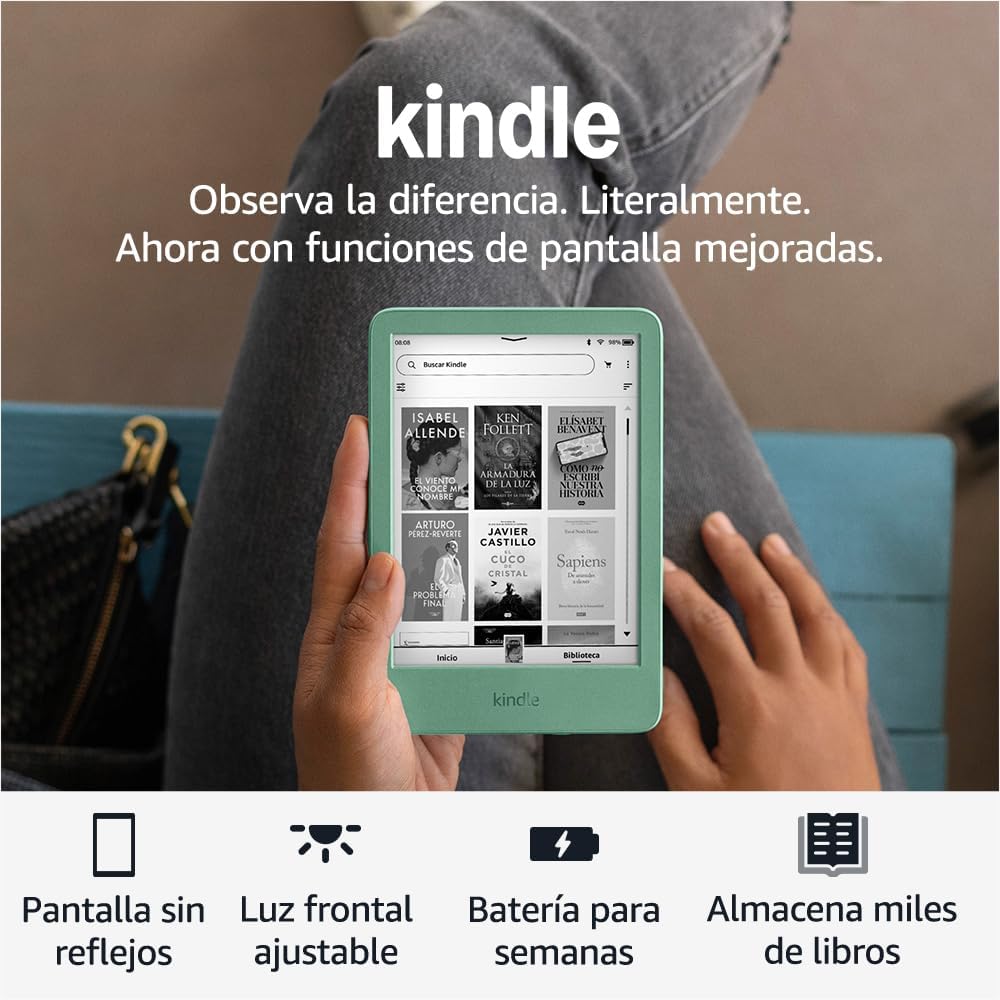
The Amazon Kindle (11th Generation) is engineered for dedicated reading, minimizing distractions and maximizing comfort. Key features include:
- Lightest and Most Compact Kindle: Designed for portability and comfortable holding during extended reading sessions.
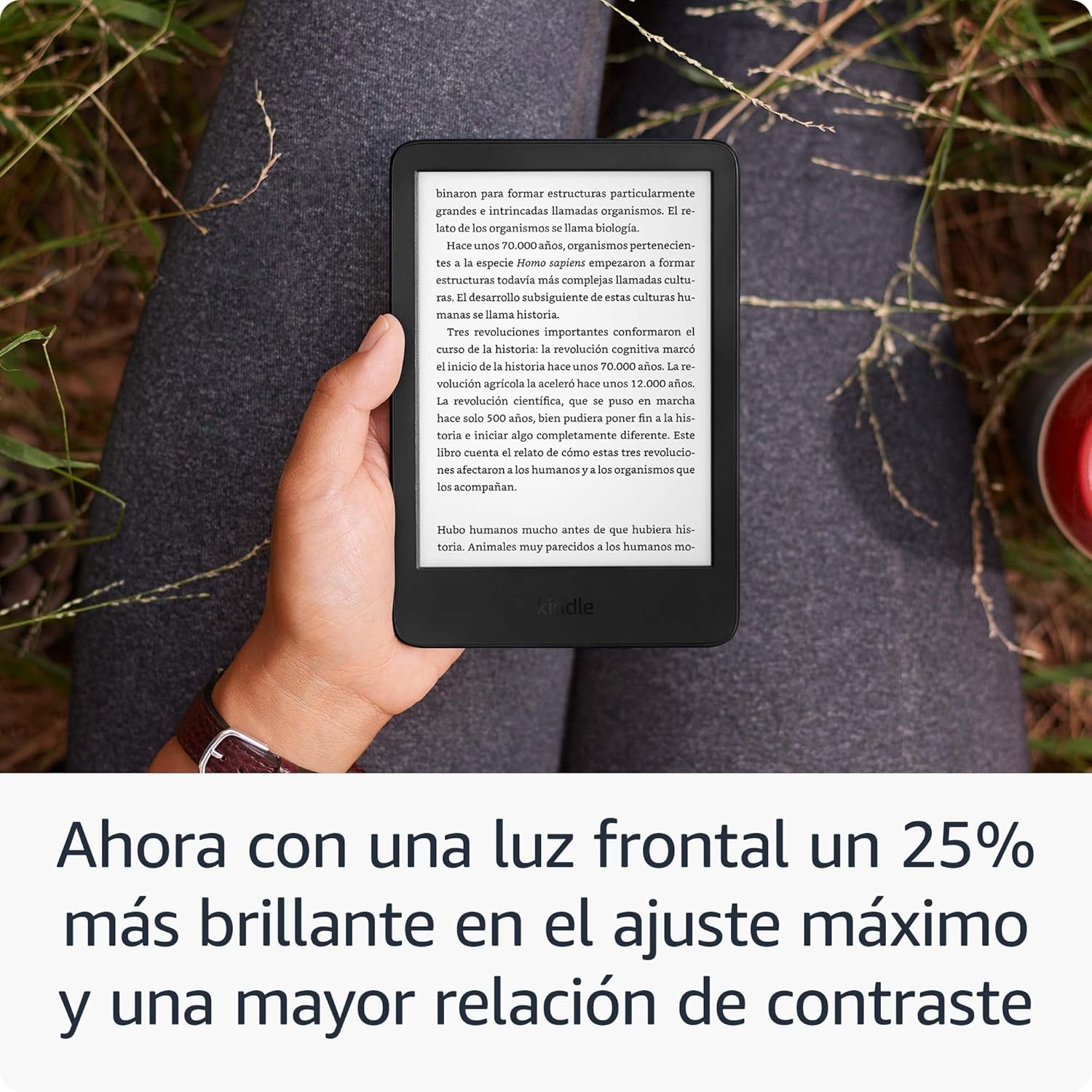
- Improved Display: Features a brighter front light at maximum setting, higher contrast, and faster page turns for a superior reading experience.
- Glare-Free Screen: A 6-inch display that reads like real paper, even in direct sunlight.
- Adjustable Front Light & Dark Mode: Read comfortably in any lighting condition, day or night.
- ശ്രദ്ധ വ്യതിചലിക്കാത്ത വായന: Disconnect from messages, emails, and social media to immerse yourself in your books.
- വിപുലീകരിച്ച ബാറ്ററി ലൈഫ്: Enjoy up to six weeks of battery life on a single charge.
- Ample സംഭരണം: 16 GB of storage capacity, enough to hold thousands of books.
- Kindle Unlimited Access: Discover new stories with unlimited access to over 4 million titles and thousands of audiobooks (subscription required).
- സുസ്ഥിര രൂപകൽപ്പന: Constructed with 75% recycled plastics and 90% recycled magnesium.
ഉൽപ്പന്ന ദൃശ്യങ്ങൾ



സജ്ജമാക്കുക
പ്രാരംഭ സജ്ജീകരണം
Follow these steps to set up your Kindle for the first time:
- പവർ ഓൺ: Press and hold the power button located on the bottom edge of your Kindle until the screen lights up.
- ഭാഷ തിരഞ്ഞെടുക്കുക: ലിസ്റ്റിൽ നിന്ന് നിങ്ങൾക്ക് ഇഷ്ടപ്പെട്ട ഭാഷ തിരഞ്ഞെടുക്കുക.
- വൈഫൈയിലേക്ക് കണക്റ്റുചെയ്യുക: Select your Wi-Fi network from the available list and enter the password if prompted. Your Kindle supports 2.4 GHz and 5.0 GHz networks with WEP, WPA, WPA2, and OWE security.
- നിങ്ങളുടെ കിൻഡിൽ രജിസ്റ്റർ ചെയ്യുക: Sign in with your existing Amazon account or create a new one. This links your Kindle to your content library.
- ട്യൂട്ടോറിയൽ: Follow the on-screen tutorial to familiarize yourself with basic navigation and features.
നിങ്ങളുടെ കിൻഡിൽ ചാർജ് ചെയ്യുന്നു
Your Kindle comes with a USB-C charging cable. To charge your device:
- Connect the USB-C end of the cable to your Kindle's charging port.
- Connect the USB-A end to a computer's USB port or a 9W USB power adapter (not included).
- A full charge takes approximately 4 hours via USB from a computer, or about 2 hours with a 9W USB power adapter.
നിങ്ങളുടെ കിൻഡിൽ പ്രവർത്തിപ്പിക്കുന്നു
ഇൻ്റർഫേസ് നാവിഗേറ്റ് ചെയ്യുന്നു
The Kindle features a touch-sensitive screen for easy navigation:
- ഹോം സ്ക്രീൻ: Displays your current reads, recommended books, and quick access to your library and the Kindle Store.
- ലൈബ്രറി: Tap "Library" to view all your downloaded books and content.
- കിൻഡിൽ സ്റ്റോർ: Tap "Store" to browse, purchase, and download new books.
- ക്രമീകരണങ്ങൾ: Swipe down from the top of the screen to access quick settings like Wi-Fi, Airplane Mode, and screen brightness.
പുസ്തകങ്ങൾ വായിക്കുന്നു
To begin reading:
- Tap on a book cover from your Home screen or Library to open it.
- അടുത്ത പേജിലേക്ക് തിരിയാൻ സ്ക്രീനിന്റെ വലതുവശത്ത് ടാപ്പ് ചെയ്യുക, അല്ലെങ്കിൽ തിരികെ പോകാൻ ഇടതുവശത്ത് ടാപ്പ് ചെയ്യുക.
- Tap the top of the screen to bring up the reading toolbar, allowing you to adjust font size, font type, line spacing, margins, and access other reading options.
ഉള്ളടക്കം ഡൗൺലോഡ് ചെയ്യുന്നു
With your Kindle connected to Wi-Fi, you can easily download new content:
- Navigate to the Kindle Store from your device.
- Browse or search for titles.
- Select a book and choose to buy it or download it if it's part of your Kindle Unlimited subscription.
- Downloaded content will automatically appear in your Library.
പ്രവേശനക്ഷമത സവിശേഷതകൾ
The Kindle includes several accessibility features to enhance the reading experience for all users:
- ശബ്ദംView സ്ക്രീൻ റീഡർ: Available via Bluetooth audio, VoiceView provides audio descriptions to navigate your device and read books with text-to-speech (English only).
- Invert Black and White: Change the display to white text on a black background for reduced eye strain in low light.
- Adjustable Text: Customize font size, font type, line spacing, and margins to your preference.
മെയിൻ്റനൻസ്
നിങ്ങളുടെ കിൻഡിൽ വൃത്തിയാക്കുന്നു
To keep your Kindle clean and in good condition:
- Use a soft, lint-free cloth to gently wipe the screen and body of the device.
- അബ്രാസീവ് ക്ലീനറുകൾ, ലായകങ്ങൾ, എയറോസോൾ സ്പ്രേകൾ എന്നിവ ഉപയോഗിക്കരുത്.
- ഏതെങ്കിലും ദ്വാരങ്ങളിൽ ഈർപ്പം കയറുന്നത് ഒഴിവാക്കുക.
ബാറ്ററി കെയർ
To maximize your Kindle's battery life:
- Keep Wi-Fi turned off when not actively downloading content.
- Adjust the front light to a comfortable level; higher brightness consumes more power.
- തീവ്രമായ താപനില ഒഴിവാക്കുക.
- Note that using Audible audiobooks via Bluetooth will reduce battery life.
ട്രബിൾഷൂട്ടിംഗ്
പൊതുവായ പ്രശ്നങ്ങളും പരിഹാരങ്ങളും
| ഇഷ്യൂ | പരിഹാരം |
|---|---|
| ഉപകരണം പ്രതികരിക്കുന്നില്ല അല്ലെങ്കിൽ നിശ്ചലമാണ്. | ഉപകരണം പുനരാരംഭിക്കുന്നത് വരെ 40 സെക്കൻഡ് നേരത്തേക്ക് പവർ ബട്ടൺ അമർത്തിപ്പിടിക്കുക. |
| Wi-Fi-ലേക്ക് കണക്റ്റ് ചെയ്യാൻ കഴിയില്ല. | Ensure your Wi-Fi password is correct. Restart your Kindle and your Wi-Fi router. Verify your network is 2.4 GHz or 5.0 GHz and not an ad-hoc network. |
| Books are not downloading. | നിങ്ങളുടെ വൈ-ഫൈ കണക്ഷൻ പരിശോധിക്കുക. നിങ്ങളുടെ ആമസോൺ അക്കൗണ്ട് ശരിയായി രജിസ്റ്റർ ചെയ്തിട്ടുണ്ടെന്നും നിങ്ങളുടെ പേയ്മെന്റ് രീതി കാലികമാണെന്നും ഉറപ്പാക്കുക. |
| ബാറ്ററി പെട്ടെന്ന് തീരുന്നു. | Reduce screen brightness. Turn off Wi-Fi when not in use. Avoid using Bluetooth audio for extended periods. |
If you encounter issues not listed here or if the suggested solutions do not resolve your problem, please refer to the "Further Assistance" section for support options.
സ്പെസിഫിക്കേഷനുകൾ
| ഫീച്ചർ | വിവരണം |
|---|---|
| പ്രദർശിപ്പിക്കുക | 6-inch Amazon display with built-in reading light, 300 ppi, optimized font technology, 16-level grayscale. |
| വലിപ്പം | 157.8 x 108.6 x 8.0 mm (6.2” x 4.3” x 0.32”). Actual size may vary by configuration and manufacturing process. |
| ഭാരം | 158 g (5.56 oz). Actual weight may vary by configuration and manufacturing process. |
| സിസ്റ്റം ആവശ്യകതകൾ | None; fully wireless and does not require a computer to download content. |
| ഉപകരണത്തിലെ സംഭരണം | 16 ജിബി; ആയിരക്കണക്കിന് പുസ്തകങ്ങൾ ഉൾക്കൊള്ളാൻ കഴിയും. |
| ക്ലൗഡ് സംഭരണം | എല്ലാ ആമസോൺ ഉള്ളടക്കത്തിനും സൗജന്യ ക്ലൗഡ് സംഭരണം. |
| ബാറ്ററി ലൈഫ് | A single charge lasts up to six (6) weeks, based on half an hour of reading per day with wireless off and light setting at 13. Battery life may vary based on usage. Audible audiobook reception via Bluetooth will reduce battery life. |
| ചാർജ്ജ് സമയം | Fully charges in approximately 4 hours via USB from a computer; and in approximately 2 hours with a 9W USB power adapter. |
| Wi-Fi കണക്റ്റിവിറ്റി | Supports 2.4 GHz and 5.0 GHz networks with WEP, WPA, WPA2, and OWE security via password authentication or Wi-Fi Protected Setup (WPS). Does not support connection to ad-hoc (or peer-to-peer) Wi-Fi networks. |
| പ്രവേശനക്ഷമത സവിശേഷതകൾ | ശബ്ദംView screen reader (via Bluetooth audio), invert black and white, adjustable font size, font type, line spacing, and margins. |
| പിന്തുണയ്ക്കുന്ന ഉള്ളടക്ക ഫോർമാറ്റുകൾ | കിൻഡിൽ ഫോർമാറ്റ് 8 (AZW3), കിൻഡിൽ (AZW), TXT, PDF, സുരക്ഷിതമല്ലാത്ത MOBI, PRC നേറ്റീവ് ആയി; പരിവർത്തനത്തിലൂടെ PDF, DOCX, DOC, HTML, EPUB, TXT, RTF, JPEG, GIF, PNG, BMP; കേൾക്കാവുന്ന ഓഡിയോ ഫോർമാറ്റ് (AAX). |
| ബോക്സിൽ ഉൾപ്പെടുത്തിയിട്ടുണ്ട് | Kindle device, USB-C charging cable, and Quick Start Guide. |
| തലമുറ | Kindle (11th Generation): 2024 version. |
വാറൻ്റിയും പിന്തുണയും
വാറൻ്റി വിവരങ്ങൾ
Your Kindle includes a 1-year limited warranty and service. Use of the Kindle is subject to the Amazon Conditions of Use.
സോഫ്റ്റ്വെയർ അപ്ഡേറ്റുകൾ
This device receives guaranteed software security updates for at least four years after it is last available for purchase as a new unit on our websites. For specific information about your device, visit നിങ്ങളുടെ ഉള്ളടക്കവും ഉപകരണങ്ങളും നിയന്ത്രിക്കുക.
കൂടുതൽ സഹായം
For more information about Kindle devices, refer to the ദ്രുത ആരംഭ ഗൈഡ് കൂടാതെ കിൻഡിൽ ഉപയോക്തൃ ഗൈഡ് available online. You can also visit Amazon's customer support website for additional help.
സുരക്ഷാ വിവരങ്ങൾ
Please read the following safety information before using your Kindle:
- Do not expose your Kindle to extreme temperatures, direct sunlight for prolonged periods, or excessive moisture.
- ഉപകരണം താഴെയിടുകയോ ഗുരുതരമായ ആഘാതത്തിന് വിധേയമാക്കുകയോ ചെയ്യുന്നത് ഒഴിവാക്കുക.
- Only use approved accessories, such as the included USB-C cable, for charging.
- Do not attempt to disassemble, repair, or modify your Kindle. This will void the warranty and could cause injury.
- Keep the device away from small children and pets.


